



Spotify Wrapped drops once a year in December, giving you a snapshot of the past 12 months. You share it on social media, discover your listening habits changed, then forget about it until next year.
Spotify just released something bigger. For its 20th anniversary, the platform launched "Your Party of the Year(s)" — a feature showing your complete listening history from the day you joined.
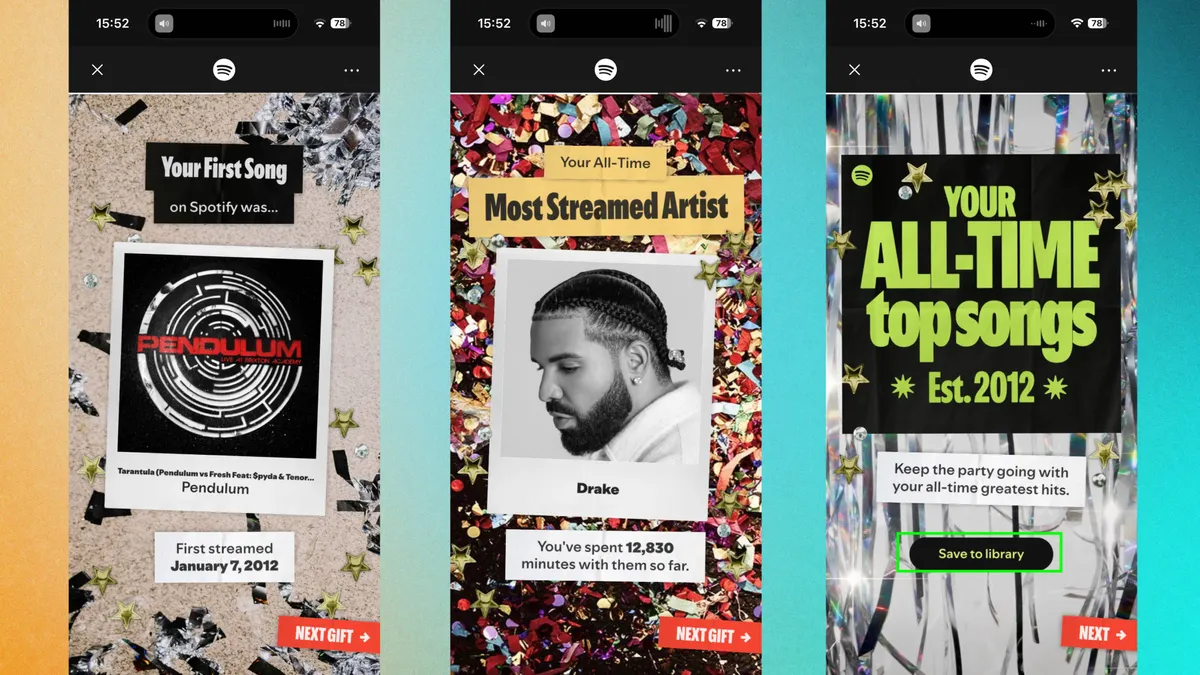
It remembers your first song, identifies your all-time most-streamed artist, and builds a playlist of your top 120 songs across your entire Spotify life.
If you've been on Spotify for years, this is basically a musical time capsule. Here's how to find it.
How to access your stats
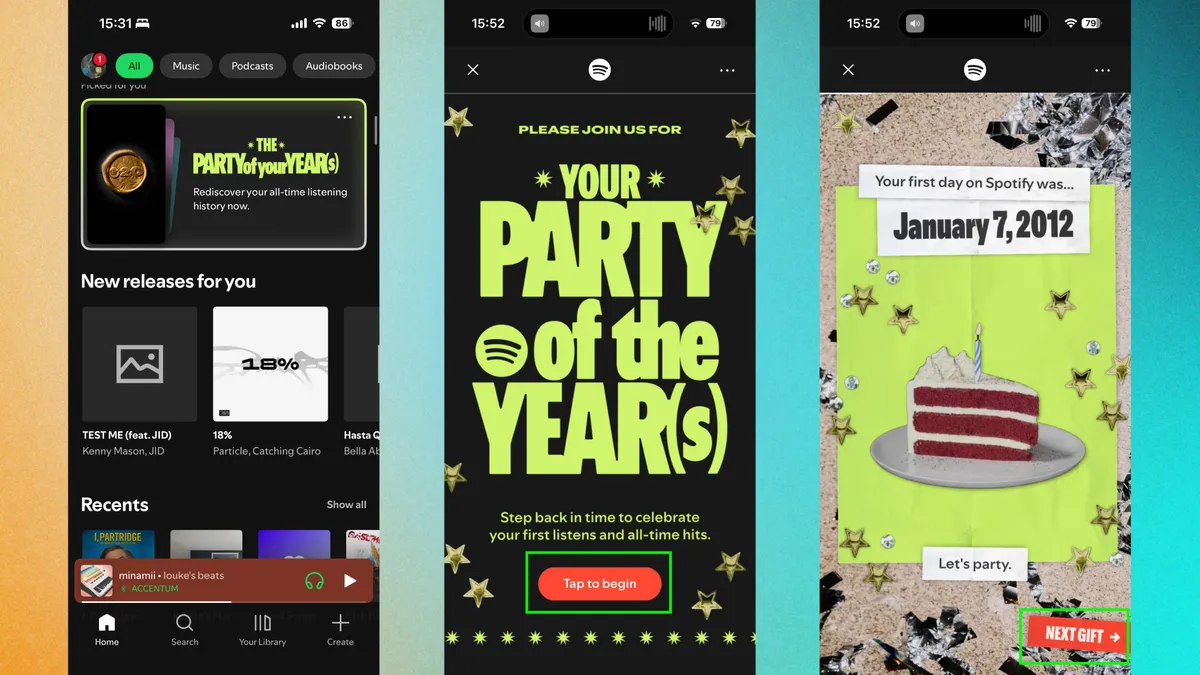
Open the Spotify app on your phone. The feature should appear prominently on your home page as a card or banner labeled "The Party of the Year(s)."
If you don't see it immediately, use the search bar. Type "Spotify 20" or "Party of the Year(s)" and the feature pops up automatically.
Tap to open it, then swipe through to see your stats by tapping "Next Gift." The experience is similar to Wrapped, designed to scroll through sequentially, revealing information as you go.
Make sure you have a later, if not the latest version of Spotify installed. Older versions won't display the feature, so update through your app store if needed.
This is my favorite Spotify feature ever
Wrapped gives you a yearly highlight reel. It's a snapshot of one year in your life, designed to capture moments and trends from the past 12 months.
Party of the Year(s) goes deeper. Every chapter, every phase, every obsessive listen from the moment you first hit play. That six-month spiral where you only streamed one artist? Documented. The song that got you through your worst breakup? Still holding its crown.
The first song reveal might just be the most delicious moment of all. Years of taste evolution, genre jumps, and carefully curated playlists, all traces back to that song. Cringe-worthy or iconic, it's yours.
And then there's the 120-song playlist: pure, unfiltered you. It's less of a playlist and more of a mirror, and honestly, I'm obsessed with it.

Follow Tom's Guide on Google News and add us as a preferred source to get our up-to-date news, analysis, and reviews in your feeds.

