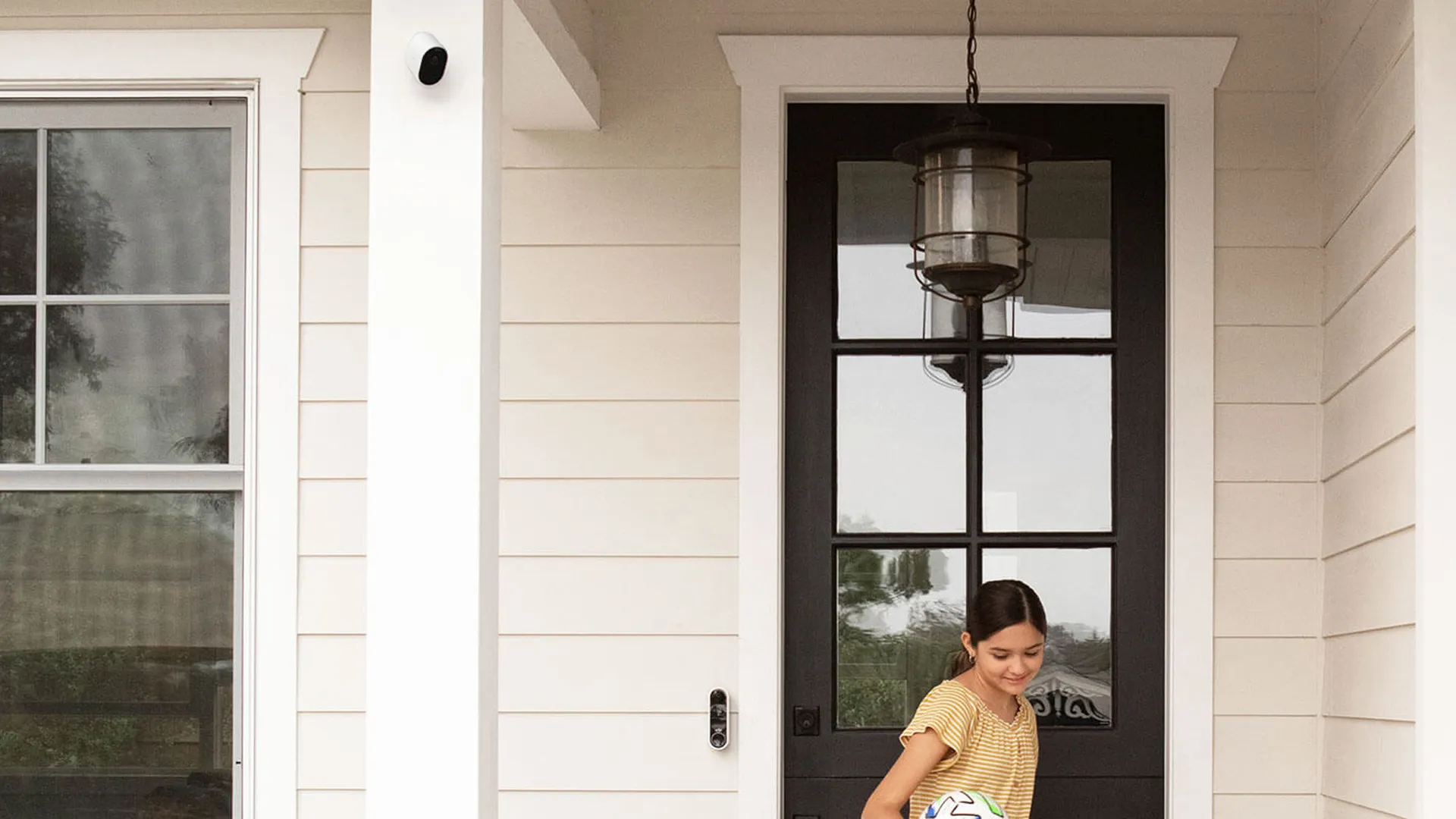
Home security cameras have become ordinary household hardware. SafeHome.org’s 2026 survey of 2,435 US adults found that 61% of households have at least one, up from 52% in 2024 and 42% in 2023, while video doorbells have reached 48% of households. Renters drove much of that growth. Their adoption rate jumped from 42% to 54% between 2024 and 2026, which makes sense given how many battery-powered cameras can be mounted without drilling and moved at the end of a lease.
Privacy is a practical buying consideration alongside price, but it still isn’t the thing most buyers put first. SafeHome ranks ease of use at 50% and monthly cost at 46%, ahead of self-installation, brand reputation and upfront price.
In other words, when looking for one of the best home security cameras, it makes more sense to start with the features and subscription, rather than the headline numbers on the spec sheet. That, of course, can make finding the right one even harder. Here are some things to keep in mind when looking for a home security camera.
Choosing the job and the price
The best way to figure out what security camera is right for you is to start with thinking about what you actually need a camera for.
A video doorbell suits packages and callers because its head-to-toe view and two-way talk are built around a front door. A driveway or yard needs a weatherproof outdoor camera, while a floodlight camera covers a broader area and adds deterrence. As a rule, cover each entry point instead of asking one camera to watch the entire property.
Prices generally fall into three useful bands. Budget models can be found for as little as $29, but you can still find features like 2K video and a pan-and-tilt designs that physically turn to cover a room. Mid-range models (around $100) offer good value, with additional features or better designs. Premium hardware reaches the $249 level and beyond, where you'll find such things as 4K video.
Image quality and placement
The number of megapixels figure on the box matters less than how many pixels land on a face. A 4-megapixel camera with a 2,560-pixel-wide image and an 80-degree lens can, under the older IEC 62676-4 identification guideline, identify someone at roughly 20 feet. A 4K camera captures 3,840 pixels across, but pair it with a wider 100-degree lens and that estimate rises only to about 21 feet. The extra pixels have been spent on width, so with the same lens, 4K gives you roughly twice the identification distance of 1080p, not four times.
Treat these numbers as geometry rather than guarantees, especially since the IEC standard for measuring detail at distance was revised in 2025. It uses 500 pixels per meter of scene width for validating a known person and 1,500 for high-certainty identification, while many spec sheets still rely on the older 250-pixel guideline. For a doorbell, 1080p is generally enough because visitors are close. For outdoor cameras, 2K, usually around 2,560 pixels across, is the sensible default. Pay for 4K when you need more detail at distance rather than simply a wider view, and check that your storage and Wi-Fi can handle it.
That said, two ordinary cameras in the right places will often beat one expensive 4K model covering everything badly.
“Spend less time chasing the highest resolution number in isolation. More detail can be useful, but placement, nighttime visibility, and useful notifications deserve just as much attention,” says Lars Felber, director of PR at Eve Systems. “A camera pointed at the wrong part of the porch can miss what matters regardless of its resolution.”
Judge a camera on its night footage, too. Infrared night vision uses light outside the visible spectrum to produce a black-and-white image in darkness, so it can show details relatively cleanly, but not with any color. Color night vision needs ambient light from a streetlamp or porch, or a built-in light — though often color night vision is a little less detailed, and usually can't see as far.
Watch for smeared movement too, since some battery cameras reduce their frame rate at night. Keep the lens away from glass and nearby eaves, which can bounce infrared light back into it.
Power, installation and Wi-Fi
Power decides where a camera can go and whether it can record continuously. Battery models are the easiest to install and the most renter-friendly, but they sleep until motion wakes them, so you get event clips rather than a full timeline and may lose the moments just before a trigger. Plug-in models remove charging breaks but leave you with a cable to route. Hardwired doorbells and floodlights can support 24/7 recording.
Power over Ethernet, usually shortened to PoE, carries power and data down one network cable for a more dependable connection. PoE requires cabling and a compatible switch or recorder, which is more work than most people want for a single doorbell. Solar models are the compromise. Solar models still have a battery, but solar panels keep the battery topped up so you don't need to worry about manual charging.
A solar panel is often the more practical upgrade for an awkward outdoor mount. Just about every company that makes one of the best outdoor security cameras offers a compatible panel. You’ll need a position with dependable sun, and short winter days can still leave the camera reliant on its battery, though it still beats climbing a ladder every few weeks.
Outdoor hardware also needs a weather rating. IP65, which means dust-tight and protected against low-pressure water jets, is a common floor for outdoor cameras and suits eave-mounted units, while IP66 is the better target for fully exposed walls. Check the stated operating temperature too. Arlo rates the Pro 6 down to −4°F, while cheaper models don’t always cope as well with freezing conditions. If you live somewhere that gets truly cold, like Canada, many models may not work for you.
Before drilling, test Wi-Fi at the exact mount point with your phone. Exterior walls and foil-backed insulation can badly weaken 5GHz Wi-Fi, which is fast but relatively short-ranged. Many budget cameras use only 2.4GHz, which reaches farther but contends with more household congestion.
Finally, check your upload speed if you plan to run several cloud cameras. Local recording to a memory card or hub doesn’t use that upload link, but continuous cloud video can saturate it surprisingly quickly.
Subscriptions, storage and alerts
Often, the price you pay for the camera itself is just a starting point. You still have to store video — and unless you can do so locally, you may have to pay for a subscription.
Some cameras have microSD card slots built into them. A microSD memory card is cheap, works without internet and can support continuous recording, but a thief can take it along with the camera. Cloud storage preserves an off-site copy and makes playback easy from anywhere, though it usually means a subscription fee, plus you may or may not be interested in cloud storage for privacy reasons.
A local hub splits the difference. These live in your house, but are connected to your cameras wirelessly, so footage can survive both a damaged camera and an internet outage. A hybrid setup is generally the better choice, with local recording for continuity and cloud copies for important events.
“One of the most important things to look for in a home security camera is if a subscription is required to set up and use the device,” says Carney. “Going into the purchasing process, consumers should be aware that some security companies tack on a required subscription as a hidden cost without being transparent about it at purchase.”
Without a plan, some company's cameras will only let you view live events, and not save recordings, or access all of a camera's features. Be sure to look at the price of the subscription, and see if what's being offered is worth the long-term investment.
Once footage is being recorded, the next problem is getting alerted only when it matters. A camera that pings every time a car passes will eventually be ignored. Custom motion zones, sensible sensitivity controls and reliable person, vehicle and package detection do more for daily use than another AI label. At a door, two-way audio is worth having too, so you can speak to a courier without opening it.
“A camera can be very advanced and still fail at its only job if notifications are delayed,” says Rod Sides, founder of Loxx Boxx. “Worse, if it displays too many notifications in a way that you haven’t customized, you’re more likely to overlook the one important notification that may pop up.”
Privacy and security
Privacy policies deserve as much attention as the video specs. End-to-end encryption means only your devices hold the keys, so the camera company can’t decrypt the footage. Apple’s HomeKit Secure Video works this way by default. Google encrypts Nest footage in transit and at rest, but not end-to-end.
“Privacy should be part of the buying decision from the beginning. Ask where footage is analyzed and stored, who can access it and whether both live video and recordings have end-to-end encryption,” says Felber. “Simply working with Apple Home doesn’t automatically mean a camera supports HomeKit Secure Video, so check for that feature explicitly.”
And don’t forget the microphone, since many cameras record audio by default. Recording a private conversation without everyone’s consent can break the law in all-party consent states such as California. If you don’t need sound or two-way talk, switching it off is the safer default.
What to spend your money on
What’s actually worth paying for? Reliable person and package detection with activity zones, a mechanical privacy shutter on an indoor camera, local storage that keeps recording through an internet outage, and night performance verified in real footage. Solar power or PoE is worth the premium if the alternative is repeated ladder trips, and a subscription only makes sense if you can afford it for five years. You probably don't need 4K on most standard setups, either.
“What consumers can spend less time worrying about is having the highest resolution or every bell and whistle on the market,” says Zavin. “Instead, focus on what the camera can actually do when a potential threat arises.”
For most homes, a well-placed 2K camera with accurate detection and a local fallback is the better buy. Step up to 4K or paid AI search if you have a specific use for them, not just because they're available.