To paraphrase Ben Franklin, the only certainties in life are death, taxes, and rising subscription rates. According to a recent survey, subscription rates have gone up by 19% since 2020. That’s nearly five times the average annual inflation rate. The average U.S. consumer now spends $84 per month on 4.5 streaming subscriptions. That’s $1,008 per year. Disney+, for example, originally cost $8.75 per month in 2020 for its ad-free plan; that same plan now will cost you $18.99 per month.
It’s not just the best streaming services. In 2014, an Amazon Prime membership cost just $79 per year; it’s now at $139. Back in 2020, if you wanted professional monitoring with your Ring camera plans, it cost $10 per month. Now, it’s twice that.
I think you’re paying too much. That’s why I’m starting this weekly column, which will look at various ways you can ditch those costly subscriptions, but still get most — if not all — of those same services and features.
Welcome to Click to Unsubscribe, a weekly column that will show you ways to cut your monthly subscriptions, whatever they might be.
Let’s kick things off with cutting the cord. One of the easiest ways to ditch cable is to switch over to streaming services, but, as we’ve seen, the cost can be prohibitive if you still want to get all your local channels. One of the best TV antennas is the best way to circumvent this. You can get a good quality model for less than $50, and still get all of your favorite network shows.
There’s one thing still missing: a DVR. One of the advantages of the ol’ cable box was that you could record programs and watch them at your convenience. Fortunately, there’s a way around this.
For the last few weeks, I’ve been testing a device called the Tablo, which acts as a DVR for over-the-air broadcasts. Even better: It works with Fire TV, Roku, Apple, Google, Samsung, and LG streaming devices and smart TVs. And, you can also stream shows to the Tablo app on your smartphone.
What is the Tablo and what does it cost?
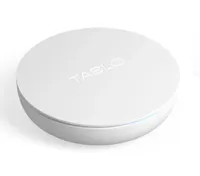
The Tablo connects to an HD Antenna, and not only allows you to stream over-the-air programs, but also record them on the device itself. It has 128GB of storage that can hold upwards of 50 hours of HD footage, but should you want more, you can attach a USB hard drive between 1TB and 8TB to the back of the device.
You can purchase the Tablo with two tuners for $99 or four tuners for $139. If you want to add an antenna, it will add an extra $30 to the 2-tuner device, and $20 to the 4-tuner device.
What I liked
Customizable channels
The app quickly picked up 166 channels — one of the benefits of living in the New York City area. What’s better is that you can remove channels that don’t interest you. I never plan on shopping on QVC or watching Joel Osteen, so why would I want it to clutter up my screen?
Intuitive interface

The interface was easy to navigate; along the left are categories that let you sort by shows, movies, sports, and news, as well as view a grid of what’s currently airing. A Home screen displays highlights of trending shows, as well as upcoming sports and your recordings. And, with recorded programs, you can skip commercials; I wish there were a way to do a 30-second skip, but I'll take what I can get.
However, there are some channels, movies, and shows you can’t DVR due to rights restrictions; I found that out when I tried to record “The Scarlet Pimpernel” on the IFC Films Picks, as well as “Little Shop of Horrors” on the At the Movies channel.
It's very responsive
Scrolling though channels and menus via my Apple TV device was fast; the only time I noticed any lag was when I would press the forward button repeatedly to skip through commercials, but it would catch up after a second or two.
It was just as fast as the best streaming devices I've tested in the past; I was able to cycle through all the menus and screens as soon as I pressed a button on the remote.
What I didn’t like
A wonky setup process
The most tedious part of the setup process was waiting for the Tablo app to download the 14-day schedule, which took a good 30 minutes. The app appeared to hang up while it was downloading the schedule. I then restarted the app, and went through the scanning process again.
That didn’t work, so I had to reset the device and start over from scratch. It again appeared to hang when downloading the schedule, but when I quit the app and then reopened it, the schedule appeared.
Initially, I also had trouble streaming recorded programs, so I plugged the Tablo directly into my router via ethernet, and it cleared up the problem.
It has a shelf life
The 4th-generation Tablo supports the current ATSC 1.0 broadcast standard used by all major commercial broadcasts today. However, it does not support the newer ATSC 3.0 standard, which permits 4K streams as well as Dolby Atmos. While ATSC 1.0 is expected to continue through February 2028 (and perhaps longer for many stations), there will come a time when current Tablo devices won’t be able to pick up broadcasts. The company says it is working on an updated device, but doesn’t have a timeframe for when it will be available.
Bottom line

In the early days of streaming, two of my favorite devices were the Sling Box and the Amazon Fire TV Recast. The former let you view your local TV channels from anywhere you were, and the latter let you record those programs and watch them anytime you want. Unfortunately, both devices have long since been discontinued.
The $100 Tablo is the successor and an improvement on both those devices. While it won’t solve all your streaming issues, you can watch and record shows from all the major networks without having to pay a monthly subscription — cable or otherwise.