







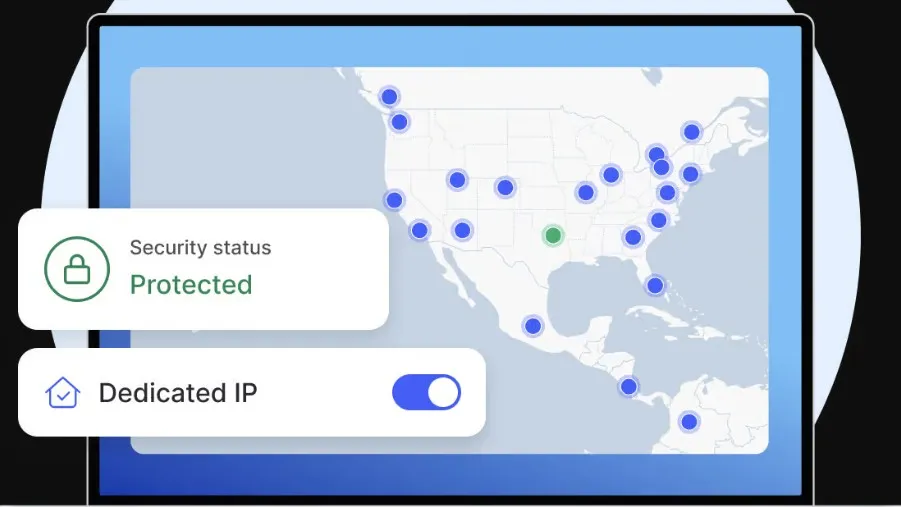
A dedicated IP address is a unique number that you – and only you – use to access the Internet. It helps keep you safe and private online by hiding your location, protecting your privacy by masking your real IP.
If you are familiar with VPNs, you may have noticed that many of the best VPN services offer dedicated IPs as an add-on service. This gives you the security of the VPN plus an extra layer of privacy, as you alone will have access to your dedicated IP's address.
In this article, we’re breaking down which VPNs have dedicated IPs and how much each one costs. You’ll also learn the pros and cons of a dedicated IP, and how to tell if you really need one.

What is a dedicated IP?
An Internet Protocol (IP) address is a unique number assigned to each individual device (e.g. laptop, smartphone, IoT device) that connects to the Internet. IP addresses help make sure data is correctly routed and sent across the web.
Each IP is created based on a formula. Your IP reveals information such as the type of network you’re using and your geographical location – or rather, the location where the IP address is registered/where its server is located.
Many hosting providers offer both dedicated and shared IP addresses. A dedicated IP is exclusively assigned to a single user, device, or hosting account. Multiple VPN users, however, can be on a shared IP.
Pros and cons of dedicated IP
If you’re using a dedicated IP, you’ll be assigned the same IP number every time you connect. That number is associated with a specific VPN location.
This is helpful because you can use the VPN’s encrypted connection while simultaneously:
- Avoiding CAPTCHAs for smoother logins
- Accessing systems that only allow approved IP addresses
- Avoiding IP blocks commonly found with online banking sites, streaming services, or email
You’re getting all the usual benefits of a virtual private network, but thanks to your individual IP marking you as a single user – versus a big group of people on a shared VPN who might spam websites – you’re avoiding potential VPN drawbacks. This includes things like being blocked from using your online banking while connected to your VPN.
This workaround isn’t perfect, however. Keep in mind that if you opt for a dedicated IP, you can only mask your location using the single place where your IP address is hosted. You can’t change your location later.
What’s more, since dedicated IP addresses belong to just one person, they can sometimes be easier to track than other types of IPs. Don’t worry: your identity still won’t be exposed. But you may have less privacy than you would if you were using a shared IP with hundreds of other users.
With a shared IP, it’s harder for third parties to pick out a single user’s activity among all that traffic, creating greater anonymity.
Which VPNs offer dedicated IPs?
Take a look at our breakdown of the best VPNs in 2025, whether they offer a dedicated IP, and what sets them apart.


Should you get a dedicated IP?
Dedicated IPs come in handy if you need reliability: smooth remote logins, fewer blocks or verification challenges, and better home network security.
If you just want to stay private online, using a VPN should enough, especially if it's one of the most private VPNs. But for more complex remote access needs, look into a dedicated IP address.

