If you're clued into social media, or terminally online like I am, you may have noticed posts of people realizing that photos shot on iPhone look different if they stick their hand in the frame. Instead of the drab, washed out browns and greens, you end up with a photo with warmer and more vivid colors than before. The only trade-off is that you need to have your hand in frame to get the effect.
Obviously, I was curious about whether this was actually true, and how much of an impact sticking your hand in shot actually makes to the final photo. As it turns out, yes, I could mimic the same effect by putting my own hand between the camera and the foliage.
And there's a very good reason for it, and that reason means iPhone 18 Pro owners can avoid going to these same extremes.
iphone can’t handle anything colorful unless there’s a hand in the frame https://t.co/C8FVp17gkoOctober 31, 2026
Testing the effect


The above pictures were taken on the iPhone 18 Pro Max, and the final pair which were shot with the iPhone 17 Pro Max. As you can see, the coloring in all of the images is pretty washed out with a dreary gray sheen that seems pretty typical of the Old English Autumn. Unlike New England, the leaves aren't nearly as vivid here — but they certainly don't look like that.
Once my hand is in frame (with some help of my white sleeve) the coloring changes for the better. The various shades of red and yellow seem to pop a bit more, and even the greens, which are usually rather unremarkable, seem to look a lot more vibrant.
The effect is more prominent in some photos compared to others. The change is most noticeable with the blackberry bush, to the point that you wouldn't even realize that those photos were taken seconds apart.
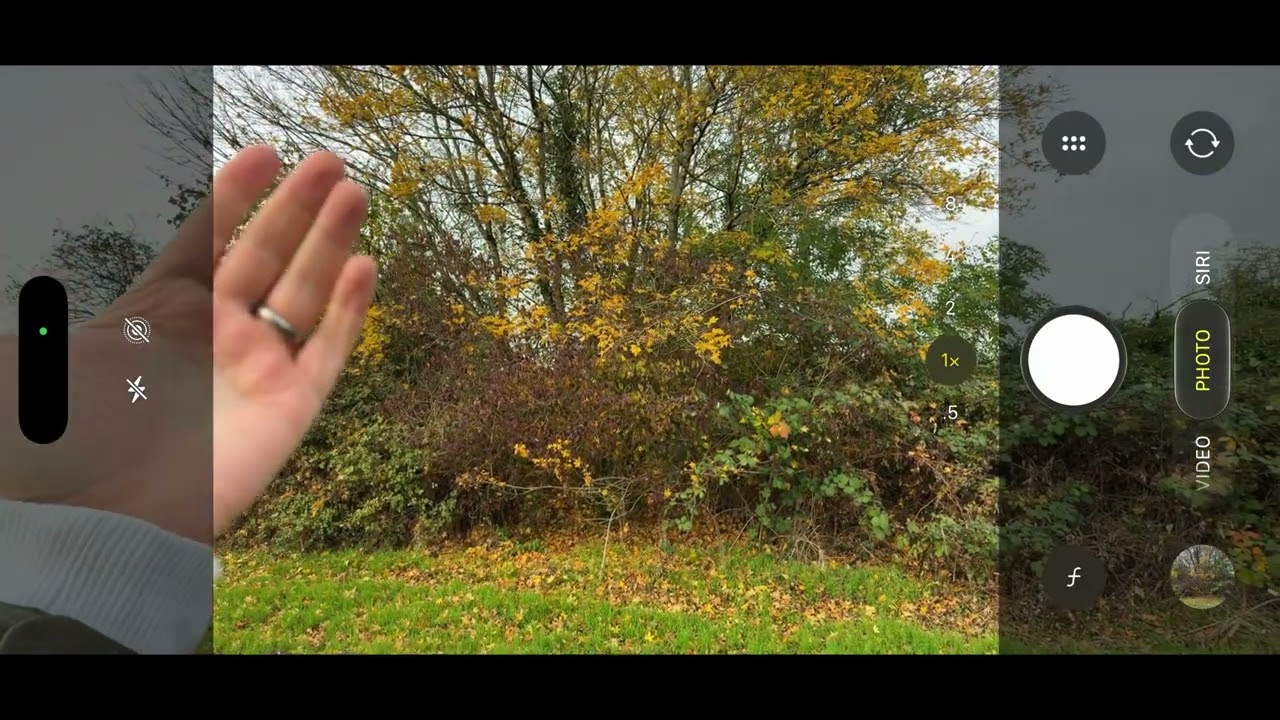
You can actually see the change happen in real time with the above video. This screen recording was taken on the iPhone 17 Pro Max, and when my hand pops into frame you can see the color of the preview change. The overall color gets warmer, and the colors start to pop a little more than they had before.
In other words, if you're having trouble with the color of your fall foliage not looking as nice as you thought, it's possible that sticking your hand (or something in a very light color) might help things along.
Why does this happen?

There's a very good reason why this happens, and it all comes down to the fact that most iPhones rely on automatic white balance. In fact, only the iPhone 18 Pro and 18 Pro Max give users the chance to adjust white balance, a feature that is more common (and more robust) on other cameras — including non-Apple smartphones.
Auto-white balance is common enough, and is used by the camera app to compensate for the ambient light in a specific scene or location. However, utilizing it over manual controls does leave you at the mercy of computational photography algorithms. And in the case of some phones, like older iPhones, you don't have any choice in the matter.
PetaPixel speculates that the iPhone camera could be confusing warmer Fall lighting with an unwanted color cast. To compensate, the camera cools down the image temperature and dulls the natural coloring in the process.
But if you stick something white, or close enough to it, the iPhone camera app will automatically adjust the color temperature across the photo to compensate. That also means that the foliage in the background takes on a warmer hue, and the fall colors appear to be a lot more vivid than the original washed-put image.
Obviously this technique is only going to work for people with lighter skin tones. While we haven't done any testing to see what happens when someone with darker skin puts their own hand in frame, logically the effect would be totally different compared to my own pasty-white hands.
But in those cases you could experiment with using white objects to help trick the software into tweaking the color temperature.

That said, anyone with an iPhone 18 Pro or Pro Max has better control over white balance by tapping the camera menu button on the bottom right of the screen, tapping white balance and then picking one of the five preset options.

Follow Tom's Guide on Google News and add us as a preferred source to get our up-to-date news, analysis, and reviews in your feeds.
More from Tom's Guide
- iPhone 20 could roll the Action Button and Camera Control into a single button — and I'm very excited to see if that actually happens
- I've been testing the iPhone Duo for 3 weeks and I'm surprised these very popular apps aren't optimized yet
- iPhone Duo ‘crackgate’ could be at an end, as leaker claims Apple has figured out why some screens have been randomly breaking