


There comes a point when your child is old enough to potentially get their own Kindle, mostly so they stop stealing yours and filling up your library with Big Nate collections.
Now is the perfect time to find the right Kindle for your child, as Amazon typically puts many of its Kindles on sale for Black Friday. You may not have known that Amazon has kid versions of the Kindle, Paperwhite and Colorsoft.
Unfortunately, none of them are on sale, and in general they're more expensive than their "adult" counterparts. But Amazon also offers a bit more out of the box with the kid versions.
Let's break down what you get with the Kid Kindle and why the higher price may be worth it.
What does the Kids Kindle come with?

To be up front, as far as we can tell, the different Kindle Kids eReaders are the same hardware that you get with the standard Kindle, Paperwhite and Colorsoft.
The difference is that the Kid version comes with a case included. Right now, the Paperwhite Kids can be purchased with the Pirate theme, "Bookman," or Lakeside Retreat.
Additionally, the Kid Kindles come with a 1-year Kids+ subscription included. Basically, this is a more curated version of Kindle Plus (the rebranded of Kindle Unlimited) for children. It includes thousands of books for kids ages 6 through 12, like the Percy Jackson series or Diary of a Wimpy Kid. Also, the Kid version does not come with ads or distractions.
The Kid Kindles also have parent controls that can be accessed through the Parent Dashboard mobile app which can be used to suggest books or set screen limits.
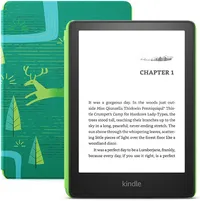
By comparison, the adult Kindles do not come with a case, only three months of Kindle+ (which adds a cost), and you have to choose ad-supported or without lockscreen ads (again more expensive).
There are content controls and parent controls on normal Kindles, but in my experience, it's more finicky and usually requires a separate account if you truly want to lock things down. Quite annoying when you're sharing with your child and your wife is filling the library with romantasy novels. Not yet, buddy, not yet.
Both the kids and adult versions can be used to access library books through the Libby app, literally the best thing about Kindles compared to most other eReaders.
Sales
Here's the big difference: price. Let's use the Kindle Paperwhite as our example.
The Ad-free, 3-month Kindle+, Paperwhite costs $219 when its not on sale. The ad-supported version costs $199. The new Kids Kindle Paperwhite costs $229.
For a less expensive option, the cheapest standard Kindle is $149, while the Kids version costs $179. The case adds up the Kids version, but if you want a case for the adult version, the cheapest one I saw on Amazon tacks on $21 to the price.
If money isn't as big of a concern, the Kids Kindle Colorsoft is $299 but is great for kids who starting to read comic books or if you want the option for color stories. The base adult Colorsoft starts at $289 but there is a bundle with a case for $301, which is on sale.

The big difference is that I rarely see the Kid versions go on sale while the standard Kindles get discounted throughout the year typically around Black Friday, the new Spring sale and the big Prime Day summer sale.
Also, the subscription. You get three months of Kindle+ which normally costs $11.99 per month (or $143.88) for a year. The Kid Kindle comes with 12 months of Kids+, which normally costs $7.99 a month for Prime Members or $8.99 if you don't have an account.
Additionally, if you have other Amazon devices like the Amazon Kids Echo or an Amazon Kids tablet, your Kids+ subscription is accessible across each device with a child profile.
Tom's Guide recommendation

Get the kids version.
The upfront costs of the Kid Kindle is higher in general, but over the first year, if you keep the subscription, you're paying on par with the adult Kindle and getting more control and curation.
As we noted above, you don't have to get the newest model and Amazon has done a decent job of supporting much older Kindles.
In this case, don't let the sticker shock get to you and consider the Kindle Kid, Kindle Paperwhite Kid, or Kindle Colorsoft Kid for your child.

Follow Tom's Guide on Google News and add us as a preferred source to get our up-to-date news, analysis, and reviews in your feeds.
More from Tom's Guide