




The best OLED TVs are brighter and more colorful than their LCD-powered siblings. On a 4K TV, there would be over 8 million individual pixels in the screen, and each one can be brightened, dimmed or turned off to give greater color and contrast control, creating bright, vibrant images where you can even see details in the darkest blacks.
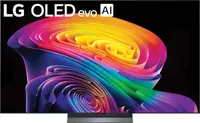
The LG B6 does a phenomenal job managing those colors, which is one of the reasons it's the best OLED TV you can buy right now. It's not even the top of the range (that'd be the C6 and G6), but it offers such impressive performance for the price that I'd have a hard time recommending that you spend more.
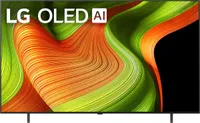
The best OLED TVs also often cost quite a lot too, but that's why I've ranked last year's LG C5 as the best budget-friendly choice. It's an incredible TV that handled everything we gave it exceptionally well. But as an older model, now that the C6 exists, it's about half its launch price, making one of the most versatile OLEDs even cheaper.
AI is currently everywhere, including your new TV. But don't buy a set based on these features; they're not useful or particularly good. Instead, focus on the hardware and performance you need from your new TV, as the software will get updated over time anyway.
The best OLED TVs available right now
Why you can trust Tom's Guide Our writers and editors spend hours analyzing and reviewing products, services, and apps to help find what's best for you. Find out more about how we test, analyze, and rate.
Best OLED TV overall


I don't often recommend the latest version of any TV because the older one drops in price once a new model is out, and the performance improvements are usually pretty marginal. That's not the case with the exceptional LG B6, which is a huge step up from last year's B5, and the performance holds up well against much more expensive sets.
That's partly because it's closely related to the LG C6. The aesthetic is pretty much the same — the B5 has a dual-leg stand versus the C6's central pedestal — and both sets have a 120Hz refresh rate and four HDMI 2.1 ports, making both good choices for console gamers or if you want to watch live sport without any blurring.
But it's the display that sets these two TVs apart. The B6 handles contrast and colors brilliantly, so that everything on the screen looks vibrant and the colors really pop, as we found while watching "Send Help," where the island's landscapes and plants looked beautifully green, while the multicolored sands were kaleidoscopic.
When we had the B6 in our lab for testing, we did find that it wasn't as bright as the C6, but this isn't as big a setback as it sounds. I mean, we're talking about differences at the brighter end of the spectrum, but also OLED TVs generally seem brighter because they handle contrast so well anyway.
So although I probably wouldn't recommend placing the B6 in direct sunlight, it's going to hold up just fine in bright rooms without issue. And I'd reserve using the TV's Filmmaker mode for when it's darker, and keeping Standard or Vivid modes for daytime viewing to get the best balance of brightness and vibrancy.
The B6 ships with LG's webOS 26 software, which is second only to Google TV as our favorite smart TV platform. It's easy to use, responsive and doesn't overload you with ads like Amazon's Fire TV does. There's a lot of AI features that are mostly useless, but you can just ignore these and stick to watching your movies or playing games.
- Read our full LG B6 review
Best OLED TV under $1,500

LG launched the C6 in early 2026, so maybe you're wondering why I'm sticking with the C5 (last year's model) as the best budget OLED TV right now. And the short answer is because it's phenomenal value at its discounted price. It's one of the best TVs we've tested, and it's currently about half its original retail cost.
We tested the C6 too, and while that is also an exceptional TV, the performance upgrades are pretty small over the C5 and the biggest difference is an improved remote, which just isn't worth the extra $1,000 you'd spend on the C6 right now (even if the C5's remote is quite unusual and takes some getting used to).
And while the cost is part of the reason it made it into our guide, it's far from the only one. The LG C5 is an extremely versatile, bright and colorful OLED TV that can handle pretty much anything you throw its way, from vivid, high-contrast movies to dark and shadowy TV shows, and console games to live sports.
We were most impressed with how it handled colors specifically. From the moment we powered the C5 up, everything on the screen felt immersive and exciting. The exceptional contrast performance also meant that we could see everything happening clearly, even in bright spaces. Plus its impressive brightness helps.
Of course, a bright TV is great during the day, and a bit overwhelming at night. We found that the TV's Dark Room mode adjusted the brightness enough to make it bearable for our eyes, but kept the color and contrast performance intact so everything still looked as exceptional as it did in its standard setup.
It has a 120Hz refresh rate, which is not the highest you can find (some sets reach 144Hz or 165Hz) but it is the sweet spot for most things. The current generation of games consoles output at 120Hz, and we found that the C5 handled fast-paced scenes and action (like in movies or live sport) incredibly well without ever blurring.
- Read our full LG C5 review
Best OLED TV for gaming

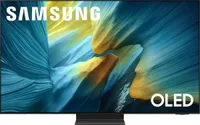
The dazzling color reproduction and impressive contrast are what makes the best OLED TVs so desirable for movies, TV shows and sports. But these same qualities, combined with some dedicated gaming features, are what make the Samsung S90F the best OLED TV for gaming (and for everything else).
What sets this TV apart from the LG B6 and LG C5 (as great as those are) is Samsung's focus on gamers, and the way the Tizen smart TV platform doesn't just accommodate gamers, but actually cares about them. The clearest evidence of this is the TV's Gaming Hub, which is a kind of one-stop-shop for all your gaming needs.
Once you plug your games console into one of the four HDMI 2.1 ports, the TV recognizes the device and adds a menu for that console, with a list of your recently played games. If you jump back in from the Gaming Hub, the TV automatically turns on Gaming Mode, which optimizes the set for improved responsiveness.
What helps is that the S90F has an impressively low input lag response. We measured it at 9.1ms (anything under 10ms is ideal for competitive gaming). The LG B6 hit 8.9ms but only in boosted mode — its native lag is 12.9ms. These are fractions of a second we're talking about, but it can make a big difference in the game.
The 120Hz refresh rate is ideal for console gamers, since those output at 120Hz, but if you have a gaming PC capable of hitting 144Hz or 165Hz, then you'd be better off with one of the best gaming TVs. All combined, the Samsung S90F an exceptional option for gaming — and movies, TV shows and sports when the mood strikes.
- Read our full Samsung S90F OLED TV review
Also tested
How we test the best OLED TVs
You might think that reviewing TVs is all about sitting down on the couch and watching our favorite films and TV shows. Don't get me wrong, that is part of it (and an enjoyable perk of the job), but there's more to how we test TVs than spending hours in front of the screen.
First, every model we test gets sent to our lab for objective benchmark testing. We use industry-grade equipment, including a pattern generator, colorimeter, calibration software and a spectroradiometer to gather performance data for the TV's brightness, lag and color accuracy.
This allows us to more easily compare performance between models, see what's changed on an upgraded version of a particular TV and to check that the specs the manufacturers put out actually hold up. It also gives us a guiding hand when deciding which are the best OLED TVs for gaming or bright rooms.
With the measurements stored in our vast testing spreadsheet, we move onto the toughest part of the job — using the TVs. The aim is to set them up just as you would, in a relatively bright space, to see how they perform in the real world. After all, brightness measurements are useful, but don't assess how anti-glare coatings hold up.
We watch movies, TV shows, sports matches and play games to see how each TV handles different types of media. We cast a critical eye on every title — the output, not the media itself — so we can see whether it can handle the shadowy space of a Christopher Nolan movie or the bright world of "The Super Mario Bros. Movie."
How to choose the best OLED TVs
If you're looking at the best OLED TVs, you probably already know that you want the brightest, most colorful image you can get, even if that means spending a bit more than you would on an LCD-based model. OLED TVs are known for their popping, exciting images and if that's important to you, then these are the TVs you want.
With that settled, choosing an OLED model for your home is quite a lot like choosing any TV. First, start with size. You'll want to check out our guide to choosing the perfect TV size for your room and settle on the sweet spot. Although 65 inches is the most common size, and often people equate bigger with better, that's not always the case.
If you buy a TV that's too large for your space, you'll end up to close to the display and image will get pixelated. Go too small in a large room, and you'll struggle to pick out details on the display. Plus, you don't want to pay more for more screen estate if that's not what you really need.
Once you have a size in mind, it's time to think about what you actually want to use the TV for, as that'll impact the features and specs you need. For gaming, you need a refresh rate of 120Hz or higher and at least two HDMI 2.1 ports. Higher refresh rates are also ideal for live sports, an area where contrast performance is also crucial.
If you plan to install your new TV in a sun-bathed room, then you'll need a set with impressive brightness performance. But for nighttime or bedroom viewing, that might be less of a pressing concern. Fortunately, most of the measures that make a good OLED TV also mean it'll be good for watching TV shows and movies.
FAQs
Can OLED TVs get burn-in?
There's a persistent TV myth that OLED TVs suffer from burn-in, where ghostly outlines of an image remain on the screen even after the picture has moved on. But like the best myths, there's an element of truth at bottom of this.
You'd most likely get burn-in if you had a similar image on the display a lot, so this was common on OLED TVs and monitors used with computers, or if they had a logo on the screen a lot, like you find on many broadcast TV channels.
When OLED TVs first came out almost two decades ago, they really did suffer from burn-in. It was a big enough problem that this style of TV became known for it, and manufacturers spent a lot of time and engineering resource to overcome it.
But it's reasonable to worry about whether it'd happen to your new OLED TV. This style of television is pretty much the most expensive you can buy, so it's natural to be worried that you'd sink all that money on a display you can't properly use.
Fortunately, modern OLED TVs have tools to prevent burn-in taking hold. LG has features like Screen Move, which slightly adjusts static images to stop them being in the same place too long, and Adjust Logo Brightness, which auto-detects logos.
I mention LG specifically because it has clear names for these features which say exactly what they do. But most brands have equivalents designed to do similar things to stop images staying still too long, making burn-in a problem of the past.

