I’ve been testing, reviewing and tinkering with TVs for over a decade, and I’ll let you in on a little secret: At any given time, there are only a few TVs I’m actively recommending to any of my friends and family who turn to me for help.
It makes sense, if you think about it — there are only a handful of worthwhile display technologies to choose from (LED, Mini-LED and OLED) and only a few price ranges to shop. With this in mind, I’ve made it easy to navigate one of the most crowded categories: 65-inch TVs.
65 inches is one of the most popular TV sizes. I've owned a 65-inch LG OLED for close to three years now, and the screen size is perfect for my modestly sized apartment. Recently I've been considering upgrading to the LG C5 OLED, my current pick for the best 65-inch TV overall.
But if you're not sure where to start, we've narrowed the choice down to just three options, so you can pick up a new, high-performance TV for your home without fuss, and settle down to watch your favorite TV shows, movies and sports events.
Do you really need a 65-inch TV?
For most living rooms and seating arrangements, a 65-inch TV is right in the “Goldilocks Zone” — it’s just right.
At 65-inches, I recommend viewers sit between 8 to 9 feet from the screen. At this distance, most people will still be able to appreciate the details of a 65-inch picture without being close enough to see the pixels.
That said, there are situations where a 65-inch screen might be a good fit.
Consider a smaller TV if you sit closer than 7 feet away from your TV at home. While bigger screens might seem inherently better, you don’t necessarily need a bigger TV in a modestly sized room. Why not put the extra cost towards a better-performing TV in a smaller size, like one of the best 55-inch TVs?
Consider a larger TV if you sit further than 9 feet away from your TV, particularly if your seating arrangement is further than 12 feet away. You’ll want the extra screen real estate in order to maintain an immersive experience. (If you often entertain guests, they’ll appreciate it, too.) If this sounds like you, take some time to explore the best 75-inch TVs and the best 85-inch TVs that work within your budget.
How long should a 65-inch TV last?
Most TVs — regardless of screen size — should last you anywhere between 5 and 10 years.
In my travels, I've seen unlucky people need to replace a set after just 4 measly years. On the other hand, I also know folks who are still clinging to their 11-year-old plasma TV.
Most TVs come with some sort of manufacturer's warranty, but in my experience, these don't tend to be long-term guarantees. Some retailers will sell you an additional warranty that could potentially cover repairs and replacements, but depending on the price of the TV, you might find them to be too pricey for what they offer.
Heavy use can have an affect on a TV's lifespan, particularly if you're the type of viewer who keeps their TV's backlight cranked all the way up. This is especially true for the pixel brightness of an OLED TV.
The best 65-inch TVs you can buy right now
Why you can trust Tom's Guide Our writers and editors spend hours analyzing and reviewing products, services, and apps to help find what's best for you. Find out more about how we test, analyze, and rate.
Best 65-inch TV overall


Right now, the best 65-inch TV overall is the LG C5 OLED. It’s not exactly budget-friendly, but it’s more affordable than higher-end options and it offers incredible picture quality for the price.
It's also an fantastically versatile TV, too. Think of it as a Jack of all trades — it’s good for daytime sports, movie nights and casual to competitive gaming.
The C5 is an OLED TV, so unlike backlit LED TVs, every single pixel on the C5 is self-illuminating. This might not seem like a big deal, but it has a tremendous positive impact on picture quality. Like all OLED TVs, the C5 features incredible contrast, depth and clarity.
It comes from a long line of OLED TVs known for quality and value. If you’ve ever heard a friend or coworker brag about a new TV, there’s a good chance it was LG’s C Series OLED.
How bright is it?
The LG C5 doesn't get as bright as higher-end OLED TVs (like the LG G5 and the Samsung S95F), but its plenty bright for most viewing environments. Just make sure you're not choosing it for a sun-soaked room or positioning it opposite a window.
One of the primary benefits of OLED TVs is that their ability to get perfectly dark makes highlight brightness extra potent. In other words, small, concentrated bits of brightness (like dapples of sunlight on the ocean) look quite lifelike.
How is its performance?
In a word: dazzling.
The C5 isn't as stunning as a top-shelf OLED TV, but it's unquestionably one of the best-looking TVs on the market today. It's the type of TV I could stare at for hours, especially for 4K sports broadcasts and movies mastered for HDR, and in fact, I have stared at it for hours.
As embarrassing as it is, I often find myself strolling down the street, gazing up at stars and streetlights while thinking, "Wow, real life really looks like an OLED TV sometimes."
This is because OLED TVs can make tiny clusters of pixels searingly bright while keeping the rest of the surrounding area pitch-black. In 4K resolution, this looks particularly realistic to our eyes. It's a signature look that even the best Mini-LED TVs struggle to replicate.
The C5 also arrives with a super-accurate Filmmaker mode right out of the box, so if you're the type of person who values a finely tuned picture, the C5 won't let you down.
How are its features?
The C5 comes with just about every feature you could ask for. Its built-in webOS smart platform is a bit too cluttered with ads to be our preferred streaming platform, but you're getting plenty of app support and the interface is pretty easy to navigate.
The C5 also comes with Dolby Vision, the most popular enhanced HDR format across streaming platforms.
As a gaming TV, you'd be hard pressed to find a more acommodating set in the C5's price range. If you're a console gamer, the C5 can handle everything the current-generation consoles can output (except for 8K content from the PS5 Pro).
Buy the LG C5 if...
✅You’re looking for incredible OLED performance at a mid-range price
✅You don’t want to cut corners when it comes extra features
Don't buy the LG C5 if...
❌You’d prefer to spend less than $1,000 on a 65-inch TV
❌You’re looking for an ultra-bright 65-inch TV
- Read our full LG C5 review
Best 65-inch TV under $1,000


The best 65-inch TV under $1,000 is the TCL QM7K, a mid-range Mini-LED TV that offers way better performance and more thorough features than entry-level 65-inch TVs.
It's a TV I keep finding myself recommending to friends and family on account of its sheer value. It’s already on the cheaper side for a 65-inch model, but if you’re looking to save more, the QM7K is often on sale for anywhere between $799 and $999.
How bright is it?
The primary reason to spring for the QM7K as opposed to a step-down model (like the TCL QM6K) is for the QM7K's well-above-average brightness.
Thanks in part to its Mini-LED backlighting, the QM7K is bright enough for daytime viewing. Its terrific highlight brightness gives the picture a true sense of depth, too.
How is its performance?
Since the QM7K made its debut earlier this year, I've been recommending it to people who want their next TV to feel like a true upgrade, but who otherwise don't want to shell out for something like the aforementioned LG C5.
As a movie buff, I prefer the QM7K over TVs in its price range on account of its well-engineered backlight, which makes cinematic content pop. I find its local dimming is more adept at controlling contrast than other mid-range Mini-LED Tvs. It's a bold, colorful picture, too, thanks to the inclusion of quantum dots, which are tiny nanocrystals that enhance color brightness.
As a picture purist, I also appreciate that the QM7K delivers an accurate presentation right out of the box.
How are its features?
Another reason I keep finding myself recommending this TV to people is because it's got a nice blend of features for every type of viewer.
I've recommended the QM7K to a couple of friends who needed a TV that could handle current-generation consoles, as it comes with a pair of high-bandwidth HDMI ports and plenty of gaming enhancements.
I've also had good luck recommending it to folks who want an easy streaming experience. The QM7K comes with Google TV and all of its straightforward streaming potential baked right in.
Buy the TCL QM7K if...
✅You want one of the brightest pictures you can get in this price range
✅You need robust gaming features on a budget
Don't buy the TCL QM7K if...
❌You don't necessarily need fancy features
❌You need more than just two high-bandwidth HDMI 2.1 inputs
- Read our full TCL QM7K review
Best 65-inch TV under $500

As of early 2026, the TCL QM6K is frequently the best 65-inch TV under $500. I say “frequently” because the 65-inch QM6K usually hovers at or around $500 — sometimes below, sometimes a bit above.
On the whole, its average price is around $600, but here’s the thing: With new TVs on the horizon, I don’t expect the 65-inch QM6K to spend much time above $550 in the coming months.
If you’re comfortable spending that much, I highly recommend the QM6K over another 65-inch TV in the $300-to-$400 range. This is because the QM6K comes with a modest array of Mini-LED backlights — much better than ultra-cheap, standard LED displays that make up the majority of the entry-level price range.
How bright is it?
Like the QM7K, the QM6K’s Mini-LEDs are the key feature here. These backlights allow for better brightness and overall contrast than most lower-end LCD/LED TVs that rely on a direct-LED display or an edge-lit display.
And, while the QM6K isn’t as bright as the QM7K, it’s still bright enough for most living spaces. Unless your home gets a ton of sunlight, you’re good to go.
How is its performance?
This TV won’t blow your socks off, but if you’re upgrading from an older set — or if you’re making the jump to 4K for the first time — you might legitimately be impressed by the QM6K’s picture quality.
As a performer, the QM6K is better than its low price might lead you to believe. Folks who care about picture accuracy will be pleased to learn that the QM6K comes with terrific out-of-the-box color accuracy in its best picture mode.
As mentioned, the TV’s relatively limited array of Mini-LEDs is its best feature. You’ll really appreciate the added contrast and highlight brightness these tiny LEDs bring to the table — especially if you were to see the QM6K side by side with an edge-lit 65-inch TV.
How are its features?
The QM6K offers a much fuller set of features than just about any 65-inch, $300-to-$400 TV you’ll find on shelves. Like the QM7K, the QM6K comes with Google TV built right in. This software is reliable enough to be your daily streamer.
Gamers get even more goodies. The QM6K supports 4K gaming at 120Hz (and up to 144Hz) across two of its HDMI inputs, so it’s ready to make the most of current-gen consoles.
Buy the TCL QM6K if...
✅You're looking for one of the most affordable path to Mini-LEDs
✅You want a reliable smart platform built into your TV
Don't buy the TCL QM6K if...
❌You'd rather spend way less on a TV with cheaper display hardware
❌Your living space is drenched in sunlight
- Read our full TCL QM6K review
Other 65-inch TVs I recommend
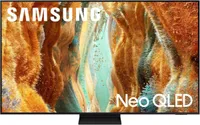
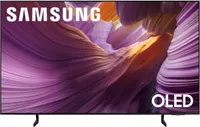
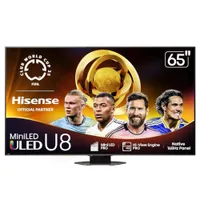
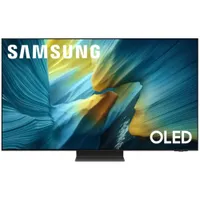
The three sets above are just a small selection of the best 65-inch TVs you can buy right now. I've seen most of the newest 65-inch TVs, and there are number of other TVs worth mentioning for folks who might not have found the right pick among the top choices.


How I test 65-inch TVs

One of my favorite 4K Blu-rays to use when testing a TV is the film "The Northman."
A lot of fancy display-testing hardware is involved with our TV-testing procedures, but after I'm done measuring brightness, color accuracy and more, I do what anyone would do with a new TV: I watch it.
My office is full of movies on Blu-ray discs, but I also have a handful of discs with content designed specifically for TV-testing.
I often pick content that might be extra challenging for a TV to handle. To this end, one of my favorite 4K Blu-rays to use when testing a TV is the film "The Northman." Visually, this is a dark movie with a ton of shadow detail that even the best OLED TVs can struggle to display.
I don’t shy away from watching basic cable or run-of-the-mill YouTube videos, either, as it helps to get a sense of how these sets perform under everyday circumstances.
Once we’re ready to publish a TV review, I either ship the TV in question back to the brand who lent it to me, or I donate the TV in the event that we purchased it ourselves.
FAQs
How much should you spend on a 65-inch TV?
As someone who’s seen their fair share of not-so-great sets, I wouldn’t spend less than $350 on a 65-inch TV. At this size point, anything below $350 starts to scrape the bottom of the barrel.
Alternatively, if your intent is to spend more for better performance and more features, you’ll find plenty of options — nearly all TVs worth buying are available at the 65-inch size point. As you'll soon learn, you don't need to spend thousands of dollars to land one of the best 65-inch TVs you can buy.
What to look for in a 65-inch TV
There are a handful of things you should be looking for in a 65-inch TV regardless of how much you’re looking to spend.
After spending nearly a third of my life thinking about this stuff, I’ve managed to narrow this list of necessities down to just three things.
1. A picture that's bright enough
Why is TV brightness important? Well, for one thing, if you want an attractive, eye-catching picture, high contrast is essential. Even more important, though, is the ability to see the picture. This is especially critical if you frequently watch TV in a sunny or otherwise well-lit room.
2. Acceptable performance
A TV’s performance should be good enough to meet your expectations, and your expectations are largely dependent on how much you spent. This means that when the dust settles and the credit card payment is processed, your new TV’s performance should be acceptable to you. Some foundational aspects of a quality picture include high contrast, rich, accurate color and smooth motion handling.
3. Features that work for you
Just as your TV’s performance ought to be acceptable to you, its list of features should meet your needs, too. High-end TVs will arrive with a slew of specs printed prominently on the box, but if you have no need for them, do you really need to spend more?
What to avoid in a 65-inch TV
Just as there are three things to look for in a 65-inch TV, there are three things to avoid, too. Here's what to look out for.
1. Bottom-of-the-barrel brands
No shade to the fine folks at Insignia, Skyworth and Onn., but these are brands whose TVs I would avoid for the time being. Some of them are owned by big-name retailers whose aim is to churn out dirt-cheap TVs at highly accessible price points. In my experience, these ultra-affordable TVs might save you $50 to $100, but it’s not worth the savings if they’re too dim and/or unreliable.
2. So-called “dumb” TVs that don’t offer smart features
Look, I’ve spent most of my adult life covering the tech industry — you don’t have to convince me of the ways in which internet-connected devices can data-scrape one’s day-to-day life. But don’t expect to find a decent 65-inch TV without smart features. There are vanishingly few TVs that don’t come with built-in smart features, and none of them are worth buying.
3. Edge-lit displays
As the name suggests, edge-lit LED TVs illuminate the picture using LEDs from the edge of the panel rather than directly behind the screen. More often than not, this results in a dim, flat-looking picture.
If you're shopping on a budget, beware: Many of the most affordable 65-inch TVs leverage edge-lit displays. Fortunately, it’s not hard to avoid them. Keep an eye out for terms like “backlighting,” “direct LED,” “full-array LED” or “Mini-LED,” as these describe preferred back-lit display technologies. Alternatively, you could just remember this helpful rhyme:
If edge-lit you be, that’s a "no’" from me
If a backlight is here, I’ll stand up and cheer.