




During its 2025 WWDC presentation, Apple announced three new features coming to Apple Wallet as part of iOS 26 that work in concert with airlines to streamline the travel experience.
According to 9to5Mac, United Airlines has added support for the new features, making it the first major airline to do so. Apple originally announced that Air Canada, American Airlines, Delta, JetBlue, Jetstar, Lufthansa, Qantas, Southwest, and Virgin Australia would support the feature.

With iOS 26, users have the option to make use of enhanced boarding passes with select airlines while using the Wallet App. Travellers can then use these boarding passes to track their flight using Live Activity, check maps of the airport and also track their checked luggage using the Find My app.

However, according to an unnamed tipster, users will not have access to the live tracker automatically. Instead, there's a button in the Wallet app that will allow users to add the flight tracker to their iPhone's lock screen.
It is also possible to share the flight tracker with friends and family, allowing them to see the same live activity on their own screen. However, the boarding group and seat numbers will be kept private.
The luggage tracking isn't all that different from when it was first introduced as part of iOS 18.2. For reference, users were able to securely share their AirTags location with a third party, namely one of the thirty airlines that support the feature. The idea was to make it much easier to find lost bags, something that is a well-deserved fear for a lot of people.
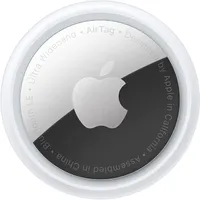
While the actual function might not have changed, iOS 26 has better integrated this feature with the enhanced boarding passes. Now, users can find a new button called "track luggage" in the Apple Wallet app. When selected, this will directly open the Find My app to show the AirTag linked to a user's luggage.
This addition avoids having travellers constantly swap apps while in a rush, hopefully removing some of the stress of air travel.. It will also be possible to have the status of your luggage appear on the lock screen as part of Live Activities.
Overall, this will be a major help for any users looking for that added bit of reassurance when it comes to travelling. It’s also a major win for anyone who struggles with organizing their travel plans, or who happens to find airports confusing — something I have issues with personally. Hopefully, we will see other airlines introduce these features soon.
Let us know if this is the kind of improvement that you want to see more of in Apple Wallet in the comments.
Follow Tom's Guide on Google News and add us as a preferred source to get our up-to-date news, analysis, and reviews in your feeds. Make sure to click the Follow button!
More from Tom's Guide
- iPhone 17 just got an Always On display — here's how to set it up
- Apple has borrowed a lot of great features from Android — but there's still a major one missing
- I love to cook and this iOS 26 Apple Intelligence addition makes trying new recipes a snap

