



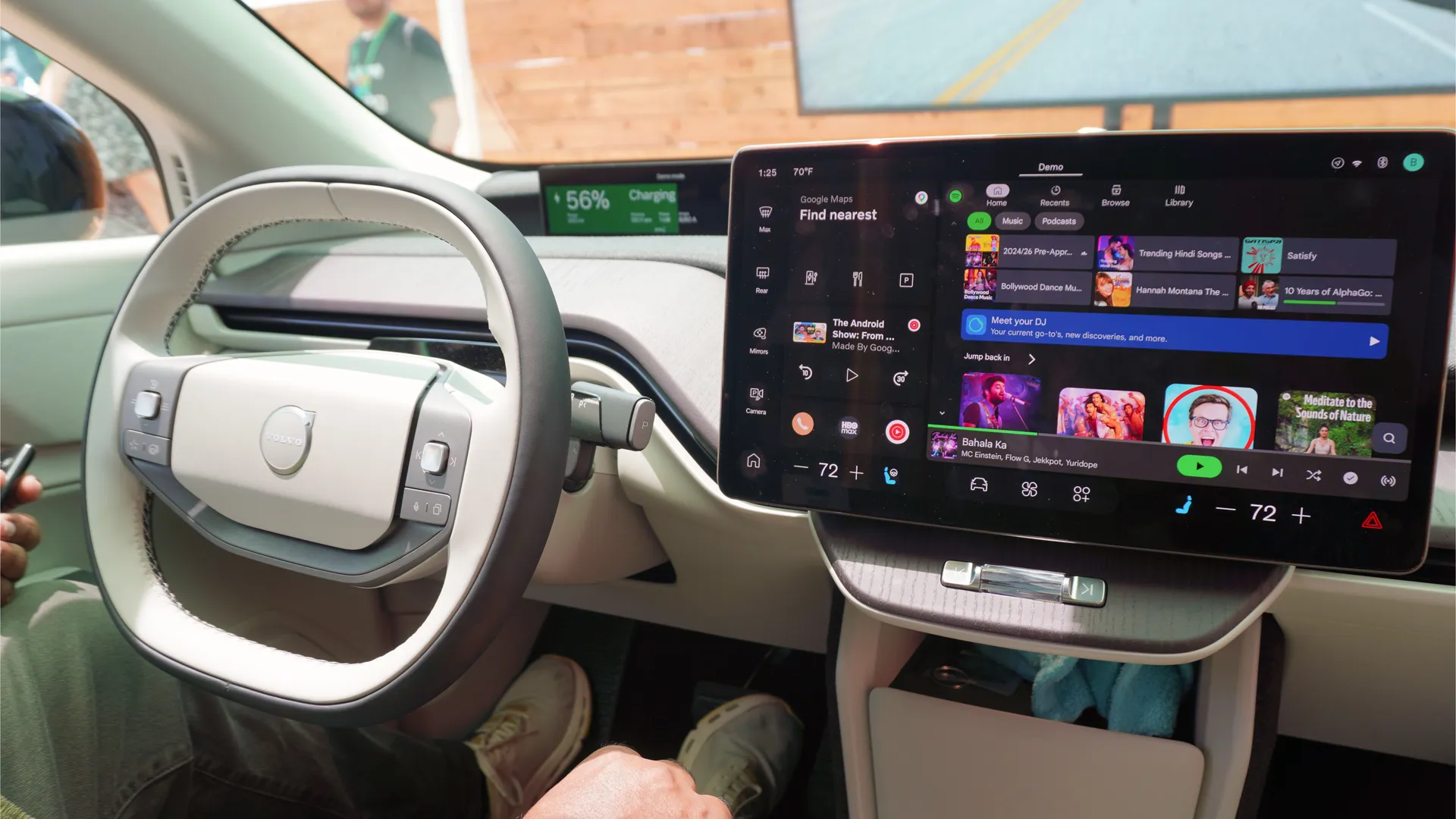
Once you’ve settled your navigation, whether you stick with Google Maps or switch your default to Waze, Android Auto’s job usually feels done. But leaving your dashboard on cruise control with just turn-by-turn directions and a music feed misses the platform’s best utility.
You don't need a center console cluttered with dozen of icons, but these three third-party apps solve real-world driving headaches that standard navigation can't touch.
1. Weather & Radar: Real-time storm tracking on your dash
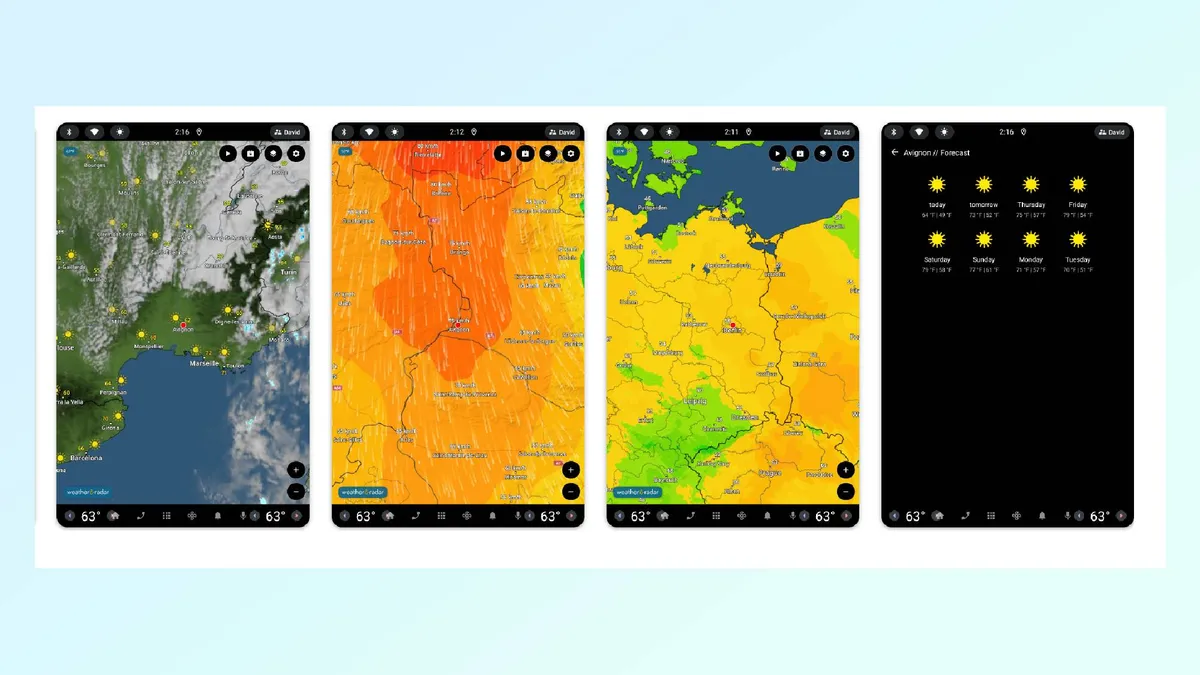
Standard dashboard weather widgets usually offer little more than basic temperature readouts and five-day forecasts. Weather & Radar is one of the rare apps that puts an actual live, animated radar screen directly on your car's display.
When dark clouds appear on a road trip, a quick glance at the dashboard shows whether a severe cell is about to cross your route or skirt harmlessly to the south, helping you decide whether to push forward or pull off early for coffee.
The app also supports split-screen display alongside Google Maps or Waze, keeping live precipitation tracking in view without sacrificing your turn-by-turn directions.
2. Fuelio: smart gas price comparisons and service logs
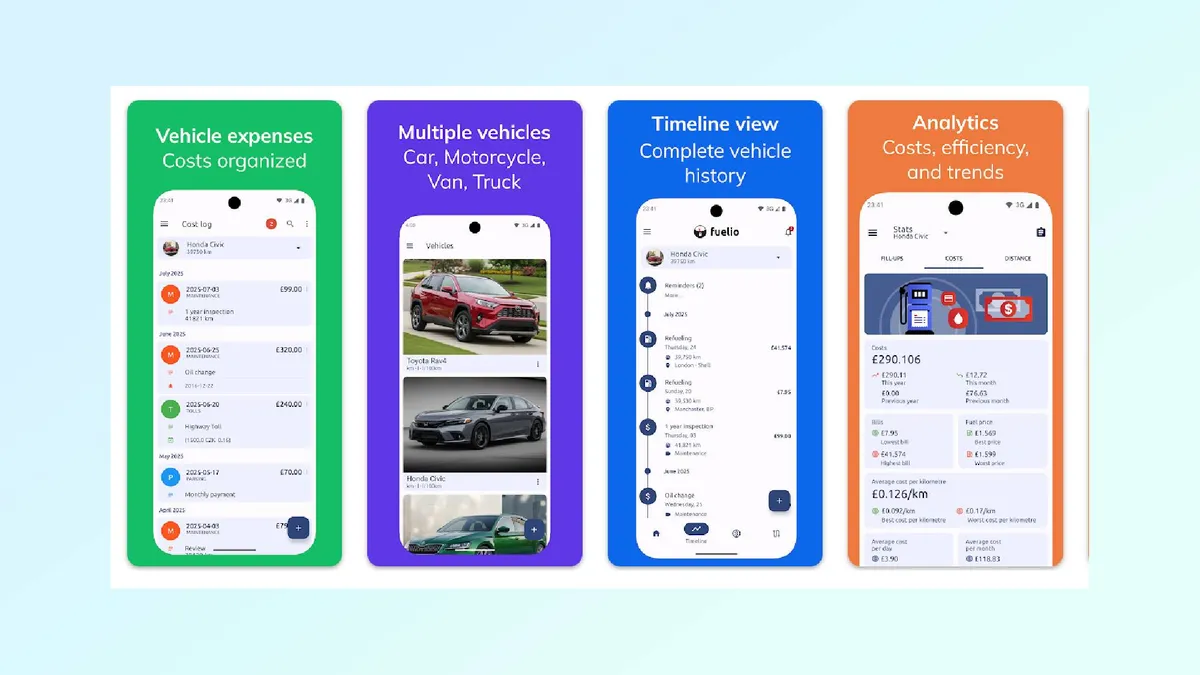
Finding fuel in an unfamiliar area usually means pulling into whatever station appears first off the highway. Fuelio brings real-time crowd-sourced pricing directly onto your center console, pinpointing nearby stations and flagging price differences down the road so you can consistently save at the pump.
Beyond live pricing, the app serves as a centralized vehicle logbook. Tracking fill-ups, mileage efficiency, and maintenance receipts on your phone syncs service history to the platform, making it a reliable digital backup for tracking service intervals when an oil change sticker falls off your windshield.
3. SpotHero: stress-free parking navigation
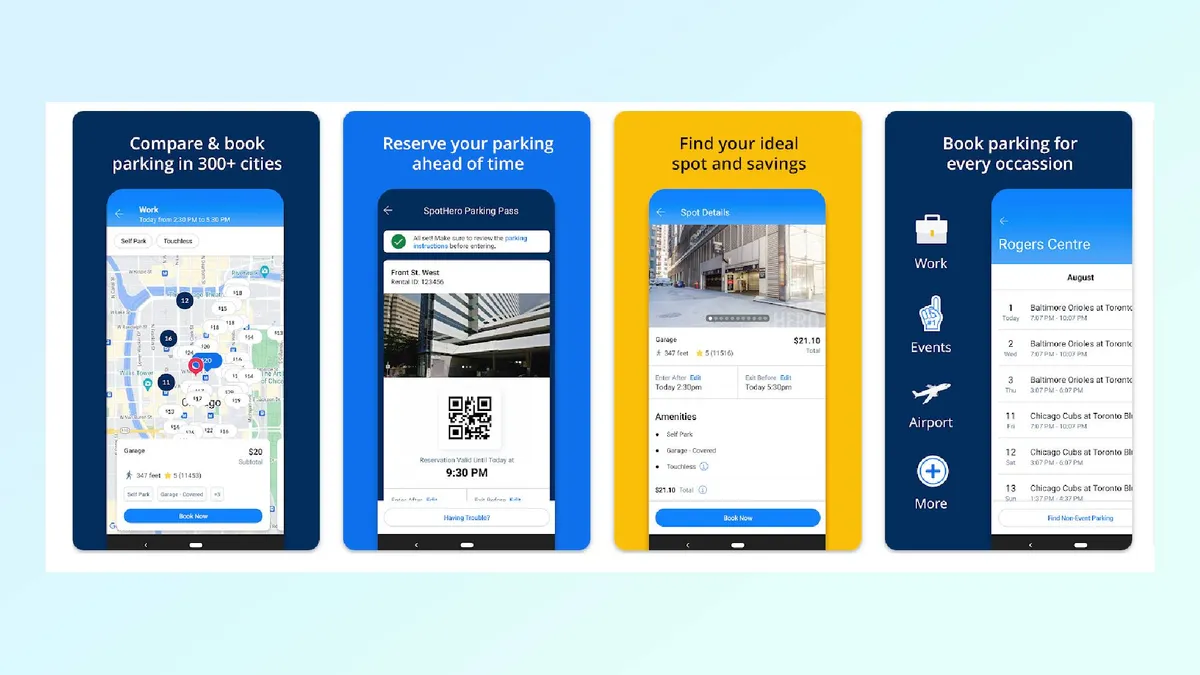
Circling city blocks for parking before a concert, game, or dinner reservation is easily one of the most frustrating parts of driving. SpotHero streamlines the process by linking your pre-booked spots straight to your in-car display.
While reserving and paying for a space still happens on your phone before you leave, the Android Auto integration lets you pull up active reservations directly on the dash.
With a single tap, it feeds the exact garage entrance or lot address straight into your navigation app, cutting out last-minute fumbling with your phone at busy intersections.

Follow Tom's Guide on Google News and add us as a preferred source to get our up-to-date news, analysis, and reviews in your feeds.
More from Tom's Guide
- Android Auto has a hidden setting that lets you create custom shortcuts that you can use while driving — here's how to set them up
- 3 Google Maps features that solve the biggest travel headaches
- This hidden setting changed the way I use Android Auto — and I'm never going back

