







For years, I've thought of webcams as nothing more than just a simple tool to display yourself in online meetings for work or video calls with friends and family. So, you could say that having an AI-powered webcam turn me into a fully tracked digital avatar in minutes wasn't on my bingo card.
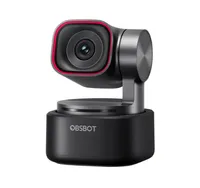
There's a lot to like about the Obsbot Tiny 3, a PTZ (pan-tilt-zoom) webcam with amazing 4K image quality, snappy body and object tracking, along with a pro-level mic system for audio recording — all in a fittingly tiny, compact package. But one of its unique features is to instantly turn you into a virtual, anime-inspired avatar.
Or, in other words, a VTuber (virtual YouTuber) of sorts. If you're not in the know, these are content creators who use a computer-generated digital avatar to represent themselves on video, moving in real time using motion capture tech. VTubing exploded onto the mainstream around the early 2020s and continues to be a popular trend for streaming, vlogs and more.
Now, never in a million years (and then some) would I think being a VTuber was on my agenda, but the Tiny 3 gave me a taste of the virtual avatar life, thanks to how easy it is to set up.
If anything, it stands as a testament of what the best webcams can do today, even if the feature is still in beta and only comes with a handful of options.
A taste of VTubing

Obsbot's digital avatar feature is VTubing, living streaming, gaming and more, as the company states, and with that comes a host of tracking parameters that include head, leg, finger and face tracking — all for the webcam to capture a full range of movements.
Right now, since it generates a computer-generated 3D avatar, the feature is exclusive to Windows PCs equipped with an Intel Core i7-9700 CPU, Nvidia GeForce RTX 3050 with 8GB of video memory and 16GB of RAM at minimum. So keep that in mind if you're looking to grab the camera and try it yourself.
Otherwise, it's as simple as turning on the feature using the Obsbot Center app and creating your avatar. And, as you can imagine, the options are all very anime-inspired.

You can choose from a selection of six preset avatars, which, funnily enough, all have a name, age and personality type. For example, there's 20-year-old Lyra, who is "sweet yet spirited, lively and warm, extremely sociable!" or 18-year-old Tori with "soft fluffy cat ears with a lively personality, sweet and adorable!" You get the gist.
Unlike other software, including VRoid Studio, that lets you customize your 3D avatar to your heart's content, there's no such thing here on the Tiny 3. So, I chose Chloe, a "fresh sporty boy, full of vitality, casual and friendly!" I wouldn't say I have any of these traits, but such are the perks of assuming a digital identity!
From there, you can pick a scene, like a hyper-green countryside or a sunny beach, a prop to hold (including a leek, randomly) and you're all set to start controlling your avatar.
Now, it's not every day I get to turn myself into an anime character by just setting up a webcam alone, so I was already getting a kick out of moving around and seeing my 3D model mimic exactly what I was doing. Whether I was waving my hand, pointing to the sky or walking side to side, the digital avatar and I were as one.

Well, sort of. There's a slight lag in movements, but not enough to make it jarring. But seeing the character's mouth move as I talked, and smile when I did, shows just how well this PTZ webcam can track particular movements (though this Chloe character isn't able to get angry or sad, even when pulling a big upside-down smile).
In just a few minutes, I had my own digital avatar to use as I please, whether that be for recording content for a YouTube video or on video calls. I found it eerily scary how accurate it was, and how I could completely disguise my identity online. There's even a Virtual Voice feature, although this is still in beta, and I couldn't get it to work.
Gimmicky fun

There's a lot the Obsbot Tiny 3 webcam offers, and its VTuber avatars are a fun addition. But I wouldn't expect this to kick off my new career with an anime-inspired persona, or use it in any upcoming meetings for work. Even if it tracks my body, face and mouth movement incredibly well.
At best, it's a fun feature to mess around with, but I doubt any aspiring VTuber will use this platform as their main way to record content — not when other software like VTube Studio and the like have been around to capture your movements as well. However, if you're looking to dabble in some creative, digital avatar work, the Obsbot Tiny 3 provides.
In any case, webcams are becoming more than just simple cameras for your PC. The Obsbot Tiny 3 shows how they can be reliable tools made for streamers and content creation, whether it be for VTubing or not.

Follow Tom's Guide on Google News and add us as a preferred source to get our up-to-date news, analysis, and reviews in your feeds.
More from Tom's Guide
- I added this $30 accessory to my desk setup and it finally let me use dual monitors comfortably for video calls
- The new Insta360 Link 2 Pro is the webcam to beat — it does everything you could possibly need
- ‘Like a Logitech MX Master 4 but a lot cheaper’: the Keychron M6 8K is now my favorite productivity and gaming mouse

