


I give away a lot of keyboards. Sounds weird, I know, but stay with me here. I've reviewed dozens of keyboards. I once had a personal collection of around 40 boards on my wall. I've tested and used probably over a hundred boards, and probably edited the reviews of a hundred. In short, Tom's Guide senior writer Nikita and I test a lot of keyboards. And we have to give them away when we're done.
One of the main questions I ask people is, "do you want a mechanical keyboard or magnetic keyboard?" And the main response I get is, "what's the difference?"
In simple terms, it comes down to whether you're mostly gaming or typing. But like most things in life, the reality is a little more nuanced than that. Here's what you need to know, with a few of my top suggestions sprinkled in along the way.
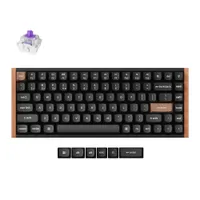
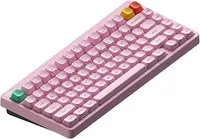
Key differences

The main differences come down to whether you need certain gaming features, or whether you want a certain typing feel. However, there are some extra considerations to make... like sound.
Gaming features
The most compelling reason to buy a magnetic keyboard is for the gaming features. Magnetic switches actuate via magnetic resistance rather than a physical mechanism, so aren't tied down to a single fixed actuation point (i.e. a key depression point where the input is triggered). This opens up a plethora of awesome gaming features that you won't find even on a high-end mechanical gaming keyboard.

There's adjustable actuation, so you can set your keys to actuate with as little as 0.1mm of input. Multiple actuations per keystroke are also possible: you can set the W key so that halfway down is walk, and fully down is actually bound to Shift+W, so run.
And many keyboard manufacturers like Keychron and NuPhy have introduced other cool features that take advantage of magnetic detection, like NuPhy's 'Mod Tap', which changes the input based on how hard/fast you press the key.
Rapid Trigger & SOCD
"What about Rapid Trigger?" I hear you call. "And Snap Tap?". I'm gettin' there! 'Rapid Trigger' allows repeat actuations without needing to recycle the switch fully to its reset point — you can basically spam faster. That's not physically possible on a mechanical switch, despite some manufacturers claiming their mechanical keyboards do it.

Last Key Prioritization, A.K.A. 'Snap Tap' is possible on a mechanical keyboard. This is a type of SOCD (simultaneous opposing cardinal direction) resolution. In other words: what the keyboard does when two opposites are inputted at the same time. 'Snap Tap' is just one of a few resolutions to this, and tells the board to prioritize the last key pressed, facilitating quick and easy counter strafing in games with interia-based accuracy penalties like "Valorant" and "Counter-Strike 2" (where it'll get you kicked). You can do this via firmware on a mechanical keyboard.
That doesn't mean mechanical switches are bad for gaming. Unless you're actually going to use any of the above features, ultra-snappy mechanical switches are perfectly fine for most casual and even some competitive gaming. They just don't offer you all the fancy bells and whistles of their magnetic counterparts.
Typing experience
Now, I've been rather pro-magnetic so far, haven't I. This is where the tables are turned. When it comes to typing experience, at least for now, traditional mechanical switches really have a leg up over magnetic. And it all comes down to how switches feel under your finger.

Mechanical switches offer a much more tactile experience, giving you feedback under your fingers. And I'm not just talking about 'Tactile' switches that have a mechanical bump. Even linear mechanical switches (with no mechanical bump) can give you a feeling different to magnetic switches, because they're typically designed with feel in mind — different weightings, springs and such will all affect how a linear switch feels.
In short, this makes typing more enjoyable. That said, there are some upsides to magnetic switches for typing. Adjustable actuation is the main benefit. You can dial in actuation points to wherever is best for you, which allows you to be as fast and accurate as possible. For example, I make far fewer mistakes at 2.6mm actuation, which in turn increases my type speeds as much as 5-10 words per minute. So I set all magnetic keyboards to 2.6mm when type testing (and usually have a work profile using 2.6mm).
There's a spanner in the works these days, too. Manufacturers are now launching true hybrid keyboards that can hot swap between both mechanical and magnetic switches. While Keychron and Gateron have recently launched the first (that I know of) tactile magnetic switch, giving the bumpy feel of a traditional mechanical tactile switch but the gaming features of a magnetic one. Up to now, all magnetic switches have been linear and smooth in operation — it's always felt a bit soulless to a tactile mechanical fan.
For now, though, there's still a much wider array of mechanical switches on offer, with different weights, feels and characteristics. So for typists interested in how their keyboard feels, I'd still recommend mechanical.
Other features
You'll also want to consider some other criteria. Mechanical keyboards designed with typing rather than gaming in mind tend to be more comfortable. They often use gasket mounts (where the PCB, switches and keycaps are suspended on rubber gaskets) which give you a comfy, bouncy feeling under your fingers.

Some gaming keyboards, or hybrid boards, use gasket mounts. Typically, though, performance magnetic gaming keyboards will use firmer mounts (top, plate, or tray mounts), which move about less. If your actuation is triggered in 0.1mm increments, you don't want your switches wobbling about.
Similarly, looks aren't really part of this debate, as any keyboard can be styled well or otherwise. Typically, though, custom mechanical keyboards tend to be designed with styling as a prime consideration, and therefore look a little more fun (speaking very generally).
Then, of course, there's sound. With the wider array of switches available on the market, and the fact they're built for the custom enthusiast market, mechanical boards tend to sound better. But there are bland examples found in both genres.
Finally, there's poll rates. But this is a bit of a non-issue. 8K polling is found on both magnetic and mechanical keyboards, but it's mostly snake oil. 1,000Hz found on many mechanical boards is more than enough for low latency gaming and to minimize the chance of missed inputs.
Which should you buy?

My primary advice here is this: just consider what you actually need. Don't be suckered in by all the marketing talk and fancy features. And don't think price is an issue. You can pick up magnetic and mechanical keyboards for under $50.
Are you going to be doing lots of competitive gaming where you need cutting edge performance features? If so, get a magnetic keyboard.
Do you care about a beautiful experience under your fingers? If so, you can consider a mechanical keyboard with lovely switches, or the ability to hot-swap between them. If you don't care about purist type-feel and just want raw speed and accuracy, a magnetic keyboard might still be best for heavy typists.
And here's the curve ball. Do you want the best of both? Then invest in a dual MX/HE keyboard, but be prepared to spend big bucks.
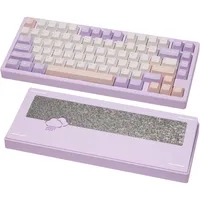
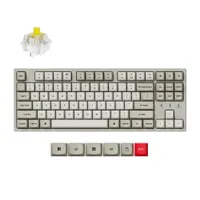
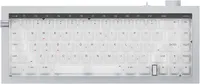
My top picks this Black Friday
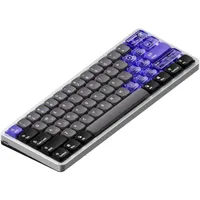
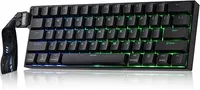

Follow Tom's Guide on Google News and add us as a preferred source to get our up-to-date news, analysis, and reviews in your feeds.
More from Tom's Guide