







The best mini PCs of today pack a lot of power into some absolutely tiny cases, and can handle everything from simple tasks like web browsing and office work to more demanding ones like video and photo editing, and even gaming.
Our mini PC expert, Anthony Spadafora, has been using many of the best mini PCs as an alternative to a laptop or a big, bulky desktop for the past seven years, and he's never looked back. Right now, the Mac mini M4 continues to be our top recommendation as the best mini PC (but not for long, with the Mac mini M6 and M5 Pro being announced), but if you're a fan of Windows, you'll be happy to know there are plenty of fantastic options to choose from today, like the recent Lenovo Yoga Mini.
Whether you want a mini PC you can slip in your pocket or bag to travel with, something closer to a game console or as much power as possible in a tiny package, there’s something here for every budget and use case. With years of testing these compact desktops under our belt, here are the best mini PCs you can buy today.

In my six years of testing laptops and desktops, my admiration for mini PCs has only grown. If you thought these tiny desktops were just about saving precious space for a minimalist, clean-looking setup (like me), you'll be impressed to learn they come bursting with power and are more than capable of keeping up with demanding workflows and, yes, even the latest PC games. All that in a compact form factor and with the freedom of choosing your go-to mouse, keyboard and monitor? The mini PC revolution has arrived, and we've done all the testing to pick the finest ones around.
Apple announced its all-new Mac mini M6 and Mac mini M5 Pro, and each model is already looking to take over the top spot as the best mini PCs you can get. With Apple's M6 chip being the first commercially available 2-nanometer (2nm) chip, we're sure to see huge improvements across the board, but the M5 Pro chip will deliver even greater power for Apple's tiny desktop. The Mac mini with M6 starts at $899 (or $799 for education), while the Mac mini with M5 Pro starts at $1,699 (or $1,599 for education). Both will begin shipping on September 22, and we'll be going hands-on with our own testing, too. Stay tuned for updates to see if these mini PCs are right for you.
The best mini PCs to buy now
Why you can trust Tom's Guide Our writers and editors spend hours analyzing and reviewing products, services, and apps to help find what's best for you. Find out more about how we test, analyze, and rate.
The best mini PC overall


Besides being the smallest Mac, the Mac mini has always offered excellent value and is the perfect entryway into Apple’s ecosystem. Now with the Mac mini M4, though, Cupertino has outdone itself as this latest entry in the Mac mini lineup is faster and far more capable than its predecessor.
Our mini PC expert, Anthony, spent several weeks testing the Mac mini M2 before the Mac mini M4 was released, and the performance and usability difference between the two is night and day. While the workload struggled to keep up with the former’s memory constraints, that’s no longer a problem thanks to the fact that the base model Mac mini M4 now comes with 16GB of RAM as the standard. The jump from Apple’s M2 to M4 chip also makes a noticeable difference, whether you’re browsing the web with loads of tabs open simultaneously or doing some light photo or video editing.
Mac mini M4 Performance Results
Slide through to see each benchmark
Geekbench single-core
| Product | Value |
|---|---|
| Mac mini (M4) | 3838 |

In terms of usability, Apple has made the Mac mini M4 more accessible by putting two USB-C ports up front along with a headphone jack. These new front ports are great for charging your accessories and being able to quickly plug in a pair of wired headphones is a nice touch too. Around back, you get three Thunderbolt 4 ports, an HDMI port and a Gigabit Ethernet port.
At 5 x 5 x 2 inches, the Mac mini M4 now feels more in line with Windows-based mini PCs in terms of size, and it’s very easy to find a spot on your desk for this computer. However, Apple did do something a bit strange with its design by putting its power button on the bottom left side of the device. Fortunately, there are plenty of accessories like the Satechi Mac Mini M4 Hub & Stand, which not only give you extra ports and the option to add more storage but also come with a workaround for this hard-to-press power button.
If you want even more power, you can always upgrade to the Mac mini M4 Pro (now with a higher price point, thanks to Apple's price hikes), which has a faster CPU with more GPU cores, comes with 24GB of RAM, uses Thunderbolt 5 and has a larger 512GB SSD. Still, for most people, the standard base version of the Mac mini M4 will be more than enough, especially if you’re upgrading from an older version.
Note: In May 2026, Apple discontinued the base Mac mini M4 with 256GB of storage, raising the starting price to $799 / £799 with a 512GB SSD. However, Apple's price hikes are now official as of June 2026, meaning the M4 Pro model now starts at $1,599 / £1,599 rather than $1,399 / £1,399. It's a hard blow, but at least the now-new base model hasn't shot up in price again. It still remains our top recommendation as the best mini PC overall, but if you can find it at a discount at third-party retailers, that's better value!
- Read our full Mac mini M4 review
The best mini PC on a budget


The Geekom A5 2025 Edition is our top pick for the best budget mini PC, thanks to its surprisingly affordable price and just how much performance you get for $300. While our previous pick is impressive, the Kamrui E3B, this mini PC is $100 cheaper and just as capable for browsing the web, office work and even some light gaming. Just like with the E3B, Anothny used this refreshed version of the Geekom A5 as his daily driver for a month with a dual-monitor setup, and despite his more demanding workload, it held its own even with a less powerful AMD Ryzen 5 chip, Radeon Vega 7 integrated graphics and 16GB of DDR4 memory.
In addition to its excellent price-to-performance, Geekom decided to do something different with the A5 by giving it a rose gold colorway instead of the typical silver and black you see on most other mini PCs. It also has a pattern of lined cutouts on either side for extra ventilation, along with a reflective chrome edge up top, which gives it a more premium look overall. While Geekom does include a VESA mounting bracket so that you can tuck the A5 behind a monitor, its sleek and colorful design makes it much better suited for a well-earned place on your desk.
Geekom A5 2025 Edition Performance Results
Slide through to see each benchmark
Geekbench single-core
| Product | Value |
|---|---|
| Geekom A5 2025 Edition (AMD Ryzen 5 7430U) | 1932 |
At 4.61 x 4.41 x 1.94 inches, the Geekom A5 is slightly larger than the A6 but still smaller than Apple’s Mac mini M4. Despite its small footprint, this mini PC comes packed with ports at the front and back, but there’s also an SD card reader on the right side and a Kensington lock on the left side. Up front, you get two USB-A ports and a headphone jack, but it’s around back where things really get impressive, especially for a budget mini PC. The A5 has two more USB-A ports there, along with dual HDMI 2.0 ports, two USB-C 3.2 Gen 2 ones and something you rarely see at this price, a 2.5 gigabit Ethernet port.
Add it all up, and this little mini PC can power a quad-monitor setup. While it comes with a 512GB SSD and 16GB of memory, it’s really easy to open up the case and upgrade its existing components, but you can also add another M.2 SSD as well as a 2.5-inch HDD or SSD.
If you’re looking to downsize from a bulky desktop or ditch an older laptop, the Geekom A5 is an excellent choice, especially at this price granted your workflow isn’t too demanding. However, if it is, we'd suggest saving up a bit more for the A6, which is significantly faster but also a bit smaller, too. For those who want to dive into the world of mini PCs without overpaying or just want a capable device with a pop of color, the A5 is easy to recommend.
- Read our full Geekom A5 2025 Edition review
The best mini PC for power users

The Geekom A9 Max 2025 Edition was already a powerhouse, but the latest model steps it all up a notch — all while staying impressively cool and quiet under pressure.
The Geekom A9 Max 2026 Edition may look compact, but don’t let its minimal footprint fool you; this is a genuine powerhouse built for demanding multitaskers, with an AMD Ryzen AI 9 HX 470 at its core and more front-facing ports than any other mini PC we’ve tested. Four USB-A ports line the front for easy access, with a further two USB-A, two HDMI 2.1, and dual USB4 ports on the rear, making it one of the most connectivity-rich options available.
Under the hood, Geekom loads the A9 Max with 32GB of DDR5 RAM and its upgraded IceBlast 3.0 cooling — a combo that kept performance reliably high in our extended testing. Using it as his daily workstation, Anthony found it impressively responsive even under heavy multitasking, with the Radeon 890M integrated graphics delivering a very playable experience in titles like Death Stranding 2 at 1080p. Better yet, the new cooling system meant the internal fan stayed whisper-quiet, even as the system powered through real-world workloads.
Geekom A9 Max 2026 Edition Performance Results
Slide through to see each benchmark
Geekbench single-core
| Product | Value |
|---|---|
| Geekom A9 Max 2026 Edition (AMD Ryzen AI 9 HX 470) | 2910 |
All that said, upgradeability is a bit of a headache. The Wi-Fi antenna cables are taped in such a way that opening the case and putting it back together can be tedious, so prepare to take your time here. However, the latest model now offers a single 32GB stick of DDR5 RAM, instead of the previous model's dual-channel configuration (2x 16GB). That means it can be upgraded to 64GB far more easily, making it more open to upgrades.
If you’re looking for a mini PC that can truly replace a full-fledged desktop workstation for real creative, developer or multitasking workloads, and want more ports than any Mac or budget PC, the A9 Max is our go-to. Yes, it's a much steeper price than the Geekom A5 2025 Edition, but you’re buying into a tier of performance and extensibility that budget and ecosystem-focused machines simply can’t match.
- Read our full Geekom A9 Max 2026 Edition review
The best mini PC for gaming

The Minisforum G1 Pro doesn't just look awfully familiar in design to a certain gaming console (the PS5, if that wasn't obvious), it does one better: delivering console-killer performance thanks to its desktop-grade Nvidia GeForce RTX 5060 GPU. And from our testing, it outclasses every mini PC in its class when it comes to raw gaming performance.
The G1 Pro is remarkably sleek with its uniform design, and there's no fuss with a bulky power supply to try and hide, thanks to its internal power supply (just like the Mac mini M4). Its compact form factor makes it a great fit on any desk, and easy enough to slip into a living room for some couch-ready gameplay (or productivity!).
Speaking of, while the AMD Ryzen 9 8945HX CPU it holds isn't as strong as others on this list according to our benchmarks, it still offers plenty of performance for workflows that juggle multiple apps and browser tabs, along with editing photos or videos. In fact, while its 32GB of DDR5 RAM is already more than enough for many, it can be upgraded to a jaw-dropping 96GB, along with up to 8TB for storage.
Minisforum G1 Pro Performance Results
Slide through to see each benchmark
Geekbench single-core
| Product | Value |
|---|---|
| Minisforum G1 Pro (AMD Ryzen 9 8945HX) | 2806 |
However, since this is a Windows-based mini PC after all, you can add more memory and storage down the line; it supports up to 128GB of RAM and up to 8TB of storage space thanks to the extra M.2 2230 slot inside. Be warned, though: having opened up more than a half-dozen Geekom mini PCs, this one was the trickiest so far.
Besides its wealth of front-facing ports, you also get plenty more around back, including two more USB-A ports, two HDMI 2.1 ports, two USB4 ports, dual 2.5 Gigabit Ethernet ports and a barrel power connector. If you aren’t running a quad-monitor setup, you can use the left USB4 port for power instead, though you will need a 100W or higher GaN charger to do so. There’s even an SD card reader on the side to quickly get photos off your camera — a feature I found incredibly handy during testing.
If you want the power of the Framework Desktop but with a much smaller footprint, the Geekom A9 Max absolutely delivers and then some. Having used it as his daily driver for two months, our expert can easily say it’s the ideal mini PC for power users who want to downsize without compromising on connectivity or performance.
- Read our full Geekom A9 Max review
The best mini PC for portability

The Khadas Mind 2S delivers on its promise of being a pocketable powerhouse, and it's unlike any mini PC I've tested. We were already impressed by the original Khadas Mind, but with the upgrades that the 2 and 2S models manage to fit into their super compact, 5.75 x 4.13 x 0.79-inch size (at just under 1 pound), this PC is now a truly portable workstation.
Featuring an Intel Core Ultra 7 255H CPU, a whopping 64GB of DDR5X RAM and a 2TB SSD, the Khadas Mind 2S got the uplift in power it deserves, and is able to blitz through raw performance and heavy-duty multitasking. That's something power users will appreciate, and even pulls up to 115W for reliable, sustained performance from the likes of a full-blown desktop.
Khadas Mind 2S Performance Results
Slide through to see each benchmark
Geekbench single-core
| Product | Value |
|---|---|
| Khadas Mind 2S (Intel Core Ultra 7 255H) | 2890 |
Its port selection is also outstanding, being able to fit two high-speed USB-A ports, Thunderbolt 4, USB4 and HDMI 2.1 in its tiny form factor. That actually beats many laptops! What's more, there's a free M.2 2230 slot hidden away by a magnetic cover, meaning you can instantly expand the mini PC's storage by another 2TB.
Another perk? The Mind 2S's "reserve" battery. Instead of powering down your mini PC while taking it abroad or from room to room, the Mind 2S features a built-in 5.55Wh battery designed to keep the system in standby mode for up to 25 hours. A handy trick for when, well, putting it in your pocket.
The Khadas Mind 2S can be expanded with the Mind Graphics 2, which features an RTX 5060 Ti GPU for gaming and more. That's a lot to love about this mini PC, but be warned, it can get loud when put under pressure from demanding apps, and it comes at a steep price at $1,599 for the 2S (from $799 for the regular Mind 2). Regardless, if you're after portable power, the Khadas Mind 2S is an absolute beast that's worth the investment.
- Read our full Khadas Mind 2S review
The best mini PC for quiet

The Lenovo Yoga Mini lives up to its slot as our top pick for quiet operation, combining near-silent performance with a compact footprint that barely registers on your desk. In a month of daily use, our mini PC expert, Anthony, was impressed by how the Yoga Mini stayed virtually silent, even as it powered through workdays with dozens of Chrome tabs open and the occasional bout of photo editing. What stood out most was not just how fast the Yoga Mini felt, but how it remained whisper-quiet under load, making it an ideal choice if you want peace and quiet for video calls, focus work or movie nights.
Performance-wise, the base Yoga Mini handled everything we threw at it and more. Over weeks of hands-on use with the Intel Core Ultra 5 325 CPU and 16GB RAM configuration (it goes up to an Intel Core Ultra X7 358H and 32GB if you're after more power), the system kept up smoothly through heavy multitasking, never once becoming a distraction due to fan noise. That means you can confidently rely on it as your everyday desktop for productivity, web browsing and media playback without worrying that ramped-up cooling will interrupt your workflow or concentration.
Lenovo Yoga Mini Performance Results
Slide through to see each benchmark, including Geekbench, data transfer speeds and gaming performance
Geekbench single-core
| Product | Value |
|---|---|
| Lenovo Yoga Mini (Intel Core Ultra 5 325) | 2667 |
And yes, the Yoga Mini is quite the outlier with its unique, sleek circular design, but there are no sacrifices made here. At just 5.12 x 5.12 x 1.91 inches, it's ultra-compact and easy to tuck beside a monitor or in a living room setup. Lenovo’s port selection is generous for the size: you get a 3.5mm headphone jack, two USB-C ports (including one Thunderbolt 4 and one with video out), HDMI 2.1, Gigabit Ethernet, and a USB-A port. Anthony particularly appreciated the move to USB-C power, which means you’re not tied to a proprietary brick and can swap in your own charger for flexible placement or travel.
Of course, no machine is perfect. It runs quieter than the Mac mini M4, but can’t match Apple’s raw performance. You're also paying more for its form factor, but let it be known that its base model can be picked up for $699, as Lenovo often beefs up the price to then offer major discounts to make it far more enticing.
Also, while you can swap out the SSD, RAM is capped at 16GB for the base model, and you'll need your own suction cup (yes, really) to make tweaks. Still, if what you value most is a mini PC you can keep in sight and forget it’s even running — because it’s that quiet — the Yoga Mini is the one to beat.
- Read our full Lenovo Yoga Mini review
The best mini PC for customization

The Framework Desktop gives you almost the same experience as building your own PC, but without the hassle. And to top it all off, it's an incredibly fast and powerful mini PC for work, gaming or even running AI models locally. Building on its expertise in creating upgradeable and repairable laptops, Framework decided to create a desktop computer that follows the same formula. After testing it out for two weeks, we were very impressed with not just its excellent performance, but also how much fun it is building and customizing it.
Unlike some other mini PCs like the MSI Cubi NUC or the Asus Nuc 14 Pro, where you have a ton of different CPU options to choose from, the Framework Desktop only gives you one: the Ryzen AI Max. Sure, you can go with the entry-level Max 385 chip or the more powerful Max+ 395 one, but the biggest choice you’ll have to make is how much memory to equip your machine with. The Framework Desktop starts with 32GB of LPDDR5x RAM, but you can also get this mini PC with 64GB or even a whopping 128GB of memory. Besides running demanding AI models locally, you can allocate some of this extra RAM to the Ryzen AI Max’s integrated GPU for better graphics or gaming performance.
Framework Desktop Performance Results
Slide through to see each benchmark
Geekbench single-core
| Product | Value |
|---|---|
| Framework Desktop (AMD Ryzen AI Max+ 395) | 2966 |
The Framework Desktop’s magnetic front panel is another area where you can truly make this mini PC your own since it has slots for 21 tiles. These tiles come in a variety of colors, but there are also custom ones, and we're almost certain you’ll be able to design your own down the line. Then, underneath the front panel, there are two Expansion Card slots, which let you customize the Framework Desktop’s front ports to your liking. For instance, we went with a USB-A port and an SD card reader, but there’s also USB-C, microSD card readers and more.
The Framework Desktop is the only mini PC that I know of that you not only build but also get to customize yourself. It is on the expensive side with a starting price of $1,099, which doesn’t include essential components like a case fan and storage or a Windows license, but this mini PC has plenty of power under the hood. Likewise, if you decide its current design isn’t working for you anymore, it’s incredibly simple to mix things up as well as to add extra storage or swap out its case fan.
The Framework Desktop is certainly on the large size for a mini PC, but compared to a traditional desktop or even most small form factor PCs, it’s quite compact and portable, too.
- Read our full Framework Desktop review
Mini PC tests compared
At Tom's Guide, we put each mini PC we review through a series of benchmarks to measure their performance, including single-core (basic tasks) and multi-core (multitasking and complex tasks) performance via Geekbench, transcoding a 4K video to 1080p in our Handbrake test and transfer speeds.
Wondering how a mini PC you have your eye on stacks up against another from this guide? Here's a look at our test results in our versus table below to help you find the machine that's right for your setup.
Best Mini PCs Performance Results Compared
Select a mini PC to compare benchmarks
from our testing lab
| Attribute | Mac mini (M4) | Geekom A5 2025 Edition (AMD Ryzen 5 7430U) | Geekom A9 Max 2026 Edition (AMD Ryzen AI 9 HX 470) | Minisforum G1 Pro (AMD Ryzen 9 8945HX) | Khadas Mind 2S (Intel Core Ultra 7 255H) | Lenovo Yoga Mini (Intel Core Ultra 5 325) | Framework Desktop (AMD Ryzen AI Max+ 395) |
|---|---|---|---|---|---|---|---|
| Geekbench single-core | 3838 | 1932 | 2910 | 2806 | 2890 | 2667 | 2966 |
| Geekbench multi-core | 14838 | 6492 | 12476 | 11612 | 14532 | 10850 | 17574 |
| 25GB File Copy (MBps) | 3017 | 1092 | 1731 | 1659 | 2501 | 1457 | 2976 |
| Handbrake (mm:ss) | 4.7 | 9.516666666666667 | 3.5 | 3.2 | 4.483333333333333 | 6.2 | 2.466666666666667 |
| Sid Meier's Civilization VI (1080p) | 52.4 | 26.2 | 72.8 | - | 58.4 | 43.4 | - |
| Cyberpunk 2077 (1080p) | - | - | - | 45.2 | - | - | 22.2 |
More mini PCs we've tested
Mini PCs are experiencing a surge in popularity, and we here at Tom's Guide test and review as many of the latest tiny desktops as we can get our hands on. That means finding all-new top recommendations, but that doesn't mean the others we've put through our testing process aren't worth considering.
Here are the other mini PCs we've tested and reviewed, which may suit your style despite their flaws. It's important to note that some of these machines aren't in stock anymore (which is a shame), but it's a good idea to have a look at them to compare them to the one you have your eye on.
Meet our expert

Anthony Spadafora prefers desktops to laptops, and when you're short on space, a mini PC is the perfect solution. After building his own small form factor PCs for years, he started testing and reviewing pre-built mini PCs as part of his work at Tom's Guide. Anthony also covers standing desks, office chairs and other home office furniture, and his work with mini PCs ensures he's able to put together brand-new desk setups to show off all the tiny computers that he goes hands-on with.
How to choose the best mini PC for you
Mini PCs range from small project PCs for under $50 to compact desktops that can cost anywhere between $500 to $1,500 or even more.
Stick PCs are the most versatile, and generally cost between $100 (£100/AU$150) and $200 (£200/$AU300), and will work with most TVs or monitors, though we don't normally recommend them.
Mini PC prices vary considerably based on their hardware and come in all sorts of different form factors, but for the most part, the small, rectangular-shaped ones are the most popular, and you won't have a hard time finding one to fit your own particular needs.

Know what you want
Finding the right mini PC for you starts with knowing what you're looking for. Do you want something small enough to tuck behind a TV as a dedicated streaming box, or are you looking for something with gaming capabilities? Do you want a basic internet-browsing machine, or do you need serious processing and graphics capabilities?
Our best picks above do a good job of highlighting the use cases different systems are best suited to, and that should help you narrow down your choices.

Find the right size
Then there's the question of form factor. Mini PCs are all small, but there is a range of options within the category, from PCs small enough to slip into your pocket to desktop towers that are still compact enough to stow out of sight.
You'll sacrifice power for a smaller system, but you can still get a capable desktop that's small enough to carry in a backpack, even if you're after one well-suited for gaming or workstation performance.

Make sure you like your configuration and upgrade options
Finally, you want to look at configuration options and upgradability.
Many mini PCs have two or three configuration options, which can change everything from the amount of included storage to the presence of high-end processors and discrete graphics cards.
There's also the question of upgrades. Many of the smallest mini PCs leave no room for future hardware changes, but others are designed to let you add memory or storage, or even come outfitted with ports that allow you to attach an external GPU for better graphics and gaming performance.
When in doubt, check our reviews, which include configuration details and will discuss the potential for future upgrades.
How we test the best mini PCs
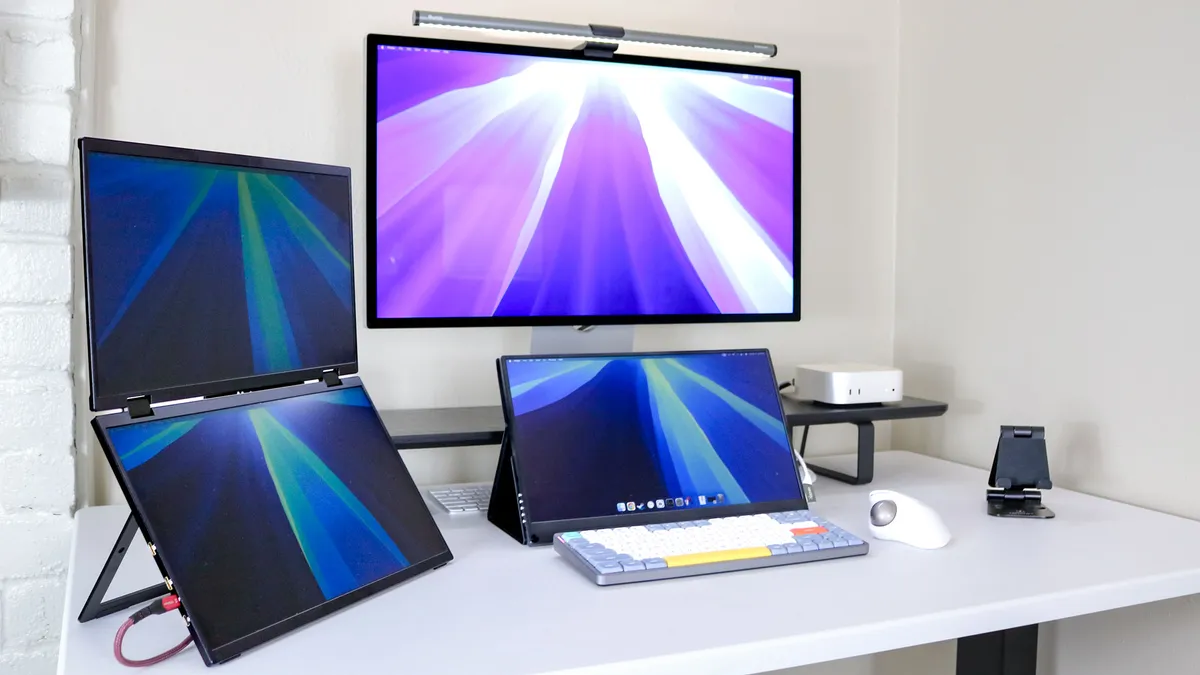
We put every mini PC we review through a series of benchmark tests and weeks to months of real-world use to get the clearest picture we can of how well it performs, what use cases it's best suited to and what sort of capabilities you get for the price.
For performance, we use the Geekbench processor test to measure a system's overall capabilities. We then test a device's file transfer speeds, copying large files to see how long it takes to copy multimedia files, documents and other content.
To test graphics capabilities, we run several benchmark tests from 3DMark. If a system is properly equipped, we'll also run individual game tests to assess how well a particular mini PC handles the demands of modern gaming across a variety of resolutions and graphics settings.
Most importantly, we spend a lot of time simply using each mini PC for everyday activities. We do work, browse the web, transfer files, play games and more, all to get a better sense of which ones are really worth your money.
For more information on our testing process, check out how we test here at Tom’s Guide.
