Tom's Guide Verdict
The Halliday G2 AI smart glasses are a step in the right direction, delivering camera-less specs with helpful AI features in a comfortable yet chunky (and dorky) design. But these smart glasses offer a near-identical experience to their rivals, all while not quite hitting the mark. While its bright dual micro-LED projectors offer clear views of helpful features, it's let down by subpar open-ear audio and tools that aren't quite as intuitive to use.
Reasons to buy
- +
Lightweight and comfy to wear
- +
Clear, bright waveguide display
- +
Snappy Halliday AI assistant
- +
Helpful features
Reasons to avoid
- -
Bulky, dorky style
- -
Stealth Mode isn't so stealthy
- -
Lackluster open-ear audio
Why you can trust Tom's Guide Our writers and editors spend hours analyzing and reviewing products, services, and apps to help find what's best for you. Find out more about how we test, analyze, and rate.
When I first heard of Halliday making a splash back at CES 2025 by putting an "invisible" built-in display into its smart glasses, I was amazed by what the future of smart specs holds. Now, the company has refined its AI smart glasses in the Halliday G2, but this time, it isn't quite as revolutionary.
With its dual micro LED engines and waveguide optics on both lenses to deliver a simplistic green dot matrix style text, an open-ear audio system for personal sound and a bundle of features utilizing a Halliday AI assistant, the Halliday G2 AI smart glasses are a subtle pair of specs made for seamless daily wear. Well, I say "subtle" loosely, as everyone will know that you're wearing smart glasses with these on. And wait, many of these features sound a little too familiar...
These aren't just taking cues from the Even Realities G2, as the Halliday G2 offers like-for-like features in the exact same waveguide display format. I mean, it's even called "G2," for pete's sake! From the Meeting Flow feature that can summarize, research and transcribe conversations in meetings, which is just the Even Realities G2's Conversate feature, to the Cheat Sheet feature that acts as a teleprompter, which is just Teleprompt on the Even Realities G2, there's not a lot here to pick these over its clear inspiration.
But that's not to say its features aren't handy to use, especially when it comes to its Halliday AI, which is snappy at answering whatever you ask. Along with its informative dashboard (such as displaying the time, weather and more), notifications that are clear to read and its helpful Translate feature, there are day-to-day benefits of wearing the Halliday G2s. That said, it's still held back by other annoyances, like a subpar open-ear audio system and a Stealth Mode that doesn't do a good job at being "stealthy."
But are these the best smart glasses for you? After wearing the Halliday G2 daily, here are my thoughts.
Halliday G2: Cheat Sheet
- What is it? A pair of AI smart glasses with waveguide displays, open-ear audio and zero cameras for everyday wear.
- Who is it for? Anyone who regularly wears glasses and wants a discreet smart interface and helpful AI features, or those who prefer another style to the Even Realities G2 (since these are fundamentally the same).
- What does it cost? The Halliday G2 AI smart glasses are available for $599/£599 on the company's official website. However, they can be found for $499 / £499 during a sale, and have special deals that include free prescription lenses.
- What do we like? How comfortable they are for all-day wear, the dual micro LED engines showcasing a bright, sharp display, the handy AI features, including Halliday AI's snappy answers, and other handy tools.
- What don’t we like? These are essentially the Even Realities G2 smart glasses, with identical features, but in a bulkier design that isn't exactly subtle. Plus, its audio system isn't useful.
Halliday G2: Specs
Display |
Dual micro-LED, 600 x 300 per-eye resolution, 1,600 nits peak brightness |
Audio |
Open-ear audio |
Dimensions (when open) |
6.5 x 5.9 x 1.6 inches |
Weight |
1.7 ounces |
Halliday G2: The ups
The Halliday G2s have clearly come a long way from their first iteration, making for a commendable pair of AI smart glasses that focus on everyday wear with helpful features, rather than "pervy glasses" with a camera in them.
Comfy for all-day wear
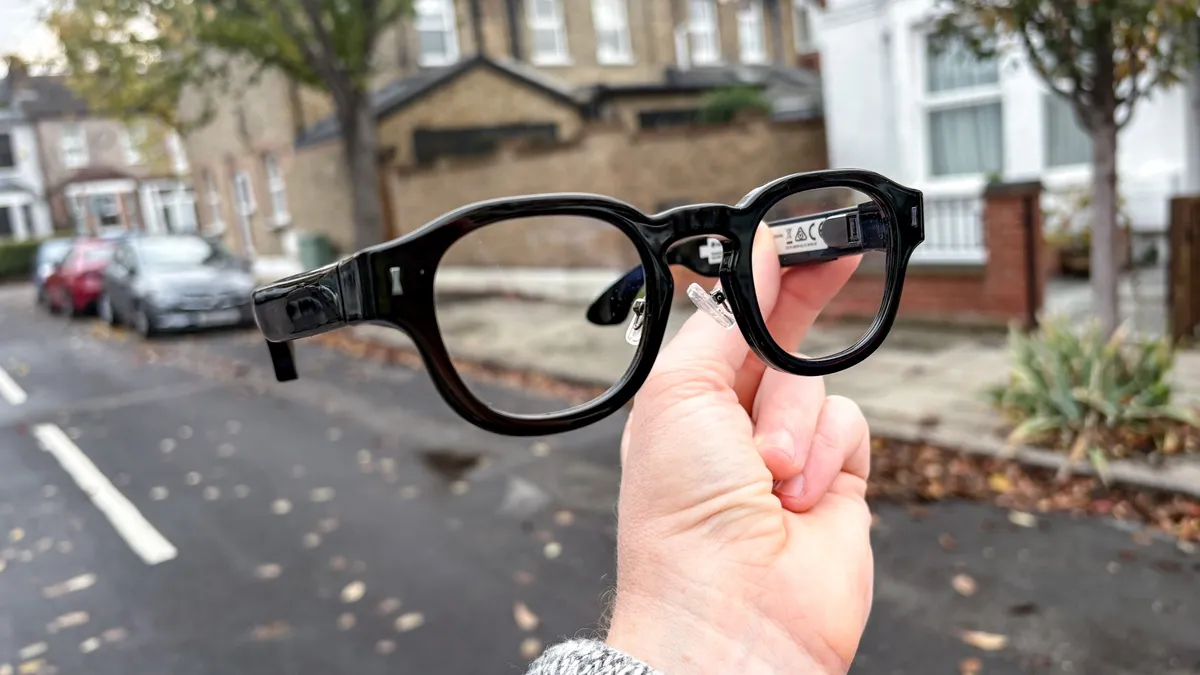
When first seeing the Halliday G2, I made an all-too-quick assumption that these would give my head and ears a tough time. These are thick, blocky specs, and I could almost see how much they weigh from the look of them. But I was wrong.
Coming in at just 1.7 ounces, the Hallifay G2s are actually one of the more comfortable AI glasses I've worn. The magnesium alloy frame keeps the weight off, but the glasses themselves have a good distribution of weight with the tech that is housed in their temples.
Not quite as light or slim as the Even Realities G2 (1.2 ounces), but around a similar size and weight to the Ray-Ban Meta (Gen 2) at around 1.79 ounces.
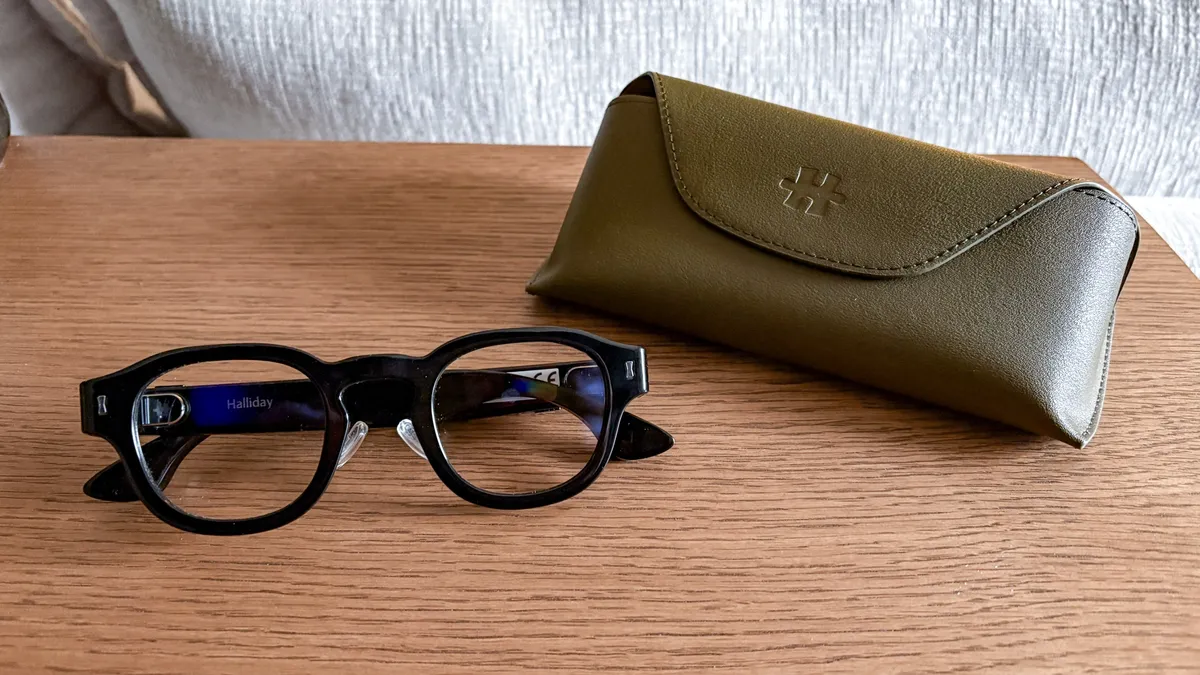
While I wouldn't say these feel premium to the touch, especially for the price, I would have these smart specs sitting on my face all day without being irritated by sore ears or frame imprints on my nose or around my eyes.
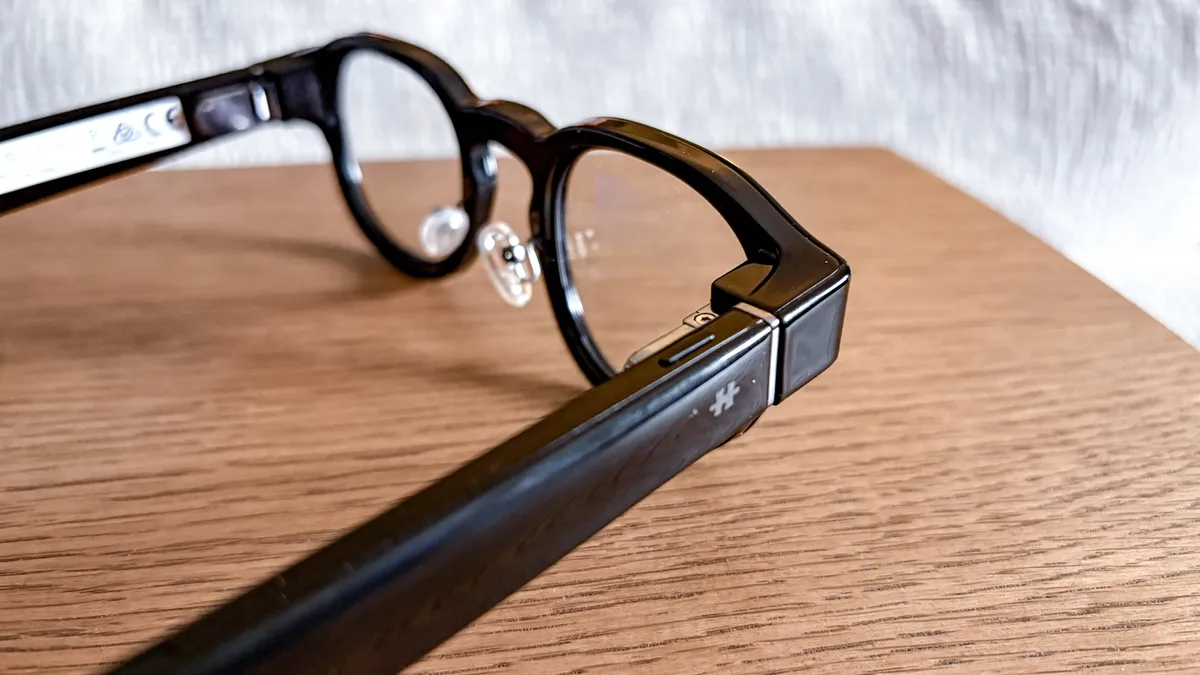
Most of its tech, from the 210 mAh battery to the open-ear audio it boasts, is housed in the thick temples (also like the Ray-Ban Meta specs). This makes them naturally thick, but this works out, as it makes gesture control along the right temple easier to manage. That includes tapping and swiping to navigate around in-display menus and features.
It takes a little while to get the hang of, but it works like a charm once it clicks, and the bar-like temples make it easy to swipe and slide a finger along.
You'll also find a Halliday G2 hard case, and it's sturdy, stylish and sizeable enough to easily slip in the G2s and close its strong magnetic clasp. It's no Even Realities G2 smart case that charges the glasses, but it does a fine job of keeping the Halliday G2s protected.
Enter the (dot) matrix
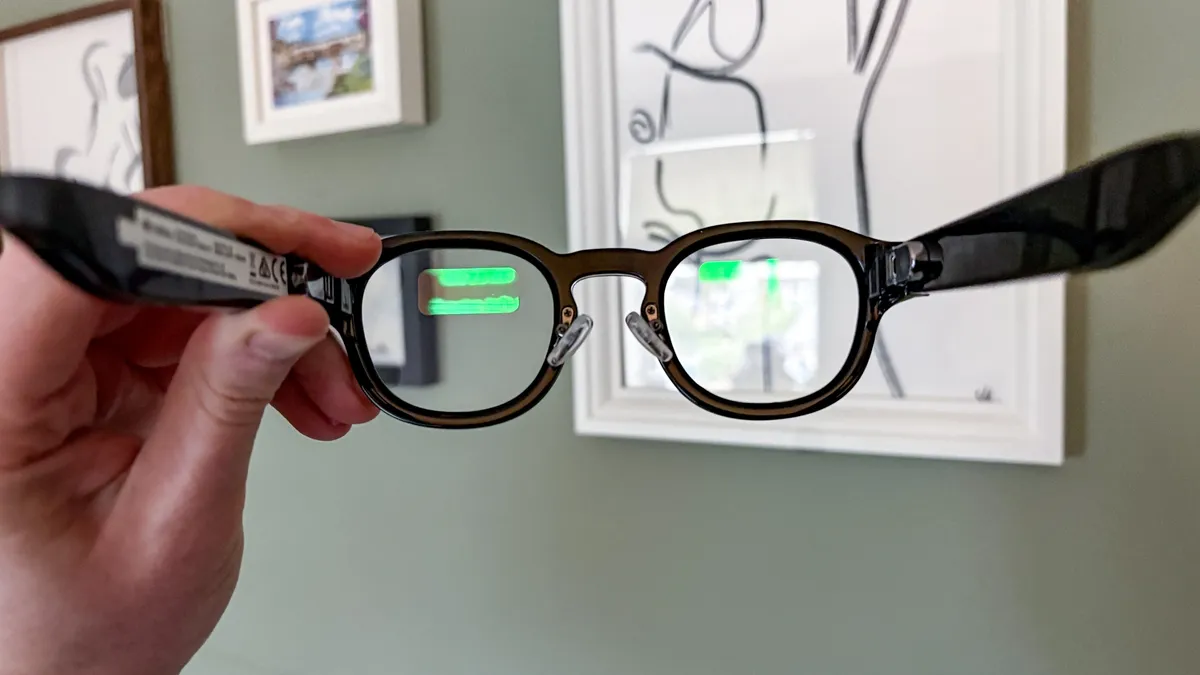
This is one of the first signs of similarities between the Halliday G2 and Even Realities G2. But this is a nice trait to share, because it's wonderful to have a discreet display that blends into the real world as an overlay that's easy to see and read.
Using dual micro-LED engines to cover both lenses, the Halliday G2s feature binocular waveguide displays for a minimal, yet extremely helpful, dashboard right in front of your eyes.
As with the Even Realities G2, the display is made up of green dot-matrix-style text, akin to the Pip-Boy from "Fallout." It's not obtrusive, and it makes it easy to glance at while going about your day. It helps that the waveguides have a 600 x 300 per-eye resolution and a whopping 1,600 nits of peak brightness. And yes, that means I could clearly see the display even during bright days (those are now limited in the U.K.).
Whether it's notifications coming in via your smartphone or the dashboard displaying the weather forecast for the next few hours, text is clear, bright and sharp, yet doesn't overtake your full real-world view, either. This is the kind of simplistic, futuristic display I've come to enjoy in smart glasses, so keep on this path, Halliday!
Handy AI tricks

Having a personal HUD to show you the time, date, weather forecast and more at a glance is already a nice perk, but using the Halliday G2 to summarize conversations, translate languages in real time, give you instant answers just by asking it and view text via a teleprompter is what makes these glasses actually "smart."
The Halliday G2's key features include Meeting Flow, where live AI agents manage whole conversations (geared towards business meetings) by tracking, summarizing, transcribing and quickly researching what is said; Cheatsheet, a teleprompter that's (sort of) invisible to everyone but you, with customizable read speeds; and Translation, which can translate conversations in real time for over 45 different languages.
Meeting Flow is the star of the show, and it did a great job of getting all the key points said in one of my daily stand-up meetings and organizing this into different sections, such as having a To-Do List and a Quick Summary of everything that was said. I also quite liked the Thread Tracker, which helps you get back on topic before the conversation goes off the rails (which is a fun problem I generally have in meetings).
Now, there are plenty of AI agents that do this automatically in virtual meetings, like Google Gemini, Otter AI and plenty more. But the Halliday G2s give you a personal meeting assistant right in your view during meetings, which can be helpful to many.
Cheatsheet and Translate are also snappy in action, and I was impressed with the Halliday AI assistant being able to answer random questions on the fly. For example, while I was watching the cult classic "Twin Peaks," I asked where it was generally filmed, and it was quick to answer (it's in Snoqualmie Valley near Seattle).
Do any of these features sound familiar? They should, as you'll find all these Halliday G2 features on the Even Realities G2 — just named differently. For example, Conversate on the Even Realities is just Meeting Flow here, while Teleprompt is Cheat Sheet and Translate is... Translate.
While these features are like-for-like, that doesn't make Halliday's tools any less helpful, as they still do what they set out to do well.
Halliday G2: The downs
Unless you're looking for thick, Spongebob-like glasses, the Halliday G2s aren't the most seamless smart glasses you can get, and they have far too much in common with the Even Realities G2, but with a couple more downsides, to stand out.
Feelin' dorky

I can almost hear Homer Simpson shouting "Neeerd!" out of his car when I put on the Halliday G2s, and that alone makes me avoid wearing these in public.
The G2s are clearly smart glasses, as everyone I came across had pointed out at first glance. That's not such a terrible thing, but it's just how thick and bulky the smart specs are that makes them unappealing. Of course, glasses come in all shapes and sizes, and some frame styles are better suited to others. Some may enjoy the bulkiness, but there is a limit to frames being too thick, too.
Along with this, it's a shame there is only one style of the Halliday G2s, unlike the many different frames of the Ray-Ban Meta lineup and the couple of options the Even Realities G2 offers.
Not so stealthy
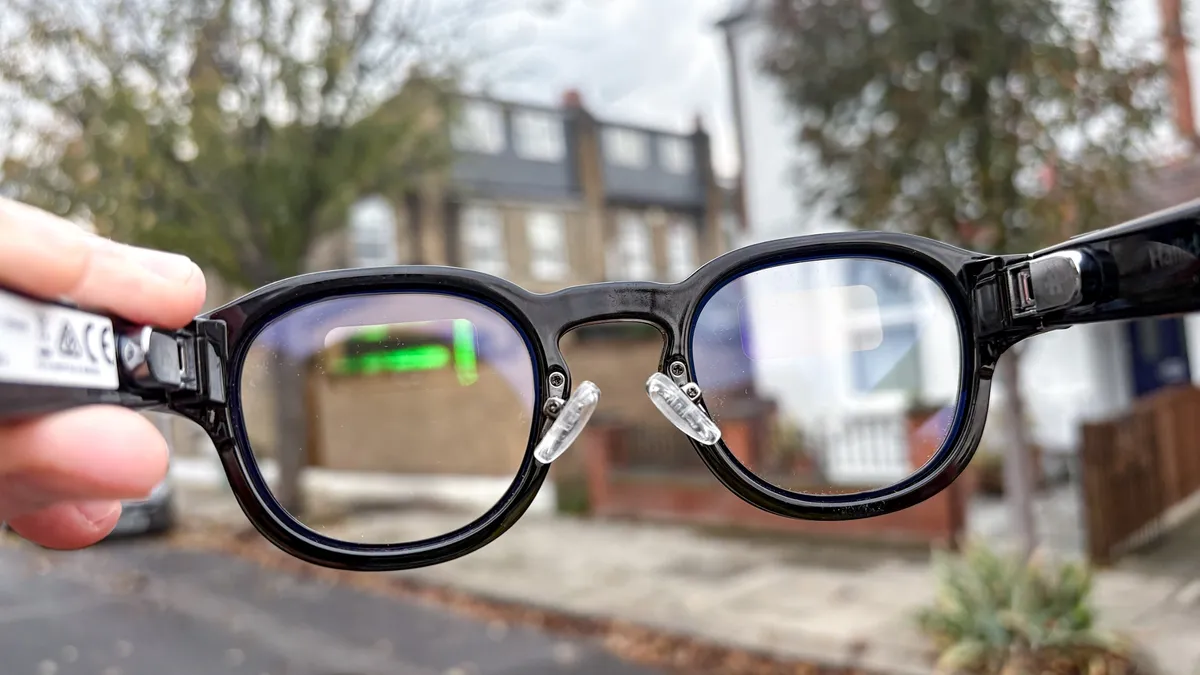
While the waveguide displays are discreet, others can still see the green light from the lenses at certain angles. That's why the Halliday G2 smart glasses have a Stealth Mode, so you can subtly read incoming messages or AI conversations without that green hue people may be able to see.
Or, that's what it wants to do anyway. In reality, it simply dims the green text on the waveguide displays, but it's still able to be seen at different angles (as my friends have confirmed). It's not as noticeable when Stealth Mode is turned off, but I wouldn't exactly call this stealthy.
At the very least, Stealth Mode on the Halliday G2s aren't as creepy as smart glasses with cameras, seeing as it's just text.
Audio doesn't fit
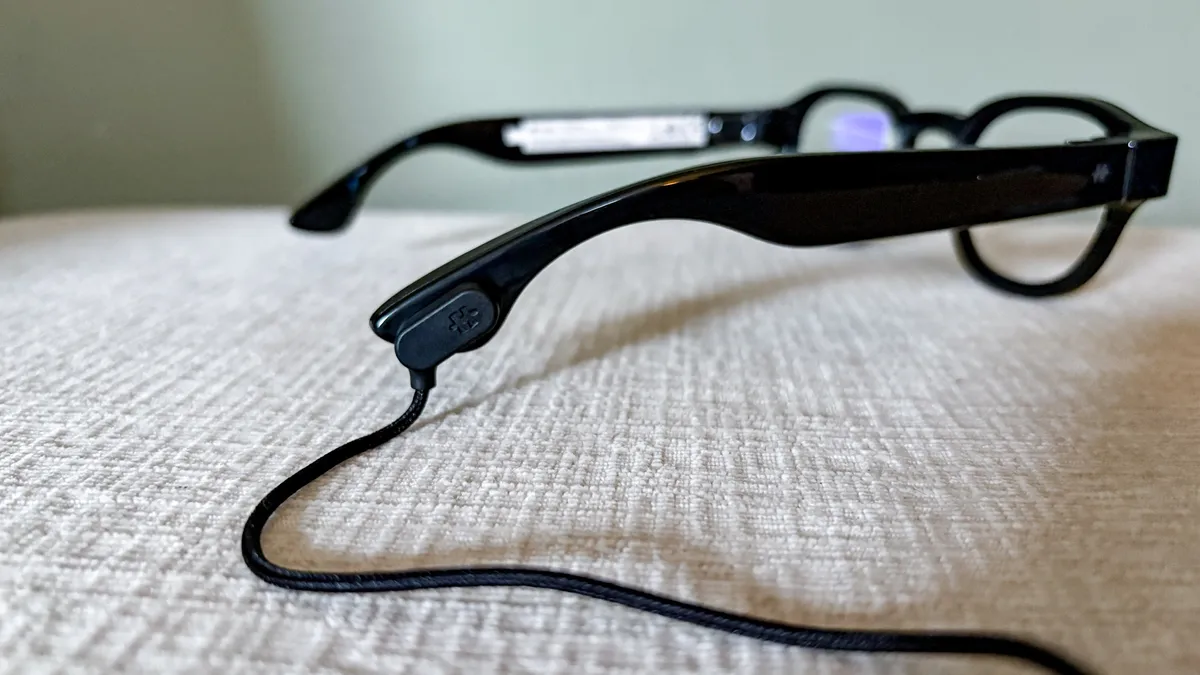
The only major difference between the Halliday G2 and Even Realities G2 is that the former comes with an open-ear audio system, much like the Ray-Ban Meta glasses. You can hear phone calls, listen to music or podcasts and hear a very annoying clicking sound with each action you do.
I'd prefer to not have any audio in smart glasses aimed at being everyday specs for the usual glasses wearer, especially when sound easily leaks out for everyone to hear what you're listening to, and it sounds more hollow than anything else. I also imagine the G2's battery takes a hit from this, being just around 12 hours before needing a charge. Not bad, but the Even Realities G2 can last a couple of days before needing a boost.
I understand that it's trying to be the all-in-one system for your face, so you no longer need one of the best earbuds, but it's far from accomplishing that task. And yes, I turned off that navigation click as soon as I heard it, which also meant turning off the ringtone.
Halliday G2: Verdict
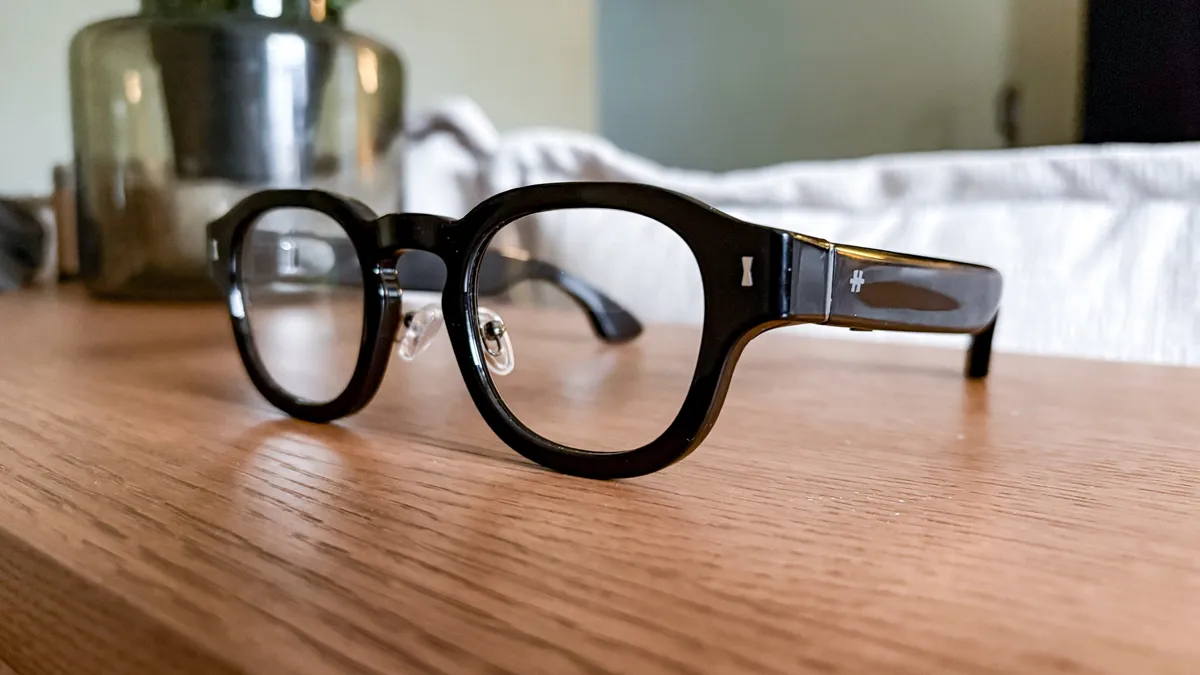
The Halliday G2 are the type of AI smart glasses that I'm a fan of, offering a comfortable fit for all-day wear with helpful AI features that are intuitive to use and snappy in action. Being able to check the time or weather on the fly without having to take out your phone, summarize conversations with key talking points and translate other languages are huge perks to have sitting on your face.
But the Halliday G2s succumb to the usual problem with smart glasses: they look too "smart." That's fine if big, chunky frames suit your style, but when the Even Realities G2 does it all better at the same retail price, but in a more casual design, then it's harder to recommend these over its competition.
While the Halliday G2 AI smart glasses are a step in the right direction, there are still a few features and design choices that the best smart glasses we recommend do better.

Follow Tom's Guide on Google News and add us as a preferred source to get our up-to-date news, analysis, and reviews in your feeds.