Smart glasses are slowly becoming more ubiquitous, from Meta Ray-Bans to the upcoming Samsung Intelligent Eyewear glasses.
It’s an expansive category of devices that can be pushed out to include XR and display glasses like Xreal’s Project Aura or the Viture Pro 2.
With so many differences, manufacturers are throwing around a flurry of terms like spatial computing, IPD or DoF that do explain what these glasses do, but in a clunky way that makes a lot of folks go “huh?”
So I’m here to help you understand some core terms that explain most smart glasses in plain English. Hopefully this guide gives you a clearer understanding of what’s important, especially as smart glasses become more popular and available.
The Three Realities: AR, MR and XR
If you just looked at the best smart glasses, the tech could be cleanly divided into two categories: AI glasses and AR glasses. It’s a tad murkier than that, but those are two great starting points because right now they do different and distinct things.
But first, let’s talk reality.
We’re going to be referring to different capabilities for how digital content is overlaid on the physical world. Confusingly, there are four realities: AR, MR, VR and XR.
Virtual reality is one you probably know and associate with headsets like the Meta Quest 3s. For this discussion, that’s where it will stay and we'll focus on the remaining three.
However, XR, AR and MR are somewhat interchangeably used by smart glasses manufacturers. So what are they and how are they actually different?
Augmented reality

Augmented reality is an overlay of digital information on the real world. You can try AR right now with your smartphone’s camera and certain apps. Wayfair, for example, offers an augmented reality function that lets you measure furniture or even place an item in your space. A personal favorite is the Stellaris app, which overlays constellations in the night sky.
Some glasses, like Meta’s offerings, are starting to offer AR features, but the Snap Spectacles might be the most infamous ones as of this writing, with their gesture controls and AI-powered augmented reality apps.
“They are about adding digital experiences to the world in front of you, in a way that feels natural through voice, gesture, touch, and AI,” a Specs spokesperson told Tom’s Guide.
Mixed Reality

Mixed reality is kind of the in-between of AR and VR. The best example is Pokémon GO, which lets you catch digital Pokémon in the real world using the app and your camera. It blends the real world and computer-generated objects. From my understanding, most MR functions still lean heavily on VR uses, like allowing streamers to impose their characters in video games.
eXtended Reality

Finally, we have eXtended reality or XR, which can be confusing because XR is both its own thing and an industry umbrella term that seems to encompass VR, MR and AR. Plus, manufacturers use it interchangeably, which can make figuring out what XR-labeled glasses are actually doing a messy experience.
For example, Viture puts the XR label on its display glasses and Xreal dubs its more feature-rich Project Aura spectacles as XR, but these glasses do functionally very different things.
The big difference is in attachments to wearable tech. True XR-focused glasses allow for more integration with sensory inputs like those from smart rings, smartwatches and gesture controls.
Glasses Types
AI Audio Glasses
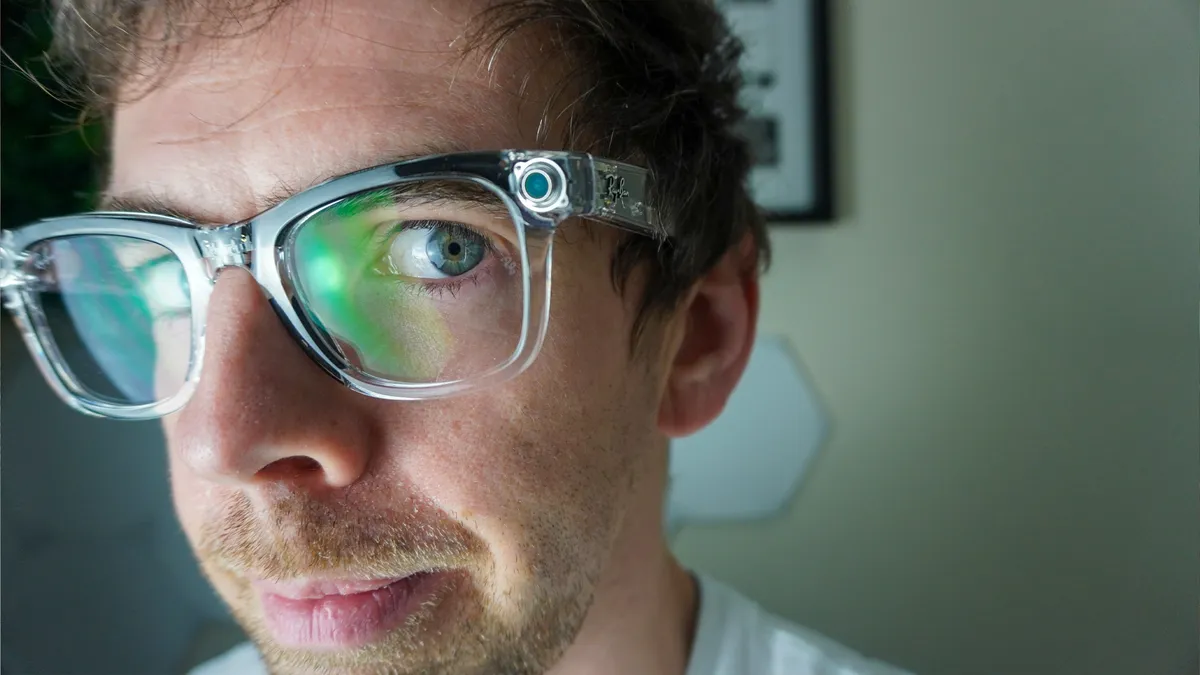
‘AI glasses’ appears to be a marketing term made up by Meta for its Ray-Ban glasses that has extended to similar form factors like the Samsung Intelligent Eyewear.
AI glasses come in two forms; audio or with a display. The difference is that the display versions use light diffraction to shoot information into the lenses, like on the Meta Ray-Ban Display.
Both types of eyewear tend to utilize apps and artificial intelligence via cameras, microphones and speakers to ostensibly help you navigate the world. You can use them for things like live translation, listening to music, or talking to a chatbot like Gemini AI.
These glasses look the most like normal glasses or sunglasses, though with a little extra bulk thanks to the integrated technology.
There are more of the audio AI glasses in the wild currently; earlier this year CNBC reported that Meta sold around 7 million in 2025 alone. Notably, because of the cameras, these smart glasses are controversial due to privacy concerns.
AI Glasses with Display

AI glasses featuring a display are much newer but will likely be the dominant form of these glasses in the coming years. We already have the aforementioned Ray-Ban Display glasses.
Samsung's Intelligent Eyewear will get a version featuring a display that should launch next year as well.
What makes these different is that, using light diffraction, a digital overlay or somewhat opaque HUD is shown on one of the lenses. This can include controls for things like your music or phone calls or notifications for apps like Instagram.
Display glasses also offer live translation like the audio version, but with the display, the translations can be captioned in the lens.
Virtual Screen Glasses

Virtual screen glasses may be the most confusing category because manufacturers can't seem to agree on what they call them. RayNeo calls it display specs AR glasses while Viture labels its specs as XR.
Simply, virtual screen glasses are a monitor that you wear on your face. They typically feature prism lenses hidden by the more normal-looking glasses lenses. I’ve yet to see a wireless pair; most are tethered to your device using a USB-C cable.
At Tom’s Guide, we’ve found these glasses great for travelers or gamers. They can really expand your work monitor or give your handheld console like the Steam Deck a larger screen so that you don’t have to crane your neck to look at your games. It’s also a comfortable way to watch movies or TV shows.
Wired XR Glasses

The difference between what we’re terming wired XR glasses (taken from Google) and virtual screen glasses is the amount of connected technology. One way to think about these glasses is that they’re simplified VR headsets like the Meta Quest 3 or even Apple Vision Pro but in a pair of glasses.
Xreal’s Project Aura is where you can see how this design works. These glasses come with a tethered device usually called a “puck” where specialized chips like the Qualcomm Snapdragon Reality Elite live and power the whole setup.
Wired XR glasses look similar to display specs. However, the included puck allows for more powerful apps and experiences. In some cases, the puck enables gesture controls and some augmented reality experiences with digital overlays or even a semblance of VR gaming.
Wired XR glasses with an attached puck are fairly niche currently, but it hints at the future of smart glasses with powerful chips and nearly VR headset capabilities without the bulk.
Design Elements
Battery Life

Nearly every device we own today requires charging and knowledge of how long the battery life will last. This metric specifically affects AI glasses and wired XR glasses because of the puck.
AI glasses should last you all-day with normal use. We found that to be true with most glasses like the Meta Ray-Bans and the Rokid Glasses. The current gen 2 Ray-Bans are rated for eight hours of typical use while the Ray-Ban Displays are rated for six hours.
Currently, wired XR glasses aren’t as big of a category, but the pucks will have batteries. The Xreal Project Aura, for example, is supposed to feature a 4455 mAh battery, which suggests it should last 2 to 3 hours of heavy use.
There’s also the upcoming Snap Specs, which cram two Snapdragon processors in the arms and enough battery life for about four hours of general use.
Electrochromatic film

Simply put, an electrochromic film is a thin layer in the lenses of smart glasses that uses a small electrical current to control tinting.
This is especially useful in display glasses where you may want what's behind the prism lenses blocked out. Most high-end display glasses have multi-level electrochromic lenses, meaning you can block or let in more light depending on your needs.
Interpupillary Distance

Interpupillary Distance (IPD) is the measurement of the distance between the centers of your eyes to the millimeter. It’s important for VR headsets and smart glasses because it can be adjusted to ensure you see optimal image quality.
Having the proper measurement means you can get the correct alignment that matches your sense of 3D depth and scale. The wrong measurement can make virtual spaces appear incorrect.
You can measure IPD using apps like EyeMeasure or by asking your eye doctor.
Puck

The simplest way to think about the puck is that it is the brain for your XR glasses. They usually feature a battery and a specialized chip like the Qualcomm Snapdragon Reality Elite to power spatial computing and gesture controls.
You may wonder, why not just use your smartphone as a puck? Xreal’s Ralph Jodice told me that right now, it’s a different device. “The phone wasn’t made for XR,” he said. He described the Project Aura glasses as a “spatial computer.”
Plus, the puck enables you to attach peripherals like keyboards, mice and gamepads, which makes it more computer-like than your phone, even ones like the Galaxy S26 Ultra and the Samsung DeX desktop interface.
Capabilities
Field of View

Field of View (shortened to FOV) refers to how much virtual screen you can see at one time. One way to think of it is that the FOV is a window you look through; the larger the window, the more you can see.
Currently, the top-end standard for virtual screen glasses is between 50 and 60 degrees, meaning you should see a virtual screen between 130 and 160 inches set about six to 10 feet away from you. Depending on the FOV, that also affects your aspect ratio with some digital displays feeling more square depending on the prism. It can also make content seem cramped.
For AI display glasses, at most you're getting 20 to 30 degrees. The Meta Ray-Ban Displays only have a 20 degree FOV for the lone right-side lens that features the display.
The three DoFs (or Spatial Anchoring)

As smart glasses evolve, one term you’ll hear a lot is DoF (depth of field), the most common version being 3DoF. The term stands for degrees of freedom, with the common denominations being 0DoF, 3DoF and 6DoF.
Essentially, it refers to the independent movements the device can track. One way to think of it is that this is how the virtual screen is locked or anchored in space. So 0DoF is a fixed screen that will always sit wherever your glasses are pointing, only tracking your head movements.
3DoF anchors the display at a certain position centered on you. If you move your body forward, backward, or side to side the screen will follow you. However, if you move your head, the screen will stay locked in place.

This is especially important for gaming where you might naturally look down with your eyes and move your head to look at a mini map. Without 3DoF the screen would shift with you, but with it you can quickly flick your eyes down and the screen will stay in place.
6DoF is more commonly associated with VR headsets, but as spatial computing becomes more important with smart glasses, you'll see more 6DoF offerings. Like with 3DoF, the content is locked in a specific position in space. However, 6DoF allows you to move around the space.
It’s especially important for augmented reality applications. So imagine you have a digital object like a table. In 6DoF, you’d be able to walk around the table while wearing the glasses and see different angles. With 3DoF you’d only see the one angle you started with because it’s locked there. 6DoF and 3DoF tend to require heavier compute power, so this is where built-in chips and pucks come into play.
Spatial Awareness or Computing

Like degrees of field, spatial computing is effectively for AR uses. The term refers to the glasses' ability to blend digital content with your physical world.
AI glasses and wired XR glasses are starting to integrate more spatial computing into their designs. The closest current is example is the Snap Specs, though they call their offerings ambient computing, referring to what you can do in your surrounding spaces.
You can see it in gesture control features and apps that let you play what are essentially VR overlays but in your glasses.
That's all for now
We picked terminology that you'll commonly hear, but let us know if there are features, capabilities, or some other word that you want to know about.

Follow Tom's Guide on Google News and add us as a preferred source to get our up-to-date news, analysis, and reviews in your feeds.
More from Tom's Guide