




Galaxy Unpacked came and went, ushering in a new age for the Galaxy S26. As expected, we got three new flagship phones: the S26, S26 Plus, and S26 Ultra. As an avid photographer and videographer, I naturally gravitate toward the cameras more than anything else.
There were plenty of camera rumors heading into the event that didn't turn out to be true — like a variable aperture — but the lineup was still greeted with some minor hardware upgrades and a slew of new photo and camera modes that should please serious users.
I’ll tell you exactly what they are and what I’m most excited about. Now, my only question is whether some of these camera features will trickle down to older devices.
Galaxy S26 cameras: Specifications
| Header Cell - Column 0 | Galaxy S26 |
Galaxy S26 Plus |
Galaxy S26 Ultra |
|---|---|---|---|
Main Camera |
50MP( f/1.8) main |
50MP( f/1.8) main |
200MP (f/1.4) main |
Ultrawide Camera |
12MP (f/2.2) ultrawide |
12MP (f/2.2) ultrawide |
50MP (f/1.9) ultrawide |
Telephoto Cameras |
10MP (f/2.4) telephoto w/3x optical zoom |
10MP (f/2.4) telephoto w/3x optical zoom |
10MP (f/2.4) telephoto w/3x optical zoom, 50MP (f/2.9) telephoto w/5x optical zoom |
Max Digital Zoom |
30x |
30x |
100x |
Video Recording |
4K @ 60fps, 8K @ 30fps |
4K @ 60fps, 8K @ 30fps |
4K @ 120fps (Pro Video), 8K @ 30fps |
Front camera |
12MP (f/2.2) |
12MP (f/2.2) |
12MP (f/2.2) |
Galaxy S26 cameras: shared features
Upgraded Photo Assist
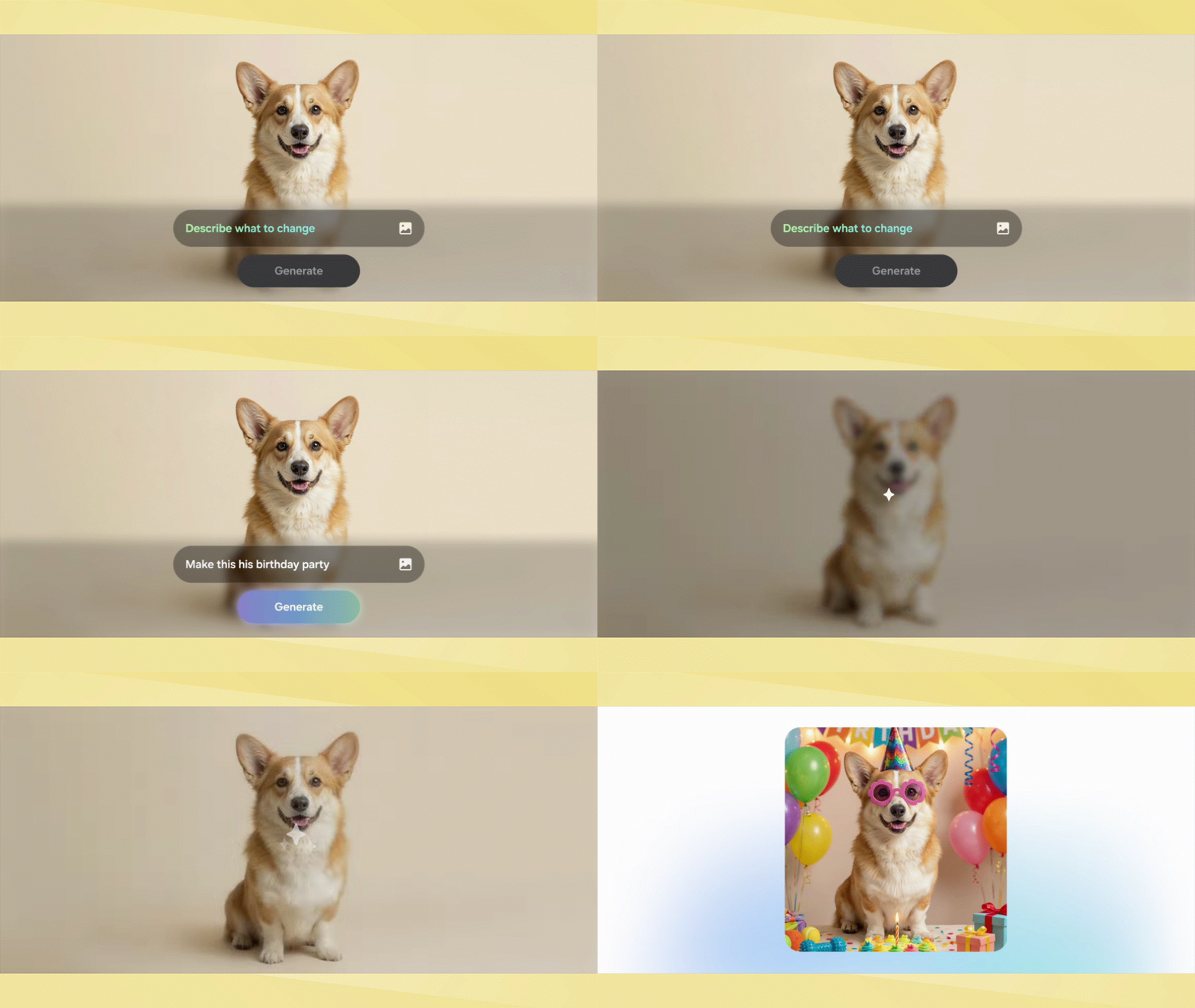
Taking a page out of Google’s playbook, Samsung has introduced its own version of Ask Photos with an upgraded Photo Assist feature.
This tool allows users to make complex changes to photos using simple text prompts or natural language. This Galaxy AI feature can perform complex edits that could take hours for the average Joe to do, including generative image additions, with impressive accuracy and realism.
Creative Studio

This new Galaxy AI tool helps you create unique imagery based on photos you’ve captured, or even generate new visuals from scratch. Creative Studio can handle tasks like transforming your photos into custom stickers or personalized wallpapers, all through simple conversational instructions.
ProScaler

Integrated directly with the processor, the Galaxy S26 lineup’s new ProScaler feature improves image scaling to refine existing photos. It takes images that may appear grainy and polishes them by sharpening details and smoothing out textures.
It’s particularly effective for digital zoom shots where pixelation is usually noticeable, seeing that ProScaler upscales the shot to make it appear significantly more detailed and natural.
Horizontal Lock
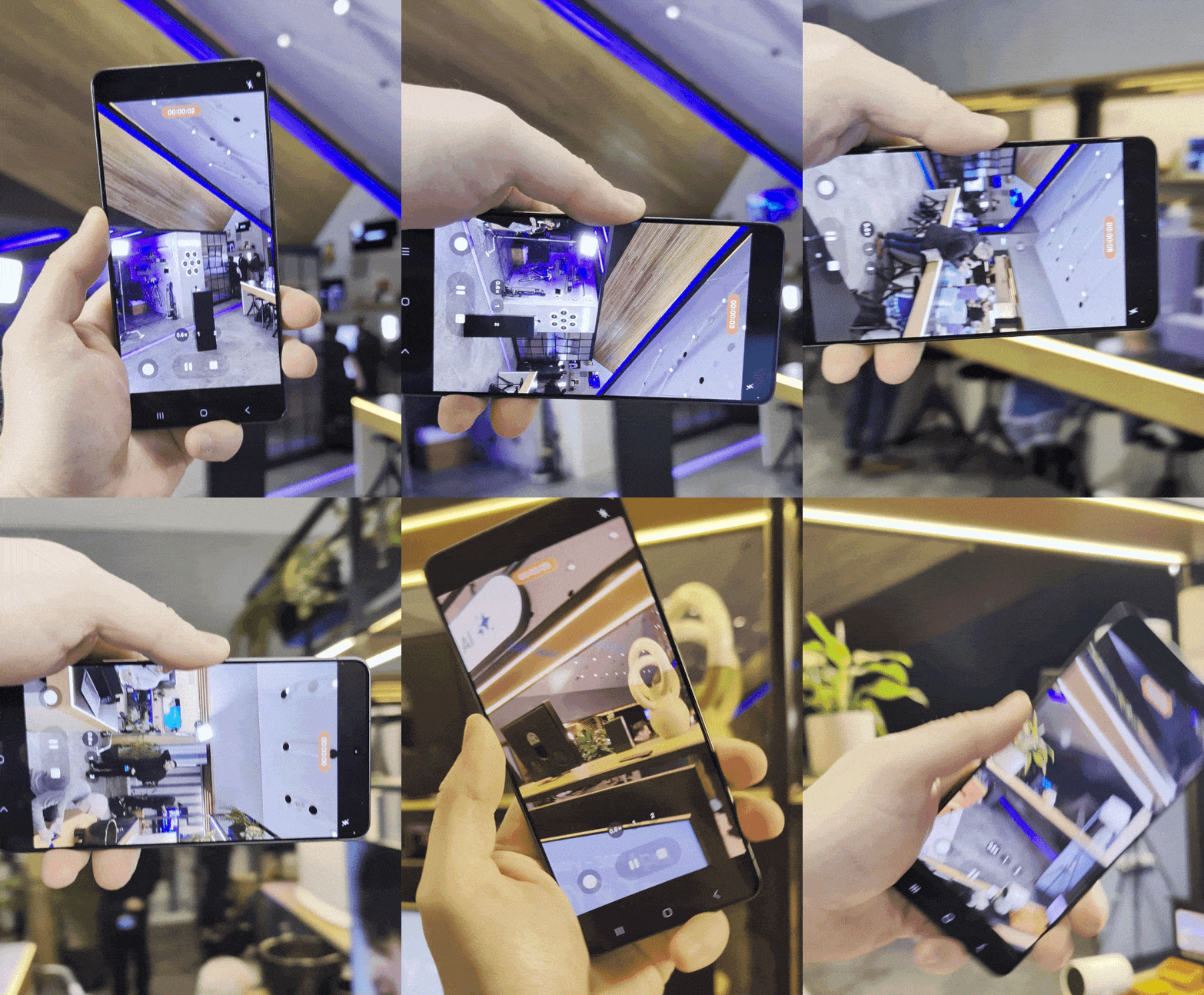
Dedicated action cameras like the DJI Pocket 3 have the ability to lock onto the horizon. No matter how much movement occurs during recording, the footage remains perfectly level.
The entire Galaxy S26 lineup now features Horizontal Lock, which keeps the horizon stable regardless of how the phone is oriented.
AI ISP selfie camera

Samsung is enlisting the help of AI to improve the quality of selfies across the Galaxy S26 lineup. While all three phones feature 12MP front-facing cameras, improvements to the AI ISP (Image Signal Processor) allow for more natural skin tones and finer detail, while also mitigating exposure issues caused by mixed lighting.
Galaxy S26 cameras: S26 Ultra exclusives
Wider apertures

There’s no hardware change to the Galaxy S26 and S26 Plus cameras, but the S26 Ultra on the other hand gets wider apertures to help improve its low light performance. Specifically, it has a wider f/1.4 aperture with its 200MP main camera — along with an f/2.9 aperture with the 50MP telephoto camera with 5x optical zoom.
This allows more light to reach the sensor, resulting in clearer, more detailed images under low light conditions. At the same time, these upgrades should reduce blurring due to how it lessens the exposure time of the cameras.
AI-enhanced Space Zoom
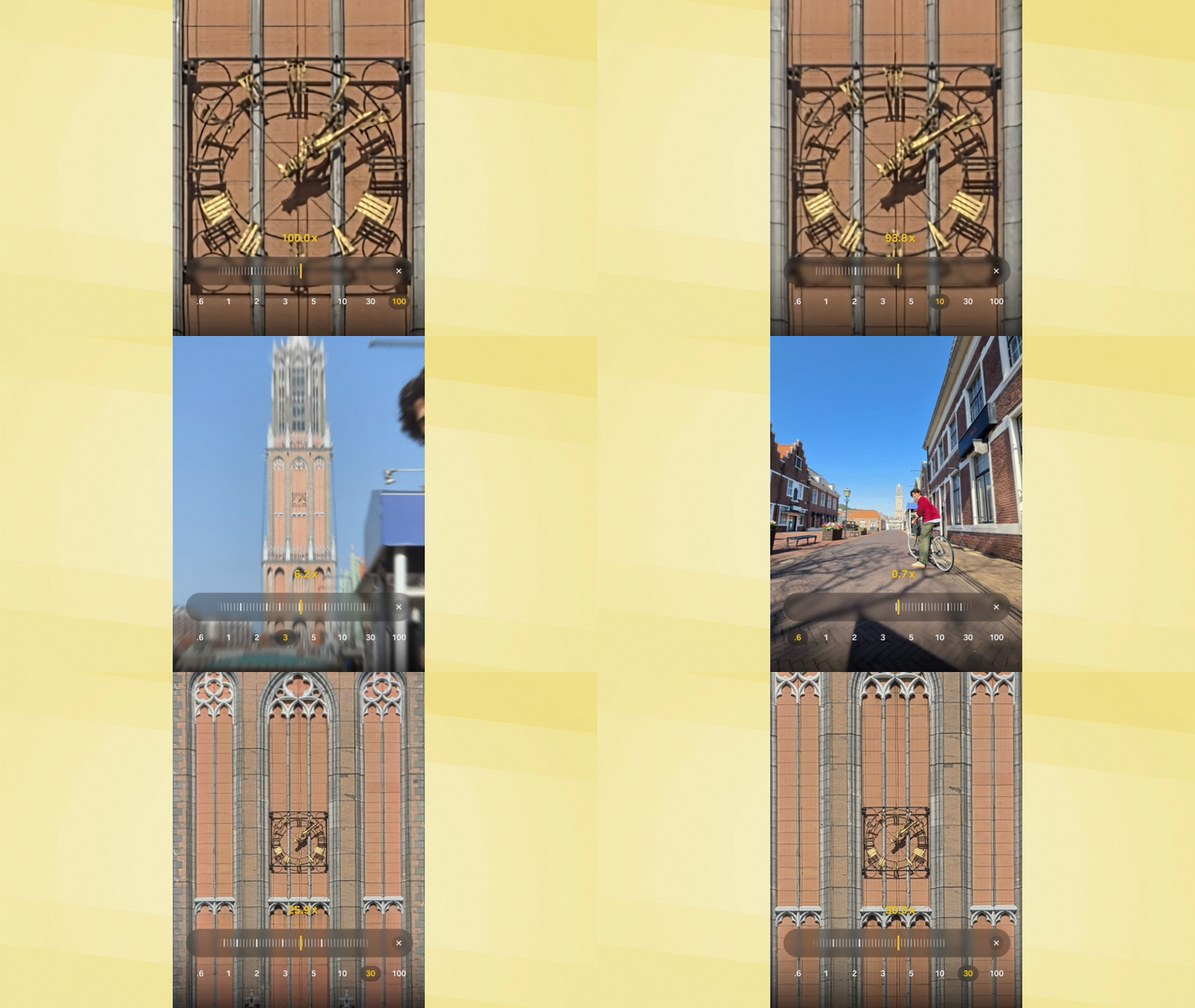
The Ultra phones have always featured a much longer zoom range, and that trend continues with the Galaxy S26 Ultra’s AI-enhanced Space Zoom.
Not only can it reach 100x digital zoom, but it now works in conjunction with the updated ProVisual Engine and ProScaler to clean up the shot, reduce noise, and draw out finer details that were previously lost to pixelation.
Enhanced Nightography Video

Leveraging its wider aperture, the Galaxy S26 Ultra features an Enhanced Nightography Video mode. This mode uses targeted noise reduction to analyze and remove artifacts in real-time, resulting in low-light footage that is not only brighter but also significantly more vibrant and sharp.
APV Professional Codec

Camera pros will love how the S26 Ultra is the first Galaxy device to support the APV (Advanced Professional Video) codec. It records video at a high bitrate in a perceptually lossless format to preserve as much detail as possible, allowing for extensive stretching and tweaking in post-production software.

Follow Tom's Guide on Google News and add us as a preferred source to get our up-to-date news, analysis, and reviews in your feeds.
More from Tom's Guide

