




I was rather surprised by the unveiling of the Samsung Galaxy S26 Ultra earlier this week. After so passionately complaining about how dull phones had become, I was not expecting Samsung to come out with not one, but two features that really grabbed my attention.
I'm talking about Privacy Display and the camera's Horizon Lock. These two features are completely different, but also managed to captivate me in a way that other recent smartphone upgrades haven't. The amount of time I spent with the Galaxy S26 Ultra is still pretty minimal, but these are, by far, my favorite features on the phone. To the point where I'm not entirely sure which one I like the most.
Privacy Display is something we shouldn't have waited so long for

The thing about Privacy Display is that the concept seems relatively simple, and the kind of thing someone should have implemented years ago. After all, smartphones have grown from mere novelties to the kind of device you can run your entire life from. Frankly, the act of doing all my banking using the official apps is so convenient, I'm not sure I'd ever want to switch back to the alternatives.
Have you ever tried getting to a physical bank these days? It feels like you have to take half a day off work just to get there, let alone actually get anything done. Considering how convenient banking apps are, and now that my bank has finally decided you can cash checks on your phone, there's absolutely no reason for me to visit one in person.
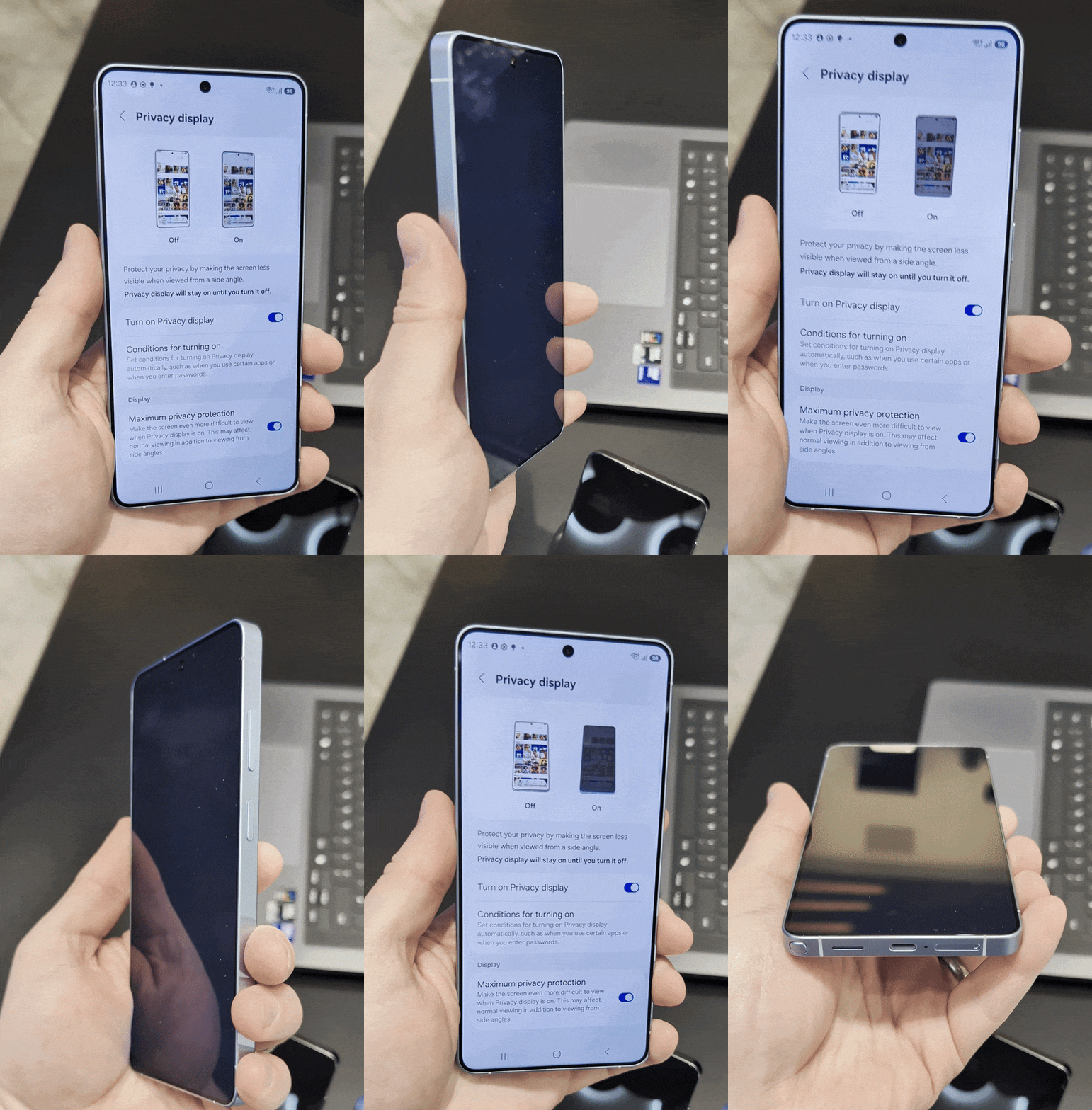
But smartphone screens are significantly less secure, especially given how common OLED screens are these days. All those extra side viewing angles are not a great way to stop shoulder surfing and keep potential thieves from seeing what's happening on your screen. So Samsung has found a way to just... turn them on and off.
Privacy-enhancing screen protectors have indeed been able to offer similar security for years, but at the cost of being semi-permanent. You can't just rip it on and off whenever you feel like it, and it means you end up sacrificing the viewing angles that make OLED displays so useful to have. The privacy Display has no such issues.
Better still, you can set it all up to switch on automatically whenever potentially sensitive material shows up on screen. So there's no chance of you forgetting to switch it on and accidentally putting yourself and your data at risk. Plus, in my limited time with the Galaxy S26 Ultra, it didn't actually affect my use of the phone.
I really can't think of anything bad to say about the Privacy Display, because it feels like the perfect piece of mobile security. It doesn't ask anything of the user, beyond the initial setup, and it works without being prompted. I wouldn't go so far as to say it's idiot-proof, but the fact you don't have to even think about things means Privacy Display might as well be.
The only downside is that the S26 Ultra's screen isn't quite as bright as the S25 Ultra's when Privacy Display mode is turned off.
Horizon lock is exactly what smartphone cameras need
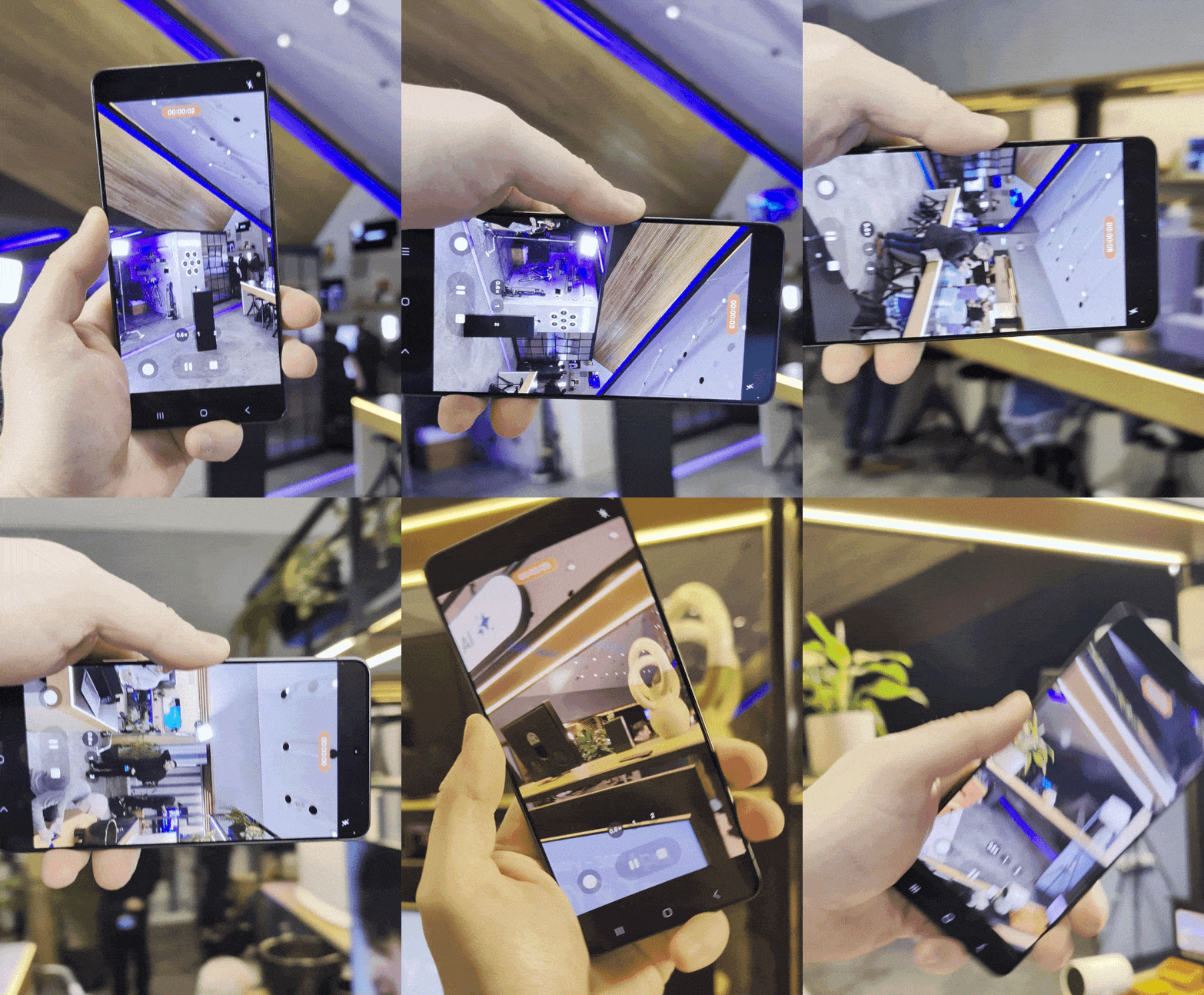
I am also very impressed with the new Horizon lock feature added to the S26 Ultra's camera. A feature ripped straight from the best action cameras, it's a way to keep your footage perfectly steady, even if your camera is moving around more than Jell-O during an earthquake.
I don't know about you, but one of the things I can't stand in videos is when the camera is shaking all over the place. It's especially infuriating in Hollywood movies, when the cinematographer really should know better.
The Galaxy S26 Ultra's Horizon lock will keep your footage perfectly steady, even if your camera is moving around more than Jell-O during an earthquake.
Considering Samsung's apparent push to make the Galaxy S26 Ultra a more professional filming device (no doubt following Apple's example), and my limited time with Samsung's horizon lock, it seems like the feature could put an end to that annoying style.
When I say that the orientation of the camera is locked, it is truly locked in place. No matter how much I moved or spun the phone around, there didn't seem to be any movement in the camera's framing. Starting in vertical mode, I spun the phone horizontally, upside down, and in so many random directions.
But watching the final video, you wouldn't have even realized. It was scarily impressive to see in action, and it's the kind of thing I'd like to see on even more phones.
It's worth mentioning that the Horizon Lock can't account for any actual movement of the camera. It's basically a digital gimbal that stops all the juddering and shaking that unconsciously happens when you're filming freehand, but if you make any larger movements with your hand (and the camera), it's still going to show up.
So if you need a perfectly still image, then you're going to have to rely on a tripod or some kind of stand. This isn't meant as a slight against the feature, just a practical limitation of the technology people need to bear in mind.
Bottom line
The fact that these two features are so different is exactly why it's so hard to decide between them. Privacy Display is fixing one of the smartphone's most glaring weaknesses and solving the real problem of people snooping at your activity before they steal your phone. This actually happens, and Samsung has actively tried to do something about it — even if it is only on a single phone for the time being.
Meanwhile, Horizon Lock is a little more niche, but it should prove to be invaluable for anyone attempting to record moving videos without giving the audience motion sickness. It's hardly an original feature, considering how common it is on action cameras, but by adding it to a phone, Samsung is making the technology even more convenient to access.

Follow Tom's Guide on Google News and add us as a preferred source to get our up-to-date news, analysis, and reviews in your feeds.
More from Tom's Guide

