My mini fan has been working overtime lately, taking up a permanent spot on my nightstand so I can actually get some sleep in the heat. But despite my cool head helping me drift off, I've been waking up exhausted.
My sleep tracker pointed out that rather than cycling through the sleep stages, I was getting stuck in light sleep while experiencing frequent, albeit brief, wake ups. Unrelatedly, or so I assumed, I'd started sneezing a lot.
Consulting a sleep expert, she helped me find the problem: my fan wasn't just streaming cold air, it was helping dust and pollen swirl around my room. As a result, my room was an allergen tornado and my sleep was suffering.
Ditching the fan didn't seem like a sensible solution. I'd simply stop sneezing and start sweating. But with the help of a few easy tips, I can have it all: good sleep, a cooler bedroom, and less sneezing.
Key takeaways: At a glance
- Running your fan overnight is a popular solution to sweaty summer nights
- But fans help dust and allergens to circulate which can make allergies worse
- Sneezing, itchy eyes and mouth breathing can all cause micro-wake ups, disrupting the quality of your sleep
- So despite getting plenty of hours of rest, you wake up at fatigued
- Cleaning your fan, keeping the windows closed and directing the fan at the wall can minimize the problem
Why is using a fan overnight causing you to wake up with no energy?
Heat is terrible for your sleep. Your body much prefers a cooler room (around 65-70°F / 18-21°C, to be precise) as a drop in temperature tells your body clock that it's time to drift off.
Turning the fan on is the obvious solution, right? A constant stream of cold to keep you cool during the night.
But it's not just air that gets stirred up by a fan. Dust, pollen, pet dander, and all sorts of allergens get caught in the swirl and directed towards your head. Because of this, sleeping with the fan on can often cause your allergy symptoms to worsen.
As Natalie Pennicotte-Collier, sleep therapist and sleep expert at MattressNextDay explains, you're essentially shutting yourself in a room with your allergy triggers on a continuously circulating loop.
Allergy symptoms disrupt your sleep stages
“Worsened allergies can keep people in lighter stages of sleep rather than deeper, restorative sleep," says Pennicotte-Collier.
She explains this is because allergies cause the nasal passages to become blocked, restricting airflow so you have to breathe through your mouth.
"[Mouth breathing] is associated with more fragmented sleep and frequent micro-wake ups throughout the night," she says. "As a result, people may spend less time in deeper restorative sleep stages and wake up feeling tired, even after a full night in bed.”
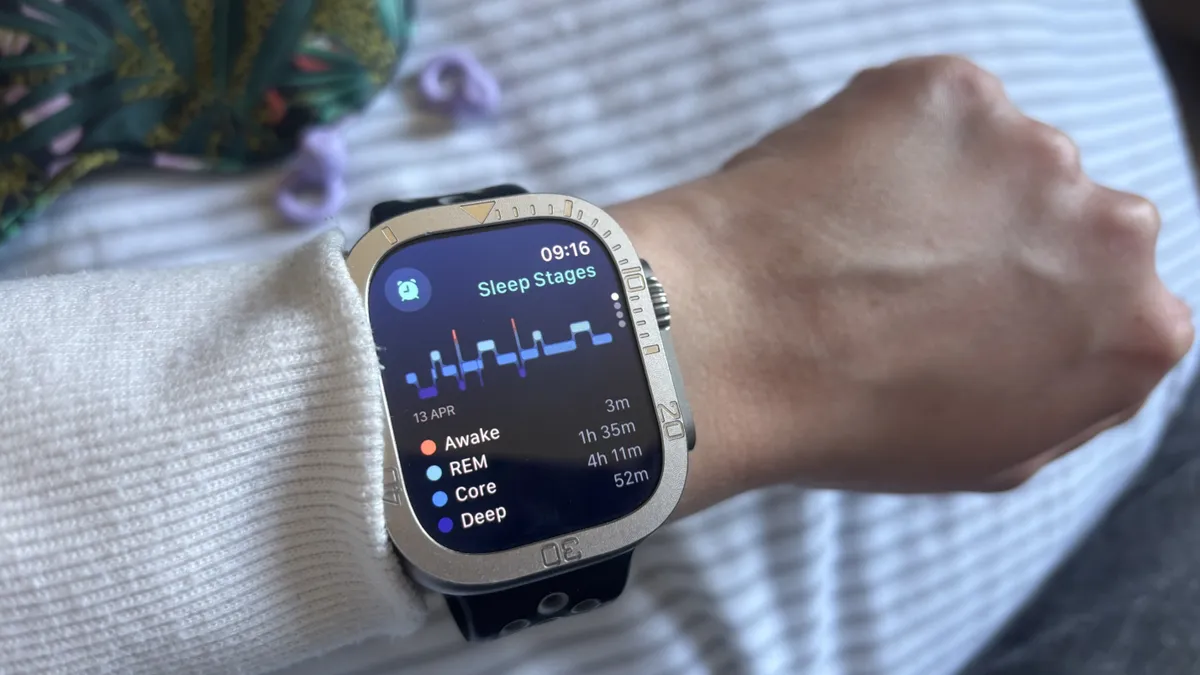
You probably won't even notice these micro-wake ups when they're happening, they're that brief. When your alarm goes off, you'll assume you've enjoyed a night of peaceful, restorative, cooler sleep.
Until the fatigue kicks in and you turn into a Snow White line-up all on your own; sneezy, sleepy, grumpy and probably still pretty sweaty (...he didn't make the film.)
3 tips for using your fan correctly
You don't have to turn your fan off overnight, as this might end up swapping one sleep problem (worsened allergies) for another (too hot to sleep.)
We spoke to the experts about whether you should sleep with the fan on and they gave us some essential tips to avoid getting caught in the eye of an allergen tornado.
1. Wipe down your fan blades
Keeping your bedroom squeaky clean is the best way to avoid allergen circulation but if you don't have time to dust from tip to toe, clean a few targeted places instead.

Starting with the fan blades. Pennicotte-Collier describes fan blades as the "most effective dust collector" in your room but a quick wipe down means you won't start the night with a blast of dust to the face.
If you have the time and energy for more cleaning, focus on the areas near your bed: the nightstand and the bed frame are good starting points.
2. Point the fan away from your face
Keeping the fan running overnight can dry out the mouth, eyes and nostrils, adding to your allergy woes.
Instead of directing the fan towards your face and body, instead point it towards the wall or up at the ceiling.
The cool air will still circulate but you won't recieve a direct drying blast throughout the night.
3. Close the windows during the day
There's a dual reason to keep your windows (and curtains) closed during a heatwave.
First, open windows invite hot air into the room. But with your windows and curtains closed, you create cooling 'caveman' conditions.

Second, open windows let pollen and other allergens into your room, ready to be kicked up and circulated as soon as you turn the fan on.
Other ways to keep allergens from settling into your sleep space include taking a shower in the evening, never putting outside clothes on the bed, and regularly washing the sheets.
4 fans to shop today for fresher sleep

Follow Tom's Guide on Google News and add us as a preferred source to get our up-to-date news, analysis, and reviews in your feeds. Subscribe to Tom's Guide on YouTube and follow us on TikTok. Finally, you can visit our dedicated Tom's Guide Savings Squad hub for expert help on getting the best products for less.