







If you're looking to protect your computer from increasingly sophisticated attackers, then it's a good idea to install some of the best antivirus software on your Windows device. But it's not always easy to work out which to buy, as many antivirus apps boast about the extra security features they offer, but do you actually need them?
To help you out, we've spent weeks installing, testing, and uninstalling the best antivirus apps. and taking a close look at their features, extras, and design. Plus, we contacted each brand's customer support to see whether it's actually easy to talk to a person who can solve your issue when something goes wrong.
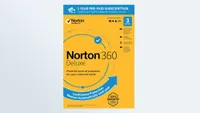
And this is why I feel confident telling you that Norton 360 Deluxe is the best antivirus software overall. We found it easy to use and it offers impressive malware protection without slowing down your computer. It's not the cheapest, and there are a lot of extras that you might not need, but it is the best right now.
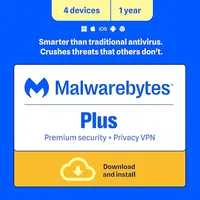
If you're looking to keep costs down without compromising on protection, Malwarebytes Plus is my favorite budget antivirus. It focuses on keeping your device free of viruses, and the scheduling is pretty quick to set up so you can install and forget about it while it protects your computer in the background.
The 3 best antivirus apps at a glance
The best antivirus software you can buy today
Why you can trust Tom's Guide Our writers and editors spend hours analyzing and reviewing products, services, and apps to help find what's best for you. Find out more about how we test, analyze, and rate.
The best antivirus software overall
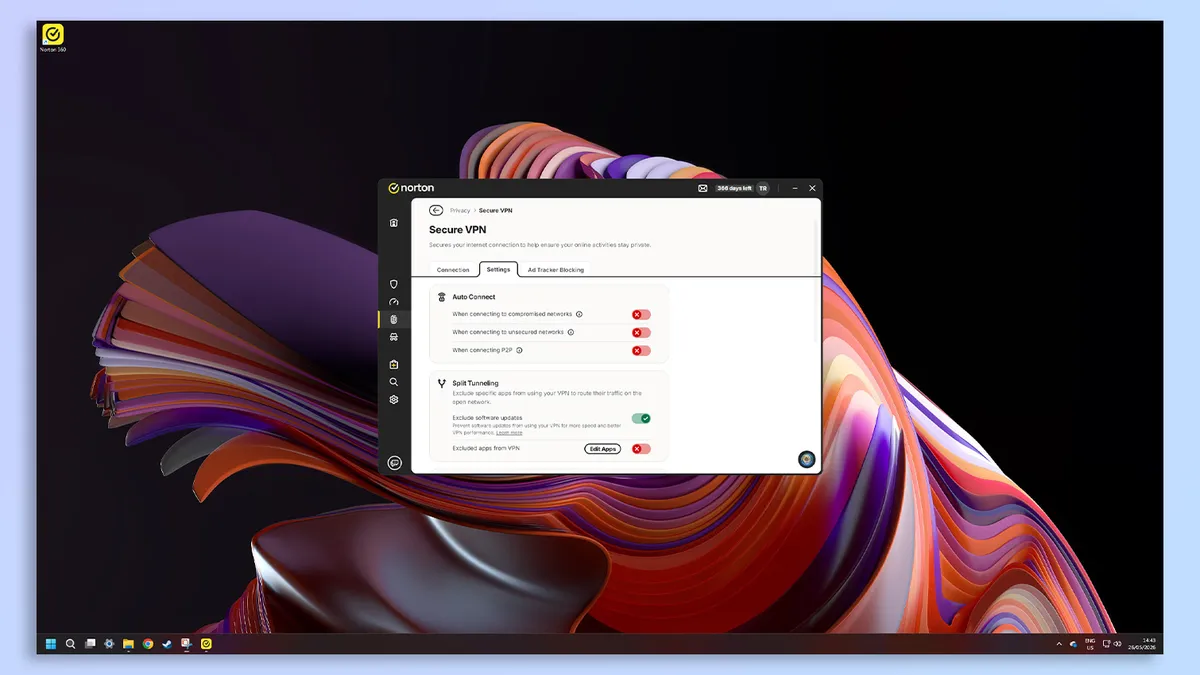
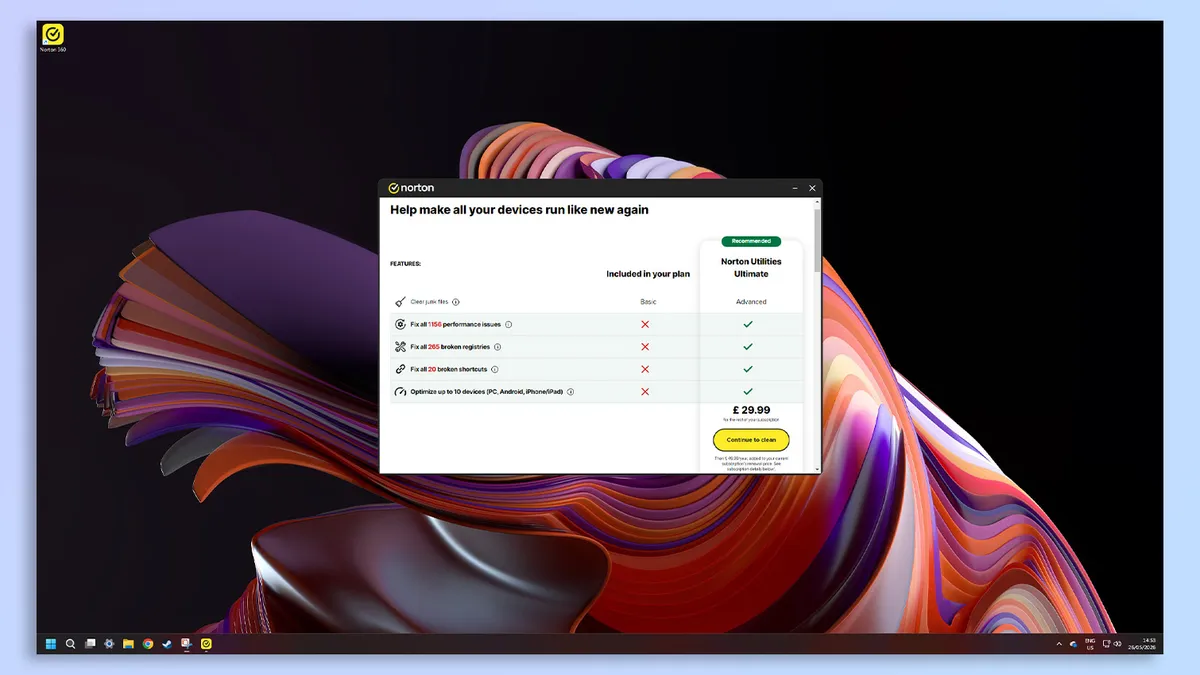


Norton is practically a household name in the antivirus world, and for good reason. Its software is powerful, yet easy to use, and shouldn't have a great impact on your device's performance.
Norton's 360 range isn't extraordinarily expensive or super cheap, but offers a lot for your money. And you get a choice of tiers, which cost more and come with extra apps and features. The version we recommend is Norton 360 Deluxe, which has a good first-year rate but the price jump in the second year may feel whiplash-y.
When it comes to antivirus protection, Norton 360 Deluxe offers everything you could want — a firewall, a hardened browser, malware and ransomware protection, and a Wi-Fi scanner. There are four scan types: Quick, Full, Targeted (custom) and Startup.
The Startup scan scans your files when you boot up the computer, which is something I haven’t seen other antivirus software suites offer. This variety of scan types means that you have a choice of what and how long this scan takes, as well as giving you the option to check your device's status every single time you launch your computer.
In testing, we found that these scans won't impact your device's performance, either. We played a high-resource video game with Norton 360 Deluxe running in the background, and system impact was minimal.
Frames per second (fps) only dipped from 118 to 105 while doing a Full Scan of almost 900,000 files. This is barely noticeable, meaning you should be able to perform all your usual tasks and activities as normal, without even noticing Norton 360 Deluxe is running.
In independent protection testing, Norton performed incredibly well. AV Test’s February 2026 report certified Norton 360 as a “Top Product” with a 6/6 score across Protection, Performance and Usability — the same score as Bitdefender Total Security and McAfee Plus Premium.
Plus, in AV Comparatives’ April 2026 test, Norton scored 90/100 and 5.3 in Impact. The lower the Impact score, the better, as it means the antivirus won't slow down your computer when it's running. Norton outperformed Bitdefender (9.6 Impact), but was outperformed, by McAfee, which achieved a 3.3/10 in Impact.
Finally, SE Labs awarded Norton's macOS edition a AAA rating with 100% protection accuracy in its April 2026 report, meaning it was fully able to detect and prevent threats.
When it comes to extra features, Norton 360 Deluxe has quite a few:
- VPN: encrypts your internet connection, hides your virtual location, and prevents others from snooping on your internet traffic
- Dark web monitoring: scours the internet for your personal data and alerts you if it has been involved in a data breach/leak
- Parental control software: monitor and manage your child's online activity
- 50GB of cloud storage: upload and store files securely on the cloud
- Scam protection: AI-powered protection against phishing, scam texts, and fraudulent calls in real time
- Password manager: saves and securely stores your passwords, allowing you to create a unique password for each account without worrying you won't be able to remember them
- Deepfake protection: detects AI-generated voices and audio scams in a video to prevent you from becoming a victim to them
All these features are impressive at first glance, although they are not completely necessary to protect yourself online. I won't lie, they are definitely useful, and in the current age, things like scam and deepfake protection are definitely good for online peace of mind.
However, they're not crucial, and if you follow online safety tips and research how to spot scams or phishing attempts, you can protect yourself without software.
The most important piece I can give for online safety is this: if whatever you're reading is trying to elicit an emotional response in you (positive or negative) and is urging you to act quickly without thinking, be very wary and treat it with caution.
Norton 360 offers a range of different support options, including a support center with detailed help pages and troubleshooting guides, and an official forum where you can discuss issues with other users, as well as 24/7 email, chat, and text support.
To get support, all you need to do is type in the email address you have registered with Norton, then select the topic you need help with. Norton will then suggest contact methods for you to use. This is pretty helpful, and in testing we were able to get connected to an agent pretty quickly.
The one negative about Norton's support was that its Ask Genie AI assistant was a lot slower and more inconsistent than the AI assistants offered by competitors such as Avast and Malwarebytes. This is a little frustrating, especially if need to solve an urgent problem.
Our time with Norton 360 Deluxe was easy to recommend, but be sure to watch out for the sharp price increase at renewal time. Also, some of its protection features (like SafeCam) are Windows-exclusive, while others are only available on its most expensive subscription and its AI-powered chatbot can be a little slow.
Still, these are relatively minor shortcomings — Norton 360 Deluxe is still one of the most dependable and feature-rich antivirus software suites on the market.
- Read our full Norton 360 Deluxe review
The best budget antivirus software


People often say "you get what you pay for" to mean that paying less means you get a worse product. That's not always the case, as Malwarebytes Plus shows. You pay less annually because it's a stripped-back app that focuses solely on effective antivirus and malware protection without the extras.
The Standard plan starts at $44 for three devices, but we generally recommend Malwarebytes Plus because it comes bundled with a VPN for a lot less than you'd pay for a standalone VPN. And it has a 60-day money-back guarantee, which effectively means you have two months to decide whether or not it's right for you.
While it does have everything you'd want from an antivirus, it doesn't offer some features you'd find in other antivirus apps, including cloud storage or parental controls. You don't need these, but if you want additional security, you'd be better off with Norton 360 Deluxe or Bitdefender Total Security.
Malwarebytes offers three scan levels: Threat Scan (quick), Deep Scan (full), and Custom Scan (targeted). The quick scan option is nice to see, and gives it an edge over the likes of Bitdefender, which doesn't offer these options.
In testing, its Threat Scan was completed within an impressive 22 seconds, having scanned over 176,000 files without detecting any anomalies or threats. The Deep Scan took 14 minutes and two seconds to finish, and scanned a total of 427,157 files — falling a little short of Bitdefender, which scanned over two million files in 26 minutes.
It had a bit of trouble keeping up our game's frame rate up (87 FPS down to 75 FPS during a scan), so Malwarebytes Plus is more of a system hog than others in this roundup. But that doesn't nessecarily mean it's a problem, as the game was still easily playable and didn't stutter or lag, even during resource-heavy sessions.
In AV Comparatives’ April 2026 test report, Malwarebytes scored 75/100 and 17.6 in Impact. The Impact score confirms what we found in testing — Malwarebytes negatively impacts your system's resources. Bitdefender (9.6), Avast (5.5) and Norton 360 (5.3) all performed better than Malwarebytes in this area.
In SE Labs April 2026 report, Malwarebytes Premium was awarded an AAA rating with 97% protection accuracy. This is clearly a great number, but does fall short of Bitdefender, Norton and Avast, which all scored 100% protection accuracy. Even if it's a little down on the others, Malwarebytes Plus is still an excellent option.
The company offers 24/7 customer support via email and online chat, which is a similar level of support to what’s offered by Bitdefender, Avast and Norton. It also has plenty of troubleshooting guides available, as well as an extremely active blog called Malwarebytes Labs, where the team posts news and updates.
There's an AI chatbot for quick questions and it was pretty easy to get a viable answer to our questions. Plus, you can get it to connect you to a human, who took around two hours to get back to our queries. However, there's no option for telephone support.
- Read our full Malwarebytes review
The best antivirus software for fraud protection


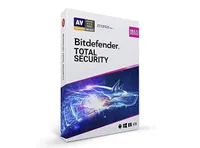
If you're looking for an antivirus that offers in-depth scanning to root out any issues on your device, then Bitdefender Total Security is a great option. It's about the same cost as Norton 360 Deluxe, although it's harder to find a first year discount with Bitdefender.
We reviewed Bitdefender Ultimate Security, which is a fantastic internet security suite, but is overkill if you're looking for just the best antivirus. Bitdefender Total Security has the same antivirus protection, but without the extras like scam and identity protection, real-time breach notifications, a password manager and a VPN.
These are all nice-to-have rather than need-to-have. Total Security offers protection against malware, ransomware, and network threats, which is what you need from an antivirus. But it does have a few extras, like active app monitoring, protection against cryptomining and tools to avoid phishing, fraud and spam.
Its protection doesn't hamper your computer's performance, either. We performed a full scan (of over 2.3 million files) while also running a heavy-resource video game, and it only dipped from 100 FPS to 97 FPS. This is barely noticeable dip, so you probably won't ever notice performance impacts during a scan.
However, it does only offer one scan option — a full system scan. This scans every single file on your machine, which does mean it may uncover some you were previously unaware of. In-depth scanning is great, but it would be good if it had a Quick Scan option, especially as Bitdefender's scan took us over 26 minutes.
Bitdefender's independent testing scores were decent. It achieved 6/6 scores across Protection, Performance, and Usability in AV Test’s February 2026 report, the same as McAfee and Norton.
Though its AV Comparatives’ April 2026 test results were not as good. This test uses benchmarking tools to assess system impact. It scored 85/100 and 9.6/10 in Impact. This is good, but McAfee performed better, with a 90/100 and 3.3 impact score. Interestingly, it was the only test Bitdefender underperformed in.
SE Labs (U.K.) gave Bitdefender a AAA rating (the highest possible) with a 100% protection accuracy. And we were impressed with the company's support, which you can contact by email, live chat or on the phone. We also tried the brand's Helper AI, which was useful for quick questions and connected us to a human too.
If we could change anything about Bitdefender Total Security, it would be to add a Quick Scan option and make the app resizeable on Windows computers. These are tiny complaints, though, which is why it's easy to recommend Total Security as one of the best antivirus apps you can get for your devices right now.
- Read our full Bitdefender Total Security review
The best free antivirus software


Avast One is a great antivirus to use if you want to protect yourself without breaking the bank. It offers a completely free tier, with the option to add paid add-ons for any extra security features you might want.
This free tier blocks viruses and malware and offers protection against ransomware, and includes Avast’s AI-powered assistant for catching scams. And you get a 60-day free trial of SecureLine VPN as part of your subscription. Avast keeps the base subscription cost low because you can add several security features later, like:
- Premium Security: includes Wi-Fi protection, WebGuard, which uses AI to block scam websites, and Mail Shield, which monitors your email address for threats
- SecureLine VPN: encrypts your connection to protect your internet traffic
- Cleanup Premium: temporarily disable apps, remove junk files and data, minimize freezes or crashes by fixing issues, and keep apps and software up to date
- BreachGuard Premium: monitors your personal info, sends alerts if any of your data leaks online, scans the dark web for data breaches, sends you online account security tips, and gives you smart privacy advice
Avast One has a few scans options (unlike Bitdefender Total Security with just a full scan): Smart (quick), Full, Targeted (custom), and Boot-Time. We ran a Full Scan in 6 minutes and 12 seconds, which is a lot quicker than Bitdefender's full scan (26 minutes and 23 seconds).
Not that it's a deal-breaker, but I find it a little annoying that Avast One doesn’t tell you how many files it has scanned, like most other antivirus apps do. But whichever scan you use, you won't notice the impact on your computer's resources, as our resource-heavy testing game only dropped from 99 FPS down to 96 FPS during the scan.
Avast was rated as a top product by AV Test’s February 2026 report, achieving a 6/6 score across Protection, Performance and Usability. In AV Comparatives’ April 2026 report, Avast ranked 6th on the list, just under Norton 360, with a 90/100 score and a 5.5 Impact score.
And, impressively, it achieved the highest AAA rating with a 100% total accuracy percentage in SE Labs (U.K.) April 2026 report. So it's clear that you get robust protection without dragging your computer down to a crawl during a scan.
If you need to talk to support, you can use the live chat, text or phone. But first you have to go through a support questionnaire, which will tell you the best way to contact based on your problem. You also have to go through this before you can access the live chat, which is the opposite to the way Bitdefender and Norton approach this.
The main downside — and it's barely a downside — is that the plans max out at 10 devices. This is quite a lot of protection, but if you want to protect everyone in your family, with multiple phones and laptops each, then you'd be better off with McAfee+ Premium.
- Read our full Avast One review
The best antivirus software for families


McAfee+ Premium is a great option if you have a lot of devices you want to cover, as it offers support for an unlimited number of devices. This is a huge benefit of McAfee's protection over the rest, which are usually capped to around 5-10 devices.
The first year price is also exceptionally good value, but it renews at three times the cost. It's still great value and roughly in line with options like Norton 360 Deluxe, and that price increase will feel less steep if you're taking advantage of the uncapped device limit (meaning the per-device cost does down).
McAfee+ Premium just gives you two scan options: Quick or Full. It's not the biggest scan diversity we've seen on this list, but it is still pretty good. Some antivirus apps, like Bitdefender Total Security, don't offer a quick scanning option. In testing, the Quick scan took just 29 seconds for McAfee to quickly scan 38,846 files — pretty impressive!
Unfortunately, the Full Scan was not as impressively quick. The opposite, in fact. While both Bitdefender and Malwarebytes Plus were able to scan hundreds of thousands of files in under 26 minutes or so, McAfee took 34 minutes and 40 seconds to scan 351,968 files.
Still, despite the time this scan takes, it shouldn't slow your device down. When running a high-bandwidth video game and McAfee's Full Scan, the frames per second only dipped from 99 FPS to 87 FPS. This may be a little more of an impact than other scans on this list, but it's still relatively small, and not one you should notice.
Like many of the other providers on this list, McAfee+ Premium offers a number of features alongside standard antivirus protection. As well as antivirus, antimalware, and ransomware protection, McAfee+ Premium also includes:
- Scam detector: detects phone, email and video scams, as well as risky sites
- VPN: encrypts your online traffic and connection
- Identity monitoring: monitors up to 60 different pieces of personal information on the dark web
- Password manager: stores and saves your passwords securely
If you want an antivirus that does have these extra security features, then this is likely a real plus for you. However, I'll reiterate: your antivirus does not need these features to protect your device from viruses and malware.
McAfee's performance in independent tests is excellent. AV Test’s June 2026 report rated McAfee as a “Top Product,” with 6/6 scores across Protection, Performance and Usability, putting it on par with Bitdefender Total Security, Avast One and Norton 360.
AV Comparatives’ April 2026 test report rated McAfee 1st out of the 19 antivirus software suites it tested, outperforming all others in this list. The app scored 90/100 and 3.3 in Impact. The low Impact rating means that the software doesn’t have a negative impact on your system’s resources, which we also saw in our testing.
And SE Labs’ (U.K.) June 2026 report awarded McAfee an AAA rating with 98% protection accuracy and an overall 99% score. Not quite the 100% score that Norton 360 and Bitdefender Total Security got, but still very impressive.
McAfee's support is similar to Norton and Bitdefender, with live chat or phone options. The chat starts with an AI bot which was accurate and quick and connected us to a human agent without a couple of minutes. Unusually, the phone line is open all day too, not just during business hours.
- Read our full McAfee+ Premium review
Also tested

How we test the best antivirus software
We test each antivirus program and evaluate its interface, performance, protection, extra features and, above all, overall value.
After timing and rating the installation process’s ease, we looked at whether the interface was simple and straightforward, convoluted and difficult to grasp — or something in between.
Then we move onto the scans. We measure whether the system slows down during scans by opening up the resource-heavy game Cyberpunk 2077 on a high-performance laptops and recorded how much each app effected the game's frames per second.
For malware detection performance, we looked over results from tests conducted by three independent labs: AV-TEST in Germany, AV-Comparatives in Austria and SE Labs in the U.K.
Each lab subjects major antivirus programs to stress tests that include thousands of pieces of malware as well as hundreds of “zero-day” (where a bug has been identified but not widely known or fixed) samples that the software has to learn to recognize.
As this is a guide to the best antivirus apps, our main focus is on this core function — how easy the software is to use, whether it slows down your computer and how effective the protection is.
But most antivirus software comes with extras like VPN access or file shredding software. We give each extra a go and see whether it's the kind of thing you'd actually use or if it's just bloat used to justify higher prices.
How to choose the best antivirus software
if you're looking for the best antivirus software, then the top priority should always be how well it picks up viruses and malware to protect your computer.
Of course, this is difficult to test on your own (because unless you infect your computer on purpose, how will you know if it isn't picking up issues?), so the best way to check this is to look at the third-party testing labs that perform in-depth analysis.
That's part of how we make recommendations, too. Generally, it's a good idea not to rely on the results from a single lab, but to see how an app compares across all of the testing labs to see if it's performance is consistent, no matter what's thrown at it.
Then, think about how many family members do you have in the home? How many devices does each person need coverage for? What platforms do each of those devices use, and are the features they'll need available on these platforms?
Few antivirus apps come with just core protection now, as most companies bundle other security-focused products into your subscription. So before you dig too deep into the options, make a list of the features and extras you'd actually like and use.
Do you also need parental controls? Is a VPN important to you? Would you like a password manager or file shredder? What about identity theft protection, or scam-spotting technology?
And although it's a given that you'll think about how much you want to spend, there are vanishingly few options where you can buy lifetime access to an app — everything is a subscription. So to keep costs down, be sure of what you actually need.
Some antivirus brands offer 30 or 60-day free trials for you to have a test run of the software (but be sure not to let it auto-renew if you don't get along with it). And there are some which allow you to change the annual payment based on the amount of devices you need protected and the extras you want included.
FAQs
How does antivirus software work?
Antivirus software scans your device for any malicious software and prevents it from infecting your device.
The way antivirus software works is by running in the background and scanning your computer to find and remove viruses before they damage your computer. And it should alert you to issues already on your computer, and preemptively block infections before they can occur by locking dodgy files or sites.
Unfortunately, it's not always obvious when your computer is infected. You may notice a little slowdown, or some disruption to your usual activities, but not much more beyond this. All the while, the malware could be stealing your data or using your computer's power to mine for crypto.
So, that's where antivirus software comes in. It acts like a bodyguard for your computer, running in the background to monitor your computer and browsing to look in real-time for harmful software. If it spots anything, it will block it before it can damage your computer.
It's not just online protection, though. Antivirus software can also scan your hard drive for any malicious software lurking on it, preventing viruses from running on your device if they're hiding here, too.
Do you really need antivirus software?
If you're not doing anything dodgy online (like pirating software or movies), do you really need to get antivirus software for your computer?
Absolutely. It doesn't matter if you're chronically online or if you periodically use your device to check your email; if you have a computer — and especially if that computer is online — you absolutely, positively should have antivirus software installed.
Windows computers come with Microsoft Defender built-in, so it's easy enough to set it up and forget about it if you just want to run with a free option. However, you do need to make sure that your system is protected against malware and other online threats.
There are aways hackers and threat actors trying to work their way into your machine. And even if you're extremely careful, it's possible that you may miss the latest scam. All it takes is one click, and you may become a victim of malware.
Perhaps a software download you try is actually an incorrect URL that leads to a malicious site. Or you didn't update your operating system, and there's a vulnerability that allows a hacker access. You get the picture.
Antivirus software, and its many included features, can provide you with a lot of protection, no matter how careful you are online.
When can you temporarily disable your antivirus?
In most cases, you shouldn't disable your antivirus, especially if someone is pressuring you to or a new bit of software asks you to. But it's a bit of a challenging area because there are some circumstances where you will need to temporarily disable the app.
As antivirus software needs a lot of access to under the hood of your computer, it can interfere with some other apps or installations. There are times where these apps have also been known to trigger alerts for safe downloads too by mistake.
There are ways to verify that the reason you need to disable your antivirus is legitimate, but in most cases, you should be cautious and ask for support either from the antivirus company or the brand behind the software you're trying to install, instead of disabling your protection.
Should I use free or paid antivirus?
There are a lot of great antivirus apps out there, and many of them are free, so you might be wondering why you should pay for the best antivirus software when maybe you don't need to. It all comes down to what you need from the protection.
Free antivirus software will provide you with basic protections against the most common malware threats, and will block dangerous files and applications. It should also warn you about suspicious websites, offer a cleanup option for infected files or apps, and recognize when unknown devices are using your network.
However, a paid option often offer mores comprehensive security features — more advanced protections against unknown or upcoming threats, a more thorough feature set including VPNs, password managers, a file shredder that will fully remove deleted files, and may cover more devices including tablets and smartphones.
Of course, these added security features are nice-to-have rather than need-to-have features, but if you're particularly keen on layering your online protection, then paid antivirus may appeal to you.
Paid antivirus software also generally includes customer support via phone, chat, or instant messaging and email, whereas free versions may not. If you're after basic antivirus protection for one device, then free antivirus should have you covered. If not, consider paying for the best antivirus software to protect yourself.

