






Apple released iOS 26.2 today (December 12), the second major update to the iOS 26 operating system that debuted back in September. It arrives a little more than a month after iOS 26.1 launched.
The latest iOS update includes several tweaks, changes and improvements across the iPhone software, with new enhancements to the Liquid Glass interface, Apple Games and CarPlay.
What’s new in iOS 26.2
AirDrop codes

Apple has created a new option that lets you sync your devices for AirDrop with a PIN that can be used to find other Apple devices for up to 30 days. This lets you AirDrop files with people who aren’t saved contacts.
Alarm Reminders

In iOS 26.2 you can now set an alarm or timer as “Urgent.” This can either be a one-time or repeating alert and it’s a higher level than normal repeating alerts or Time Sensitive alerts. These alarms and timers can also break through Focus or do not disturb modes. Read our guide on how the new Urgent feature in Reminders works.
CarPlay Messages

Pinned conversations in Messages can now be disabled in the CarPlay settings. Previously, you had no control, but now the settings you have on your iPhone extend to CarPlay.
Games app changes

Introduced with the iOS 26 launch, the Apple Games app has added sorting and filtering to your games library. Now you can filter by category, size, and more. The app also received improved support for controllers like the Backbone Pro, and real-time score updates for in-game challenges.
Liquid Glass tweaks
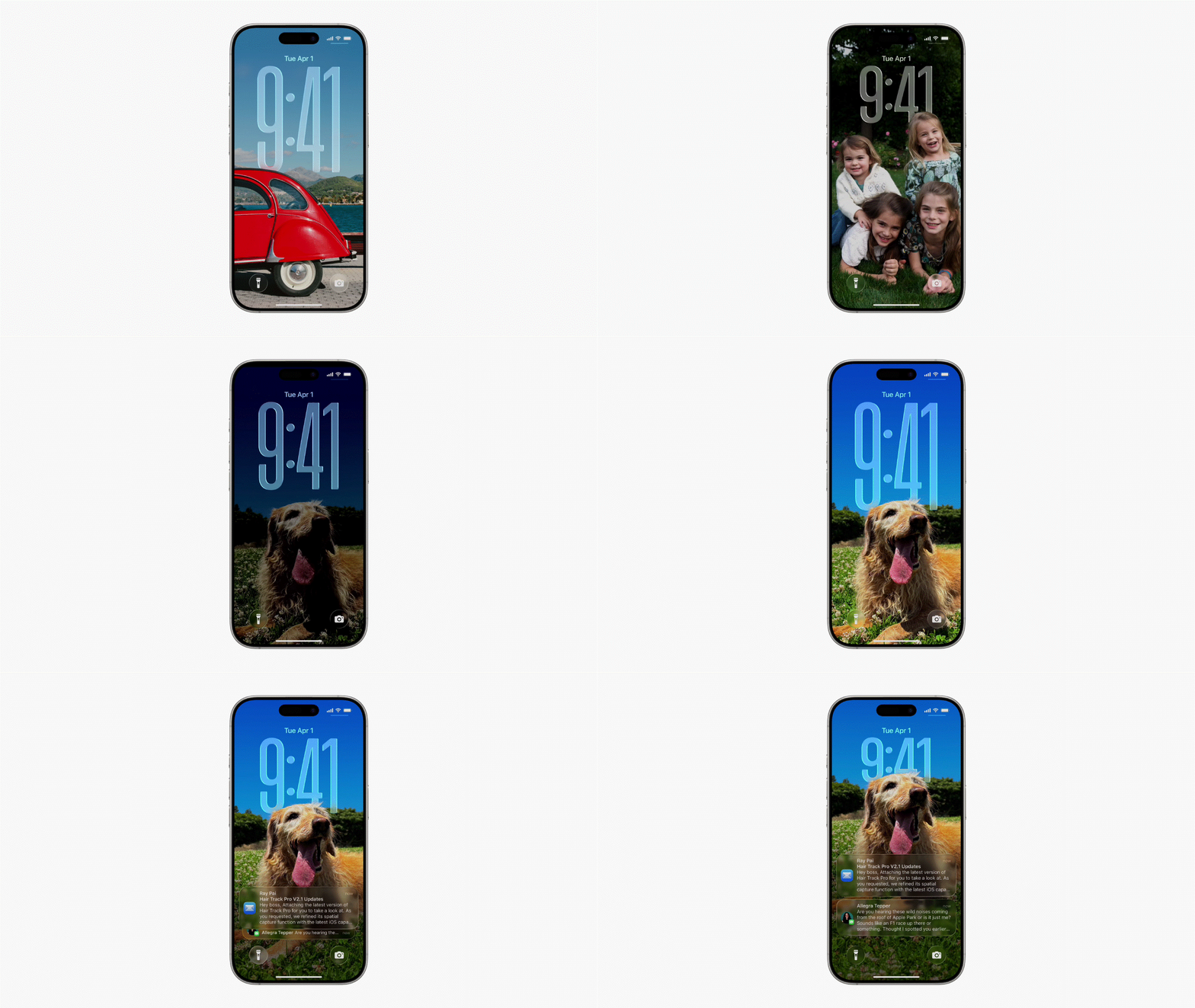
Liquid Glass has more customization tools so that you can further adjust how it looks by adjusting the opacity of elements like icons and the lock screen clock. In addition, if you use the Measure tool, it now has a Liquid Glass aesthetic.
Miscellaneous changes

For those in the EU, Live Translation for AirPods has finally arrived, though you’ll need an iPhone that supports Apple Intelligence to take advantage of the feature. Apple News got a slight redesign with quick links to popular topics now at the top of the app.
The iOS 26.2 version of the Podcasts app now uses AI to generate chapters, link to referenced podcasts or collect show links. Sleep Score has new thresholds for tracking your sleep and a tighter definition of what constitutes excellent sleep. Apple Music will now show your Favorite Songs playlist in the Top Picks section, plus offline lyrics for downloaded songs are now available.
How to get iOS 26.2
The iOS 26.2 update is available to everyone with an iPhone 11 or later, as well as the iPhone SE 2020 and iPhone SE 2022. If you were a part of the developer or public betas you can also download the stable update.
You can download it by going to the Settings app on your phone, and tapping General followed by Software Update.

Follow Tom's Guide on Google News and add us as a preferred source to get our up-to-date news, analysis, and reviews in your feeds.
More from Tom's Guide
- How to watch 'F1: The Movie' — stream Apple Original from anywhere in the world
- iOS 26 code reveals new information about the rumored Apple Home Hub — here’s what we know
- Apple’s first foldable could hit Google and Samsung hard in 2026 — here’s what the numbers say

