




Amazon’s Fire TV lineup can be confusing to navigate. With multiple streaming sticks hiding behind your TV screen, plus a standalone flagship box, telling the models apart isn't always easy.
Whether you need a quick fix for a guest bedroom or a high-performance streaming hub for a 4K home theater setup, here is a complete breakdown of every Amazon Fire TV device: what it is, what it does and who it's built for.
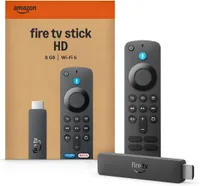
1. Amazon Fire TV Stick HD

What is it? Amazon’s most affordable plug-in streaming stick, built for non-4K displays.
What it does: The Fire TV Stick HD plugs directly into an HDMI port on your television and streams content in standard 1080p Full HD. It gives you instant access to major streaming apps, including Prime Video, Netflix, and Disney+, along with cloud gaming via Amazon Luna and Xbox Game Pass.
It ships with a basic Alexa Voice Remote that lets you control your TV volume and search for shows by holding down the microphone button.
Best for: Small bedrooms, kitchens, guest rooms, or replacing outdated app interfaces on older 1080p HDTVs on a tight budget.
2. Amazon Fire TV Stick 4K (2026)

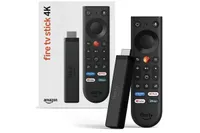
What is it? The updated mid-range streamer featuring Amazon’s new Vega OS and a redesigned tactile remote.
What it does: This new 4K stick delivers crisp 2160p Ultra HD streaming and introduces Amazon’s light, fast Vega OS interface (replacing the older Android-based software). Powered by a faster quad-core processor, it runs 20% to 40% speedier than previous budget streamers and can even draw power directly from your TV’s USB port.
Crucially, this model ships with Amazon’s redesigned Fire TV Remote. The new remote features an asymmetrical shape, indented buttons so you can navigate by feel in the dark, a metal Home key, and a customizable Star button that launches your favorite app or setting instantly.
Best for: Everyday 4K TV owners who want snappy performance, Amazon's best new ergonomic remote, and direct USB power capability for clean, wall-mounted setups.
3. Amazon Fire TV Stick 4K Plus
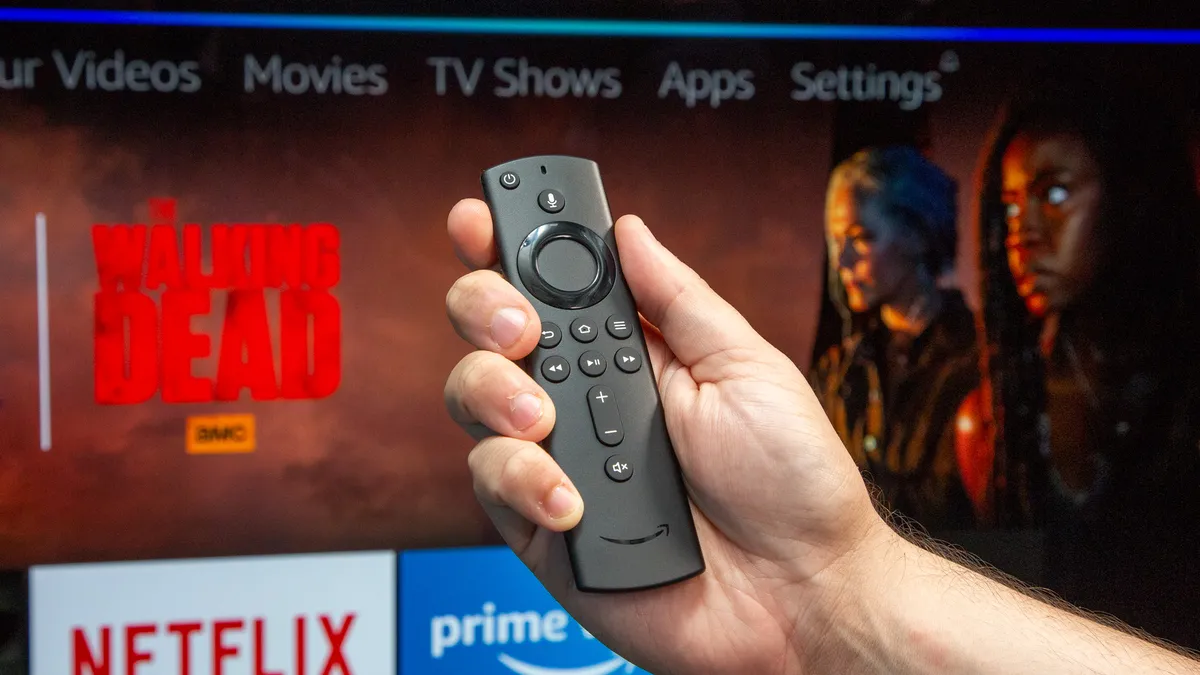
What is it? The mid-tier streaming stick equipped for cinematic picture and spatial audio, though your window to buy one is closing fast.
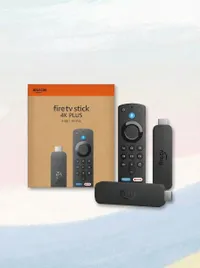
What it does: The 4K Plus takes standard 4K streaming a step further by unlocking premium audio-visual formats. Alongside standard 4K HDR10, it adds support for Dolby Vision, which automatically optimizes brightness and color scene-by-scene, and native Dolby Atmos spatial audio.
Amazon is officially phasing out the 4K Plus (and 4K Select) to simplify its lineup down to a single core 4K Stick, the 4K Max, and the Cube. You can still purchase the 4K Plus right now while existing stock lasts. and Amazon has confirmed it will receive software updates through 2030.
Best for: Viewers with a modern 4K TV and Dolby Atmos sound setup who want to snag a feature-packed mid-tier stick before remaining stock officially runs out.
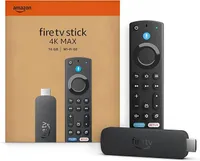
Amazon Fire TV Stick 4K Max

What is it? The top-spec streaming stick built for heavy app users, cloud gamers, and smart homes.
What it does: As the most powerful stick in the lineup, the 4K Max doubles internal storage to 16GB (leaving around 11GB of usable space for your apps and games after system files).
It features Wi-Fi 6E support to reduce buffer times on crowded home networks, supports Xbox Game Pass cloud gaming natively, and includes the Fire TV Ambient Experience — which transforms your idle TV screen into a smart display with curated art and widgets.
Best for: Power users who constantly run out of app storage, cloud gamers, and busy households where multiple devices compete for Wi-Fi bandwidth simultaneously.
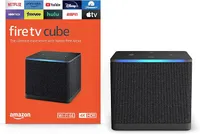
5. Amazon Fire TV Cube

What is it? Amazon’s flagship hybrid device — combining a top-spec 4K streaming box with a hands-free smart speaker.
What it does: Unlike the sticks, the Fire TV Cube sits on your media console. It matches the top specs of the 4K Max (4K, Dolby Vision, Atmos, 16GB storage, and Wi-Fi 6E) but adds a built-in speaker and far-field microphones.
This enables hands-free Alexa voice control, meaning you can switch inputs, play movies, or adjust smart lights across the room without ever touching a remote. It also features an HDMI pass-through port to route cable boxes or consoles through the Fire TV interface, plus a dedicated Ethernet port for wired internet connections.
Best for: Home theater enthusiasts wanting maximum processing power, rock-solid physical Ethernet stability, cable box integration, and complete hands-free voice control.

Follow Tom's Guide on Google News and add us as a preferred source to get our up-to-date news, analysis, and reviews in your feeds. Make sure to click the Follow button!
More from Tom's Guide

