







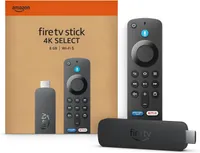
The best VPNs are now available to download on Amazon's latest Fire TV Stick, the 4K Select.
We've had to wait over one month for Amazon to release a software update enabling compatibility. But it landed on November 28 – just in time to take advantage of Black Friday VPN deals and Amazon Fire Stick discounts.
The Fire Stick Select was released back in mid-October and, at $40, was seen as an affordable 4K streaming option. Arguably the most significant feature was the adoption of Amazon's new Linux-based Vega OS – which some believed was an attempt to combat illegal streaming and "dodgy" Fire Sticks.
However, the novel OS meant the best Fire Sticks VPNs weren't compatible with the new device. Existing apps ran on the Android-based Fire OS and were rendered unusable.
Certain VPN providers rose to challenge and began developing Vega OS apps. These VPN apps can now be downloaded and used on 4K Select devices.
NordVPN was ready first, closely followed by IPVanish. Some providers have confirmed apps are being worked on, while others aren't moving so quickly.
Using a VPN with an Amazon Fire Stick not only protects your online privacy, but allows you to unblock libraries of geo-restricted streaming content.
Time is running out to pick up a Black Friday bargain, but the deals aren't gone yet. If you're still thinking of picking up a Fire Stick Select, why not grab a VPN to go with with it.

NordVPN and IPVanish lead the charge
When it comes to VPN innovation, NordVPN can usually be found leading the way. It's no different for Fire Stick Select support, with the provider having its Vega OS app ready by October 17, 2025.
Marijus Briedis, Chief Technology Officer at NordVPN, said the app has been built "from scratch to deliver the same reliable VPN protection our users expect, optimized for the new system's architecture." Briedis added that the team ensured users wouldn't "miss a beat during this transition."
1,000+ Mbps speeds, powerful streaming unblocking capabilities, and 8,000+ servers worldwide, are three reasons why we rate NordVPN as the #1 Fire Stick VPN, and Vega OS support can now be added to that list.
NordVPN is running a Black Friday sale and you can grab a two-year plan, with three months free, for $2.99 per month ($80.73 up front pre-tax).
IPVanish has been a consistent leader in the Fire Stick VPN space, and is the most downloaded VPN app on the Amazon Fire TV Store.
The provider was therefore determined to have its Vega OS app completed for launch day, and it did just that. The app was ready by November 6, 2025, and IPVanish were simply "waiting for Amazon to greenlight VPNs on the new OS."
Subbu Sthanu, Chief Commercial Officer at IPVanish, said: "We want to make sure that customers who buy any model of Fire TV can get great security and privacy, no matter the operating system running on their device. That’s why we have made sure we will be available on the first day that Vega OS supports VPNs."
Older Fire Sticks will still run on Fire OS and IPVanish has said it will continue to support and update its app for these devices "to make sure those users continue to get IPVanish’s leading security and privacy solution."
A combination of speed, security, privacy, and ease of use makes IPVanish a great choice for your Fire Stick and it has also slashed its prices this Black Friday. A two-year plan will cost $2.19 per month ($52.56 up front), with a 5GB eSIM thrown in as well.

What about other VPNs?
At the time of writing, only NordVPN and IPVanish have downloadable Vega OS apps.
Surfshark confirmed to Tom's Guide that it was "actively working" on a compatible app but couldn't yet share a timeline.
At the end of October, ExpressVPN said it considers the launch of its product on new operating systems "very carefully." It said its policy is "to only support fully released platforms," adding that the developer tools for Vega OS are still in open beta.
As a result, a Vega OS app is not part of the provider's 2025 roadmap but expects "this will change in 2026 after the full version of these developer tools are released."
We reached out to ExpressVPN to see if there has been any change in this stance but received no reply at the time of writing. There was no suggestion that the stance of Private Internet Access and CyberGhost – both owned by ExpressVPN's parent company Kape Technologies – was any different.
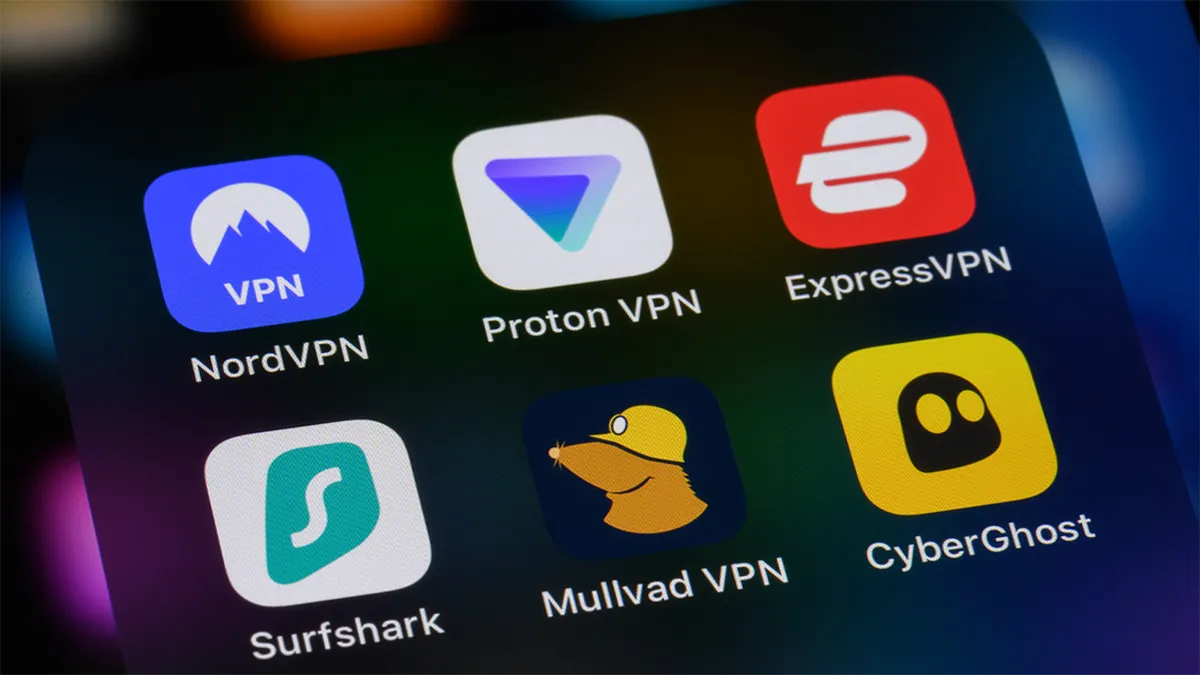
Proton VPN confirmed it had contacted Amazon for information regarding Vega OS but did not suggest an app was in active development. As with ExpressVPN, we have contacted Proton VPN to see if this has changed.
Despite the lack of availability at launch, we would expect all these providers, and more, to release Vega OS apps in the coming months.
To download a VPN on your Fire Stick device, navigate to the Amazon Fire TV Store and search for your VPN provider of choice. Ensure the app is compatible with your streaming stick and click download. Once downloaded, sign in with your active VPN subscription and away you go.
If you don't currently have an active VPN subscription then Black Friday 2025 is the perfect time to change that. Our Black Friday VPN deals page has collected our favorite discounts, with pricing starting at $1.11 per month.
Why the change in OS?
You'd be forgiven for wondering if changing operating systems is causing Amazon more trouble than its worth. But some believe it's a decision designed to combat illegal streaming, piracy, and "dodgy Fire Sticks."
Due to the older Fire OS being a "fork of Android," unofficial, and illegal, Android-based apps could be "sideloaded" onto Fire Sticks to create very efficient illegal streaming devices. Users could then stream movies, TV shows, and sports without having to pay for genuine subscriptions.
In switching operating systems, Amazon has made these apps redundant and impossible to download. It hasn't stopped illegal streaming in its tracks because older devices are still fully operational and fully supported. Plus Amazon itself has said it's a "multi-OS company" and "will continue to launch new devices on Fire OS."
However the move could be seen as the start of a more serious effort to crack down on illegal streaming.
We test and review VPN services in the context of legal recreational uses. For example: 1. Accessing a service from another country (subject to the terms and conditions of that service). 2. Protecting your online security and strengthening your online privacy when abroad. We do not support or condone the illegal or malicious use of VPN services. Consuming pirated content that is paid-for is neither endorsed nor approved by Future Publishing.

