




When Intel launched its “Panther Lake” Core Ultra Series 3 chips, the company promised up to 27 hours of battery life. That was a bold claim — one I initially dismissed as standard marketing hype. However, there was a tiny part of me that thought Intel might not just be blustering this time. After having tested several Panther Lake laptops, I can say that my gut reaction wasn't unfounded.
While the Samsung Galaxy Book 6 Pro and Asus Zenbook Duo (2026) deliver excellent battery life for the best Windows laptops, they didn’t last anywhere close to 27 hours in our testing. Why? Because they’re high-end models with power-hungry OLED panels.
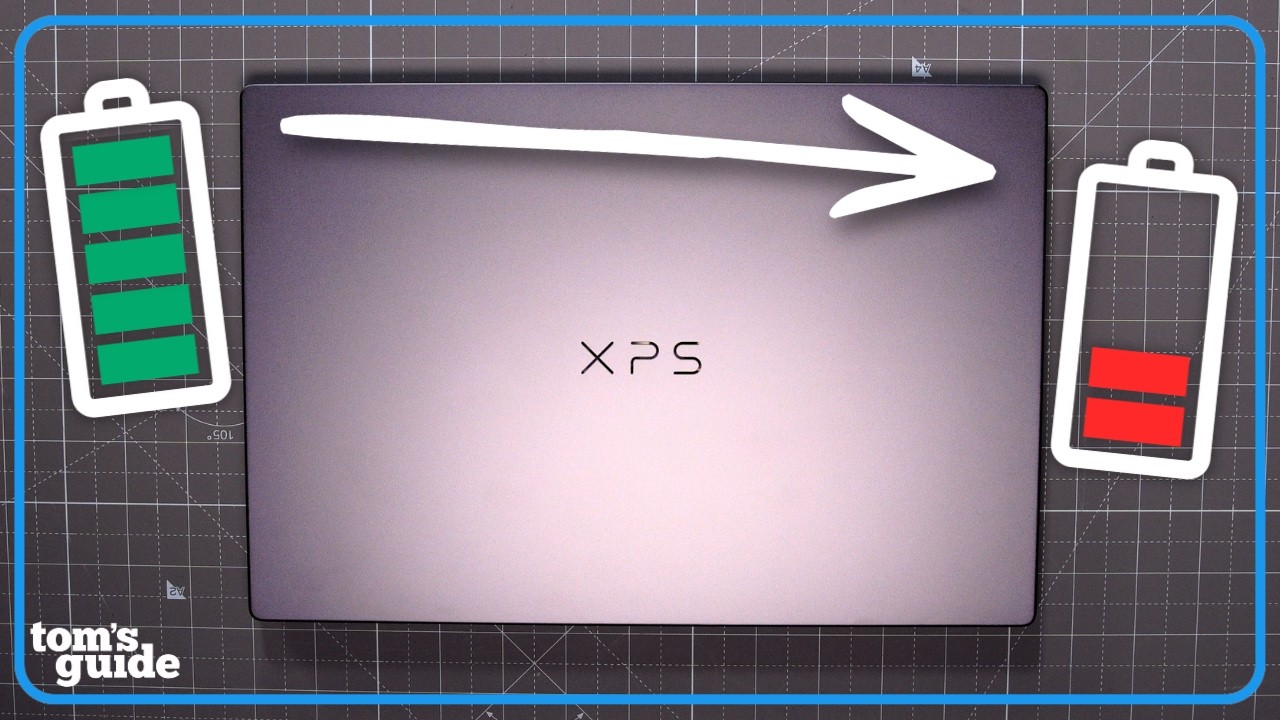
However, we just got our hands on a (near) entry-level Dell XPS 14, a machine built for efficiency thanks to its LED panel and less demanding Panther Lake processor. I expected a bump in endurance, but I wasn't prepared for what our lab results actually showed.
In our battery life test, which involves continuous web surfing over Wi-Fi at 150 nits of brightness, this XPS 14 model lasted for an astonishing 20 hours and 41 minutes. Not only is that one of the best results we've ever seen from a Windows 11 laptop, but it officially beats the MacBook Pro M5 by almost three hours!
Dell XPS 14 battery vs. the competition

Laptop |
Time (Hours:Mins) |
Dell XPS 13 (Snapdragon X Elite) |
20:51 |
MacBook Pro 16-inch (M4 Pro) |
20:46 |
Dell XPS 14 (Intel Core Ultra 7 355) |
20:41 |
Lenovo ThinkBook 16 G7 (Snapdragon X Plus) |
20:23 |
MacBook Pro 14-inch (M4) |
18:31 |
MacBook Pro 14-inch (M5) |
18:00 |
Samsung Galaxy Book 6 Pro |
15:17 |
Getting into specifics, this Dell XPS 14 model features a 1920 x 1200 LED display rather than the higher-resolution OLED found on premium SKUs. It’s powered by an Intel Core Ultra 7 355 CPU with standard Intel Graphics (not the beefier Arc Graphics found in the higher-tier models). It’s rounded out with 16GB of RAM and 512GB of storage.
I want to note that this specific configuration isn't yet available to the public. While Dell currently lists an entry-level model with a Core Ultra 5 325, this 355-powered version won't hit shelves until February 19, with a retail price of $1,699.
Because this is a lower-end model with a chip optimized for lower power draw, it doesn't have the same thermal and energy demands as the high-end Panther Lake laptops we’ve tested. It doesn’t quite hit the 27 hours Intel boasted about, but I doubt anyone is going to complain about a laptop that can last for 20+ hours.
This laptop lasted for 21 hours and 20 minutes after a single battery test. But after performing our standard three runs, it averaged 20 hours and 41 minutes. While that doesn't make it the longest-lasting laptop we've tested (the Snapdragon X Elite-powered Dell XPS 13 retains that crown), the new XPS 14 is now officially in our top three. That's not too bad at all!
Dell XPS 14 vs. MacBooks

Apple’s M-series chip recently celebrated its 5th anniversary. Since 2020, the best MacBooks with M-series processors have been the undisputed kings of battery life. If you didn’t want to carry a charger while you were out and about, you bought a MacBook. Apple’s transition to its own silicon delivered the kind of efficiency that forced competitors like Intel and AMD to rethink their entire strategies.
That shift has come to fruition as chip manufacturers have begun prioritizing endurance over raw performance. Between Qualcomm’s Snapdragon X Elite chips and now Intel’s 18A-based Panther Lake architecture, the Windows ecosystem has finally caught up, and in this case, surpassed, Apple’s best.
Seeing a Windows laptop fall just five minutes behind the powerful 16-inch MacBook Pro M4 Pro (20:46) is something I wouldn’t have thought possible even two years ago. The current 14-inch MacBook Pro M5 can’t match the Dell XPS 14, lagging by 2 hours and 41 minutes.
While macOS is still an incredibly efficient platform (much more so than the bloated Windows 11), Intel has proven that the x86 architecture isn't dead. It just needed the right manufacturing process. Panther Lake performs well despite Windows. Apple is no longer looking comfortable at the top.
Bottom line
Intel wasn't just boasting when making its battery life claims for Panther Lake. While marketing numbers usually require a grain of salt, the 20+ hour runtime of this entry-level XPS 14 proves that Intel’s new chips are the real deal. This is both a major win for Intel and for anyone seeking a laptop with true staying power.
That said, it’s safe to say that Apple won’t take this lying down. With the yet-to-be-confirmed M5 Pro/Max and eventually the M6 on the horizon, it’s up to Cupertino to reclaim its crown. For now, if you want the longest-lasting consumer laptop on the market, you aren't looking at a MacBook. You’re looking at a Dell.

Follow Tom's Guide on Google News and add us as a preferred source to get our up-to-date news, analysis, and reviews in your feeds.
More from Tom's Guide

