





As well as access to exclusive Prime Big Deal Days savings, you can get free Prime shipping, access to Prime Video streaming, Prime Music, Amazon Luna gaming, unlimited cloud photo storage and a whole lot more.
Gaming on the move is more exciting than ever with the best gaming laptops. Packed with power in portable designs that are ready to play the latest PC games, these high-performing devices are amazing to play on and easy to slip into your backpack, too. But the right one must balance performance with price, portability, display size and battery life.
At Tom's Guide, we have nearly 20 years of experience testing, benchmarking and, of course, playing games on a wide range of rigs to help you find the best gaming laptop for you.
Our top recommendation right now is the Asus ROG Zephyrus G14, as this lightweight 14-inch gaming laptop delivers great performance and visuals with its gorgeous OLED display. For pure performance power, the mighty Razer Blade 16 (2026) is worth considering. If it's a value-worthy purchase that still delivers excellent gaming performance, the MSI Katana 15 HX is worth grabbing.
As the RAM crisis continues, gaming laptops have become a lot more expensive than they once were. As with the best graphics cards, even the latest laptops with great but entry-level specs can set you back well over $1,000 / £1,000, so value is more important than ever. While also showcasing the best gaming laptops we've tested with top-end performance, we've kept the cost in mind to help you find a gaming machine that's worth every penny.
With Nvidia launching DLSS 5, along with Nvidia's RTX Spark N1X and Intel's XeSS 3 turning laptops of all kinds into capable gaming machines, there's a lot of exciting movement in the gaming laptop space. We'll be keeping you updated on the latest, and for now, this guide will help you find the best gaming laptops for all types of gamers.

Darragh here, and being lucky enough to test (and play hours on) the latest gaming laptops of all kinds and prices has its perks. For one, it finally gives me enough time to make my way through my backlog on Steam (Gears of War: E-Day is my current obsession), but more importantly, it lets me know if these machines are worth your hard-earned cash. That's why I'm here to point you in the right direction, with our expert team of reviewers to back it up.
The best gaming laptops you can buy today
Why you can trust Tom's Guide Our writers and editors spend hours analyzing and reviewing products, services, and apps to help find what's best for you. Find out more about how we test, analyze, and rate.
The best gaming laptop overall


The Asus ROG Zephyrus G14 continues to be our favorite gaming laptop we recommend to most gamers, as it's a powerful ultraportable machine with a stunning OLED display that can play the latest AAA PC games at high settings while being light enough to carry around anywhere. Our only real complaint is to watch out for its short battery life.
Under the hood, the Zephyrus G14 delivers top-tier specs for playing games and handling demanding workloads, from video editing to AI tasks. But really, when you're able to play Cyberpunk 2077 with Ultra settings at over 130 fps (with help from Nvidia's DLSS), gamers will see the benefits of playing on this machine.
The visual experience is just as impressive. The 14-inch 2880 x 1800 OLED panel offers a 120Hz refresh rate, which translates to crisp visuals and vibrant colors during both work and play. Games and movies truly pop on this display, and the combination of high resolution and OLED contrast brings out detail you just don’t see on most laptops in this class.
Asus ROG Zephyrus G14 (RTX 5080) Gaming Tests
1080p|Max Settings|DLSS Off
Cyberpunk 2077
| Product | Value |
|---|---|
| Asus ROG Zephyrus G14 (RTX 5080) | 49 |

The CNC-machined aluminum body feels rigid and lightweight, and Asus has clearly invested in thermal management. Upgraded heat pipes and larger fans kept the keyboard and palm rests cool, even during extended gaming sessions. In our experience, we never experienced thermal throttling, even after hours of stress testing.
Battery life remains the one real compromise. We averaged 5-6 hours in typical use, enough for a cross-country flight but not a full workday away from an outlet. Otherwise, the Asus ROG Zephyrus G14 remains the best gaming laptop for most.
We've tested the latest Asus ROG Zephyrus G14 2026, and while it's still a powerful, premium gaming laptop, it's more expensive than its predecessor and you're still getting the same GPU options. It's a powerhouse with the upgraded Intel Panther Lake chip, and the redesigned ventilation means zero throttling, but we found the fans to still be quite noisy. Since the latest model starts at just over $3,000, we still recommend getting the 2025 model for value.
- Read our full Asus ROG Zephyrus G14 (2025) review
The best gaming laptop for value


At a time when gaming laptops are getting pricier, the MSI Katana 15 HX stands out for its competitive starting price and unexpectedly strong gaming performance, delivering more value than most gaming laptops at this tier. It shows that even with the base configuration we tested, including an Intel Core i7 14650HX CPU and RTX 5050, you can get an impressive gaming machine for less right now.
Digging into the numbers, the Katana delivered a strong showing in our gaming benchmarks. We measured an average of 159 fps in Counter-Strike 2 at 1440p with settings cranked up, matching the display’s fast 165Hz 15-inch QHD (2560 x 1440) panel. What impressed us was the vibrant colors this display boasts, giving games and media a vividness that made everything on show a treat for the eyes.
MSI Katana 15 HX (RTX 5050) Gaming Tests
Benchmark performance settings: 1080p|Max Settings|DLSS Off
Cyberpunk 2077
| Product | Value |
|---|---|
| MSI Katana 15 HX (RTX 5050) | 29 |
What's more, the Katana’s performance kept pace with our expectations for a modern gaming laptop in this range. We never noticed any lag or sluggishness during a week of real-world use, whether gaming or multitasking. The trade-off comes in sound: under heavy loads, the fans get noticeably loud, but not once did we notice the Katana 15 HX get too hot.
If you’re looking for an affordable gaming laptop that delivers on high-refresh QHD gaming and accurate color, the Katana 15 HX makes sense, as this is a standout value buy for gamers focused on performance per dollar.
- Read our full MSI Katana 15 HX review
The best premium gaming laptop
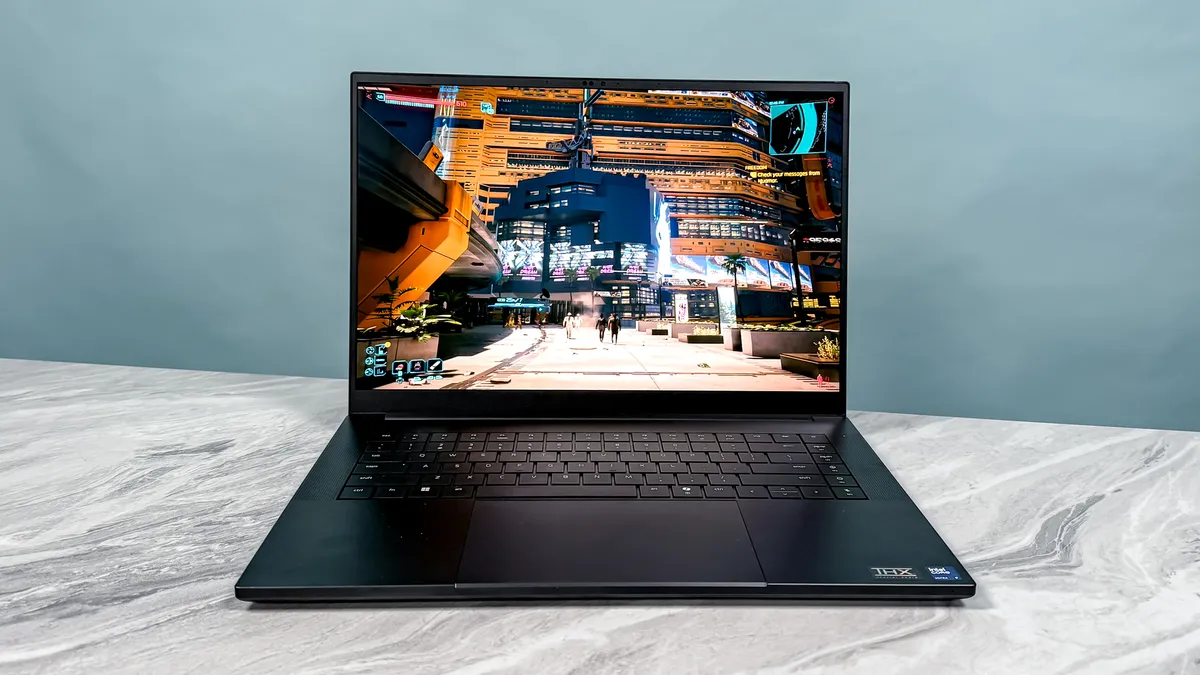
For top-of-the-line specs in a supremely slim, lightweight and premium gaming laptop, set your sights on the Razer Blade 16 (2026). Just from the look of it, it's hardly surprising our reviewer, Tony Polanco, said it's one of the "loveliest-looking gaming laptops" around. Just make sure your bank account is prepared for its high cost.
Razer's latest 16-inch beast comes in a fantastically thin, portable design, but still leaves room for its vivid and bright 16-inch 2.5K (2560 x 1600) OLED display with a wicked-fast 240Hz refresh rate and 0.2ms response time, bringing out the best in visually stunning titles like Cyberpunk 2077 and fast-paced competitive shooters like Counter-Strike. It is quite glossy, though, so it's best used in darker rooms.
Razer Blade 16 (RTX 5090) Gaming Tests
1080p|Max Settings|DLSS Off
Cyberpunk 2077
| Product | Value |
|---|---|
| Razer Blade 16 (RTX 5090) | 65 |
Expect to crank up the settings to max, especially with the higher configurations available for the Blade 16. With the Intel Core Ultra 9 358H chipset and RTX 5090 GPU in the model we tested, this gaming laptop was reaching above 70 fps at 1440p resolution without DLSS 4 turned on, and that was with maxed-out graphics settings in AAA titles. No matter the game, this machine can make it shine.
Interestingly, another big perk is Blade 16's battery life. Gaming laptops aren't known to last too long, even when not gaming, but you can expect close to 13 hours of battery for productivity, which is an impressive feat (though still expect just under 2 hours while gaming).
When put under pressure, we noticed the Blade 16 gets loud and hot, likely due to its slim profile. Keep that in mind, and you'll find a premium gaming laptop that will last you for years to come. That is, if you have the funds, considering it can cost you up to $5,599 with the best specs. At the very least, prices start at $2,399 for lower configurations.
- Read our full Razer Blade 16 (2026) review
The best ultraportable gaming laptop

Put simply, this is the power of roughly an RTX 4070 gaming laptop in something the size of a tablet. The Asus ROG Flow Z13 is a Microsoft Surface Pro that ingested a whole lot of caffeine, and it's one of my favorite gaming systems ever. And now, for all you Death Stranding fans out there, there's the Asus ROG Flow Z13 Kojima Edition, and it boasts the highest configuration you can get for this marvelous gaming 2-in-1.
At just 11.8 x 8 x 0.6 inches, it's easily the smallest system on this list, and I know when I say the words "integrated graphics," a lot of you reading this guide will recoil in horror. But stick with me. AMD's Strix Halo chips are a true marvel in gaming performance.
I'm talking Cyberpunk 2077 at a solid 30 fps and Red Dead Redemption 2 at 60 fps (at the right settings, no less). If you turn on FidelityFX Super Resolution (FSR) tech for frame generation and resolution scaling, you can easily get these games running at over 100 fps. And they look really rather pretty on that 500-nit display with a vibrant 82% DCI-P3 color gamut. But going the integrated route reveals two key superpowers here: battery life and versatility of play.
Asus ROG Flow Z13 (AMD Radeon 8060S) Gaming Tests
1080p|Max Settings|FSR Off
Cyberpunk 2077
| Product | Value |
|---|---|
| Asus ROG Flow Z13 (AMD Radeon 8060S) | 13 |
Most of the laptops on this list will struggle to make it much further past the one-hour mark when disconnected from the charger. At over two hours in our lab testing, that integrated GPU knows how to slow sip that battery juice and keep you playing for longer (of course, mileage varies based on what kind of games you're playing).
Then there's the versatility. This is a 2-in-1, after all, and while the keyboard attachment feels shockingly good to play on, with good key depth and tactility, you could just ditch it altogether, pull out a Bluetooth controller, and play on your own dedicated superpowered tablet, too!
So long as you're prepared for a couple of other tablet-esque frustrations, like the limited number of ports and the price tag attached to this, there's nothing better for ultraportable gaming right now.
- Read our Asus ROG Flow Z13 (2025) review
The best 16-inch gaming laptop

The Alienware 16 Area-51 2026 is a marvelous upgrade over last year's still-excellent Area-51, now boasting an absolutely outstanding glare-free OLED panel. It may only be a minor update, but with the latest Intel CPU and graphics card from Nvidia, it's quickly become our favorite 16-inch gaming laptop right now.
This beast is built for gamers who want a roomy, immersive 16-inch (2560x1600) OLED display that cuts the glare and delivers a blistering 240Hz refresh rate right at your desk. As we've seen throughout testing, that big, anti-glare panel makes games look stunning and motion feel great.
Alienware 16 Area-51 (RTX 5080) Gaming Tests
Benchmark performance settings:
1080p|Max Settings|DLSS Off
Cyberpunk 2077
| Product | Value |
|---|---|
| Alienware 16 Area-51 (RTX 5080) | 62 |
Under the hood, you can configure it with up to an Intel Core Ultra 9 290HX Plus and an Nvidia RTX 5090 GPU. In our hands-on testing, the review unit’s RTX 5080 and high-end CPU combo cranked out an impressive 110 fps in Cyberpunk 2077 at native resolution and default graphics settings (that's with frame generation off). In short, this system can handle demanding gaming loads, from AAA PC gaming to fast-paced competitive play. In fact, it even beats the powerful Razer Blade 16 (2026) in a few games, and that boasts an RTX 5090 (with a less powerful CPU, though).
Of course, battery life is abysmal, at just over 1 hour when gaming and 3 hours and 33 minutes in our tests, and expect to leave this at your desk rather than traveling around with it, thanks to its hefty 7.4-pound weight. If you’re planning to travel with your gaming rig or game away from a power outlet, this is a limitation you’ll feel.
If you want a pure 16-inch gaming powerhouse that prioritizes visuals and performance, and you don’t mind staying plugged in, the Alienware 16 Area-51 is a pick that won't disappoint.
- Read our full Alienware 16 Area-51 (2026) review
The best 18-inch gaming laptop

There are plenty of big-screen gaming laptops to choose from, but it's rare to find one that can also fit in a normal backpack. That's where the Razer Blade 18 comes in — packing mightily powerful specs into a big yet slim chassis that can be carried around.
Yes, of course, it's going to be heavy at 6.9 pounds, and it comes with the standard hefty Razer price tag too. But for what you get, this is a seriously good option for serious gamers. With a sustained 280W of power delivered to the CPU and GPU, this is capable of some beasty frame rates with all the ray tracing goodness turned on.
Compared to the astronomically expensive MSI Titan 18 HX, the Blade wins out easily — Metro: Exodus is 9.5% faster on Extreme detail, Marvel Rivals is 20.8% faster on Ultra, and Assassin's Creed: Shadows is a whopping 24% faster at Ultra detail.
Razer Blade 18 (RTX 5090) Gaming Tests
1080p|Max Settings|DLSS Off
Cyberpunk 2077
| Product | Value |
|---|---|
| Razer Blade 18 (RTX 5090) | 65 |
Plus, a plethora of ports (including Thunderbolt 5) and a phenomenal 4K 240Hz display mean you can embrace DLSS 4 and multi-frame gen and not lose any of that buttery smoothness. And since it's Razer, the laptop parts also get plenty of TLC — the keyboard feels amazing to use with an ocean of a touchpad, the speakers are clear with nice bass, and thermal management is kept optimal with a massive vapor chamber.
Yes, that $5,000 price tag for the RTX 5090 version will sting, but for the ultimate large display experience on the go, this is the one to pick.
- Read our full Razer Blade 18 (2025) review
The best desktop replacement

Desktop replacements need to do three things well: be powerful (duh), have a great screen and nail the ergonomics. Not only does the HP Omen Max 16 tick the boxes on all three, but it also does so at a slightly lower price than the rest of the pack.
Yes, at a starting price of $3,000, that cost is still going to sting. But given you're looking at $4k upwards for systems of a similar spec, this is actually value for money for those who want as much of a desktop as possible without the space for a giant tower.
Performance-wise, you're looking at well over 60 fps in all your favorite AAA titles at the highest settings, which can be multiplied with DLSS 4 and multi-frame gen (thanks to that RTX 5090), and the high wattage pumping through all the components (and strong heat dissipation) meant I got blistering fast sustained performance, too.
HP Omen Max 16 (RTX 5080) Gaming Tests
1080p|Max Settings|DLSS Off
Cyberpunk 2077
| Product | Value |
|---|---|
| HP Omen Max 16 (RTX 5080) | 71 |
Then let's talk about the screen up top — a gorgeous QHD+ OLED panel with a silky smooth 240Hz refresh rate. Normally, you're looking at Mini LED screens that can run this fast, and to see the flash flood of color of OLED this smooth is a treat for the eyes.
Of course, you're not here for the battery (it's a desktop replacement), so it should come as no real surprise that you're getting under 90 minutes of gameplay on one charge.
But there's no mistake about it, if you want the most performance possible to give a gaming desktop-esque experience without taking up too much space with a tower, the Omen Max 16 would be my choice. Oh, and the wealth of ports and that sleeker chassis give it pride of place on any desk (as well as unlocking great cooling).
- Read our full HP Omen Max 16 (2025) review
The best upgradeable gaming laptop

Gaming laptops are great and all, but I feel like you do miss out on one of the best bits of the best gaming PCs — the modularity and upgradeability. Seeing the ever-increasing spec demands of AAA titles in the next few years can be worrying, but none of that matters with the Framework Laptop 16.
Put simply, this is a gaming laptop that you can customize, repair and upgrade on your own time. And it's super simple, thanks to the expansion slots and a comprehensive guide to do so! This means while you get some top-notch options included (the RTX 5070 Ti in here is an impressive dedicated GPU for 1080p, 1440p and even some 4K gaming in our testing), you're not limited to it when new GPUs come out in the future.
Framework Laptop 16 (RTX 5070) Gaming Tests
1080p|Max Settings|DLSS Off
Cyberpunk 2077
| Product | Value |
|---|---|
| Framework Laptop 16 (RTX 5070) | 38 |
And even if you go for the "DIY version" that you build yourself, it only takes 15 minutes to put together, and with the vast array of port options you can add to it, I managed to find the perfect arrangement of sockets and performance for me with the greatest of ease.
On the face of it, this is quite a chunky option, and to get the downsides out of the way, the screen up top is a little dim, and those keyboard deck panels can slide around a little.
But for the chance to be able to upgrade, repair or even switch the ways you use it through the super easy modularity of the Laptop 16 makes these gripes fade into the background in my experience.
- Read our full Framework Laptop 16 (2025) review
Performance test results compared
When you're buying a gaming laptop, you want to know how well it can run the best PC games.
That's why we run every gaming laptop we review through a series of performance tests in 3DMark and a number of games, including Assassin's Creed Shadows, Doom: The Dark Ages, Black Myth: Wukong, Cyberpunk 2077 and Grand Theft Auto V.
In 3DMark, we run several tests on each laptop, including Fire Strike, Time Spy, Fire Strike Ultra, Time Spy Extreme, Speed Way, Steel Nomad, and Port Royal. Each of these benchmarks shows how well a laptop can handle graphics, and the higher the number, the better.
Here's how each laptop compares. Take note: not all benchmarks could be performed for each laptop, but here's a general look at how they scored.
Best Gaming Laptops 3DMark Benchmarks
Slide through to see different results from our 3DMark tests
3DMark Fire Stirke
| Product | Value |
|---|---|
| Razer Blade 18 (RTX 5090) | 37411 |
| Razer Blade 16 (RTX 5090) | 36218 |
| HP Omen Max 16 (RTX 5080) | 32769 |
| Alienware 16 Area-51 (RTX 5080) | 31779 |
| Asus ROG Zephyrus G14 (RTX 5080) | N/A |
| Framework Laptop 16 (RTX 5070) | 30564 |
| MSI Katana 15 HX (RTX 5050) | 24243 |
| Asus ROG Flow Z13 (AMD Radeon 8060S) | 18985 |
Battery benchmarks: comparison
We run every laptop we review through battery tests, which measure how long it can last on a full charge, both while gaming and while doing less demanding work like browsing the web.
Below you'll find a chart of how long these laptops last while gaming using the PCMark 10 benchmark tool. This is typically far less time than they would use while just browsing the web, so while these battery times are the most conservative, when doing less demanding work, you can generally expect between 8 and 12 hours of battery life from these laptops on a full charge.
Ultimately, what you do on your laptop, how bright you set the screen and what power settings you use will all affect how long your laptop lasts before running out of juice — but this chart will help you compare and find the best gaming laptop for your needs.
Best Gaming Battery Life Test Results
Using the PCMark 10 benchmark tool, here's how long each gaming laptop lasts while gaming
Battery life (hh:mm:ss)
| Product | Value |
|---|---|
| Razer Blade 18 (RTX 5090) | 1.9333333333333333 |
| Razer Blade 16 (RTX 5090) | 1.6916666666666667 |
| HP Omen Max 16 (RTX 5080) | 1.3833333333333333 |
| Asus ROG Zephyrus G14 (RTX 5080) | 1.75 |
| Framework Laptop 16 (RTX 5070) | 2.15 |
| MSI Katana 15 HX (RTX 5050) | 1.35 |
| Alienware 16 Area-51 (RTX 5080) | 1.0333333333333334 |
| Asus ROG Flow Z13 (AMD Radeon 8050S) | 2.25 |
Also tested
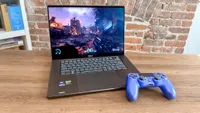
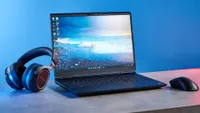
Our computing experts at Tom's Guide review dozens of gaming laptops every year, and while some may have their faults, they could suit your needs or budget. So, have a look at the other machines we've tested.



Best Gaming Laptops: Frequently Asked Questions
How much should I spend on a gaming laptop?
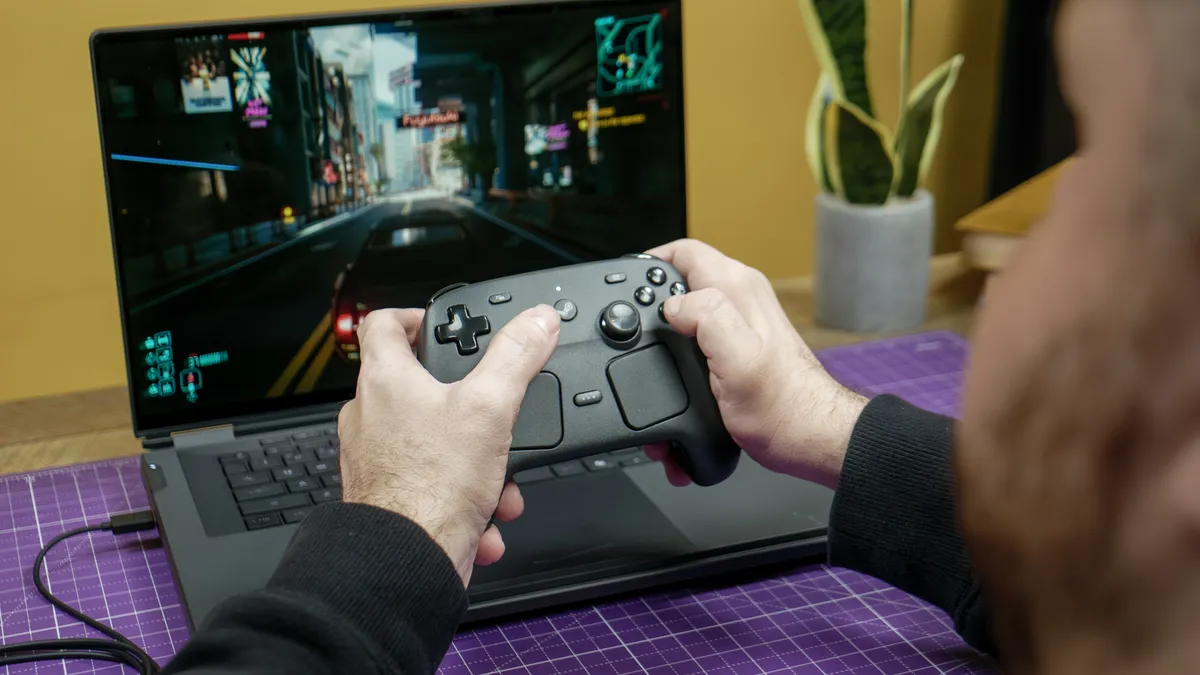
Expect to pay more than $1,000 / £1,000 for a current gaming laptop, even at the entry level; spending more generally buys higher settings, stronger frame rates and a better display or build. The MSI Katana 15 HX we recommend for value is a sensible starting point, while premium RTX 5080- and RTX 5090-equipped machines cost substantially more.
Think about the types of titles you play most and how demanding they are, but also know that the latest and greatest — no matter the price — can hold their own in many AAA titles.
That said, if you're looking for more competitive multiplayer games or indie titles, you can still find a laptop for under $1,000 that will do the trick (big sales like Black Friday or Prime Day are when you'll find these kinds of prices). Many laptops sporting an RTX 4060 and (especially) an RTX 5060 can blaze through these titles, offering super-smooth frame rates at high settings. But for monstrous power that can handle anything, including path tracing and the highest settings in games with high 240Hz frame rates even at 4K resolution, expect to pay at least $3,000, like the Razer Blade 18.
A good middle ground is something like the Asus ROG Zephyrus G14, which can manage high settings and higher frame rates (with DLSS 4 turned on) at around $1,500 to $3,000.
Is 16GB of RAM enough for a gaming laptop?
Yes, 16GB of RAM is still enough for most gaming-laptop buyers, but 32GB is a safer choice if you stream, edit video, use local AI for tasked, run demanding creative applications or keep many programs open while gaming. Memory needs also depend on the games, background apps and resolution you use.
If you're choosing between more RAM and a significantly faster GPU, you may want to opt for more RAM so your laptops can sustain heavier loads. However, considering how prices are increasing due to RAMageddon, know that 16GB of RAM is still great for gaming.
Can a gaming laptop replace a desktop PC?
Yes, a powerful gaming laptop can replace a desktop for many players, especially if you need one computer for gaming, work and to travel around with. Our computing experts and I often travel from home to the office and abroad with these gaming laptops, so you'll find plenty of portability with the laptop we recommend in this guide. Even if they can be on the bulky side.
The trade-off is that comparable laptop hardware costs more, runs hotter and is usually noisier than a desktop, while upgrades are more limited. If it will mainly stay on a desk. The HP Omen Max 16 is our desktop-replacement pick, designed around high performance and a large, fast display rather than all-day mobility. But it's still portable enough to be carried around in a backpack.
Is an RTX 5090 gaming laptop worth it?
For most gamers, a gaming laptop with an RTX 5090 is not worth it due to its extremely high price. While these offer extreme performance that can play AAA games at their highest settings, RTX 5090 gaming laptops can often cost $5,000 / £5,000 and more currently, and the performance gains you get over an RTX 5080 or below aren't worth the price.
We've tested many RTX 5090 gaming laptops, including the Razer Blade 16 and Razer Blade 18 we recommend in this guide, and we're blown away by their performance. These are premium machines, though, and are for gaming enthusiasts or power users who are willing to pay top dollar for the latest hardware. While powerful, you don't need an RTX 5090 gaming laptop to play the latest PC games at high settings and fast refresh rates.
How to choose the best gaming laptop

Everyone has different needs, so think about the requirements that are essential to you.
- Performance: Since recent gaming laptops hold a lot of power, you can expect them to manage any game you throw at them. But it's a matter of how much power you're getting. Generally, the higher the price, the more performance a laptop offers, meaning being able to turn settings in games to max without the system melting. With Nvidia's latest GeForce RTX 50-series and AMD's recent GPUs here, though, you can also get a lot more out of a machine thanks to DLSS 4 (and DLSS 4.5) and Multi Frame Generation. Essentially, more frame rates at higher resolutions, and a good middle-ground example is the Asus ROG Zephyrus G14. However, RTX 40-series aren't out of the game yet, as these can pull off some major performance gains in the latest PC titles.
- Portability & Battery: Plan on gaming on the go or sticking to your desk for gaming sessions, with the ability to transport it? Gaming laptops are well known to lack strong battery life, but that doesn't mean there aren't any that can last a while. Take the Asus ROG Flow Z13 as an example, which is ultraportable and can last over 2 hours while gaming (and much longer while not). If you're more inclined to have a beast for your PC setup, laptops like the 18-inch Asus ROG Strix Scar 18 are it; just don't expect it to run long when it's not plugged in. Otherwise, if you're not planning on gaming just anywhere, you'll want to look at the best gaming PCs.
- Productivity: The good thing about gaming laptops is that they have plenty of power for professional tasks as well, such as video rendering or CAD work. As they can be an expensive purchase, it might be worth looking at getting a machine that can pull double duty as a gaming and work laptop. Machines like the Razer Blade 16 are good examples of this, offering a design that’s slim enough to easily take to work, yet also has powerful enough specifications for AAA gaming.
How we test gaming laptops
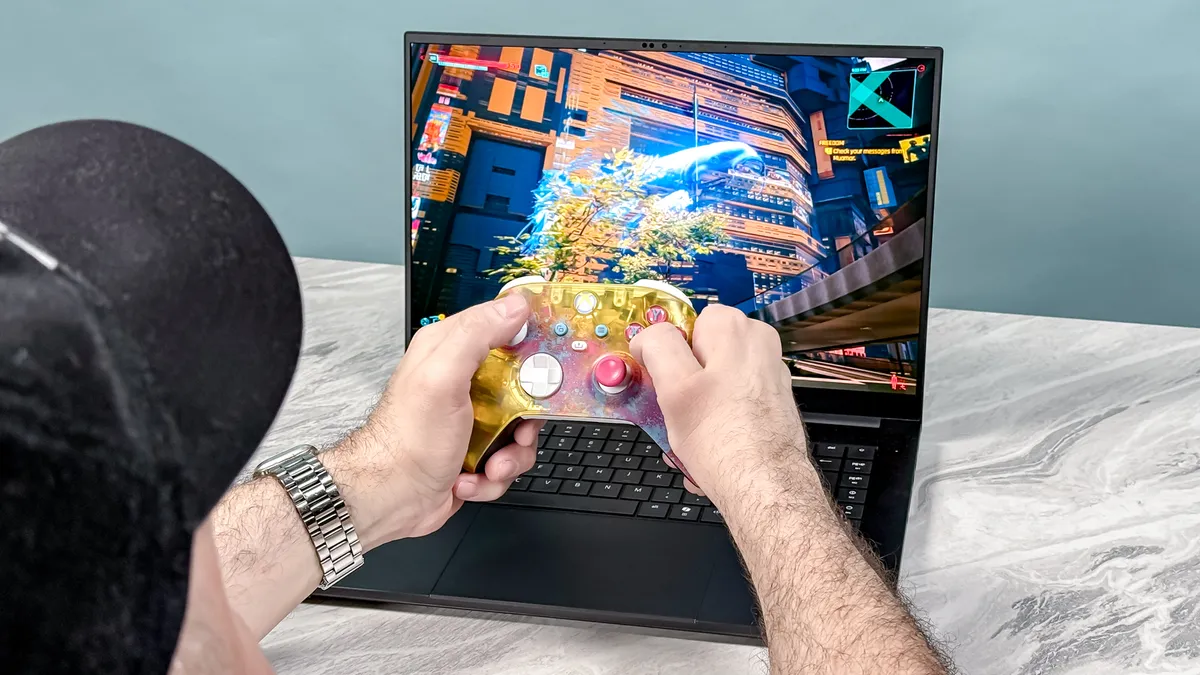
To find the best gaming laptop, we run every machine through a rigorous suite of benchmarks and real-world tests to gauge how it will perform during everyday use. We measure the average brightness and color quality of each laptop's display using our in-house light meter and colorimeter.
For general performance, we run our machines through tests that include Geekbench 6 (CPU performance), as well as various 3DMark tests to measure graphics capabilities. We also run a file transfer test to measure how fast a machine's hard drive is, and a custom battery test that has the machine browse the internet over Wi-Fi until it runs out of juice.
We also run benchmarks for popular games such as Assassin's Creed Shadows, Black Myth: Wukong and Red Dead Redemption 2 on every gaming laptop we test. For more information on our testing process, check out our guide to how we test.
