







Antivirus software is imperative if you want to avoid the latest threats, from info-stealing malware or ransomware that locks up your computer unless you pay a fine. It works in the background, combating these risks and allowing you to go about your day as you normally would.
Some computers have built-in antivirus software, for example, Window's Microsoft Defender. While this is great for baseline protection, if you want something more comprehensive with more customization, that's where the best antivirus software comes in.
To help you find the best antivirus software for your devices, we spent weeks installing, testing, and uninstalling all of the programs below while taking a close look at their features, extras, and design. We even reached out to customer support to see how easily each company was able to solve common and not so common problems.
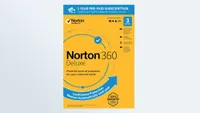
Based on our extensive testing, research and the results from third-party labs, Norton 360 Deluxe is our pick for the best antivirus software overall. It’s easy to use and provides effective malware protection without significantly impacting your computer’s performance. You also get plenty of extra features you’ll actually use.
However, there are plenty of other great antivirus providers too, and in this guide we'll take your through all the options. Whether you’re looking to secure a single device or ensure your entire household is protected from the latest threats, this is the best antivirus software you can get right now.
The quick list
The best antivirus software you can buy today
Why you can trust Tom's Guide Our writers and editors spend hours analyzing and reviewing products, services, and apps to help find what's best for you. Find out more about how we test, analyze, and rate.
The best antivirus software overall


Norton 360 is an antivirus that perfectly strikes the balance between usability and strong protection, with feature-packed plans that cover just about every cyber threat you could want to protect yourself from.
Norton 360 offers varying levels of protection, depending on which plan you go for. Its standard plan is its cheapest. It costs $42 for the first year and renews at $94, coming in a little cheaper than Bitdefender Total Security, which starts at $109. For this price, you can protect one device against malware, viruses, ransomware, and hackers. You also get Deepfake Protection, 10GB of cloud backup, Dark Web Monitoring, and a VPN.
Its most expensive tier, Norton 360 with LifeLock Select Plus, starts at $99 for the first year and renews at $189. For this price, you can protect up to 10 macOS, Windows, iOS, and Android devices, as well as getting access to features including Scam Protection Pro, 250GB cloud storage, Parental Control, Credit Monitoring Coverage, and up to $25,000 in stolen funds reimbursement, amongst some other extras. This includes SafeCam, which protects your webcam and microphone, and its backup tool Time Machine.
In independent testing, Norton 360 performed incredibly well. AV Test’s February 2026 report certified Norton 360 as a “Top Product” with a 6/6 score across Protection, Performance and Usability — the same score as both Bitdefender and McAfee.
Additionally, AV Comparatives’ April 2026 test, Norton 360 scored 90/100 in AVC, 94.7/100 in Procyon, and 5.3 in Impact. The lower the Impact score, the better, and Norton 360 outperformed Bitdefender, which scored a 9.6/10 in Impact. It was outperformed, however, by McAfee, which achieved a 3.3/10 in Impact.
Finally, in its UK April 2026 report, SE Labs awarded Norton 360’s macOS version an AAA rating with 100% protection accuracy, which is the highest possible rating.
On top of this, its low system impact means that you can run its scans in the background without disrupting your computer's performance, even if you're doing something that requires a lot of system load, like gaming. During testing, where we played Cyberpunk 2077 (Ultra graphics) with Norton 360 running in the background, system impact was minimal. Frames per second (fps) only dipped from 118 to 105 while doing a Full Scan of almost 900,000 files.
When it comes to its downsides, Norton 360 does have a couple. Some of its protection features (like SafeCam) are Windows-exclusive, while others are paywalled.
Additionally, in testing, we found Norton 360's Ask Genie AI assistant was a lot slower and more inconsistent than the AI assistants offered by competitors such as Avast One and Malwarebytes.
Still, regardless of these (relatively minor) shortcomings, Norton 360 is still one of the most dependable and feature-rich antivirus software suites on the market.
- Read our full Norton 360 review
The best antivirus software for features

Bitdefender is a great option if you want feature-heavy antimalware software, thanks to its range of plans for you to choose from.
Unlike Norton 360, however, it does not offer discounts for the first year of use. Its cheapest Consumer plan, Bitdefender Total Security, starts at $109; Bitdefender Premium Security costs $129; Bitdefender Ultimate Security retails for $159; and Bitdefender Ultimate Security Plus costs $189.
These plans all offer different levels of protection, with Total Security having the least security features, and Ultimate Security Plus having the most. Still, Total Security offers protection against malware, ransomware, and network threats, Advanced Threat Defense, which monitors active apps, Cryptomining Protection that fights against apps that you have no knowledge of, Anti-Phishing, Anti-Fraud, Antispam, and more.
We tested the Bitdefender Ultimate Security plan, which includes all this as well as email protection, Scam Protection Pro that fights sophisticated scams, Digital Identity Protection, as well as a VPN.
Bitdefender's independent testing scores were decent. It achieved 6/6 scores across Protection, Performance, and Usability in AV Test’s February 2026 report, the same as McAfee and Norton.
With this being said, its AV Comparatives’ April 2026 test results were not as good. This test uses benchmarking tools to assess system impact. It scored 85/100 in AVC, 95.4/100 in Procyon, and 9.6/10 in Impact. McAfee performed better with a 90 and 96.7 score respectively.
This was the only test Bitdefender slightly underperformed in, however. SE Labs (U.K.) gave Bitdefender an AAA (highest possible rating with a 100% protection accuracy.
Its protection doesn't hamper your computer's performance, either. We performed a full scan (of over 2.3 million files) while also running Cyberpunk 2077, and it only dipped from 100 fps to 97 fps.
If we could change a couple of things about it, it would be this: adding a Quick Scan option, and allowing its app window to be resizable on Windows. In the grand scheme of things, though, these are relatively minor complaints.
Overall, Bitdefender is a great bit of kit to have in your arsenal for giving you peace of mind against ever-evolving AI and malware threats.
- Read our full Bitdefender Total Security review
The best antivirus software for families

McAfee+ Ultimate is a welcome security package if you have many devices to protect, a big household, and a lot of family members. It does everything you’d want to protect your PC, Mac, or smartphone, and the package doesn’t limit how many devices you can use with your account.
In addition to an extremely powerful antivirus solution, you get features that help protect you (and your family) during your online activities as well. Among the many included features that come with McAfee+ Ultimate is a VPN (with no restrictions to a set file transfer limit), full access to a password manager, identity monitoring, a social media monitoring tool, a text scam detector, and more.
During testing, there were no performance problems during scanning. A full scan of 926K files took 35 minutes, which is the same time as Norton 360 Deluxe, although slightly slower than Bitdefender Total Security. McAfee+ Ultimate also offers options for a quick scan and a five-minute scan if you want to speed things up a little.
Some of the features offered, however, are available in Windows as free tools, like a file shredder and a clean up tool that removes temporary files.
McAfee+ Ultimate's pricing starts out pretty reasonable, usually around $49.99. However, you should keep in mind that after the first year, this price jumps up quite significantly to $149.99. So, if you don’t need many devices covered, it may not be worth the fee.
McAfee+ Ultimate offers an unlimited VPN, which is handy for those who want a VPN along with their antivirus. During testing, we found the unlimited VPN easy to configure and use. Additionally, its features, like the password manager, were easy to install and worked as expected.
McAfee+ Ultimate's antivirus protection scores in independent tests are outstanding overall, achieving a protection rate of 99.5% in AV-Comparatives' tests published in December 2025. Its false positives score was excellent too, on par with Bitdefender Total Security, and better than Norton 360 Deluxe, Malwarebytes Plus, and Avast Premium Security.
The main drawback here is the higher price point, although if you’re covering multiple devices, then you may find it worth it. Still, if you're after a budget antivirus, consider Malwarebytes Plus.
- Read our full McAfee+ Premium review
The best antivirus software for banking

Avast One offers not only excellent antimalware and antivirus protection, but also protection against AI-generated scams, deepfakes, suspicious texts and links, and more.
The biggest plus about Avast One is that it offers a completely free tier, which is great if you want to protect yourself without breaking the bank. This blocks viruses and malware and offers protection against ransomware, as well as allowing you access to Avast’s AI-powered assistant for catching scams.
On top of this, you also get a 60-day trial of SecureLine VPN. Extra features, like Scam Guardian Pro, AntiTrack, and firewall, can be activated from within the app. These are all paid add-ons, but the good news is that you can pick and choose which ones you need, instead of paying for an all-in-one package, such as the tiers offered by Bitdefender and Norton 360.
During testing, we used Avast Premium Security, which includes Wi-Fi protection, WebGuard, which uses AI to block scam websites, and Mail Shield, which monitors your email address for threats.
Avast was rated as a top product by AV Test’s February 2026 report, achieving a 6/6 score across Protection, Performance and Usability. In AV Comparatives’ April 2026 test report, Avast ranked 6th on the list, just under Norton 360, with a 90/100 AVC score, 94.5/100 Procyon score, and a 5.5 Impact score. Finally, it achieved the highest rating possible of AAAwith a 100% total accuracy percentage in SE Labs (U.K.) April 2026 report.
Unlike some competitors (like Bitdefender), Avast One offers a few different types of scans: Smart (quick), Full, Targeted (custom), and Boot-Time. In testing, we ran a Full Scan, which took 6 minutes and 12 seconds, which is a lot quicker thanBitdefender's full scan, which took 26 minutes and 23 seconds. However, Avast One doesn’t tell you how many files it has scanned, unlike Bitdefender.
We tested the impact of these scans by running Cyberpunk 2077 while running them and measuring the slowdown. During a Full Scan, Cyberpunk 2077 dropped from 99 fps to 96 fps, meaning the impact was barely noticeable at all.
However, if you're looking for antivirus protection for your family, you may be a bit disappointed to learn that Avast One does not feature built-in parental controls, unlike Bitdefender. Additionally, it can only protect up to 10 devices, meaning if you have more devices than this, it may not be suitable.
Still, if you want antivirus software that offers swift and diverse system scanning as well as modern AI threat analysis, Avast One is a great choice.
- Read our full Avast One review
The best budget antivirus software

Malwarebytes is user-friendly, excellent value for money and includes some great tools like an AI-driven Scam Guard and Digital Footprint Scanner to keep you safe from cyber threats.
As with the other antivirus software providers on this list, Malwarebytes has a range of different plans that cover various needs and requirements. It has three consumer plans, with its Standard plan available for $44 / £29 per year. This plan offers basic protection against malware, viruses, and more on one device only.
The next step up is the Plus plan, which costs $79 / £49 annually. It includes everything offered by Standard, plus a high-speed VPN and anonymous browsing.
Malwarebytes’ most expensive plan is called Ultimate in the U.S. ($279 per year) and Total in the U.K. (£129 per year). Regardless of what they are called, Ultimate and Total feature Advanced Social Media Monitoring as well as $1 million in identity insurance. While these are great features, this plan is pricier than both Bitdefender and Norton 360, although there are also various Family plans starting from $149 / £109 per year.
You don't have to fully commit off the bat, though. Malwarebytes offers a 60-day money-back guarantee — just like Norton 360.
One thing I did find slightly disappointing about these plans was that none of them offer cloud backup and storage or parental controls. If these are features you desperately want, you'd be better off checking out Bitdefender, Avast One, or Norton 360.
In independent testing, Malwarebytes performed decently. In AV Comparatives’ April 2026 test report Malwarebytes scored 75/100 in AVC, 97.4/100 in Procyon, and 17.6 in Impact. The Impact score is a little worrying, however, as it means that (on paper at least) Malwarebytes has a negative impact on your system resources. Bitdefender (9.6), Avast (5.5) and Norton 360 (5.3) all performed better than Malwarebytes in this area.
In SE Labs (U.K.) April 2026 report, Malwarebytes Premium was awarded an AAA rating with 97% protection accuracy. While this bad at all, it should be noted that Bitdefender, Norton 360 and Avast One are all rated 100% for their protection accuracy.
Malwarebytes offers three scan levels —Threat Scan (quick), Deep Scan (full), and Custom Scan (targeted). The quick scan option is nice to see, and gives it an edge over the likes of Bitdefender, which don't offer these options. In testing, its Threat Scan was completed within 22 seconds, having scanned over 176,000 files without detecting any anomalies or threats. Its Deep Scan took 14 minutes and two seconds to finish, and scanned a total of 427,157 files — a little less than Bitdefender, which scanned over two million files in 26 minutes.
To test its impact on system performance, we ran Cyberpunk 2077 while these scans ran in the background. Cyberpunk 2077’s frame rate dipped a fair bit, from 87 to 75. While this isn't the worst impact on performance, especially as we didn’t notice any stuttering or lag while playing the games, Bitdefender achieved 97fps in Cyberpunk 2077 with the software performing a Full Scan.
Overall, Malwarebytes is user-friendly and offers a great range of features to keep you and your devices safe and malware-free. However, it is lacking in a couple of key areas, and its system impact does leave a little to be desired.
- Read our full Malwarebytes Plus review
Also tested
We test a lot of apps when searching for the best antivirus software, but only a handful can reach the top spots. If you're after more options, here are some other great antivirus packages that didn't quite make the mark.

How we test the best antivirus software
Supplied by: MSI | Tom's Guide
CPU: AMD Ryzen 7 7700X | Graphics card: MSI RTX 5070 Ti 16GB Vanguard SOC | Motherboard: MSI B850E Gaming Plus WiFi | RAM: Kingston Fury Renegade DDR5 32GB | Cooler: Noctua NH-U12S | PSU: MSI MEG Ai1300P PCIE5 | Case: MSI MPG GUNGNIR 110R
We test each antivirus program and evaluate its interface, performance, protection, extra features and — above all — overall value.
After timing and rating the installation process’s ease, we looked at whether the interface was simple and straightforward, convoluted and difficult to grasp — or something in between.
Next, we went through all the major and many minor features that each suite provides, including VPN access, file shredding and backup software, if included.
As far as performance goes, we measured how much the system slowed down while the program was scanning for malware.
To gauge each program’s impact on system performance, we fired up Cyberpunk 2077 with ultra graphics and Forza Horizon 5 with high graphics and tested how much the frames per second slowed down when also running a scan.
For malware detection performance, we referred to results from tests conducted by three independent labs: AV-TEST in Germany, AV-Comparatives in Austria and SE Labs in England.
Each lab periodically subjects major antivirus programs to stress tests that include thousands of pieces of malware as well as hundreds of “zero-day” samples that the software has to learn to recognize.
We paid particular attention to false positive readings of safe software deemed dangerous by the program under review as an indication of the precision of the program’s scanning technology.
How to choose the best antivirus software for you

When choosing an antivirus software, the top priority among all other decisions should be how well it performs to keep your system safe from malware and viruses.
To help you determine which of the many options out there will be the best at protecting your devices, we use results from tests conducted by three different independent labs to help us determine which antivirus program excels at finding and eliminating malware threats.
We also perform our own tests to see how much each program slows down your system, and how many resources it will consume to run both while scanning and while running in the background.
You’ll also want to read reviews online to see what other users have to say about their experiences with using the software, how it performed, what the interface was like, and how responsive the customer service was.
Next, consider the needs of your household and what devices you want to protect. How many family members do you have in the home? How many devices does each person need coverage for? What platforms do each of those devices use, and are the features they'll need available on these platforms?
Make a list of what devices and operating systems you need coverage for, as not all antivirus programs will cover all of them, and some will offer bundles for multiple family members or devices.
Narrow down the features you would like to see included in your antivirus program – because most antivirus programs offer so many features, it’s easiest to start out by making a list of what features are most important to your needs.
Do you also need parental controls? Is a VPN important to you? Would you like a password manager or file shredder? What about a hardened browser, a firewall, or webcam protection? Think about what you’d like most as additional security features and list them out, and see what the top antivirus programs offer.
Lastly, consider how much you want to spend — some antivirus programs will offer bundles for their suites, or tiers, that will package deals that include numbers of licenses or devices protected for a single purchase. You should also check a company’s website for any trial offers, as many will give you 30 days to try out their program for free before purchasing. Just make sure to cancel before the trialis over, or risk paying for software you don't want.
Free vs paid antivirus software

With so many antivirus programs to choose from, there’s absolutely no reason for your PC or smartphone to go unprotected — especially when there are free programs available to choose from as well. So, why would you bother paying for something that you didn’t have to?
Well, there are lot of reasons to choose one antivirus program over another but if you’re looking specifically at just free versus paid antivirus programs there are a few reasons to choose one over the other.
Free antivirus software will always provide users with basic protections against the most common malware threats, and will block dangerous files and applications. It should also warn you about suspicious websites, offer a cleanup option for infected files or apps and recognize when unknown devices are using your network.
However, a paid option is going to go a step beyond and offer more comprehensive security features — more advanced protections against unknown or upcoming threats, a more thorough feature set including VPNs, password managers, a file shredder that will fully remove deleted files and may cover more devices including tablets and smartphones.
Paid antivirus software also generally includes customer support via phone, chat or instant messaging and email whereas free versions will not. Plus, they add functions like an ability to customize your antivirus service, a feature to block suspicious sites, and a backup service to save data or back up devices.
It might also include features like webcam protection, remote control prevention to keep others from controlling your system, and the ability to run apps or software in a “sandbox” setting.
Paid antivirus software also generally includes customer support via phone, chat or instant messaging and email whereas free versions will not. If just the basics will do, a free version will be enough but if you’re looking for something more then it’s worth looking at some paid options.
Antivirus FAQ

How does antivirus software work?
Well, antivirus software works by running in the background and scanning your computer to find, quarantine and eradicate a computer virus. Ideally, an antivirus program can also protect your computer from an infection before it occurs, blocking attacks and keeping your data safe from any piece of code that intends to cause it harm.
Your computer is basically an open endpoint on the internet and there are a wide variety of viruses that can cause harm to your system, either by making it inaccessible, slowing it down, disrupting services or by stealing your information. You often won't even know that your computer is infected.
Antivirus software runs in the background to monitor your internet connection and look, in real-time, for harmful software. It can detect software against signature files that are constantly updated by looking for patterns in the code that match a known threat. That means the antivirus software can quarantine a file and block a virus to protect your computer before an infection occurs.
Apart from this, an antivirus program can also periodically scan your hard drive looking for malicious software, though it's becoming less common to install apps and store data locally. The best antivirus software can do both, and some will now use AI to complete these tasks.

Do you really need antivirus software?
If you're not pirating software or doing anything really advanced online, do you really need to get antivirus software for your computer?
Absolutely. It doesn't matter if you intend to design your own video game, or just want to check your email, if you have a computer — and especially if that computer is online — you absolutely, positively should have an antivirus software installed.
Microsoft computers come with Microsoft Defender built-in, so it's easy enough to set it up and forget about it if you just want to run with a free option. However, you do need to make sure that your system is protected against malware and other nastiness that exists online.
There are a million ways that hackers and threat actors are trying to work their ways into your machine — and even if you're extremely careful, it's possible that you may miss the latest scam.
Or maybe you let someone check their email on your laptop and they click a link in a phishing attempt. Perhaps a software download you try is actually an incorrect URL that leads to a malicious site. Or you didn't update your operating system and there's a vulnerability that allows a hacker access.
Maybe you didn't have a password manager and now several of your accounts have been breached. You get the picture; an antivirus software, and it's many included features, can provide you with a lot of protection, no matter how careful you are online.

Which antivirus software is completely free?
One of the first questions many people will ask themselves about antivirus software is "Do I really need to pay for antivirus software?" And as we've covered before, no, you do not.
Microsoft Defender comes built-in to Windows systems and we've found it has actually come quite along way. Not only does Defender now offer quality malware protection, showing an ability to detect, block and neutralize viruses, but it also comes with a solid array of features.
There's a password manager and parental controls, and a feature for the Edge browser that can block known malicious websites and downloads. It will also allow you to schedule scans.
However, like all free antivirus software you do lose out of many of the features that come along with a paid version such as a VPN, ransomware rollback and — a hefty drawback for some users — you will be stuck using Microsoft products to access some of these features like using Edge or Microsoft Teams.
If that's a dealbreaker, you can look at other free antivirus software programs (Avira, AVG and Avast all have one), or you can try out a free 30 day trial of a paid software.

When can you temporarily disable your antivirus?
There are not many instances when it's a good idea to disable your antivirus program, but here is a short list of when it may be appropriate: when you're troubleshooting an issue with a program or software (to identify if that's the cause), if you need to download a trusted program and your antivirus is flagging it as a threat, or if you need to use a specific network configuration.
Even in these instances, it is always considered to be best practices to immediately turn your antivirus program back on as soon as you've completely your tasks to minimize the risk of any threats.

