I've always dreamed of having a golf simulator in my home. I had an outdoor net-based practice place at my old house, but it just didn't offer the same level of satisfaction. Thankfully, I've moved to a new house with vaulted ceilings in the living room (and I'm lucky enough to have a wonderful girlfriend who let me steal the entire living room for a simulator), so I'm ready to go.
As someone who loves researching products and finding the best option, I eventually locked in Carl's Place as the go-to for my enclosure, hitting mats and everything else I needed to build a moderately affordable simulator. And the experience turned out to be better than I ever imagined. I even talked to Carl Markestad, the owner and namesake of Carl's Place, about golf simulators to learn more about getting a home unit up and running.
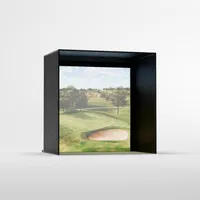
My golf enclosure set up and the price

So here's what I got from Carl's Place and how much it cost (I said moderately budget-friendly, but if you're not well-versed in the golf simulator world, these are expensive).
For the enclosure, I went with the DIY model (there are Pro and Built-In models that cost more). As my room is a little tight, I went with the smallest size: 8 feet wide by 8 feet tall and 5 feet deep (you can make it shallower, which I wish I had). I also got the pipe kit, as I had no interest in cutting my own piping to build the enclosure. Other extras that made sense to me were the back-cover kit, the rear pipes, the wall-extension nets to protect against shanks, and the foam inserts.

All in, the enclosure costs $2,510 as configured. You can drop the back cover if your sim is against a wall, as it's designed to block light from coming in the back.
There are plenty of other costs associated with a golf simulator — hitting mat, gaming PC, projector, soundbar, and of course, the launch monitor. Here's everything I'm using with my golf simulator:
The List
- BenQ AK700ST: $2,899
- Enclosure and extras: $2,510
- HP Omen gaming PC: I already had this, but I spent around $1,900
- Square Golf launch monitor: $699
- Carl's Place 5X8 hitting mat: $697
- Bose Smart Soundbar: $549
- Carl's HotShot Gel Hitting Strip: $280
- GSPro License: $250
Take a deep breath, because when I add all those extras up, you might fall off your chair. If you want to replicate my exact system, you'll need to spend $9,784 (under $10,000 thanks to Square's affordability, assuming you can find one in stock).
The shopping experience

There aren't many things you're going to buy that cost as much as a golf simulator. Your car and is almost certainly more (though if you go fully custom, you can easily reach the same price as a high-end car).
That means you likely want a shopping experience similar to buying a car or a home, where an expert shows you all the options and helps you choose what's best for you. That's why I ultimately used Carl's Place for my enclosure. They will call you to confirm that your space can accommodate a golf simulator. They'll help you choose the enclosure that fits your space (in my case, the smallest non-customer option, 8x8 feet).
"Our goal is to make this a little less intimidating. We also want to provide a great value with the products themselves," said Carl Markstad, owner of Carl's Place, in an interview with Tom's Guide.
He also discussed the DIY process, which is the more affordable option (and the one I used) and wasn't too hard to assemble, even with my limited DIY skills. "We want to help people do it themselves. We know the gap for a user is information," he said. "We want to help users facilitate the completion of the project."

If you know what you want, you can simply go to their website, add it to your cart and pay as you would with any other online retailer. But if you're looking for some help, I can't recommend them enough.
But is it worth it?

I am happy to report that having a golf simulator in my home has added more joy than any single thing I've ever owned. Between being able to play golf whenever I want and watching movies on an 8-foot screen, it's amazing.
Once you have the space figured out, the budget is the next big hurdle. Then it's just understanding how everything works together.
Carl Markstad, owner of Carl's Place
When I spoke to Carl Markstad, he agreed: "The other potential uses for the thing are a common selling point that we talk about," he said. "What makes it good for one is what makes it good for the other."
For me, taking a lunch break and playing a quick 9 holes (or 18 if I rush and turn off putting) is, in my opinion, the best way to spend a break.
And it's turned my video game-loving 9-year-old stepson onto golf, since it combines elements of video games with golf. Now, he's always asking to play, and he can't wait to hit a real course in the Spring (no outdoor golf is being played in frigid Connecticut this time of year).

So is it worth it? For me, it absolutely is. Between the golf and having a huge screen to watch movies and play video games on, I couldn't be happier. It's a pricey investment, but for anyone looking to have more fun while improving their golf game, it's worthwhile.
Just make sure to work with Carl's Place (or another retailer with a similar level of customer service) so your space can accommodate the large hobby, and you get the right parts for your individual needs.

Follow Tom's Guide on Google News and add us as a preferred source to get our up-to-date news, analysis, and reviews in your feeds.
More from Tom's Guide