



I get to test many of the best electric cars available today. While they’re often outfitted with an assortment of cameras, I’m still annoyed that they frequently lack a native dash cam feature. That’s likely why there’s still high demand for standalone dash cams, especially as cars become more tech-heavy.
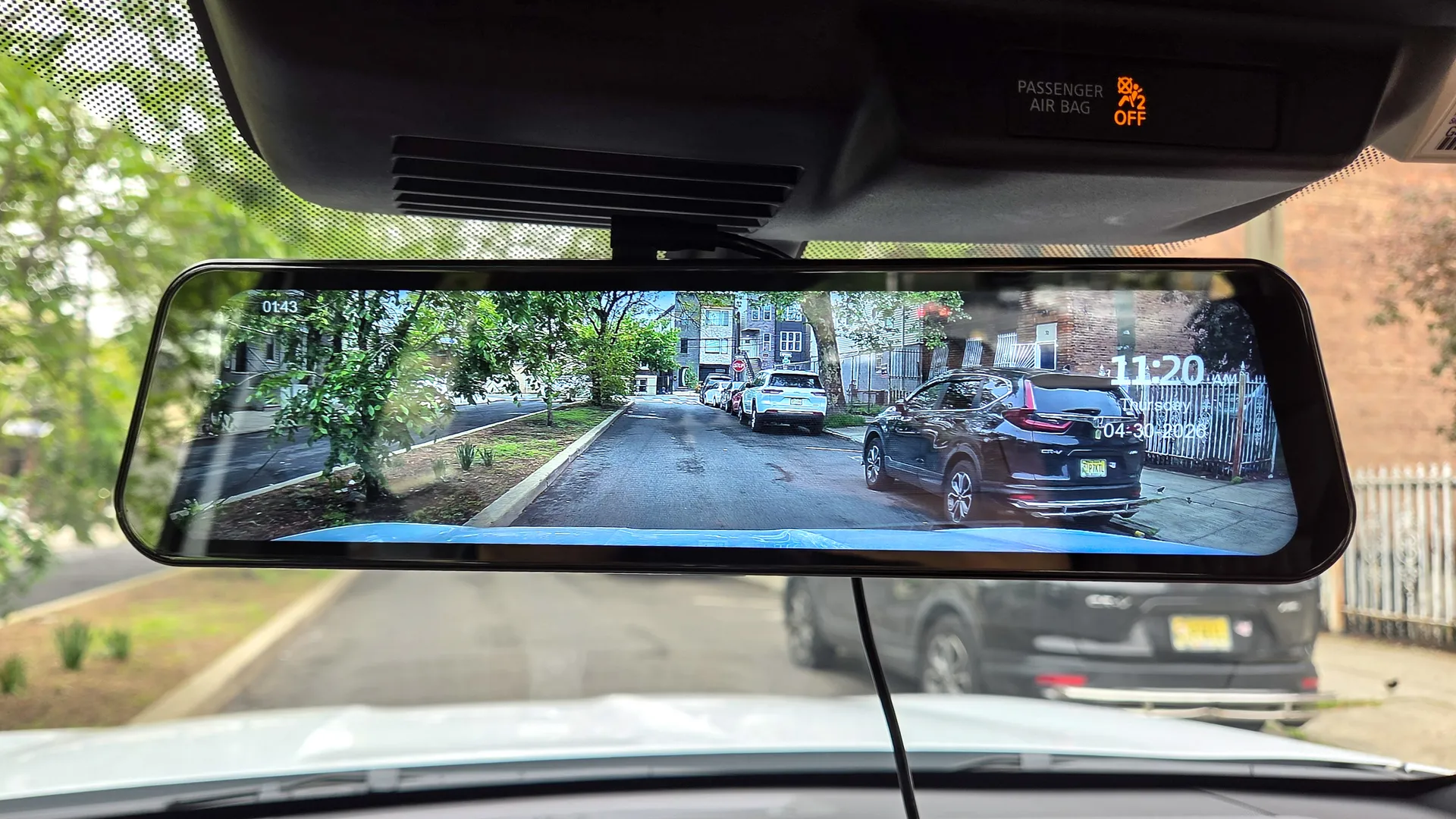
My general problem with some of the best dash cams is that they obscure my view. While some smaller models try to be discreet, the vast majority remain an eyesore when you’re trying to focus on the road. I finally solved this by switching to a dash cam disguised as a rearview mirror: the Rexing M2 Max.
For those with older cars lacking a backup camera or touchscreen display, this is an easy upgrade that makes a vehicle feel modern. Now that I’ve used it, I can’t go back to an ordinary dash cam. Here’s why.
The easiest way to upgrade your rearview mirror
If you prefer a clear windshield without obstructions, the Rexing M2 Max does the trick because it fits directly over your existing rearview mirror. Installation is just as quick and simple as using an ordinary suction-mount dash cam: You simply fasten the rubber straps around your current mirror, connect the power cable, and that's all.
It’s a hassle-free upgrade because it doesn't require removing any factory equipment. Better yet, you’re only paying for the unit itself rather than a hiring a professional to install it.
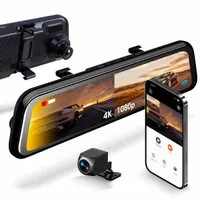
Even though the kit includes additional accessories — like a GPS logger and a second camera for the rear windshield — I kept my setup simple by using only the digital rearview mirror. However, there are clear benefits to installing the other components, such as gaining parking guides via the rear camera.
Adjustable settings for the perfect view
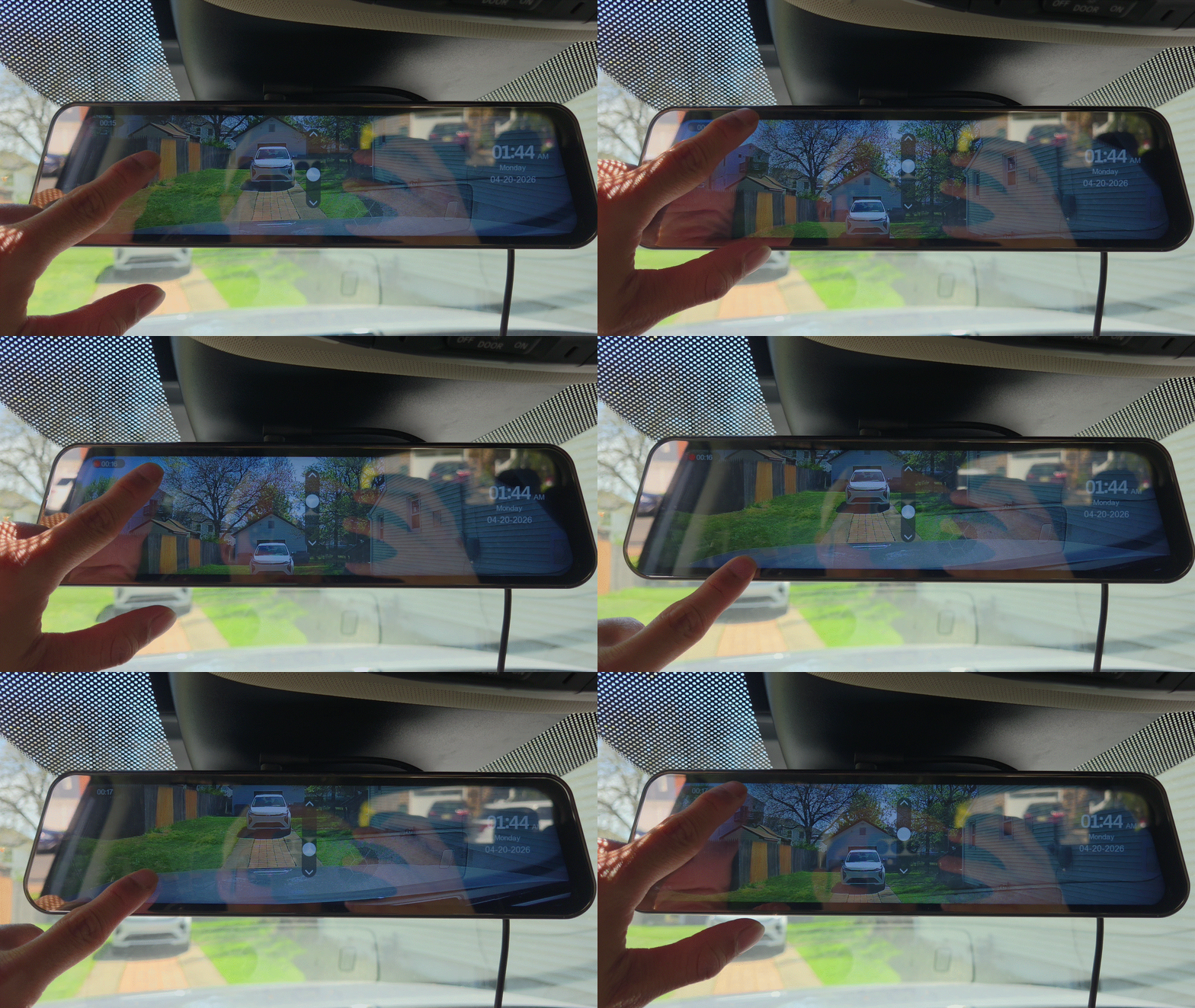
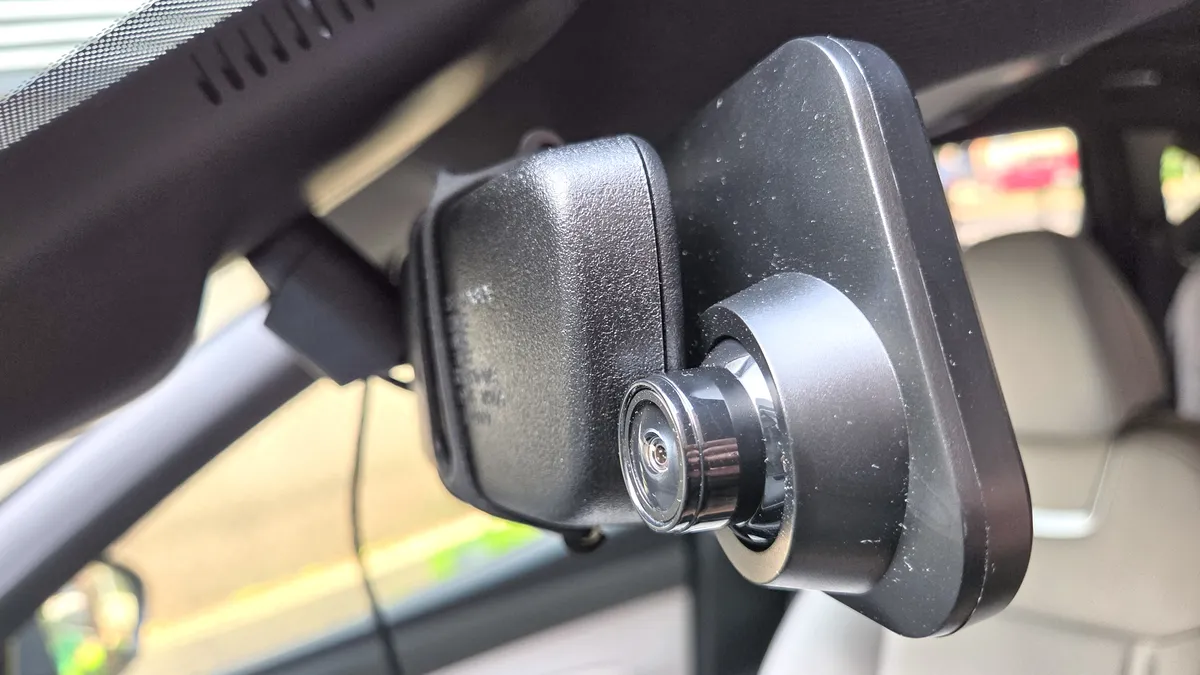
One of my main concerns after installing the Rexing M2 Max was how well the camera would cover the front of my car. Since the unit is fixed tightly against the existing mirror, I was afraid I wouldn't be able to adjust the angle. However, the camera lens is housed in a ball joint, allowing me to articulate it precisely for optimal coverage. In fact, its 170-degree field of view is wide enough to capture the entire hood of my car. If that isn't enough, I can also adjust the pitch digitally via the touchscreen display.
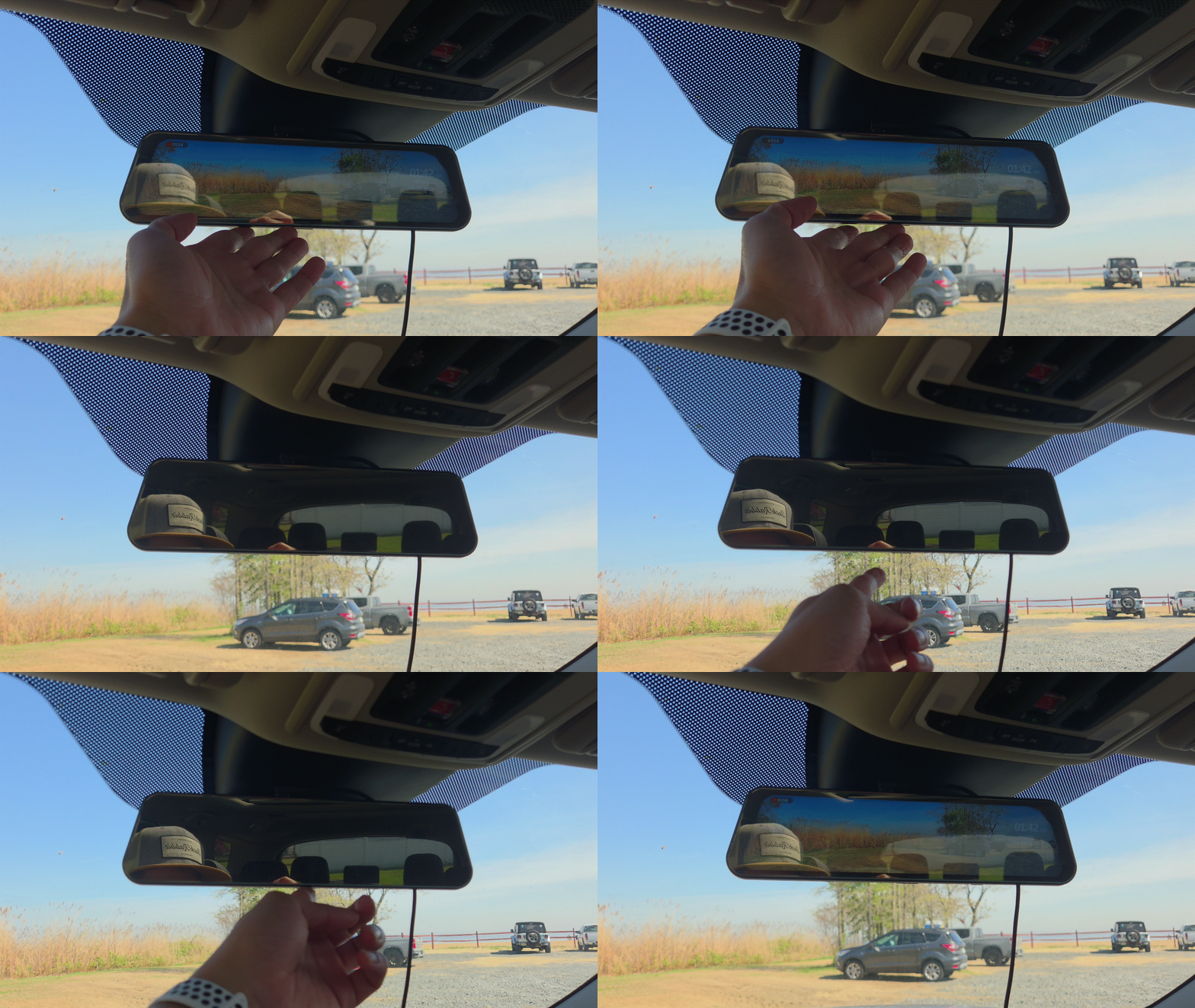
During the day, I appreciate being able to adjust the screen’s brightness to keep the feed visible even in the sunniest conditions. If you prefer fewer distractions while driving, you can instantly turn off the display by pressing the button on the bottom of the unit. When the screen is off, it effectively functions as a standard rearview mirror.
I discovered an unexpected benefit at night: the mirror features a film that softens the glare from trailing headlights. In the past, the light intensity was often so piercing that I’d have to shield my eyes with my hand or flip the manual dimming lever. Now, I don't have to do a thing because the film automatically diffuses the glare. Best of all, this coating doesn't negatively affect visibility during the day.
Soft but usable footage
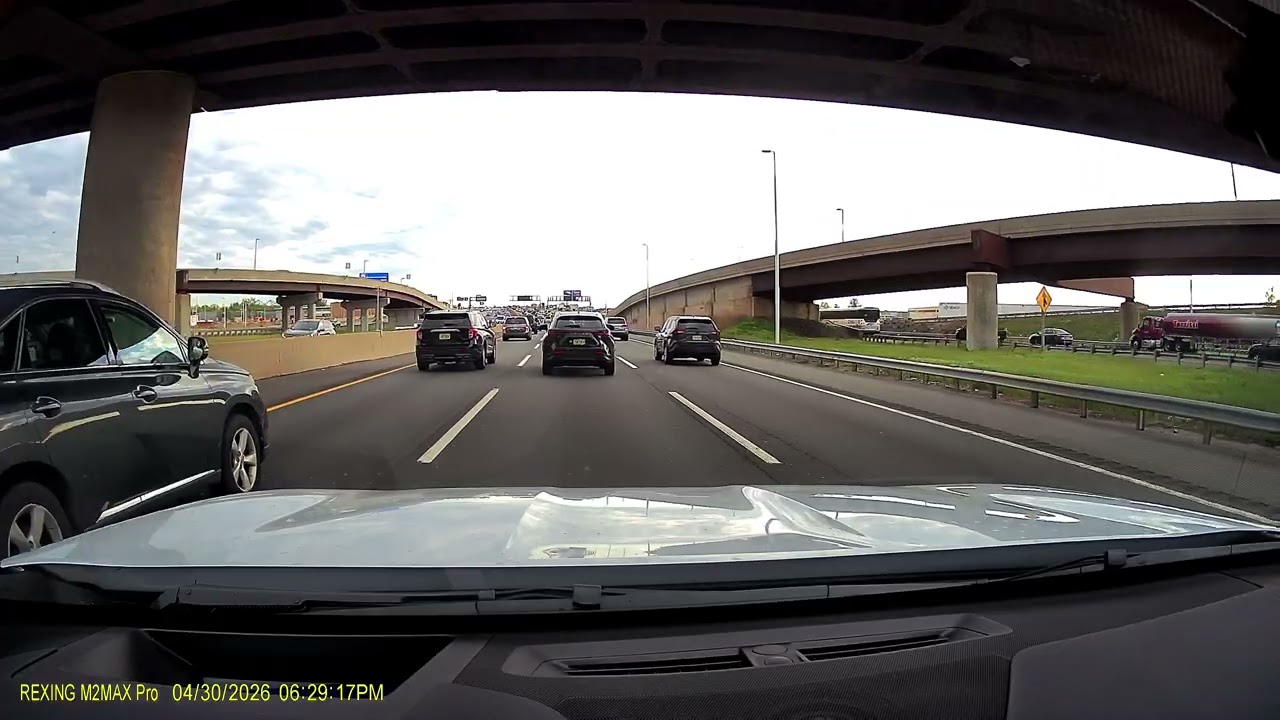
Finally, there’s the camera performance. Although it is capable of shooting in 4K resolution, the frame rate is a slightly choppier 25 fps. I enabled HDR capture for my testing, which does a better job of handling high-contrast scenes, but the overall image remains softer than I’d like.
Don’t get me wrong, the quality is sufficient to give a clear picture of what’s happening in front of you. However, making out license plates is nearly impossible when they're more than a couple of car lengths away. At night, details become a bit muddy, though at least the colors remain accurate and undistorted.
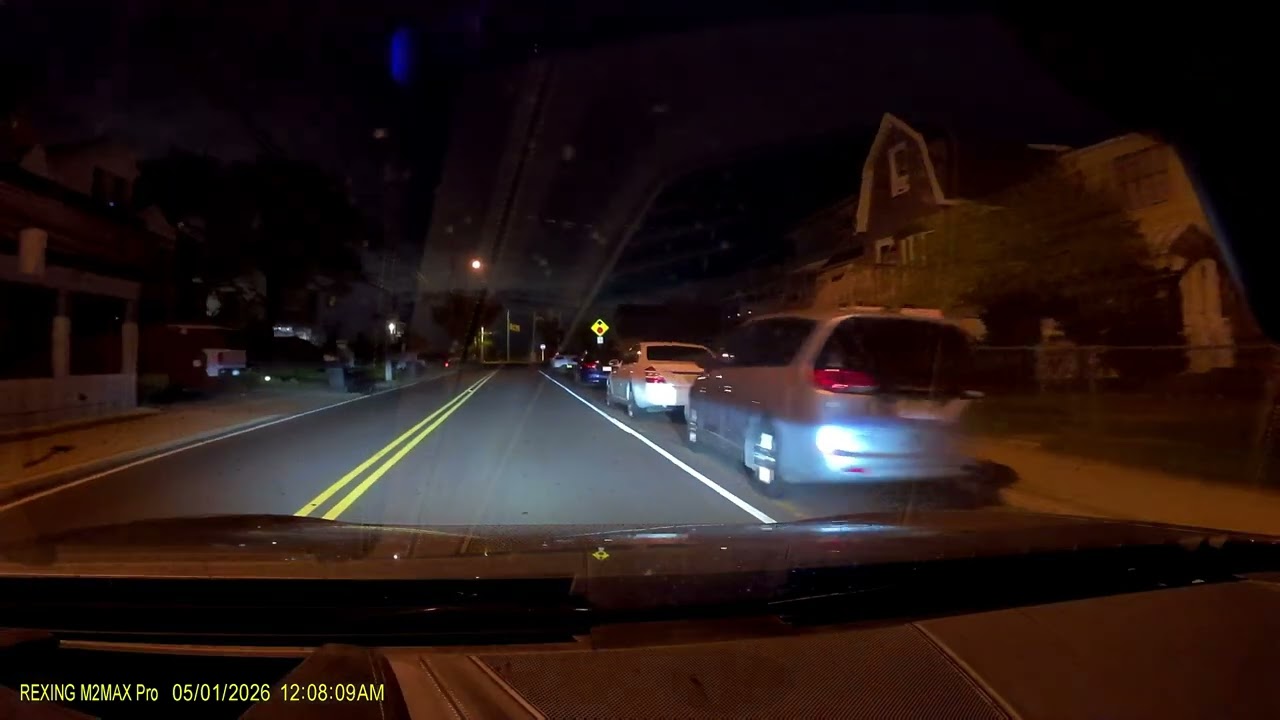
Could the performance be better? Absolutely. However, I can accept this shortcoming given that it keeps my view unobstructed while providing a much more versatile rearview mirror.
If that’s not enough, you can also utilize its parking mode and collision detection by installing a separate hardwire kit. That allows it to act as a sentry, continuously keeping an eye on things when you’re away from the car. If you can look past the soft video capture, I think the $199 price point offers enough merit to give your car an instant upgrade.

Follow Tom's Guide on Google News and add us as a preferred source to get our up-to-date news, analysis, and reviews in your feeds.
More from Tom's Guide

