



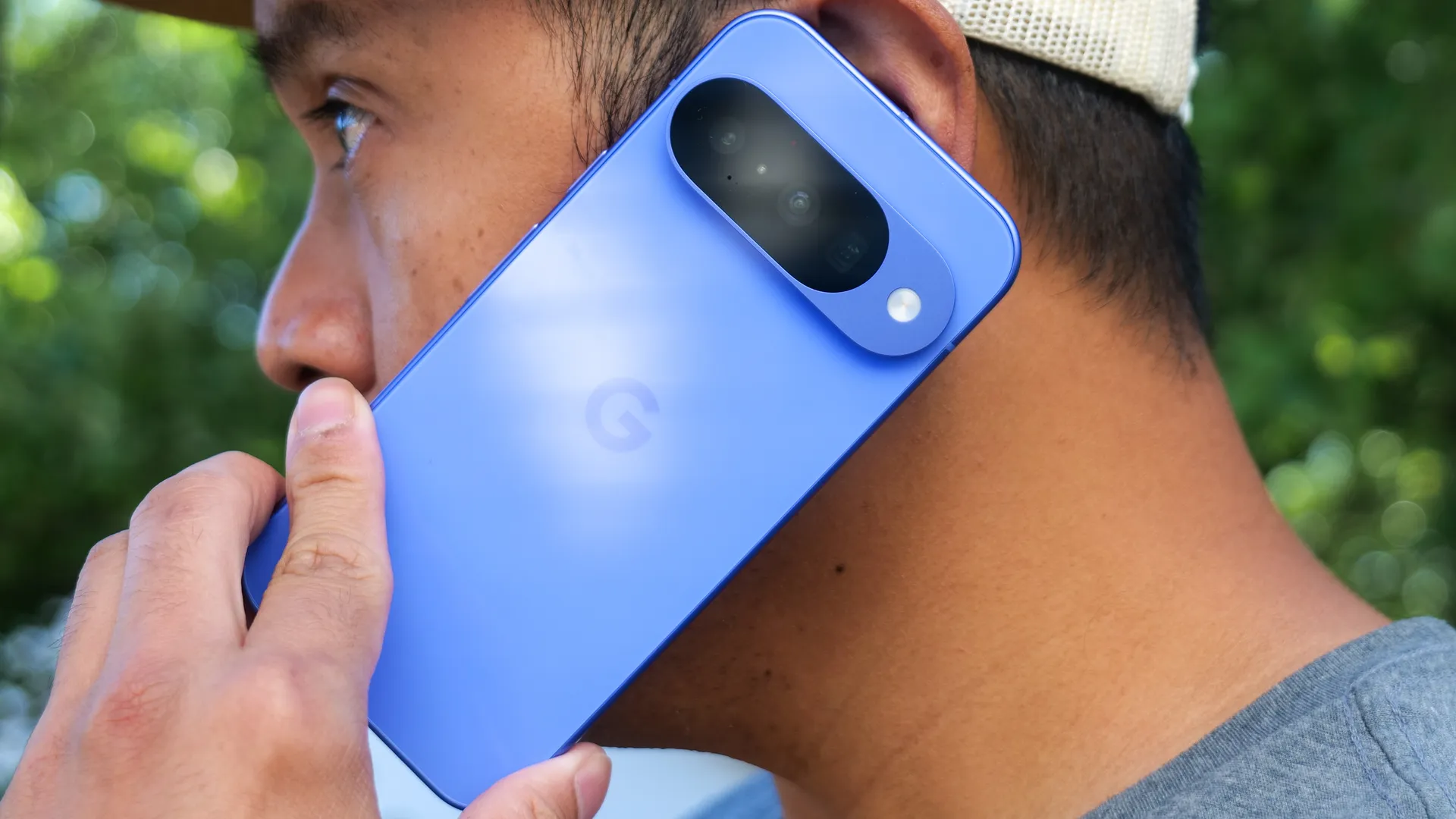
There are plenty of features hiding beneath the surface of your phone, and chances are you didn't even know most of them existed. Pixel phones are some of the worst offenders for this, with Google continually adding features and updates to the phones and seemingly expecting users to figure everything out by themselves.
Take a Message is one such feature, nestled in the depths of the Pixel Phone app, and essentially operating as a more advanced version of voicemail.
Much like voicemail, callers will be given the chance to leave you a message, which your Pixel will record and transcribe. Take a Message is an AI-powered feature that does everything on your device, which means it's more private and not subject to the whim of a faceless phone company. Once active, the feature will trigger whenever you miss or decline a phone call.
The best part is that this is all done in real time, meaning you can pick up the phone at any point and take the call if it turns out that it's important. Plus, it isn't exclusive to the latest Pixel 10 series phones and is available on Pixel devices as old as the Pixel 6 and Pixel Watch 2.
There are a couple of downsides, though. The first is that it's limited by location, and is currently only available in the U.S., U.K., Australia, Ireland and Canada — or in other words, the nations where English is most widely spoken.
It's also only available if you have a cell signal and your phone is switched on. If you're in a black spot or your phone is turned off, then your regular voicemail service will handle things.
Here's how to turn on Take a Message on your Pixel phone.
1. Open the Phone app's menu
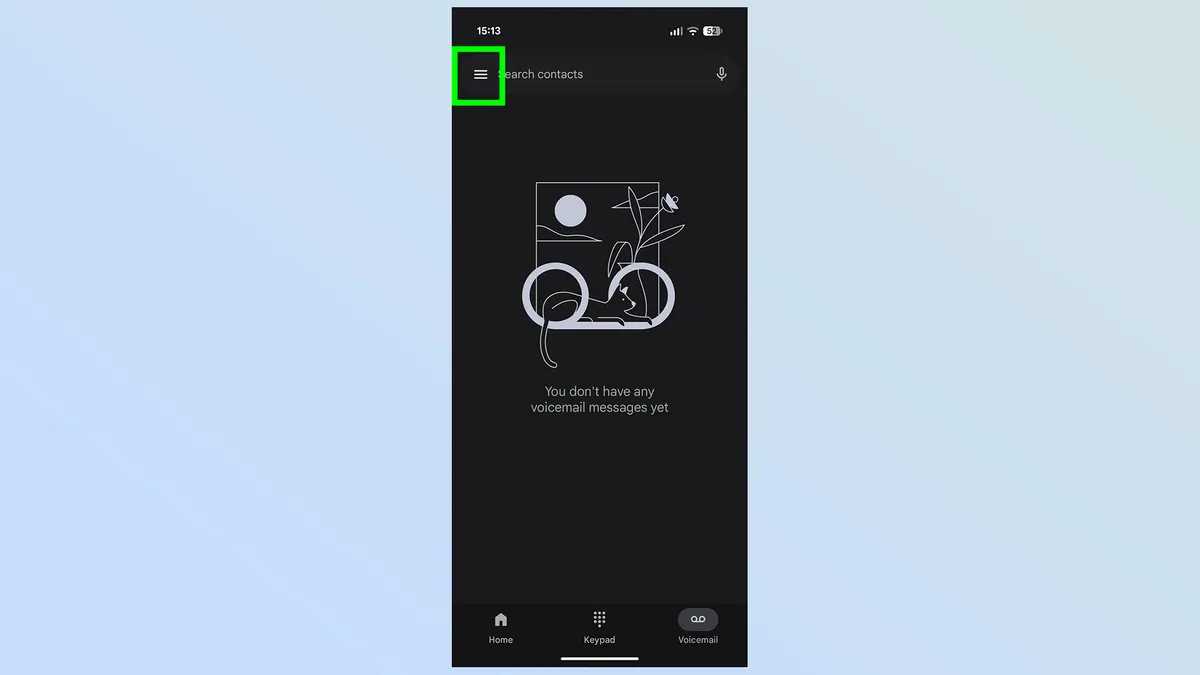
First thing you need to do is open up your phone app, then tap the three-bar menu in the top right corner
2. Tap settings
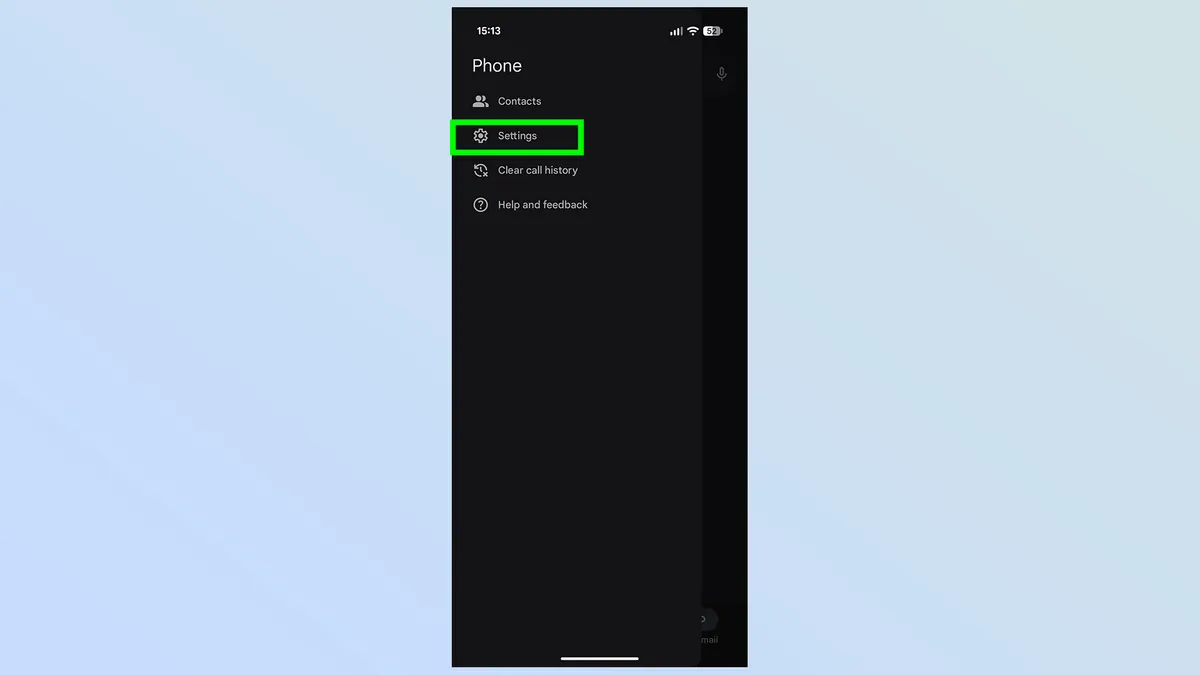
This opens a list of four options, and you'll want to tap Settings to continue.
3. Turn on Take a Message
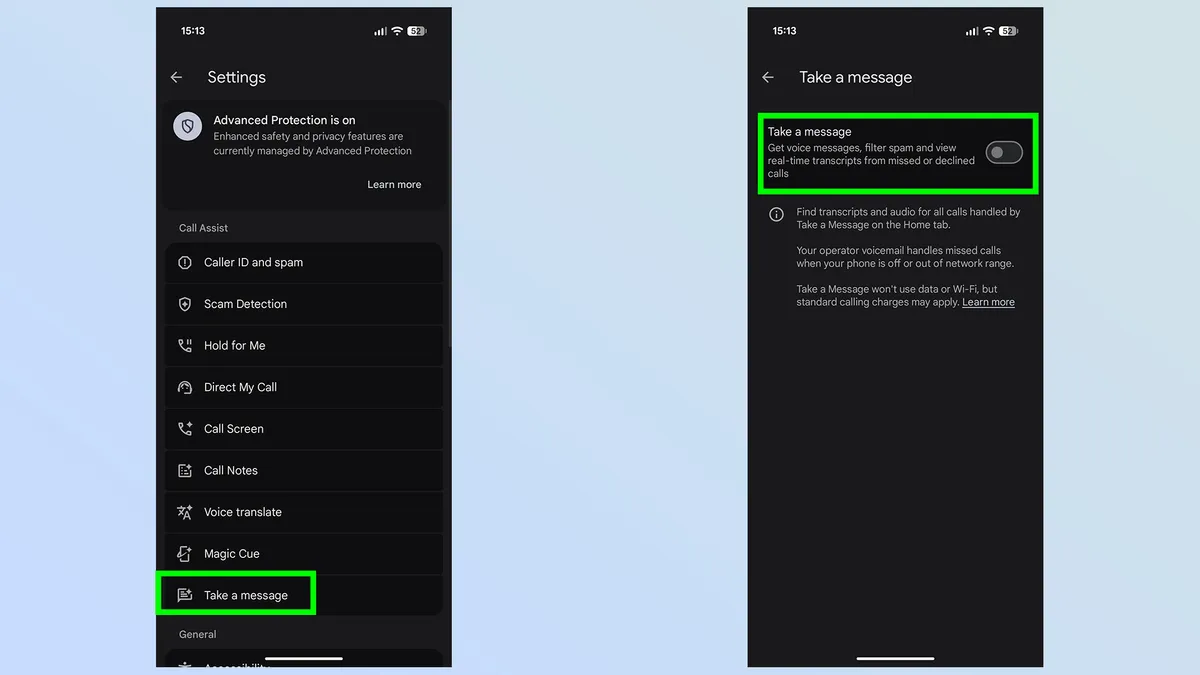
Next up, you'll want to find Take a Message in the list of options. It's right at the bottom of the Call Assist section, and means you won't need to scroll down to find it. Tap it, then toggle the Take a Message feature on in the next menu.
4. Wait for your messages
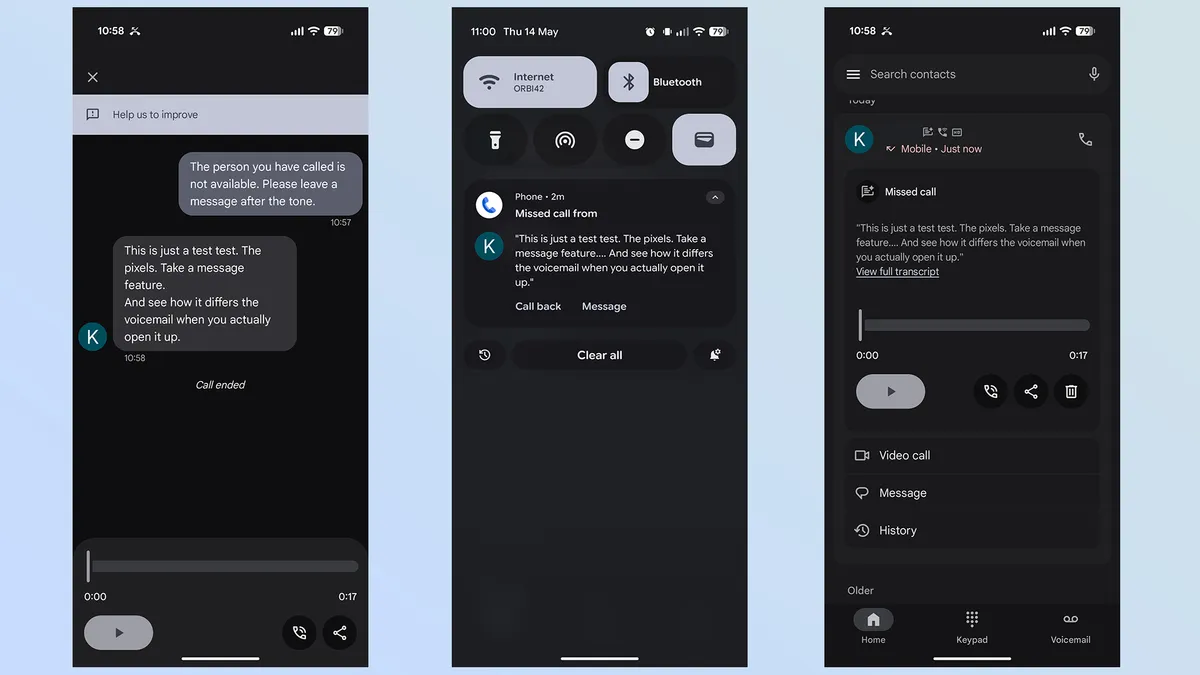
Once Take a Message is set up, it will interact almost exactly like a voicemail service. Callers will be informed that they can leave a message after the beep, and they simply leave the same voice message they always would.
On your end, you'll be able to see that someone is leaving a message as it happens, and once the message is complete, you'll receive a notification with a summary of the details. Tapping the notification or opening your phone app shows you who called, a transcription of the message and a recording for you playback.
Just remember that this message is stored in your call history, rather than the voicemail tab. That will remain empty unless someone actually leaves a message with you carrier's voicemail inbox.
There you have it. Take a Message is now switched on, and it means people no longer have to leave you voicemail messages the way they used to. Instead, it's all handled by an on-device AI that saves a recording of the call, transcribes the contents and gives you the option to listen or share that message to your heart's content.
Realistically, the functional difference between Take a Message and a visual voicemail service is minimal. If your carrier supports visual voicemail, and you have it set up already, you won't notice a whole lot of difference — and neither will the people calling you.
If visual voicemail has never been an option, then you're going to get all those benefits regardless of whether your carrier says you're allowed them or not.
This means that all Pixel owners get to enjoy a consistent voicemail experience, and one that keeps your messages a lot more secure than a normal voicemail inbox might. Hopefully, this feature expands to all Android phones in the future, or at the very least, those devices that don't offer their own take on Take a message already.

Follow Tom's Guide on Google News and add us as a preferred source to get our up-to-date news, analysis, and reviews in your feeds.
More From Tom's Guide
- 'Two-day battery life is a game changer': Honor Magic8 Pro's silicon-carbon battery is a wake-up call for Samsung and Apple
- Google is bringing AirDrop support to more Android phones — here are all the devices that will get it next
- Samsung Galaxy Z Fold 8 just tipped for July 22 launch at Unpacked — and it could be joined by Galaxy Glasses

