Tom's Guide Verdict
The Kiwibit Bird Feeder 2 is a smart bird feeder with a 4K AI camera that captures birds in your yard, and it can even detect humans too! It also offers the choice between battery and solar power and has a large seed capacity, which is easy to fill. However, although the app is free, you will have to pay for extra features.
Reasons to buy
- +
Easy to set up
- +
Plenty of capacity for seed
- +
Dual power options
- +
Multiple ways to install
Reasons to avoid
- -
Subscription required for added app features
- -
Small birds were discouraged to feed
Why you can trust Tom's Guide Our writers and editors spend hours analyzing and reviewing products, services, and apps to help find what's best for you. Find out more about how we test, analyze, and rate.
If you enjoy seeing birds flocking into your yard and are intrigued to know which species are flying in to feed, you could benefit from adding the Kiwibit Bird Feeder 2 to your yard.
Rather than guessing which feathered fellow has swooped in to feed, this smart bird feeder will capture and identify the species. However, you will have to pay extra for the app's bird identification feature, so be warned before you buy.
After testing the Kiwibit Bird Feeder 2 for a couple of weeks, I share my findings and compare it to other bird feeders my colleagues at Tom’s Guide have tested.
Kiwibit Bird Feeder 2: Specs
Price |
$179.99 ($229.99 Lifetime Ai Included) |
Subscription |
$7.99/month or $79.99 annually |
Seed capacity |
6.4 cups |
Weight |
3.9 pounds unfilled |
Connectivity |
WiFi 2.4GHz |
Power |
4.4W Solar panel; USB-C connection with 5200 mAh rechargeable battery |
Operating temperature |
-4 degrees F to 122 degrees F |
Camera |
4MPHD resolution with ultra wide lens |
Storage |
Cloud storage (1-day rolling), extended history with subscription. Micro SD slot built-in (but card not included) |
Kiwibit Bird Feeder 2: Price and availability
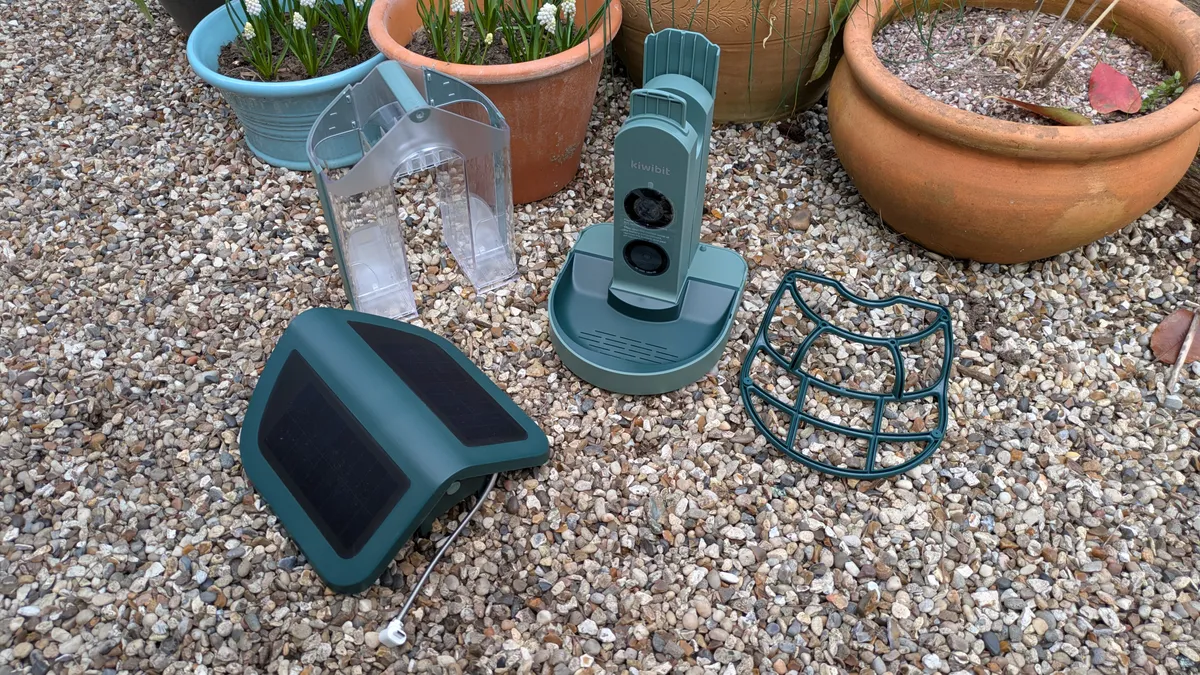
The Kiwibit Bird Feeder 2 is new to the market and currently available for $179 on Amazon, though the MSRP is $269. This is a $10 reduction from the price when I gave my first impressions of the Kiwibit Bird Feeder 2 a few weeks ago.
So, what do you get for your money? The kit comes with a dual feeder, a roof with a solar panel, a perch, wall and pole mount brackets, a strap, drill stickers, screws and a USB-C charging cable. The only thing it doesn’t include is a mounting pole and bird food.
How does it compare with other smart bird feeders on the market? The BirdKiss Smart Bird Feeder, is $84 at Amazon, less than half the price of the Kiwibit feeder. While FeatherSnap’s ScoutBird Feeder, is $127 at Lowes.
However, the Netvue Birdfy Feeder is $159 at Amazon, with an MSRP of $249, making it more similar in price to the Kiwibit Bird Feeder 2. And the Birdbuddy Pro is $239 at Amazon, with a higher MSRP at $299.
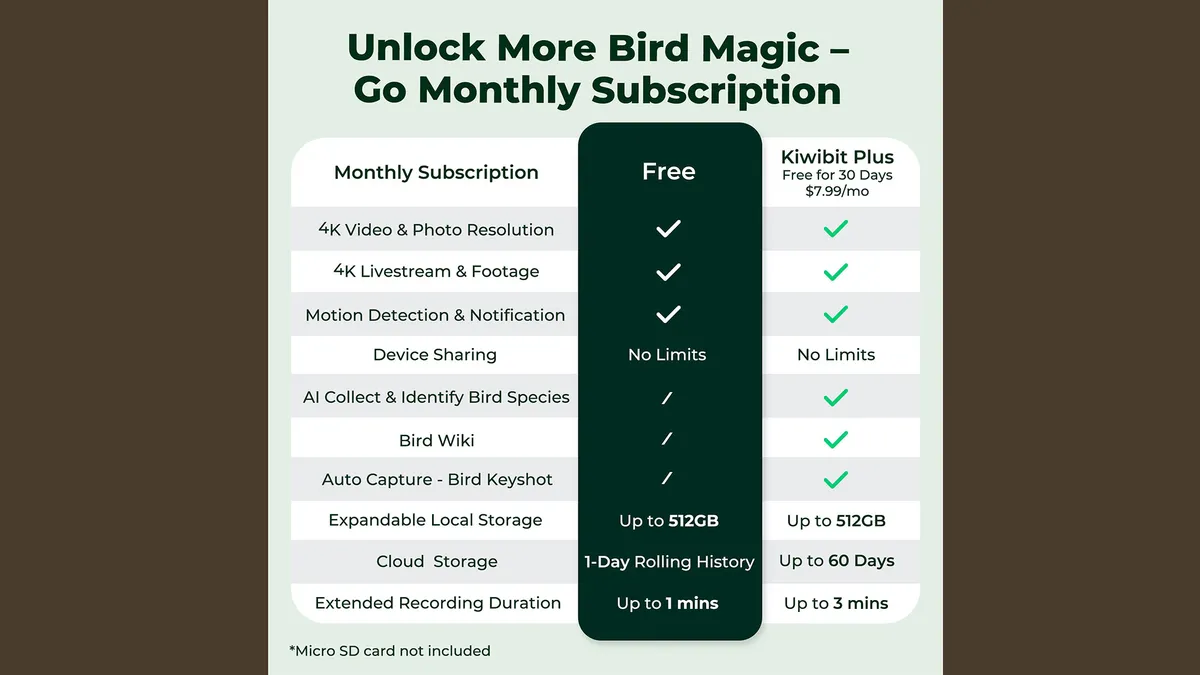
You’ll also need to factor in the extra cost to unlock advanced AI detection on the app, intelligent alerts and more. Although the basic functions are free, expect to pay $7.99 (£6.99) a month, or $79.99 (£71.99) a year for the extra features.
Kiwibit Bird Feeder 2: Design
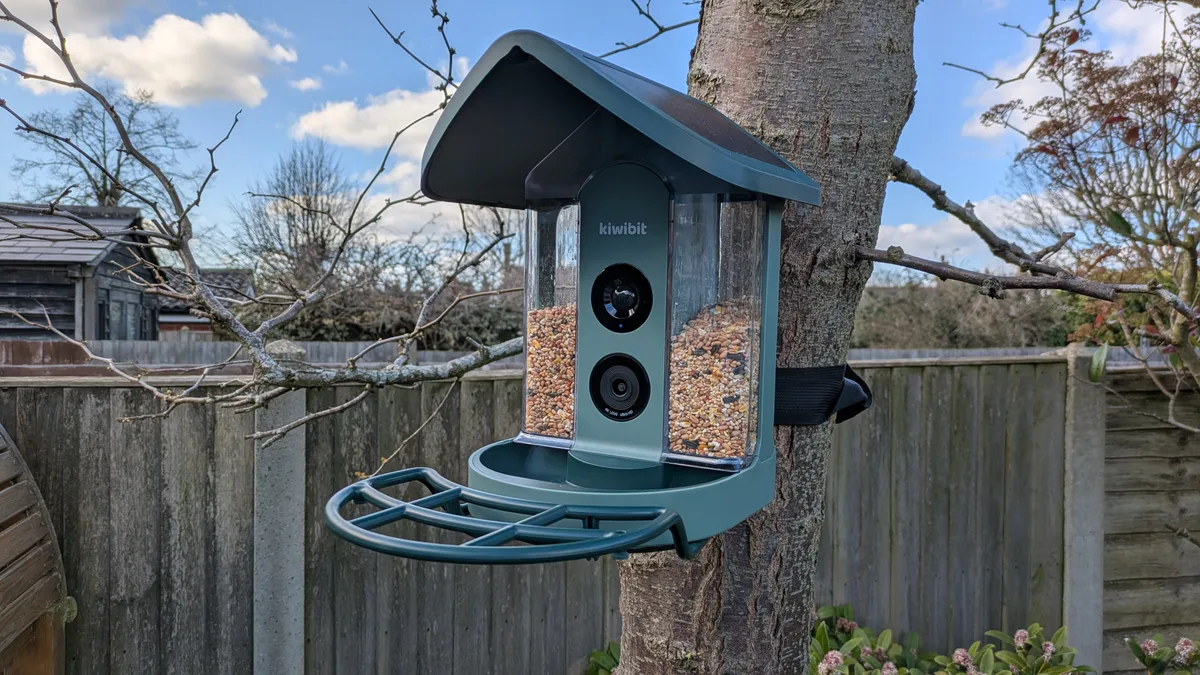
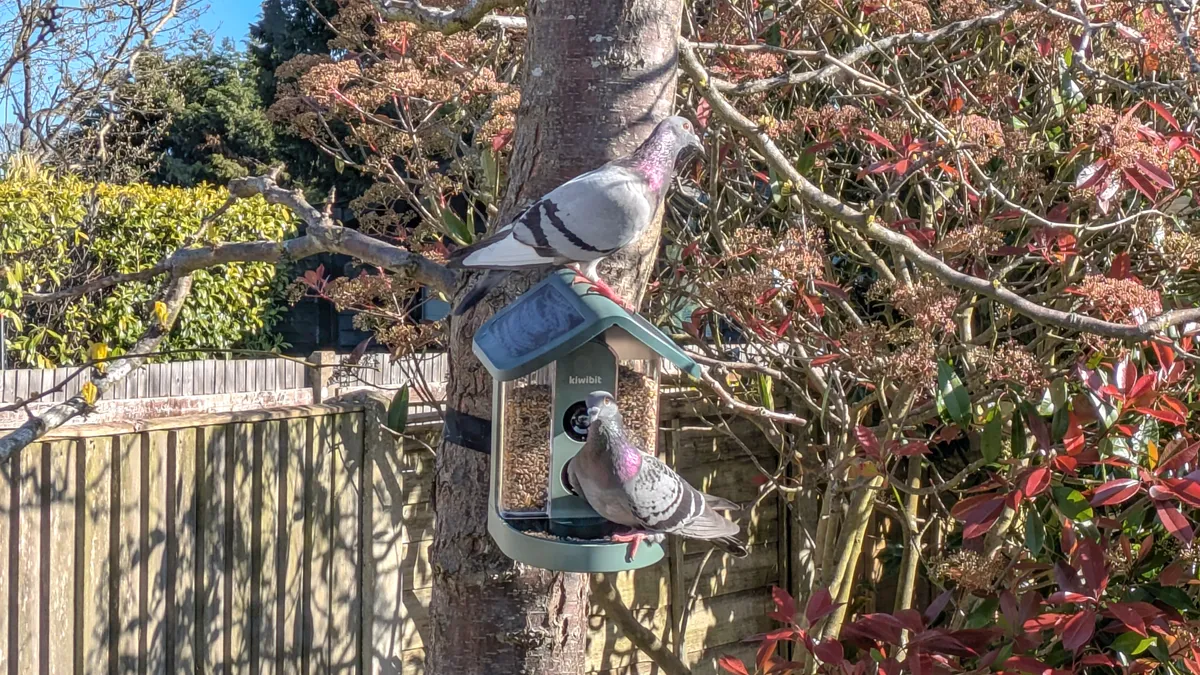
The plastic body of the feeder includes a roof with solar panels built in. However, you can rely on the battery if you position your feeder in a shady spot or if you get insufficient sunlight. But one big problem I found is that larger birds enjoyed settling on the roof, waiting their turn to feed!
If you do need to rely on the battery, it's positioned within the base of the feeder and is easy to remove and replace.
The feeder also comes with a perch, which screws onto the underside of the feeder. This is ideal if you have larger birds come to feed, although it isn’t retractable like the one on Feathersnap’s Scout Feeder.
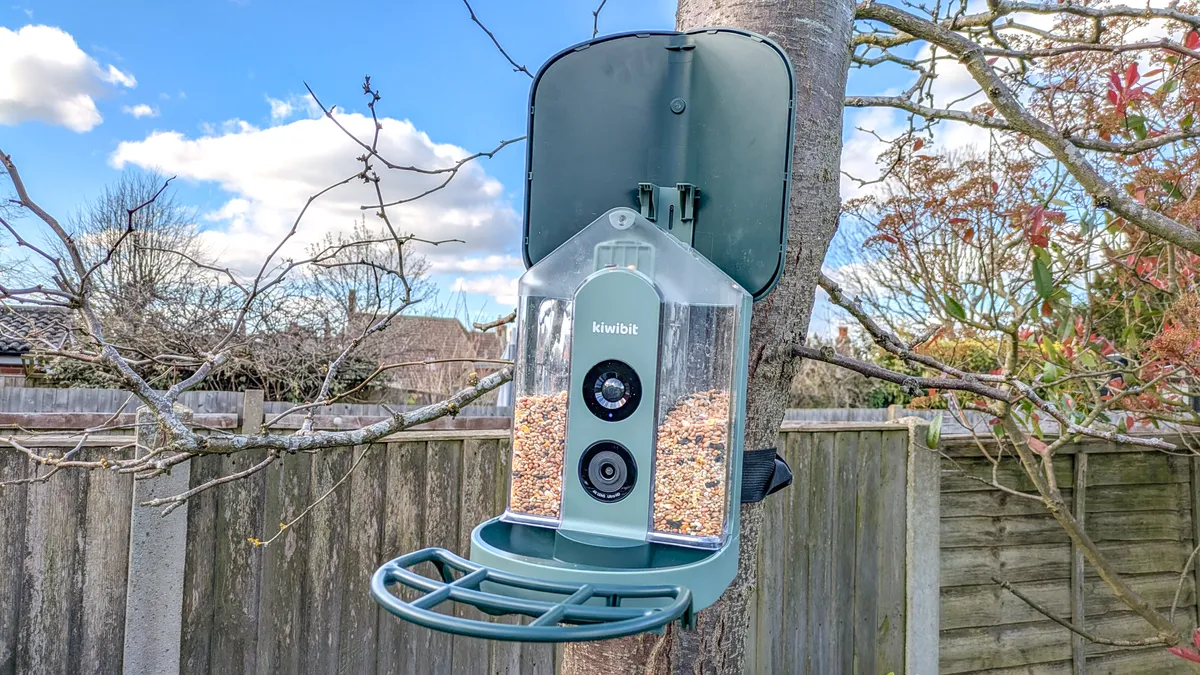
The roof lifts up to allow you to fill the feeder, which is split into two hoppers. Each hopper has its own release catch, so you don’t have to release food from both hoppers at the same time. The seed capacity is just over six cups' worth, which means you won't be filling up the hoppers every day.
There are three options for mounting the feeder. You can either use the mounting bracket and strap it to a tree, mount it on a wall or fence, or mount it on a post (post not included).
The camera is positioned directly to capture visitors and automatically takes photos of them. It has a 4K HD resolution and a 132-degree wide-angle lens to capture birds that prefer to perch on the periphery of the feeder. It features Wi-Fi connectivity on a 2.4Ghz band, and provides cloud storage for a 1-day rolling history, although an extended history requires subscribing to Kiwibit Plus on the Kiwibit app.
For added versatility, the feeder also includes two-way audio, with a built-in speaker and microphone. Apart from recording birds, it can also send an alert to deter unwanted intruders.
It's a solid product with all connections and buttons, well-sealed from bad weather, and it will operate down to -4°F.
Kiwibit Bird Feeder 2: Camera
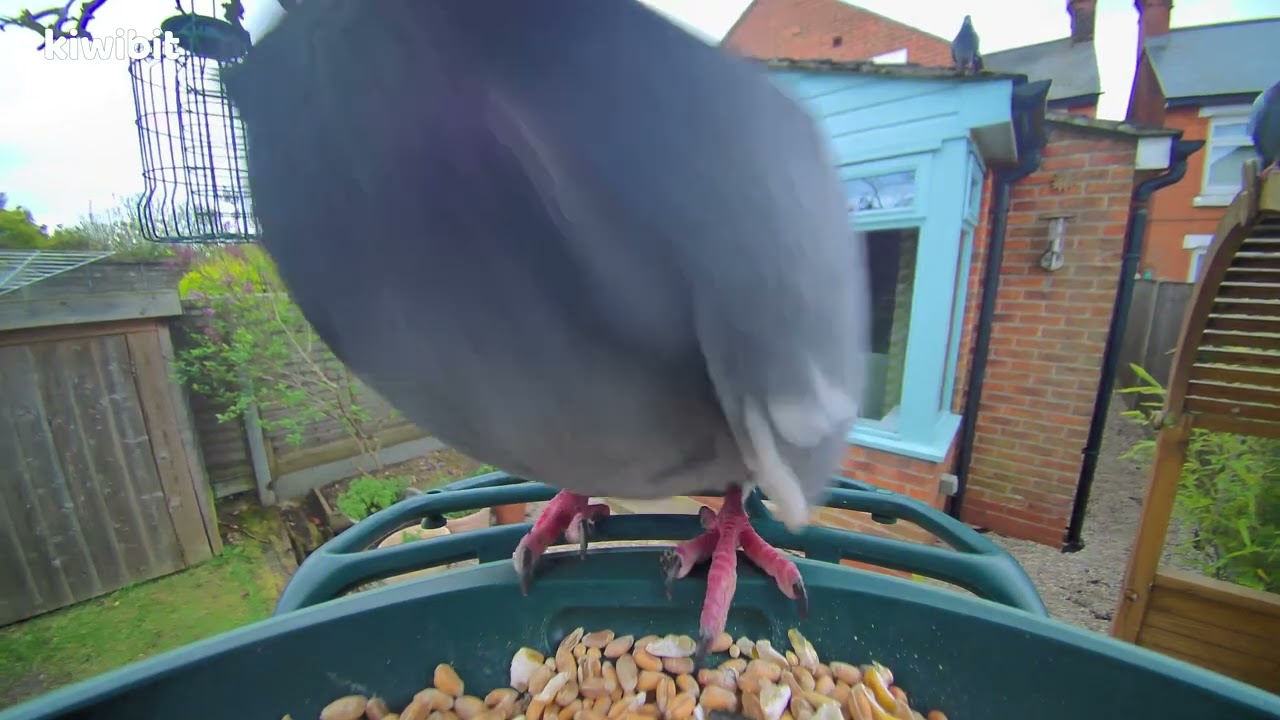
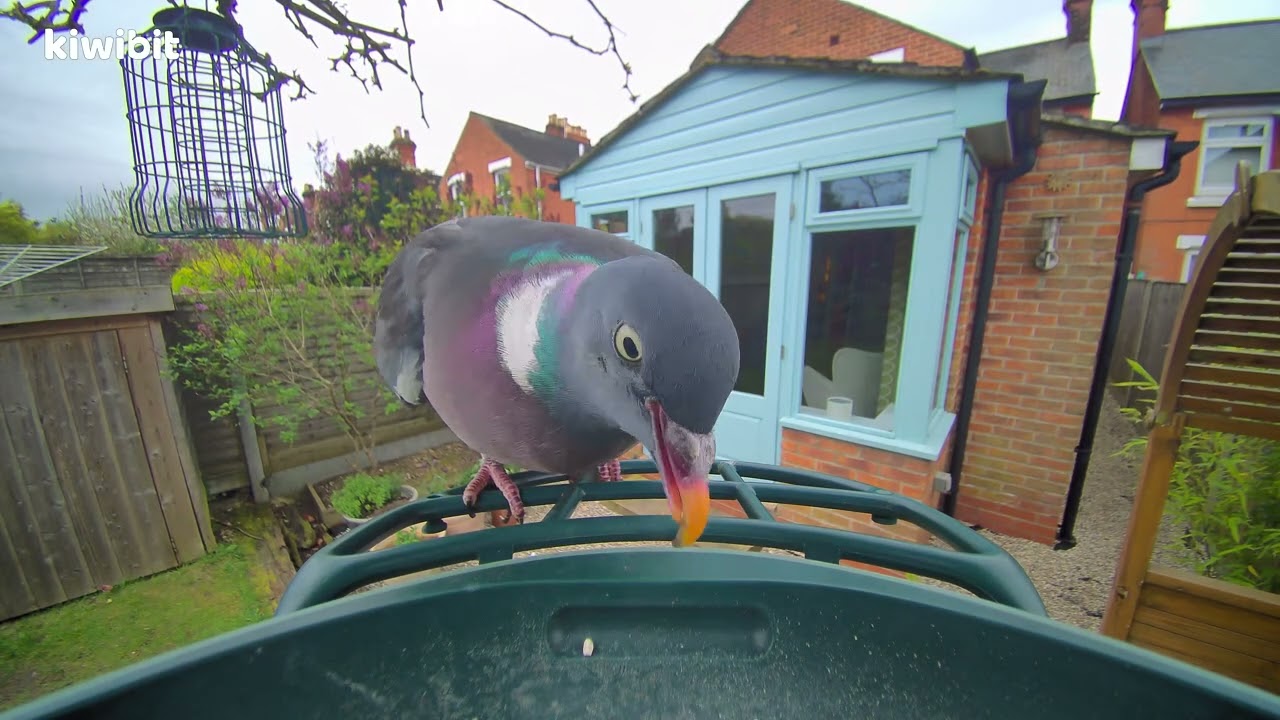
Having not reviewed a smart bird feeder before, I can only compare my camera experience with my colleagues when testing other feeders. I didn’t have any colorful birds visiting my feeder, such as Northern cardinals or American Goldfinches (I’m based in the U.K.) but I was pleased with the quality of the images nonetheless.
However, because I mostly had large birds, such as pigeons and doves, visiting the feeder, I didn’t get to see the regular small birds, which previously visited my standard hanging feeder. And I missed seeing their visits, which I’d hoped to capture.
You can change the camera settings via the app, but I was disappointed that these instructions weren’t included with the product or downloadable via the QR code. You have to navigate the app to make changes and discover what’s possible. For instance, you can set the camera to auto-night vision, change the light sensitivity, and set the time it's active.
Kiwibit Bird Feeder 2: App
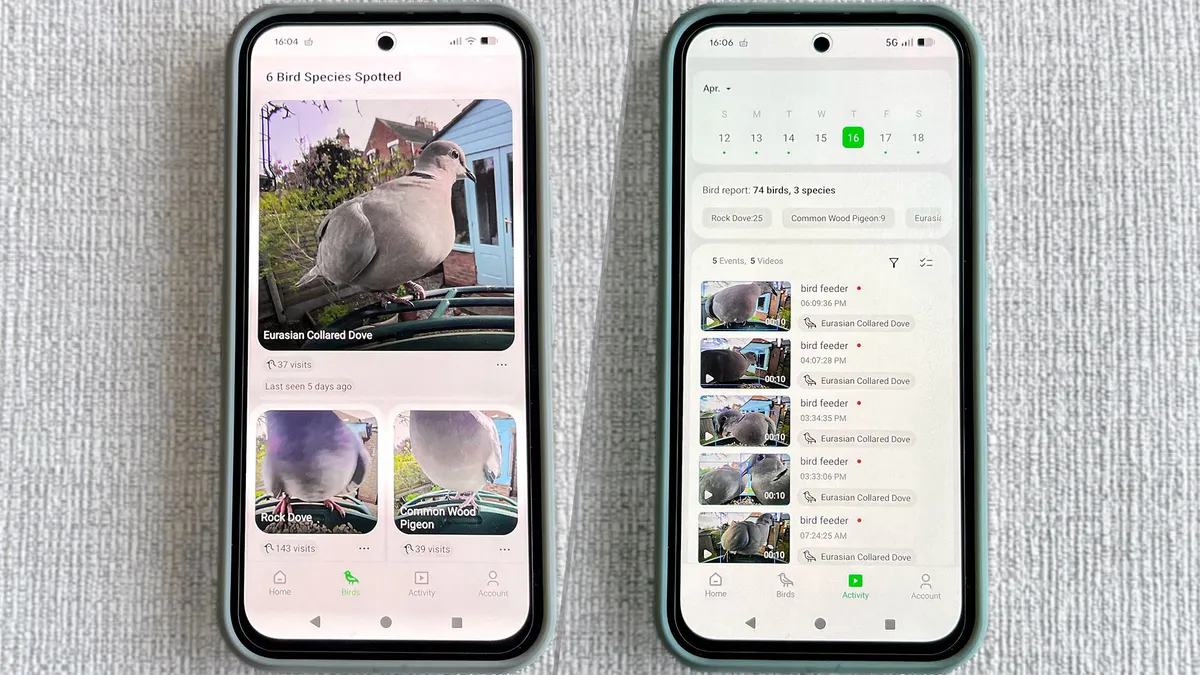
You need to use the app to get the most out of the feeder, otherwise you might as well buy a standard feeder. Although the app is free, you have to pay extra to unlock certain features.
Free app functions
With the free app, you can watch live recordings and benefit from 24-hour cloud storage, motion detection, notifications and limited sharing, so your family can also enjoy a bit of twitching too.
Kiwibit Plus
With Kiwibit Plus, your cloud storage extends to 60 days, and you receive smart notifications about bird activity and the detection of nuisance animals (one of which happened to be my husband). You can also customize your alerts to focus on key areas. I was able to try these paid-for features for free for the first month, which gives you the option to try before you commit.
Kiwibit Bird Feeder 2: Battery
I was impressed with the battery life, and with no solar charging at all, Kiwibit told me that the battery is designed to last at least 22 days.
You’ll also receive alerts when the battery is running low, so you won’t miss that one bird you’ve been waiting to visit. When using the solar panel, one hour of sunlight will provide about one day of use, but energy usage depends on the number of daily triggers and real sunlight exposure.
Kiwibit Bird Feeder 2: In use
I found the feeder was easy to put together and set up. But do set aside more than just five minutes to get everything connected and mounted.
I started off using the free app and found it offered plenty of functionality, though the main downside is that cloud storage is limited to 24 hours.
I love the AI identification feature, but because I have only a limited number of species visiting my yard, I can't determine its accuracy. As I mentioned, to my dismay, I found the larger birds that loved the seeds, scared off my usual crowd.
Although I could see the bird feeder from where I work, I enjoyed seeing how many birds came to visit on the app and receiving a daily activity update. I could also monitor when a species last visited.
I set the camera to operate for 12 hours a day, and on a set day, it recorded 55 birds across three species: rock doves, collared doves and wood pigeons. It will also allow you to track visit patterns, so you might find you have more activity in the early hours than later in the day.
App views
On the home page of the app you see the live feed. Switch to the 'Bird' tab to view the number of visits and species identified. If you then move to the 'Activity' tab, you can view 10-second videos of each visit, including audio.
You can also enable an alarm, which will sound if you spot an unwanted visitor, like a squirrel or raccoon. Handy if you don't want other well-fed animals to much your bird food and scare away the birds.
Kiwibit Bird Feeder 2: Verdict
I enjoyed using the bird feeder, and I think it’s still worth buying, even if you don't want to commit to paying for the extra app functionality that Kiwibit Plus provides. The one downside for me is the size of the feeder made it accessible to larger species. That meant the smaller birds I want to encourage to my yard were scared away. I only managed to capture one blue tit in several days of watching.
However, I do live in an urban area in the U.K. where pigeons are common, and from my experience, smaller birds also prefer suet balls, which aren’t suitable for this feeder. However, since reviewing this bird feeder, I have been advised to try adding mealworms to the hoppers to see if this helps attract the small birds.
It's fun watching the birds when you play back the videos, and hearing the audio is a big plus — it helps to bring everything to life. And I also enjoyed monitoring the different species feeding and the frequency with which they visited.
The Kiwibit Bird Feeder 2 isn’t the cheapest smart bird feeder on the market, but it is worth giving it some serious thought if you want a new viewpoint on your backyard visitors.

Follow Tom's Guide on Google News and add us as a preferred source to get our up-to-date news, analysis, and reviews in your feeds. Subscribe to Tom's Guide on YouTube and follow us on TikTok.
More from Tom's Guide
- How to feed the birds without encouraging rats — try this genius hack
- Bird Buddy has a new camera that can identify bees and butterflies
- You don't need a bird feeder — this hardy plant with bountiful berries will keep birds flocking to your yard