







While everyone is busy getting hyped about the Meta Ray-Ban Display glasses, the company also quietly announced the Ray-Ban Meta Gen 2 at Meta Connect. So now that we have a new generation of my personal favorite AI glasses, are they worth the upgrade?
It’s a good question, because there are several spec upgrades here, taking the tech found in the more recent Oakley Meta HSTN glasses and putting it in Ray-Ban frames. But a lot of the software and AI capabilities are coming to the Gen 1 glasses, too. So let’s get into what you get with both the $299 Gen 1 and and $379 Gen 2, and see whether that $80 extra cost is really worth it.
Ray-Ban Meta AI Glasses Gen 1 vs Gen 2: Specs
Feature |
Ray-Ban Meta (Gen 1) |
Ray-Ban Meta (Gen 2) |
|---|---|---|
Camera |
12 MP ultra-wide |
12 MP ultra-wide (upgraded sensor) |
Photo Resolution |
3024 x 4032 pixels |
3024 x 4032 pixels |
Video Resolution |
1080p |
Up to 3K at 30 FPS |
Storage |
32 GB |
32 GB |
Microphones |
5-microphone array |
5-microphone array |
Audio |
Two open-ear speakers |
Two open-ear speakers |
Processor |
Qualcomm Snapdragon AR1 Gen 1 |
Qualcomm Snapdragon AR1 Gen 1 |
Battery Life (Glasses) |
Up to 4 hours of moderate use |
Up to 8 hours of moderate use |
Charging Case Battery |
Up to 32 additional hours of charge |
Up to 48 additional hours of charge |
Water Resistance |
IPX4 (splash resistant) |
IPX4 (splash resistant) |
Design |
Wayfarer, Skyler, Headliner styles |
Wayfarer, Skyler, Headliner styles |
Ray-Ban Meta AI Glasses Gen 2 vs Gen 1: Design

The Ray-Ban Meta Gen 2 look exactly the same as the Gen 1 glasses. And I have zero problem with that. The Ray-Ban Metas are easily the most stylish AI glasses you can buy, and maintaining that same Wayfarer, Skyler and Headliner options is the right way to go here.
Dimensions remain exactly the same, and the only real difference you may feel is in the weight, as Gen 2 has gone up by two grams. In reality, as we found out in our hands-on testing, you won’t feel that change on the face whatsoever.
Ray-Ban Meta AI Glasses Gen 2 vs Gen 1: Camera
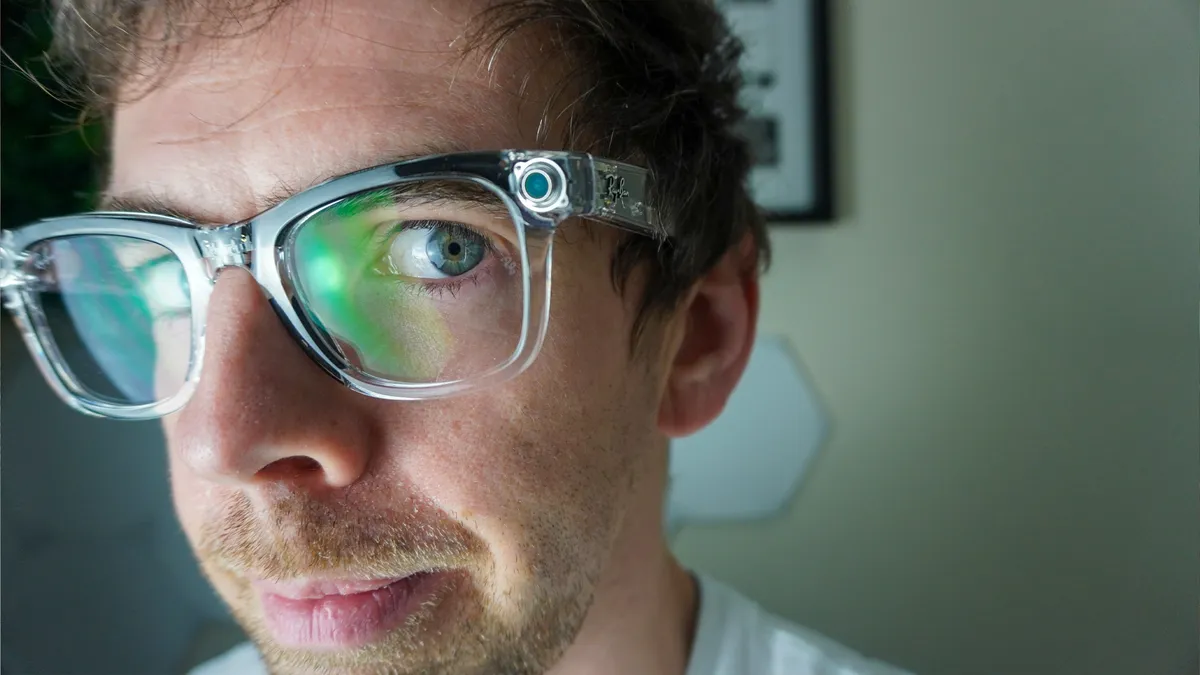
So what are the actual changes here? Well, it comes down to two things: camera and battery.
Looking to those feeling particularly snap happy, you’re getting a 12MP ultra-wide camera in the Gen 2 (just like the Gen 1), but a big upgrade has been made to video capture — giving you the options to film at 720p at 120 FPS, 1080p at up to 60 FPS and even 3K Ultra HD at 30 FPS.
Gen 1 is stuck at 1440 x 1920 at 30 FPS, which isn’t bad, but you’re getting more content capture options out of Gen 2, alongside stabilization too. You're also getting some slow-mo action with that higher frame rate (coming soon in a feature update).
Ray-Ban Meta AI Glasses Gen 2 vs Gen 1: Battery Life

The Ray-Ban Meta Gen 1 has a 160 mAh battery and is capable of up to 4 hours of use on a single charge. With the charging case you can get up to 32 hours.
Meta claims the newer specs can achieve up to 8 hours,. Plus the case gets an additional 16 hours of charge too, bringing the total to 48 hours.
Ray-Ban Meta AI Glasses Gen 2 vs Gen 1: Software and AI

This is where the split between Gen 1 and Gen 2 gets a little sticky. There are huge new features coming via a Meta AI software update to both pairs of smart glasses.
- Live Translation: Expanding the ability to translate conversations in real-time with new languages.
- Conversation Focus: A feature that uses the glasses' microphones to amplify the voice of the person you are speaking with while reducing background noise.
- Upgraded Meta AI: General improvements to the Meta AI assistant, including the ability to ask questions about what you are seeing and better conversational flow.
This probably comes down to both glasses using the same Snapdragon AR1 chipset inside, which will ensure both get the same speedy response.
Ray-Ban Meta AI Glasses Gen 2 vs Gen 1: Bottom line

To help you decide what to buy, I'll break down the types of people buying these glasses:
- I already have a pair of Ray-Ban Meta Gen 1 glasses: You don’t need to upgrade. Double the battery life and a better camera are definitely strong selling points. But with near-identical specs elsewhere and all the new Meta AI features coming to both models, you can probably stay put.
- I’m new to AI glasses and keen to get the best: That $379 price for the Gen 2 is more than worth it. For the uplift in stamina and the versatility of the camera, it feels like Meta has really ironed out the key frustrations that came with Gen 1.
- I’m new to AI glasses, but I also want to save money: Gen 1 is the right choice for you. At $299, you’re still getting a good pair of smart glasses with well-thought-out intelligence that is only getting smarter over time.
And all of this is before we start to see that developer SDK get used for all kinds of third-party apps on these glasses. Now is a great time to get into audio-only smart glasses, and Meta’s leading the way.
Follow Tom's Guide on Google News, or add us as a preferred source, to get our up-to-date news, analysis, and reviews in your feeds. Make sure to click the Follow button!
More from Tom's Guide
- Oakley Meta Vanguard hands-on: GoPro has some real competition
- Meta’s Hyperspace lets you scan the real world and turn it into the Metaverse — and create anything you want with new AI tools
- Meta is reportedly building dual-display smart glasses — one step closer to Orion, with a big catch

