Tom's Guide Verdict
With the best of everything, Asus’s ROG Rapture GT-BE19000AI combines warp speed tri-band Wi-Fi 7 with an AI engine to help any gamer blast the enemy or just reliably move data around the house. Too bad it costs so much.
Pros
- +
AI hardware boost
- +
Loads of multi-gig ports
- +
Top Wi-Fi speed and range
- +
Excellent gaming features and lighting effects
Cons
- -
Runs hot
- -
Expensive
Why you can trust Tom's Guide Our writers and editors spend hours analyzing and reviewing products, services, and apps to help find what's best for you. Find out more about how we test, analyze, and rate.
Wi-Fi Spec: BE19000
Number of Antennas/Removable: 8/No
Ports: Input WAN – 1 10 Gbps and 1 2.5 Gbps; LAN – 1 10 Gbps, 3 2.5 Gbps and 1 1 Gbps; USB 2.0 and USB 3.2 (Gen 1)
Processor/Memory/Storage: Quad-core 2.6 GHz/4GB/32GB; Synaptics SL1680 AI SOC with 4GB RAM/32GB storage
Wi-Fi chips: Broadcom BCM4916, BCM6726, BCM67263
802.11be performance: 2.580 Gbps (at 15 feet)
Range: 120 feet
Size: 13.6 x 13.6 x 8.4 inches
Estimated Annual Electricity Cost: $33
While its $900 price tag will likely bring a frown to the typical gamer’s face, Asus has gone all-out with its new ROG Rapture GT-BE19000AI, making it today’s top gun router. With the power to be the best router for attacking space stations, stealing inner city cars or tending your digital farm, it combines more than 2.5 Gbps of real-world throughput with game-boosting features and artificial intelligence.
Is it the right router at the right time? Read on to see if this is the best gaming router for your gaming PC or even the best Wi-Fi router for your whole home.
Asus ROG Rapture GT-BE19000AI: Design
While other router makers cherish small devices with internal antennas, Asus goes against the grain with the ROG Rapture GT-BE 19000AI. The black and white router is not only huge at 13.6 x 13.6 x 8.4 inches but looks like a cross between a mechanical spider and a hat rack, with eight protruding antennas. Passively cooled, its short legs allow cool air to enter underneath but it doesn’t have a fan which is why it tends to run hot.
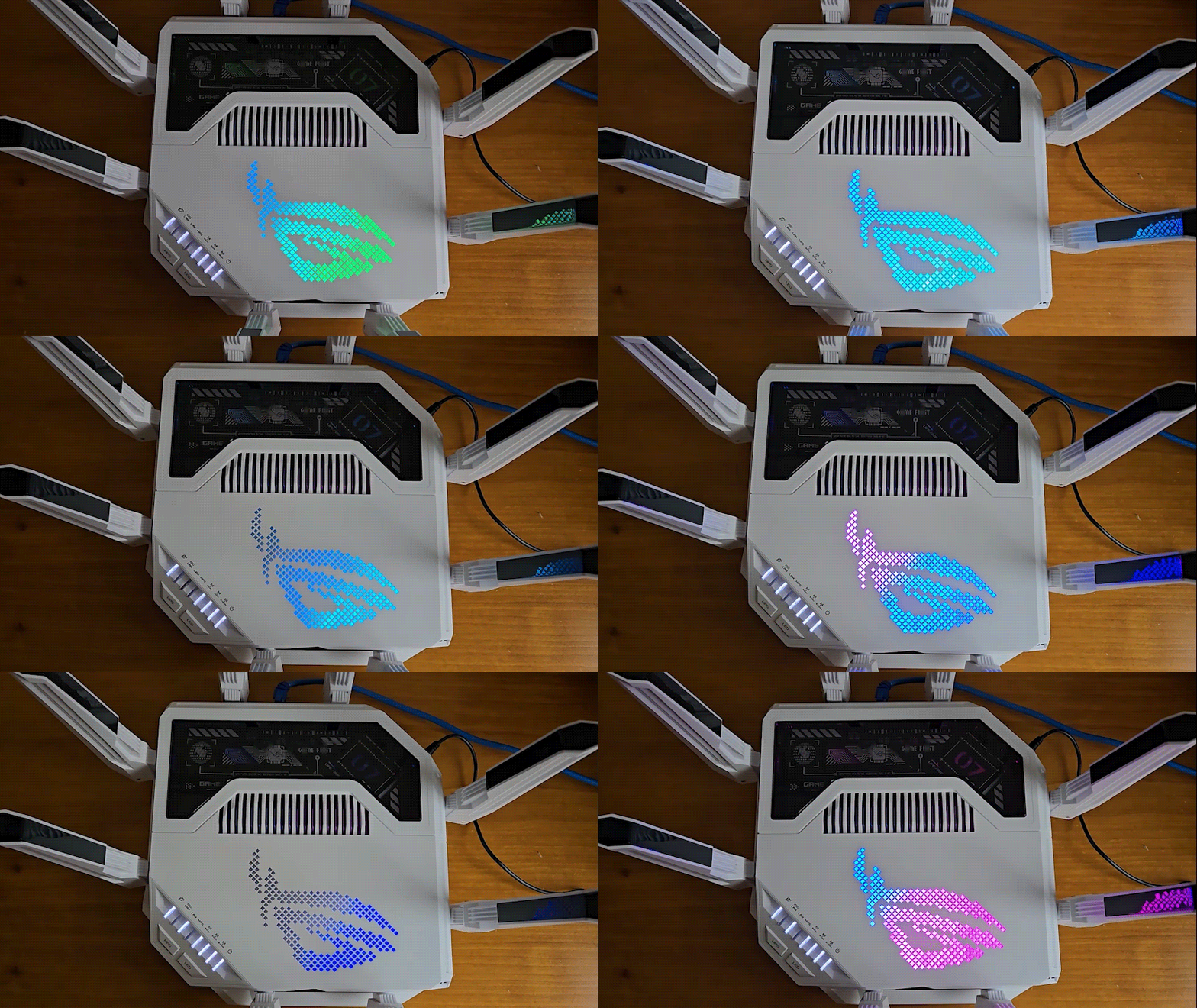
In addition to a window to peek inside the router – including the longitude and latitude for Asus’s Taichung City, Taiwan location – the top has individual lights for the basics as well as the ability to show three spectral patterns. They are chosen in the app and thankfully can be turned off. It lacks the TP-Link BE550’s info screen, although a red pattern shows when it’s offline.

One of the most capable home routers available, the GT-BE19000AI can move 12 data streams and tops out at max theoretical transfer rate of 18.669 Gbps. Its BE19000 rating combines ultra-wide 320MHz data channels, Multi-Link Operations and 4K Quadrature Amplitude Modulation (QAM). The latest firmware update adds AFC Automated Frequency Control for smoother operations.
It’s powered by three Broadcom chips: the BCM6726 (for 2.4 and 5GHz data), BCM67263 (for 6GHz) and the BCM4916’s 2.6GHz quad-core processor. It taps into 4GB of RAM and 32GB of storage and has a dedicated AI engine. The Synaptics SL1680 system on chip delivers 7.9 TOPS (trillions of operations per second) of neural processing, about the output of a desktop PC. With 4GB of RAM and 32GB of storage space, it runs machine learning models locally and works with Portainer containerized apps.

With both 2.5 and 10 Gbps WAN input ports, the GT-BE19000AI can handle multiple data sources and pairs well with gigabit data plans. In addition to a high-speed 10 Gbps gaming port, the router has three 2.5 Gbps and one 1 Gbps downstream port. There’re USB 2.0 and 3.2 ports for putting the contents of a connected drive on your network at up to 5 Gbps and can connect a mobile phone’s Internet connection during a blackout.
The router has keys to use Wi-Fi Protected Setup (WPS) for quick connections as well as for turning the lights off. There’s an on-off button.

Along with an included subscription to Asus’s AIProtection security software, the GT-BE19000AI has age-based child protection web screening and can block ads and tracking. Its three-year warranty is expected for a high-end router and its manual has lots of links to explanations and tips.
Asus ROG Rapture GT-BE19000AI: Performance
Using Keysight’s IxChariot networking benchmark to simulate 10 data-hungry users and the HP Envy X360 notebook next to the GT-BE19000AI, it moved 2.867 Gbps wirelessly. A wired 15-foot connection yielded 3.519 Gbps.

Using Wi-Fi, the router delivered 2.580 Gbps of real-world throughput at 15 feet, a 27% advantage over the TP-Link Archer GE650 at 2.019 Gbps. Perfect for the data hungry home, it’s plenty for gaming and 8K videos with some bandwidth left over for email and Spotify.
| Row 0 - Cell 0 | Asus ROG Rapture GT-BE19000AI |
TP-Link Archer GE650 |
Asus RT-BE96U |
Netgear Nighthawk RS700S |
15 feet |
2.580 Gbps |
2.019 Gbps |
1.948 Gbps |
1.773 Gbps |
50 feet |
1.006 Gbps |
552.5 Mbps |
392.7 Mbps |
691.8 Mbps |
75 feet |
528.3 Mbps |
238.2 Mbps |
402.1 Mbps |
187.6 Mbps |
90 feet |
49.1 Mbps |
4.3 Mbps |
31.4 Mbps |
40.6 Mbps |
With 50 feet separating the router and test system, the data flow broke the gigabit per second barrier at 1.006 Gbps – 45% better than the Netgear Nighthawk RS700S. The throughput dropped to 528.3 Mbps at 75 feet, well ahead of the RT-BE96U’s 402.1 Mbps.
The router finished by moving 49.1 Mbps at 90 feet versus the RS700S’s 40.6 Mbps. Its 120-foot range was among the best but left a few spots in my 3,500 square foot home uncovered.

Over three weeks of daily use, I sent emails, listened to music, watched videos and, of course, exercised my fingers with a few games. The GT-BE19000AI never let me or my family down and its light show became oddly hypnotic.
It’s a power hog at 26.0 watts, which fell to 19.3 watts with no data flowing. If it’s used for 8 hours a day but left on 24/7 it could cost $33 a year, assuming you pay the national average of 17.5 cents per kilowatt hour for electricity. That’s $10 more annually than the Archer GE650.

The GT-BE19000AI ran between warm and hot at 115 degrees Fahrenheit at the top vent. Others were closer to 100 degrees Fahrenheit.
Asus ROG Rapture GT-BE19000AI: Setup
Creating a functioning GT-BE19000AI LAN was straight-forward with an easy app-based setup. It came ready to roll with a braided Cat 7 Ethernet cable and thoughtful QR code underneath for connecting to my phone. The package included a sheet of reflective stickers.

Unfortunately, I had to redo the Wi-Fi network settings after installing a firmware update. Had I known, I would have saved the settings and ported them over. It took 11 minutes to complete.
Asus ROG Rapture GT-BE19000AI: Configuration
The Asus Router app’s functional home screen puts everything in your face. It shows the IP address, network name and links to the gaming goodies, like the AI-based balance loading.

The Router Assistant and Wi-Fi Insight helps mask the complexity of a modern configuration with simple choices. The Settings section integrates the router into an Asus AIMesh network, uses it with a VPN and sets up the parental controls. There’s a heavy-duty diagnostics section for seeing data traffic based on Wi-Fi band.

A connected browser shows the router’s Dashboard with a cornucopia of information and choices that’s so data dense I needed to zoom the browser to 33% to take it all in on a UHD screen; be ready to squint. In addition to LAN status and which physical ports are active, it shows data movement and traffic.
Asus ROG Rapture GT-BE19000AI: Gaming
The GT-BE19000AI provides lots of gaming help, like the AI Game Boost to provide your rig with the top data priority it deserves. It can use GTNet’s server acceleration network.

The app’s Mobile Game Mode shows current Ping and all-important variations as well as preset options for optimizing Xbox and Switch consoles. There’re settings for individual games like League of Legends and OverWatch as well.
Asus ROG Rapture GT-BE19000AI: Verdict
Thinking of the Asus ROG Rapture GT-BE19000AI as the fastest and best equipped gaming router around only tells part of the story. Sure, it excels with blazing 2.5 Gbps Wi-Fi throughput, the hottest wired ports and an AI boost for games. It’s also top shelf for filling a home with wireless data.
Getting it might gobble up a week’s take home pay but with all that going for it, the $900 router can bring a smile to the face of even the most jaded gamer. Bar none, the Asus ROG Rapture GT-BE19000AI is the best gaming router right now.