Tom's Guide Verdict
The Insta360 X6 improves on its predecessor, the X5, in many key ways. There’s a new image sensor and revised processor for improved imaging performance. It offers better battery life and more waterproofing, too, plus easier controls and a smaller profile. Finally, Insta360 has updated the screen to OLED and added internal storage. Despite all that, it isn’t perfect. It suffered some overheating in lab tests, although this won’t be an issue on the move. And I’m not a fan of some core functions now being automatic, sacrificing creative control. Those are minor issues, though. My biggest qualm is the sky-high starting price of nearly $700, which makes the older model look like better value for money.
Pros
- +
Fantastic (and improved) imaging
- +
360° versatility
- +
Excellent battery life
- +
Smaller than the X5
- +
OLED screen and internal storage (finally)
Cons
- -
Sky-high price
- -
Reduced control over audio WR modes
- -
Overheated in lab tests
Why you can trust Tom's Guide Our writers and editors spend hours analyzing and reviewing products, services, and apps to help find what's best for you. Find out more about how we test, analyze, and rate.
As I write this in August 2026, Insta360 just dropped the X6, and I spent the month before launch testing it. The X6 succeeds the fantastic Insta360 X5 — already the best 360 camera around for most people.
Indeed, for a long time, Insta360’s cameras (the 360 ones anyway) have been miles ahead of any rivals. For a while, they were the only 360 cameras capable of shooting 8K. Recently, though, rivals have closed the gap, with 8K cameras like the DJI Osmo 360 and GoPro MAX2.
To answer, Insta360 has made some fundamental updates to the X-line formula. The X6 gets larger sensors than the X5, a revamped processor, a boost in 8K frame rate, an OLED display, and built-in storage. All in a more compact, usable package than its predecessor, too.
So, is this the new champ? Find out in my full Insta360 X6 review.
Insta360 X6 review: Specs
Starting price |
|
Max video resolution |
8K/50fps (360); 5K/60fps, 4K/100fps (Single lens) |
Sensors |
2x 1/1.1-inch |
Stabilization |
Yes. |
Screen |
2.32-inch OLED touchscreen |
Internal memory |
47GB |
MicroSD slot |
Yes |
Pre-recording |
Yes |
Wireless mic hookup |
Yes, via Bluetooth |
Wired mic hookup |
Yes |
Connectivity |
Bluetooth, Wi-Fi, USB-C |
Water resistance |
66ft (20m) |
Battery |
2,600 mAh |
Size |
3.9 x 2 x 1.6 inches |
Weight |
6.9 ounces |
Insta360 X6 review: Price & availability
The Insta360 X6 comes in black or white and starts at $699 / £619 for the standard bundle, which includes very basic accessories. I’d recommend the Essentials bundle, which costs $799 / £709. Insta360 always prices high, and the global memory crisis is probably partly to blame, but that’s still an astronomical price.

The X5 and DJI Osmo 360 launched $150 cheaper at $549, while the GoPro MAX2 undercut everyone when it launched at $499. GoPro and DJI regularly discount their stuff, though, while the X5 hasn’t had noteworthy reductions to date.
Insta360 will keep selling the X5 at or near its original price (probably discounted more frequently), with the X6 positioned as the aspirational flagship upgrade. The thing is, the X5 is still better than anything else on the market save the X6. And given the X6’s crazy price, I’ll continue recommending the X5 to most people — while still pricey, it’s the best balance of price and performance.
Insta360 X6 review: Design & controls

Insta360 has made major improvements to the X6’s design. At 3.9 x 2 x 1.6 inches and 6.9 ounces, the X6 is shorter and a fraction lighter than the X5. This makes it easier to mount in smaller places and less drag-inducing at speed when helmet-mounted.
There’s now an OLED display, which is nicer-looking than the X5’s LED, more responsive and brighter. I did most of my testing in bright summer sunlight, but never had issues seeing the display.
Obviously, as an Insta360 product, the X6 feels extremely high quality and built-to-last. The same is also true of the X5, MAX2 and Osmo 360.
Controls
Insta360 has tweaked the controls for the X6’s glove-wearing primary audience (motorcyclists, mountaineers, skiers, etc). The X5’s ‘Record’ button was very fiddly to press in gloves and while concentrating elsewhere — a potential safety issue. Insta360 has fixed this on the X6, moving it up from the lower rear to the side, and making it lighter to press. In the heat of the moment, it’s way easier to hit.

There’s still a touch-screen ‘Record’ button where the X5’s physical button was, plus a ‘Full Screen Press’ setting (long-tapping anywhere on the screen will start recording). I found both even more frustrating than the old button. Full Screen Press constantly wanted more or less force and required way too much concentration to get right — again, dangerous at speed.
In-depth control happens in the menu. With all the new features added, Insta360’s menu is getting a little busy, so it might take a little getting used to. You can also control the camera via your smartphone, which is easier given the larger screen real estate, but not applicable to risky situations like motoring, skiing or flying.
Mounting

The X6 mounts via a 1/4-inch thread — the default for action-footage accessories — giving you plenty of mounting options. There’s also a proprietary quick-release mounting system (adapter sold separately), which is useful for specific mounts requiring extra stability and quick, easy latching (like on a helmet).
Lenses

Just like the X5, the X6 has interchangeable lenses. Insta360 has redesigned them to be more scratch-resistant, easier to replace and cheaper. Win, win, win!
Interchangeable lenses are fantastic. I’ve had more than one 360 lens damaged by flying stones from trucks. A few years ago, the only solution was lens covers, which affected sharpness. Now you needn’t choose between safety and image quality.
Waterproofing
Insta360 has boosted the X6’s waterproofing to 60 feet (20m) from the X5’s 49 feet (15m). That’s good news for underwater 360 shooters, giving an extra five meter buffer. The Osmo 360 is safe down to 33 feet (10m), while the MAX2 only manages 16 feet (5m).
Connectivity

The X6 features a USB-C port for charging, file transfer and wired accessories hookup — all standard on 360 cams. You can also hook up microphones wirelessly, like the Insta360 Mic Air ($69), and pair wirelessly to the Insta360 app for camera control and file transfer. And for motorcyclists, the X6 pairs wirelessly with Sena, Cardo and other comms systems.
Insta360 has given the X6 internal storage (finally!!!), so you can still shoot if you fill or forget a MicroSD card. Transferring files from internal storage is also faster than using cards — important for large 8K files. DJI has done this for ages, so I appreciate Insta360 catching up, but the X6’s 47GB is under half the Osmo 360’s 105GB.
Insta360 X6 review: Stabilization
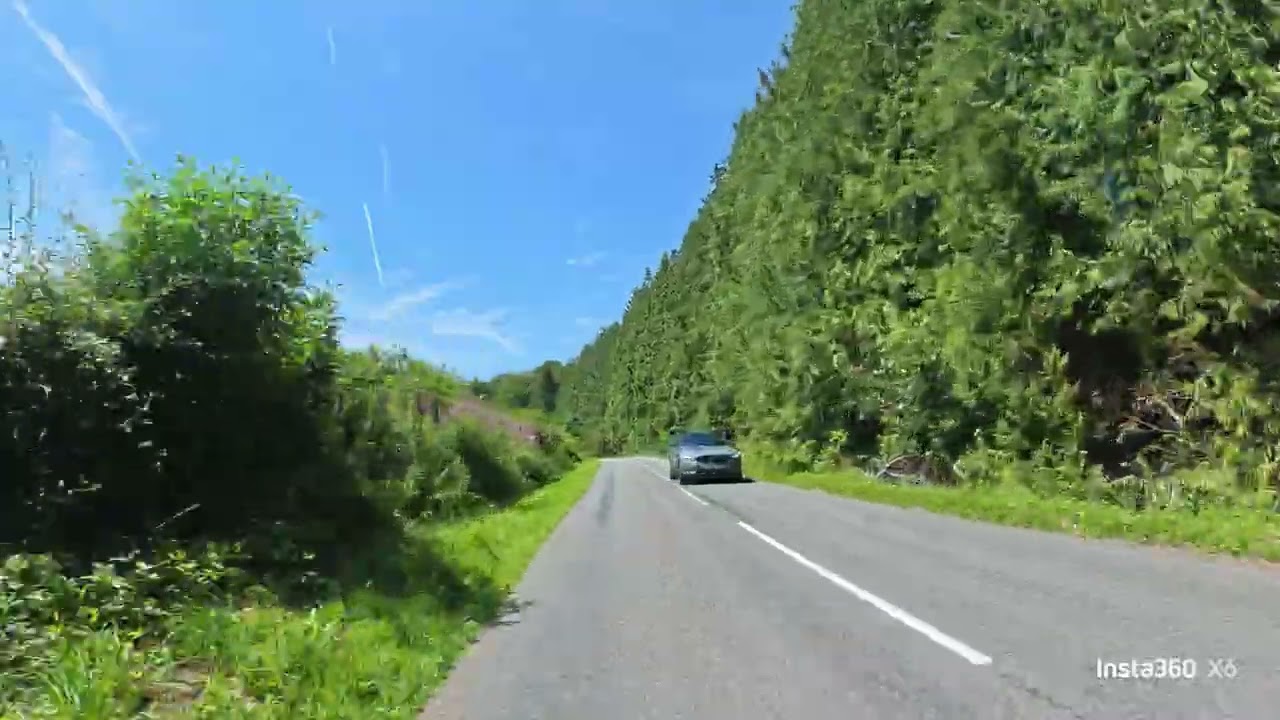
There’s little difference between Insta360’s, DJI’s and GoPro’s 360 stabilization. They’re all solid, and the X6 is no exception. 360 footage looks effortlessly smooth, as you can see in the 360 reframed video (in the video section).
I noticed some juddering in the X6’s single lens mode, as you can see above, but not always, as the footage directly below is nice and smooth with exactly the same settings. You can enable a Jitter Blur Reduction mode which I’d advise keeping on to avoid issues.
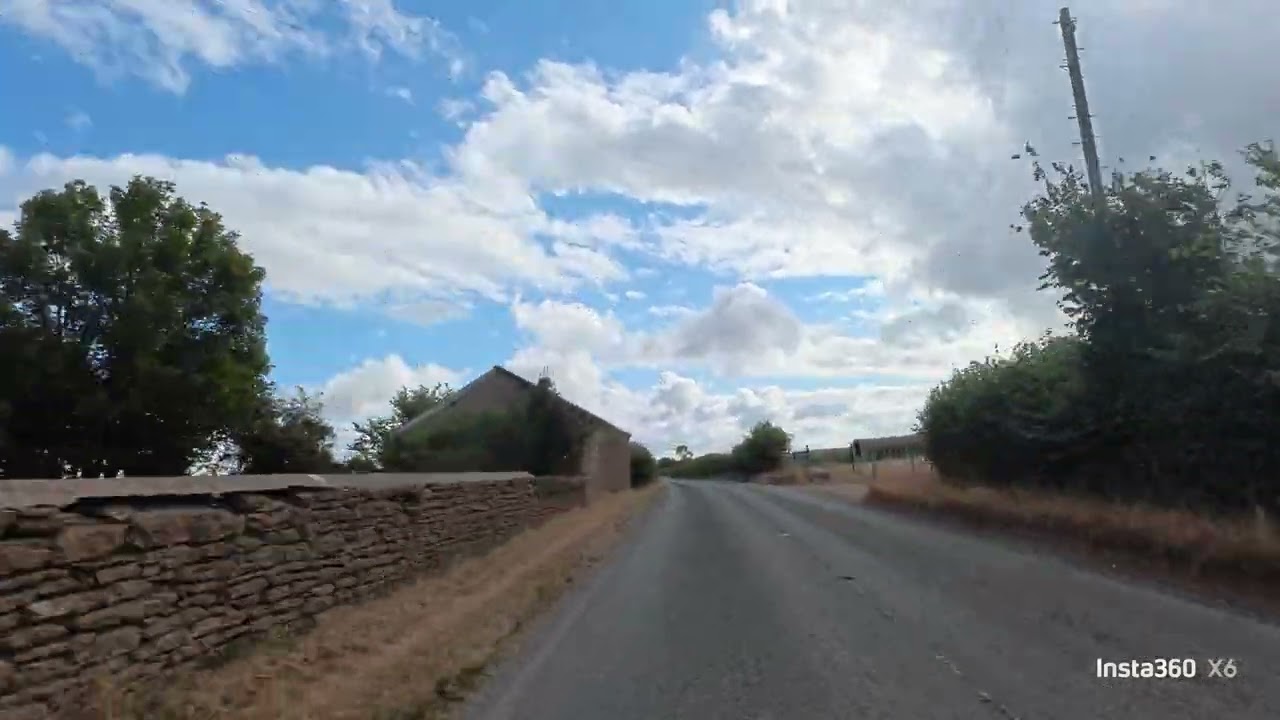
Aside from the Jitter Blur mode, you can’t control stabilization on the X6 (unlike previous models and rivals). In single-lens mode, there’s a Horizon Lock setting, but that’s it. This isn’t really an issue for me, as I can’t think of a situation where I’d want anything less than maximum stabilization when using a 360 camera.
Insta360 X6 review: Video
Insta360 has given the X6 some major core upgrades versus the X5. Most importantly, there are two new, larger 1/1.1-inch square Sony sensors. Combined with a revised 4nm processor plus two dedicated video chips, the X6 is good for 13 stops of dynamic range, with cleaner images (i.e. less noisy) in low light.

The maximum frame rate at 8K has been boosted to 50fps (from 30fps on the X5), matching the Osmo 360. While not as smooth as 60fps, it’s nice to have something higher than 30fps for fast-paced content. YouTube supports 50fps uploads, although watching 50fps on a 60Hz display risks juddering issues as the two rates won’t always align perfectly.
8K/60fps would be a huge improvement, but is too technically difficult right now (hence no manufacturer managing it). At 8K, a 60fps frame rate is simply too much for today’s 360-cam processors to handle, given the unique demands they already have — processing two sensors, real-time stitching, encoding, managing memory bandwidth and thermal throttling etc. This is “not currently supported due to hardware limitations,” Insta360 told me, but you can bet it’s probably working on it.

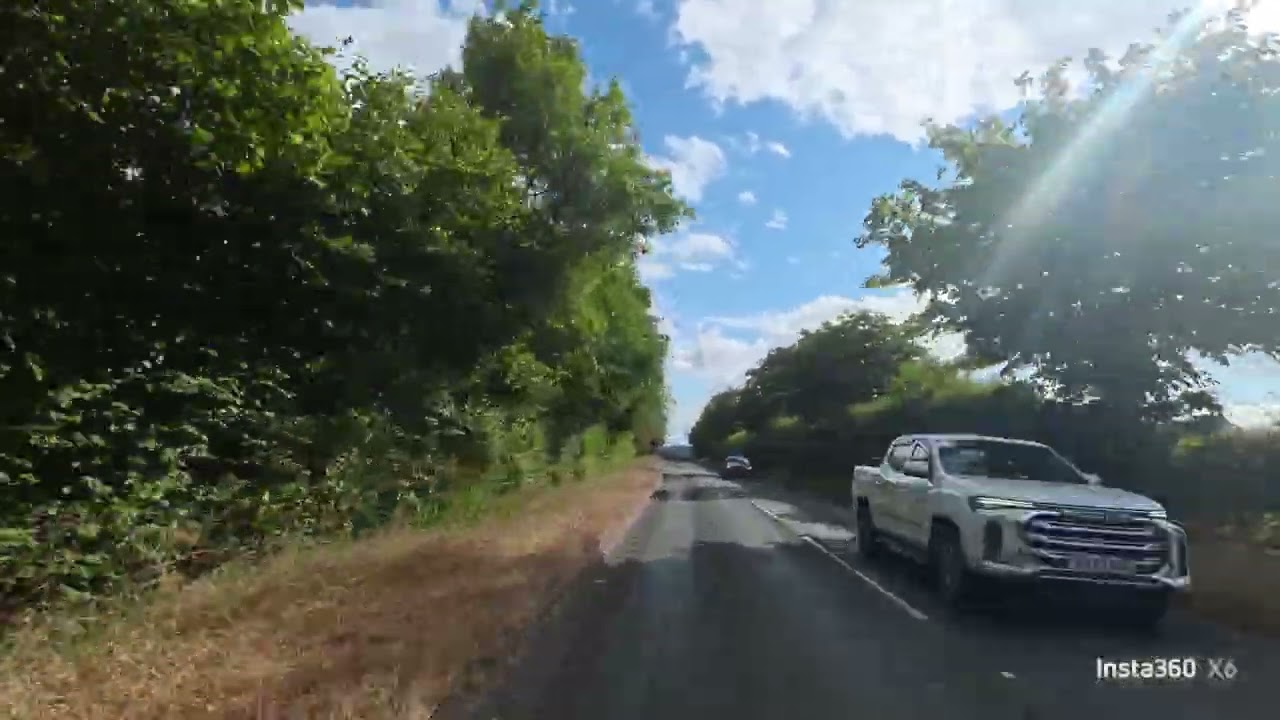
Anyway, footage from the X6 looks lovely. In the default profile, colors (especially blues and greens) pop in the sunlit footage above, looking vibrant and saturated but still natural. There are the usual range of in-camera color profiles, with more available in the app later on. The sensor and auto-metering handled the challenging light too, effortlessly adjusting exposure as the footage transitions from bright sunlight to shadowy woodland. The wide dynamic range was also on display here, with lots of detail in the shadows under trees, yet very little visible noise in darker areas.

I noticed some minor lens artefacting, with very slight color fringing in high contrast areas (known as chromatic aberration). This was only visible when pixel peeping on still photos, though, and wasn’t noticeable in motion video. You can also see blurring in image corners, but this is down to the barrel distortion of those ultra-wide lenses, and to be expected.
360 video
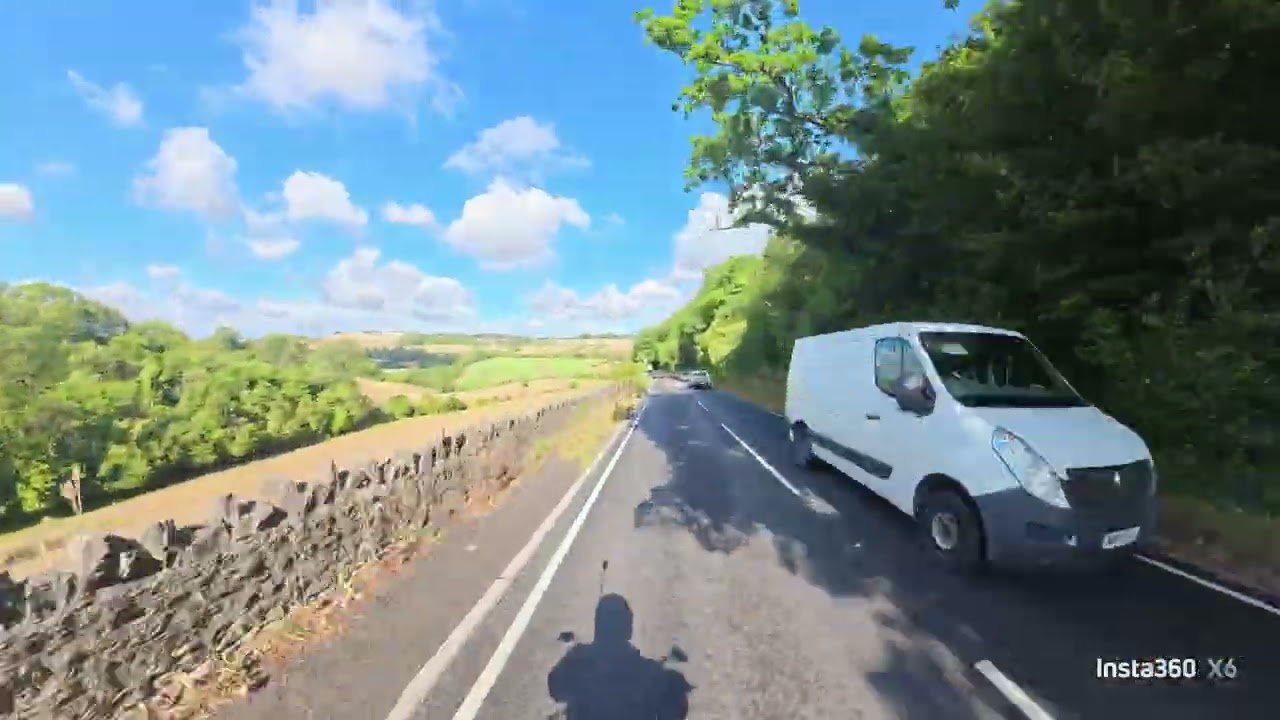
The most important benefit of any 360 camera is the ability to shoot first, frame later. With a little practice in the app, you can edit the X6’s 360 footage so the frame is anywhere you want within the entire spherical capture. You choose precisely which camera angle you want at all times. In the footage below, the field of view (FoV) switches to the side to show off the beautiful landscape, then back to the road — you couldn’t do this with a fixed single-lens action camera.
360 capture also gives you the flexibility to get creative with crazy effects, like the Tiny Planet view, as you can see in the video below. In that video, you can also see the invisible selfie stick benefit (my hand appears empty, even though the camera was on a stick). This makes it look like the camera is floating.

As always with Insta360, the X6’s stitching is really good. 360 cameras work by taking the images from two sensors and lenses with +180-degree fields of view, then stitching together to form a 360-degree video. On the X6, stitching lines are barely noticeable in 4K output. I had to zoom in extremely closely to see the fuzzy-ish stitch, but there weren’t any jarring overlaps or jagged edges.
Single-lens
You can also use the X6 in single-lens mode (now called “Flat mode”) at up to 60fps in 5K or up to 100fps in 4K. If you only need a single-lens camera, I would instead advise the DJI Osmo Action 6 ($426) — it’s designed specifically for that job and just better at it all round.
Still, it’s great to have both options on a 360 camera, which is why I love them. The X6’s single-lens mode is good enough for most uses, but you get the enormous versatility of 360 recording too.
Pro features

The X6 is primarily intended for content creators. You don’t get the same level of professionally-geared features as the GoPro MAX2. However, Insta360 has added a few handy bits, including I-Log for wide dynamic range capture, plus Dolby Vision and Dolby Atmos surround sound audio — the Dolby features could make the X6 a viable secondary camera for pros shooting in those spaces.
Low light
I’m thoroughly impressed by the low light performance of the two new sensors, in addition to the noise processing of the revised 4nm chip. As you can see in the footage below, low light video looks absolutely great.
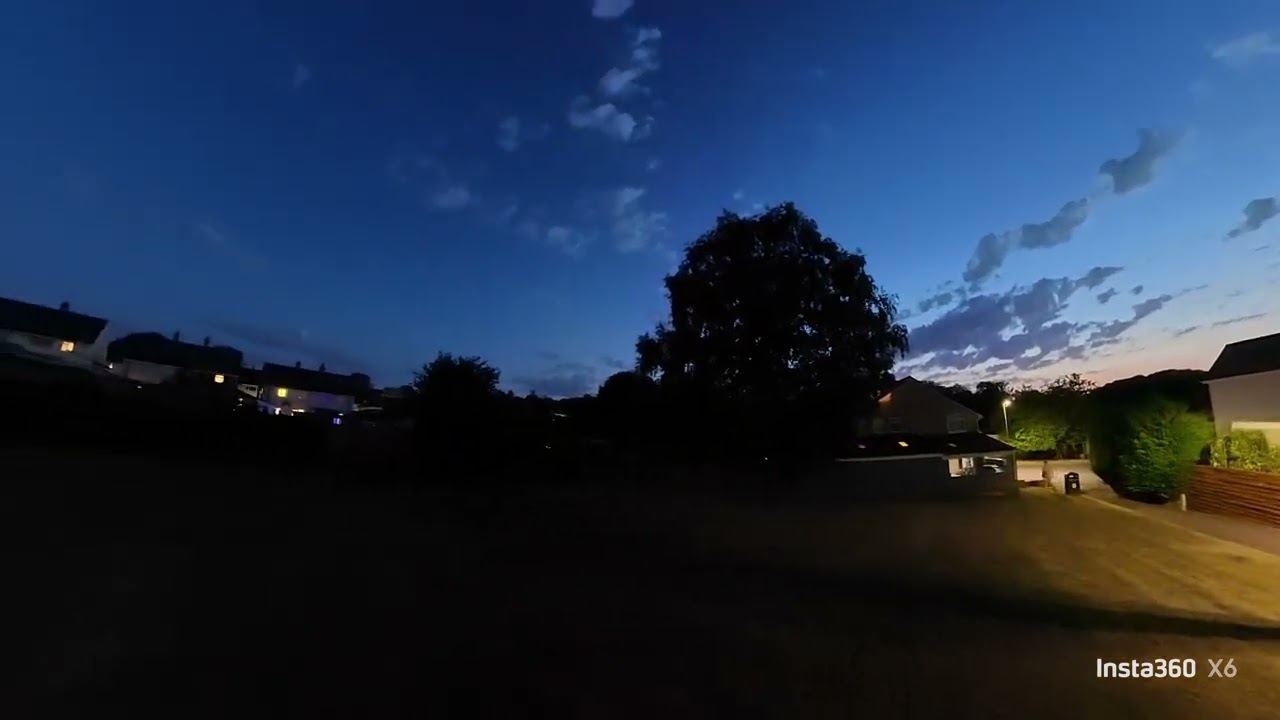
This was shot in the camera’s PureVideo low light mode at 8K/30fps. The X6 has boosted the exposure to brighten the scene (it was very dark in real life), revealing details in the sky and brightening up areas lit by the dim street light. There’s a little loss of sharpness, especially noticeable at the corners, from the smoothing effects of noise processing, but it’s nothing serious, and well worth the sacrifice given the minimal amount of visible noise in frame — especially in those super dark shadows.
Insta360 X6 review: Audio

The X6 features a similar mic array as the X5, including the built-in wind guard on the front. Insta360 has added lots of new features in the audio department. There’s now an “Auto Wind Reduction” mode which detects wind buffeting and automatically adjusts noise reduction. As always with Insta360’s wind reduction algos, it works really, really well. Performance in motorcycling footage (very windy) is on par with the high level of reduction on the X5. Check out the comparison video below to see the difference between Wind Reduction and Stereo (i.e. no reduction).
While I appreciate not having to flick between levels manually, I liked having the X5’s ‘low’ option there to manually select as a happy go-between. Wind Reduction thins out sound, so it’s nice to have a level of control over it, if circumstances demand. The X6's auto reduction seems to effectively always be on 'strong'.
The X6 now has an “Engine Sound Enhancement” mode, to keep focus on engine noise in motoring footage. Again, I think it works really well. The sound is a little muted, with much more of a focus on lower tones than footage shot only using Wind Reduction. Depending on the engine/exhaust you have, that may not deliver the sound you’re actually looking to capture. But hey, it works.
The “Intelligent Audio Mode” adapts all audio settings based on the detected environmental sound. This is a super neat feature, as it’ll let you seamlessly switch between different styles of footage without needing manual changes to audio settings. It’ll turn on Engine Sound Enhancement by default, though, unless you ensure that mode is unticked.
For less noisy environments, the X6 has a “Vocal Priority” mode, and can hook up wirelessly to Insta360 and other Bluetooth mics, making this an all-in-one vlogging solution.
Insta360 X6 review: App
The Insta360 app has long been the best smartphone app for 360 editing, packing the most features and the easiest straight-to-smartphone/social workflow. And at its core, it’s still just that — it’s the same app, with a strong roster of features, plenty of polish and the easiest 360-degree editor around.

But I’m a little confused by changes to the app. Insta360 has overcomplicated things a little — it’s like the manufacturer doesn’t know when to stop tinkering. Before you get into the main 360 timeline editor, there’s a new clip editor to edit individual clips before loading them into a main timeline. This is clunky and lacks most basic editing features. Moving into the full timeline editor afterwards, you can do everything that was in the preliminary editor, and all to individual clips on the timeline. So what’s the point in passing everything through a hamstrung editing layer beforehand?
Anyway, the app is still great, although if you're going to be doing lots of editing for YouTube, I'd advise you use the Insta360 Studio desktop app, which provides much greater control. You can also use the ReFrame plug-in available for Premiere. There's still no DaVinci Resolve plug-in confirmed though.
Insta360 X6 review: Battery & overheating

I stress test all cameras for battery life and overheating indoors at 4K/60fps. The X6’s new 2,600mAh battery lasted for just under 117 minutes. That’s 30 minutes longer than the X5 (87 minutes) and 27 minutes longer than the MAX2 (90 minutes). It’s also five minutes longer than the Insta360 X4 ($424) and Osmo 360 (both 112 minutes). Great performance.
The Insta360 X6 gets very hot to the touch at 4K/60fps and overheated after 33 minutes in warm ambient conditions (we had a heatwave here in Britain). In cooler conditions which aligned to my usual tests, it lasted 56 minutes. Better, but still worse than the X5, X4, Osmo 360 and MAX2, none of which overheated in the same test. That said, this is a stress test performed in fixed conditions for comparison purposes. On the move with the benefits of windchill, the X6 didn’t overheat once.

In 360 mode, at 8K/30fps, the X6 managed just under 155 minutes and didn’t overheat once, which is especially impressive, unmatched in fact. Recording at higher frame rates is where the true strain lies, though. At 50fps, it overheated after 25 minutes (and again every 20-25 minutes) but managed to record another impressive total of 90 minutes. Once again, outside of my stress test environment, windchill will dramatically reduce those overheating issues.
At their maximum 8K/30fps settings, the X5 managed 72 minutes while the MAX2 lasted 73 minutes — neither overheated. The Osmo 360, meanwhile, managed 112 minutes at 8K/30fps but only 30 minutes at 8K/50fps, both without overheating.
Insta360 X6 review: Verdict

Insta360 threw the kitchen sink at the X6, and I appreciate that. The manufacturer has pushed itself (as it always does) to better the technical performance of the X5, and succeeded at a core level. Imaging is better on the X6 than the X5, as is handling, battery life and waterproofing.
I’m not a fan of certain modes now being automated, as I feel this sacrifices creative control, but that’s not a huge issue. And while the X6 suffered more overheating than other 360 cameras in our lab tests, in reality that shouldn’t be a problem on the move.
I scored the Insta360 X5 our full five stars, and I stand by scoring it higher than the X6 today. The main problem is the X6’s price: a $699 start price is frankly crazy. Simply put, if you want the best balance of performance for money, the five-star X5 is still the better all-rounder. But if you want the best-of-the-best 360 camera from a technical standpoint, it has to be the X6. You’ll just need deep pockets.
360 cameras compared
Insta360 X6 |
DJI Osmo 360 |
GoPro MAX2 |
Insta360 X5 |
|
|---|---|---|---|---|
Starting price |
||||
Max Res/fps |
8K/50fps |
8K/50fps |
8K/30fps |
8K/30fps |
Sensors |
2x 1/1.1-inch |
2x 1/1.1-inch |
2x 1/2.3-inch |
2x 1/2.8-inch |
Stabilization |
Yes |
Yes |
Yes |
Yes |
Touchscreen |
2.32-inch OLED |
2-inch LED |
1.82-inch LED |
2.5-inch LED |
Replaceable lenses |
Yes |
Yes |
Yes |
Yes |
Internal memory |
47GB |
106GB |
None |
None |
MicroSD slot |
Yes |
Yes |
Yes |
Yes |
Pre-recording |
Yes |
Yes |
Yes |
Yes |
Wireless mic hookup |
Yes |
Yes |
Yes |
Yes |
Connectivity |
Bluetooth, Wi-Fi, USB-C |
Bluetooth, Wi-Fi, USB-C |
Bluetooth, Wi-Fi, USB-C |
Bluetooth, Wi-Fi, USB-C |
Waterproofing |
66ft (20m) |
33ft (10m) |
16ft (5m) |
49ft (15m) |
Battery capacity |
2,600mAh |
1,950mAh |
1,960mAh |
2,400mAh |
Tested 360 runtime (8K/30fps) |
155 mins |
112 mins |
73 mins |
72 mins |
Tested single-lens runtime (4K/60fps) |
117 mins |
112 mins |
90 mins |
87 mins |
Size |
3.9 x 2 x 1.6 inches |
2.4 x 1.4 x 3.1 inches |
2.5 x 2.7 x 1.9 inches |
4.9 x 1.8 x 1.5 inches |
Weight |
6.9 ounces |
6.4 ounces |
6.8 ounces |
7.05 ounces |