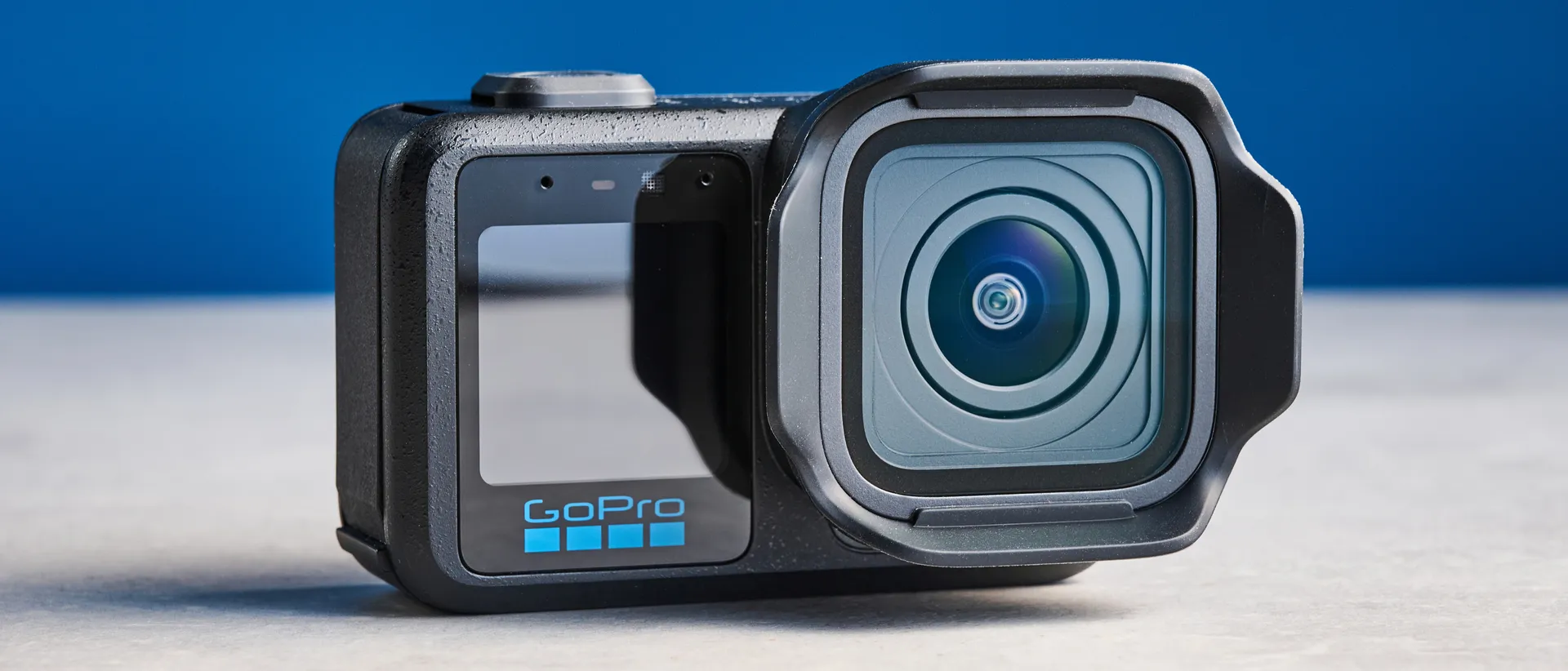
Tom's Guide Verdict
The GoPro Mission 1 Pro is designed, spec'd and priced at pros. It shoots beautiful footage, effortlessly stabilized. The internal audio is surprisingly good, and battery life is best-in-class by a strong margin. But what sets this camera apart is the flexibility it gives to professionals and hardcore content creators, letting them tailor shooting to their workflow and/or client needs. It's super pricey, but that won't be too much of an issue for its target market.
Pros
- +
8K/30 4:3 open gate and 8K/60 16:9
- +
Unrivalled pro features
- +
Solid internal audio
- +
Excellent battery life & thermals
- +
Available in a M43 lens version
Cons
- -
Ultra pricey
- -
Chunky
Why you can trust Tom's Guide Our writers and editors spend hours analyzing and reviewing products, services, and apps to help find what's best for you. Find out more about how we test, analyze, and rate.
If you're wondering what the GoPro Mission 1 Pro and its siblings (the Mission 1 and Mission 1 ILC) are, there's both a simple answer and a complicated one.
The simple answer is that these action cameras are designed entirely with pros and hardcore creators in mind. When I say pros, I mean literal professional video producers: whether that's action sports filmmakers shooting The North Face's next YouTube documentary up in some Himalayan death zone; jobbing videographers filming anything from weddings to commercial client work; or even full-scale Hollywood movie producers.
When I say hardcore creators, I mean experienced content creators producing high-end stuff for YouTube. GoPro designed this camera not for beginners shooting TikToks, but to instead capture content creators further down their experience pipeline, when they start to get really serious. In both respects, the Mission 1 family is designed to be a portable alternative — perhaps replacement — to traditional full-sized mirrorless cameras and/or cine gear.
The complicated answer is, well... complicated. GoPro's struggles and share price are no secret, and in my opinion, it needed to innovate and pitch away from chasing mass consumer market share — it hasn't got much hope there globally, due to DJI cornering the market with its low prices. That's one for another article, though.
So, how is the Mission 1 Pro camera? And who should buy it? Find out in my full GoPro Mission 1 Pro review.
GoPro Mission 1 Pro review: Specs
Starting price |
|
Max video resolution |
8K/60fps |
Sensor size |
1-inch |
Rear screen |
2.59-inch OLED touchscreen |
Front screen |
1.4-inch LCD touchscreen |
Internal memory |
None |
MicroSD slot |
Yes |
Pre-recording |
Yes |
Loop recording |
Yes |
Live streaming |
Yes |
Connectivity |
Bluetooth 5.3, Wi-Fi, USB-C |
Water resistance |
66ft (20m) |
Battery |
2,150 mAh |
Operating temp |
-4°F-113°F (-20°C-45°C) |
Size |
3.15 x 2.05 x 1.74 inches (80.1 x 52.1 x 44:3 mm) |
Weight |
7.3 ounces (207g) |
GoPro Mission 1 Pro review: Price & availability
The GoPro Mission 1 Pro’s only real con is its price. At $699 / £599, it’s eye-wateringly expensive. You can shrink that to $599 / £509 with a GoPro subscription, while the lower-spec Mission 1 costs $599 / £529 (or $499 / £439 with a GoPro sub). Still not particularly appealing to general consumers.
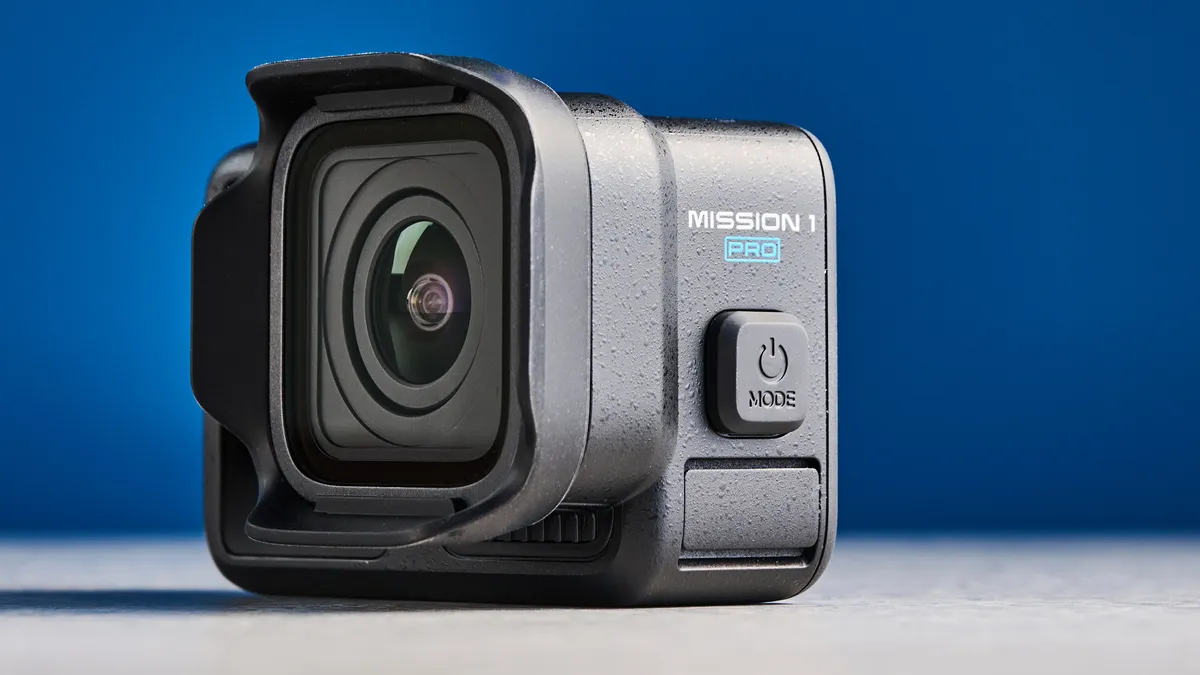
There’s also the $699 / £599 Mission 1 Pro ILS, ($599 / £509 with a GoPro sub) which has a mirrorless interchangeable lens mount to fit manual focus M43 lenses. This makes it unique in the market and worth the spend if you want to do some creative filmmaking with your GoPro and M43 lenses.
But let me just return to that “not particularly appealing to general customers” bit. See, as I mentioned up top, the M1/M1 Pro aren’t really intended to be. The GoPro Hero13 Black is still on sale, and GoPro has confirmed to me that the Hero line isn’t dead. Those are for general consumers and casual creators.
Like I said, the M1 Pro is designed to be a professional alternative to a mirrorless and/or cine camera. Instead of trying to cram an A7S III or FX3 into a tight space, GoPro wants you to use the M1 Pro instead. And it's spec'd to give the kind of person who would own one of those other cameras what they need. In that light, to its target audience, the M1 Pro is actually an affordable alternative to extremely expensive pro gear.
GoPro Mission 1 Pro review: Design & controls
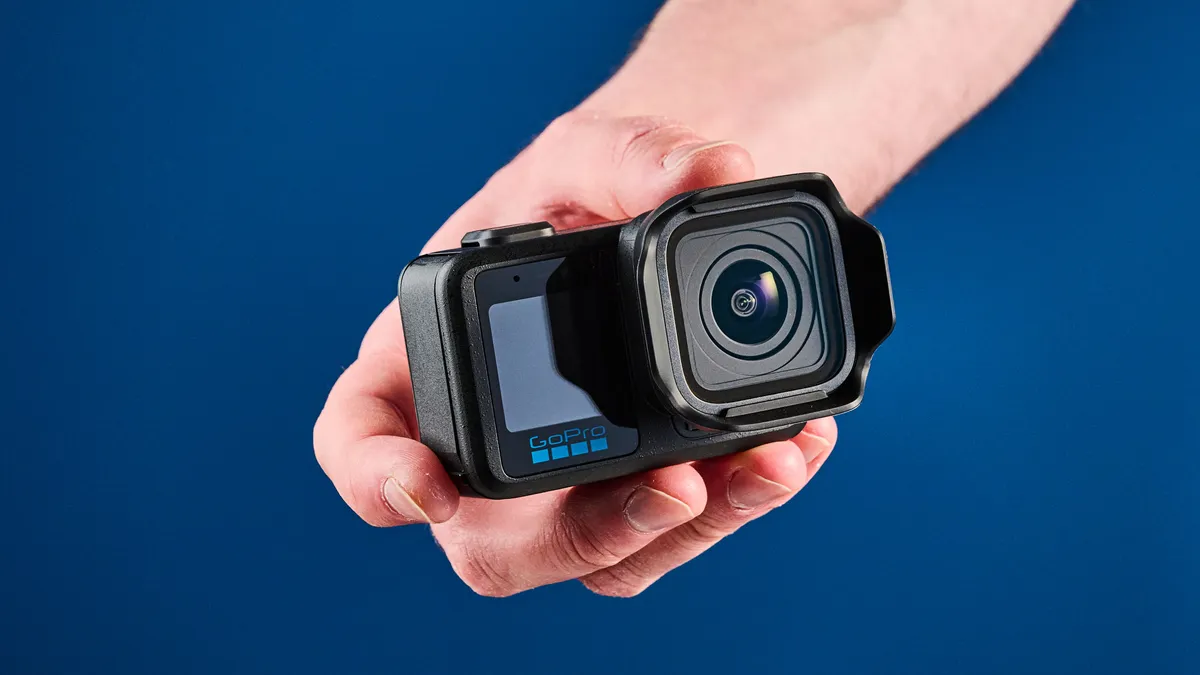
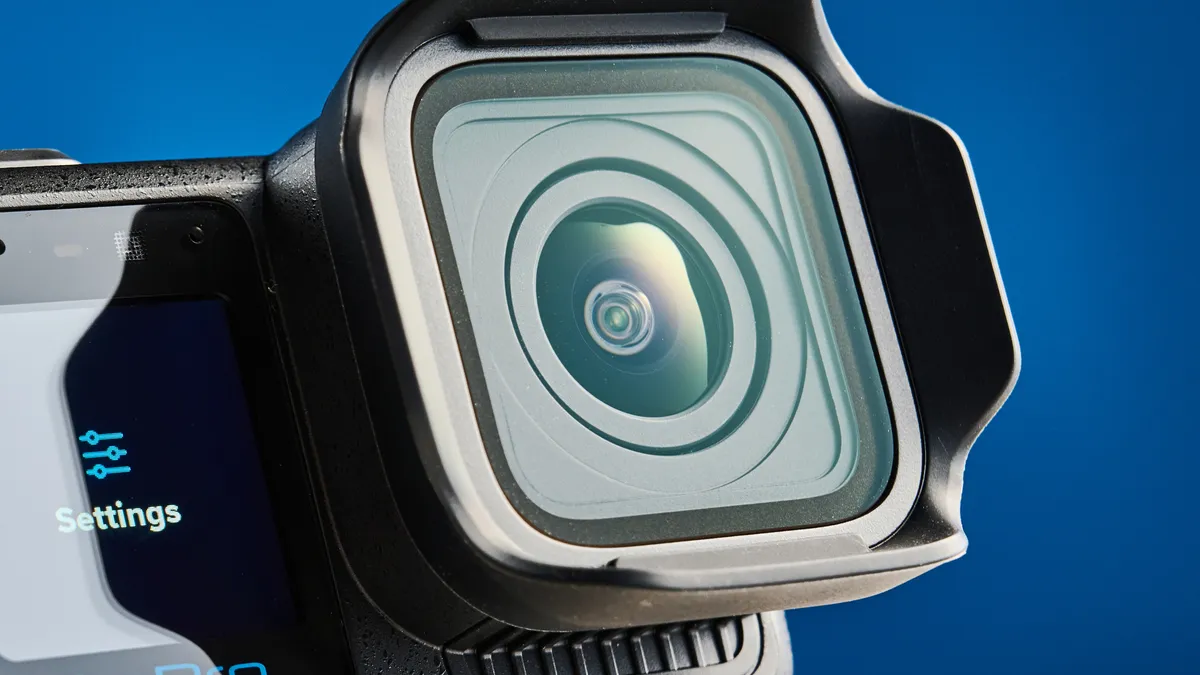
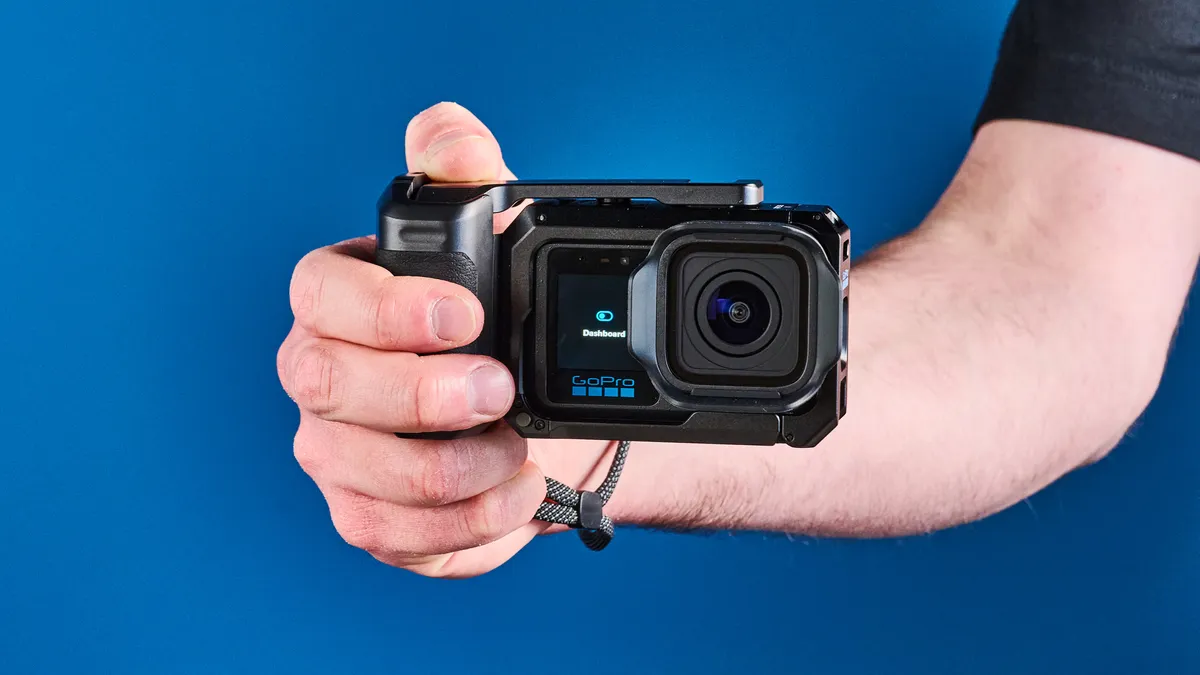
At a casual glance, the Mission 1 Pro looks very much like a Hero13 Black with a large lens hood. But put ’em side by side and these are very different cameras. For starters, the M1 Pro is enormous (for an action camera). The Hero line weren’t the sveltest flagship action cameras on the market anyway — in recent years, DJI’s Osmo Action line has always been a little leaner — but the M1 Pro is an unashamed chonk. Measuring 3.15 x 2.05 x 1.74 inches and weighing over 7 ounces, this is not the best option if you’re looking for something to mount on a chin or helmet. Mainly, the size is to accommodate the new 1-inch sensor, so it figures.
The larger design has resulted in a bigger screen, which has implications for controlling the camera, as I’ll discuss below. GoPro still hasn’t managed to remove the screen bezel though. The DJI Osmo Action 6’s smaller bezels look much nicer. Still, the M1 Pro’s rear screen is an OLED (finally, GoPro!), which is not only much crisper and nicer to look at, but brighter and easier to use in direct sunlight than the Hero 13 Black’s LCD. The OA6 also features an OLED.
Mounting
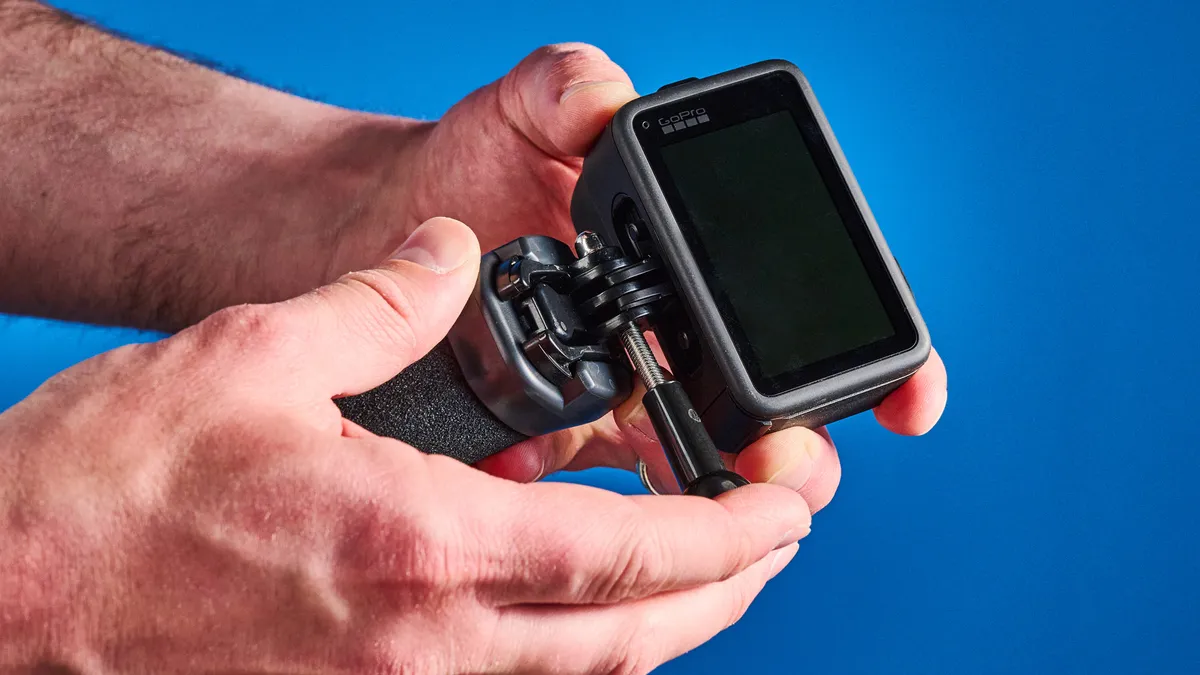
Making a return are GoPro’s trademark built-in mounting fingers, which remove the need for an adapter when mounting the camera to accessories with fork fingers — this being the vast majority of third-party accessories.
There’s also a magnetic quick release system, which is super handy for swapping accessories quickly, and is now de rigueur on flagship action cameras from GoPro, DJI and Insta360.
Controls
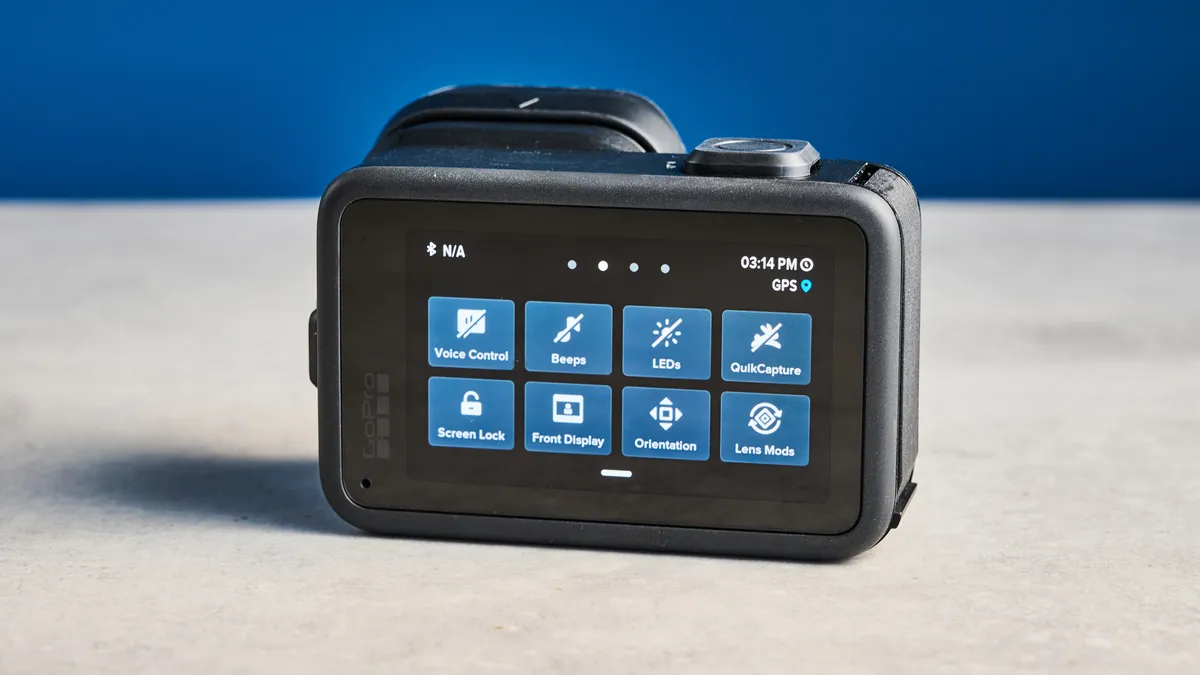
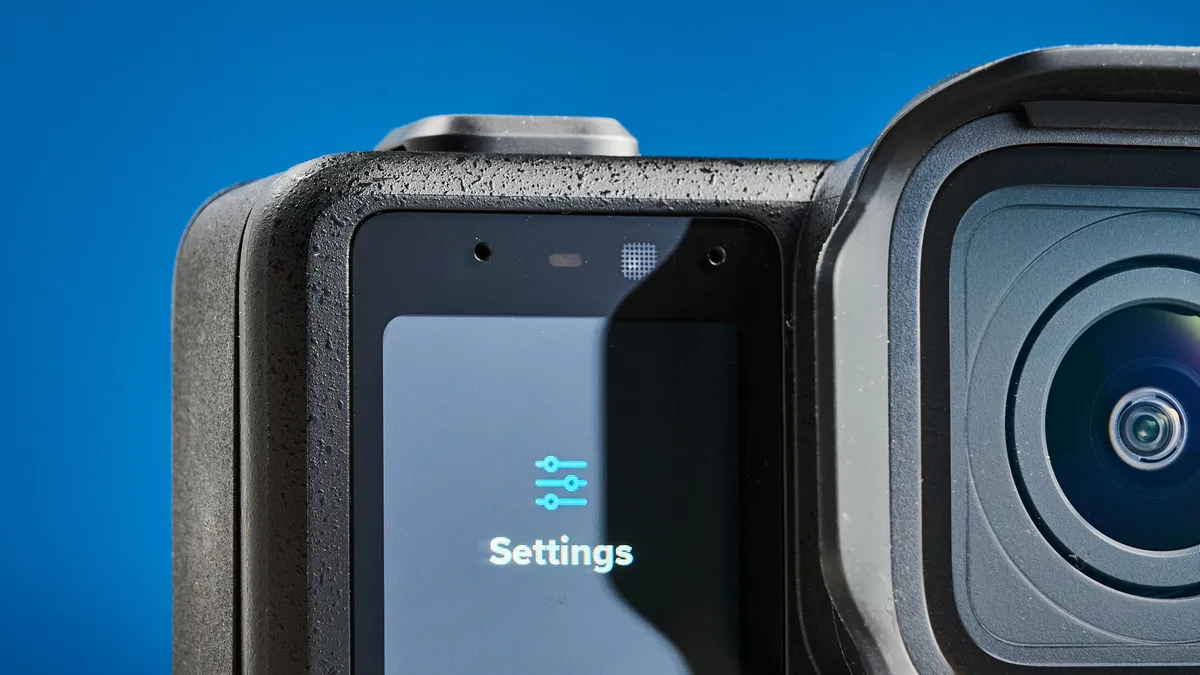
The Mission 1 Pro is the first GoPro I’ve ever tried that I didn’t dislike using. Partly, this is down to the increased screen size, finally giving the menu system the space it deserves. Secondly, there’s the menu system itself, which has been refined over the Hero 13 Black and GoPro MAX 2.
There’s still a highly detailed pull-down menu, but the touchscreen hosts (customizable) controls during live view, which have been spaced out, making them easy to hit. It’s not a revolution of GoPro’s historically cluttered menu, but a well-implemented evolution. It makes the camera so much easier to use than any GoPro before, even in tricky conditions and wearing gloves.
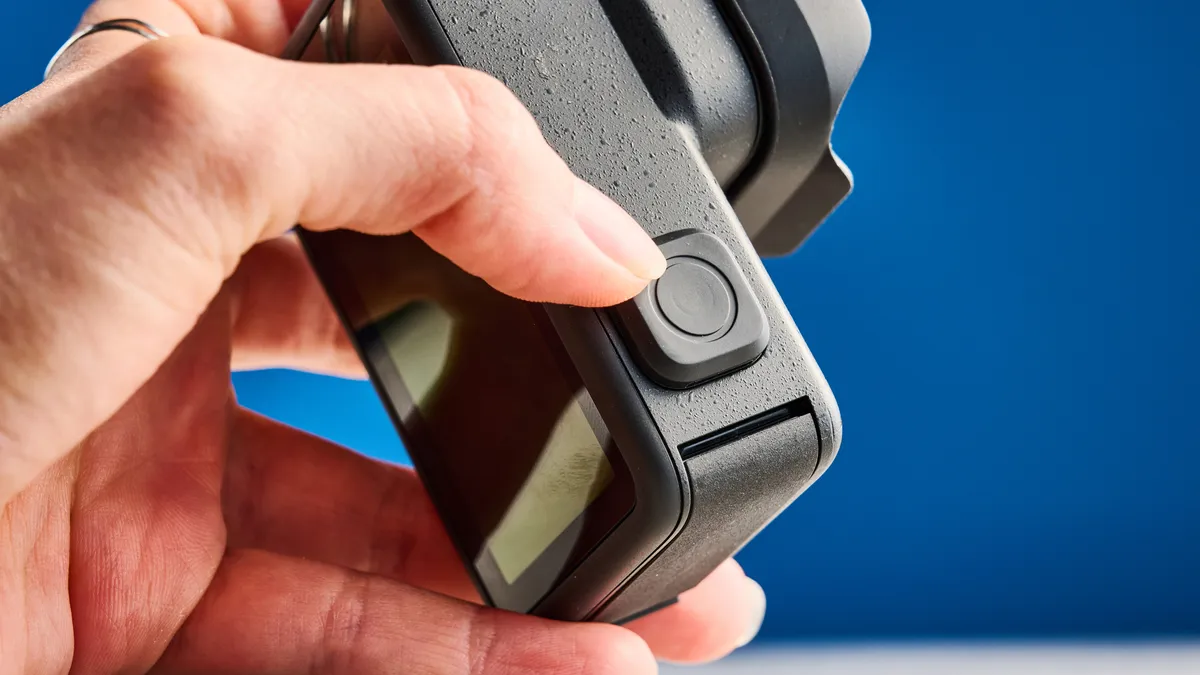
The Q/Power and Record buttons are now super chunky, too, and give very assured feedback when pressed. Again, I love to see it — operating an action camera in the heat of the moment, wearing thick mountaineering or motorcycling gloves, is easier said than done. This is another small quality of life feature that makes a big difference to the camera’s daily user-friendliness.
Connectivity
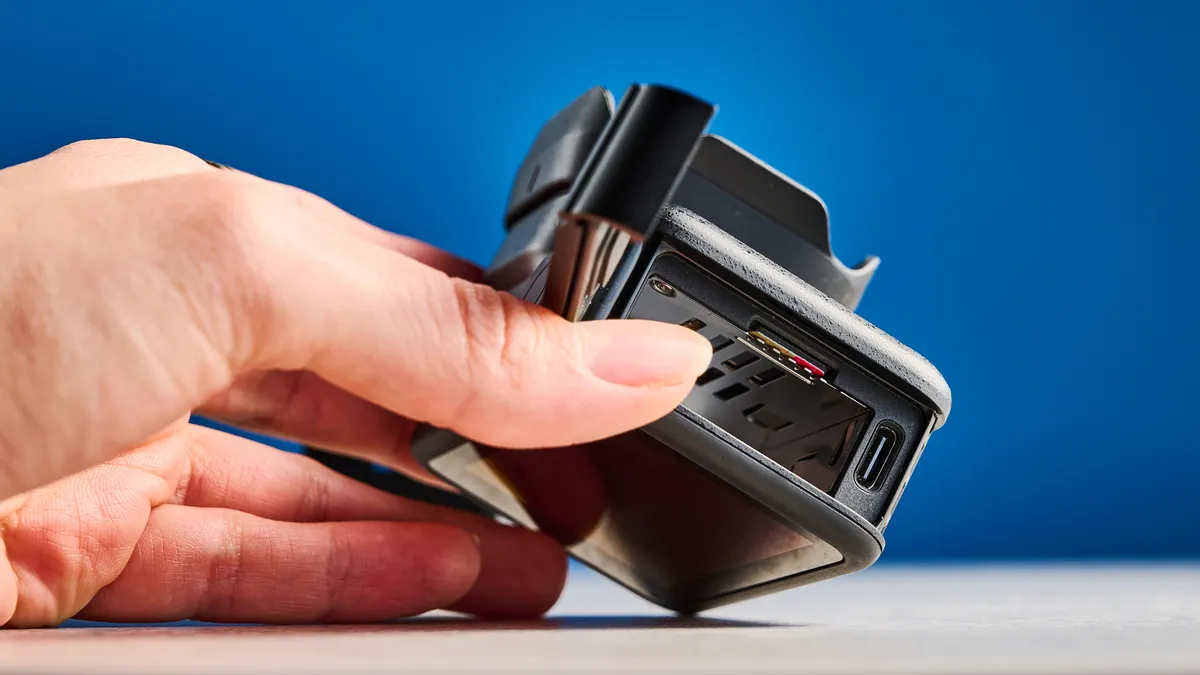
The Mission 1 Pro’s connectivity features are fairly run-of-the-mill. There’s the usual USB-C port, positioned annoyingly behind the battery door. That means your battery could fall out if you want to run a USB accessory. The door is also liable to getting jammed by longer fork mount screws, if you’re using one that happens to thread from the battery hatch side.
GoPro announced the M1 Pro alongside its own wireless microphone system, which will offer wireless connectivity to the camera. Obviously, this is an attempt to rival DJI’s camera/microphone ecosystem, and its versatility for content creators.
Unlike the Osmo Action 5 Pro and 6, there’s no built-in storage, which is a bit of a letdown. The OA6’s 107GB of built in storage gives much needed headroom when recording, and also allows faster transfer speeds — important when offloading 8K footage. However, if GoPro had added internal storage, the camera would've become even larger, so on balance, I don't mind seeing it left out.
The GoPro has a MicroSD slot, though, of course.
Waterproofing
In order to challenge DJI’s dominance over waterproofing, GoPro has managed to waterproof the M1 and M1 Pro down to 66 feet (20m) — one foot more than the OA6. This is a big step up over the Hero13 Black, which only manages 33 feet (10m).
GoPro Mission 1 Pro review: Stabilization
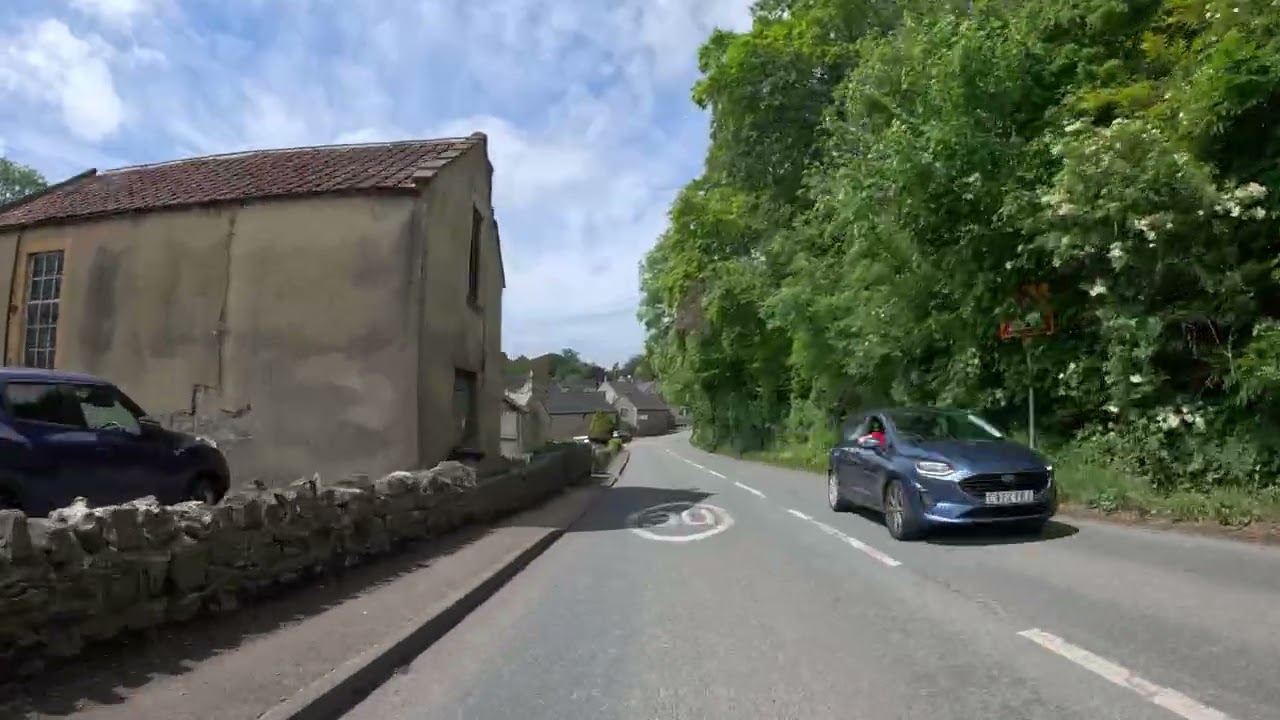
Unsurprisingly, the M1 Pro runs GoPro’s HyperSmooth stabilization system. No bad thing — it’s great. For a while, GoPro’s stabilization was unassailable by rivals. That’s no longer true, but it’s a level playing field now and GoPro isn’t on the back foot.
The M1 Pro’s HyperSmooth works perfectly. In most footage, even jerky walking videos, bumps are ironed out completely. It occasionally had issues with high frequency juddering, as in the motorcycle footage above, where one set of yellow painted lines on the road caused camera shake. But issues like that are rare and, for the most part, HyperSmooth does the job.
In the footage above, I was holding the camera without any accessories and crouching while walking. It was a very shaky affair, but the M1 Pro stabilized things extremely well, especially given this was shot at the widest field of view.
GoPro Mission 1 Pro review: Video
The Mission 1 Pro’s video looks, well, like classic GoPro footage: professional. 4K looks gorgeous out of camera. Blues and greens in particular are lovely and vivid, in both the standard and vivid color profiles. There’s an expected level of barrel distortion from the lens, but corners remain fairly sharp even at the wide and super-wide fields of view.
"As action cameras go, this sensor is delivering the best imaging on the market right now."
Dynamic range has been dramatically increased over the Hero13 Black, too, thanks to the new larger sensor and GP3 processor. GoPro claims 14 stops. It's noticeable when editing, with plenty of details in shadows and fairly good control over bright highlights (there were still a few blown highlights in the footage below, though). As action cameras go, this sensor is delivering the best imaging on the market right now.
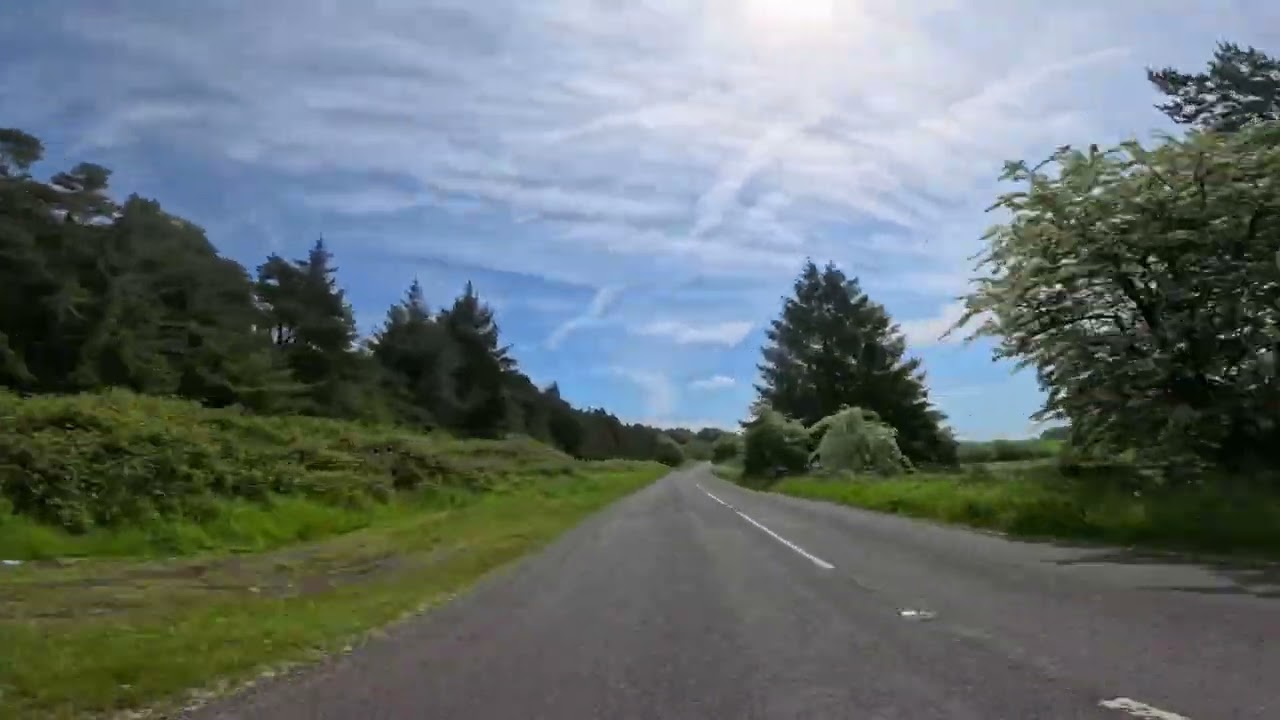
If you’re shooting at 4K, there’s really not a whole lot of difference between the M1 Pro and the Hero13 Black, which also shoots lovely-looking footage. What separates the M1 Pro and marks it as a professional tool is its super versatile roster of features.
The M1 Pro shoots at up to 8K/60fps, giving it an edge over the 8K/30fps top-end of the DJI Osmo Action 6. Shooting in 8K allows for extra flexibility when editing, letting users crop into frame while maintaining a decent resolution, and allowing for oversampled 4K. The M1 Pro’s higher 60fps rate allows for smoother 8K than on the 30fps-capped OA6. That means you can still benefit from shooting first and cropping to 4K later, without sacrificing frame rate. Important in a professional action camera.
The M1 Pro shoots open gate (where it uses the entire uncropped sensor and resolution) at up to 8K/30fps in a 4:3 aspect ratio. Open gate means you can shoot first, frame later in the different aspect ratios you'll need for different platforms. The same recording can be cropped to 16:9 for YouTube and 9:16 for social with less risk of having to crop out important elements. Crucially, the M1 Pro’s open gate isn’t 8K/30fps locked. If you want to shoot 4:3 in 4K/60fps to reduce the file sizes, you’re still getting open gate — the camera is recording with the entire sensor then binning pixels down to 4K for extra sharp 4K out of camera.
GoPro has given slow motion some attention, too. At 4K the M1 Pro can shoot at 240fps, while at 1080p it’ll shoot at 480fps. You’ll only get a few seconds of recording at those frame rates, though, so slow motion is there for judicious use.
But the pro features keep coming! There’s live metering, meaning real-time on-screen readouts for WB, EV, ISO and shutter; 10-bit color; high bit rate capture up to 240Mbps (or 300Mbps via Labs); HLG HDR recording and GP-Log2 with an included LUT bank for grades; and timecode sync for lining up clips to separately recorded audio in post.
And, of course, there’s GoPro Labs compatibility. Labs is an open-source, online bank of custom firmware that can be loaded onto the M1 Pro to accommodate bespoke professional requirements. Need motion detection recording for wildlife camera traps, or to run a custom settings menu? Labs is the answer.
Low light
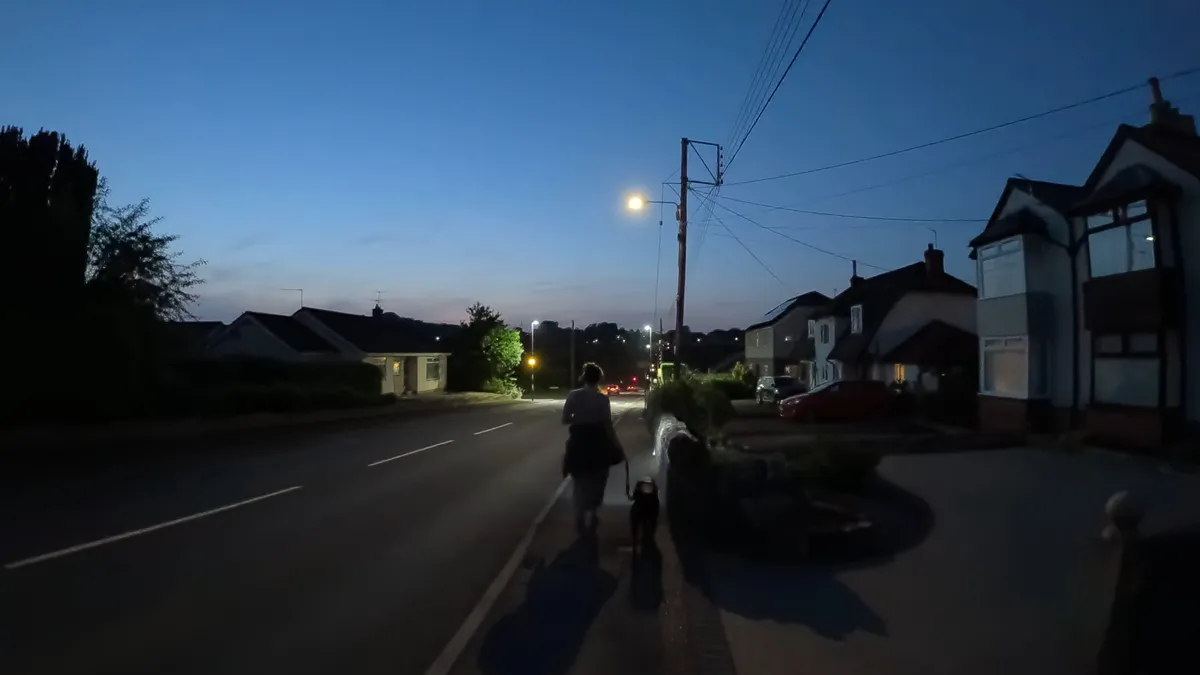
The M1 Pro features a 1-inch sensor, which is larger than any other action camera on the market (including the OA6) and comparable to bigger cameras like the DJI Osmo Pocket 4. A larger sensor usually means cleaner low-light footage thanks to bigger light-sensitive photosites (which translate to pixels in a digital image). To help further, the M1 Pro also features GoPro's latest GP3 image processor, for increased dynamic range and more efficient noise processing.
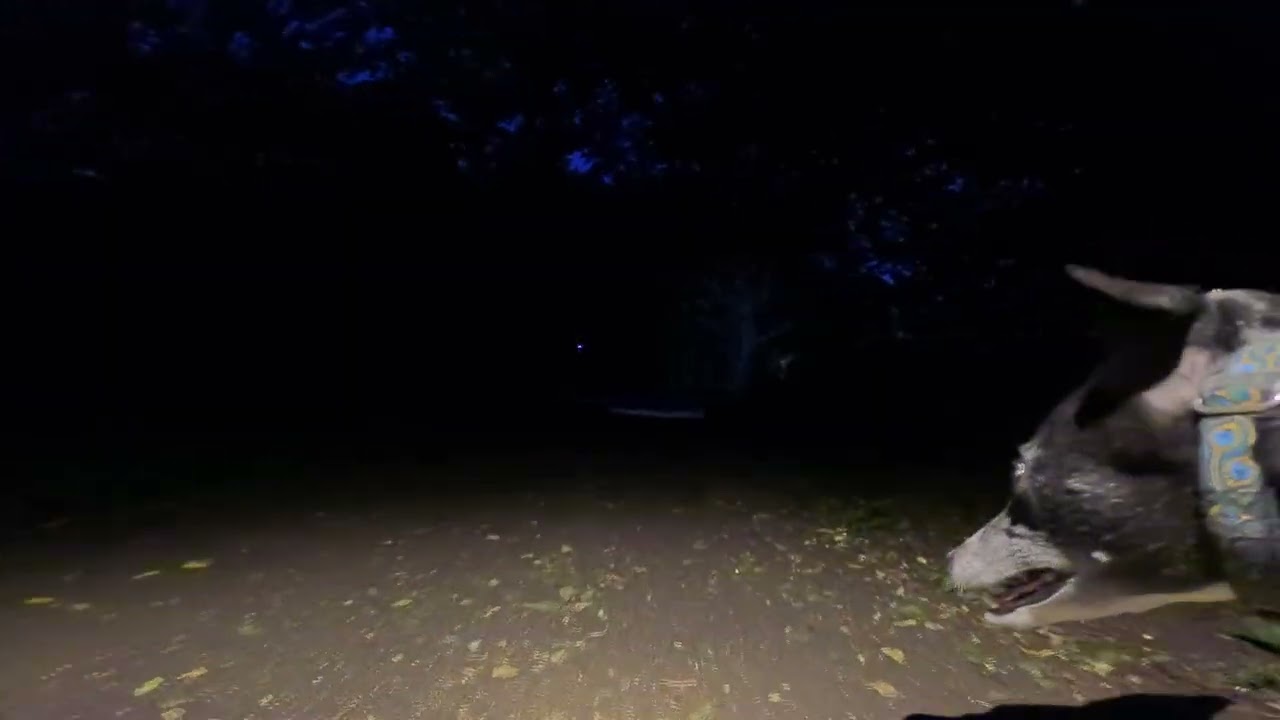
The result is fairly clean low light footage. As you can see in the still above and the video below, there's a noticeable loss of sharpness thanks to the GP3's noise suppression smoothing out any grain. But the processor has done a good job at the noise reduction, with very clean shadows. As action cameras go, I'd say this is as good as it gets in low light.
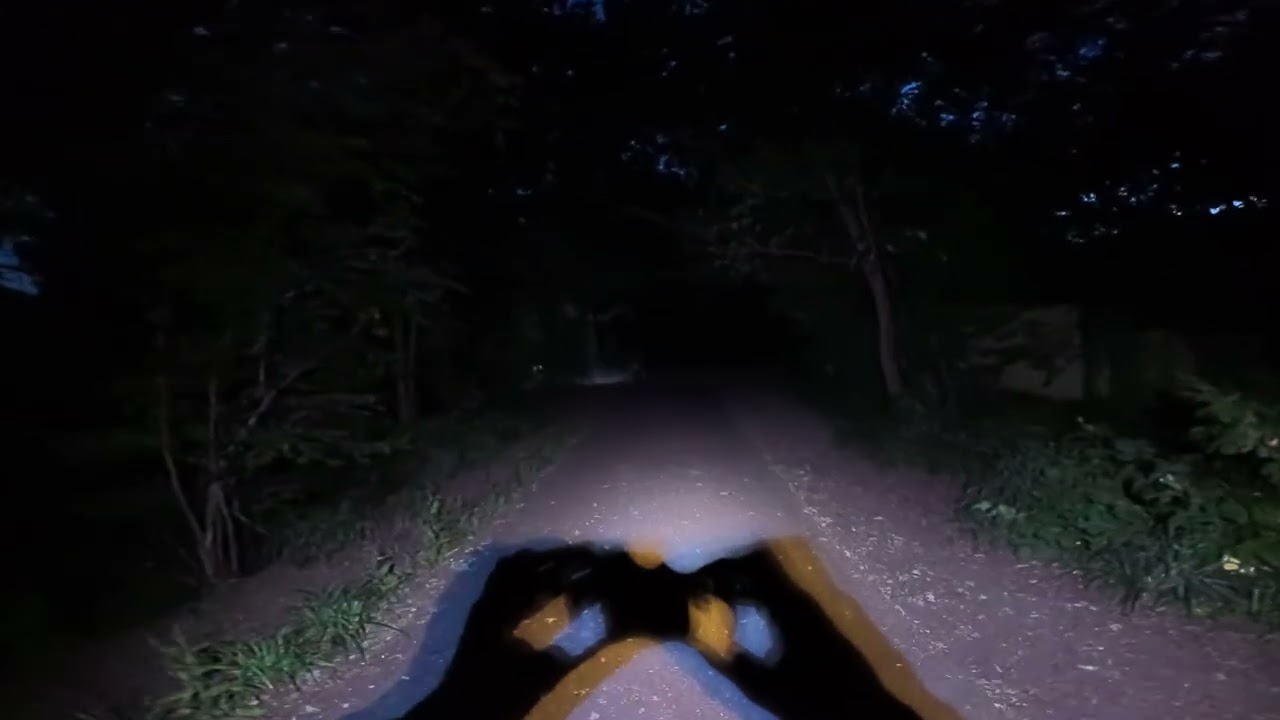
Remember, a 1-inch sensor isn’t gonna give an APS-C or full frame mirrorless camera a run for its money, but the M1 Pro’s low light footage is still as clean as it comes for action cameras. And remember too that this camera is designed to replace a larger traditional body where other factors are more important (like space or waterproofing) to filmmakers — the M1 Pro's low light performance is designed to make a more palatable trade off in those situations versus a typical action camera like the Hero13 Black or Osmo Action 6.
GoPro Mission 1 Pro review: Audio
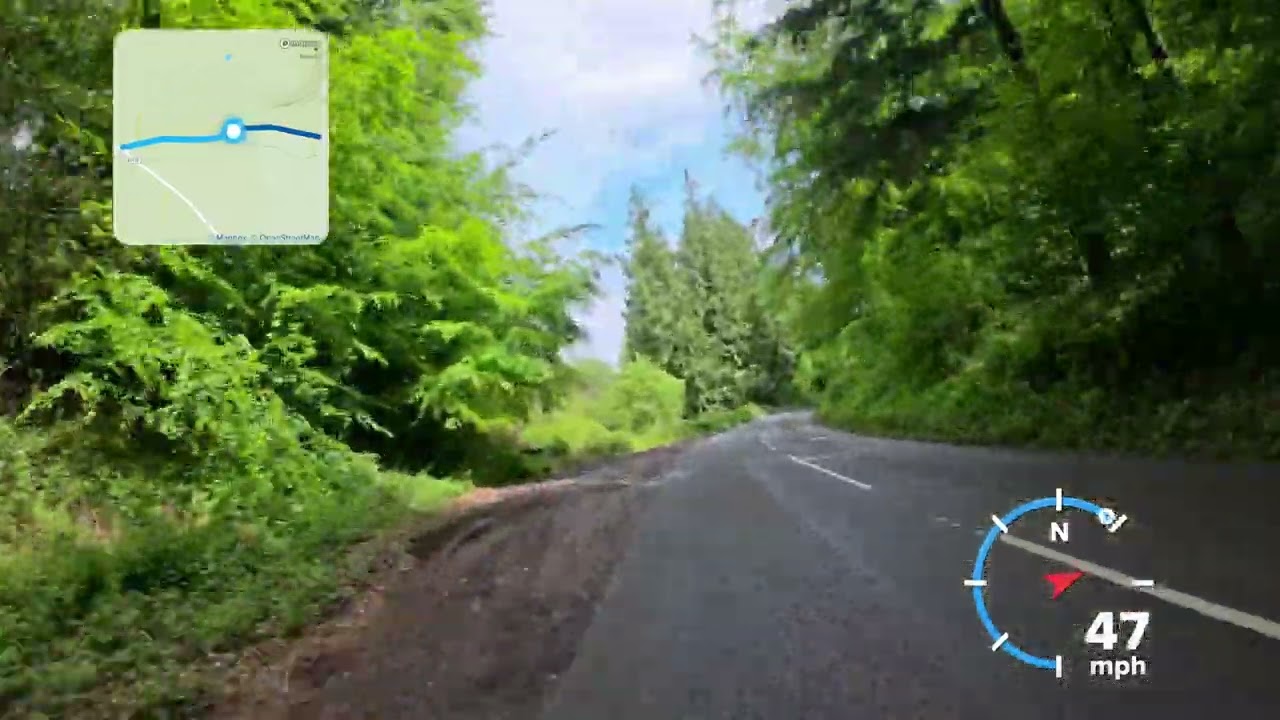
Listening back to motorcycling footage shot on the M1 Pro for the first time, I was seriously impressed. As action cameras go, the four-mic array and wind reduction system in this camera are the best in the biz.
Motorcycling is a serious challenge for microphones, thanks to the wind buffeting and loud engine noises. The clip above was shot using the camera’s automatic wind reduction mode, which tailors the noise reduction so you’re getting the best balance of sound quality and noise cancellation (which can make audio sound compressed). The wind is audible, but not too distracting, and the bike’s engine noise has been well- preserved.
The only camera I’ve tested with better sound is the Insta360 X5 360 camera. But the M1 Pro’s mics beat other standard action cams pretty confidently.
In an attempt to play DJI at its own game, GoPro is also releasing a wireless microphone system that’ll hook up to the M1 Pro seamlessly, like DJI’s mics do with its cameras. Again, it's a direct attack on the upper-end of the content creator market. I’ve yet to test these, so I can’t comment on performance yet, but it's good to see GoPro building out an ecosystem for ease of use — that's a big selling point for full-time creators.
GoPro Mission 1 Pro review: App
I’m a big fan of GoPro’s Quik app. These days, it’s reliable (even in the beta version I tested), polished, and easy to use. Hooking up your phone and M1 Pro is super simple, and there are no regular Wi-Fi connectivity bugs as is always the case with DJI gear and their companion Mimo app.
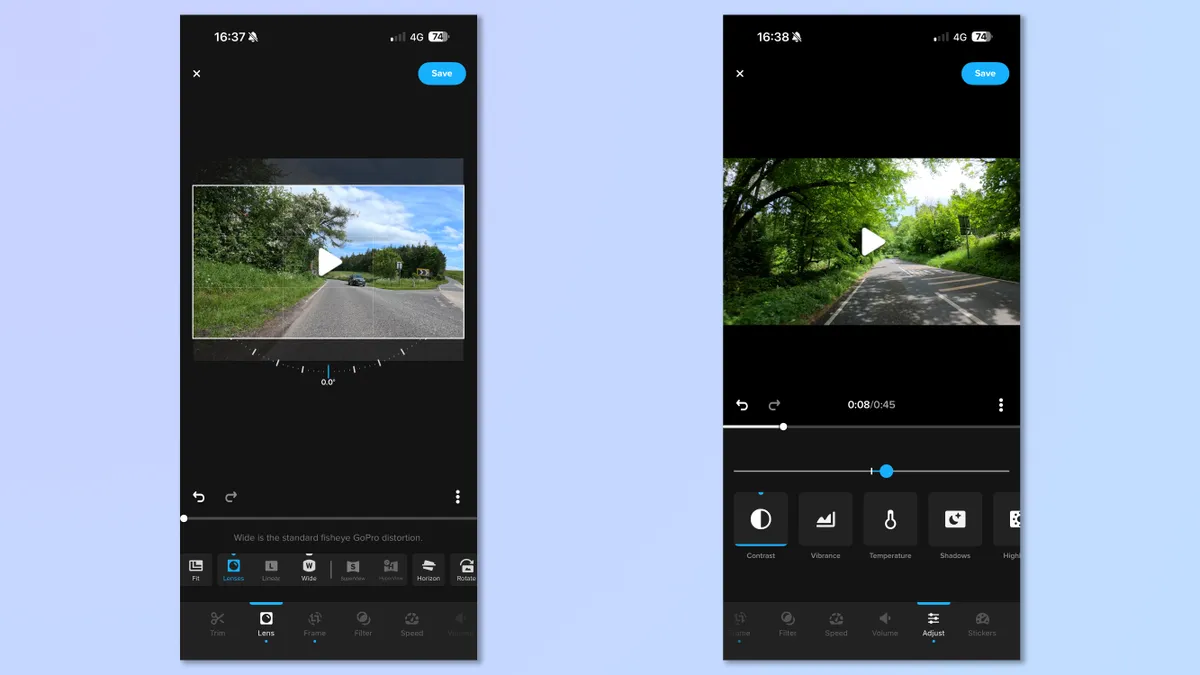
Quik offers quick offloading of files to mobile, plus some basic editing features, including trimming, exposure editing, and applying basic filters or effects. Great for cutting together a few clips for a quick social video.
I really like the GPS/accelerometer-based stickers, such as the speedometer and G-counter. But I love the maps tracker, which lets you show the route of your footage in a box — so cool, especially for motovlogging videos. There’s also an altitude widget, which will be fun for any mountaineering content creators.
It’s a shame GoPro has canned the desktop version of Quik, but any pros using the M1 Pro will be editing in other software anyway, while using Quik for snappy social videos or client previews.
GoPro Mission 1 Pro review: Battery life & thermals
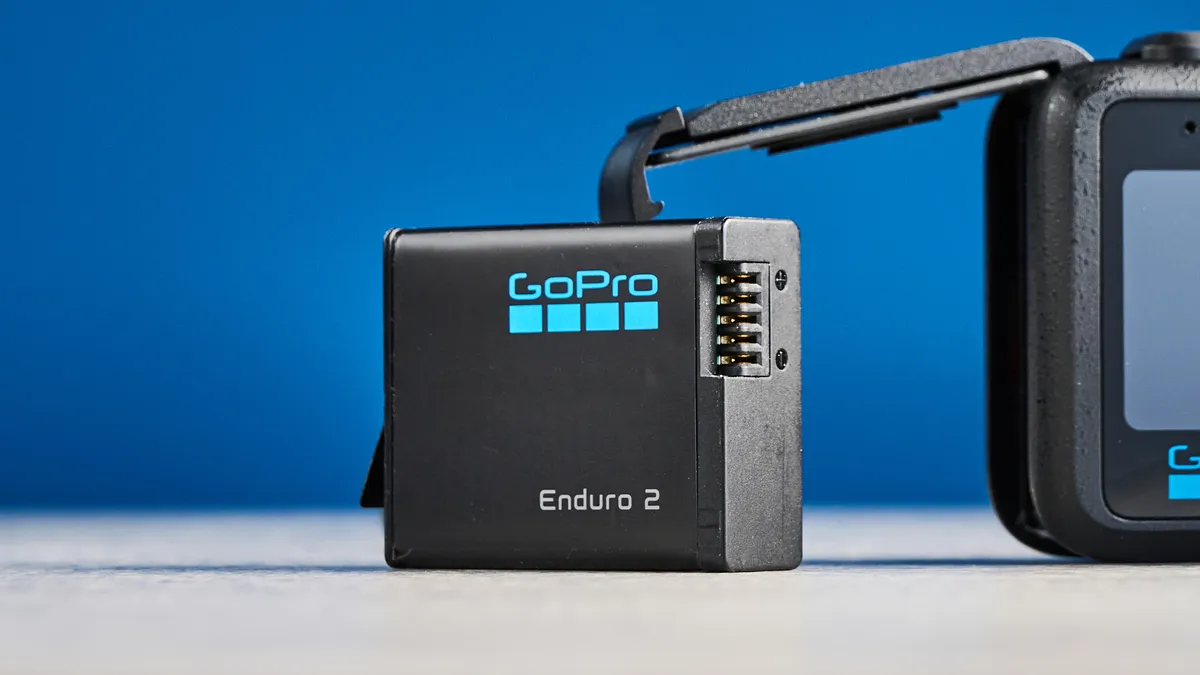
GoPro has redeveloped its Enduro battery for the M1 Pro, resulting in the Enduro 2. And combined with the more efficient GP3 processor, Enduro 2 works wonders. The M1 Pro has the best battery life in the market, by a decent margin, too. In my standardized testing at 4K/60p, indoors, the M1 Pro achieved 133 mins. That’s a full 13 minutes longer than the Osmo Action 6.
I run my tests at 4K/60fps, as this is the resolution/frame rate most users will want to shoot action footage at, and what most cameras these days are capable of.
Importantly, the M1 Pro suffered no overheating whatsoever in that test, which was thoroughly impressive (especially as I tested the camera during a heatwave here in the U.K., where indoor temperatures were exceedingly high). The OA6 overheated twice during the same test, although in much cooler ambient conditions. GoPro's data in the table below shows overheating at 4K/30fps after 188 minutes, so at common resolutions/frame rate you have to push this camera very hard to get it to stop.
Aspect ratio |
Resolution |
Frame rate |
With airflow |
Without airflow |
|---|---|---|---|---|
4:3 |
8K |
30/25/24 |
96.1 |
96.1 |
16:9 |
8K |
60/50 |
74 |
37 |
16:9 |
4K |
240/200 |
73.3 |
35.1 |
16:9 |
4K |
120/100 |
105.5 |
105.5 |
4:3 |
4K |
120/100 |
100.6 |
100.6 |
4:3 |
4K |
30/25/24 |
188.4 |
188.4 |
16:9 |
1080p |
30/25/24 |
315.8 |
315.8 |
The M1 Pro is backwards compatible with the original Enduro battery, so any existing GoPro shooters can use their existing power cells. The new Enduro 2 is compatible with the Hero13 Black, but not older cameras (and not the MAX 2). Of course, the Enduro 2 will perform better than the Enduro 1 in the Hero13 Black, but the older processor means the gains won't match the M1 Pro's life.
Likewise, the Enduro 1 won’t last as long as the Enduro 2 when fitted in the M1 Pro, but you'll still see a battery life gain thanks to the new camera's efficient GP3 processor. To test this, I ran my standardized test at 4K/60fps with the M1 Pro and an Enduro 1 battery from my Hero13 Black. It managed 116 minutes — a whole 36 minutes longer than the same battery lasted in the Hero13 Black during the same test. The M1 Pro + Enduro 1 didn't overheat at all either, while the Hero13 Black + Enduro 1 overheated after 54 minutes. Really excellent progress!
GoPro Mission 1 Pro review: Verdict
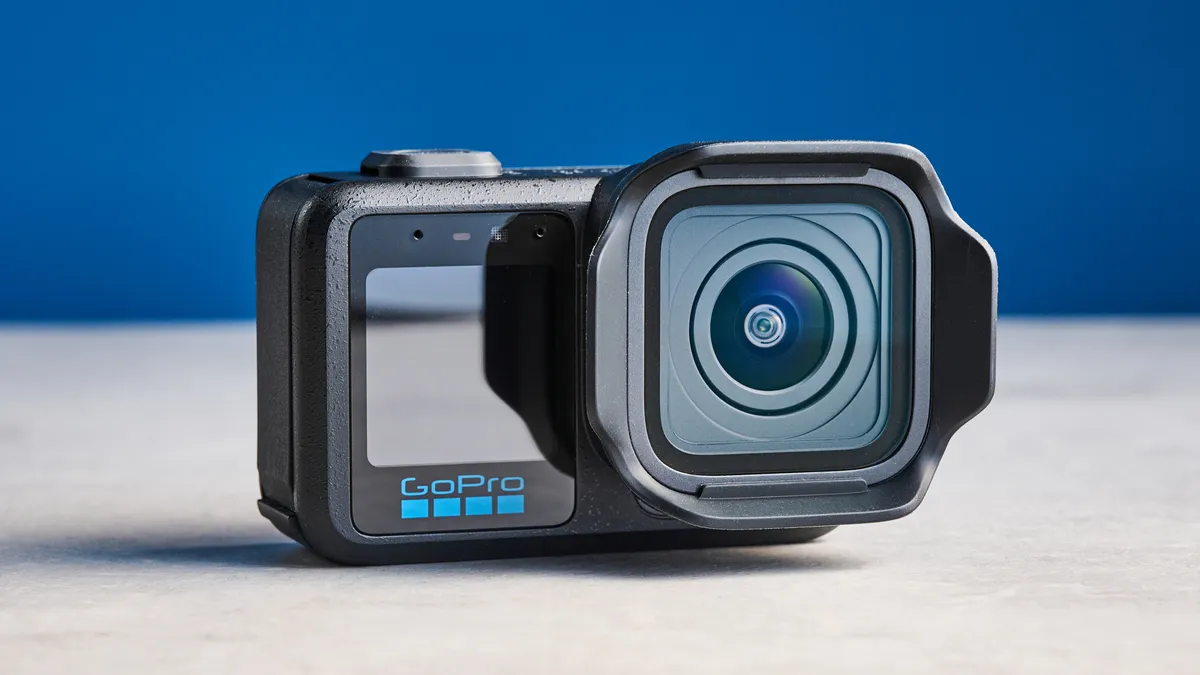
I’ve been very pleasantly surprised by the M1 Pro. It’s a demonstration of exactly what GoPro needed to do right now — push the boat a bit! The M1 Pro's core video and audio performance is excellent, but crucially, this is a camera that gives professionals a level of versatility otherwise unseen in the action camera market. The camera is designed to be a replacement for pro gear where situations demand for a small, high-powered camera with rugged credentials.
It’s pricey, sure, but if you’re a professional, it’s worth the spend to add a versatile little camera to your kit — and besides, it's cheaper than adding a second mirrorless or cine cam.
Well done, GoPro.
GoPro Mission 1 Pro review: M1 models compared
Specs |
Mission 1 Pro |
Mission 1 |
Mission 1 Pro ILC |
|---|---|---|---|
MSRP |
|||
MSRP (w/ GoPro sub) |
|||
Sensor |
1-inch |
1-inch |
1-inch |
Processor |
GP3 |
GP3 |
GP3 |
Lens aperture |
F2.8 |
F2.8 |
F2.8 |
M43 lens fit |
No |
No |
Yes |
Max stills resolution |
50MP |
50MP |
50MP |
Max video resolution/frame rate |
8K/60fps |
8K/30fps |
8K/60fps |
Open gate |
8K/30fps |
None |
8K/30fps |
Slow motion |
1080p/480fps; 4K/240fps |
1080p/240fps; 4K 240fps |
1080p/480fps; 4K/240fps |
FoVs |
SuperView; Wide; Linear |
SuperView; Wide; Linear |
SuperView; Wide; Linear |
Stabilization |
GoPro HyperSmooth |
GoPro HyperSmooth |
GoPro HyperSmooth |
Max bit rate (w/o Labs) |
240Mbps |
240Mbps |
240Mbps |
Max color bit depth |
10-bit |
10-bit |
10-bit |
Log |
GP-Log2 |
GP-Log2 |
GP-Log2 |
HDR |
HLG HDR |
HLG HDR |
HLG HDR |
Rear screen |
2.59-inch OLED |
2.59-inch OLED |
2.59-inch OLED |
Front screen |
1.4-inch LCD |
1.4-inch LCD |
1.4-inch LCD |
Connectivity |
Bluetooth 5.3; Wi-Fi; USB-C |
Bluetooth 5.3; Wi-Fi; USB-C |
Bluetooth 5.3; Wi-Fi; USB-C |
Storage |
MicroSD |
MicroSD |
MicroSD |
Waterproofing |
66 foot (20m) |
66 foot (20m) |
66 foot (20m) |
Battery |
2,150mAh Enduro 2 |
2,150mAh Enduro 2 |
2,150mAh Enduro 2 |
Operating temperature |
-4°F-113°F (-20°C-45°C) |
-4°F-113°F (-20°C-45°C) |
-4°F-113°F (-20°C-45°C) |
Size |
3.15 x 2.05 x 1.74 inches (80.1 x 52.1 x 44:3 mm) |
3.15 x 2.05 x 1.74 inches (80.1 x 52.1 x 44:3 mm) |
TBC |
Weight |
7.3 ounces (207g) |
7.3 ounces (207g) |
TBC |