Tom's Guide Verdict
The DJI Osmo 360 II is the first (and, as I write this, the only) 360 camera to shoot 8K at 60fps. This makes it my top choice for high-octane 360 footage like motovlogging or extreme sports. Unlike its predecessor, the 360 II has user-replaceable lenses, and while battery life isn’t mind-blowing, it’s good enough at 8K/60fps. The only things I don’t like about the Osmo 360 II are its sky-high U.S. price and the internal audio wind reduction, which isn’t anything to write home about.
Reasons to buy
- +
8K/60fps 360 recording
- +
Strong image quality
- +
105GB internal storage
- +
Replaceable lenses
- +
Decent 8K/60fps battery
Reasons to avoid
- -
Very expensive in the US
- -
Wind reduction nothing special
Why you can trust Tom's Guide Our writers and editors spend hours analyzing and reviewing products, services, and apps to help find what's best for you. Find out more about how we test, analyze, and rate.
“Uh oh,” is what Insta360 will doubtless have thought when the DJI Osmo 360 II launched. And it should’ve been worried. Up to now, Insta360 has been the undisputed king of 360 tech. But that reign has come to an end.
It all comes down to one thing: 8K/60fps, which the DJI Osmo 360 II can shoot. The flagship Insta360 X6, meanwhile, cannot, topping out at 8K/50fps. Insta360 is simply not there yet with the tech, and in fairness, that’s understandable. 8K at 60fps in 360 degrees puts extreme demands on a pocket-sized camera, its processor, memory, battery and thermals.
But somehow DJI has achieved it – which means it’s now ahead in the race. Even if the Osmo 360 II isn’t the best 360 camera in every area, it does the most important thing right now. It gives content creators the flexibility of 4K reframing from 360 footage at a frame rate fast enough for high-octane footage, and usable enough for YouTube.
So should you buy this camera? Find out in my full DJI Osmo 360 II review.
DJI Osmo 360 II review: Specs
Starting price |
|
Max video resolution |
8K/60fps (360); 4K/120fps (Single lens) |
Sensors |
2x 1/1.1-inch |
Stabilization |
Yes |
Screen |
2-inch LED |
Internal memory |
105GB |
MicroSD slot |
Yes |
Pre-recording |
Yes |
Wireless mic hookup |
Yes, via Bluetooth |
Wired mic hookup |
Yes |
Connectivity |
Bluetooth, Wi-Fi, USB-C |
Water resistance |
33ft (10m) |
Battery |
2,150 mAh |
Size |
2.4 x 1.4 x 3.2 inches |
Weight |
6.4 ounces |
DJI Osmo 360 II review: Price & availability
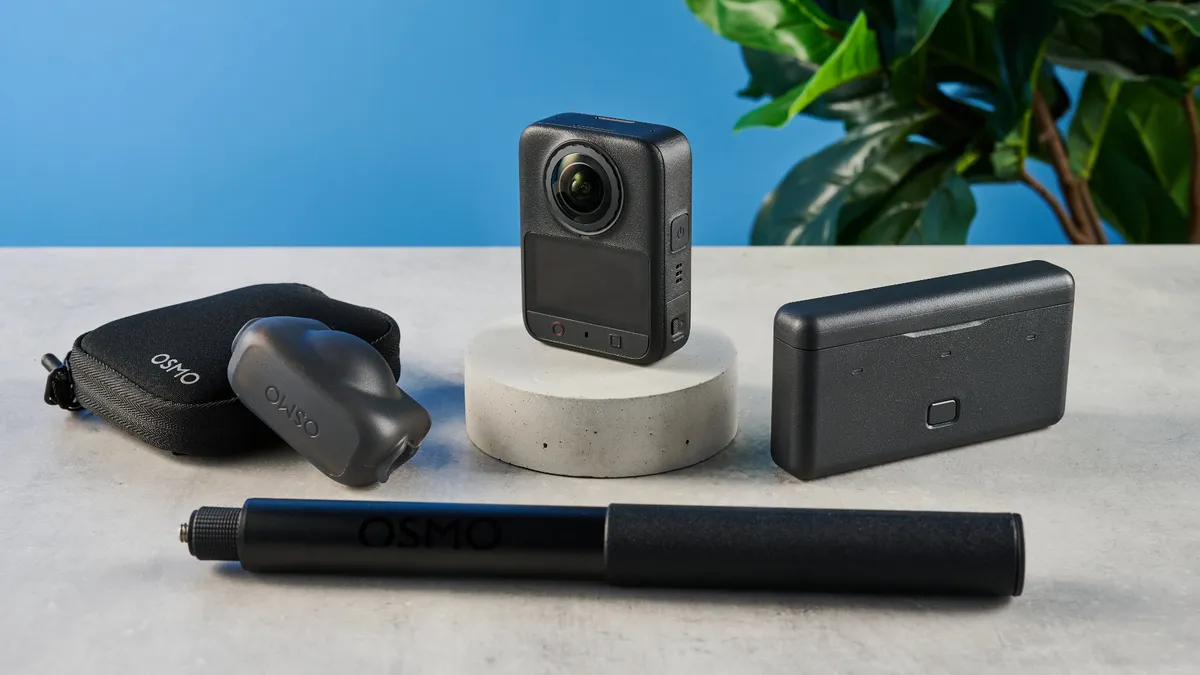
Unsurprisingly, given this is a flagship 360 camera, the Osmo 360 II isn’t cheap, opening the register at a whopping $699 in the U.S. at Amazon for the standard bundle with basic accessories. If you want accessories, the Adventure Combo I tested, with extra batteries and a selfie stick, costs $829. Of course, this is thanks to U.S. tariffs on Chinese goods. It’s also worth noting that, resulting from its feud with the U.S. government, DJI has withdrawn first-party support in the States, meaning no care plans if the camera needs repair.
In the U.K., the Osmo 360 II starts at £509, which undercuts the Insta360 X6 by over £100. And U.K. consumers also get access to a wider range of accessories bundles at Amazon, so they can tailor their spend to exactly what they need.
This pricing is comparable to the Insta360 X6, which also starts at $699. In my opinion, the 360 II is a much better buy thanks to the higher 60fps frame rate. In the U.K., where the 360 II is both more powerful and cheaper, it’s a total no-brainer. If you’re on a tighter budget, though, I’d advise checking out the Insta360 X5 ($549), GoPro MAX2 ($499) or the OG DJI Osmo 360 ($494). All shoot 8K 360 footage, just not at 60fps.
DJI Osmo 360 II review: Design & controls
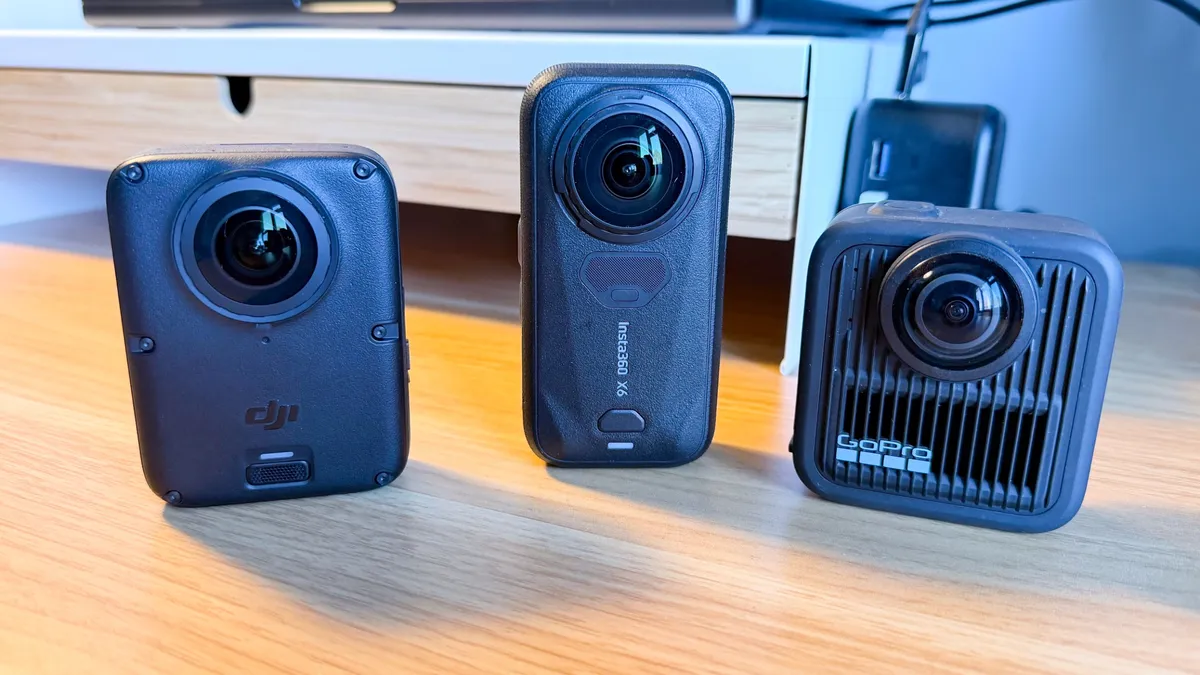
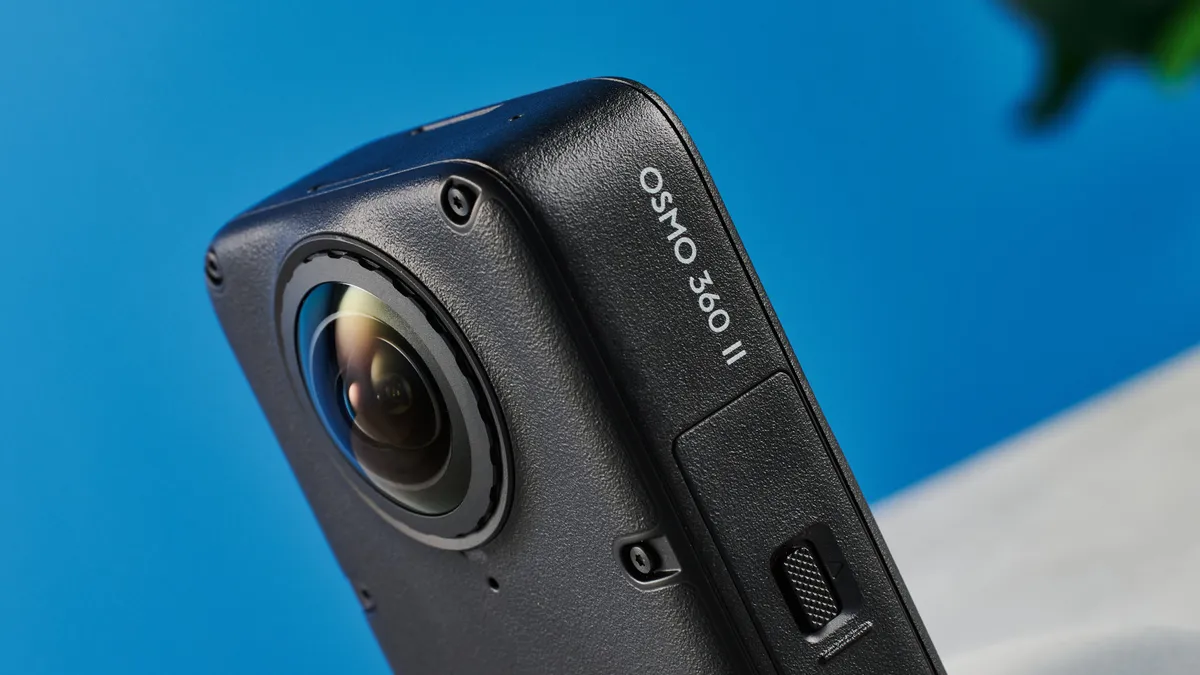
The Osmo 360 II is designed more or less the same as its predecessor. It looks the same, measures the same, and weighs the same. That means it’s a squat-looking thing, especially compared to the lankier X6. It isn’t small though, at 2.4 x 1.4 x 3.2 inches, nor is it light at 6.4 ounces, so if you’re after something more suited to mounting on a helmet, check out an action camera like the DJI Osmo Action 6.
Versus the OG Osmo 360, there have been no radical updates to the display, which still isn’t an OLED; no updates to the internal memory, which is still 105GB (although over double the X6’s 47GB); and no updates to waterproofing, which is rated at 33 feet (half the 66 feet of the X6).
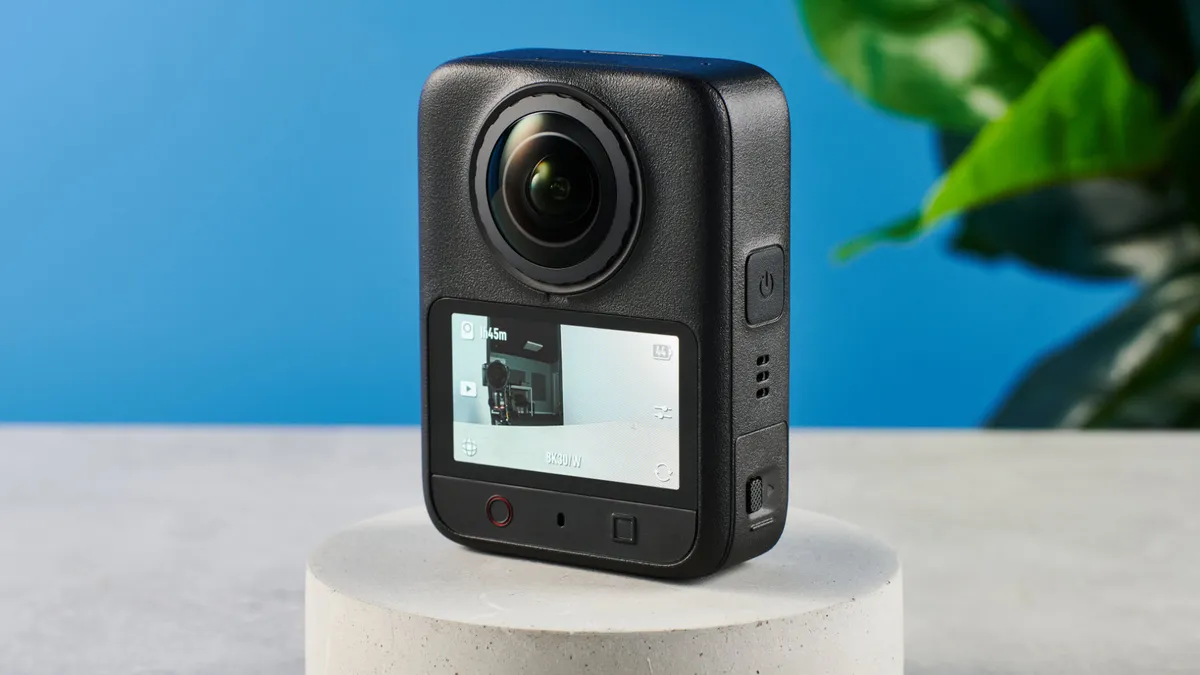
The controls are essentially the same, with two buttons on the back for recording and mode changing, a power button, and most tweaks done via the menu system or app. I found the Osmo 360 II’s record button fiddly to press with gloves on. And while I like DJI’s menu, it’s a little busy-feeling on the small display — the X6’s bigger display makes it slightly easier to use in the heat of the moment. Overall though, no major complaints controls-wise.
Mounting
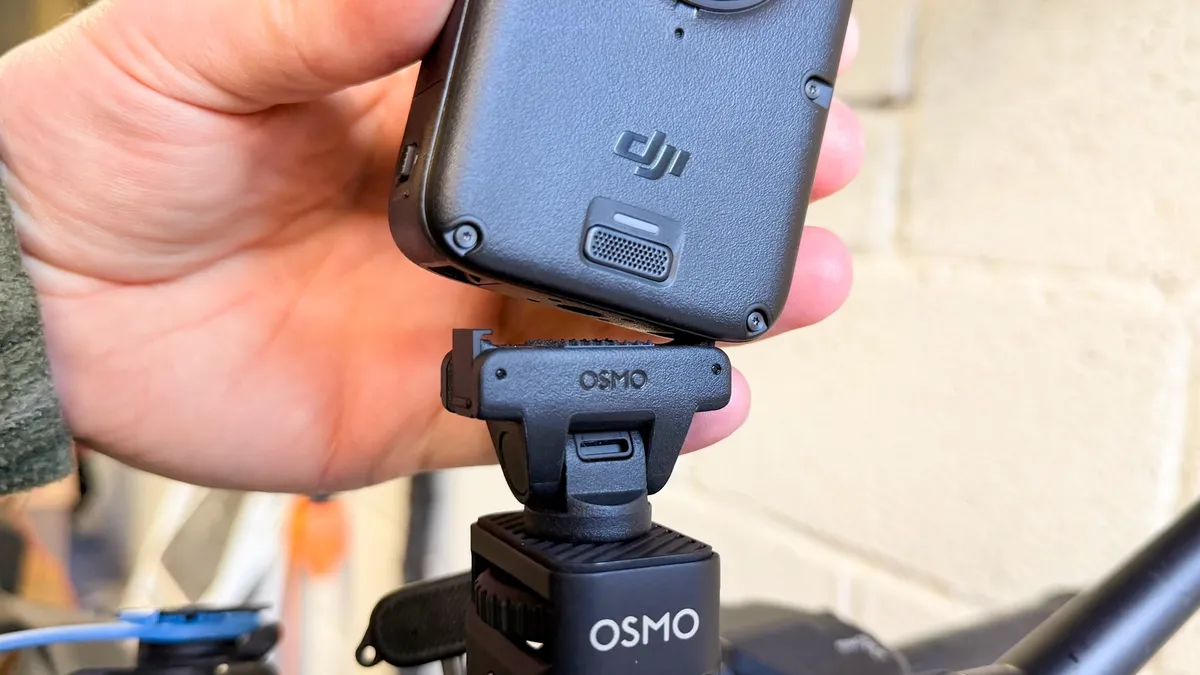
The Osmo 360 II uses the same quick-release mounting system as the previous gen, plus other DJI cameras like the Osmo Action 5 Pro, Action 6 and Osmo Nano. However, DJI has made a welcome quality-of-life update: the mount is now bi-directional. Previously, you had to get the mount the correct way round, which was annoying, but now it doesn’t matter. It may not sound like a big deal, but it’s kinda like going from USB-A to USB-C and makes the camera a lot quicker and easier to mount-unmount during shooting.
Connectivity
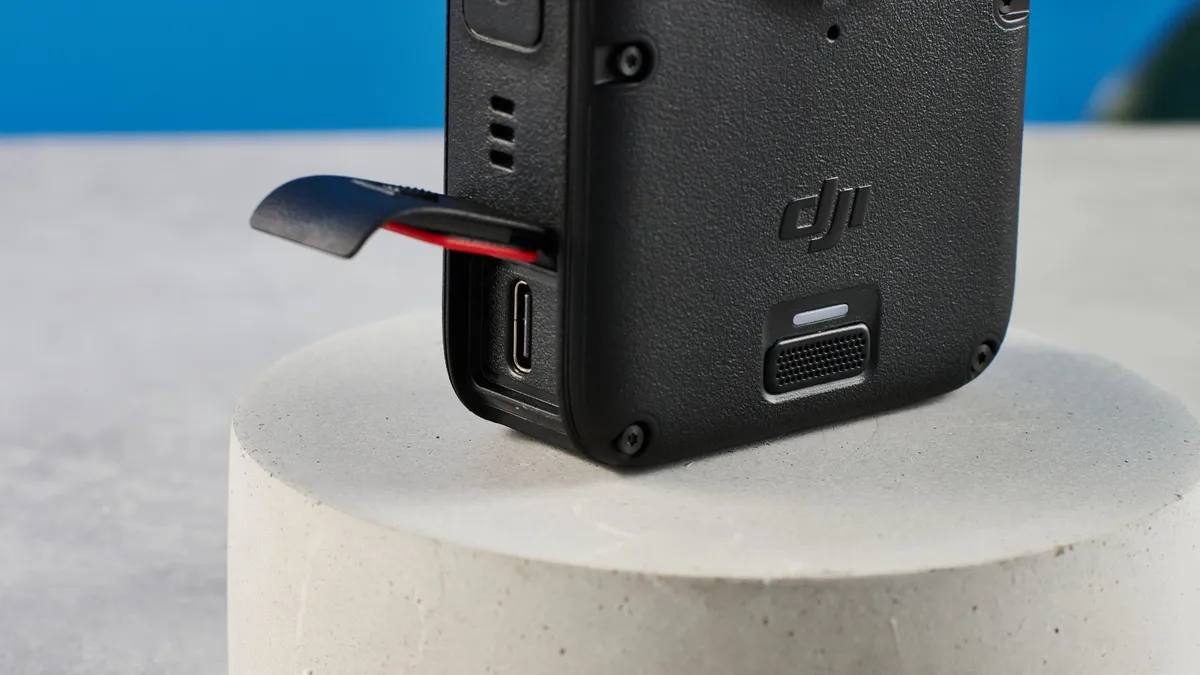
Again, the Osmo 360 II has no major updates to connectivity, with wireless data transfer, USB-C transfer and charging, and 105GB of internal memory, which should get you around 90 minutes of 8K footage — fantastic when you fill or forget a card. There’s Bluetooth and 2.4G for pairing to your phone, but DJI has added NFC connectivity which means you can pair the Osmo 360 II to your phone instantly just by placing the two together.
Lenses
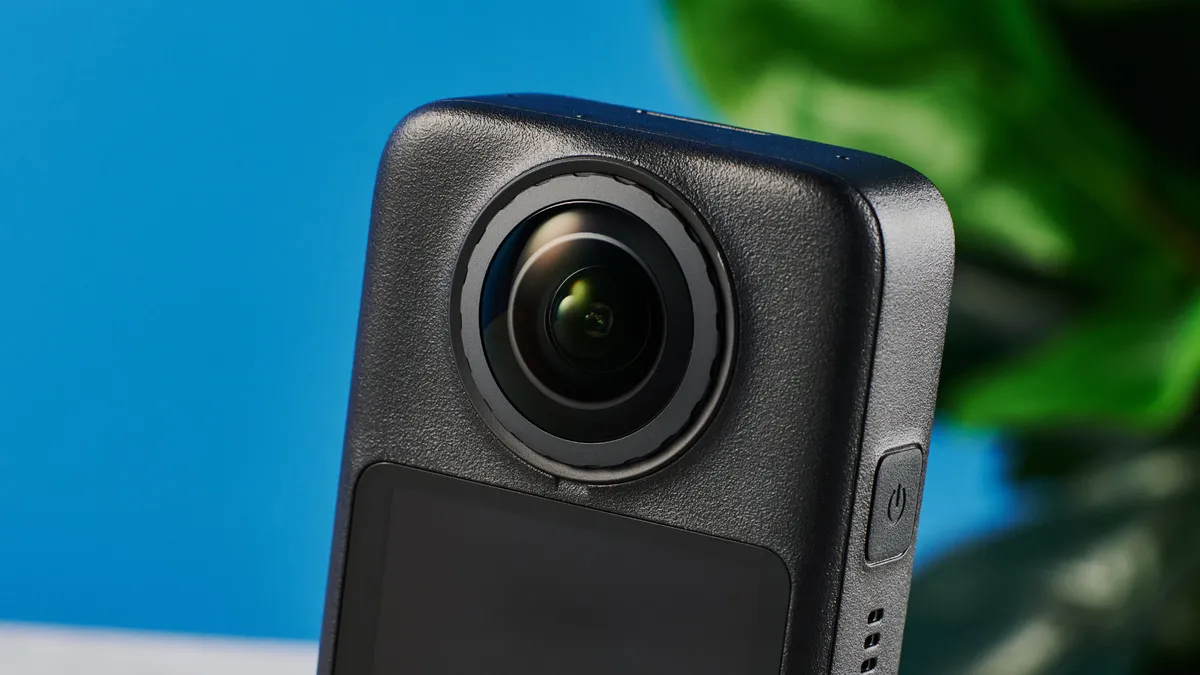
Where there has been a substantive update is lenses. The original Osmo 360 had non-replaceable lenses, which was a major drawback given all the competition had replaceable ones. 360 lenses are very easy to damage (in fact, my OG 360 was hit by a rock from a semi truck during testing, and DJI had to supply me with a replacement), so replaceable lenses are a huge deal.
The Osmo 360 had to be sent back to DJI for repair, which would be fine if you purchased a DJI care plan… only, you couldn’t buy one of those in the U.S. due to DJI’s ongoing feud with the federal government.
Thankfully, the simple solution has been employed, and the Osmo 360 II has replaceable lenses. Annoyingly, you can’t find official DJI replacement kits on Amazon (another repercussion of that feud with the government). In the U.K., this isn’t an issue, and an official DJI lens replacement kit will cost you just £22 at Amazon.
DJI Osmo 360 II review: Stabilization
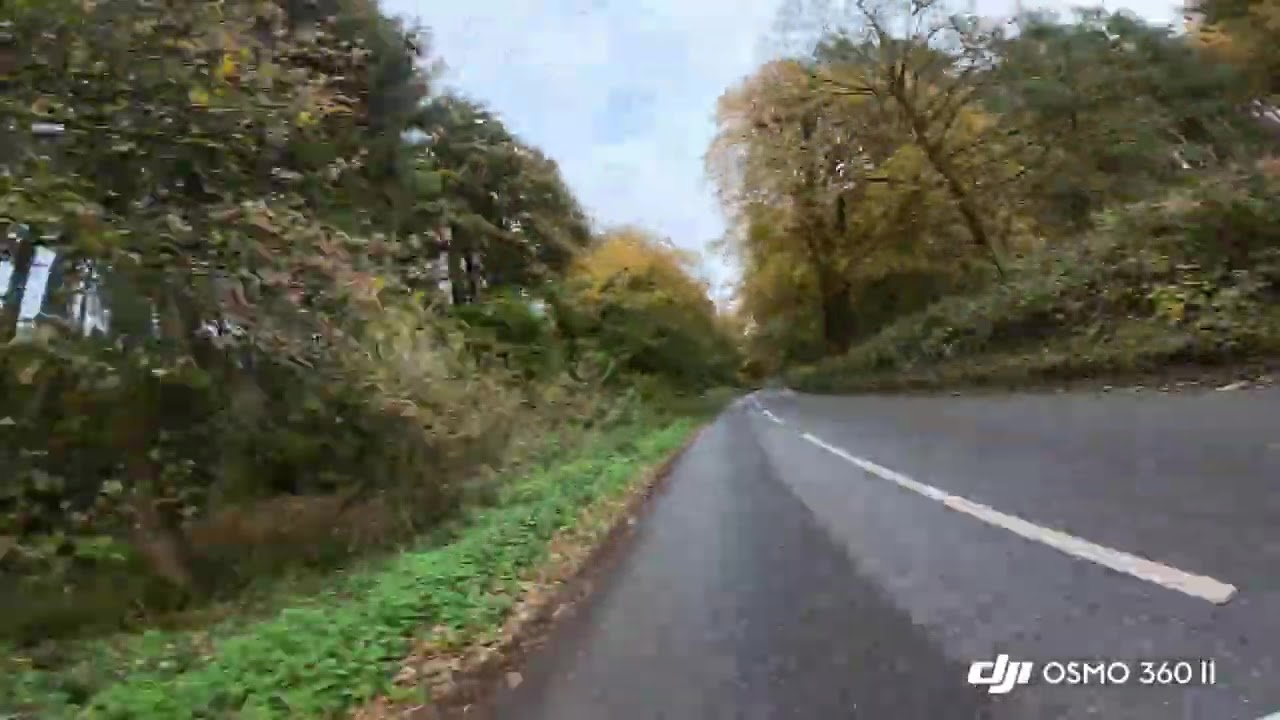
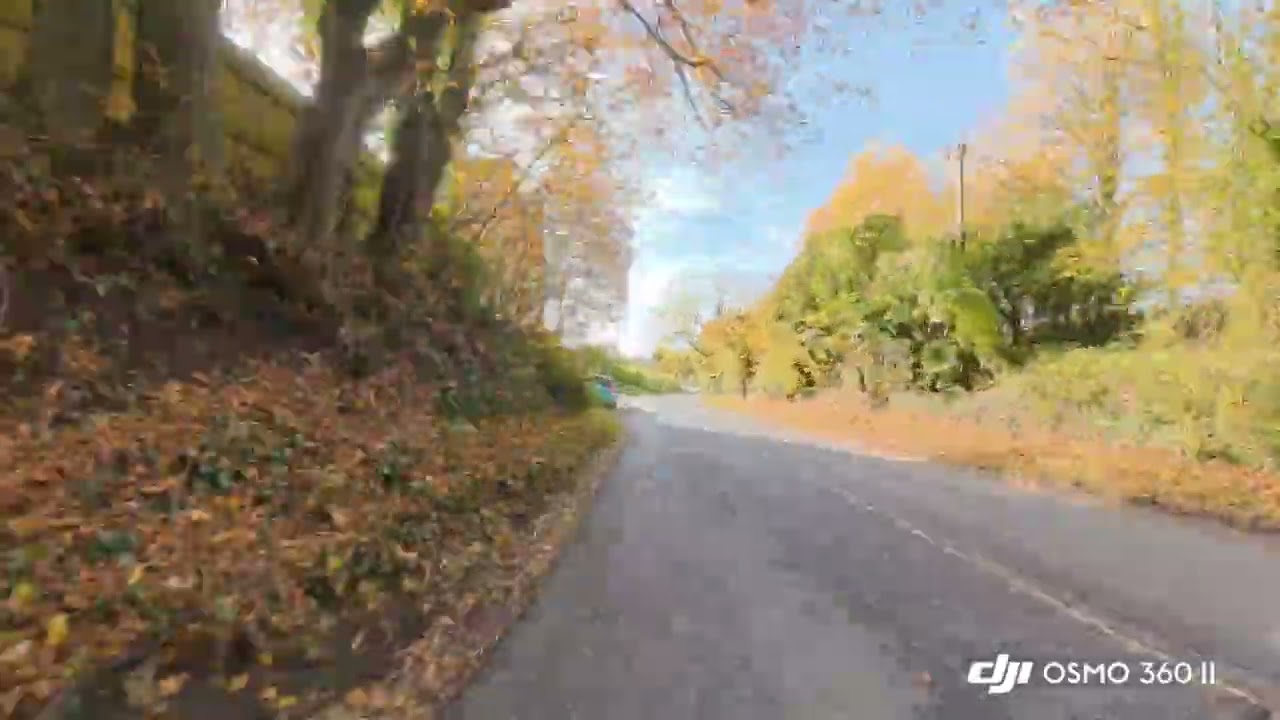
As always these days, DJI’s stabilization is pretty darn good. In most reframed 360 footage, you’ll be cropping a full 360 view down quite a bit, giving ample headroom for software stabilization (which is applied automatically by the app/desktop app in post production). I noticed a few jitters in wider fields of view, but nothing major.
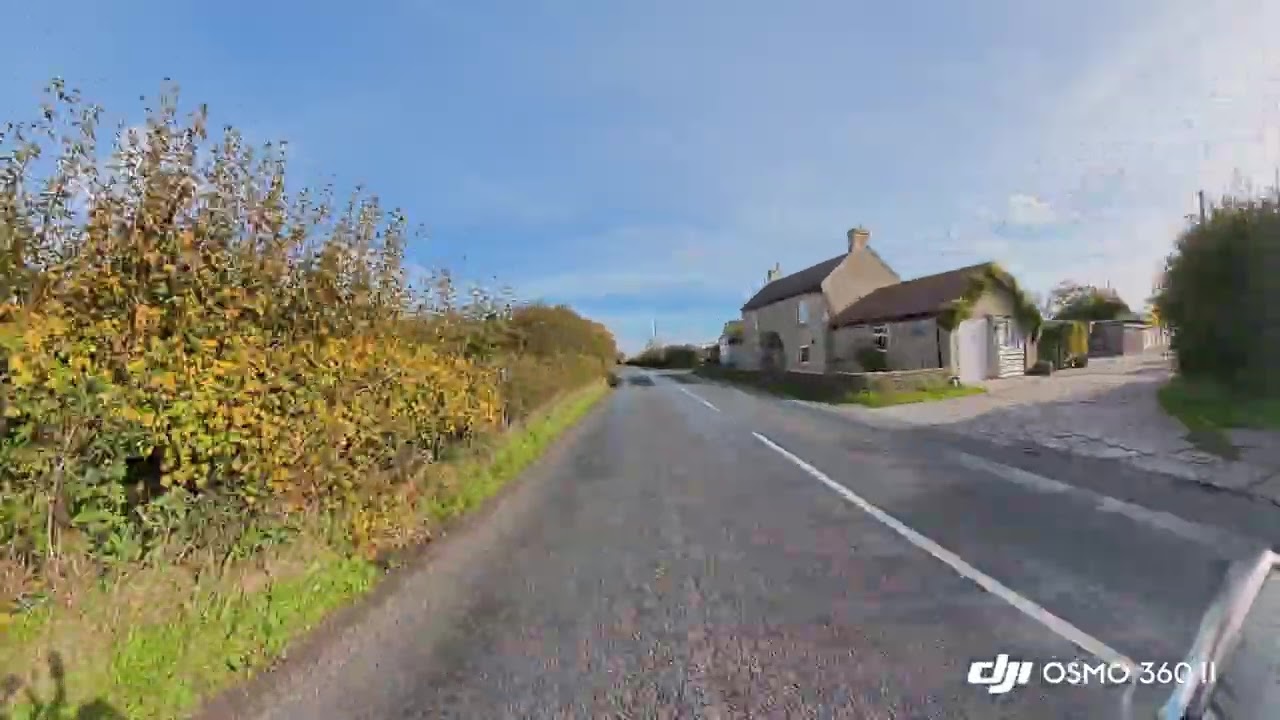
In single-lens mode, the camera uses DJI’s usual RockSteady in-camera stabilization, and it works a treat. As you can see in the single-lens footage below, everything is beautifully smooth.
DJI Osmo 360 II review: Video
The Osmo 360 II’s headline feature is the most important: 8K/60fps. When recording high-octane footage, which is what 360 cameras are commonly used for, 60fps is a fast enough frame rate for smooth-looking footage. Fast-paced footage looks great at 60fps, with no choppiness whatsoever.
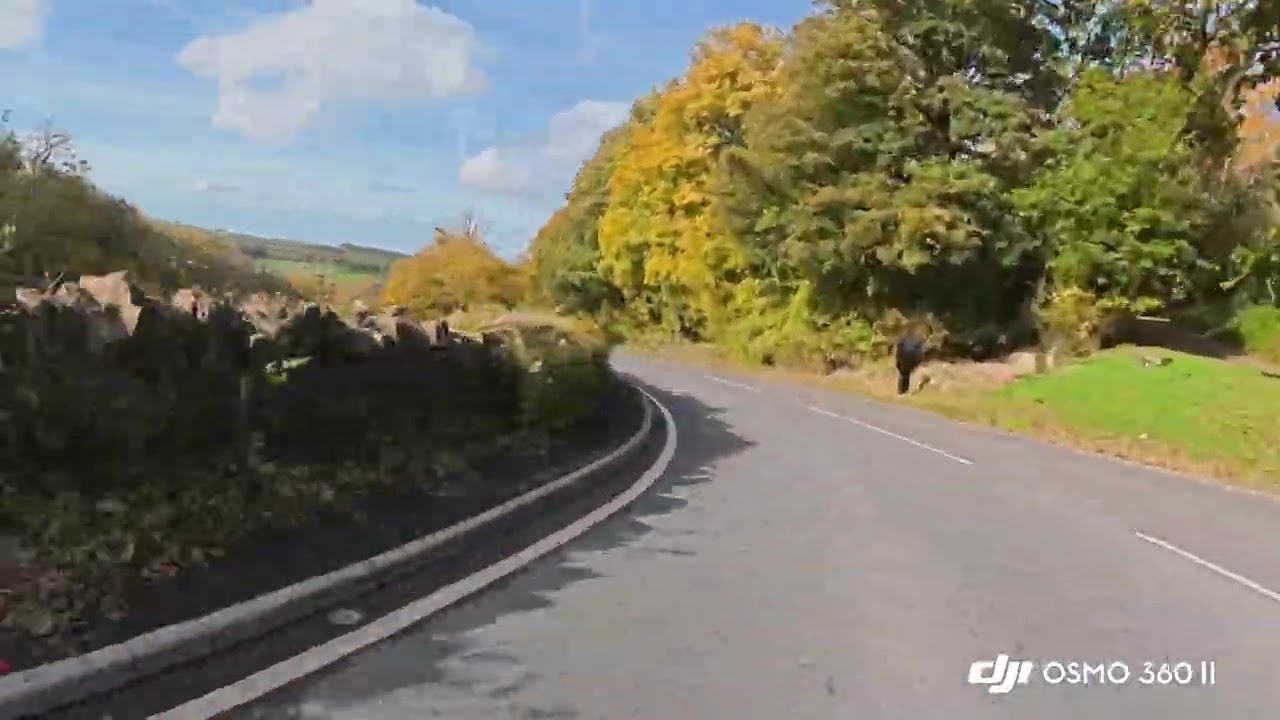
The original Osmo 360 and Insta360 X6 could only shoot at up to 50fps, which they might as well not do. 50fps is better than 30fps at smoothing out fast-moving footage, but is only really applicable to European television operating at 50Hz. The standards for online content, like YouTube, are 60fps for high octane and 30fps for everything else.
Thanks to 8K 360 footage, there’s also enough resolution headroom to reframe to 16:9 and maintain 4K when exporting. This all means that the Osmo 360 II is the first (and, as I write, only) 360 camera to let you shoot high-octane footage at high resolution and at a high frame rate.
The dual sensors in the 360 II are the same 1/1.1-Inch Square CMOS sensors as the OG 360. Frame rate is mainly decided by a camera’s image processing capabilities, and so that’s where the improvements have been made.
Unsurprisingly, given DJI is no newcomer to all this, footage looks excellent. The lenses are sharp, while colors look vivid but natural — more natural than Insta360’s typically saturated look.
Obviously, as a 360 camera, the primary benefit is ultimate framing flexibility. Shoot first, choose your fields of view and camera angles later. Aside from the selfie stick dead spot under the camera (which always shows on 360 cameras), stitching wasn’t noticeable, even at ultra-wide FoVs or in 360 modes like ‘Tiny Planet’, which is great.
Dynamic range & low light
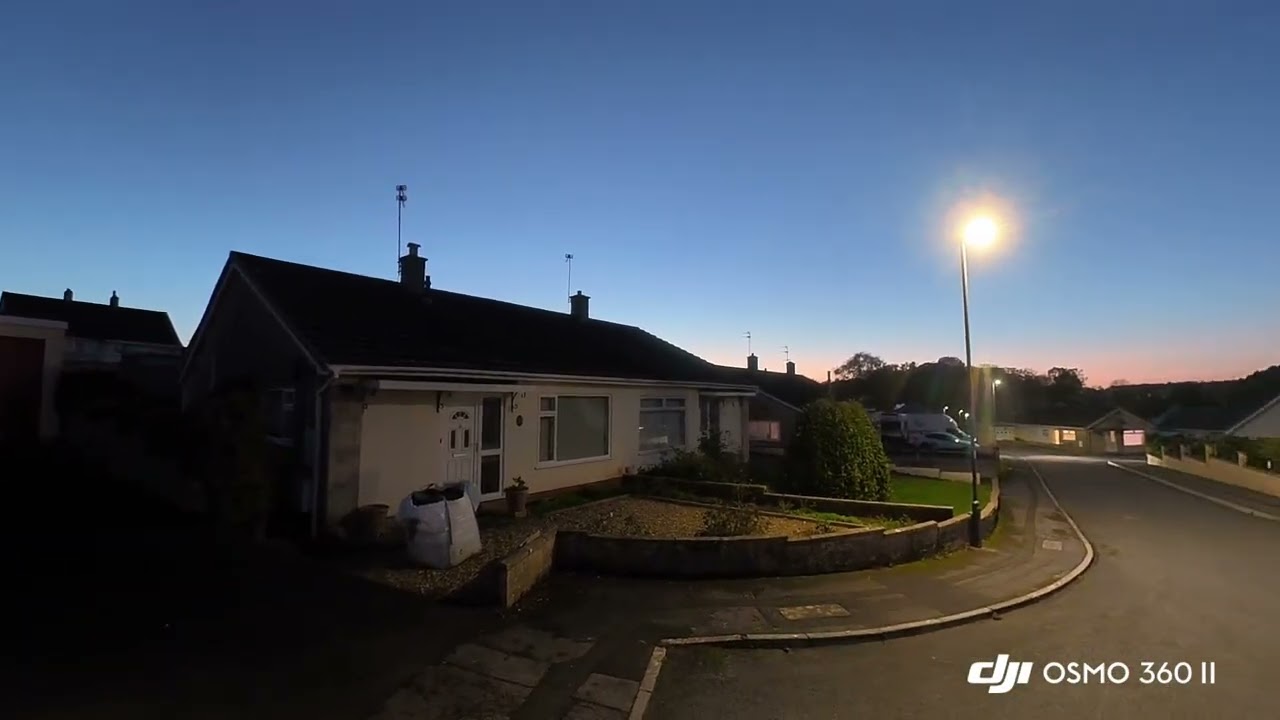
With the new processing comes 14.5 stops of dynamic range. As such, the Osmo 360 II handles radical shifts in lighting very well, maintaining shadow detail and decreasing the frequency of blown-out highlights. This also benefits low-light performance, with the Osmo 360 II proving a substantial step up over its predecessor. in the equivalent SuperNight mode on both cameras at 8K/30p, the Osmo 360 II's footage looks brighter, sharper and less noisy than the OG Osmo 360. A solid upgrade, helped by the new processors.
Single-lens mode
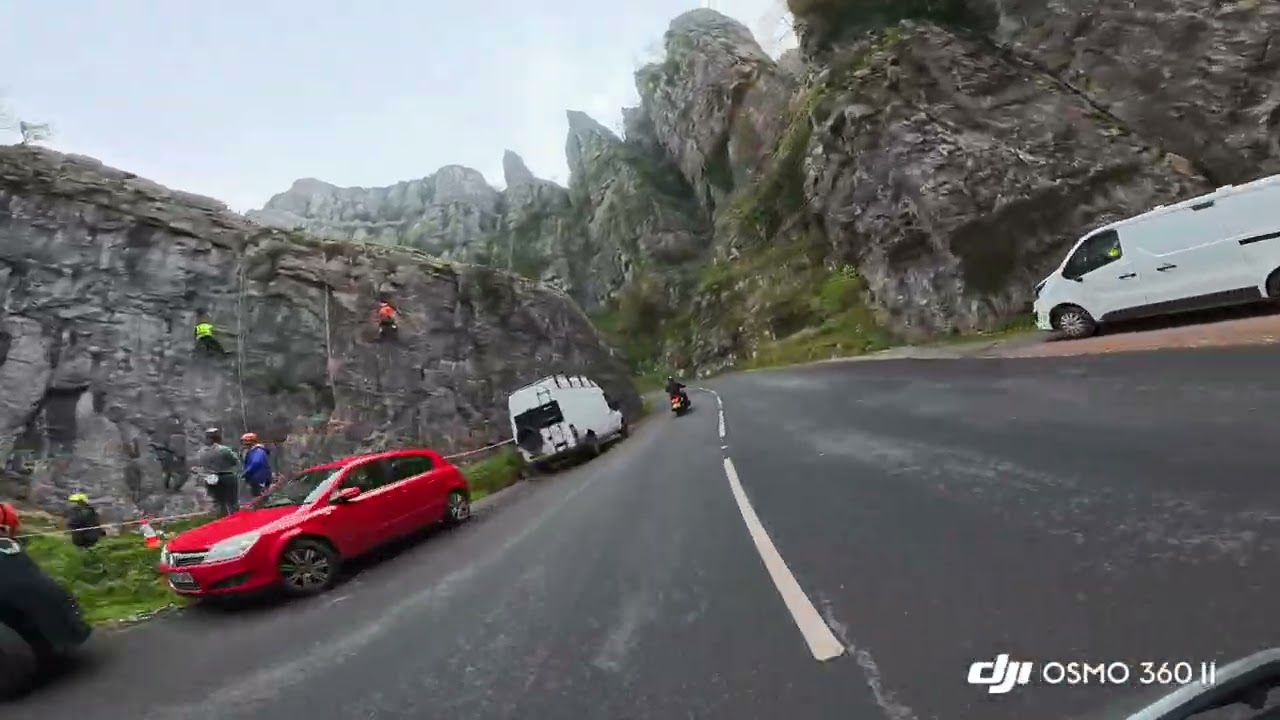
Like most 360 cameras, you can also shoot in single-lens mode at up to 4K/120fps, using the Osmo 360 II like a traditional action cam. There’s a new mode called ‘Boost’ video which supposedly offers better quality than the normal video mode.
I asked DJI about this, but it was fairly tight-lipped on the technical explanation, telling me the mode simply widens the field of view to use more of the sensor — presumably the camera then oversamples the 4K output for a sharper image. As the whole (or most of) the sensor is being used, stabilization is affected, so standard video mode is better for shakier scenarios.
Pro features
The Osmo 360 II packs some useful features for professional users or hardcore creators, including 10-bit color for extra flexibility when editing, and D-Log M for wider dynamic range capture when footage is going to be graded in post later.
DJI Osmo 360 II review: Audio
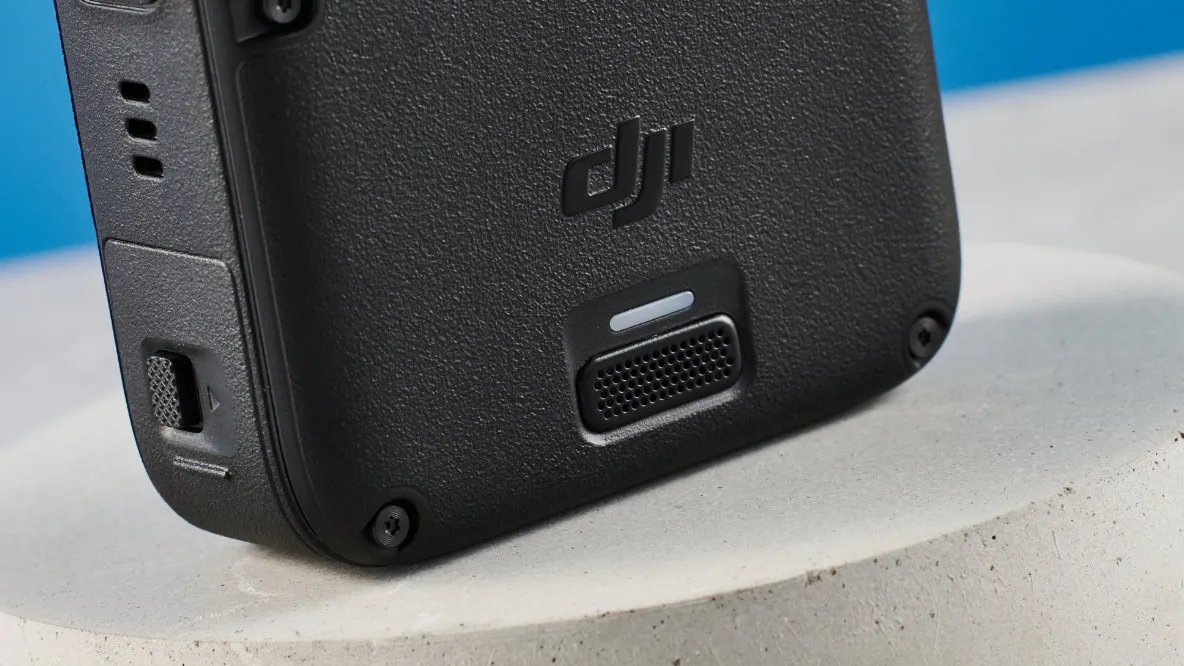
The Osmo 360 II introduces a wind-shielded mic, helping to physically reduce wind buffeting alongside the in-camera wind reduction software algorithms. Overall, wind reduction is fine. There are three modes: ‘Standard’, ‘High’ and ‘Smart’ (which automatically adjusts between the first two). If you’re shooting in particularly windy conditions, like motorcycling, ‘High’ works well to reduce wind noise, although the microphones didn’t handle the loud noise of an engine particularly well, with some clipping — you can dial in some minus gain to help with this.
I wouldn’t say the Osmo 360 II’s internal audio is much better or worse than the X6, although both lose out to the Insta360 X5 — despite being a generation old now, the X5 still packs the best internal audio of any 360 camera I’ve tested.
Naturally, as a DJI product, the Osmo 360 II can hook up wirelessly over OsmoAudio to wireless DJI mics, like the DJI Mic 3 or DJI Mic Mini 2S. As they share an ecosystem, you get lots of control over the mics in-camera — control you wouldn’t get by simply connecting over Bluetooth. OsmoAudio is essentially Bluetooth, so audio quality in high dynamic range environments (like motorcycling) isn’t fantastic, but is more than enough for quieter scenarios and vlogging.
DJI Osmo 360 II review: App & software
The DJI Mimo smartphone app is fairly solid these days. A few years back it was rather basic, but DJI has made strides to compete with Insta360’s app and the GoPro Quik app. There’s not much between them now, although Insta360’s app remains the easiest and most intuitive to use, especially for a straight-to-social workflow.
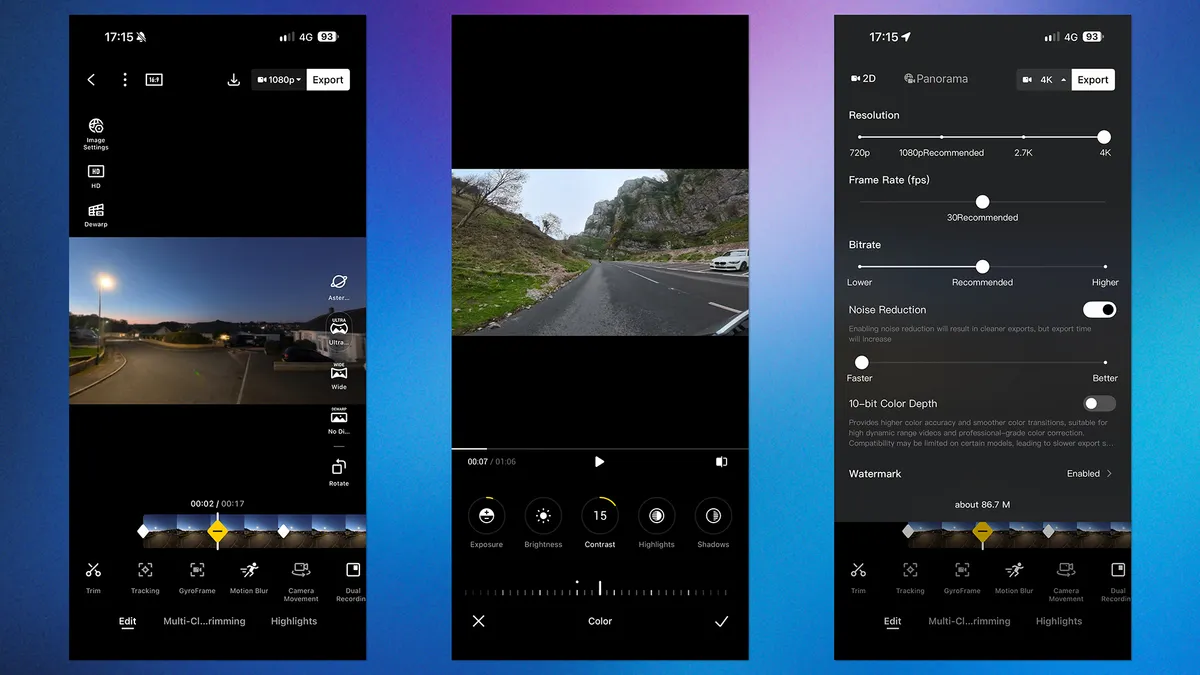
Mimo gives you a wide range of editing features, effects and export settings. It lets you do the basics, but I find reframing via keyframes a lot more clunky on Mimo versus the Insta360 app. Mimo feels more like a tool for whipping together quick client previews, assuming you’ll finesse footage later on a desktop. The Insta360 app makes it easier to put out smooth, polished content directly from your phone.
DJI has a big advantage for pros and serious creators, though. Both Insta360 and DJI offer desktop editing apps for more serious editing. However, pros will need their camera to fit in with existing workflows, and while both brands offer Premiere Pro 360 plug-ins, only DJI has them for DaVinci Resolve.
DJI Osmo 360 II review: Battery & overheating
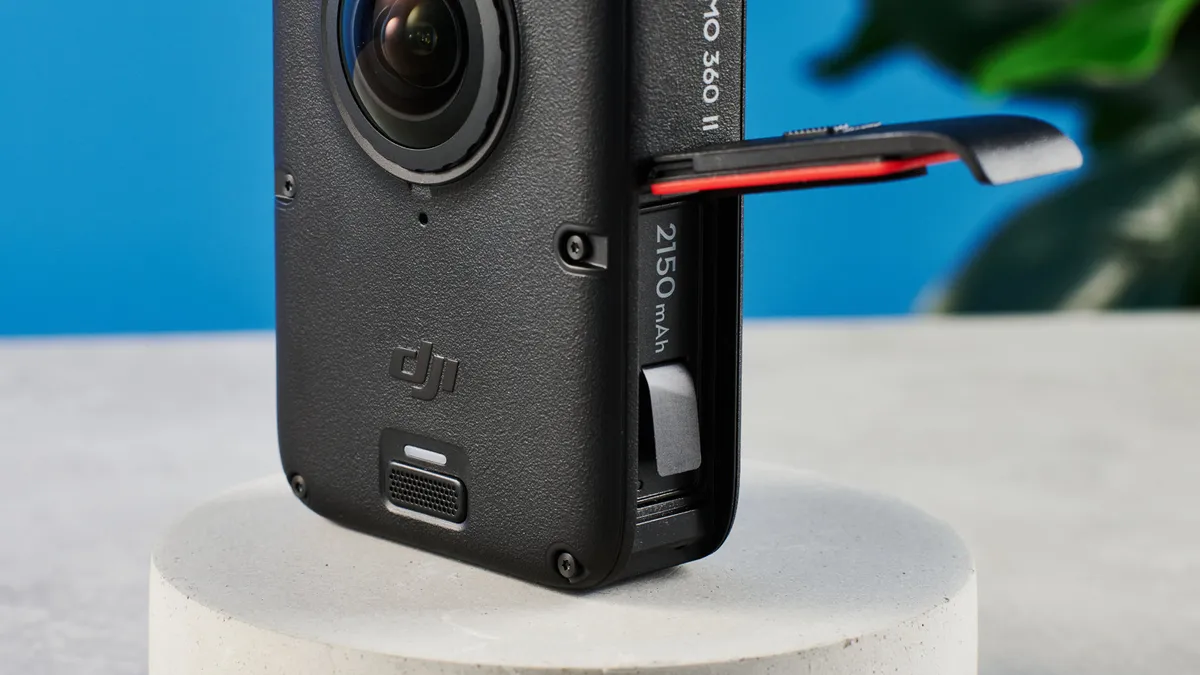
The Osmo 360 II’s battery life is a mixed bag. It features a bigger battery than the original Osmo 360, boosted from 1,950mAh to 2,150mAh. Despite this, in my standardized indoor tests, the Osmo 360 II only managed 88 minutes at 8K/30fps versus 112 minutes on the original model. Both pale in comparison to the 2,600mAh Insta360 X6, which managed 117 minutes at 8K/30fps.
That said, the OG model dropped off a cliff at higher frame rates. At 8K/50fps, the original camera only managed 30 minutes in my testing. The Osmo 360 II ran for 66 minutes at 8K/60fps and while it overheated after 45 minutes, it disabled its screen and ran for a further 21 minutes until dying. You’ll get longer while on the move, as wind chill will mean less thermal throttling. Still, 8K/60fps is no easy task, so 66 minutes is impressive.
At 8K/50fps, the Osmo 360 managed 77 minutes and overheated after around 50 (but again soldiered on, thermally throttled, for another 25 minutes. The X6 managed 90 minutes at 8K/50fps, but overheated every 20 minutes.
Camera |
4K/60fps |
8K/30fps |
8K/50fps |
8K/60fps |
|---|---|---|---|---|
DJI Osmo 360 II |
81 minutes |
88 minutes |
77 minutes |
66 minutes |
DJI Osmo 360 |
112 minutes |
112 minutes |
30 minutes |
N/A |
Insta360 X6 |
56 minutes |
117 minutes |
90 minutes |
N/A |
GoPro MAX2 |
90 minutes |
73 minutes |
N/A |
N/A |
At 4K/60fps in single-lens mode, the Osmo 360 managed just over 80 minutes. Again, in the indoor stress test conditions, it overheated and thermally throttled itself after around 50 minutes, but kept on shooting for another half an hour before dying. Windchill will solve this. The X6, meanwhile, overheated at 33 minutes and only managed 56 minutes in total at 4K/60fps. Like I said, the Osmo 360 II’s battery life is a mixed bag, but where it counts at 60fps, it’s impressive.
DJI Osmo 360 II review: Verdict
Oof. When I reviewed the original Osmo 360, my sentiment was: “It’s a good start, but needs work.” Well, DJI has done the work, and a lot of it. The Osmo 360 II is the first 360 camera to reach 8K/60fps, making it ideal for creators who want the benefits of 360 recording without sacrificing frame rate.
The Osmo 360 II isn’t perfect, and whether you need this or the Insta360 X6 will, to a large extent, depend on what you’re doing or shooting. If your priority is a straight-to-social workflow, Insta360 still has the edge.
However, the margins between the two are mostly minor, all except one: frame rate. If you shoot high-octane footage — motovlogging, snowboarding, skydiving, etc. — there’s now only one camera to recommend. It has to be the Osmo 360 II.
DJI Osmo 360 II review: Rivals compared
| Header Cell - Column 0 | DJI Osmo 360 II |
DJI Osmo 360 |
Insta360 X6 |
GoPro MAX2 |
Insta360 X5 |
|---|---|---|---|---|---|
Starting price |
|||||
Max Res/fps |
8K/60fps ☆ |
8K/50fps |
8K/50fps |
8K/30fps |
8K/30fps |
Sensors |
2x 1/1.1-inch |
2x 1/1.1-inch |
2x 1/1.1-inch |
2x 1/2.3-inch |
2x 1/2.8-inch |
Stabilization |
Yes |
Yes |
Yes |
Yes |
Yes |
Touchscreen |
2-inch LED |
2-inch LED |
2.32-inch OLED ☆ |
1.82-inch LED |
2.5-inch LED |
User replaceable lenses |
Yes |
No (only by manufacturer) |
Yes |
Yes |
Yes |
Internal memory |
105GB ☆ |
105GB ☆ |
47GB |
None |
None |
MicroSD slot |
Yes |
Yes |
Yes |
Yes |
Yes |
Pre-recording |
Yes |
Yes |
Yes |
Yes |
Yes |
Wireless mic hookup |
Yes |
Yes |
Yes |
Yes |
Yes |
Connectivity |
Bluetooth, Wi-Fi, USB-C |
Bluetooth, Wi-Fi, USB-C |
Bluetooth, Wi-Fi, USB-C |
Bluetooth, Wi-Fi, USB-C |
Bluetooth, Wi-Fi, USB-C |
Waterproofing |
33ft (10m) |
33ft (10m) |
66ft (20m) ☆ |
16ft (5m) |
49ft (15m) |
Battery capacity |
2,150mAh |
1,950mAh |
2,600mAh ☆ |
1,960mAh |
2,400mAh |
Tested 360 runtime (8K/30fps) |
88 mins |
112 mins |
155 mins ☆ |
73 mins |
72 mins |
Tested single-lens runtime (4K/60fps) |
81 mins |
112 mins |
117 mins ☆ |
90 mins |
87 mins |
Size |
2.4 x 1.4 x 3.2 inches |
2.4 x 1.4 x 3.2 inches |
3.9 x 2 x 1.6 inches |
2.5 x 2.7 x 1.9 inches |
4.9 x 1.8 x 1.5 inches |
Weight |
6.4 ounces ☆ |
6.4 ounces ☆ |
6.9 ounces |
6.8 ounces |
7.05 ounces |