
 Club Benefits





A decade ago, I would applaud any laptop that would last over eight hours (a working day). Today, the best laptops for battery life can hit over 20 hours, and we've done the testing to prove it.
At Tom's Guide, we test and run the latest laptops through multiple instances of our battery test, which tasks the laptop with endlessly surfing the web via Wi-Fi with its screen set to 150 nits of brightness, then timing how long it takes to run out of power. You've seen those bold number claims from manufacturers, and they're rarely the case. But we're here to cut through the noise to show you the stamina champions.
Right now, the 16-inch MacBook Pro M5 Pro is the longest-lasting laptop we have tested, with 21 hours and 10 minutes on the clock. We're reaching the heights of literal "all-day" battery life here, which just goes to show how far these machines have come over the years. So, what does the best battery life in laptops look like today? If you're sick of reaching for chargers while you're on the go, we've got just the list.


I remember the days of carrying around a 17-inch gaming laptop on press trips and foolishly thinking I could get by with the measly two hours of juice it offered. Thankfully, with my team and I testing and reviewing the latest laptops over the years, I've seen the huge benefits of buying a laptop with battery life that lasts a full day without needing a charge. And if you find yourself out and about more often than not, I urge you to grab one of the longest-lasting laptops we've tested below. The less time reaching for a charger, the better.
Keep in mind that battery life fluctuates based on several factors, including what you're doing and how your laptop is configured. So while I stand by the numbers in this list, your own battery life with these laptops may vary!
The best laptops for battery life you can buy today
Why you can trust Tom's Guide Our writers and editors spend hours analyzing and reviewing products, services, and apps to help find what's best for you. Find out more about how we test, analyze, and rate.
The longest-lasting laptop
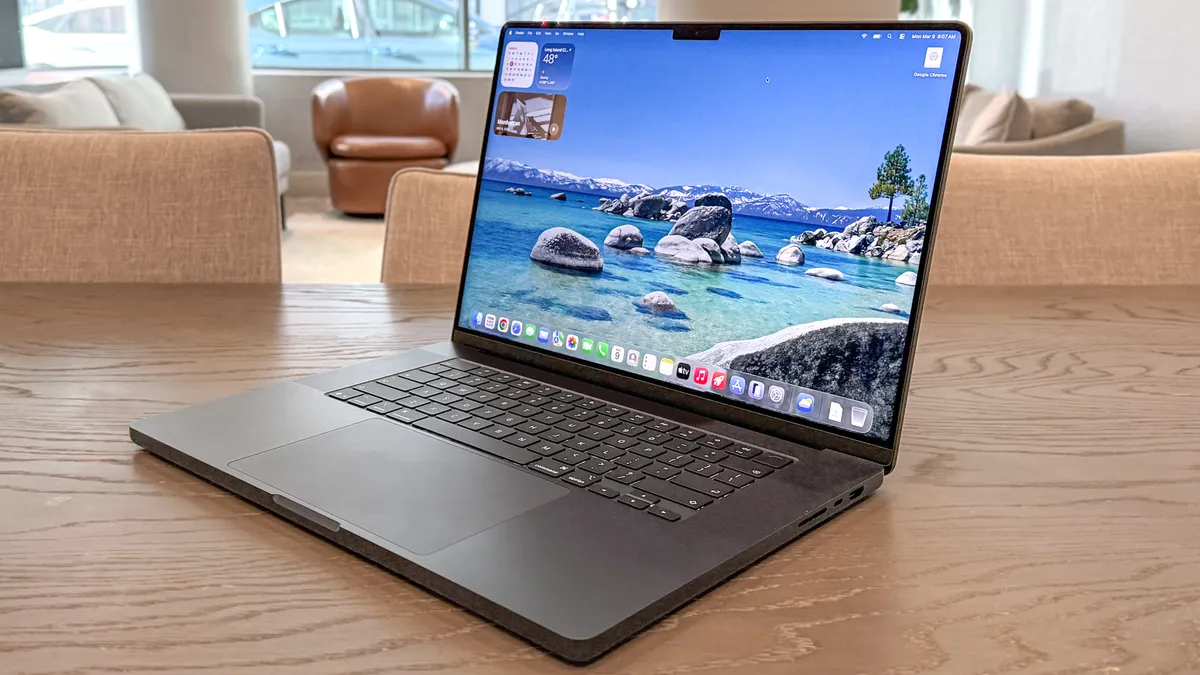

21 hours and 10 minutes
Previously, the 16-inch MacBook Pro with M4 Pro took the crown as the laptop with the longest battery life, lasting 20 hours and 46 minutes. Well, the MacBook Pro M5 Pro has taken over the top spot, officially being the longest-lasting laptop we've tested.
Apple claimed the M5 Pro model can last up to 24 hours. As it turns out, it's only just over a couple of hours off the mark now, as in our battery tests, the 16-inch MacBook Pro boasted 21 hours and 10 minutes of stamina. That's a stunning results! And it means you can let this machine run throughout your workday and beyond without even thinking about grabbing a charger.
The M5 Pro chip isn't just about power efficiency, though, as it also brings powerful performance to breeze through heavy video editing, 3D rendering and more. Plus, with its Wi-Fi 7 support, 1TB base storage and always-gorgeous 16.2-inch (3,456 x 2,234) Liquid Retina XDR display with a 120Hz refresh rate, this laptop is made for power users on the move.
Sure, the last model still has amazing battery life, and it's a shame the M5 Pro laptop is now $200 more. But for those after the best battery life in a laptop right now, the MacBook Pro delivers.
- Read our full MacBook Pro 16-inch M5 Pro review
The best budget laptop for battery life


16 hours and 29 minutes
While it isn't a perfect laptop, the Lenovo IdeaPad Slim 3x offers fantastic battery life, with its 16 hours and 23 minutes it boasts, and solid performance at a price that's tough to beat. If you can find it on sale, it's a serious bargain. This laptop would be an especially good pick for students and casual users, but it probably isn't the right choice for power users and gamers.
If you're looking for a sub-$1,000 laptop that will easily last all day on a single charge, the IdeaPad Slim 3x could be perfect for you. Its battery life is impressive enough that it outweighs less significant drawbacks like a lackluster display and quiet speakers. It's hard to find battery life this long at such a low price, so that alone makes the IdeaPad Slim 3x stand out.
While its drawbacks might be deal-breakers for some, if battery life and price are your top concerns, the IdeaPad Slim 3x could be the perfect choice.
- Read our full Lenovo IdeaPad Slim 3x review
The best Windows laptop for battery life

20 hours and 41 minutes
Finally, Dell decided to bring back its XPS lineup, with its XPS 13 (2024) and its Snapdragon X Elite chip delivering one of the longest-lasting laptops to date at close to 20 hours. But the Dell XPS 14 (2026) has outdone its predecessor with a whole new chip.
Now, if you head into our XPS 14 review, you may be wondering how this premium notebook could make it on this list with its still-adequate 12-hour and 23-minute battery life. Well, that's for the OLED model, but for the lower-end configuration with a 1200p LED display, it lasts an astonishing 20 hours and 41 minutes.
That raises the bar on Windows machines, and it has Intel Panther Lake to thank for that. This model's Intel Core Ultra 5 325 CPU and LED panel may not deliver as strong performance or visuals as its higher-end sibling, but you're still getting Wi-Fi 7 connectivity, good performance for everyday tasks and a slim, practical design with plenty of Thunderbolt 4 ports.
Dell is back with one of the longest-lasting laptops you can get, so if you're all about Windows and prefer a machine that has stamina, this one's for you.
- Read our full Dell XPS 14 (2026) review
The best MacBook for battery life
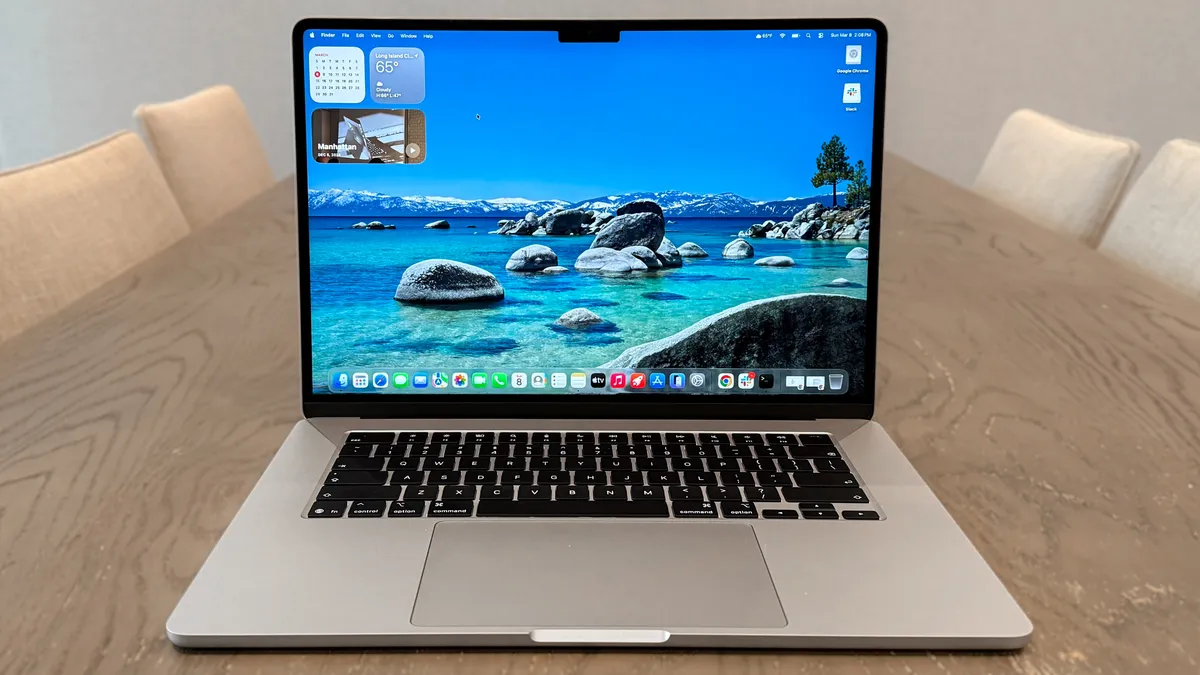
15 hours and 37 minutes
The MacBook Air ticks all the right boxes, which is why we recommend it as the best laptop for most people. And one of the big reasons is because of its brilliantly long battery life. With the M5 model, it now pushes its limits further.
With an average runtime of 15 hours and 30 minutes (that's for both the 13- and 15-inch models, with the 13-inch clocking just two minutes behind and the 15-inch at 37 minutes), this is the kind of battery life where it's not a massive problem if you forgot to pack your charger. Not exactly the 18 hours Apple claims, but depending on how you use it, this laptop will last for ages.
Unfortunately, the MacBook Air M5 is $100 more than its M4 predecessor, but you're getting 512GB base storage and Wi-Fi 7 connectivity this time around. Plus, that M5 chip offers up blazing-fast performance for juggling multiple tabs and apps, and has enough power to play Resident Evil 4 Remake at a rock-solid 60 FPS. Impressive!
For its price (especially when inevitable discounts arrive, so keep an eye out), the MacBook Air M5 shines — and brighter than ever with its slightly longer battery life over its M4-equipped sibling.
- Read our full MacBook Air M5 review
The best Chromebook for battery life

14 hours and 53 minutes
Once upon a time, Chromebooks were among the longest-lasting laptops you could get, due to ChromeOS being a lightweight operating system and these machines coming with power-efficient parts. In recent years, though, Windows laptops and MacBooks have pulled ahead, but the Acer Chromebook Plus Spin 514 has put Google's notebooks back in the race.
Lasting 14 hours and 53 minutes in our tests, this capable 2-in-1 delivers enough juice to conquer a full workday without needing to reach for a charger. Impressive, considering that's not far behind the MacBook Air and Samsung Galaxy Book6 Pro. Oh, and it does this at a far more affordable price of $699. I know, that's quite pricey for a Chromebook, but these days, you can find one for under $500 with a good deal.
The MediaTek Kompanio Ultra 910 CPU under the hood not only gives the Spin 514 plenty of stamina but also speedy performance for multitasking and making good use of its AI features. Even better, this laptop comes equipped with a gorgeous 14-inch 2.8K resolution OLED touchscreen, showing off finer details and decent color accuracy.
Despite its premium appeal, we wish it were more durable, as we noticed its aluminum coating is prone to noticeable nicks and scratches. But keep this Chromebook safe from harm while working or watching shows for hours on end, and you'll find there's plenty to get out of the Acer Chromebook Plus Spin 514.
- Read our full Acer Chromebook Plus Spin 514 review
The best creator laptop for battery life
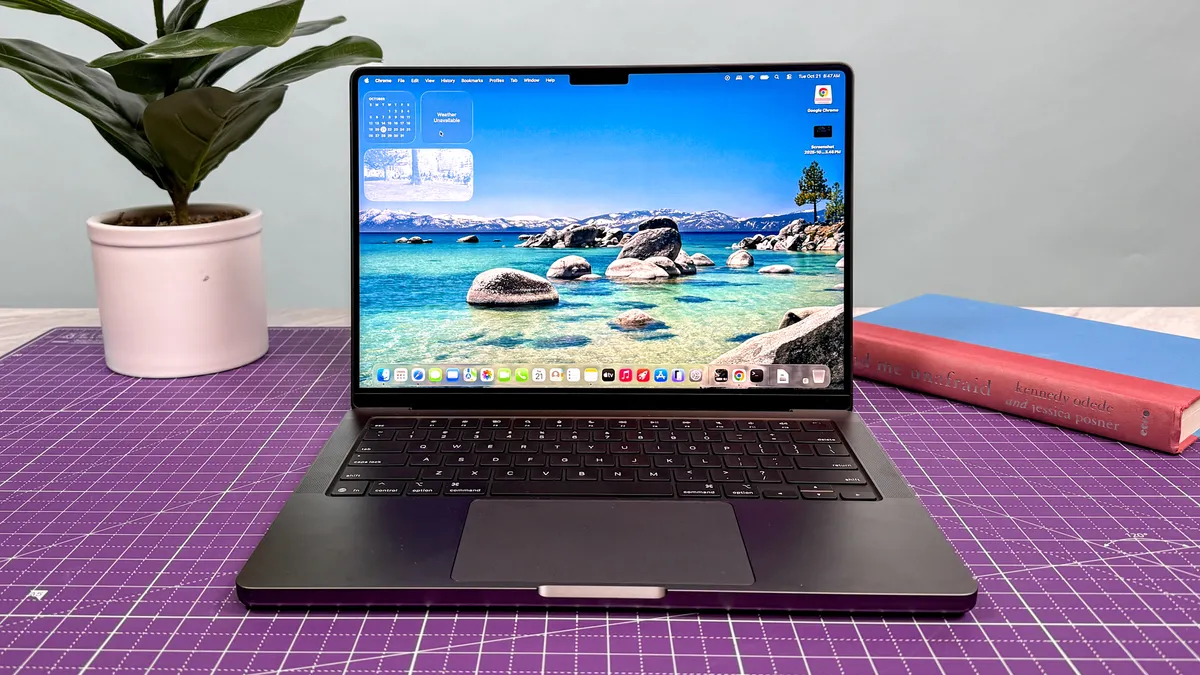
18 hours
It couldn't last quite as long in our battery tests as its 16-inch sibling, but the latest 14-inch MacBook Pro M5 is still an all-star performer that lasted 18 hours in our testing lab. It looks good doing it, too, thanks to the 14-inch Liquid Retina XDR display, and in our lab tests, we saw that its display is even brighter than its predecessor.
During the Tom's Guide battery test, the MacBook Pro M5 lasted an epic 18 hours while continually surfing the web at 150 nits of screen brightness. That goes to show the power the M5 chip offers, despite this being identical to the last-gen M4 model.
Regardless, the power the M5 chip brings to the table makes it a fine choice for creatives after a laptop that won't completely empty their wallets. With a fan keeping the internals cool under pressure (unlike the MacBook Air), expect to power through complex video edits, touch up photos and dig into 3D creative work.
Throw in its compact yet sizeable 14-inch premium styling that's easy to throw (well, place nicely) into a backpack, and this MacBook Pro becomes a fantastic digital companion for working on the go.
- Read our full MacBook Pro 14-inch (M5, 2025) review
The best OLED laptop for battery life

16 hours and 39 minutes
The Lenovo Yoga Slim 7i Ultra Edition (that's a mouthful) proves that laptops with OLED displays aren't just battery hogs. That's an impressive feat alone, as generally, OLED screens can take up a lot of power to deliver those rich colors, deep blacks and brilliant brightness. Thankfully, that isn't the case with this machine.
Boasting a whole 16 hours and 39 minutes, the Yoga Slim 7i Ultra Edition has the stamina to come close to the heights of its MacBook Pro and Dell XPS competition. But that's with its unmatched 14-inch (2880 x 1800) OLED touchscreen, featuring anti-glare tech to fully show off bright, punchy colors no matter what's on screen. And smooth visuals, too, with its 120Hz refresh rate.
The Intel Core Ultra 7 355 chipset onboard, without a doubt, helps the Yoga Slim 7i last longer than a full day at work, but it also boosts the performance this laptop offers to handle demanding creative work and gaming. All that packed into a slim, sturdy and lightweight design that's lovely to look at? Now that's hard to pass up.
Yes, you can expect this machine to come at a high price, and do expect it to get loud when put under pressure, but with nearly 17 hours of battery life to play with, and a visually stunning OLED screen, there's a lot to love about the Lenovo Yoga Slim 7i Ultra Edition.
- Read our full Lenovo Yoga Slim 7i Ultra Aura Edition review
The best 2-in-1 laptop for battery life

15 hours and 24 minutes
While 2-in-1 laptops aren't too hard to come by these days, you'll find that many of them don't come with ample battery life. That's true of the best 2-in-1 laptops on the market, but not quite for the Lenovo IdeaPad Slim 5x. Just like its Slim 3x sibling, this trusty 15-inch machine comes packed with stamina — along with a more-affordable-than-most price tag.
With its 15 hours and 24 minutes of battery life, not only does the Lenovo IdeaPad Slim 5x keep up with the likes of the MacBook Air, but it also undercuts Apple's popular laptop with its $849 price tag (imagine its cost during a sale!). You're also getting the benefit of its nice 15-inch FHD (1920 x 1200) LCD touch display, meaning you can use the machine just like a tablet in a pinch. Not only that, but its screen also boasts rich, vibrant colors.
The Snapdragon X2 Plus chip inside does an admirable job keeping up with busy workloads, handling multitasking when it comes to basic productivity work. That's enough for most, even if it reaches its performance limit when it comes to heavy-duty tasks like video editing or playing games. Keep that in mind, and you'll find a laptop primed for on-the-go productivity.
It's a shame that its lackluster speakers and grainy 1080p webcam hinder its overall appeal (that's where the best headphones and best webcams can help you out), but I'd take killer battery life in a 2-in-1 laptop any day when the price is right. And that's exactly what the Lenovo IdeaPad Slim 5x delivers.
- Read our full Lenovo IdeaPad Slim 5x review
The best gaming laptop for battery life

12 hours and 46 minutes
Look, anyone who owns a gaming laptop will know that these machines aren't made to be battery champs. Most of the time, especially when gaming, they're meant to be plugged in for optimal performance, and so they can actually last longer than a few hours. But the Razer Blade 16 (2026) comes onto the scene with a surprisingly long battery life — for productivity, that is.
As tested, the Razer Blade 16 (2026) lasts 12 hours and 46 minutes when it comes to general tasks like surfing the web. Even the best gaming laptops can struggle to manage over five hours when used for anything other than gaming, so seeing the Blade 16 last close to 13 hours is a triumph.
When it comes to gaming, it comes in at a respectable 1 hour and 41 minutes. That doesn't sound like much, but that's actually in the realm of the best gaming handhelds, and considering the power this Blade 16 packs, it's an impressive feat if you're looking for some unplugged gameplay.
With the Intel Core Ultra 9 358H chip, up to RTX 5090 GPU power and a 16-inch OLED display with a whopping 240Hz refresh rate, this is one of the most powerful gaming laptops on the market. As you might expect, you'll have to pay a hefty price for it, but for a gaming laptop to last this long for both work and play, it's sure to last you for years to come.
- Read our full Razer Blade 16 (2026) review
Battery life test results
If you made it this far, you know battery life is one of the key things to look at when deciding which laptop to buy, which is why we run every laptop we review through a series of battery tests to see how long it lasts on a full charge.
These tests do not reflect real-world use patterns since we have to set every laptop to the same settings in order to do fair comparisons. So, while the times listed here are accurate and useful as a comparison point, your own experience with a laptop's battery life will likely vary. Otherwise, here's how long each laptop lasted.
Battery life benchmarks
In our battery test, we set the laptop's display to 150 nits of brightness and have it endlessly browse the web via Wi-Fi until it runs out of juice.
Battery life (hh:mm:ss)
| Product | Value |
|---|---|
| MacBook Pro 16-inch (M5 Pro) | 21.166666666666668 |
| Dell XPS 14 2026 (Intel Core Ultra X7 358H) | 20.683333333333334 |
| MacBook Pro 14-inch (M5) | 18 |
| Lenovo Yoga Slim 7i Ultra Aura Edition (Intel Core Ultra 7 355) | 16.65 |
| Lenovo IdeaPad Slim 3x (Snapdragon X) | 16.483333333333334 |
| MacBook Air (M5) | 15.5 |
| Lenovo IdeaPad Slim 5x (Snapdragon X2 Plus) | 15.4 |
| Acer Chromebook Plus Spin 514 (MediaTek Kompanio Ultra 910) | 14.9 |
| Razer Blade 16 2026 (Intel Core Ultra 9 358H) | 12.766666666666667 |

Also tested


How to choose the right long-lasting laptop for you
What kind of power do you need? Forget about battery power for a minute — what kind of performance do you need from your new laptop? If you only need something basic for surfing the web, consider the Lenovo IdeaPad Slim 3x or Acer Chromebook Plus Spin 514. These aren't premium machines, but you can get one for cheap, and they're still plenty good enough for surfing the web. But if you want to get work done, something nicer like the Dell XPS 14 or MacBook Air might be easier on you. And if you need raw power, the MacBook Pro with M5 Pro is the way to go.
What kind of games do you want to play? Most mainstream laptops (including nearly everything on this list) feature integrated graphics, which can handle lightweight titles such as Minecraft and Fortnite but aren't ideal for graphically demanding games or heavy visual work. For that, you'll want a laptop with a discrete graphics card (which typically have terrible battery life) or a MacBook Pro, which doesn't support as many games as a Windows machine but has more than enough power to run many at great framerates.
Do you want macOS or Windows? Once upon a time, Chromebooks were the industry leaders in battery life, but nowadays it's Macs and Windows machines leading the pack. So the main thing to decide if you want the best battery life is, Mac or Windows?
Many Windows laptops with the best battery life are those running on Intel Panther Lake (Core Ultra 3) and Snapdragon X Series chips. The top MacBooks all run on Apple silicon and have good software support for everything, and even games.
Whichever system you decide on, you may also want to consider investing in the best mouse and best keyboard for your needs so you can have some more ergonomic options for working on your new laptop.
How we test the best laptops for battery life
To find the best laptop, we run every machine through a series of benchmarks and real-world tests to gauge how it will perform during everyday use.
For this guide, the most important result from our testing is the battery life. Here, we normalize each machine:
- Screen brightness is set to 150 nits
- Background apps (like antivirus) are disabled
- A custom power plan is applied
For Windows laptops, we also adjust Windows and Edge settings — like turning off Bluetooth and location services — to ensure clean, repeatable results. For MacBooks, we turn off automatic brightness adjustments, True Tone and other power-sapping features like iCloud syncing. For Chromebooks, we use a Chrome plug-in to ensure the screen doesn’t turn off, and we run our proprietary test to visit a collection of major websites.
This is so we can measure each laptop consistently in a controlled environment. Of course, this isn't how people generally use a laptop, as we all use these machines differently: for browsing the web, playing games, working on documents, editing videos and more. So, depending on how you use a laptop, battery life will vary. However, this test shows just how long they can last while navigating through websites, which will give you a good idea of the time it takes for a laptop to finally shut down without needing a charge.
Aside from this, we measure the average brightness and color quality of each laptop's display using our in-house light meter and colorimeter. For general performance, we run our machines through tests that include Geekbench 6 (CPU performance), as well as various 3DMark tests to measure graphics capabilities. We also run a file transfer test to measure how fast a machine's hard drive is.
For more details on our testing methods, find out how we test laptops.
