Tom's Guide Verdict
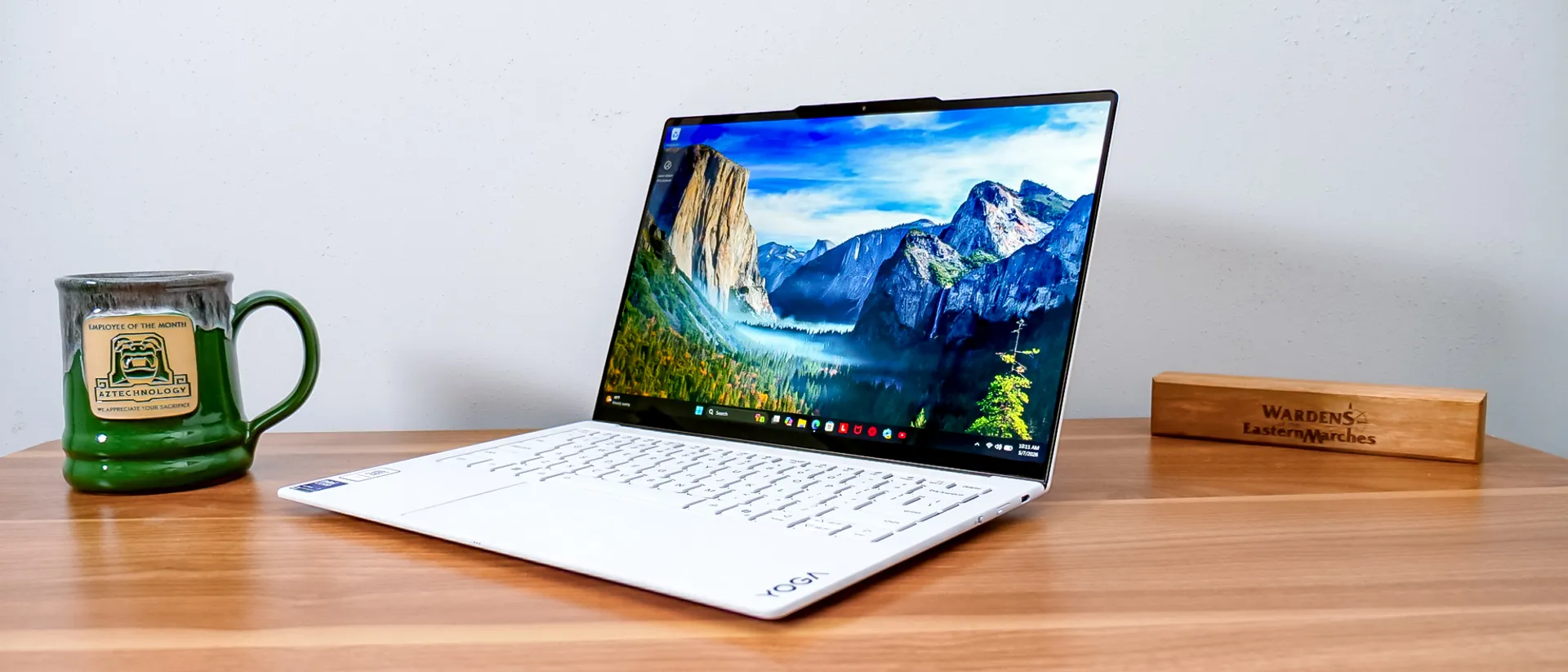
The Lenovo Yoga Slim 7i Ultra Aura Edition is a stunning ultraportable that rivals the MacBook Air. With its brilliant OLED display, nearly 17-hour battery life, and stylish 2-pound design, it's a top-tier Windows laptop. However, a steep $1,889 starting price and limited ports hold it back slightly.
Reasons to buy
- +
Stunning OLED touchscreen
- +
Outstanding Lenovo keyboard
- +
All-day and beyond battery life
- +
Slim two-pound chassis
- +
Solid performance
Reasons to avoid
- -
-Only USB-C ports
- -
Fans get loud when pushed
Why you can trust Tom's Guide Our writers and editors spend hours analyzing and reviewing products, services, and apps to help find what's best for you. Find out more about how we test, analyze, and rate.
The Lenovo Yoga Slim 7i Ultra Aura Edition is a mouthful of a name for a bite-sized notebook.
But don’t let that diminutive chassis fool you. In our review of last year's Lenovo Yoga Slim 7i Ultra Aura Edition, we said it was just a really good laptop,” and Lenovo has built on that solid foundation with key upgrades, including the Panther Lake processor under the hood.
The roughly two-pound ultraportable punches above its weight with nearly 17 hours of battery life in our testing, solid performance for a thin-and-light Windows laptop, and Lenovo granted our wish for an OLED touchscreen.
Lenovo also addressed some minor quibbles from last year’s model, adding a new 5MP webcam and doubling the base RAM to 32 GB. Unfortunately, these extras don’t come for free, and the price also jumped this year to $1,629 for the base model, up from $1,299. Normally, I'd expect discounts, but we are seeing fewer laptop deals this year, so it’s harder to say.
Pricing aside, Lenovo has created one of the best laptops of 2026, making it an easy recommendation for Windows fans looking for a MacBook Air alternative. While it can’t match Apple’s M5 in performance, it outclasses Apple’s display and outlasts its battery life.
Lenovo also gets extra style points for the head-turning Seafoam finish. This ultraportable is already sleek, but that bright white colorway makes a real statement.
The best Windows laptops in 2026 are truly compelling, and the Lenovo Yoga Slim 7i Ultra Aura Edition should take its place among them. Read my full review to find out if this pint-size ultraportable is the right choice for you.
Lenovo Yoga Slim 7i Ultra Aura Edition: Cheat sheet
- What is it? The Lenovo Yoga Slim 7i Ultra Aura Edition is a premium thin-and-light Windows laptop.
- Who is it for? It’s a great fit for multitaskers on the go, thanks to its ample 32GB of RAM, long battery life, and a weight of roughly 2 pounds.
- What does it cost? The Lenovo Yoga Slim 7i Ultra Aura Edition starts at $1,889 on Lenovo's website, which is a significant jump from $1,299 last year.
- What do we like? The OLED display is gorgeous, as is the slim, sleek off-white design, and it can go days without a charge.
- What don’t we like? Lack of ports beyond USB-C means dongles for some users, and when you overtax it, the fans may blow you away.
Lenovo Yoga Slim 7i Ultra Aura Edition: Specs
| Row 0 - Cell 0 | Lenovo Yoga Slim 7i Ultra Aura Edition (starting, tested) |
Price |
$1,889 |
Display |
14.0-inch Touch Anti-Glare OLED (2,880 x 1,800) | 120Hz (30Hz~120Hz) |
CPU |
Intel Core Ultra 7 355 |
GPU |
Intel Arc 140V Graphics (3rd Gen) |
RAM |
32GB (LPDDR5X) |
Storage |
1TB |
Ports |
3x Thunderbolt 4 |
Size |
12.31 x 8.42 x 0.55 inches |
Weight |
2.15 pounds |
Lenovo Yoga Slim 7i Ultra Aura Edition: The ups
The Lenovo Yoga Slim 7i Ultra Aura Edition has a lot going for it, thanks to its vivid OLED panel, fantastic design, strong performance, and epic battery life.
Unmatched display in an ultraportable
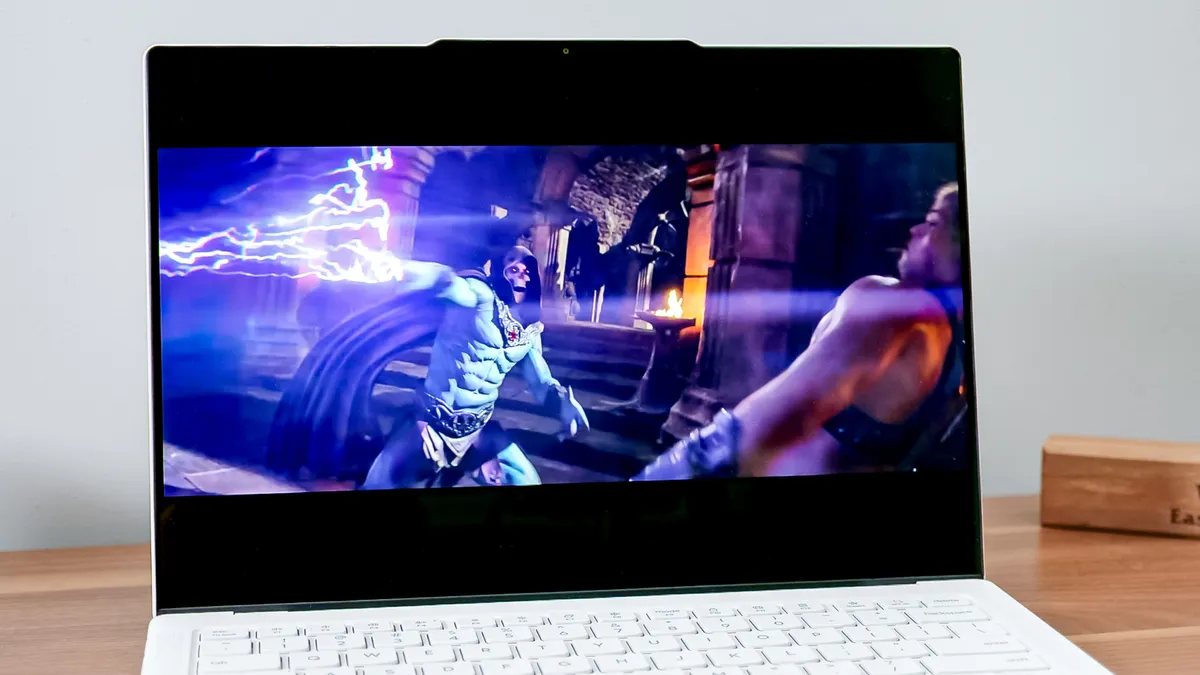
In our review of its predecessor, my colleague Jason England wrote, “My wish for Lenovo to make the jump to OLED for Yoga hasn’t happened here.” It may be a year late, but that wish was granted and perhaps to even more spectacular effect than imagined. The 16:10 PureSight Pro OLED in the Lenovo Yoga Slim 7i Ultra Aura Edition is brighter and far more colorful than the 13-inch MacBook Air M5 or its Windows rivals.
| Row 0 - Cell 0 | Lenovo Yoga Slim 7i Ultra Aura Edition |
MacBook Air 13-inch M5 |
Nits (brightness) |
476 (SDR) | 630 (HDR) |
458 (SDR) | 468(HDR) |
sRGB |
170.3% |
117.3% |
DCI-P3 |
120.6% |
83.1% |
Delta-E |
0.28 |
0.21 |
I watched the Masters of the Universe (2026) trailer, and while I am still hesitant about the movie, the action looks fantastic on this 14-inch display. I don’t recall Skeletor being entirely made of abs, but he’s clearly been hitting the gym with a vengeance. You can see every last muscle, along with the crackling purple bolts of energy, ready to send He-Man packing.
The one downside I will note about the display is that while it features anti-glare properties, it isn’t as effective as the anti-reflective panel on the Samsung Galaxy Book 6 Ultra or the nano-texture display available on the MacBook Pro 16-inch M5 Pro. The display is bright enough that you can still see it in any environment, but you’re left dealing with the reflections, while those rivals really eliminate them.
Epic battery life
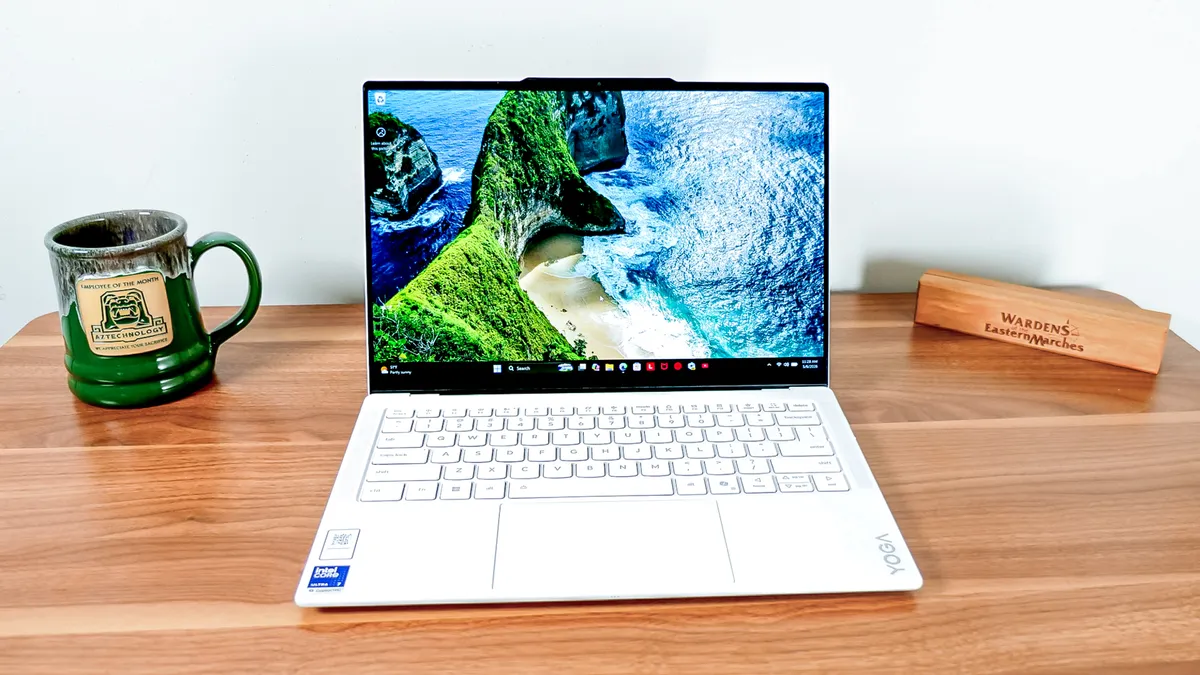
At just over two pounds, the Yoga Slim 7i Ultra Aura Edition is a dream notebook for frequent travelers, students, or anyone who doesn’t love lugging around extra weight in their laptop bag.
The dream of a travel-friendly laptop often turns into a nightmare when you find that it can only last a few hours before you’re forced to plug it in again, but thankfully, Lenovo (and Intel) spare you from that fate. In our testing, which involved continuous web surfing over Wi-Fi on the laptop with the display set to 150 nits of brightness, it lasted just under 17 hours.
| Row 0 - Cell 0 | Time (hours:mins) |
Lenovo Yoga Slim 7i Ultra Aura Edition |
16:39 |
MacBook Air 13-inch M5 |
15:28 |
Now, I imagine you may push your laptop a little harder than that on a typical day, but even so, you will be hard-pressed to kill this battery in a single day of use unless you are gaming or rendering video, which are, frankly, not the primary use cases for this laptop.
It outlasted the MacBook Air 13-inch M5 by over an hour, which is all the more impressive given that it’s half a pound lighter than the Air.
Slim, solid, and stylish build
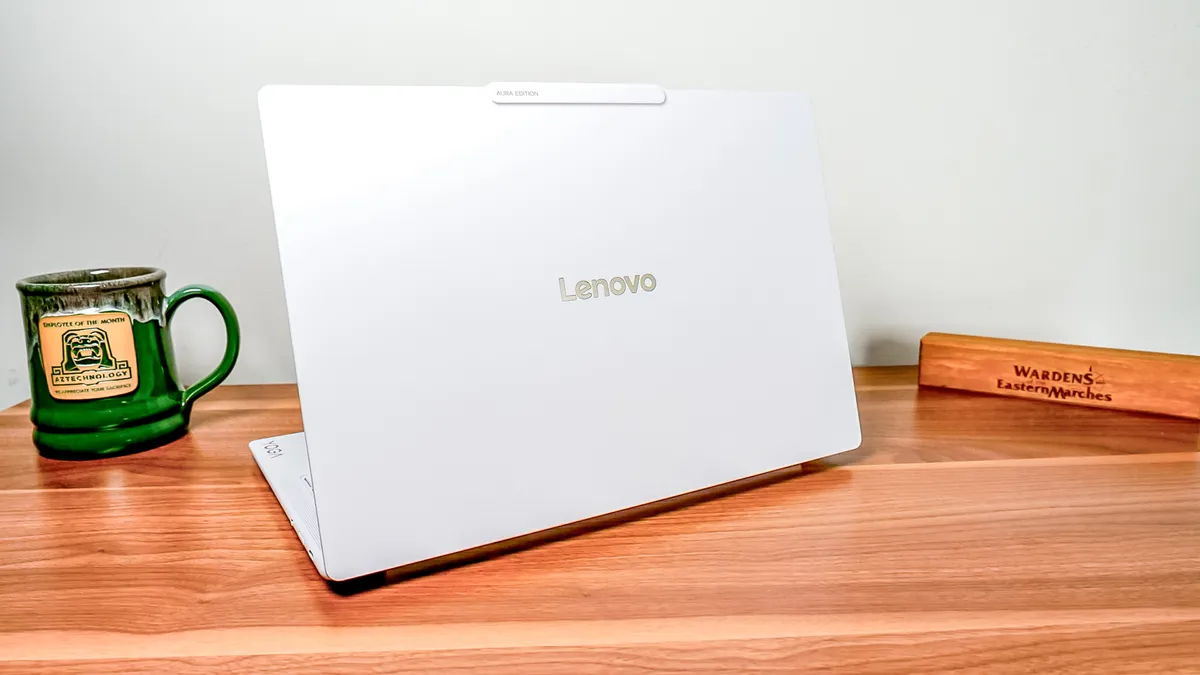
The Lenovo Yoga Slim 7i Ultra Aura Edition may be vanishingly small, but Lenovo didn’t sacrifice durability. There’s no flex in the chassis when picking it up, open or closed, and the display holds firmly wherever you set it, even when using the touchscreen. That’s thanks to the magnesium aluminum alloy chassis, which still boasts the typical Lenovo MIL-STD 810H certification.
The bright white Seafoam color ensures your laptop won’t get lost in the sea of gray laptops that dominate the market. The Yoga coating gives it a soft-touch feel that sheds fingerprints and water and is abrasion-resistant, so even after a couple of weeks, it still looks pristine. With that said, if you’re concerned about how clean a white laptop will look after months and years of use, just make sure you know how to clean devices the right way, and you should be able to keep it looking fresh.
Flexes some performance muscle
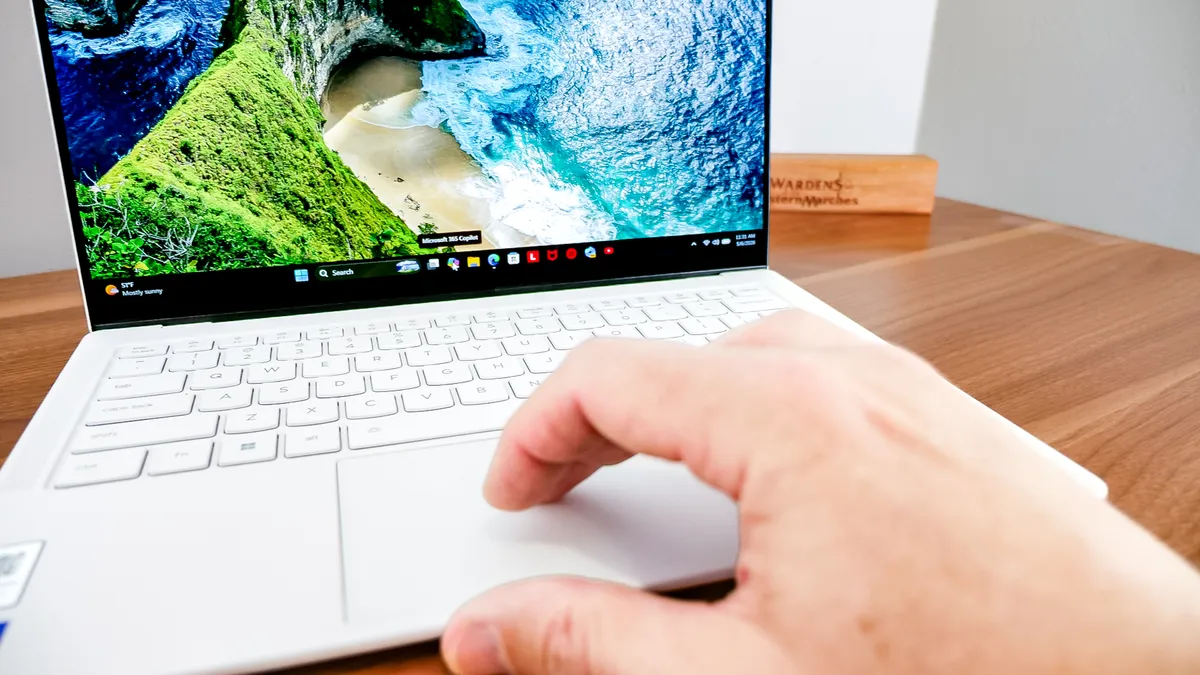
Powered by the Intel Core Ultra 7 355, this isn’t a laptop that will blow you away with its raw power; however, it is more capable than you would expect for something this thin and light. Most of my days are spent juggling dozens of Chrome tabs, using Discord or Slack, and editing photos in Photoshop and Lightroom. I was able to cruise through all of those tasks without any stuttering or delays.
The 32GB of RAM in the base model that I tested certainly helps to keep even my embarrassing count of Chrome tabs and windows from grinding the system to a halt. I was even able to do some basic video editing in Premiere, which was finally enough to put the typically silent fans into overdrive.
| Row 0 - Cell 0 | Geekbench (single/multi-core) |
Handbrake (Video editing) |
Lenovo Yoga Slim 7i Ultra Aura Edition |
2,729 / 11,555 |
5:56 (mins:secs) |
MacBook Air 13-inch M5 Pro |
4,168 / 17,067 |
5:08 (mins:secs) |
MSI Prestige 13 AI+ (2026) |
2,727 / 10,190 |
7:06 (mins:secs) |
You’ll need a Windows laptop with an Intel Core Ultra X-series chip if you want dramatically more performance, but you are likely looking at a bump up to at least three pounds with something like the Dell XPS 14 (2026).
It’s worth noting that Lenovo does offer a configuration with the Intel Core Ultra X7 358H chip and integrated Intel Arc B390 GPU in some regions, but it’s not available in the U.S. at the time of publication.
Lenovo keyboards never disappoint
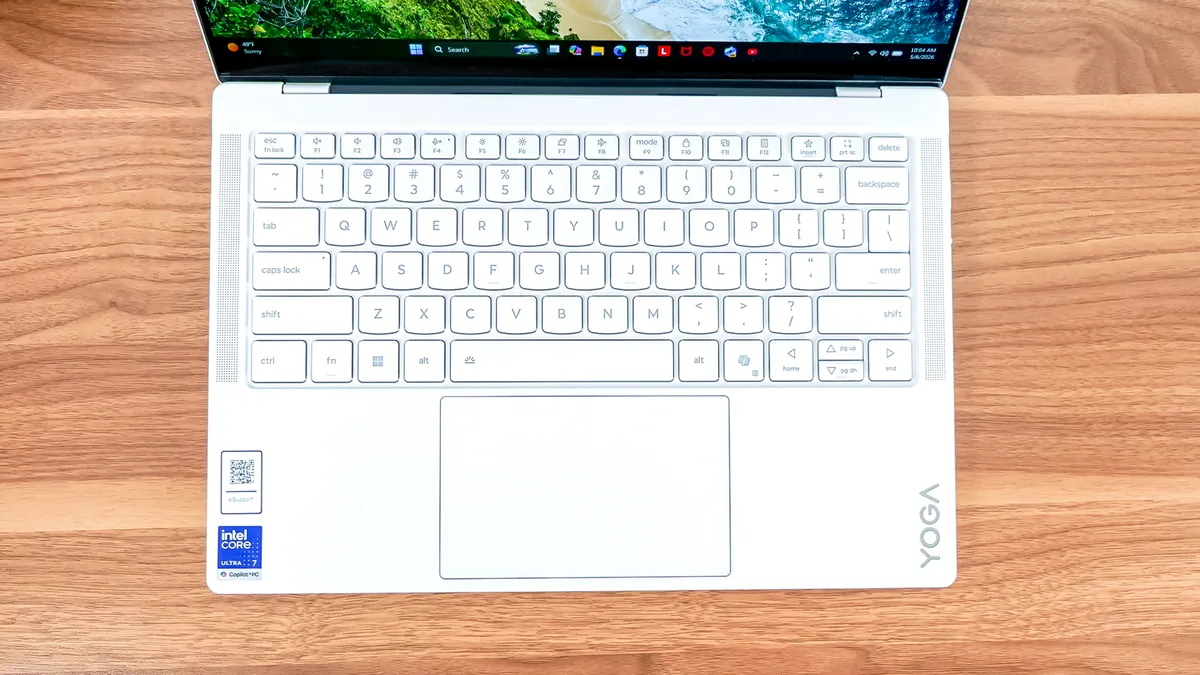
I’m not sure if there is anything in tech as reliable as a Lenovo keyboard. The 1.5mm key travel is wild to experience in a laptop this thin, and while the soft-touch feel of the key caps isn’t what I’m used to from Lenovo, I adjusted to it quickly.
The haptic “Force Pad” trackpad works well for gestures, and I never had any issues with it tracking my clicks. The feedback is slightly weaker than that of a traditional trackpad or Apple’s Force Touch trackpads on MacBooks, but I was used to it after less than a day. I’m a fan of carrying a mouse with me anyway, so maybe peruse our best mouse recommendations if the trackpad is a concern.
Lenovo Yoga Slim 7i Ultra Aura Edition: The downs
The Lenovo Yoga Slim 7i Ultra Aura Edition is a fantastic laptop, but it has some shortcomings.
Not enough ports in the storm
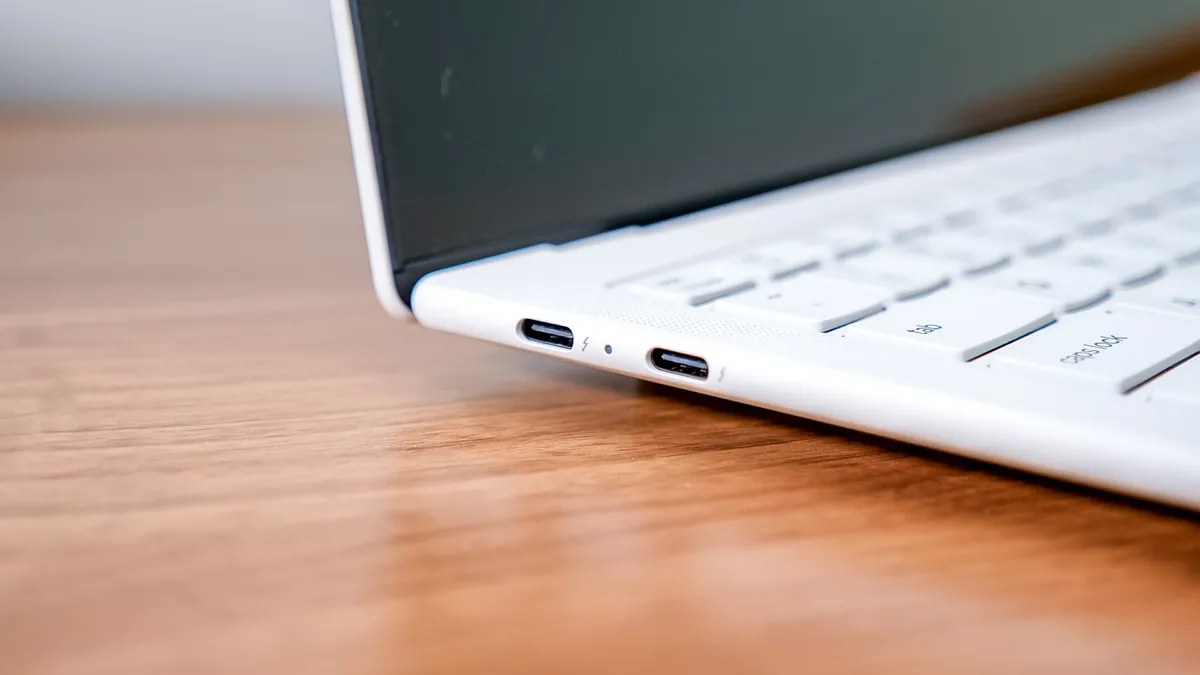
The Lenovo Yoga Slim 7i Ultra Aura Edition features three Thunderbolt 4 ports. Naturally, you can pick up a USB-C hub or dock if you need an HDMI port, an SD card reader, or a USB-A port. However, not having to worry about packing an extra dongle is handy, and we have seen many laptops walk back the USB-C-only port policy.
By comparison, the 1.9-pound MSI Prestige 13 AI+ (2026) fit in two Thunderbolt 4 ports, two USB-A ports, an HDMI port, a microSD card reader, and a 3.5mm audio jack. Lenovo could have at least given us the audio jack.
Fans go wild

The Lenovo Yoga Slim 7i Ultra Aura Edition is inaudible under most circumstances. Around 22dB, according to Lenovo, and I have no reason to doubt that. However, it made it all the more noticeable on the few occasions when I pushed the laptop while video editing or gaming, as the fans suddenly sounded like a small jet taking off from my office.
I will once again stress that while you can do video editing and gaming on this laptop, it is not the ideal choice for those tasks, so it isn’t shocking that it needs to literally vent to do them. If you stick to more common tasks on a thin-and-light laptop, you will almost never hear its fans.
Aura farming

The “Aura Edition” designation on this laptop refers to a collection of smart features that help you use it to its fullest potential. The Aura Smart Care gives you quick, easy access to Lenovo support technicians, so if you run into issues with your Yoga, it's handy. Aura Smart Share makes sharing your photos and videos between your notebook and smartphone easy, whether you use an Android or an iPhone.
The rest are a series of Smart Modes that you can select or have automatically applied to match the task you are doing on your laptop. Options include Working, Gaming, Creating, Entertainment, Meeting, and Learning.
It’s not that the Aura features are bad; it is simply that they aren’t intuitive right out of the gate, and that diminishes their value. It also remains somewhat unclear why they aren’t simply part of Lenovo’s entire lineup, as there’s nothing special about the hardware that enables these features.
Lenovo Yoga Slim 7i Ultra Aura Edition: Verdict
The Lenovo Yoga Slim 7i Ultra Aura Edition felt just steps away from greatness last year, and, to its credit, it took some of those steps. There are several undeniable upgrades, such as the move to an OLED display, improved performance and battery life, and its stylish new look.
However, the fairly dramatic bump in base price hurts what is otherwise an extremely compelling MacBook Air alternative. The Aura Edition features remain useful, but just feel underwhelming as part of a premium feature set.
This laptop is a shining example of what a thin-and-light Windows laptop can deliver in 2026, and a slight price cut would push it over the top.

Follow Tom's Guide on Google News and add us as a preferred source to get our up-to-date news, analysis, and reviews in your feeds. Subscribe to Tom's Guide on YouTube and follow us on TikTok. Finally, you can visit our dedicated Tom's Guide Savings Squad hub for expert help on getting the best products for less.