




Buying one of the best Chromebooks for kids isn’t as simple as grabbing the cheapest one on sale — I’ve learned that the hard way. After testing over 100 laptops over my career, I’ve seen the full range: rugged models built for classroom chaos, sleek 2-in-1s that double as tablets and budget machines with incredible value.
When it comes to picking the right Chromebook for your kid, I focus on what actually matters: durability, ease of use, solid battery life and just enough performance to handle schoolwork (and yes, a bit of YouTube, too).
Chromebooks are a fantastic pick for kids of all ages, as they're affordable, secure and simple machines with plenty of features designed for study and play. Whether you’re buying for school, home learning or just want a reliable first laptop that won’t break the bank, here's just the guide to point you towards the best Chromebooks for kids to grab.

Darragh here, Buying Guide Editor at Tom's Guide, and if I've learned anything from all the kids in my entire family, it's that all they want is a way to explore the web, regardless of the state a laptop is in (which pains me to say). But that means you can get your money's worth by grabbing an affordable (yet durable) Chromebook that will do the job. That's why these Chromebooks we've tested are well worth checking out!
The best Chromebooks for kids you can buy today
Why you can trust Tom's Guide Our writers and editors spend hours analyzing and reviewing products, services, and apps to help find what's best for you. Find out more about how we test, analyze, and rate.
The best Chromebook for kids overall


I often recommend the Lenovo Flex 5i Chromebook Plus as a great option for kids because it sports the three key things needed — versatility, durability and the ability to get stuff done.
In a 2-in-1 form factor, it can be both a solid laptop for getting work done with a zippy Intel Core i3 CPU. Plus, the inclusion of 12 months of Google AI alongside multiple account support in ChromeOS means you can make the most of Gemini and even NotebookLM — that's a serious game-changer for kids asking plenty of questions they crave answers to.
Flip it into tent mode, and it becomes a great creative canvas with a responsive, bright and colorful touchscreen, or a great distraction for a bunch of episodes of Bluey.
The only real frustration is the lack of a stylus included in the box. That's an additional investment for doodling to your heart's content. But otherwise, the Lenovo Flex 5i Chromebook Plus is just the machine to get kids of any age familiar with PCs, whether it be to breeze through homework or catch up on the latest shows.
- Read our full Lenovo Flex 5i Chromebook Plus review
The best value Chromebook for kids

Chromebooks are known for their affordable pricing, but the Lenovo Chromebook Duet 3 takes the cake. I mean, even for its $359 cost, this 2-in-1 machine offers all the features a kid could want out of a laptop. And seeing that it's a tablet makes it even more versatile as a device that children can make the most of.
With its bright, crisp 11-inch WUXGA (1920 x 1200) IPS touch display, it's not only great for productivity, but also for watching the latest shows on. So, study by day, stick on YouTube, or the latest shows, by night.
Even better, it offers over 10 hours of battery life, which is plenty of juice to last a full day without needing to charge it, especially when your kid needs it most (that will keep tantrums to a minimum). Plus, its portable, compact design (just 2.1 pounds!) with a detachable keyboard is ideal when taking it out on trips.
It may be a tad small, especially when typing on its keyboard, but that's also what makes it a great option for small ones. This is a bargain for the family, and we've seen it reach below $250 before. If you just need something cheap, this is the Chromebook for you.
- Read our full Lenovo Chromebook Duet 3 review
The best Chromebook for students

The Lenovo Chromebook Plus 2-in-1 Gen 10 stands out for students thanks to its sturdy all-aluminum chassis and one of the most comfortable keyboards you’ll find at this price. In practical terms, this means your kid gets a laptop that not only survives the bumps of backpack life but also makes doing homework less of a chore.
Powered by an Intel Core 3 N355 processor, it kept up with all the typical schoolwork we threw at it. Multiple tabs, docs and video calls never caused a noticeable slowdown. We measured 8 hours and 32 minutes of battery life in our web surfing test, which should cover most school days, though it’s worth noting you’ll get less if your child tends to multitask or stream during breaks.
Compared to budget-friendly rivals like the Lenovo Chromebook Duet 3, the Plus 2-in-1 Gen 10 truly shines for students who value a robust, easy-to-clean build and a keyboard that’s a joy to type on. You trade away a bit of battery life and display brightness, but what you gain is comfort and durability for everyday assignments.
The main caveat: the dimmer display (below 300 nits) makes outdoor or use in a very bright room tough, and actual battery life sometimes dipped closer to 6.5 hours with real-world, mixed use.
When it comes down to it, though, for students who prioritize typing comfort, reliability and a premium feel without breaking the bank, it’s an easy recommendation for youngsters, especially if you can grab it for under $500!
- Read our full Lenovo Chromebook Plus 2-in-1 Gen 10 review
Battery test results compared
The longer the battery life on a Chromebook, the more time your kid gets to finish off homework, study and watch shows to their heart's content (if you're looking for some downtime of your own, that is). After testing each Chromebook's battery life in our labs, which includes streaming videos at an average brightness of 150 nits, here's how long each of them lasts.
Best Chromebooks for Kids Battery life Results
In our battery test, we set the laptop's display to 150 nits of brightness and have it endlessly browse the web via Wi-Fi until it runs out of juice.
Battery life (hh:mm:ss)
| Product | Value |
|---|---|
| Lenovo Flex 5i Chromebook Plus | 12.783333333333333 |
| Lenovo Chromebook Duet 3 | 10.5 |
| Lenovo Chromebook Plus 2-in-1 Gen 10 | 8.533333333333333 |

Also tested
If a Chromebook comes with a sturdy design, a touchscreen and decent performance for a wallet-friendly price, it makes for a good choice for kids. We test plenty of Chromebooks every year, and while some may have their downsides, they could still be great picks for your youngsters.
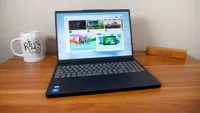
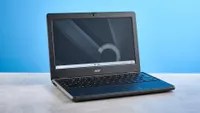
Have a look at other Chromebooks we've tested worth checking out.

How to choose the best Chromebook for your kid

Kids don't need all the bells and whistles of a premium Chromebook. They need something functional enough to check them into class and help facilitate participation. Chromebooks running lesser-known processors such as the MediaTek Helio P60T and the Intel Celeron N4000 are undoubtedly able, but they're not workhorses akin to the latest Intel Core processors. For that, you'll want to check out the best Chromebooks we've tested.
For something more powerful and capable of flying through several Chrome tabs at a time, plus Android apps where applicable, 8GB of memory is a minimum requirement. However, if all you or your child does is look up a few websites for learning or play, then 4GB will do the trick. Besides, Chromebooks are made to be internet-based.
For a child who is mostly stuck at the desk doing schoolwork, a traditional laptop-type Chromebook will suffice, though you'll want to choose an exterior that's easy to wipe down when messes occur. If your child prefers a mouse to navigate, select one with a standard USB input. It simplifies the process of connecting a mouse, and you don't have to worry about buying a compatible USB-C dock. For squirmier tykes, a 2-in-1 Chromebook tablet has the same functionality as a desk-bound Chromebook, but with the flexibility of doing schoolwork in a beanbag chair or another extremely comfortable situation.
When it comes to screen size, an 11-inch display is ample enough for younger kids. Older kids and middle-schoolers will benefit more from a larger display, or anything 13 inches and over. If you don't like the display of the Chromebook (perhaps it's a bit washed out or you realize it's uncomfortable for your child), you can always invest in the USB hub mentioned above to tack on HDMI and connect to an external monitor.
Lastly, since Chromebook models aren’t typically refreshed annually, be keen on whether or not the Chromebook model you choose will receive software and security updates down the line (Google offers a helpful support page if you want to look up a specific model). This ensures compatibility with software and that your child’s laptop isn’t exposed to any major security vulnerabilities. You may have to perform some manual parenting maintenance to ensure the device stays up to date.
FAQ

Should I get Chromebook Plus for kids?
Google announced its series of Chromebook Plus laptops in 2023, dedicated to higher performance, built-in AI features and premium build quality that meets a premium standard.
Along with AI tools like Magic Editor in Google Photos and Gemini integration, these Chromebooks must have at least an Intel Core i3 or AMD Ryzen 3 5000 CPU or above, 8GB of RAM, 128GB of storage, a 1080p webcam and Full HD resolution (1920 x 1080) display quality.
In other words, these are slightly more premium than other Chromebooks, meaning they can be more expensive. But really, as you can see with the Lenovo Flex 5i Chromebook Plus and Lenovo Chromebook Plus 2-in-1 Gen 10, these aren't as expensive as the best Windows laptops or the best MacBooks.
So, should you get one for kids? For the latest AI features, performance and quality, I recommend it. However, normal Chromebooks, like the Lenovo Chromebook Duet 3, are still fantastic choices for simple, internet-based activities that don't require much heavy lifting. If kids are just scrolling through websites or watching videos on YouTube, these will do the job, and they're often more affordable!
How important is having a MIL-STD standard on a Chromebook?
Look, we all know how kids can treat anything like a toy. And by that, I mean throwing it across a room and bending items to their breaking points. Those kinds of actions don't pair well with Chromebooks, or laptops in general, which is why some companies put these through military-grade durability tests.
Also known as MIL-STD certification (which is often MIL-STD-810H for laptops), these tests put machines through drop and shock checks, high or low temperatures, dust and sand for ruggedness and more. If they don't fall apart, then they get certification.
If you're after a Chromebook that can take a beating, especially in understandably clumsy hands, then this is a good feature to look out for. That said, just because a laptop doesn't go through these tests doesn't mean they aren't durable.
We test all laptops for how well they're built. For example, we'll apply pressure to key areas (like the keyboard or lid) to see if there is too much flex or bend, along with the hinge, to see how sturdy it is.
All in all, laptops aren't meant to be dropped or bent against their will anyway, but it certainly helps if they show signs of enough durability to handle the everyday antics of a kid. That's what we test for, too, so don't be put off if you don't find MIL-STD certification on a Chromebook you're thinking of getting.
How we test the best Chromebooks for kids

To find the best Chromebook for kids, we run every laptop that we review through a series of benchmarks and real-world tests to give us an idea of how it will perform during an average person's (or, in this case, a kid's) use.
First, we measure the average brightness and color quality of each laptop's display using our in-house light meter and colorimeter.
For general performance, we run our machines through tests that include JetStream 2 (a web-based benchmarking suite that runs over five dozen tests designed to measure how well systems handle the kind of applications they’re most likely to encounter on the Internet) and a custom battery test that tasks the machine with browsing the internet over Wi-Fi until it shuts down.
For more information on our testing process, check out our guide to how we test.
