



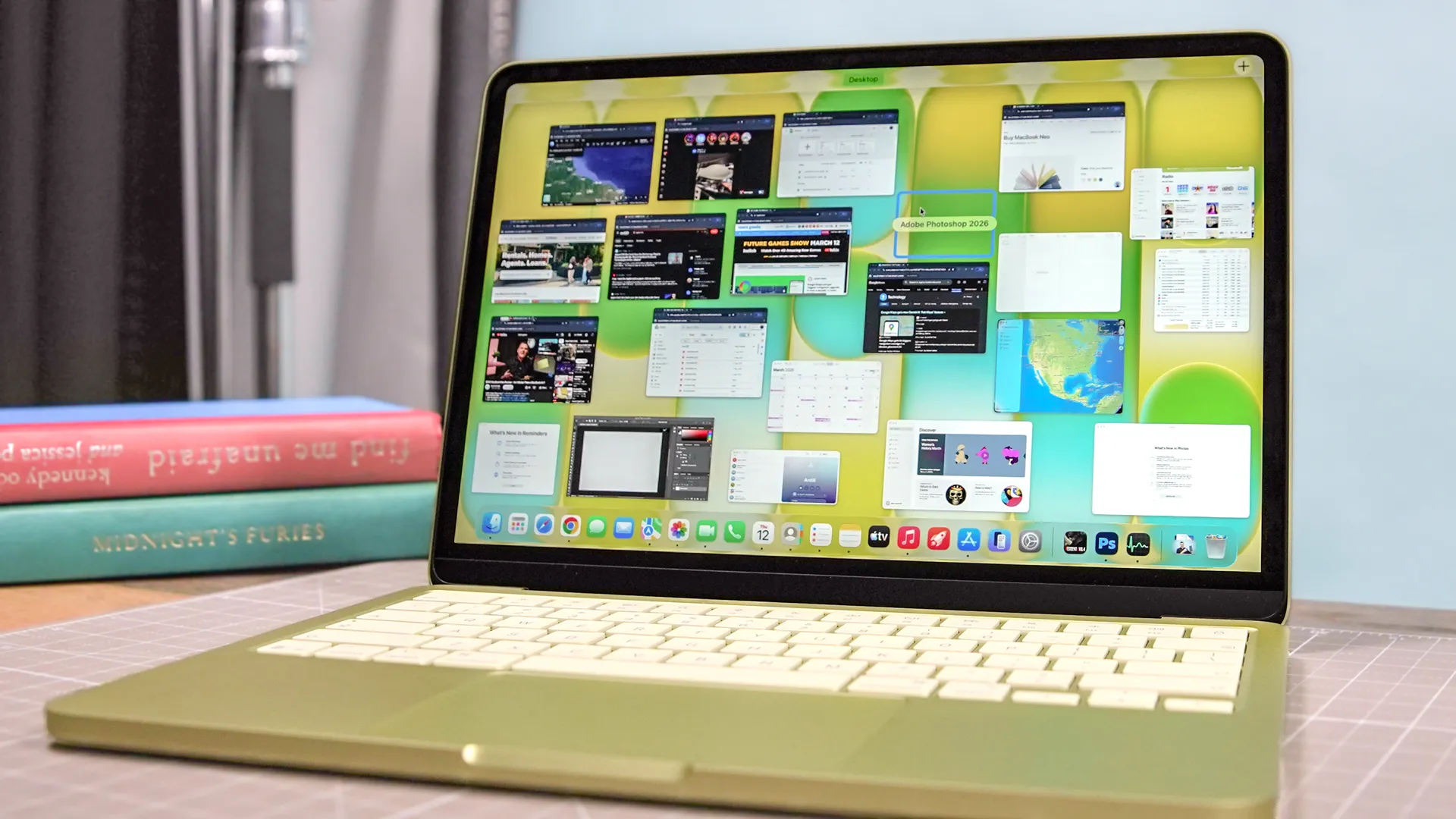
What's the purpose of a 13-inch laptop? Portability. And if that's what you're here for, then you'll be happy to know that the best 13-inch laptops we've tested are compact powerhouses made for workers, students, gamers and creatives on the move.
At Tom's Guide, we're huge fans of this form factor. These are the machines my team and I take with us during press trips abroad, after all. A 13-inch laptop is that sweet spot between the easy handling of a tablet and a versatile machine for getting stuff done, allowing you to slip it into your backpack, take it out and work (or play) from virtually anywhere you go.
We’ve tested the best 13-inch laptops to help you find the right choice for different needs and budgets. The 13-inch MacBook Air M5 is our top overall pick, but there are strong alternatives here, too, including the Dell XPS 13 (2026) for Windows users, the Asus ROG Flow Z13 for compact power and the Framework Laptop 13 for buyers who want upgradeability.
If you want a laptop that is genuinely easy to carry without feeling the weight, a 13-inch model remains one of the best places to start.

Darragh here, Buying Guide Editor at Tom's Guide, and for the longest time, I had been traveling around with laptops well over 13 inches (at one point, 17 inches, and that was taxing). But since moving over to a smaller form factor, I now can't get enough of this ultraportable size. After reviewing my fair share of these machines, it's a no-brainer to grab a compact powerhouse for those constantly on the move.
The best 13-inch laptops you can buy today
Why you can trust Tom's Guide Our writers and editors spend hours analyzing and reviewing products, services, and apps to help find what's best for you. Find out more about how we test, analyze, and rate.
The best 13-inch laptop overall

Who is the MacBook Air for?
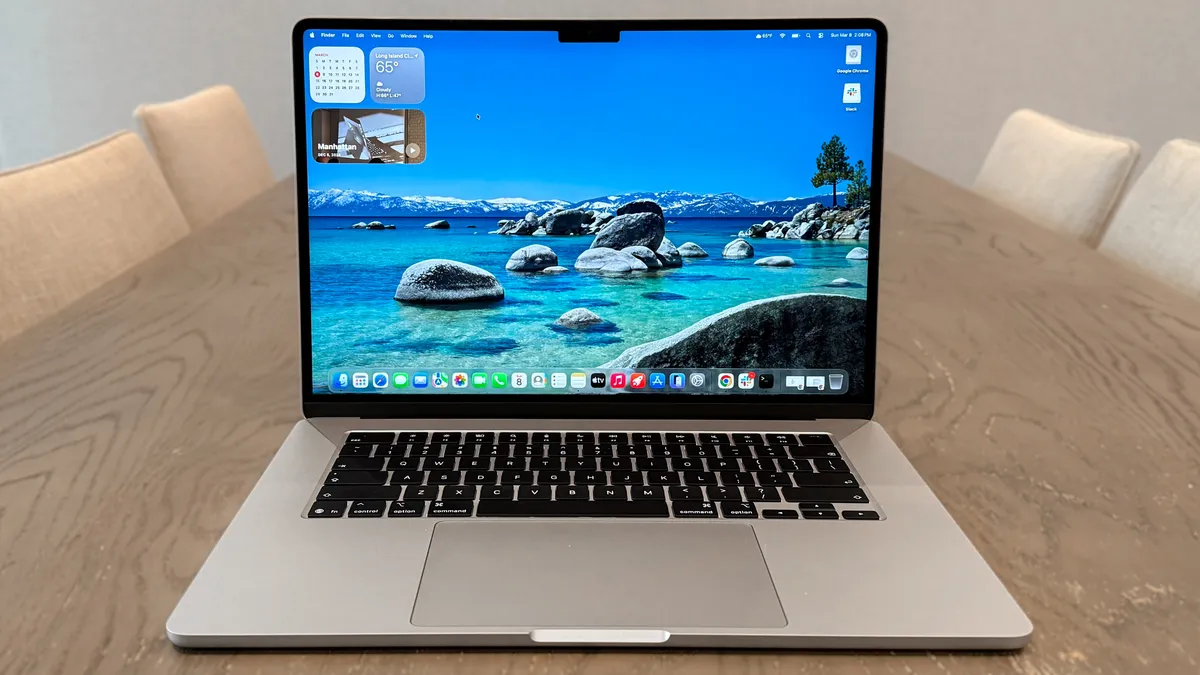
The MacBook Air M5 is the quintessential 13-inch laptop. Thin and lightweight, powerful enough to breeze through everyday tasks and more demanding ones like 4K video editing and even some light gaming, and boasting long-lasting battery life at over 15 hours. It's the laptop that fits most people's needs for its price.
Why is it the best overall 13-inch laptop?
As with its M4 predecessor, the MacBook Air M5 carries on everything we loved about Apple's modern Air lineup. That means a portable 12 x 8.5 x 0.4-inch size and a light 2.7 pounds, stunning 13.6-inch (2560 x 1664) Liquid Retina Display, and this time, even longer battery life at 15 hours and 37 minutes. Oh, and in a lovely array of stylish colors. Throw in its improved performance, Wi-Fi 7 connectivity and upgraded 512GB base storage, and this 13-inch laptop has it all (it's just too bad about the $200 price hike after Apple raised prices across MacBooks).
What do we like about the MacBook Air?
👍 Improved performance with M5: Apple's laptops just keep getting stronger, and the latest M5 chip still dominates in our benchmarks across thr board, even compared to its competition. From web surfing to video editing, and even gaming, this laptop powers through.
👍 Strong(er) battery life: MacBooks are among the longest-lasting laptops around, and the MacBook Air M5 continues this legacy with 15 hours and 37 minutes of battery life. That's more than enough to get through two workdays without reaching for a charger.
👍 Extra perks: While it's more of a nominal upgrade, the MacBook Air M5 still comes with welcome features, including Wi-Fi 7 connectivity and a larger 512GB base storage.
What don’t we like about the MacBook Air?
👎 Price bump: Despite its improvements, the MacBook Air M5 is now $100 more than its predecessor, which stings. So, an extra $100 for most of the same features.
👎 Not a major upgrade: If you already own an M4 MacBook Air, you won't see a major difference with the M5 model. This is purely under-the-hood improvements.
Apple MacBook Air M5: Bottom line
Apple still delivers the best 13-inch laptop you can grab today, as the MacBook Air M5 ticks all the right boxes in being a stellar machine for most people. Even if its welcome upgrades are smaller in scale, it's a laptop that's hard to beat.
- Read our full MacBook Air 13-inch M5 review
The best budget 13-inch laptop

Who is the MacBook Neo for?
Apple has another 13-inch laptop up its sleeve, and the MacBook Neo is conquering the budget laptop market with its premium (and fun) design that's perfect for workers and students on the move. Plus, you can expect solid performance for its $699 price, and $599 if you're a student.
Why is it the best budget 13-inch laptop?
Yes, it was an even better budget pick before Apple's official price hikes, but the MacBook Neo is still a steal. At $699, the MacBook Neo (nearly) gives you all the perks of the pricier MacBook Air, including its sturdy aluminum finish and portable size and weight. In fact, it's slightly smaller at 11.7 x 8.1 x 0.5 inches, and the fun splashes of color just make it even more appealing. If you can forgive the lack of a backlit keyboard, you'll find yourself with a reliable machine for work, studies and plenty of entertainment.
What do we like about the MacBook Neo?
👍 Portability as its finest: Being just 0.5 inches thin and weighing 2.7 pounds, the MacBook Neo follows its Air sibling's winning formula but at a much more affordable cost. No cheap-feeling plastic chassis for this budget machine, just a sleek, premium design with lively colors to choose from!
👍 Performance that works: You'd think an iPhone's A18 Pro chip wouldn't be nearly as powerful enough in a laptop, but that isn't the case with the MacBook Neo. From juggling multiple tasks to even some casual, less demanding gaming, this laptop can handle most people's workloads.
👍 Strong battery life: Impressively, the MacBook Neo lasts 13 hours and 28 minutes, which shows it has more than enough stamina to last a full workday, and then some.
What don’t we like about the MacBook Neo?
👎 Pay extra for Touch ID: Want to quickly log in with your fingerprint? You'll have to pay $100 more for the Neo with Touch ID, but at least you'll also get a larger 512GB for storage.
👎 Budget cuts: Don't expect any backlit keyboard or Thunderbolt ports on this machine, which is a shame even if it's made to be a budget option.
Apple MacBook Neo: Bottom line
The MacBook Neo is an affordable force to be reckoned with, packing solid performance in a compact, 13-inch laptop that looks and feels good to use. It's not perfect, but at its current $699 starting price ($599 for students), you'll be hard-pressed to find a machine of this size boasting plenty of value.
- Read our full MacBook Neo review
The best 13-inch Windows laptop

Who is the Dell XPS 13 for?
Dell's exceptional XPS line of laptops is now more affordable thanks to the Dell XPS 13 (2026), and it's quite easily earned the title of the best budget Windows laptop you can get right now. For anyone after a 13-inch laptop that delivers a quality, lightweight build, fast performance and a sharp 2.5K touch display for a wallet-friendly price, this is the laptop I recommend.
Why is it the best 13-inch Windows laptop?
The Dell XPS 13 (2026) is the best Windows ultraportable if you want a laptop that feels as premium as it looks. At just 2.2 pounds, it’s easy to carry around anywhere, and in our testing, the compact footprint and featherweight build made a real difference during long commutes and packed days on the move. Plus, battery life is another strong suit, delivering 14 hours and 29 minutes in our tests. Along with its Intel Wildcat Lake CPU for strong everyday performance (even with just 8GB of RAM) and its vibrant 13.4-inch 2.5K (2560 x 1600) touchscreen, this covers all bases for its low price.
What do we like about the Dell XPS 13?
👍 Smooth, reliable everyday performance: With an Intel Core 5 320 "Wildcat Lake" CPU, we found the XPS 13 easily handled multitasking, office work and even light creative workloads without issue. Plus, it goes up to 32GB of RAM for better performance
👍 Battery to last all day (and then some): In our tests, the XPS 13 lasted 14 hours and 29 minutes of continuous web browsing. That's enough for even those long, meeting-filled days.
👍 Premium build and display for less: Between its lightweight, compact aluminum chassis and sharp 2.5K touchscreen, the XPS 13 feels and looks like a true premium device for both work and media, but for a wallet-friendly price!
What don’t we like about the Dell XPS 13?
👎 So-so webcam quality: Not a huge surprise when it comes to budget laptops, but the Dell XPS 13's 1080p webcam won't do you justice in video calls. Its image quality is blurry, and you'll look washed out.
👎 Two ports are all you get: The XPS 13 offers only two USB-C ports and lacks a headphone jack, so be prepared to rely on adapters.
Dell XPS 13 (2026): Bottom line
For $699, the Dell XPS 13 (2026) offers one feature-rich package that's hard to ignore. If you want a travel-friendly 13-inch Windows laptop that nails the essentials, like premium build, true portability, strong everyday performance and all-day battery, the XPS 13 is our top pick.
- Read our full Dell XPS 13 (2026) review
The best 13-inch 2-in-1 laptop

Who is the Asus ROG Flow Z13 for?
The ROG Flow Z13 is a perfect two-in-one for those who need plenty of horsepower like a gaming laptop, but without the battery life hit of a gaming laptop. On top of that, if you have prosumer workloads, this will work great for you, too. It's a gaming and workflow beast that's pricey, but anyone would be happy traveling around with this.
Why is it the best 13-inch 2-in-1 laptop?
Put simply, it comes down to just what this system is capable of. There are plenty of good 2-in-1s that are more for the casual productivity crowd. But nothing has come across my desk quite like this beast and its ability to match even the RTX 4070 laptop GPU for gaming, even though there's no dedicated GPU in here whatsoever. Plus, for even more power with a Death Stranding-type touch, the Asus ROG Flow Z13 Kojima Edition we've tested is worth checking out.
What do we like about the Asus ROG Flow Z13?
👍 A super-powered beast: AMD's Ryzen AI Max 395+ is an APU monster of a chip that is able to handle AAA gaming at close to 100 FPS maximum settings, crush GPU-intensive workloads, and outperform every single other 2-in-1 at any task.
👍 Stamina assured: Now, when I mentioned its gaming performance, I can understand some people may be worried — given most gaming laptops struggle to last 90 minutes. However in our testing, we were able to get comfortably over two hours, and in general day-to-day, I was able to hit 8 hours with a varied workload. This powerhouse has serious stamina.
What don’t we like about the Asus ROG Flow Z13?
👎 Ray tracing is not too great: While the GPU is fantastic at gaming, make sure you keep ray tracing turned off. Like a lot of AMD GPUs, RT is not its strong suit and it can hamper performance.
👎 Expensive: And of course, you can expect to pay a pretty penny for this power — from $2,099 specifically. That's rather expensive for a 2-in-1!
Asus ROG Flow Z13: Bottom line
With powerful gaming laptop performance is a sleek, compact design, a gorgeous MiniLED display and decent battery life, this is a 13-inch 2-in-1 that feels like it achieves almost impossible levels of performance.
- Read our full Asus ROG Flow Z13 review
The best lightweight 13-inch laptop


Who is the MSI Prestige 13 AI+ for?
The MSI Prestige 13 AI+ immediately takes the crown as the lightest 13-inch laptop we've tested, weighing just 1.9 pounds. That spec alone is impressive. Hands-on, the ultra-light chassis makes tossing it in a backpack or carrying it one-handed feel almost effortless. It's the kind of laptop you forget is in your bag, making it a great pick for on-the-go professionals, students and anyone after reliable ultraportable performance
Why is it the best lightweight 13-inch?
Despite being so light, the Prestige 13 AI+ doesn't sacrifice build quality. Its solid metal frame gives the laptop a reassuring sturdiness in hand, eliminating the flex and creaks that sometimes plague other featherweight designs. That, and MSI equips this model with a bright, color-rich OLED panel that’s a joy to use for everything from spreadsheets to streaming. Throw in the Intel Core Ultra 7 155 processor for smooth performance (even playing games like Cyberpunk 2077 at 1080p at 40 frames per second!), and the Prestige 13 AI+ does wonders.
What do we like about the MSI Prestige 13 AI+?
👍 Featherweight (yet sturdy) design: Being the lightest laptop we've tested, this is just about as portable as it gets. If you prioritize true portability, the Prestige 13 AI+ is unmatched at 1.9 pounds — lighter than any other 13-inch laptop we've tested — yet still offers a sturdy, premium-looking metal frame.
👍 Colorful OLED display: With its 13.3-inch 2.8K (2880 x 1600) OLED screen, this panel delivers vivid colors and superb contrast, making it excellent for creative work and is easy on the eyes even after long sessions. Take that, MacBooks!
👍 Strong ultraportable performance: This isn't the strongest 13-inch laptop around, but the Intel Core Ultra 7 355 inside feels quick in real-world use, easily handling productivity apps and moderate creative workloads like photo editing. You're also getting enough for a bit of downtime gaming, as in our tests, Cyberpunk 2077 ran at roughly 40 frames per second at 1080p on medium settings.
What don’t we like about the MSI Prestige 13 AI+?
👎 Battery life could be longer: While battery life is reasonable at around 11 hours, the Prestige 13 AI+ doesn’t outlast top rivals like the MacBook Air or XPS 13 on a single charge. Still, this will get you through a workday without needing to be plugged in for the majority of the time.
👎 Not the best price-to-performance ratio: It’s more expensive than some similarly equipped competitors, making price-to-performance a weaker point for budget-minded shoppers.
MSI Prestige 13 AI+ (2026): Bottom line
The MSI Prestige 13 AI+ is a strong choice for those who value absolute portability and a top-tier screen and chassis, even if it means accepting shorter battery life and a higher price. It's lightweight power at its finest.
- Read our full MSI Prestige 13 AI+ (2026) review
The best 13-inch laptop for upgradeability

Who is the Framework Laptop 13 for?
The Framework Laptop 13 is our top pick for those with a DIY frame of mind — the modular construction may be a little pricey, but it's totally worth it for being able to upgrade this frame with new stuff as it's released. If you're after more of a premium 13-inch option with a brighter 13-inch display and better battery life, it's worth considering the Framework Laptop 13 Pro. Just watch out for the price.
Why is it the best 13-inch laptop for upgradeability?
In many ways, the Framework Laptop is the anti-MacBook — a modular 13-inch laptop that gives you the chance to repair, customize and upgrade at your own leisure. No longer are you confined to what it comes with. Now, you have a screwdriver and you can get to work.
What do we like about the Framework Laptop 13?
👍 Unparalleled upgradeability: The DIY-friendly design may be a little thicker and heavier than other laptops on this list. But those enlarged dimensions give you an innovative Expansion Card system to add what you want. Whatever you want, be it an Ethernet port or microSD card reader, just add them in here. Or take it apart with the included screwdriver to add more to the mainboard.
👍 Great keyboard: One thing I'm really happy to see come to this 13-incher is a fantastic keyboard — packing even backlighting and 1.5mm of key travel for a tactile feel to each press.
👍 Decent performance: The model we tested with the Intel core i7-1370P CPU and 32GB of RAM gave us some strong performance across the board, including over 11,000 in our Geekbench multi-core tests. It's worth noting that Framework now offers this system with either Intel Core Ultra or 7th Gen AMD, which are going to be even faster!
What don’t we like about the Framework Laptop 13?
👎 Loud fans under load: The modularity is great, but heat dissipation seems to be affected, as the fans kick into overdrive to keep this thing cool under heavier loads.
Framework Laptop 13: Bottom line
In many ways, the Framework Laptop 13 is a breakthrough in laptop design — a fully modular system that gives you endless levels of customization beyond anything you see from the competition. I wouldn't judge you if you'd rather just have a fully built laptop to last you a good long while, but if you're a tinkerer, the choice is obvious.
- Read our full Framework Laptop 13 review
Performance benchmarks
Don't let their size fool you. 13-inch laptops can be portable powerhouses, and we've done the testing to prove it. With Apple's latest M-series chipsets, Intel's Panther Lake and Wildcat Lake CPUs, and AMD's amazing processors, you can get a lot out of these machines for productivity and gaming.
All of the 13-inch laptops we recommend for this guide offer plenty of performance for multitasking and speedy day-to-day performance, while those at a higher price, like the MacBook Air M5 and Asus ROG Flow Z13, will deliver ample performance for playing the latest games and even video editing.
Using Geekbench to measure the single-core and multi-core performance of each laptop (the higher the number, the better), here's how they compare:
Best 13-inch Laptops Performance Results
Slide through to see Geekbench single-core and
multi-core benchmarks
Geekbench 6 (single-core)
| Product | Value |
|---|---|
| Apple MacBook Air (M5) | 4168 |
| Apple MacBook Neo (A18 Pro) | 3535 |
| Dell XPS 13 2026 (Intel Core 5 320) | 2684 |
| Asus ROG Flow Z13 (AMD Ryzen AI Max 390) | 2896 |
| MSI Prestige 13 AI+ (Intel Core Ultra 7 355) | 2727 |
| Framework Laptop 13 (Intel Core i7-1370P) | 2362 |

Battery benchmarks
13-inch laptops are all about portability, but that wouldn't mean anything if these machines didn't come with decent battery life. The good news is you'll find many of the best laptops for battery life right here, coming close to an amazing 20 hours! You can compare the battery life we tested below.
Take note that battery life may vary depending on what you use a laptop for, but this will give you a good idea of how long each laptop on this list will last.
Best 13-inch Laptops Battery Life Results
In our battery test, we set the laptop's display to 150 nits of brightness and have it endlessly browse the web via Wi-Fi until it runs out of juice.
Battery life (hh:mm:ss)
| Product | Value |
|---|---|
| MacBook Air M5 | 15.5 |
| Dell XPS 13 (2026) | 14.483333333333333 |
| MacBook Neo | 13.466666666666667 |
| MSI Prestige 13 AI+ | 11.5 |
| Framework Laptop 13 | 10.283333333333333 |
| Asus ROG Flow Z13 | 8.6 |
Also tested

Best 13-inch Laptops: Frequently Asked Questions

Is a 13-inch laptop good for everyday use?
Yes, a 13-inch laptop is a good choice for everyday use if you prioritise portability without giving up a comfortable screen for work, browsing and streaming. This size is easy to carry in a backpack and practical on a café table, train or plane tray, while still offering enough display space for most day-to-day tasks.
The trade-off is less workspace than a 14-inch or larger laptop, which can matter if you regularly use several windows side by side. For a well-rounded portable option, the MacBook Air M5 is our top pick, but the Dell XPS 13 (2026) is the Windows alternative we recommend to most.
Which is better, 13 inches or 14 inches?
Neither size is universally better: choose 13 inches for maximum portability and 14 inches if you would benefit more from extra screen space and, sometimes, room for higher-performance components. A 13-inch laptop is generally easier to fit into smaller bags and use in confined spaces, making it especially appealing for commuters, students and frequent travellers.
14-inch laptops have grown in popularity over the years, as they deliver a slightly bigger design that allows for even greater performance, battery life and a larger display while still being thin and portable. However, they usually come with a higher price tag, especially with the higher-end specs they can pack.
Either way, depending on the laptop you're looking at, there isn't a huge difference between 13 inches and 14 inches. But if you're looking for the most compact, travel-friendly size, 13-inch laptops are your best choice.
How much RAM do I need in a 13-inch laptop?
For most people, 16GB of RAM is the safer choice for a 13-inch laptop, while 8GB can be enough for web browsing, documents, video calls and lighter everyday tasks. More memory gives you greater headroom for multitasking and helps a laptop remain comfortable to use as software demands increase. However, due to the RAM crisis, 8GB of RAM for more budget laptops is becoming the norm, but companies are making the most of this amount of memory for these more affordable machines.
Consider 16GB or more if you regularly keep many browser tabs and apps open, edit photos or video, write code or use demanding creative tools. Check the configuration carefully before buying, because RAM is not upgradeable in many thin laptops. The Dell XPS 13 (2026) starts with 8GB but is available with up to 32GB, while the Framework Laptop 13 is the most suitable pick for buyers who value upgradeability.
Can a 13-inch laptop handle gaming and creative work?
Yes, some 13-inch laptops can handle gaming and creative work, but the right choice depends on how demanding those tasks are. Mainstream ultraportables are well suited to light photo editing, video calls, office work and less demanding games, whereas AAA games, heavy video editing and GPU-intensive projects require substantially more performance.
That's why we recommend the Asus ROG Flow Z13 for buyers who need strong compact gaming and prosumer performance. Our testing found it capable of running demanding games, although ray tracing for gaming is a weaker area. Still, the MacBook Air M5 is a more balanced option for everyday work, 4K video editing and light gaming.
How often should I replace a laptop?
Laptops generally last an average of around four to eight years and should be replaced when they no longer receive crucial software and security updates or continue experiencing issues like constantly shutting down, getting too hot while performing everyday tasks and having sluggish performance.
However, it also depends on what you need in a laptop. If the 13-inch laptop you've chosen can still do everything you want with stable performance and nothing is broken (the keyboard, trackpad, webcam and more still work), then it's worth keeping. But if it can't keep up with your workflow, or you want better performance when it comes to gaming, creative work, video editing or AI tasks, then it's worth finding an upgrade.
How to choose the best 13-inch laptop for you
When it comes to portability, all the 13-inch laptops we recommend have you covered. But beyond that, it's worth thinking about the performance and type of system that works for you.
- What kind of power do you need? If you only need something basic for surfing the web, consider the MacBook Neo or a cheap Windows laptop. If you want something that feels speedy and can handle more than basic browsing and typing, consider starting specs such as a Core 5 CPU, 8GB to 16GB of RAM and a 512GB SSD. Most of the laptops on this list are at least this powerful, since they're the best 13-inch laptops we've reviewed.
- Do you want to play PC games? Most mainstream laptops feature integrated graphics, which may be able to run simple, well-optimized games like Minecraft and Fortnite, but can't handle graphically demanding games or heavy visual work. For that, you'll want a laptop with a discrete graphics card or the latest Apple, AMD or Intel chips with integrated graphics, like the Apple M5 or AMD Ryzen AI Max.
- Do you want Windows, Mac or Chrome? Windows is the most common operating system, while macOS is more ideal for folks already tied into Apple's ecosystem. ChromeOS is a lightweight operating system built to allow for cheap, fast systems, though it has become a bit more robust over the years with support for full Android apps.
Whichever system you decide on, you may also want to consider investing in the best mouse and best keyboard for your needs so you can have some more ergonomic options for getting work done on your new laptop.
How we test the best 13-inch laptops

Our path to finding the best 13-inch laptops for you is littered with test results. To help us better compare and recommend the best machines for you, we run every laptop we review through a rigorous suite of benchmarks and real-world tests to gauge how it will perform during everyday use.
We measure the average brightness and color quality of each laptop's display using our in-house light meter and colorimeter. For general performance, we run our machines through tests that include Geekbench 6 (CPU performance), as well as various 3DMark tests to measure graphics capabilities. We also run a file transfer test to measure how fast a machine's hard drive is, plus a video editing test to see how good it is at crunching video, and a custom battery test that has the machine browse the internet over Wi-Fi until it runs out of juice.
We know many people also love to play games on their laptops, so we test the gaming horsepower of every laptop we review by putting it through the Sid Meier's Civilization VI: Gathering Storm graphical benchmark. This is an ideal test for us to use on 13-inch laptops because almost none of them have discrete graphics cards, which means they have a hard time running more modern or graphically demanding games. Civilization VI is also one of the few relatively modern games with a graphical benchmark that runs on both Windows and macOS, meaning we can easily compare the performance of MacBooks against that of Windows machines.
