Which MacBook is right for you? It’s a question you’d think comes with the simple answer of “the latest one,” but it can be a whole lot more complicated when you really start to mull over the best MacBook for your needs.
Because while the newest MacBook Pro M6 or the shiny new MacBook Pro with PROLED XDR Displays (I said PROLED as a joke in the team Slack...and now it's real) will of course be much more performant and receive software support for a longer period of time, there are opportunities to save yourself some serious money and still get what you want out of the machine.
Plus, there's the MacBook Neo now — a laptop...with a mobile chip!? Things have changed since I updated this years ago.
So what I'm hoping to decipher here is a quick hierarchical breakdown of every Apple Silicon MacBook you can buy today.
We’ll explain how we rank each MacBook in the tables below, and break them down by how much performance they offer for their respective prices.
MacBook hierarchy: specs
We’ve reviewed MacBooks for many, many years now — spanning all specs and price points from base models to fully maxed out. For transparency of the below benchmarks, I’ve highlighted the internals of every model we reviewed.
P.S. It should come as no surprise that we’re not going to be adding any Intel-based MacBooks in this hierarchy. That would be a little bit silly given how old these chips are, so with that said, let’s dive in.
Laptop |
Chipset (core count) |
Unified memory (RAM) |
Storage |
|---|---|---|---|
Mac mini (M6) |
M6 (12-core CPU / 12-core GPU) |
24GB |
1TB |
MacBook Neo (A18 Pro) |
A18 Pro (6-core CPU / 5-core GPU) |
8GB |
512GB |
MacBook Air 15-inch (M5) |
M5 (10-core CPU / 10-core GPU) |
16GB |
1TB |
MacBook Pro 16-inch (M5 Pro) |
M5 Pro (18-core CPU / 20-core GPU) |
64GB |
4TB |
MacBook Pro 14-inch (M5) |
M5 (10-core CPU / 10-core GPU) |
32GB |
1TB |
MacBook Air 13-inch (M4) |
M4 (10-core CPU / 10-core GPU) |
16GB |
1TB |
MacBook Pro 16-inch (M4 Pro) |
M4 Pro (14-core CPU / 20-core GPU) |
48GB |
2TB |
MacBook Pro 14-inch (M4) |
M4 (10-core CPU / 10-core GPU) |
16GB |
512GB |
MacBook Air 15-inch (M3) |
M3 (8-core CPU / 10-core GPU) |
16GB |
512GB |
MacBook Air 13-inch (M3) |
M3 (8-core CPU / 10-core GPU) |
16GB |
512GB |
MacBook Pro 16-inch (M3 Max) |
M3 Max (16-core CPU / 40-core GPU) |
128GB |
8TB |
MacBook Pro 14-inch (M3 Pro) |
M3 Pro (11-core CPU / 14-core GPU) |
18GB |
512GB |
MacBook Pro 14-inch (M3) |
M3 (8-core CPU / 10-core GPU) |
16GB |
1TB |
MacBook Pro 16-inch (M2 Max) |
M2 Max (12-core CPU / 38-core GPU) |
96GB |
4TB |
MacBook Pro 14-inch (M2 Pro) |
M2 Pro (10-core CPU / 16-core GPU) |
16GB |
512GB |
MacBook Pro (M2) |
M2 (8-core CPU / 10-core GPU) |
16GB |
1TB |
MacBook Air 15-inch (M2) |
M2 (8-core CPU / 10-core GPU) |
16GB |
512GB |
MacBook Air 13-inch (M2) |
M2 (8-core CPU / 10-core GPU) |
16GB |
1TB |
MacBook Pro 16-inch (M1 Max) |
M1 Max (10-core CPU / 32-core GPU) |
64GB |
2TB |
MacBook Pro 14-inch (M1 Pro) |
M1 Pro (10-core CPU / 16-core GPU) |
32GB |
1TB |
MacBook Pro (M1) |
M1 (8-core CPU / 8-core GPU) |
16GB |
1TB |
MacBook Air (M1) |
M1 (8-core CPU / 8-core GPU) |
16GB |
1TB |
I've added the Mac mini in there for insight into the M6 chip that is coming to the MacBook Pro next week!
MacBook hierarchy: Pricing matrix
While finding the brand new MacBooks at their best prices is a cinch (spoiler alert: Amazon or B&H), the older models are a little harder to find.
And even though RAMageddon did force Apple to put up prices, you can still find some discounts here and there, so I've taken it upon myself to find them!
Apple are currently producing and selling the M5 MacBook Airs, the MacBook Neo, the M6 MacBook Pro and the OLED MacBook Pros.
The remainder have been discontinued, with some new models still available and refurbished pricing on the table. However, that does mean they are cheaper than they would usually be.
- MacBook Pro with PROLED XDR (M5 Max): $4,499 @ Apple
- MacBook Pro with PROLED XDR (M5 Pro): $2,899 @ Apple
- MacBook Pro (M6): $1,999 @ Apple
- MacBook Neo (A18 Pro): $698 @ Amazon
- MacBook Air 15-inch (M5): $1,349 @ Amazon
- MacBook Air 13-inch (M5): $1,149 @ Amazon
- MacBook Pro (M5 Max): $3,499 @ Amazon
- MacBook Pro (M5 Pro): $2,289 @ Amazon
- MacBook Pro (M5): $1,839 @ Amazon
- MacBook Air (M4): $1,049 @ Amazon
- MacBook Pro (M4 Max): $2,899 @ Amazon
- MacBook Pro (M4 Pro): $1,769 @ Amazon
- MacBook Pro (M4): $1,499 @ Amazon
- MacBook Air 15-inch (M3): discontinued
- MacBook Air 13-inch (M3): $859 @ Amazon
- MacBook Pro (M3 Max): $2,175 @ Amazon
- MacBook Pro (M3 Pro): $1,429 @ Amazon
- MacBook Pro (M3): $861 @ Amazon
- MacBook Pro (M2 Max): discontinued
- MacBook Pro (M2 Pro): discontinued
- MacBook Pro (M2): discontinued
- MacBook Air 15-inch (M2): discontinued
- MacBook Air 13-inch (M2): discontinued
- MacBook Pro (M1 Max): discontinued
- MacBook Pro (M1 Pro): discontinued
- MacBook Pro (M1): discontinued
- MacBook Air (M1): $599 @ Walmart
MacBook hierarchy: Dimensions and design

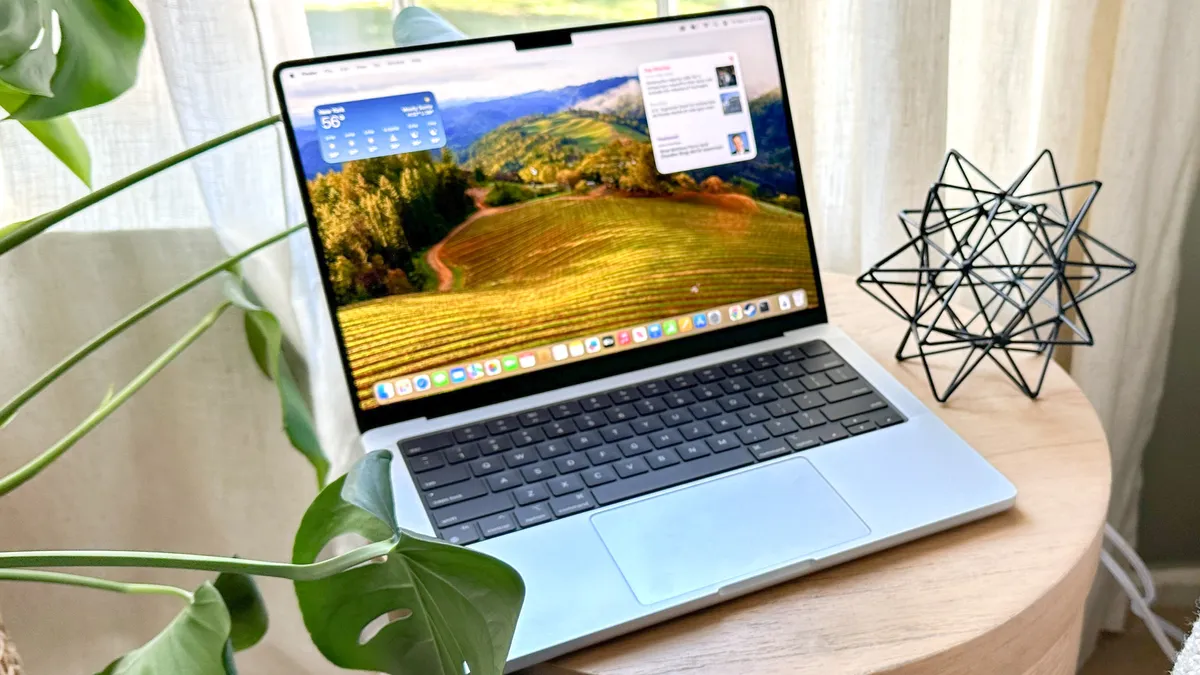
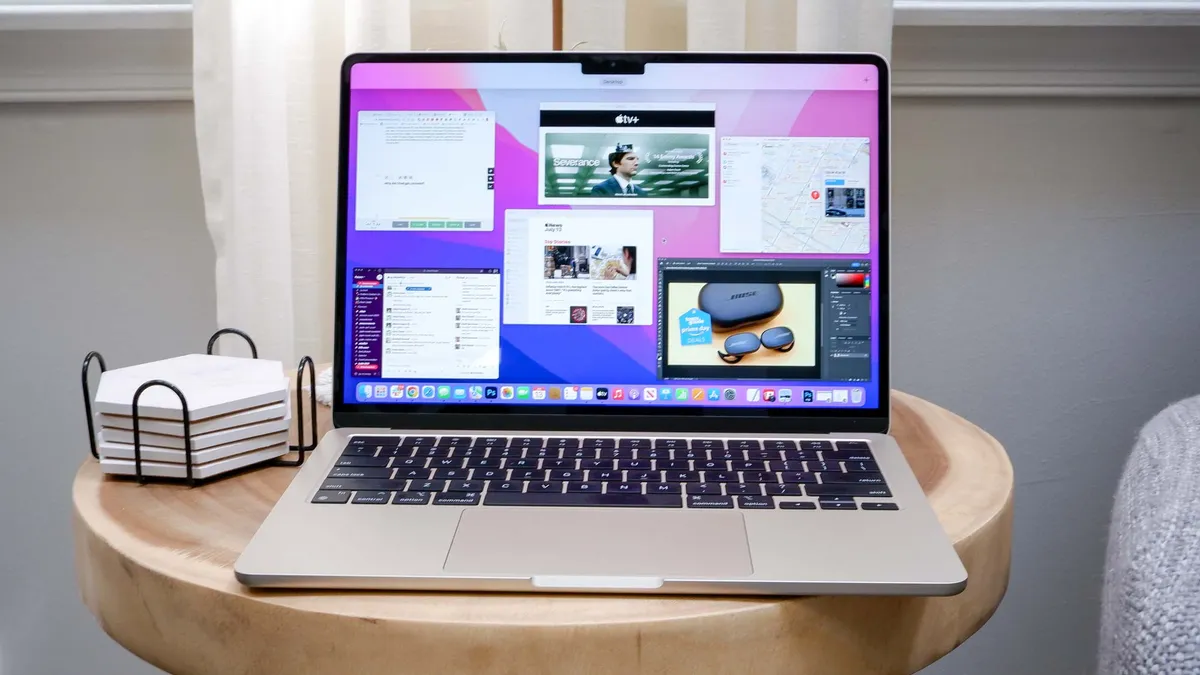
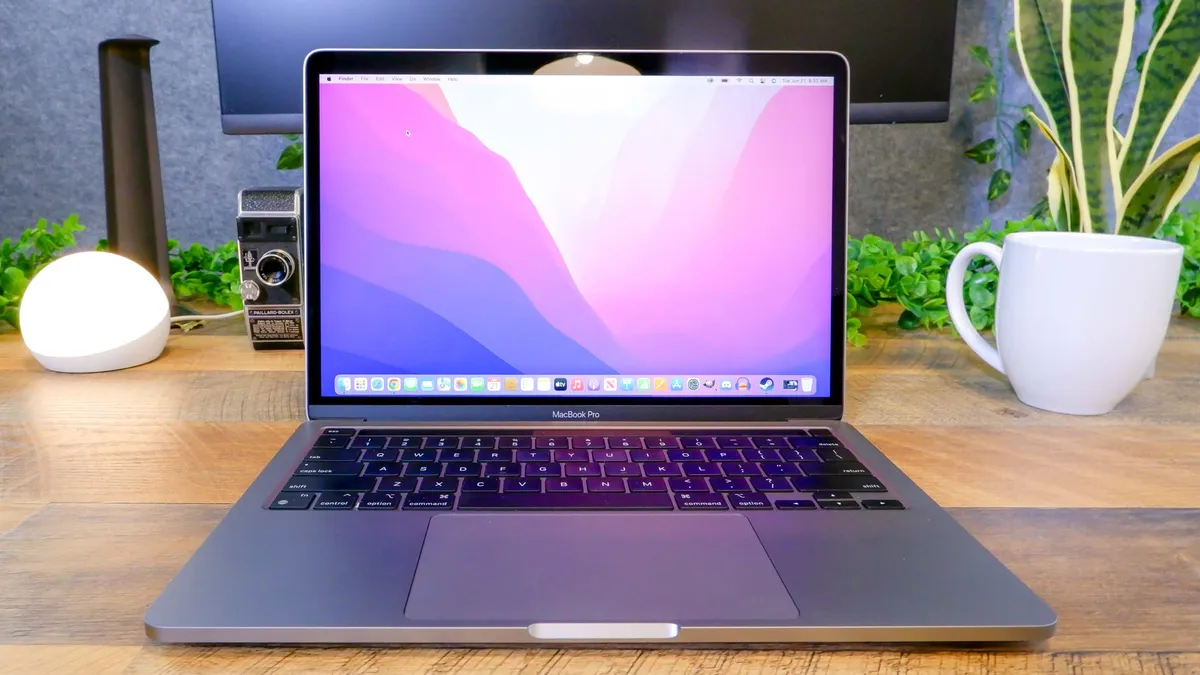
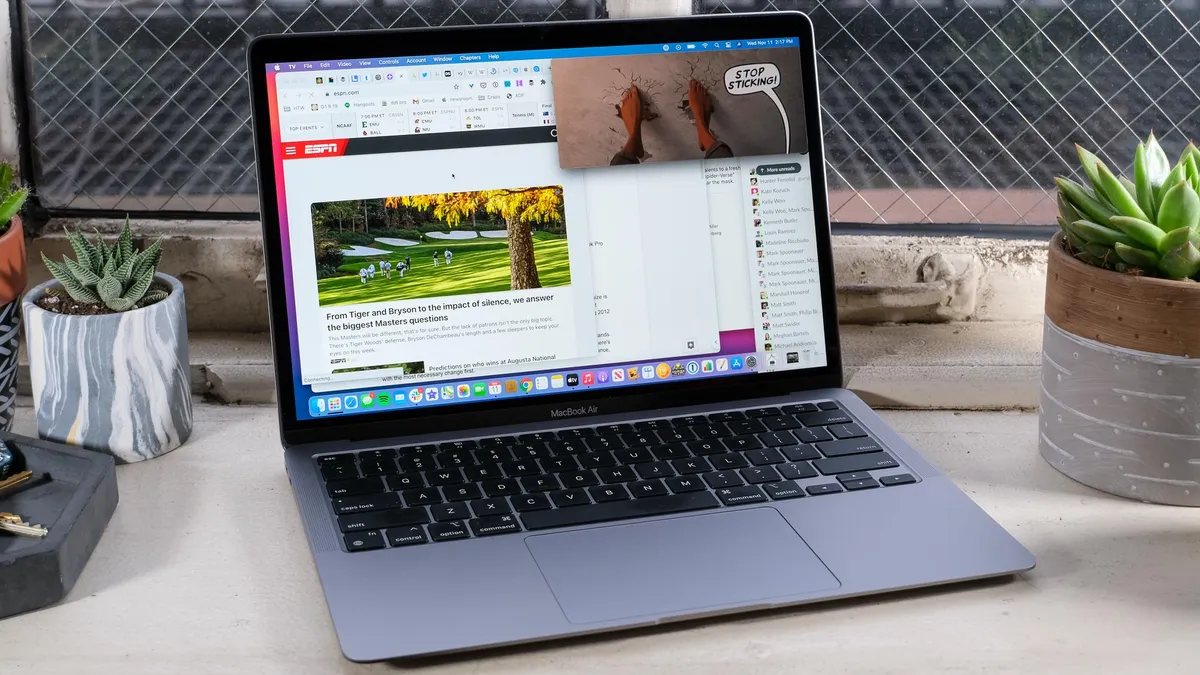


Apple's design language took a dramatic turn to the utilitarian at the beginning of the M-series silicon age, but since then, things have largely remained the same — flat edges, smooth aluminum builds, all you expect from the Cupertino crew.
That continues to this day, with the MacBook Neo taking a lot of inspiration from the MacBook Air's thinness, and the M6 MacBook Pro taking on the same mini-LED-laden facade of its past brethren. Of course, things are taking a dramatic turn with MacBook PROLED — similar in aesthetic but with some nice twists like a Dynamic Island and the return of the glowing Apple logo.
But most surprising to me is how they've managed to keep shaving off bits of weight every now and again while keeping that same uplift in performance and battery life... What witchcraft has Apple done to make these laptops more powerful, longer-lasting but also lighter too?
Whatever MacBook you buy, you’re getting a seriously premium construction with great portability, as you can see from the dimensions.
Laptop |
Dimensions |
Weight |
|---|---|---|
MacBook Pro with PROLED XDR (16-inch) |
14 x 9.6 x 0.6 inches |
4 pounds |
MacBook Pro with PROLED XDR (14-inch) |
12.2 x 8.5 x 0.6 inches |
3 pounds |
MacBook Pro (M6) |
12.3 x 8.7 x 0.6 inches |
3.4 pounds |
MacBook Neo (A18 Pro) |
11.7 x 8.1 x 0.5 inches |
2.7 pounds |
MacBook Pro (M5 Pro) |
14 x 9.7 x 0.6 inches |
4.7 pounds |
MacBook Air 13-inch (M5) |
12 x 8.5 x 0.4 inches |
2.7 pounds |
MacBook Pro (M5) |
12.3 x 8.7 x 0.6 inches |
3.4 pounds |
MacBook Air 13-inch (M4) |
12 x 8.5 x 0.4 inches |
2.7 pounds |
MacBook Pro 16-inch (M4 Pro) |
14.0 x 9.7 x 0.6 inches |
4.7 pounds |
MacBook Pro 14-inch (M4) |
12.3 x 8.7 x 0.6 inches |
3.4 pounds |
MacBook Pro 16-inch (M3 Max) |
14 x 9.8 x 0.7 inches |
4.8 pounds |
MacBook Pro 14-inch (M3 Pro) |
12.3 x 8.7 x 0.6 inches |
3.5 pounds |
MacBook Pro 14-inch (M3) |
12.3 x 8.7 x 0.6 inches |
3.4 pounds |
MacBook Air 15-inch (M3) |
13.4 x 9.4 x 0.5 inches |
3.3 pounds |
MacBook Air 13-inch (M3) |
12 x 8.5 x 0.4 inches |
2.7 pounds |
MacBook Pro 16-inch (M2 Max) |
14 x 9.8 x 0.7 inches |
4.8 pounds |
MacBook Pro 14-inch (M2 Pro) |
12.3 x 8.7 x 0.6 inches |
3.4 pounds |
MacBook Pro (M2) |
12 x 8.4 x 0.6 inches |
3 pounds |
MacBook Pro 16-inch (M1 Max) |
14 x 9.8 x 0.7 inches |
4.8 pounds |
MacBook Pro 14-inch (M1 Pro) |
12.3 x 8.7 x 0.6 inches |
3.5 pounds |
MacBook Pro (M1) |
12 x 8.4 x 0.6 inches |
3 pounds |
MacBook Air (M1) |
12 x 8.4 x 0.2-0.6 inches |
2.8 pounds |
MacBook hierarchy: Display


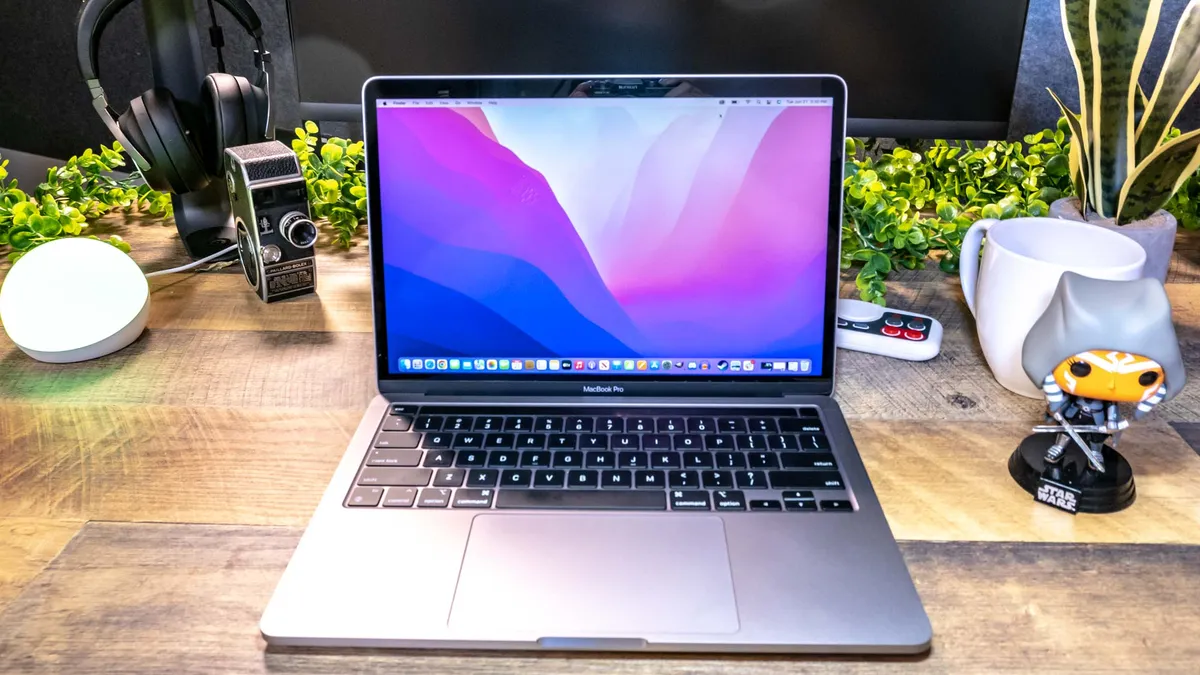


Display technology has moved along at an impressive pace in some areas, and rather glacially in others. Apple hasn’t just adopted OLED in its top of the range MacBook Pros, so now you have four choices.
- Retina: Present in the M1 MacBook Air and both 13-inch MacBook Pros, this is your standard IPS panel with a 13.3-inch diagonal and 1500p resolution.
- Liquid Retina: In the MacBook Neo, the color reproduction and brightness got an improvement with a Liquid Retina screen.
- Liquid Retina XDR: A move from standard LED to Mini LED drives one of my favorite displays in a laptop. Exclusive to the MacBook Pros, they sport impressively vivid color, a 120Hz refresh rate, and deep HDR that shines off the screen with big, bright imagery. It’s also worth noting that the MacBook Pros have significantly brighter displays than previous generation models because of this since the M3 generation.
- PROLED XDR: We haven't tested these yet (will be soon), but the Tandem OLED cream of the crop is here for the latest MacBook Pros.
The results speak for themselves here. Numbers vary from great to good, so it depends on how important screen quality is to you and your time with a MacBook.
Laptop |
Display average brightness (nits) |
sRGB color gamut (%) |
Delta-E color accuracy (smaller number is better) |
|---|---|---|---|
MacBook Neo (A18 Pro) |
452.6 |
110.9% |
0.22 |
MacBook Air (M5) |
454.8 |
117.2% |
0.27 |
MacBook Pro (M5 Pro) |
540 |
122.1% |
0.19 |
MacBook Pro (M5) |
558 |
115.4% |
0.20 |
MacBook Air (M4) |
457.8 |
116.5% |
0.21 |
MacBook Pro 16-inch (M4 Pro) |
584 |
115% |
0.27 |
MacBook Pro 14-inch (M4) |
556 |
108% |
0.19 |
MacBook Air 15-inch (M3) |
503 |
77.5% |
0.3 |
MacBook Air 13-inch (M3) |
476.4 |
109.8% |
0.21 |
MacBook Pro 16-inch (M3 Max) |
563.4 |
116.70% |
0.11 |
MacBook Pro 14-inch (M3 Pro) |
559.8 |
111.60% |
0.29 |
MacBook Pro 14-inch (M3) |
555.8 |
114.50% |
0.11 |
MacBook Pro 16-inch (M2 Max) |
446.8 |
118.20% |
0.21 |
MacBook Pro 14-inch (M2 Pro) |
441 |
118.50% |
0.2 |
MacBook Pro (M2) |
474.6 |
109.40% |
0.31 |
MacBook Air 15-inch (M2) |
473 |
111.40% |
0.17 |
MacBook Air 13-inch (M2) |
489.4 |
107.20% |
0.2 |
MacBook Pro 16-inch (M1 Max) |
500.6 |
109.30% |
0.21 |
MacBook Pro 14-inch (M1 Pro) |
487.8 |
109.60% |
0.19 |
MacBook Pro (M1) |
434.8 |
110.60% |
0.21 |
MacBook Air (M1) |
342.6 |
110.60% |
0.21 |
MacBook hierarchy: General performance


When it comes to how powerful these machines are, you can spot the incremental gains between generations. However, it does become easy to see through Apple’s reality distortion field — especially on the M2 generation backwards, as the improvements are rather small.
But with the move to the 3nm process of M3, there seems to have been a bigger leap in single-core performance in particular. Let’s get to the numbers.
Also, as a quick heads up, there are some laptops in this list that released before Geekbench 6 even released, so the tests we did were solely on Geekbench 5.4 To work around this issue, I drew up an average of results from the latest Geekbench version of each respective laptop — thanks to the community for providing so many!
Laptop |
Geekbench 6 single-core |
Geekbench 6 multicore |
|---|---|---|
MacBook Pro (M5 Max) |
4338 |
29430 |
MacBook Pro (M5 Pro) |
4307 |
28587 |
Mac mini (M6) |
4708 |
21405 |
MacBook Neo (A18 Pro) |
3535 |
8920 |
MacBook Air (M5) |
4191 |
17276 |
MacBook Pro (M5) |
4288 |
17926 |
MacBook Air (M4) |
3751 |
14947 |
MacBook Pro (M4 Pro) |
3910 |
22822 |
MacBook Pro (M4) |
3807 |
15114 |
MacBook Air (M3) |
3093 |
12025 |
MacBook Pro (M3 Max) |
3200 |
21711 |
MacBook Pro (M3 Pro) |
3154 |
14357 |
MacBook Pro (M3) |
3138 |
12018 |
MacBook Pro (M2 Max) |
2685 |
14626 |
MacBook Pro (M2 Pro) |
2673 |
12253 |
MacBook Pro (M2) |
2589 |
9630 |
MacBook Air (M2) |
2575 |
9647 |
MacBook Pro (M1 Max) |
3125 |
19078 |
MacBook Pro (M1 Pro) |
2378 |
12230 |
MacBook Pro (M1) |
2336 |
8265 |
MacBook Air (M1) |
2334 |
8313 |
SSD read and write speeds have remained largely consistent across models too. The only real outlier was the M2 Pro MacBook Pro and M4 MacBook Air cutting the speed nearly in half — due to using fewer NAND storage chips which reduces the memory bandwidth quite significantly.
The MacBook Neo speed is to be expected as the budget system on Apple's lineup.
Laptop |
Blackmagic Disk Speed write (MBps) |
|---|---|
Mac mini (M6) |
6577.4 |
MacBook Neo (A18 Pro) |
1583.3 |
MacBook Air (M5) |
6728.8 |
MacBook Pro (M5 Max) |
12870.1 |
MacBook Pro (M5 Pro) |
12711 |
MacBook Pro (M5) |
6517.3 |
MacBook Air (M4) |
2891.1 |
MacBook Pro (M4 Pro) |
6640.5 |
MacBook Pro (M4) |
2899.5 |
MacBook Air (M3) |
2981.2 |
MacBook Pro (M3 Max) |
7594.2 |
MacBook Pro (M3 Pro) |
4211.5 |
MacBook Pro (M3) |
2769.1 |
MacBook Pro (M2 Max) |
5717.2 |
MacBook Pro (M2 Pro) |
2932.1 |
MacBook Pro (M2) |
2794.7 |
MacBook Air (M2) |
2800.1 |
MacBook Pro (M1 Max) |
5314.6 |
MacBook Pro (M1 Pro) |
5321.5 |
MacBook Pro (M1) |
2825 |
MacBook Air (M1) |
2904.1 |
MacBook hierarchy: Gaming performance
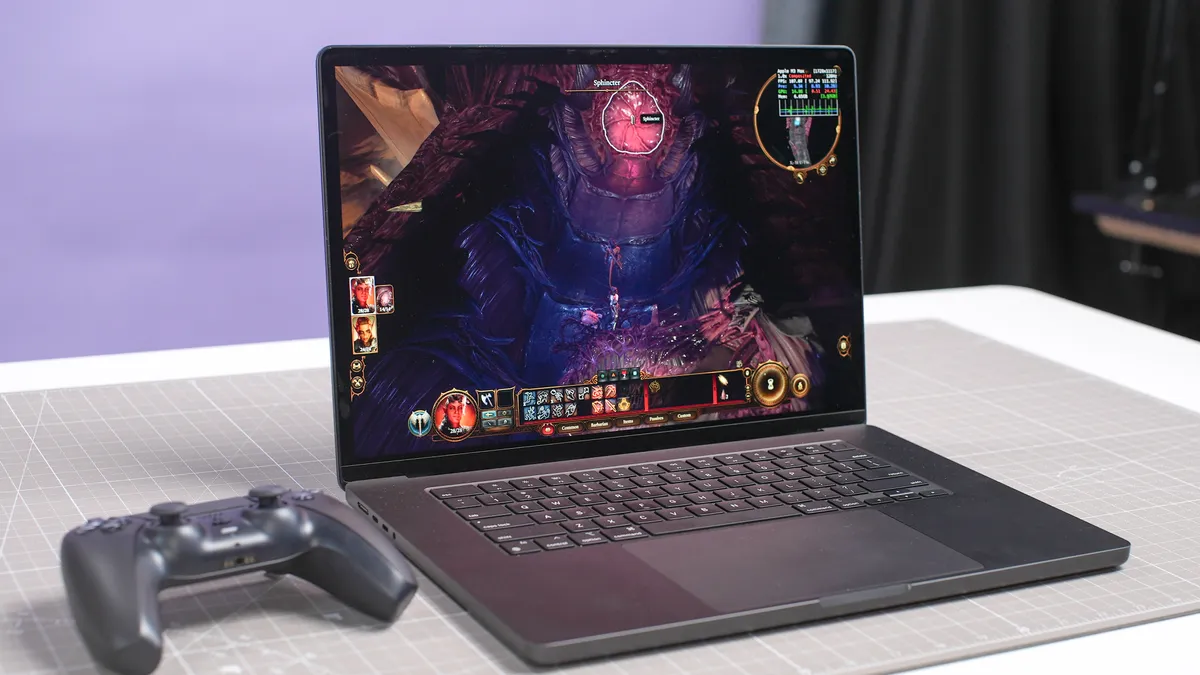
For all intents and purposes, it looks like Apple is finally caring about MacBook gaming. The improvements made to the GPU cores on the latest MacBook Pros, from hardware accelerated ray tracing to the neural accelerators driving some of the Metal FX effects, I'm happy to see the direction it's taking.
But are we seeing the big improvements right now? Slowly but surely we are.
Laptop |
Borderlands 3 (1920x1200) |
Sid Meier's Civilization VI (1920x1200) |
|---|---|---|
Mac mini (M6) |
18.9 fps |
71.3 fps |
MacBook Neo (A18 Pro) |
9.6 fps |
n/a |
MacBook Air (M5) |
n/a |
51 fps |
MacBook Pro (M5 Pro) |
60.5 fps |
108 fps |
MacBook Pro (M5) |
32.5 fps |
67.4 fps |
MacBook Air (M4) |
20.6 fps |
38.3 fps |
MacBook Pro (M4 Pro) |
42.8 fps |
98.4 fps |
MacBook Pro (M4) |
23 fps |
53 fps |
MacBook Air (M3) |
14.2 fps |
23.7 fps |
MacBook Pro (M3 Max) |
54.6 fps |
59 fps |
MacBook Pro (M3 Pro) |
28.9 fps |
53.7 fps |
MacBook Pro (M3) |
19.8 fps |
50 fps |
MacBook Pro (M2 Max) |
n/a |
57.6 fps |
MacBook Pro (M2 Pro) |
n/a |
56.8 fps |
MacBook Pro (M2) |
n/a |
51.1 fps |
MacBook Air (M2) |
n/a |
40.3 fps |
MacBook Pro (M1 Max) |
n/a |
46.1 fps |
MacBook Pro (M1 Pro) |
n/a |
43.2 fps |
MacBook Pro (M1) |
n/a |
38.1 fps |
MacBook Air (M1) |
n/a |
n/a |
Games at the moment are not making the most of the new development tools on offer, and I’m confident we’ll see faster frame rates as time goes on and more devs take advantage of what the platform has to offer. But we’re only seeing a few frames per second difference across different generations.
MacBook hierarchy: Price-to-performance ratio
This is where things get interesting, as we break down exactly how much power you’re getting for every dollar invested into your MacBook. Yes, these numbers may be skewed by the cost of previous models going down over time, but it’s interesting to see nonetheless.
Laptop |
Price per point (Geekbench 6 multicore) |
|---|---|
MacBook PROLED (M5 Max) - based on MacBook Pro benchmark |
$0.15 |
MacBook PROLED (M5 Pro) - based on MacBook Pro benchmark |
$0.10 |
MacBook Pro (M6) - based on Mac mini benchmark |
$0.09 |
MacBook Neo (A18 Pro) |
$0.07 |
MacBook Air (M5) |
$0.06 |
MacBook Pro (M5 Max) |
$0.12 |
MacBook Pro (M5 Pro) |
$0.08 |
MacBook Pro (M5) |
$0.11 |
MacBook Air (M4) |
$0.06 |
MacBook Pro (M4 Pro) |
$0.10 |
MacBook Pro (M4) |
$0.11 |
MacBook Air (M3) |
$0.08 |
MacBook Pro (M3 Max) |
$0.13 |
MacBook Pro (M3 Pro) |
$0.11 |
MacBook Pro (M3) |
$0.09 |
MacBook Air (M2) |
$0.08 |
MacBook Air (M1) |
$0.10 |
RAMageddon took its toll on certain models, alongside the touchscreen updates being made to the PROLED.
MacBook hierarchy: Battery life and heat

There isn’t much to say here that wouldn’t be stating the obvious. The battery life and surface temperatures have (mostly) improved incrementally over time with each generational shift.
Laptop |
Temperature (Touchpad) |
Temperature (G/H keys) |
Hottest surface & temperature |
|---|---|---|---|
MacBook Air (M5) |
79.5 degrees |
81.2 degrees |
Row 0 - Cell 3 |
MacBook Air (M4) |
75.9 degrees |
79.9 degrees |
Row 1 - Cell 3 |
MacBook Pro 16-inch (M4 Pro) |
75.5 degrees |
81 degrees |
82 degrees (underside) |
MacBook Pro 14-inch (M4) |
81.5 degrees |
83 degrees |
84.5 degrees (F6 key) |
MacBook Air 13-inch (M3) |
77.5 degrees |
79.5 degrees |
83.5 degrees (above F1 key) |
MacBook Pro 16-inch (M3 Max) |
75.5 degrees |
80.5 degrees |
81 degrees (underside) |
MacBook Pro 14-inch (M3 Pro) |
76.1 degrees |
79.5 degrees |
81.3 degrees (F7 key) |
MacBook Pro 14-inch (M3) |
77 degrees |
78.5 degrees |
78.5 degrees (underside) |
MacBook Pro 16-inch (M2 Max) |
78 degrees |
80.5 degrees |
81.5 degrees (underside) |
MacBook Pro 14-inch (M2 Pro) |
78 degrees |
80.5 degrees |
81.5 degrees (underside) |
MacBook Pro (M2) |
79 degrees |
80.5 degrees |
83 degrees (underside) |
MacBook Air 15-inch (M2) |
78 degrees |
79.5 degrees |
83 degrees (underside) |
MacBook Air 13-inch (M2) |
80 degrees |
81.5 degrees |
83.5 degrees (underside) |
MacBook Pro 16-inch (M1 Max) |
83.5 degrees |
88 degrees |
88.5 degrees (underside) |
MacBook Pro 14-inch (M1 Pro) |
85 degrees |
88.5 degrees |
89.5 degrees (underside) |
MacBook Pro (M1) |
78 degrees |
81 degrees |
82.5 degrees (underside) |
MacBook Air (M1) |
78.5 degrees |
80.5 degrees |
83.5 degrees (underside) |
The only exception to this rule seems to be the shift to M4 and M5, as surface temps go up by a couple of degrees (though I’d still love to see the team put a fan in the MacBook Air).
Laptop |
Battery life (web surfing hh:mm) |
|---|---|
MacBook Pro 16-inch (M5 Pro) |
21:25 |
MacBook Pro 16-inch (M3 Pro) |
20:46 |
MacBook Pro 14-inch (M4) |
18:31 |
MacBook Pro 14-inch (M5) |
18:01 |
MacBook Pro 14-inch (M5 Max) |
17:58 |
MacBook Air 15-inch (M5) |
15:37 |
MacBook Air 15-inch (M3) |
15:03 |
MacBook Air 13-inch (M3) |
15:13 |
MacBook Pro 16-inch (M3 Max) |
17:11 |
MacBook Pro 14-inch (M3 Pro) |
17:22 |
MacBook Pro 14-inch (M3) |
17:25 |
MacBook Pro 16-inch (M2 Max) |
18:56 |
MacBook Pro 14-inch (M2 Pro) |
16:38 |
MacBook Pro (M2) |
18:20 |
MacBook Air 15-inch (M2) |
14:48 |
MacBook Air 13-inch (M2) |
14:06 |
MacBook Pro 16-inch (M1 Max) |
15:31 |
MacBook Pro 14-inch (M1 Pro) |
14:08 |
MacBook Pro (M1) |
16:32 |
MacBook Neo (A18 Pro) |
13:28 |
MacBook Air (M1) |
13:19 |
MacBook hierarchy: Which should you buy?
So let’s revisit the question we posed right at the beginning of this — which MacBook is right for you? Well let’s break it down into three use cases to help you out.
“I just need something cheap for the bare essentials”


The easiest recommendation here is the MacBook Neo. With its fun colors, surprisingly zippy performance and strong battery life, it's good enough for the day-to-day basics.
That being said, if you don't mind going open box, that M1 MacBook Air is pretty tempting!
“I’m a creative enthusiast looking to boost my workload without breaking the bank”
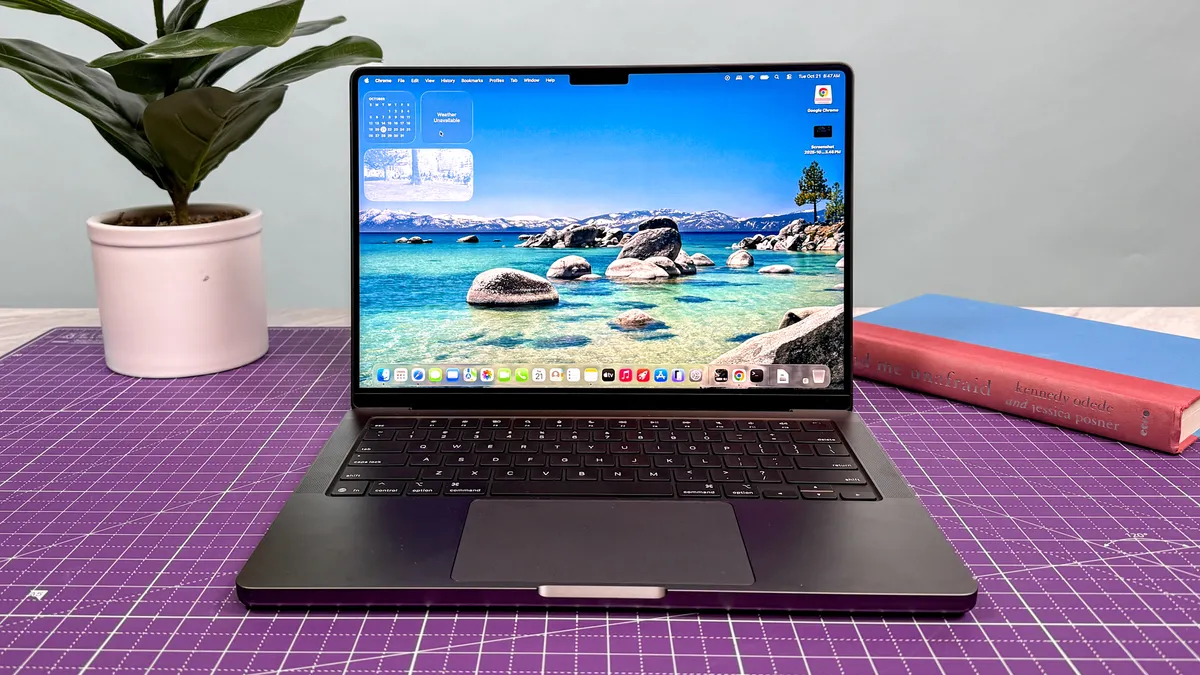
Let’s say you are getting started with a YouTube channel, dipping your toes into more complex photo edits and learning on the go, or you have musical or spoken word aspirations for both audio recording and production.
There are certain situations where an M5 MacBook Air would be a fantastic choice, but there are limits to its potential because of that thermally compromised design choice to remove the fans. So let’s turn to the Pros, where you’re spoilt for choice.
The best option would be the base M6 MacBook Pro — the low-end of the pro spectrum gives you all the goodness of the 14-inch frame with a spritely chip inside.
But let's not ignore the M5 elephant in the room. The latest and greatest MacBook Pro is all fair and good, but there's the bigger question here of how much it will be discounted by now there's a new kid on the block!
“I’m a professional and I want to give it the full beans with my workload”

So you've got two choices here, because M5 Pro and M5 Max are being loaded into both kinds of MacBook Pro.
- If you want maximum bang for your buck: The mini-LED MacBook Pros give you that. You miss out on the touchscreen OLED panel, but if the blistering speeds for coding or local AI are your sole focus, then this is a good way to go.
- If you're on the frontier of creativity (and you have a lot of money): The Pro with PROLED XDR Display is the option for you. That touchscreen is going to greatly enhance your interactivity with content you're creating, plus the raw horsepower underneath will be the best you can get.

Follow Tom's Guide on Google News and add us as a preferred source to get our up-to-date news, analysis, and reviews in your feeds.
More from Tom's Guide
- I’ve been living with Nvidia’s RTX Spark for a week — it’s not a MacBook Pro killer but something much weirder and wildly powerful
- ‘Babe, wake up, the internet is collapsing’: Two massive flaws just broke the web, and the data of billions is in the crossfire
- Ditch the data center: I fired my cloud chatbot and built a free local AI agent to run on my PC — and you can too