Whether you've treated yourself to a soundbar or Santa has brought you one, you're in for a great time. Soundbars are the easiest and cheapest way to bring the movie theater home. I've tested loads of the best soundbars, and every single one was a marked improvement over my TV speakers.
But soundbars can also be quite confusing. Although most are plug-and-play, they have tons of features and jargon-stuffed playback modes. Don't fret, though. I'm here to help.
As one of Tom's Guide's resident soundbar reviewers, these are the three features I always try first when testing soundbars. I always check out bass/cinema/movie mode, dialogue enhancer, and the wireless connectivity features for hands-free dance sessions.
Haven't got a soundbar yet? Here's my top recommendations
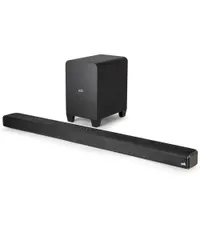
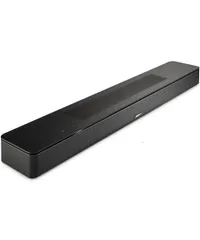
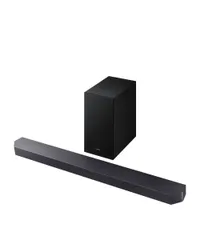
Bass boost

"Bass boost" is sometimes called "Movie" or "Cinema" mode. It doesn't matter which title your soundbar uses — they're basically the same thing.
"Bass" and "Movie" modes do what you think they do. They make bass go boom. This feature is fantastic for blockbuster movies, like "Top Gun: Maverick" and "How to Train Your Dragon (2025)."
I test every single soundbar with "Top Gun: Maverick" in bass/movie mode, and it's a fantastic way to get the most bang for your buck. Or, boom for your buck.
Even with super-cheap soundbars like the $150 Sony HT-S100F, activating the bass/move/cinema mode always takes the experience to the next level. In my review of the HT-S100F, I wrote, "Considering the HT-S100F has no subwoofer, I wasn’t expecting the bass to be great. However, the bass notes in ‘Danger Zone’ were groovy and didn’t overpower the sounds of the jets taking off."
So, if you're a movie aficionado, you definitely need to activate bass/movie/cinema mode next time you watch. You'll be impressed.
Dialogue enhancer
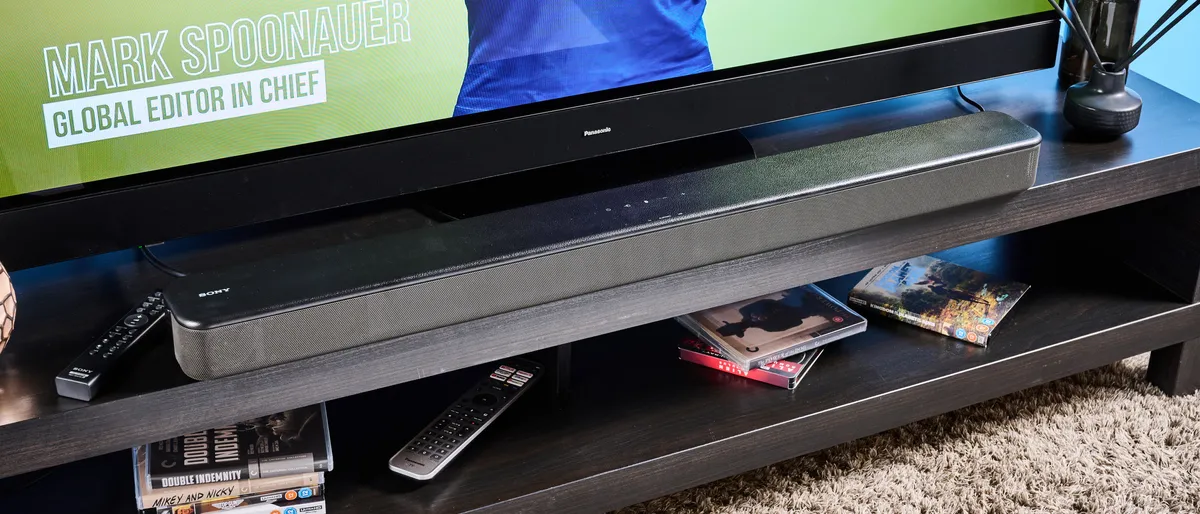
Most soundbars I test have some kind of dialogue enhancer. This basically does what it says on the tin — it makes speech clearer and more intelligible.
As with movie/bass/cinema mode, different models use different names. Some models use the title "Voice," "Dialogue," or "Speech." My personal soundbar, the Bose Smart Soundbar, calls this mode "AI dialogue enhancer."
The Bose Smart Soundbar is capable of using cinema/bass/movie mode simultaneously with "AI dialogue enhancer," but this isn't true of all soundbars. The Sony HT-S100F forces you to choose between "Cinema" and "Voice," which is a shame, but it is just $149, compared to the Bose's $449. However, the $349 Klipsch Flexus Core 100 allows you to use "Dialogue enhancement" and "Bass" simultaneously.
If you're struggling to hear dialogue in loud movies, then I'd recommend trying out the "Voice" mode on your soundbar. Some soundbars have weird ways to activate this — on Samsung soundbars, for example, you have to hold the settings button, and then up and down buttons — so check out your user manual for extra help.
AirPlay/Google Cast/Bluetooth

Not all soundbars have Wi-Fi streaming, but honestly? In 2025, most new soundbars do. Obviously, there are some exceptions, like the Samsung Q600F, but on the whole, if you're buying a premium soundbar in 2025, it's likely gonna have Wi-Fi.
Even if your soundbar doesn't have Wi-Fi playback (for AirPlay and Google Cast), I'm 99% sure it'll have Bluetooth. I've never tested a soundbar without Bluetooth.
But if you have AirPlay or Google Cast on your soundbar, you need to experience a soundbar living room dance party. Wave goodbye to fighting over the aux, connectivity headaches with wireless speakers, or a teeny-tiny portable speaker that can't go loud enough. AirPlay makes my life ten times better.
I'll admit, soundbars aren't the best for listening to music. But when I'm cooking, cleaning, or just want to listen to music lazily, I always gravitate towards my soundbar. (I know, I'm a terrible music lover.)
Although it can be quite frustrating to set up Wi-Fi on a soundbar, trust me, it's worth it. I have the Bose Smart Soundbar (2024) at home, and AirPlay is one of my most-used features. I can play music directly from my Spotify or Apple Music or Qobuz app, without needing to connect to the soundbar first. It's instant music playback.
And, if you've got it, room calibration

Now, this is kind of a secret fourth option, because not all soundbars have this feature. Only the uber premium models I've tested come with AI room calibration. If you've a 2021-2025 AI-powered Samsung TV (QLED Q70 and up) and a compatible soundbar (Q Series), then you can make use of SpaceFit Sound Pro.
This room calibration feature analyzes the layout of your space and alters sound waves accordingly. Basically, it's a lot of physics and engineering to ensure you get the best sound possible.
Non-Samsung soundbars have this, too. I tested the JBL Bar 1300X and was blown away by the in-app room calibration. This setup sends a pulsing sound through all elements of the soundbar and tells you to move certain pieces if needed.
However, this is a feature most commonly seen on very expensive setups — like, well over $1,000 expensive — which is why I didn't include it in my main three features. It's nice to have, but it's not essential. You can also just move your soundbar and play it by ear.
Which of these features have you tried? Which are you going to try first? Let me know in the comments!

Follow Tom's Guide on Google News and add us as a preferred source to get our up-to-date news, analysis, and reviews in your feeds.
More from Tom's Guide