Whether you’ve been asking ChatGPT for financial advice, it’s become your therapist, or you’ve been giving it countless embarrassing photos of yourself to edit, ChatGPT might now have a lot of sensitive data on you that you don’t want getting out.
Luckily, all of that information is pretty well protected. It is hidden behind your locked account, guarded by a password that you’ve hopefully made extra strong. But it can’t hurt to have a little bit of extra protection.
With just a few minutes of your time and a few security settings, your ChatGPT account can be made more secure. This doesn’t require you to have any extra technical knowledge and it won’t delay the time it takes you to log in each time.
Really, it’s just about getting some extra piece of mind.
1. Go to your security settings
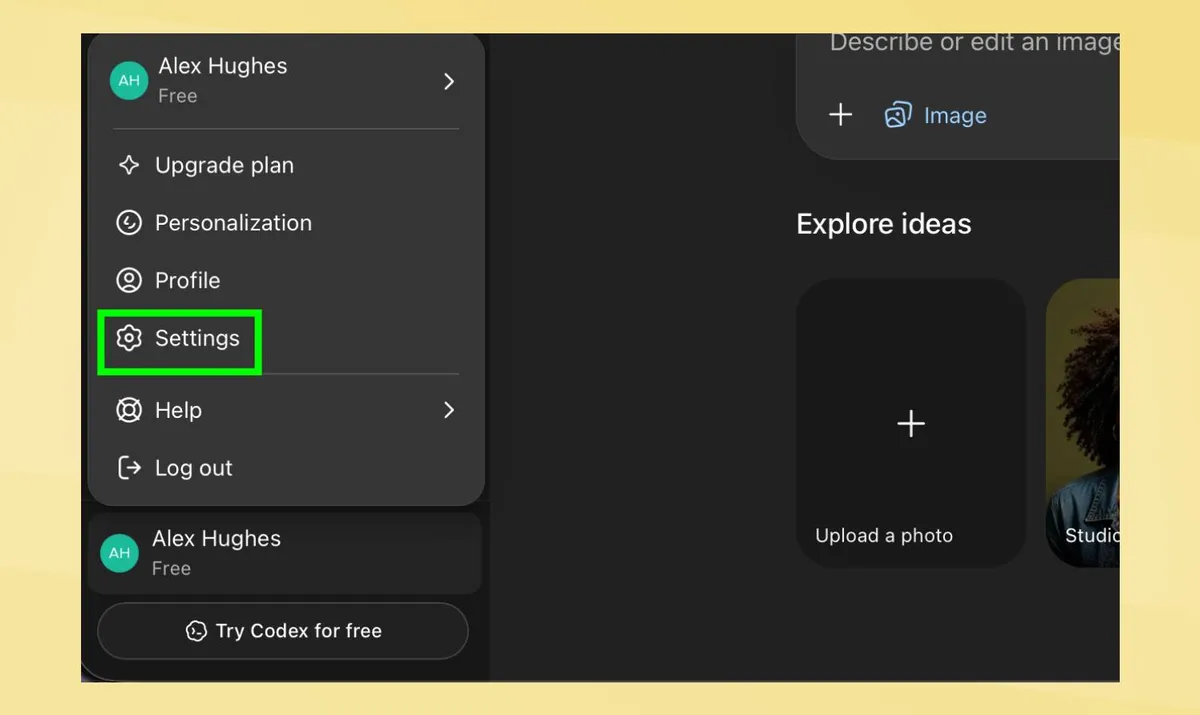
When you open ChatGPT, whether in the desktop or app format, you’ll want to head over to your settings. This can be found by bringing up the sidebar and clicking on your name.
Then, from the available options, navigate to the security section.
2. Choose a strong password
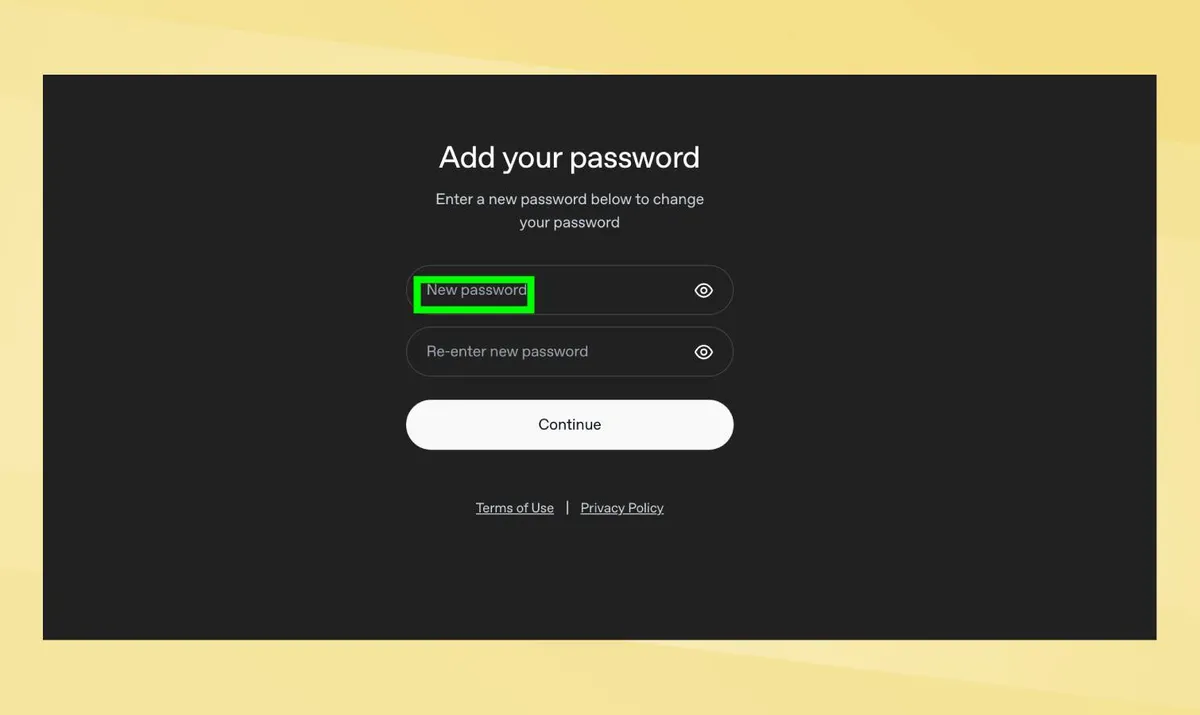
This step won’t apply to everyone, but if you chose a particularly weak or easy to remember password, or one that you tend to use elsewhere, this is a good time to change it up.
The first option in ChatGPT’s security settings is to add a new password. If you don’t want to add any of the other security features, this will be essential.
3. Utilise passkeys on your account
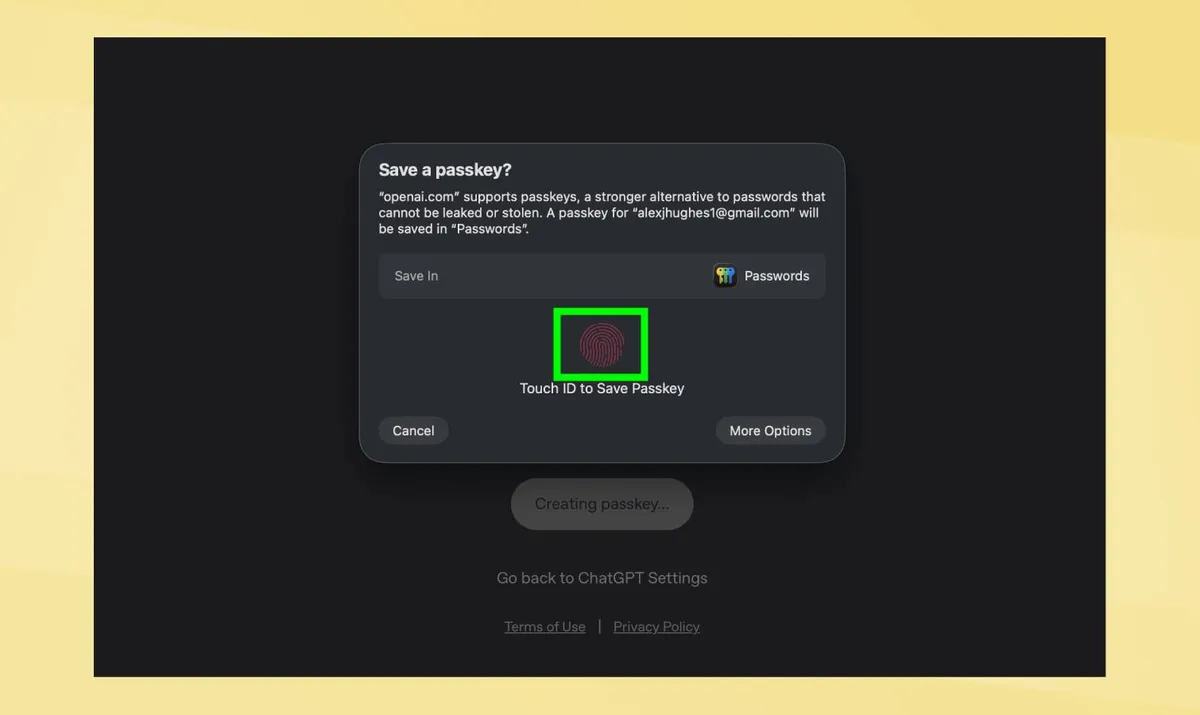
Passwords are strong, but they can still be cracked, or if you’re unlucky, you could get caught up in a phishing scam. Luckily, ChatGPT now offers other ways to get into your account.
Not only can these be more secure, but they can also be a lot easier to remember and use. Known as passkeys, these include using your fingerprint, a pin code or Face ID. Obviously, some of these will only work on devices that offer them, such as Macbooks or your smartphone so keep that in mind.
To activate these, click "add" at the end of the passkeys section. Here, ChatGPT will ask you to go through and setup your preferred choice. From then on, you’ll be able to login using pin codes, fingerprints or simply your face.
ChatGPT will still have your password included, allowing you to access your account if your passkey isn’t working for any reason.
4. Enable multi-factor authentication
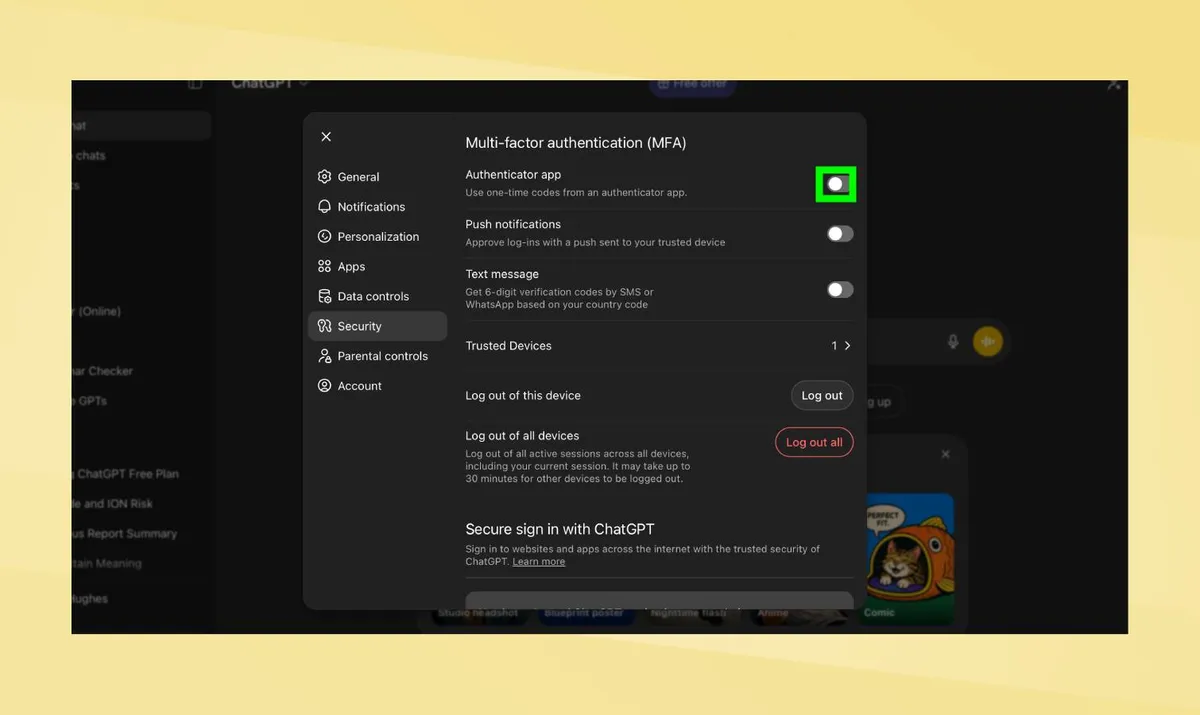
Whether you choose a password or passkey, that is only one level of protection on your account. Using multi-factor authentication (MFA) is an important step for full security.
With this, ChatGPT will require you to complete an extra level of authentication when using a new device. This could be an authenticator app, a code sent to your smartphone or a push notification on a trusted device.
Even if someone cracks your password, or finds out the pin code you use to login, they’ll still need an extra step of information to access your account.
You only need one of these so choose the one that is easiest for you. Once you’ve decided, simply click the sliding bar to activate it and input the necessary information.
Once you login in on a device using MFA, ChatGPT will recognise that as a trusted device, meaning you only have to do it one time per device. You can also remove these at any time, which is perfect if you sell a smartphone that has been registered to your ChatGPT account.

Follow Tom's Guide on Google News and add us as a preferred source to get our up-to-date news, analysis, and reviews in your feeds. Subscribe to Tom's Guide on YouTube and follow us on TikTok.
More from Tom's Guide