







Tired of Wi-Fi drops throughout your home? The best mesh Wi-Fi systems can eliminate internet dead zones and turn your house into a powerhouse for connectivity, no matter how far away devices are from a router. To prove it, we've done the testing to help you find the right mesh system.
At Tom's Guide, we put each mesh Wi-Fi system through real-world scenarios, from multi-storey homes to outdoor use. This allows us to see how fast internet speeds are at multiple ranges, especially through objects and walls. So, if you've been struggling to get a strong Wi-Fi signal across your home, the mesh Wi-Fi systems we recommend will help you sort that problem out.
For the best mesh Wi-Fi system you can buy today, we recommend the MSI Roami BE Pro. With its high-end speeds and covering long distances, this Wi-Fi 7 mesh system will take you far for its price. Looking for more options for your home? We have even more worth considering. For the latest wireless connectivity, or to cover your home on a budget, this guide will help you find the best mesh Wi-Fi system for your needs, with in-depth reviews and test results. Let's dive in.
The best mesh Wi-Fi systems you can buy today
Why you can trust Tom's Guide Our writers and editors spend hours analyzing and reviewing products, services, and apps to help find what's best for you. Find out more about how we test, analyze, and rate.
The best mesh Wi-Fi system overall


The MSI Roamii BE Pro isn't the fastest around, nor does it deliver the longest range, but it excels at speeds, distances and setup for half the price of other tri-band WiFi 7 routers. That's why it's the best mesh Wi-Fi system we recommend for most, especially if you're looking for an affordable way to upgrade to Wi-Fi 7.
The Roamii BE Pro immediately stands out for its real-world speed across a whole house, reaching 1.885 Gbps at 15 feet and still delivering 66.3 Mbps at a distant 90 feet. That kind of consistent performance means you won’t be left hunting for a signal in the farthest room. In our testing, the Roamii BE Pro also excelled at mid-range distances, recording 815.2 Mbps at 50 feet — a result that puts it squarely among the fastest mesh systems we’ve seen.
We found it outpaces the TP-Link Deco BE23 at close range (1.885 Gbps vs. 1.449 Gbps), but its real advantage is balancing those speeds with broader coverage, a feat some rivals like the Netgear Orbi 870 only match at longer distances. That makes the Roamii BE Pro a better pick for anyone who wants both fast speeds and reliable whole-home coverage, not just one or the other.
MSI Roamii BE Pro Performance results
See our speed measurements tested at different distances
15 feet
| Product | Value |
|---|---|
| MSI Roamii BE Pro | 1.885 |
50 feet
| Product | Value |
|---|---|
| MSI Roamii BE Pro | 815.2 |
75 feet
| Product | Value |
|---|---|
| MSI Roamii BE Pro | 197.9 |
90 feet
| Product | Value |
|---|---|
| MSI Roamii BE Pro | 66.3 |

During two weeks of everyday use, the Roamii BE Pro kept up without breaking a sweat. That includes streaming 4K video, downloading large files, gaming and emailing. Plus, wired device fans get a trio of 2.5 Gbps LAN ports and a USB 3.0 port. It's just a shame that this isn't available in single or three-packs, meaning you'd have to buy another two-pack if you're looking to add more nodes. At least it isn't too pricey!
Setup is a breeze: after scanning the QR code, entering a network name and updating firmware, I had both nodes running in just 15 minutes. If you want the quickest path to reliable, top-tier Wi-Fi 7 speeds without fuss, the Roamii BE Pro is the system to beat.
- Read our full MSI Roamii BE Pro review
The best budget mesh Wi-Fi system

The TP-Link Deco BE23 shows that high-speed, Wi-Fi 7 connectivity in a mesh system doesn't have to cost you a premium. For as low as $180, you can get a set of three powerful mesh networking devices that offer up far-reaching connectivity with some absolutely amazing speeds.
Each of the BE23 units comes in a neat, discreet design that can be placed anywhere while hiding in plain sight, and you can set up a connection for the whole house easily with TP-Link’s Deco app. Plus, any of the units can be used as a host router. Once you're set up, you can take control of your connectivity and devices via the app, like integrating and controlling Tapo, Kasa, Philips Hue and Matter home automation devices.
TP-Link Deco BE23 Performance Results
Speed measurements
15 feet
| Product | Value |
|---|---|
| TP-Link Deco BE23 | 1.449 |
50 feet
| Product | Value |
|---|---|
| TP-Link Deco BE23 | 953.7 |
75 feet
| Product | Value |
|---|---|
| TP-Link Deco BE23 | 350.4 |
90 feet
| Product | Value |
|---|---|
| TP-Link Deco BE23 | 150.1 |
Speed is the star of the show, especially for this mesh system's affordable price. In our testing, we saw highs of 1.449 Gbps at 15 feet, and still 150.1 Mbps as far away as 90 feet. Those numbers beat many routers we've tested, even though it understandably falls behind the likes of a tri-band system (like the TP-Link Deco BE63 with 1.821 Gbps at 15 feet away). With a maximum range of 115 feet for each unit, this mesh system will take you far (quite literally, connectivity-wise). Now that's excellent balance between price and performance.
What you won't get here are more advanced features, like the 6GHz band (just 2.4GHz and 5GHz here) and super-wide 320 MHz data channel, while there's only a pair of 2.5 Gbps networking ports without a USB port, which makes wired connections limited.
For an affordable way to keep your whole home connected with fantastic internet speeds, the price is right with the TP-Link Deco BE23. It may not be the fastest, or the most advanced, but for value, it's hard to go wrong with this mesh setup.
- Read our full TP-Link Deco BE23 review
The best mesh Wi-Fi system for range

The Netgear Orbi 870 is a powerful mesh Wi-Fi system that really excels at medium and long ranges, even outperforming its larger, more expensive older sibling.
Despite its more premium price, I really like the more cylindrical design with a cleaner overall look of the Orbi 870 and the rest of the company’s Wi-Fi 7-powered mesh kits. While you’ll often see it in white at online retailers, you can actually get an all-black version too, but only on Netgear’s site.
The Orbi 870 is a very reliable and feature-packed mesh Wi-Fi system that’s ideal for futureproofing your home network thanks to its slew of multi-gig ports, including a 10 Gbps input. In his testing, Brian saw speeds of 1.83 Gbps at close range (15 feet).
Netgear Orbi 870 Performance Results
Speed measurements
15 feet
| Product | Value |
|---|---|
| Netgear Orbi 870 | 1.82 |
50 feet
| Product | Value |
|---|---|
| Netgear Orbi 870 | 627.4 |
75 feet
| Product | Value |
|---|---|
| Netgear Orbi 870 | 628.6 |
90 feet
| Product | Value |
|---|---|
| Netgear Orbi 870 | 102.6 |
However, it was the Orbi 870’s mid- and long-range performance that impressed him the most. For instance, at 50 and 75 feet, this mesh Wi-Fi system had download speeds of over 600 Mbps, beating both the entry-level Orbi 770 and even the Orbi 970 at the top of Netgear’s mesh lineup.
Even at a distance of 90 feet away from Brian’s test laptop, it was at just over 100 Mbps, while the Orbi 970 and even TP-Link’s Deco BE85 were under 50 Mbps. At $1,000 for a two-pack, the Orbi 870 is certainly an investment, just like with the rest of the devices in Netgear’s Orbi line.
However, if you have a large home you want to fill with a strong Wi-Fi signal and a top-tier multi-gig internet plan, it could definitely be worth it. Just keep in mind that you will need to set aside some extra cash if you want to secure your home network with it using Netgear’s Armor security package or want extended technical support, as only 90 days are included.
- Read our full Netgear Orbi 870 review
The best mesh Wi-Fi system for gaming


The Acer Predator Connect T7 is a mesh Wi-Fi system with a heavy focus on gamers. However, unlike my previous mesh router pick for gaming, the Asus ROG Rapture GT6, it’s a Wi-Fi 7-powered device with a much more subtle look.
Instead of RGB and lots of logos, the Predator Connect T7 features a taller, rectangular design in white or black, and at first glance, it looks quite similar to an Xbox Series X. There’s a splash of RGB lighting on the top, but this mesh kit has a sleeker and more restrained look that I think definitely works in its favor.
Just like with the best gaming routers, the Predator Connect T7 has a low-latency design that uses Intel’s Killer Prioritization engine for peak gaming performance. It also comes with free built-in security software and makes full use of all of Wi-Fi 7’s best features.
Acer Predator Connect T7 Performance Results
Speed measurements
15 feet
| Product | Value |
|---|---|
| Acer Predator Connect T7 | 1.914 |
50 feet
| Product | Value |
|---|---|
| Acer Predator Connect T7 | 476 |
75 feet
| Product | Value |
|---|---|
| Acer Predator Connect T7 | 231.5 |
90 feet
| Product | Value |
|---|---|
| Acer Predator Connect T7 | 121 |
During testing, Brian saw download speeds of 1.9 Gbps at close range (15 feet) with good mid-range performance. While the Predator Connect T7 has a multi-gig input port, its wired Ethernet ports are limited to gigabit speeds, so plugging in one of the best gaming laptops won’t give you a significant speed boost over connecting via Wi-Fi.
The Acer Predator Connect T7 is one of the few mesh Wi-Fi systems specifically designed for gamers and if you want a mesh router that looks as slick as your gaming PC, it’s a big step up over the Asus ROG Rapture GT7.
However, it is on the expensive side at $330 per device and unlike with other mesh kits, you won’t see any discounts at all when buying a multi-pack. Still, if you want gaming-level network performance with the added benefits of mesh and want something less flashy, the Predator Connect T7 is an excellent mesh Wi-Fi system and the only one for gamers with Wi-Fi 7 support so far.
- Read our full Acer Predator Connect T7 review
The best mesh Wi-Fi system for simplicity

The Eero Pro 7 is a smaller and sleeker mesh Wi-Fi system that’s incredibly simple to set up and use. Unlike Eero’s past mesh kits, which had a puck-shaped design, this one has a rounded rectangular shape and at 7.1 x 5.8 x 2.6 inches, you won’t have any trouble finding a place for it and its satellites around your home.
After testing the larger, more powerful Eero Max 7 myself, I really like the Pro 7’s more compact design and the fact that it's significantly cheaper, too. The biggest selling point of the Pro 7 and Eero’s other mesh Wi-Fi systems is that even a home networking novice will have no trouble at all getting them up and running.
Setup and configuration are handled entirely through the very user-friendly Eero app. Besides how it looks, I really like the way that updates are downloaded and installed automatically, so your mesh Wi-Fi system is always running the latest software.
Eero Pro 7 Performance Results
Speed measurements
15 feet
| Product | Value |
|---|---|
| Eero Pro 7 | 1.905 |
50 feet
| Product | Value |
|---|---|
| Eero Pro 7 | 994.4 |
75 feet
| Product | Value |
|---|---|
| Eero Pro 7 | 234.7 |
90 feet
| Product | Value |
|---|---|
| Eero Pro 7 | 20.8 |
In his testing, Brian saw download speeds of 1.9 Gbps at close distances (15 feet), but the Pro 7 was equally impressive at mid-range distances with speeds just under a gigabit.
The Eero Pro 7 does cost a bit more than the competition, but nowhere close to what you’d pay for an Orbi mesh kit. As an Amazon company, Eero works great with your Alexa-powered and other smart home devices, and you can even use an Echo Dot as a mesh extender to add some extra range to your home network.
If you want a fast and capable Wi-Fi 7-powered mesh system that’s simple to set up and just works, the Eero Pro 7 is very easy to recommend, especially since it's a lot cheaper than the Max 7. The one downside is that you’re limited to just two Ethernet ports, but they are of the faster 5 Gbps variety, which is great if you have a multi-gig internet plan.
- Read our full Eero Pro 7 review
Best mesh Wi-Fi system for fiber

The TP-Link Deco BE85 is a top-of-the-line mesh Wi-Fi system that was actually the first mesh router with Wi-Fi 7 support. It builds on the cylindrical design of the Deco XE75 with a more refined and polished look, but it packs in a ton of multi-gig and even a USB port.
As someone who upgraded to fiber internet, I love how it has its own SFP+ port, which lets you plug your fiber line directly in at the back instead of into a separate ONT box first. Even if you’re still using one of the best cable modems, though, the Deco BE85 is a powerful mesh Wi-Fi system that won’t disappoint when it comes to performance.
One thing that’s really convenient about this mesh kit and TP-Link’s other Deco devices is that they’re all identical out of the box and you can use any of them as your main router. The company’s Deco app also makes setup and configuration very easy, and in my experience, it’s on par with Eero’s app in terms of usability.
TP-Link Deco BE85 Performance Results
Speed measurements
15 feet
| Product | Value |
|---|---|
| TP-Link Dexo BE85 | 1.736 |
50 feet
| Product | Value |
|---|---|
| TP-Link Dexo BE85 | 790.4 |
75 feet
| Product | Value |
|---|---|
| TP-Link Dexo BE85 | 179.2 |
90 feet
| Product | Value |
|---|---|
| TP-Link Dexo BE85 | 42.6 |
During testing, Brian saw download speeds of 1.73 Gbps at a close distance (15 feet) and good mid-range speeds, too. While this might seem a bit low for a premium mesh Wi-Fi system, Brian was one of the first people to get and review the Deco BE85. It's possible this has improved with firmware updates since its launch.
The Deco BE85 has come down in price since it launched, but it’s still expensive, even though this model does go on sale quite frequently. However, if you have a fast, multi-gig fiber internet plan and want top-notch Wi-Fi 7 performance, this mesh router is the only one I’ve seen yet with an SFP+ port around back.
It’s worth noting that just like with Eero, all TP-Link Deco devices are compatible with one another, so you could always mix and match or upgrade to a more powerful model later on if you need to.
- Read our full TP-Link Deco BE85 review
Best mesh Wi-Fi system test results
The mesh Wi-Fi systems we've used all come with amazing speeds, and we've done the testing to show how fast a router is at short and long ranges. But you'll find some will perform better at various distances, even if one delivers the fastest speeds around.
As an example, the Acer Predator Connect T7 offers the fastest speeds at 15 feet, but it loses out to the likes of the TP-Link Deco BE23 and others at 90 feet. It comes down to what you prioritize: speed or range (or a balance of both!)
So, to compare each mesh Wi-Fi system across the range of distances we've tested, check out the versus table below to help you make the right choice for your home.
Mesh Wi-Fi Systems Performance Results
Select a mesh Wi-Fi system to compare internet speed at different distances (measured in Gbps and Mbps)
| Attribute | MSI Roamii BE Pro | TP-Link Deco BE23 | Netgear Orbi 870 | Acer Predator Connect T7 | Eero Pro 7 | TP-Link Dexo BE85 |
|---|---|---|---|---|---|---|
| 15 feet | 1.885 | 1.449 | 1.82 | 1.914 | 1.905 | 1.736 |
| 50 feet | 815.2 | 953.7 | 627.4 | 476 | 994.4 | 790.4 |
| 75 feet | 197.9 | 350.4 | 628.6 | 231.5 | 234.7 | 179.2 |
| 90 feet | 66.3 | 150.1 | 102.6 | 121 | 20.8 | 42.6 |
How to choose the best mesh Wi-Fi system for you

A lot of factors come into choosing the mesh Wi-Fi system that will suit your space, from the coverage you need to the speeds you demand — all for the right price. We've got just the tips to make your choice easier.
- Coverage: If you have a larger home with 3,000 square feet or more, a regular router just won’t cut it. The same is true for multi-story homes and oddly laid out houses, which don’t necessarily match the range pattern of coverage most standalone routers deliver. Even if your home looks like it may be well-served by a traditional Wi-Fi router, there are plenty of obstacles and signal disruptions that can make it difficult to get strong wireless coverage in every part of your home. In this case, the usual steps to make your Wi-Fi faster may not work. The basic guideline is this: If your router leaves you with Wi-Fi dead zones in your home or even out in your yard, you’re likely better off with a mesh Wi-Fi system instead.
- Speed: Picking the right mesh Wi-Fi system for speed is the same as with any other Wi-Fi device. The faster it is at moving data, the better. If you're planning on having the best speeds possible, you'll want the router as close as possible to your chosen device. However, with a mesh Wi-Fi system, this allows you to extend the range throughout a large space without drastically losing speeds. Some are better at maintaining speeds at further distances, while others offer optimal performance the closer they are. Depending on your space and if there are any obstacles in the way, you'll want the right mesh system that offers the fastest speeds at the distance that works best for you.

- Ports: Though improved wireless connectivity is the main thing you want from a mesh Wi-Fi system, you’ll also want to think about wired connections. Ethernet offers faster connectivity for devices like computers, game consoles and smart TVs that use more bandwidth and USB ports are useful for attaching older printers or storage to your network. However, not every mesh system has several physical ports, so make sure you get a system that will meet your needs. Keep in mind, you can always use an Ethernet switch to easily add more ports to your mesh router.
- Price: For many shoppers, it all comes down to value. In other words, which mesh Wi-Fi system provides the most bang for your buck? Mesh routers range in price from $80 to $1,000 or more. As mesh systems use multiple devices, you can generally buy a complete mesh Wi-Fi system as a two or three-unit package at a discount (look out for these during Amazon Prime Day or Black Friday). However, you can also buy individual satellite units to extend a mesh network further. Individual units often sell for $100 to $200, though specialized units that offer additional functionality may cost more. The products on this list are our top picks as they are the best mesh Wi-Fi systems you can buy right now.
Best Mesh Wi-Fi: Frequently Asked Questions
Will a mesh Wi-Fi system go through walls?
Yes, a mesh Wi-Fi system can go through walls. Because Wi-Fi uses radio waves, these waves can pass through solid materials like walls to connect to a device.
However, when Wi-Fi meets a wall, some of it goes through, some bounces off and some is absorbed. Because of this, the signal can be weaker, especially when more walls are in the way.
A mesh Wi-Fi system has an advantage in getting past this. Instead of using one router to get a signal, a mesh system uses multiple nodes placed throughout a home to bypass hard objects or walls in order to get an unobstructed signal. This means there are fewer barriers to getting a clear Wi-Fi signal.
What are the downsides of using a mesh Wi-Fi system?
The main downside of using a mesh Wi-Fi system is that it can be very expensive, especially compared to traditional Wi-Fi routers. These are only needed for those living in large homes or for anyone who needs Wi-Fi coverage over a long distance. For those in smaller spaces, this is overkill.
Since mesh systems come in a multi-pack of nodes, this bumps up the price, as these extra devices deliver a better range of coverage throughout a space compared to other routers.
Nodes also must be placed close enough to catch a strong signal, which can be tricky in a home with many rooms separated by concrete or brick walls. Plus, with this signal hopping between multiple nodes, there may be an increase in latency, which isn't ideal for competitive gameplay.
Otherwise, the best mesh Wi-Fi systems try to overcome these downsides, and these are still the best option to upgrade your home network wirelessly.
How many mesh nodes do I need?
Mesh Wi-Fi systems come with nodes and are usually available in two-packs or three-packs, but deciding which one to get depends on the size of your home. If you live in a small or medium house, then a two-pack will usually do the trick. For large homes with more than three bedrooms or multiple stories, a three-pack is the better choice, as this will ensure that your Wi-Fi signal reaches every corner and even upstairs.
The great thing about mesh Wi-Fi systems, though, is that you can always start small and work up to something bigger. For instance, if you buy a two-pack and find that you’re still dealing with Wi-Fi dead zones in certain parts of your home, you can always add another node later to improve your coverage.
Is a mesh system better than a Wi-Fi extender?
Absolutely. Plug-in Wi-Fi extenders aren’t nearly as advanced or as powerful as the satellites in a mesh Wi-Fi system. The other big problem with Wi-Fi extenders is that most of them create a separate network you have to manually switch to each time you want to use them. For instance, let’s say you put a Wi-Fi extender in your bedroom. Whenever you want to get online in that particular room, you’ll have to switch from your main Wi-Fi network to the extender, which gets annoying really fast.
On the other hand, with a mesh Wi-Fi system, the nodes are all part of your main network and no switching is required. As you move from one side of your house to the other, your mesh system automatically hands off your connection to whatever satellite you’re closest to, which ensures you have a strong signal and a good connection wherever you are in your home.
Meet our testers

As someone who's been working from home for the past eight years, Anthony Spadafora has tried everything from Wi-Fi extenders to powerline adapters to get the most out of his home network, before finally upgrading to a mesh Wi-Fi system. Along the way, he's tested out loads of different routers and network configurations. Based on what he's learned, Anthony tries to highlight the critical role Wi-Fi routers play in our day-to-day lives and how a mesh network can help solve the most common connectivity issues like Wi-Fi dead spots.

With experience in testing, using and evaluating wireless data from before Wi-Fi was even a word, Brian Nadel has tried out and reviewed every major router available in his home networking lab. A LAN nerd, his philosophy is to use the router the way you would, testing networking gear for ease of setup, performance, security and above all for value. The result is peace of mind when it comes to choosing the right router.
How we test the best mesh Wi-Fi systems
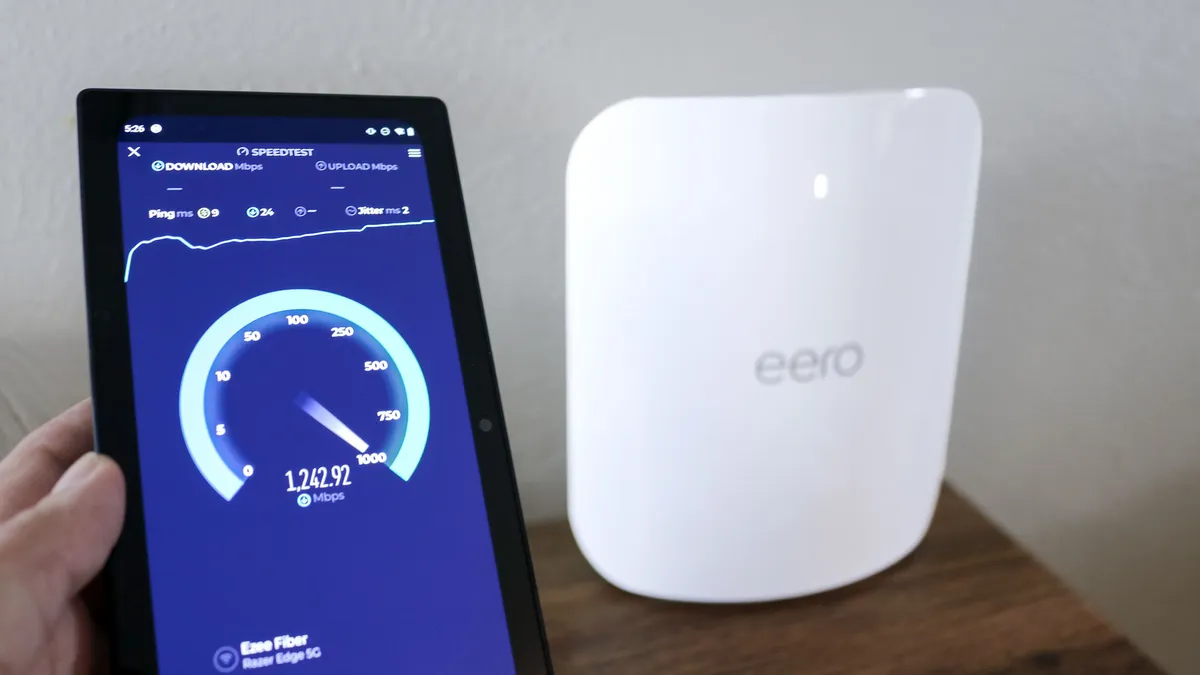
We test every mesh Wi-Fi system to measure performance and range, using Keysight IxChariot. Testing is done in a multi-story home with brick walls. When we test standard routers, we look at performance at a distance to provide real-world information about coverage and speeds. In addition to lab testing, we evaluate the ease-of-setup and features of each device, too.
We measure performance at a 15-foot distance without obstructions, so that we can gauge the maximum amount of data that a router can move. Higher throughput will serve you better in data-heavy uses, like streaming video, gaming, or connecting multiple users at once.
Range measures the furthest usable distance for a particular router. Longer ranges are better for larger homes, where rooms are spread out at a distance. We measure how much data a router can move at 15, 50, 75 and 90 feet, as well as the maximum coverage area of a mesh Wi-Fi system.
We also test how well each mesh Wi-Fi system transmits and receives signals through drywall, brick, concrete and even metal walls; and how each handles coverage in a two- or three-story home. They also go through additional testing to see how well each system does when sending a signal through the main router and through the included satellites.
Of course (and most importantly), we also consider what you really get for your money, considering which features are worthwhile and how any given product compares with other devices from competing manufacturers.

