



Macs have always been known for being much safer than Windows computers, with many people thinking you don't even need to run antivirus software on devices that use macOS. However, with the rise in popularity of Apple devices, hackers have shifted to targeting them, especially due to the amount of personal and sensitive data that is stored on your MacBook, Mac desktop, or iCloud account.
We've tested and reviewed the most popular Mac antivirus products to determine which one is the best antivirus for Mac. We installed, ran, used, and uninstalled each of them on a Mac mini while running benchmarks to see how each one impacted system performance. We also evaluated the antivirus software based on its interface, usability, and whether or not they include useful extras like a VPN, password manager, or a hardened browser for online banking.
The one that came out on top was Bitdefender Total Security. It provides excellent protection against malware, scans a Mac for viruses fast with little impact on performance, and comes with plenty of extras to sweeten the deal. If you’re on a budget, though, Trend Micro Premium Security is another good option that still gives you access to extra security features to help keep you and your Mac safe online.
However, these aren't our only recommendations. We also have picks for the best Mac antivirus software for beginners, for multiple devices, for multiple platforms, and more.

The best Mac antivirus software you can buy today
Why you can trust Tom's Guide Our writers and editors spend hours analyzing and reviewing products, services, and apps to help find what's best for you. Find out more about how we test, analyze, and rate.
The quick list

Bitdefender is a great, versatile option thanks to its many different plans available that cover consumer, family, and business use. Each of these plans works to protect you from malware, scams, and threats, no matter how you're using it.

Norton 360 Deluxe is great if you want a do-it-all antivirus that's as powerful as it is easy-to-use. Not only is its layout intuitive and user-friendly, but it also offers super-handy 24/7 support, should you run into any issues.

Avast One offers robust protection against cybersecurity threats, including AI-generated scams, malware, viruses, deepfakes, and more. It also helps you identify suspicious texts and links using its built-in AI assistant.

McAfee+ Total Protection Premium is a great option if you have a lot of devices you want to protect, as it allows for an unlimited number of devices. So, you can not only protect your own devices, but your family's, too.

Trend Micro Premium Security is a great, feature-packed antivirus for Mac that won't break the bank. This does mean that its scans do take a while and are resource-intensive, though.

Not only does Malwarebytes Plus offer modern cyber safety tools like its AI-powered Scam Guard and Digital Footprint Scanner, but it also has a very generous 60-day money-back guarantee, giving you two months to test it out risk-free.
Best Mac antivirus software overall


Bitdefender Premium Security for Mac may lack some of the features of the Windows version, but it still provides excellent protection for your Mac with fast scans with low overhead, an unlimited VPN, and a new cross-platform password manager. Upgrading to the top suite also gets you identity theft protection with up to $2 million in insurance.
If this is your first time using a Mac antivirus program, Bitdefender Premium Security has one of the easiest interfaces to learn. Bitdefender can stop adware from slowing down your Mac while its AutoPilot feature automatically adjusts your security stance to take account of new and potentially dangerous threats. It also provides suggestions on which features you should enable. It can also detect Windows viruses as well as Mac ones, meaning that it can flag malicious files even if they won't run on your device.
Bitdefender's independent testing scores were pretty impressive, too. It achieved 6/6 scores across Protection, Performance, and Usability in AV Test’s February 2026 report, the same as McAfee and Norton.
It did underperform slightly in AV Comparatives’ April 2026 test, which assesses system impact. It scored 85/100 in AVC, 95.4/100 in Procyon, and 9.6/10 in Impact. McAfee performed better with a 90 and 96.7 score, respectively. However, it achieved an AAA rating from SE Labs (U.K.), with a 100% protection accuracy.
This protection won't slow down your computer, either. We performed a full scan of over 2.3 million files while also running Cyberpunk 2077, and it only dipped from 100 fps to 97 frames per second (fps) while it was taking place.
Bitdefender's protection goes beyond just antivirus, too, as it comes with a VPN and a password manager, helping to keep you even more secure online.
Overall, it’s a really solid choice if you want the best protection for your Mac.
- Read our full Bitdefender review
Best Mac antivirus software for features


Norton 360 Deluxe is a great option if you're looking for more than just malware protection. Its plans are feature-packed, and you get a discount in your first year of subscription.
Its subscription tiers offer varying levels of protection, with more advanced features at the higher tiers. Its standard plan costs $42 for the first year and renews at $94, coming in a little cheaper than Bitdefender Total Security, which starts at $109. For this price, you can protect one device against malware, viruses, ransomware, and hackers. You also get Deepfake Protection, 10GB of cloud storage, Dark Web Monitoring, and a VPN.
In independent testing, Norton 360 Deluxe performed incredibly well. It was certified as a "Top Product" in AV Test’s February 2026 report, awarding it a 6/6 score across Protection, Performance and Usability — the same score as both Bitdefender and McAfee.
Additionally, in AV Comparatives’ April 2026 test, Norton 360 scored 90/100 in AVC, 94.7/100 in Procyon, and 5.3 in Impact, outperforming Bitdefender, which scored 9.6/10 in Impact.
Additionally, Norton 360 Deluxe's macOS version was awarded an AAA rating with 100% protection accuracy in SE Lab's UK April 2026 report, which is the highest possible rating.
Norton 360 Deluxe's low system impact means that you can run scans without being worried that it will disrupt your computer's performance, no matter what you're doing. During testing, we played Cyberpunk 2077 with ultra graphics while conducting a scan using Norton 360 Deluxe. The game's fps only dipped from 118 to 105 while doing a Full Scan of almost 900,000 files.
There are a couple of downsides, though. Some of its security features, including SafeCam (its webcam protection software) and Time Machine (its cloud backup service), are only available on Windows.
Plus, while Norton 360 Deluxe does have an AI assistant called Ask Genie, in testing we found its responses and answers to queries to be less consistent and its answer time to be slower than the AI assistants offered by competitors such as Avast One and Malwarebytes.
Still, despite these flaws, Norton 360 Deluxe is a dependable, user-friendly Mac antivirus.
- Read our full Norton 360 review
Best budget Mac antivirus software

Trend Micro Premium Security for Mac offers a comprehensive, inexpensive way to keep your Mac safe from malware. Its suite also includes browser extensions to help you avoid dangerous websites, and its ID Security feature provides you with a Personal Data Protection Score to help you improve your cyber hygiene.
One of Trend Micro's main draws is its price. Its tiers are based on the number of devices you can protect rather than its features. Its lowest tier offers protection for up to three devices and costs $59.95 per year. For $74.95 per year, you can protect up to five devices, and for $109.95 per year, you can protect up to 10 devices. This is significantly cheaper than the other antiviruses on this list.
It offers comprehensive scans, too, although these scans do come at a cost. During testing, the first Full Scan took over three hours to complete. Fortunately, the software learned what to focus on and what to ignore, and the second scan we completed was finished in just over 30 minutes.
In third-party testing, Trend Micro achieved a protection rate of 98.3% in AV-Comparatives' February-May 2026 Real-World Protection Test. This is still a very good score, but it is lower than all the other antiviruses on this list.
Trend Micro Premium Security does include an unlimited VPN. However, in order to use it, VPN Proxy One Pro needs to be downloaded separately and isn’t integrated into the main program.
Additionally, Trend Micro’s suite lacks a firewall, a password manager, and backup software. Plus, its Mac version lacks a full set of parental controls. With this being said, Trend Micro Premium Security’s Website Filter makes it easy to block content based on your child’s age.
Despite its lack of features, it still offers reliable protection. you're looking for comprehensive Mac antivirus protection on a budget, Trend Micro is a great option.
- Read our full Trend Micro Premium Security review
Best Mac antivirus software for beginners

Avast One is our top choice for Mac antivirus software for beginners thanks to its super easy-to-use interface. It also offers a huge amount of online protection, from antivirus and antimalware to protection against AI-generated scams, deepfakes and suspicious texts and links.
You may think this comes at a cost, but Avast One actually offers a completely free tier. It doesn't offer all the features of its paid subscription, but it does block viruses and malware and offers protection against ransomware. You also get access to Avast’s AI-powered assistant for catching scams.
Interestingly, Avast allows you to add paid add-ons to your subscription, like Scam Guardian Pro, AntiTrack, and a firewall. This allows you to choose tailored features instead of paying for an all-in-one package.
When it comes to independent tests, Avast's performance is up there with the likes of Norton 360. It was rated as a top product by AV Test’s February 2026 report, achieving a 6/6 score across Protection, Performance and Usability.
In AV Comparatives’ April 2026 test report, Avast ranked 6th on the list with a 90/100 AVC score, 94.5/100 Procyon score, and a 5.5 Impact score. Finally, it achieved the highest rating possible of AAAwith a 100% total accuracy percentage in SE Labs (U.K.) April 2026 report.
One of Avast One's real strengths is the range of scans it offers. It has Smart (quick), Full, Targeted (custom), and Boot-Time. During testing, we ran a Full Scan, which took 6 minutes and 12 seconds. This was a great deal quicker than Bitdefender's full scan, which took 26 minutes and 23 seconds. One thing to keep in mind, however, is that unlike Bitdefender, Avast One doesn’t tell you how many files it has scanned.
No matter which scan you pick, its impact on your system should be minimal. During testing, we ran a Full Scan while running Cyberpunk 207, and its fps only dropped from 99 to 96, meaning the impact was barely noticeable.
There are a couple of things to keep in mind, however. Avast One does not feature built-in parental controls, unlike Bitdefender. Plus, it only offers protection for up to 10 devices, so if you want a Mac antivirus that will double as protection for your family, too, it may not be the best choice.
Still, Avast One's diverse system scanning, minimal system impact, and AI threat analysis make it a great choice as a Mac antivirus.
- Read our full Avast One review
Best Mac antivirus software for multiple devices

McAfee Total Protection Premium is the best choice if you have a lot of devices you want to protect, as it supports an unlimited number of users.
You also get access to extra security features, like a VPN, identity theft protection, and protection against ransomware. It can also help you improve your cyber hygiene and make safer choices online by including a Protection Score.
We didn't run into any issues during testing while conducting scans, although it took 35 minutes to scan 926K files, which is pretty slow. This is especially true when you consider the fact that Bitdefender was able to scan over 2.3 million files in 26 minutes and 23 seconds. Still, if you want to speed things up, McAfee+ Ultimate also offers options for a quick scan and a five-minute scan.
McAfee performed very well in independent testing, achieving an AVC score of 90, a Procyon Score of 96.7, and an Impact Score of 3.3 in AV-Comparative's April 2026 report. It also achieved a protection score of 98.5% in the AV-Comparative real-world protection test, which took place from February to May 2026.
The main drawback here is the price. McAfee starts off at a pretty expensive $89.99 per year, and this then jumps up to $199.99 after your first year. If you have a very large number of devices to protect, then this may work out as being worth it, but if you don't, then you're probably better off going for a different antivirus.
Overall, McAfee Total Protection Premium is the best option for those with large families and dozens of systems they want to protect.
- Read our full McAfee Total Protection review
Best for basic protection

Malwarebytes is great if you're looking for user-friendly, basic protection for your Mac. As well as antivirus protection, it also includes some great tools like an AI-driven Scam Guard and Digital Footprint Scanner to keep you safe from cyber threats.
Malwarebytes offers three tiers of protection, with its Standard plan available for $44 per year. This plan offers basic protection against malware, viruses, and more on one device only. Next is the Plus plan, which includes everything offered by Standard, plus a high-speed VPN and anonymous browsing, and costs $79 annually.
Ultimate, Malwarebytes' most expensive plan, costs $279 per year and features everything offered in Advanced Social Media Monitoring as well as $1 million in identity insurance. While these are great features, this plan is pricier than both Bitdefender and Norton 360, although there are also various Family plans starting from $149 per year.
Interestingly, Malwarebytes offers a 60-day money-back guarantee. So, if you try it out and it isn't right for you, then you can get a refund.
None of these tiers include cloud backup and storage or parental controls, which was a little disappointing to see. If you want an antivirus with these features, you'd be better off checking out Bitdefender, Avast One, or Norton 360.
In independent testing, Malwarebytes performed pretty well. In AV Comparatives’ April 2026 test report, Malwarebytes scored 75/100 in AVC, 97.4/100 in Procyon, which are both good, but its 17.6 Impact score is a little worrying. This means that on paper, Malwarebytes has a negative impact on your system resources.
In SE Labs (U.K.) April 2026 report, Malwarebytes Premium was awarded an AAA rating with 97% protection accuracy. While this isn't bad at all, it should be noted that Bitdefender, Norton 360, and Avast One are all rated 100% for their protection accuracy.
Malwarebytes offers a range of scan levels — a quick Threat Scan, a full Deep Scan, and a targeted Custom Scan. The quick scan option gives it an edge over other antiviruses that don't offer these things, for example, Bitdefender. In testing, its Threat Scan was completed within 22 seconds, having scanned over 176,000 files without detecting any anomalies or threats. Its Deep Scan was pretty quick, too, taking 14 minutes and two seconds to finish, and scanning a total of 427,157 files.
When we tested its system impact, we ran Cyberpunk 2077 while we completed a Deep Scan. This caused Cyberpunk 2077’s frame rate to drop from 87 fps to 75 fps. While this is the biggest drop we saw in our tests, it should be noted that the scan did not cause the game to freeze or lag in any way.
Overall, Malwarebytes is user-friendly and offers a great range of features to keep you and your devices safe and malware-free. If you're looking for basic protection, it's a solid option.
- Read our full Malwarebytes review
Also tested


How to choose the best Mac antivirus software for you

While macOS devices provide their own layers of security with features like XProtect and Gatekeeper, having third-party software installed can still help protect you from phishing attacks or other online threats. First and foremost, you’ll need a Mac antivirus software that has excellent malware detection rates against both recognized and emerging threats. Check the performance and protection score of your selections from labs like AV-Testand AV-Comparatives, which are recognized labs known for their independent malware and antivirus testing.
Any malware software you select should be both effective at providing real-time protection by scanning files that are opened and lightweight enough not to have an impact on your system’s performance. From there, your considerations should be based on features and additional details, such as how many devices and people you need coverage for. Do you need coverage for exclusively Mac devices, or are there other operating systems you need coverage for as well?
You should also consider what features you need and use — if you have children or teenagers, parental control features and web content filters will be necessary. Because the majority of malware infections on Mac devices come from phishing or malicious websites, your antivirus software should include protection against these types of attacks as well as scam alerts, browser extensions to warn about dangerous websites, and a firewall. You may also want additional protective features like a VPN, a password manager, and ransomware rollback.
Finally, consider budget and pricing tiers — and keep in mind that many antivirus companies have first-year sales or frequent sales on an entry year of their products that will discount their products significantly.
How we test the best Mac antivirus programs
In order to determine which of the programs above is the best Mac antivirus software, we evaluated each of them based on ease of use, interface, and performance impact. We installed each program on the same macOS device to ensure they are being tested in the same way.
We conducted our own tests based on how much each of the best Mac antivirus programs affected the Mac's performance. This was done using the Geekbench 5 benchmarking tool (focusing on the Compute score), which was run before and after each program was installed. However, we also ran it once more while doing a full scan and then a final time while doing a quick scan.
We assessed how easy each of the best Mac antivirus programs was to use as well as the number of useful extra features they offered (including free add-on software).
To gauge how effective each program was at stopping malware, we used the results of comprehensive testing conducted by AV-Test (a well-regarded independent product-testing lab in Germany) and AV-Comparatives (a similarly well-respected testing company in Austria). We use test results from both labs for the best Android antivirus apps, too.
For more details on how we rate and review antivirus products, check out our how we test antivirus software and apps guide as well as our more general how we test page for Tom's Guide.
iOS antivirus apps
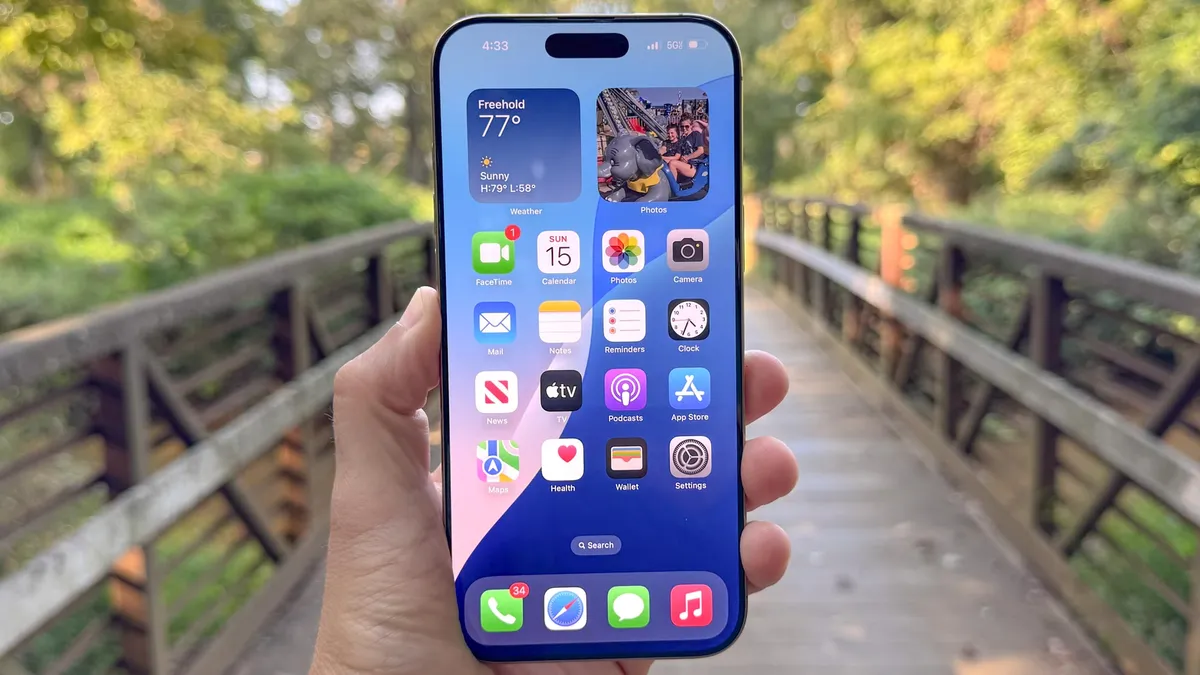
A lot of iPhone and iPad users want antivirus software for iOS and iPadOS. However, the truth is that this software doesn’t exist. The reason is that Apple won’t let third-party apps examine other iOS apps or even inspect new apps after they’ve been installed. Any app or service that claims to be antivirus software will get swiftly kicked out of the App Store.
Many major antivirus vendors, including F-Secure, McAfee, Norton and Trend Micro, do have “security” apps on the App Store. However, these apps check for links to known malicious sites, locate lost devices, or help further protect your online privacy. None of them can scan an iPhone for malware.
While there has been iOS malware that affects non-jailbroken devices, it’s still quite rare. In each instance that this has occurred, Apple has pushed out a new version of iOS to stop the malware in a matter of days or weeks. As a general rule of thumb, if you keep your mobile devices from Apple updated to the latest version of iOS or iPadOS, you should be safe.
Mac antivirus FAQs
Do Macs have built-in antivirus?
Yes, Macs include a built-in antivirus technology called XProtect and GateKeeper, similar to Windows Defender on Windows computers.
However, just like with Windows Defender, it does not have all the features that fully-fledged antivirus software does.
This is why it's a good idea to have an extra layer of protection in the form of dedicated antivirus software. Additionally, many of the antiviruses on this list offer extra cybersecurity software beyond malware protection, meaning you'll be kept even safer online from things like phishing attacks and scams.
Do I really need antivirus on my Mac?
This depends on what you're using it for. If you only ever download software from the App Store and stream movies and TV on reputable sites, the likelihood is that your behaviour is low-risk enough that your Mac's built-in protection should be enough.
However, it's always a good idea to have an extra layer of protection and not need it, rather than need it and not have it. It only takes one misclick or a mistaken download for your device to become infected.
What antivirus should I get for Mac?
The answer to this question depends on what you're looking for out of your Mac antivirus. Of course, we recommend each provider on this list.
We rate Bitdefender as the best Mac antivirus overall; however, if you want a budget option, then Trend Micro might work better for you.
If you want all the bells and whistles, with as many security features as you could wish for, then Norton 360 has got you covered. However, if you just want strong, basic protection, then Malwarebytes may be more your speed.
Big families will appreciate the unlimited protection of McAfee, while beginners will get along with Avast One's clean interface and easy-to-use software.

