Now that I’ve seen the Slate Truck in person and been inside the $25,000 electric pickup truck, I’m itching to take it out on the road for a proper test drive. In order for Slate to hit that price point, the company stripped the cabin back to the basics — with practically everything being a manual affair. That means crank windows and manual seats, just to name a couple.
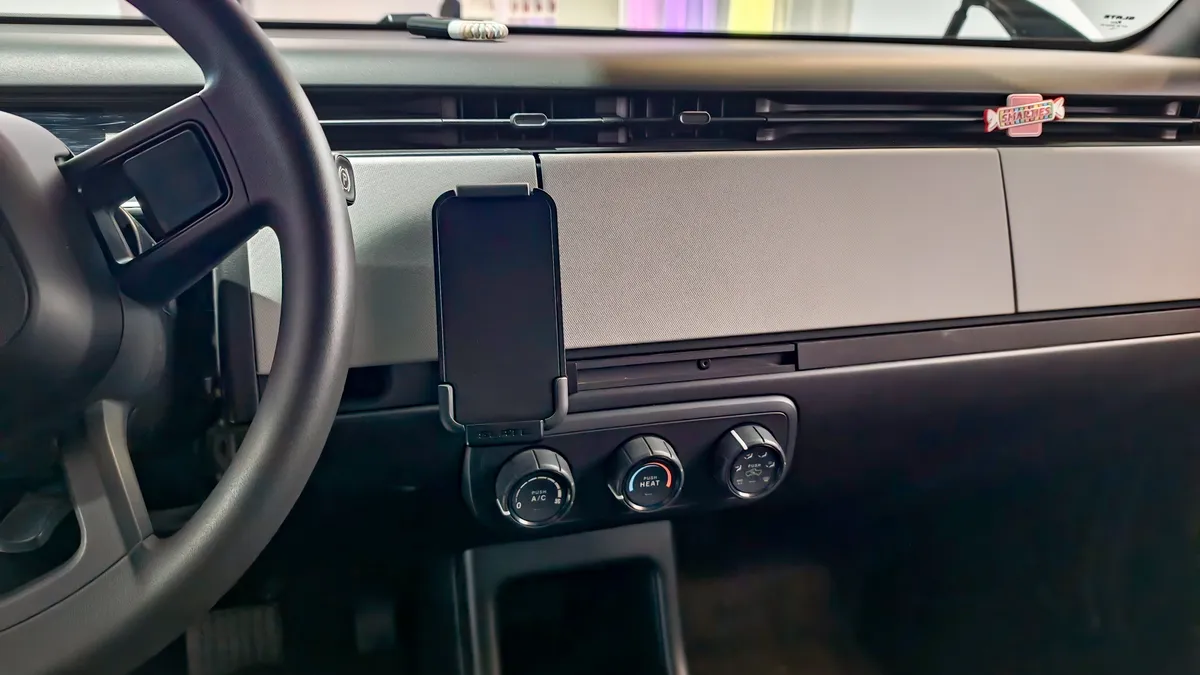
Even more surprising is the clutter-free dashboard, which ditches the massive center infotainment touchscreens I often see in the best electric cars and opts for a simple built-in phone mount. While I appreciate the distraction-free philosophy, going without a proper display for navigation is a tough adjustment for daily driving. That’s exactly where the CarpodGo T4 Plus — which offers seamless CarPlay and Android Auto support — comes in to save the day.
Honestly, if you intend to buy the Slate Truck, it’s easily the first upgrade I’d recommend getting. Here’s why.
Simple setup, sizable screen


One of the biggest reasons why I recommend the CarpodGo T4 Plus is that installing it is a breeze. In fact, I’d say it’s just as easy as setting up a dashcam — only much quicker. And the best part? It requires zero permanent dashboard modifications or wiring.
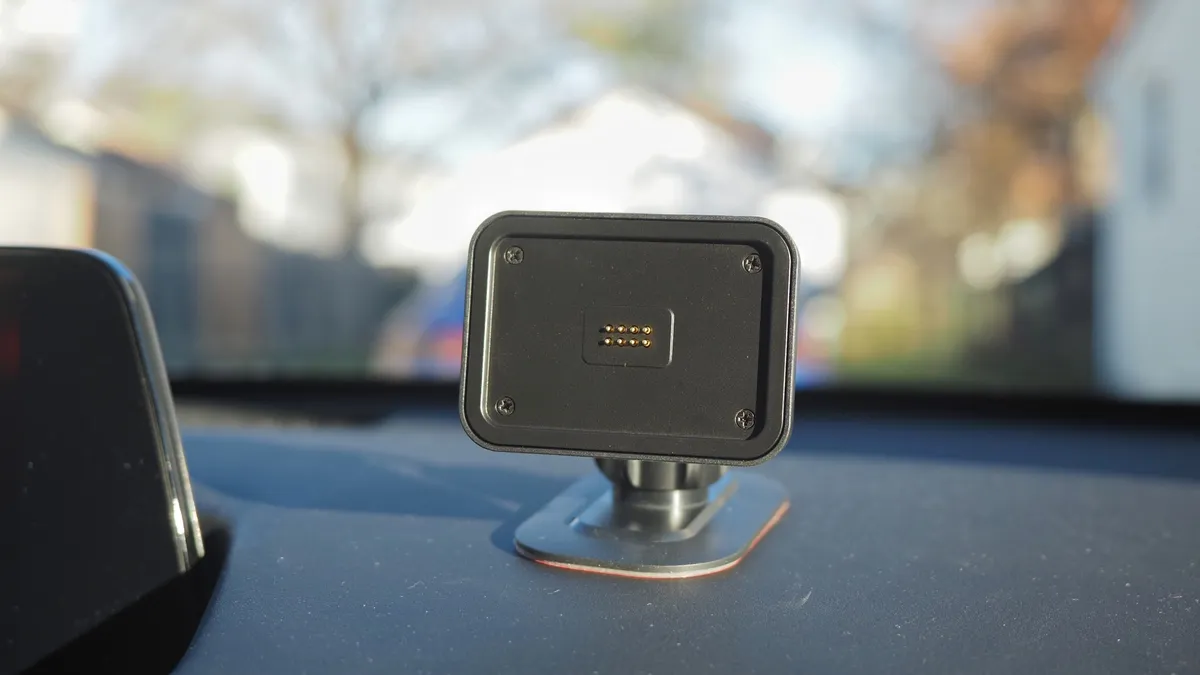
While the Slate Truck appears to tuck its 12V DC outlet inside the frunk rather than the cabin, I was able to power the display directly via USB-C in a Mazda CX-30, making it an easy plug-and-play fit for the Slate Truck's interior USB ports. The setup required me to attach the included fixed console mount onto a flat surface on the dash, plug in the power cable, and snap the screen onto the magnetic quick-release base.
Since the power runs straight through the base's pogo-pin connection, I’m able to lift the 10.9-inch screen right off whenever I park without fumbling with dangling cords. In my opinion, its plug-and-play experience perfectly suits the Slate Truck and its minimalist dashboard above.
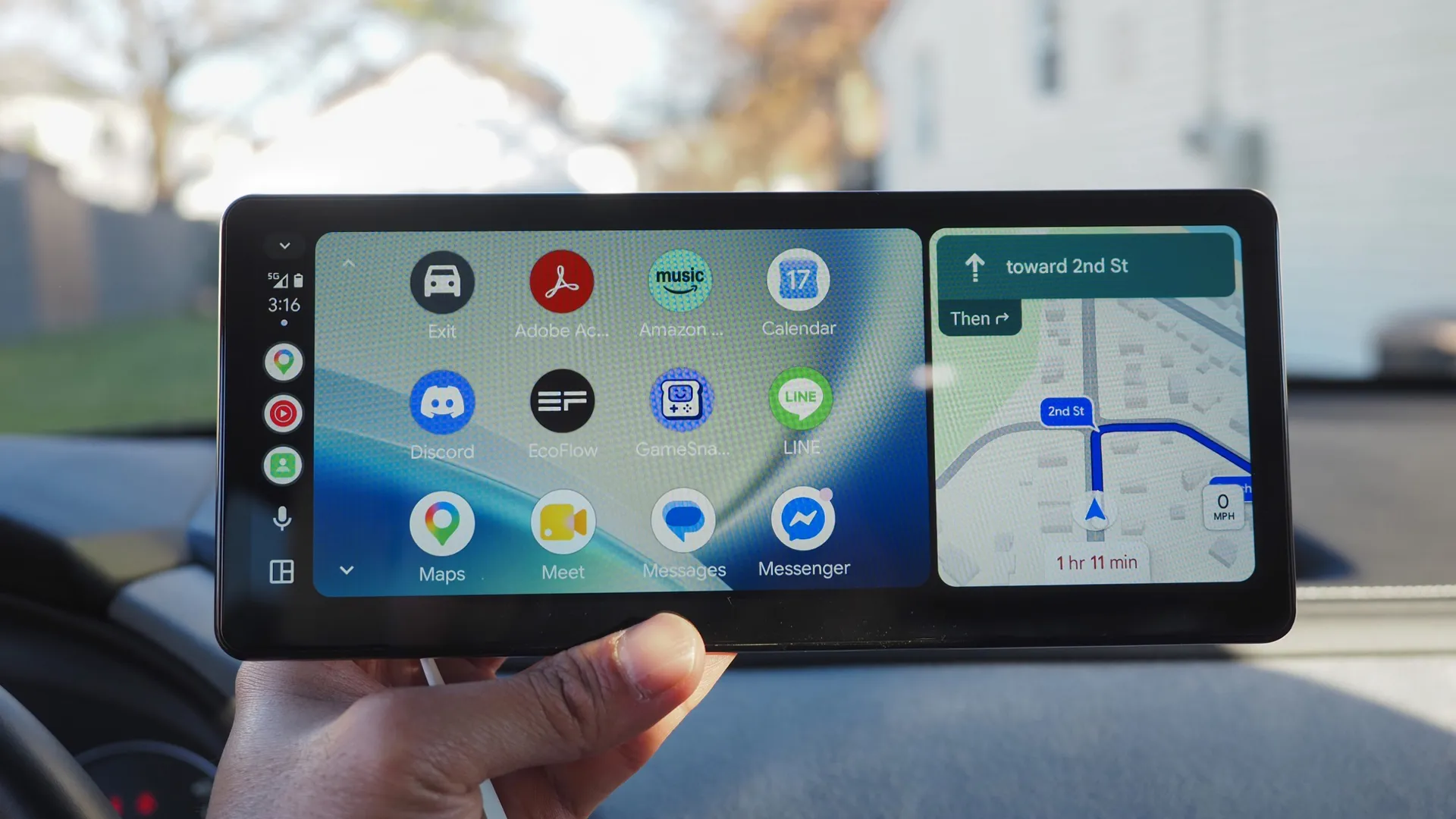
Once powered on, the 10.9-inch, fully laminated IPS touchscreen gives me plenty of room for split-screen navigation and media controls — something I wouldn’t get from a phone clipped to the dash.
CarPlay and Android Auto convenience
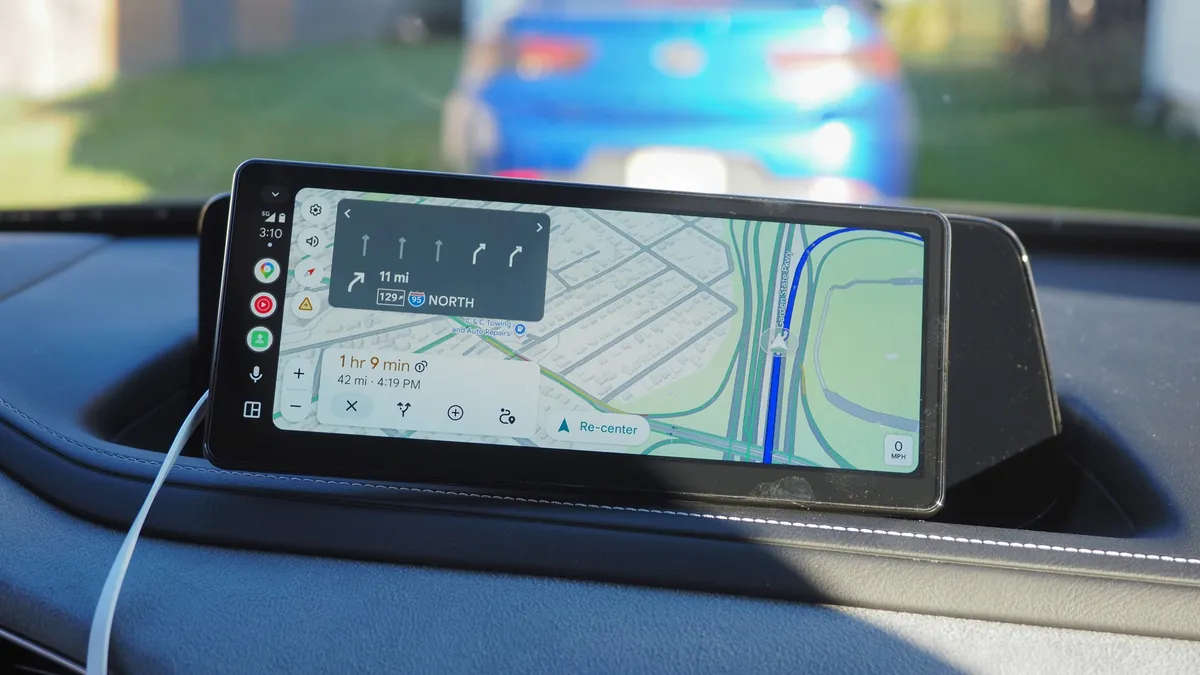
Having wireless access to both Apple CarPlay and Android Auto makes the CarpodGo T4 Plus the ultimate solution for the Slate Truck's barren cabin. Instead of juggling a phone mount for turn-by-turn directions, you get the familiar, driver-friendly interface of Google Maps (complete with the new Immersive Navigation experience), Apple Maps, Spotify, and hands-free messaging right on a wide touchscreen — running at a smooth 60 fps, so swiping and zooming feel genuinely responsive.
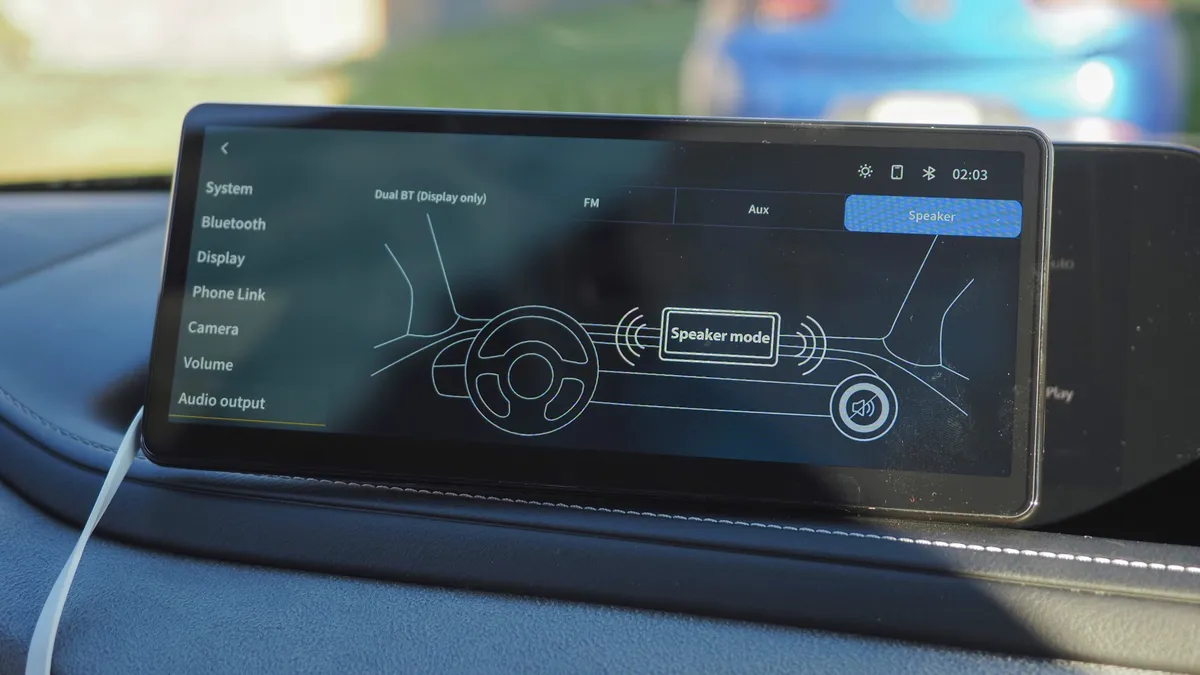
Even better is how flexible it is when it comes to handling audio, especially since the Slate Truck doesn’t come with any factory-installed speakers. Out of the box, the CarpodGo T4 Plus can output audio directly through its own built-in speaker, which works great for quick navigation prompts and podcasts — but it lacks the depth needed for listening to music.
If you want fuller sound for music on longer drives, though, I recommend leaning on its Display Only Bluetooth Mode, which lets the screen handle all the CarPlay or Android Auto visuals while your phone routes audio straight to an external Bluetooth speaker.
Options that put you in control
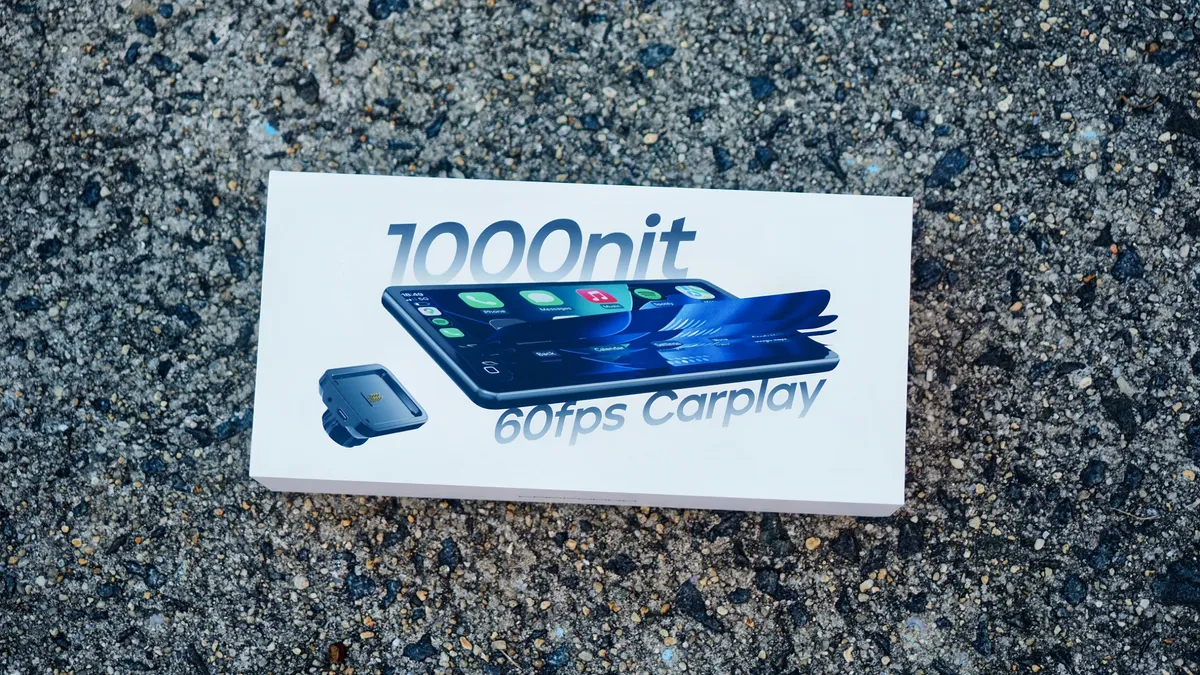
What makes CarpodGo's lineup such a practical solution for Slate Truck buyers is that you aren't locked into a one-size-fits-all screen. Depending on how much dashboard real estate you want to give up — and how much you want to spend — you can choose between the CarpodGo T4 Plus, the standard CarpodGo T4, or the CarpodGo Mini.
While all three deliver the same 1,000-nit brightness, 60fps wireless CarPlay and Android Auto responsiveness, and magnetic quick-release convenience, they differ mainly in size and price. For example, the CarpodGo T4 offers everything the T4 Plus does, but in a smaller 8.9-inch footprint that won’t crowd the dashboard as much. Meanwhile, I’ve set up the CarpodGo Mini as well and love its smaller 6.9-inch screen, which features a MagSafe-style magnetic mount.
Sure, these are all great options for early adopters of the Slate Truck, but they have practical applications in other vehicles, too. Whether you're trying to modernize an older car that never came with a touchscreen or you bought a newer vehicle that lacks native CarPlay or Android Auto support, CarpodGo offers one of the cleanest, most versatile ways to bring smart connectivity to virtually any cabin.

Follow Tom's Guide on Google News and add us as a preferred source to get our up-to-date news, analysis, and reviews in your feeds.
More from Tom's Guide