







Despite GTA 6 pre-orders stealing the headlines this week, another game you can play right now actually just hit store shelves. Of course, I’m talking about Nintendo’s Star Fox remake, which I recently gave a glowing review.
I still remember inserting the Rumble Pak into the back of my N64 controller and booting up Star Fox 64 for the first time almost 30 years ago. Now, though, I get to experience one of my favorite childhood games with modern graphics, crisp 4K visuals, and new cutscenes that help fill out the story even further.
Playing Star Fox on the Nintendo Switch 2 has been an absolute blast so far, and I even managed to take the hard path that eluded me as a child. Still, after several playthroughs ahead of my review, I wasn’t done yet.
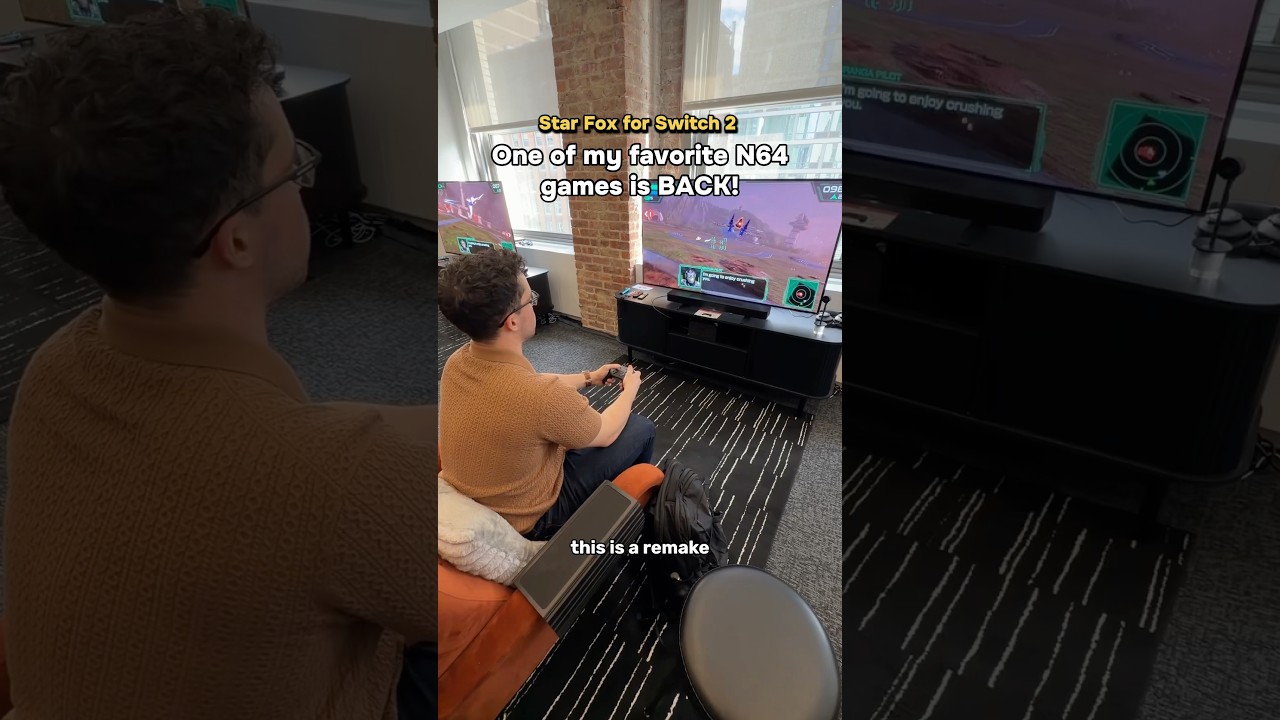
Besides being able to play with a Nintendo Switch 2 Pro Controller, you can also detach your Joy-Cons and play Star Fox in Mouse Mode. I definitely had to take this new, more precise, fully first-person way to take the game out for a spin. However, I also have one of Nintendo’s modern N64 controllers on hand, so I decided to give that a try too out of sheer nostalgia.
Whether you’re playing Star Fox for the first time or revisiting one of your favorite childhood games like I am, both of these control schemes completely change the experience — but one definitely stands above the other.
Precision meets sheer terror

If you haven’t upgraded to a Switch 2 yet, Mouse Mode is one of the new console’s more interesting features. With your Joy-Cons detached, you can use a desk mat — or any surface for that matter — to engage this new mode and control one of your Joy-Cons like a mouse. This gives you a much greater level of precision and is especially useful in first-person shooters.
Speaking of which, the first game I tried Mouse Mode out on was Metroid Prime 4. What I like about that game’s implementation of this new mode is that you can instantly switch back and forth between it and using your Joy-Cons the standard way. Thankfully, Star Fox does the exact same thing.
The second you flip one of your Joy-Cons on its side, Mouse Mode is enabled. However, in Star Fox, this also switches the game from using its normal third-person perspective to a first-person one. It felt like I was Fox McCloud myself, sitting inside my Arwing with all of its various screens and dials visible in the ship’s central console. This adds a new level of immersion you just don’t get in third-person.

I’ll admit, getting the hang of using Mouse Mode in Star Fox did take me a bit. I think that’s because of how high-stakes and fast the game’s flying and shooting feels. After I finished the game’s first level, though, I had the hang of it. Well, for the most part.
With a Joy-Con held normally in my left hand, I was able to control the yawing of my Arwing while most of the work was done with the Joy-Con in my right hand, which handled shooting, boosting, braking, and aiming my laser’s reticle. It definitely takes some getting used to, but there are on-screen prompts to help you with the more difficult controls.
One thing I wasn’t expecting was how different playing the game in first-person would make some of the levels feel. For instance, the asteroid field in Meteo and the enemies that pop out behind them had me on the edge of my seat. While not necessarily scary, when playing in first-person, everything felt a lot more spooky. The same was true on the planet Solar, as it really felt like the waves of lava were coming right at me.

In retrospect, it makes perfect sense, but I was elated when I realized I could play through the Macbeth stage in first-person. Controlling the Landmaster tank has never come naturally to me, and during my first playthroughs, I got stuck on this level longer than I care to admit. In Mouse Mode with a first-person perspective, though, I was able to not only clear it but also shoot down the eight switches to divert the train fairly easily.
I bypassed Aquas completely during my Mouse Mode playthrough, but seeing the ocean and all the various creatures underwater from the cockpit of the Blue Marine has me excited about starting another run already.
Single-stick nostalgia

Given it was my first introduction to using an analog stick instead of a D-pad, I bought one of Nintendo’s modern N64 controllers when they first went on sale. I mainly did so to re-experience playing Super Mario 64 this way, but I also played through a bit of Star Fox 64 too. Controlling my Arwing the old-fashioned way was just as awkward as I remembered it, though.
With Star Fox on the Switch 2, you can use an N64 controller if you want to relive that exact same experience, just with modern visuals. In the game’s on-the-rails levels, I felt like I was right back in 1997, sitting on the floor in front of the TV.

Even the game’s boss fights — like when I took on the Gorgon in Area 6 — felt great and were easy enough to handle. The old control scheme came right back to me, even if I did miss using my Switch 2 Pro Controller’s extra GR button (which I had mapped to A) to shoot. Once I switched to All-Range Mode, however, that’s when things got tricky.

Just like in Star Fox 64, you point the analog stick down and press either the down or left C-button at the same time to do a somersault or U-turn, respectively. During the second fight with Star Wolf and his crew, these old controls made things quite difficult.
If I held down and pressed one of the C-buttons after, nothing happened. Instead, I had to press down on the analog stick while hitting the C-button at the exact same time to pull off the maneuver. With Star Wolf hot on my heels, my Arwing took a lot more damage than it did when using modern controls with my Switch 2 Pro controller.
Even if All-Range Mode was just as difficult as I remember with an N64 controller, it was still a fun experiment testing it out in Star Fox on the Switch 2.
Now it truly feels like summer

If you’re a seasoned player who knows all the hidden paths, you can finish Star Fox in around an hour. With other Nintendo games like The Legend of Zelda: Tears of the Kingdom taking 60+ hours to finish, Star Fox’s campaign may feel short, but that’s only at face value. The beauty of Star Fox 64 and this reimagined outing is that you’re supposed to replay it, as that’s the only way to find hidden paths and earn medals.
Star Fox on the Switch 2 is fun enough on its own to warrant multiple playthroughs. However, if you want to mix things up a bit, I highly recommend giving Mouse Mode a try. Even if you don't, you can still experience the entire campaign in first-person mode just by hitting the Minus button on your Joy-Cons or Pro Controller.
Personally, I had a ton of fun during my first-person, Mouse Mode playthrough, and I can’t wait to go back to Corneria for another run. In fact, the timing of this release brings me right back to the summer of 1997, and Nintendo made an excellent choice by releasing Star Fox when it did.
Whether you grew up playing Star Fox on the Nintendo 64 or this is your first time saving the Lylat system from Andross, Star Fox on Switch 2 is this summer’s must-play game — just like it was all those years ago.

Follow Tom's Guide on Google News and add us as a preferred source to get our up-to-date news, analysis, and reviews in your feeds. Alternatively, you can read our content on the Tom's Guide app available now for iOS and Android. Subscribe to Tom's Guide on YouTube and follow us on TikTok. Finally, you can visit our dedicated Tom's Guide Savings Squad hub for expert help on getting the best products for less.
More from Tom's Guide
- I tried Genki’s new Covert Dock 3 and it beats the Switch 2's official dock for one big reason
- I played Yoshi and the Mysterious Book and haven’t had this much fun playing a Yoshi game since the Super Nintendo
- I tried playing Mario Kart World with a racing wheel on Switch 2 — and it's perfect for cruising in Free Roam mode

