Tom's Guide Verdict
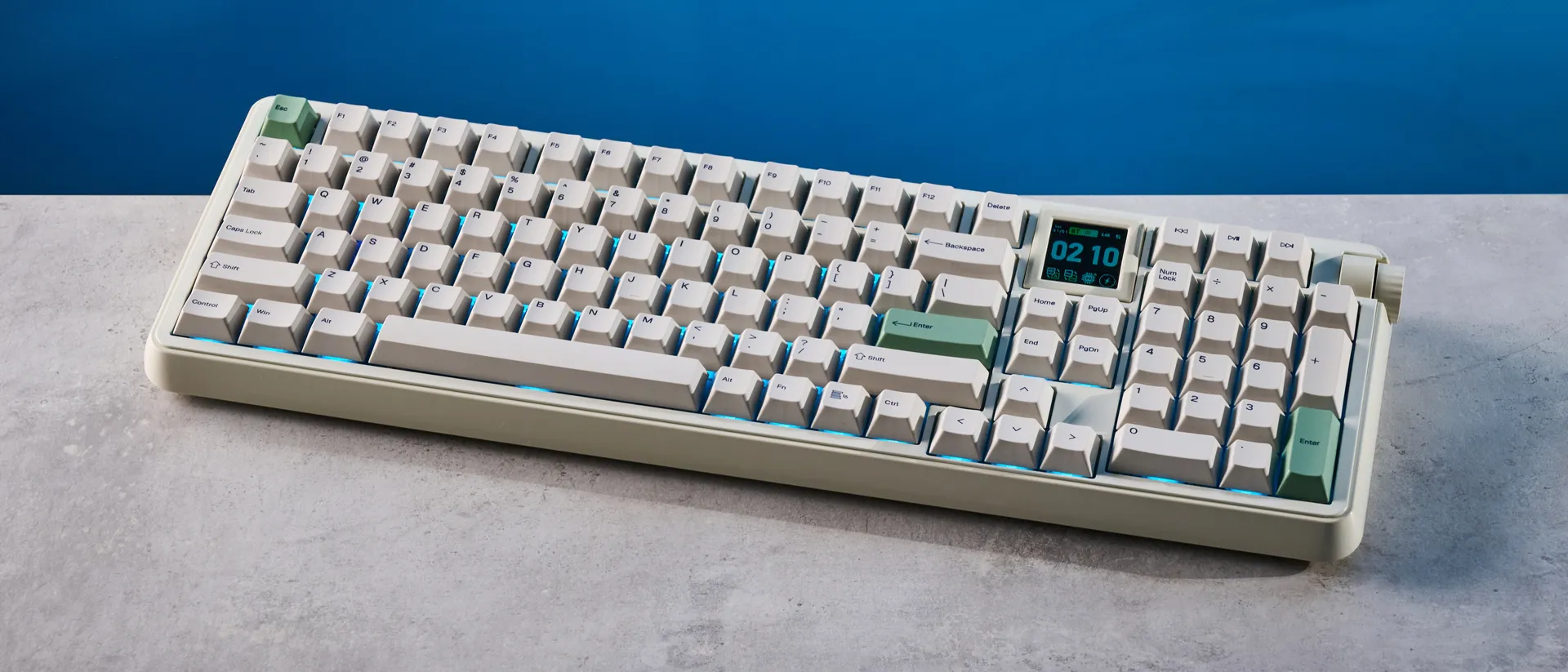
The Epomaker RT100 Pro is a fantastic mechanical keyboard for hardcore typists and casual gamers. Equipped with beautiful, smooth linear switches, the keyboard is a joy to type on, and it sounds lovely, too. It comes with a detachable screen that can be customized via web-based software, or it can be removed if you want four additional functional switches. While the screen doesn’t always work as intended and there aren’t any stock tactile switches, those are pretty much the only flaws in an otherwise refined package.
Pros
- +
Great build quality
- +
Stunning typing experience
- +
1,000Hz polling for gaming, too
- +
Now with web-based software
- +
Customizable, detachable screen…
Cons
- -
…but it doesn’t always work
- -
No stock tactile switches
Why you can trust Tom's Guide Our writers and editors spend hours analyzing and reviewing products, services, and apps to help find what's best for you. Find out more about how we test, analyze, and rate.
Epomaker has knocked it out of the park once again with the RT100 Pro, a full-size mechanical keyboard that gives you very little to complain about. Offering a beautiful typing experience thanks to its smooth linear switches, and featuring 1,000Hz polling for casual gaming, the RT100 Pro does it all. It comes with a customizable screen, too, which can be removed if you want four extra switches.
I’m also very happy to see Epomaker make competent web-based software that negates the need for downloading proprietary software. And while the screen doesn’t always work as intended, it’s hard to find any other glaring faults — the RT100 Pro is simply that good.
To find out if this is the best mechanical keyboard for you, read my full Epomaker RT100 Pro review.
Epomaker RT100 Pro review: Specs
Price |
|
Switches |
Epomaker Creamy Jade (linear) and Sea Salt Silent V2 (linear) mechanical |
Keycaps |
Double-shot PBT |
Construction |
ABS plastic + aluminum alloy |
Mount |
Gasket |
Layout |
100%, 103 keys |
Operating system |
macOS, Windows |
Backlighting |
Per-key RGB |
Polling rate |
1,000Hz (wired, 2.4GHz), 125Hz (Bluetooth) |
Paired devices max |
3 |
Connectivity |
Bluetooth, 2.4GHz dongle, wired |
Battery |
5,000mAh |
Measurements |
17.05 x 5.59 x 1.77 inches |
Weight |
2.86lbs |
Colors |
Retro White, Pink |
Epomaker RT100 Pro review: Cheat sheet
- What is it? A full-size mechanical keyboard with linear switches and a swappable screen
- Who is it for? Hardcore typists who are also casual gamers
- How much does it cost? The Epomaker RT100 Pro is available for $119 / £129
- What do we like? The stunning typing experience and sound profile, customizable screen, user-friendly web-based software, and more
- What don’t we like? The screen can sometimes be unreliable, and there are no stock tactile switches for sale
Epomaker RT100 Pro review: The ups
From its solid build and great design, to its wonderful switches and user-friendly software, the Epomaker RT100 Pro is a superb mechanical keyboard.
Improvements galore!


The Epomaker RT100 Pro improves on the original RT100 by introducing an aluminum alloy top plate that gives it more stability. While the RT100 featured an all-plastic chassis that made it feel slightly cheap, the RT100 Pro feels more premium and like it could stand the test of time. It still packs gasket PCB mounting that offers a soft typing feel and reduces vibrations while typing (more on that shortly).
Epomaker has switched up the keyboard’s layout, too. The RT100 Pro is a 100% full-size keyboard, compared to the 95% RT100. Alongside better-placed page navigation keys, you get a detachable, customizable screen. The brand has also fixed one of my biggest issues with the RT100: that pesky, toy-like, all-too-plasticky volume knob is gone and has now been replaced by a more premium dial.

Another improvement? The RT100 Pro’s 2.4GHz dongle is now stored in a separate, dedicated slot located on the keyboard’s underside. On the OG RT100, you had to remove the screen to slot its dongle into the onboard compartment. Basically, if you were using the screen, you risked losing the dongle, but not anymore.
Given its 100% layout, the RT100 Pro measures 17.05 x 5.59 x 1.77 inches and weighs 2.86lbs, so it’s best left stationery on your desk. If you want a solid mechanical keyboard to travel with, I’d recommend the low-profile IQUNIX MQ80 ($169), the NuPhy Air75 V3 ($139) or the Epomaker Luma84 ($109).
A dream to type on (and listen to)

I’ve tested a plethora of Epomaker keyboards, and I’m yet to be disappointed by the typing experience they offer. The Epomaker RT100 Pro is no different. As I mentioned earlier, the RT100 Pro features a gasket-mount design that ensures a soft type feel, and it negates any unnecessary metallic pings that would otherwise disrupt your typing experience.
Combined with the double-shot PBT keycaps and several layers of sound dampening foams, the RT100 Pro sounds creamy and thocky. It isn’t too loud that it disturbs your coworkers, and it isn’t too silent that you can’t appreciate the wonderful sound profile.

This, of course, depends on the switches you’re using, and there are two stock sets to choose from: Creamy Jade and Sea Salt V2. Both are linear switches, but the latter are much quieter — I tested the V1 version with the RT100 and they are indeed very quiet.
With the RT100 Pro, I tested the Creamy Jade switches which are lovely to type on. These require 45g of force to actuate, so they’re slightly heavier than, say, Wisteria V2s you find in the Epomaker Glyph ($139). Even so, they aren’t fatiguing in the slightest — I wrote this full review using the RT100 Pro. They also have a short pre-travel distance of 2mm so you don’t have to press them all the way down to activate them.
Keyboard |
Type test speed (WPM) |
Type test accuracy |
|---|---|---|
Epomaker RT100 Pro |
96 |
94.1% |
95 |
92.8% |
|
109 |
93.2% |
|
94 |
90.4% |
|
99 |
95.03% |
|
102 |
94% |
|
Nikita’s rolling averages (all keyboards) |
92.78 |
91.25% |
I took a typing test at 10fastfingers.com as soon as I unboxed the RT100 Pro, and as you can see in the table above, I was able to achieve 96 words per minute with 94.1% accuracy straight out of the box. The Glyph is still the fastest keyboard I’ve typed on, but I’m pleased with the RT100 Pro’s performance, too.
It’ll game, too

Though it’s a productivity-first keyboard, the Epomaker RT100 Pro is a good keyboard for gaming between tasks, too. Over wired and 2.4GHz connections, the RT100 Pro polls at 1,000Hz — this naturally drops to 125Hz over Bluetooth. The 1,000Hz polling rate combined with the linear switches makes the RT100 Pro decent for racing, FPS and RPGs.
I tested the keyboard by playing some Counter-Strike 2 and Forza Horizon 5 on the Alienware 16X Aurora. I found the keyboard to be extremely responsive. Each command was registered instantaneously, and there was no input lag or latency issues, thanks to 1KHz polling. The Creamy Jade switches themselves felt smooth, and because of the short pre-travel distance, I appreciated being able to quickly execute commands without my fingers feeling tired.

The RT100 Pro also features N-key rollover, which enables multiple inputs to be registered at the same time. This came in handy in Counter-Strike 2 where I was able to crouch and open my inventory at the same time, therefore saving me a couple of seconds and giving me a slight competitive advantage. In Forza Horizon 5, my tight hairpin turns didn’t suffer from missed commands as I was able to quickly transition between braking, handbraking and steering my car.
If you’re a serious or competitive gamer, I’d always recommend picking up a Hall Effect keyboard with adjustable actuation, such as the Epomaker HE65 ($99) or the Keychron K4 HE ($134). If you’re someone who cares about headline specs, like 8,000Hz polling (which is usually overkill for most players), you can always grab the Keychron V1 8K ($74) mechanical deck instead.
Customizable, detachable screen

Screens on keyboards are becoming increasingly common. I’ve seen them on the Epomaker Glyph, the Corsair Vanguard Air 99 Wireless ($259), the SteelSeries Apex Pro ($199), and now on the Epomaker RT100 Pro. Located above the page navigation keys, the RT100 Pro features a 1.54-inch square TFT screen that, by default, displays the keyboard’s vitals, like battery life, active operating system layout, and more.
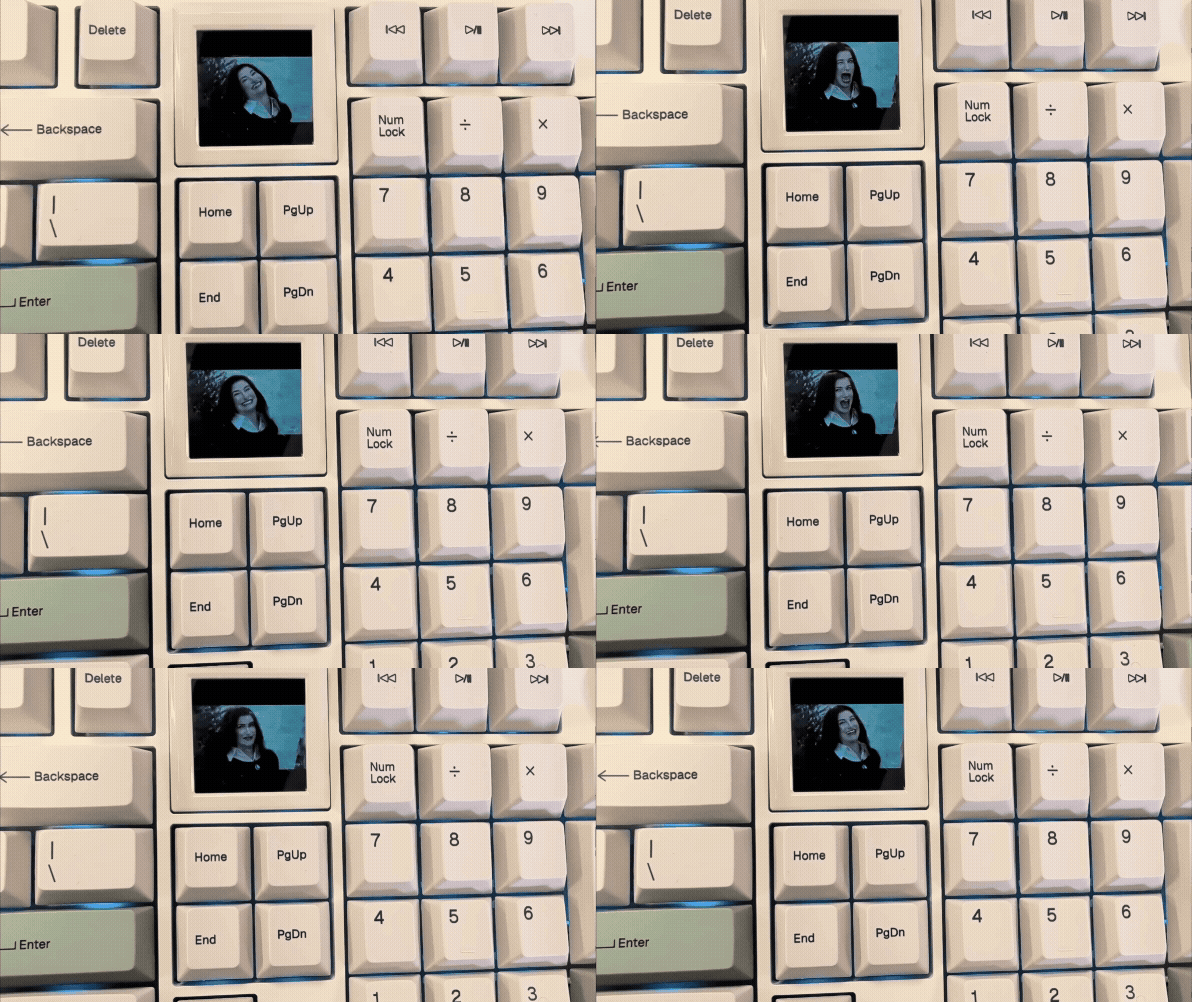
Through web-based software (more on that soon), you can upload GIFs, static images or pixel art to the screen. The TFT display itself is bright and colorful, and what’s more, you can actually remove the screen to reveal four additional switch sockets. Included in the RT100 Pro’s box are extra switches which can be popped into the four sockets and then their functions can be customized via Epomaker Hub. That’s handy for anyone who wants extra functions — but I personally kept the screen attached, displaying a GIF of Kathryn Hahn from WandaVision on loop.
User-friendly web-based software


While the Epomaker RT100 was customizable via proprietary, downloadable software, the Epomaker RT100 Pro is compatible with the brand’s new web-based Epomaker Hub — and it’s a hoot to use. It looks similar to Keychron Launcher, but if you aren’t familiar with either, it won’t take you time getting to grips with Epomaker Hub.
The web-based app sports a clean, user-friendly interface, and there are no intrusive ads or pop-ups asking you to sign up every time you switch tabs (looking at you, Asus Armoury Crate). You can use Epomaker Hub to remap the RT100 Pro’s keys, record macros, adjust the per-key RGB lighting or choose a different effect, and upload GIFs or static images to the screen. Everything is easy to understand and do.
Epomaker RT100 Pro review: The downs
There isn’t a lot wrong with the Epomaker RT100 Pro, but it’s important to note that its detachable screen doesn’t always work as intended.
The screen can be finicky

I think it goes without saying that I love the Epomaker RT100 Pro’s customizable and detachable screen — but it isn’t perfect. In my testing, the screen malfunctioned every time I removed and put it back in. Sometimes, it wouldn’t display the correct time (even though it did before being removed). Other times, it would go blank, and all I could see was a dark blue screen.
There was also an instance where the screen just wouldn’t turn on — I had to remove and insert it a few times to get it working again. All of this is quite disappointing, given that the idea behind the screen is fantastic. I just wish it worked better and was more reliable. Even though the OG RT100’s TV-like screen felt a little gimmicky, it never actually stopped working in my testing.
No stock tactile switches

As I mentioned earlier, the Epomaker RT100 Pro comes with either Creamy Jade or Sea Salt V2 stock switches — both of which are linear. Unfortunately, there aren’t any stock tactile switches available. The keyboard is hot-swappable and compatible with 3- and 5-pin south-facing MX switches, so you can simply pop in your own without de- and re-soldering them to the PCB.
That will be an added expenditure, though, but not a massive one. A 108-piece set of Kailh Box White 45g switches costs $32, or you can get 108 pieces of Gateron G Pro 3.0 Brown 55g switches for $29.
Epomaker RT100 Pro review: Verdict

The Epomaker RT100 Pro introduces small but meaningful improvements to the RT100, making it one of the finest mechanical keyboards you can buy today. Better building materials that make it feel premium, a detachable screen that can be removed for four extra switches, and user-friendly web-based software are most welcome.
If you’re a hardcore typist, like me, the RT100 Pro won’t let you down. Its pre-lubed linear switches are delightful to type on, and they’re lovely to listen to, too. And thanks to 1,000Hz polling, the RT100 Pro is a solid keyboard for casual gamers. While the screen doesn’t always work as intended, it’s a small flaw overshadowed by everything else on offer.
Anyone looking for a competent full-size mechanical keyboard and with $119 to spare should consider the RT100 Pro as their daily driver. It puts the ‘fun’ in ‘functional.’