







If you’ve ever shopped for a "cheap" MacBook, your options were either waiting for a holiday sale, snagging a previous-gen model, or gambling on a refurbished one. That all changes with the $599 MacBook Neo. It’s not packed with every premium MacBook feature, but it’s built for the basics, such as web surfing, streaming videos, and even light gaming.
First-time Mac users or anyone on a budget who doesn’t need a powerhouse will do well with the Neo. But if you want a more premium device without shelling out for something like the MacBook Pro M5 Pro, the new MacBook Air M5, starting at $1,099, is absolutely worth considering.
While they look similar and have comparable screen sizes, these two machines are quite different. If you want the cheapest MacBook possible, you can stop right here and grab the Neo. But if you’re weighing your options, the choice isn’t as straightforward as it seems.
We’ve tested and reviewed both the MacBook Neo and the MacBook Air M5. They’re both fantastic laptops, but one will fit you way better than the other. Here are the biggest differences that actually matter.


MacBook Now vs. MacBook Air M5: Price
Let’s start with the biggest difference: price. The MacBook Neo starts at $599, which is a price we've never seen for new MacBooks unless they’ve been heavily discounted. If you’re budget-conscious, the conversation might end right here, especially if you just want a reliable laptop for everyday tasks.
Then there’s the MacBook Air M5, which starts at $1,099. That’s a $100 increase over the MacBook Air M4 it replaces, though Apple says that’s because it’s doubling the base storage to 512GB and starting with 16GB of RAM. So the $100 price bump isn’t egregious.
Side by side, the Air M5 is almost double the price of the Neo. We’ll get into the specifics, but if you’re not a power user and just need a machine for Google Docs or Netflix, the Neo wins here. However, if you need that extra power, then you’ll need to splurge on the Air M5.
MacBook Now vs. MacBook Air M5: Design

The MacBook Neo and MacBook Air M5 are both made of sturdy aluminum, but there's some pretty noticeable differences otherwise.
The Air M5 retains the same utilitarian design that MacBooks have had since late 2021. It’s a svelte slab of aluminum that wouldn’t look out of place at a cafe or boardroom. The four available color options (Midnight, Starlight, Silver, and Sky Blue) are also relatively understated. It’s a fine industrial design that won’t turn heads.
Conversely, the MacBook Neo is more playful, with vibrant color options including Citrus, Blush, Indigo, and Silver. You also get a color-matched keyboard. Because of that, this laptop feels like an extension of the iPad lineup. The Neo also lacks a notch in the top center of the display, which some might consider a win. Overall, the Neo has a cleaner, friendlier look.
MacBook Now vs. MacBook Air M5: Display

There was some initial worry that the MacBook Neo’s display would be inferior to the MacBook Air's. Sure, both have Liquid Retina displays, but the Neo’s screen doesn’t have True Tone, which adjusts the display to look more natural and reduce eye strain. While that’s true, our testing shows that your eyes won’t be upset by the Neo’s screen.
| Row 0 - Cell 0 | MacBook Neo |
MacBook Air M5 |
Nits (brightness) |
452 (SDR) | 480 (HDR) |
454 (SDR) / 470 (HDR) |
sRGB |
110.9% |
117.2% |
DCI-P3 |
78.6% |
83% |
Delta-E |
0.22 |
0.27 |
Both screens are evenly matched for SDR and HDR brightness. Unless you have super-sensitive eyes (or fancy benchmarking tools), you won’t notice the difference. Both displays get plenty bright, whether you’re at your home office or your favorite cafe.
The MacBook Air does have a bit of an edge when it comes to colors. Higher sRGB and DCI-P3 means richer, more vibrant hues. The Neo’s a bit more color-accurate (0.22 Delta-E, where closer to 0 is best), but that’s invisible to most.
For its slightly better color reproduction and features like True Tone, the MacBook Air has a better display. But the Neo's screen is absolutely amazing for the price.
MacBook Now vs. MacBook Air M5: Performance
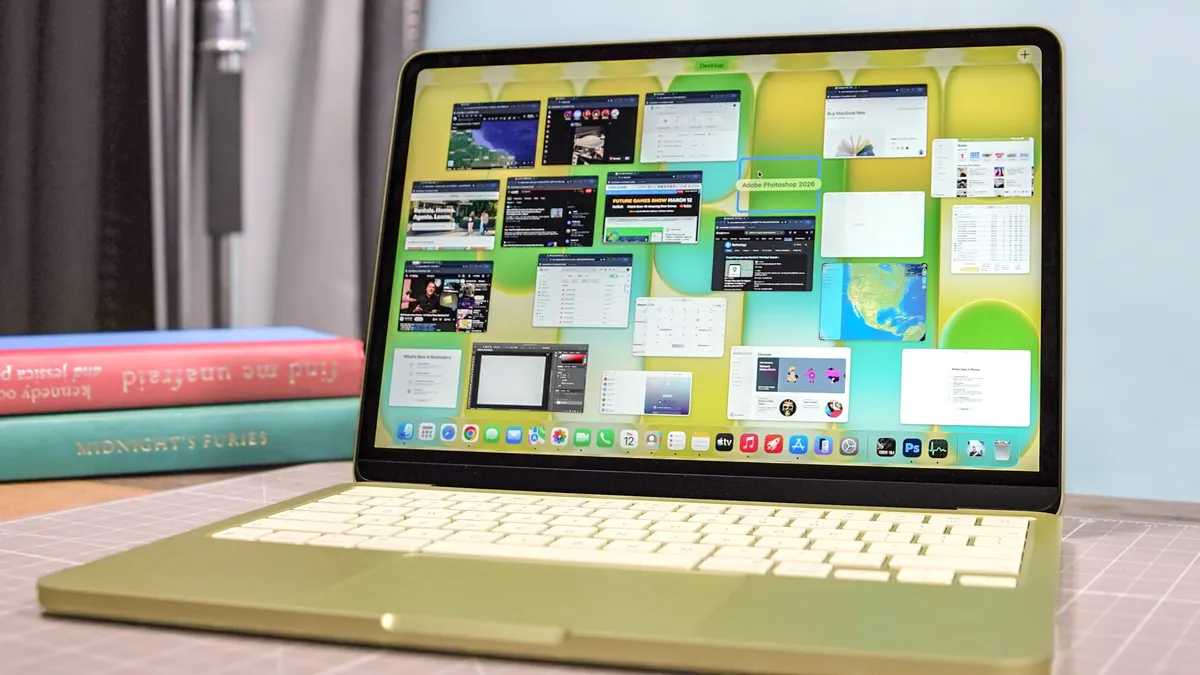
Performance is where we see the biggest differences between the Neo and Air. The MacBook Neo is the first MacBook to run on an A-series chip, specifically a version of the A18 Pro from the iPhone 16 Pro. It’s a fairly speedy chip, and it can handle web browsing, 4K streaming, and basic multitasking with relative ease. You can almost view it as an M1 reboot with performance comparable to the MacBook Air M1.
| Row 0 - Cell 0 | MacBook Neo |
MacBook Air M5 |
Geekbench 6 (single/multi-core) |
3535 / 8920 |
4191 / 17,276 |
Handbrake |
9:57 (mins:secs) |
4:34 |
BlackMagic Disk Speed (Write/Read in MBps) |
1440 / 1585 |
6499 / 6728 |
Geekbench AI |
45204 |
56968 |
The MacBook Air M5 is better for power users. The M5 chip inside packs a 10-core CPU and a Neural Accelerator in every GPU core. If you’re doing on-device AI work, heavy photo editing in Lightroom, or even playing games, the M5 will perform better.
Additionally, the Air M5 starts with 16GB of RAM, whereas the Neo is capped at 8GB. In 2026, you want at least 16GB of memory if you want your laptop to be usable for more than three years.
The MacBook Air M5 outperformed the Neo in our lab tests. The Air pulled ahead of the Neo in both single- and multi-core performance on the Geekbench 6 CPU test. That means web browsing and opening programs feel snappier on the Air.
How about video editing and file handling? The Air M5 also crushes. Handbrake video exporting took 4 minutes and 34 seconds, whereas the Neo took nearly ten minutes. The Air also hits blazing-fast SSD speeds compared to the Neo. Copying huge files, opening apps, or working with big projects will feel instant on the Air. The Air M5 also dusts the Neo for on-device AI tasks.
The MacBook Air M5 is the superior performer. But the MacBook Neo should be fast enough for most users on everyday tasks.
MacBook Now vs. MacBook Air M5: Battery life
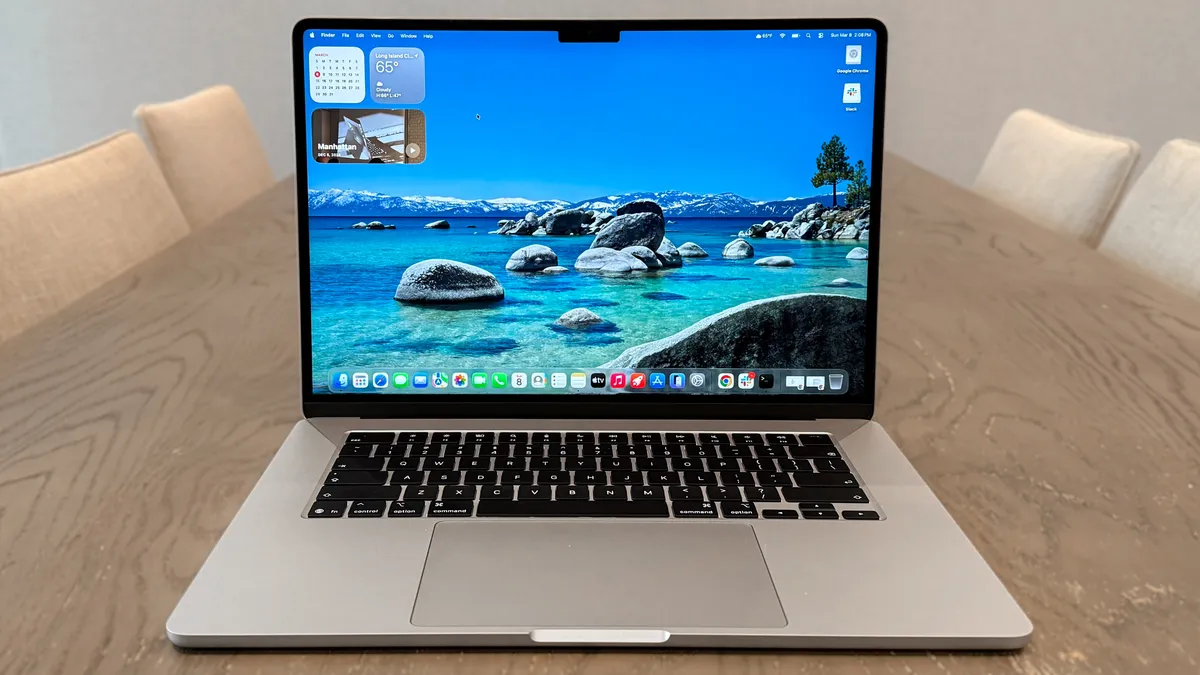
To be clear, both the MacBook Neo and MacBook Air deliver more than all-day battery life. If you’re out and about, you won’t have to worry if you left your charger at home. That said, the Air M5 endures longer than its more affordable counterpart.
| Row 0 - Cell 0 | Time (hours:mins) |
MacBook Neo |
13:28 |
MacBook Air M5 |
15:37 |
In Tom’s Guide's battery test, which involves continuous web surfing over Wi-Fi with the display set to 150 nits of brightness, the MacBook Neo lasted 13 hours and 28 minutes, which is great for a laptop in this price range. In comparison, the MacBook Air M5 lasted over two hours longer.
MacBook Now vs. MacBook Air M5: Features

As detailed in my article, Apple's $599 MacBook Neo — what are the trade-offs?, here’s a quick look at some of the other features Apple had to cut to get the starting price down to $599:
- Touch ID: The base Neo doesn’t have it, so you’ll need to type in your password when logging into secure websites. You can pay $100 extra to get Touch ID (which also upgrades storage to 512GB), though that bumps the laptop’s price to $699.
- Keyboard backlighting: Unless you’re a touch typist, you might have a hard time using the Neo in the dark, as the keyboard is not backlit.
- MagSafe: Unlike the Air M5, the Neo doesn’t have a MagSafe port. You’ll have to charge the Neo via one of its two USB-C ports, which means you’re down to just one port for peripherals while plugged in.
- Camera: Though the Neo thankfully has a 1080p webcam rather than 720p, the Air’s 12MP Center Stage camera is superior.
MacBook Now vs. MacBook Air M5: Bottom line

MacBooks are some of the best laptops out there, so you won’t go wrong with either the Neo or Air M5. However, if you have specific needs, then one will be better for you than the other.
If you’re a student, a parent buying a first computer for your child, or just someone who mostly surfs the web or watches YouTube, the MacBook Neo is a solid choice. It offers a premium build and decent performance for a price that competes with the best Chromebooks and best budget laptops. Just be aware of some of the limitations detailed above.
The MacBook Air M5 is another excellent addition to Apple’s popular laptop lineup, offering everything you’d want and need from a computer. If you plan to do heavy-duty multitasking and. more challenging workloads like video editing, coding or AI tasks, the $1,099 investment will be worth it. Between 16GB of RAM, the more powerful M5 chip, and other features like MagSafe and the P3 display, the Air M5 is a great choice.
To sum up, the MacBook Neo is best for most people, but the Air is the choice for more demanding users.

Follow Tom's Guide on Google News and add us as a preferred source to get our up-to-date news, analysis, and reviews in your feeds.
More from Tom's Guide

