





Tom's Guide Verdict
The Acer Chromebook 311 (C725) is designed for school and college students, as it’s a portable and rugged laptop, capable of withstanding fall damage and wear and tear over the years. Lovely to type on and featuring a responsive touchscreen, the Chromebook 311 is best suited to light productivity. It offers seamless integrations with Google Pixel smartphones too. However, the large bezels, small SSD, and poor color coverage and accuracy make it hard to justify the $500 price tag.
Pros
- +
Portable and rugged
- +
Seamless integration with Pixel phones
- +
Suited to light productivity
- +
Epic battery life
Cons
- -
Large bezels
- -
Poor color coverage and accuracy
- -
Small SSD
- -
Too expensive for what’s on offer
Why you can trust Tom's Guide Our writers and editors spend hours analyzing and reviewing products, services, and apps to help find what's best for you. Find out more about how we test, analyze, and rate.
If you’re on a budget but need a laptop for work, or maybe you’re a student, a Chromebook is usually a great place to start, as they’re generally cheaper than Windows machines. For the past month, I’ve been testing what I initially thought could be one of the best Chromebooks.
Alas, it couldn’t be further from the truth, as the Acer Chromebook 311 is anything but. Don’t get me wrong: this is a decent Chromebook for light work, web surfing, and for Google Pixel owners as it offers seamless Pixel integration.
But its flaws are too jarring to overlook. Unfortunately, the Chromebook 311’s color coverage is poor and inaccurate, and its large bezels make the already small screen feel even smaller. Throw in a sizable price tag of $514, and because of these shortcomings, it’s hard to justify the premium it costs.
For the complete breakdown, read my full Acer Chromebook 311 review.
Acer Chromebook 311 (C725) review: Specs
Price |
|
CPU |
MediaTek Kompanio 540 |
GPU |
MediaTek |
Display |
11.6-inch (1366 x 768), LED, Touchscreen, 60Hz |
Memory |
8GB |
Storage |
128GB |
Ports |
2x USB-C, 2x USB-A 3.2 Gen 1, 1x 3.5mm headphones jack |
Connectivity |
Wi-Fi 7, Bluetooth |
Size |
11.65 x 8.11 x 0.83 inches |
Weight |
2.86lbs |
Acer Chromebook 311 (C725) review: Cheat sheet
- What is it? A robust and portable laptop running ChromeOS
- Who is it for? For school and college students who need a laptop primarily for web surfing and light productivity
- How much does it cost? The Acer Chromebook 311 (C725) costs $514
- What do we like? The portable and rugged design, seamless integration with Pixel phones, long battery life, and its productivity-first capabilities
- What don’t we like? The large bezels, small SSD, poor color coverage, and steep price
Acer Chromebook 311 (C725) review: The ups
The Acer Chromebook 311 is a rugged and portable laptop. It’s suited to light productivity, and it boasts long battery life too.
Portable and rugged
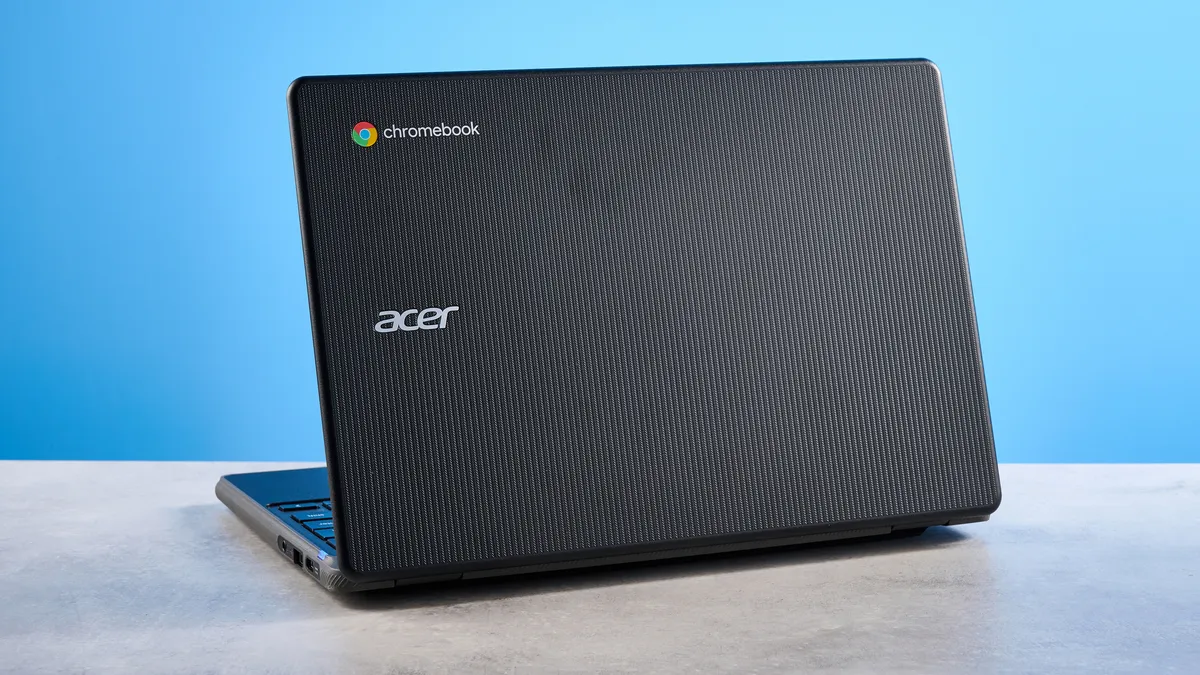
If you want a laptop to use on the go, and one that doesn’t take up too much space in your backpack or handbag, the Acer Chromebook 311 is an excellent choice. Measuring 11.65 x 8.11 x 0.83 inches and weighing 2.57lbs (or 2.86lbs, depending on the configuration), it barely takes up any space in my bag, and I haven’t had any issues carrying it to and from work.
The Chromebook 311 boasts a rugged design too, and Acer claims it features Military Standard (MIL-STD 810H) durability. This means it’s impact-resistant and can withstand drops from 1.2m heights, as well as up to 132lbs of downward force. For students and young learners, this is a great feature to have, as users can rest assured the laptop will be protected against wear and tear over the years.
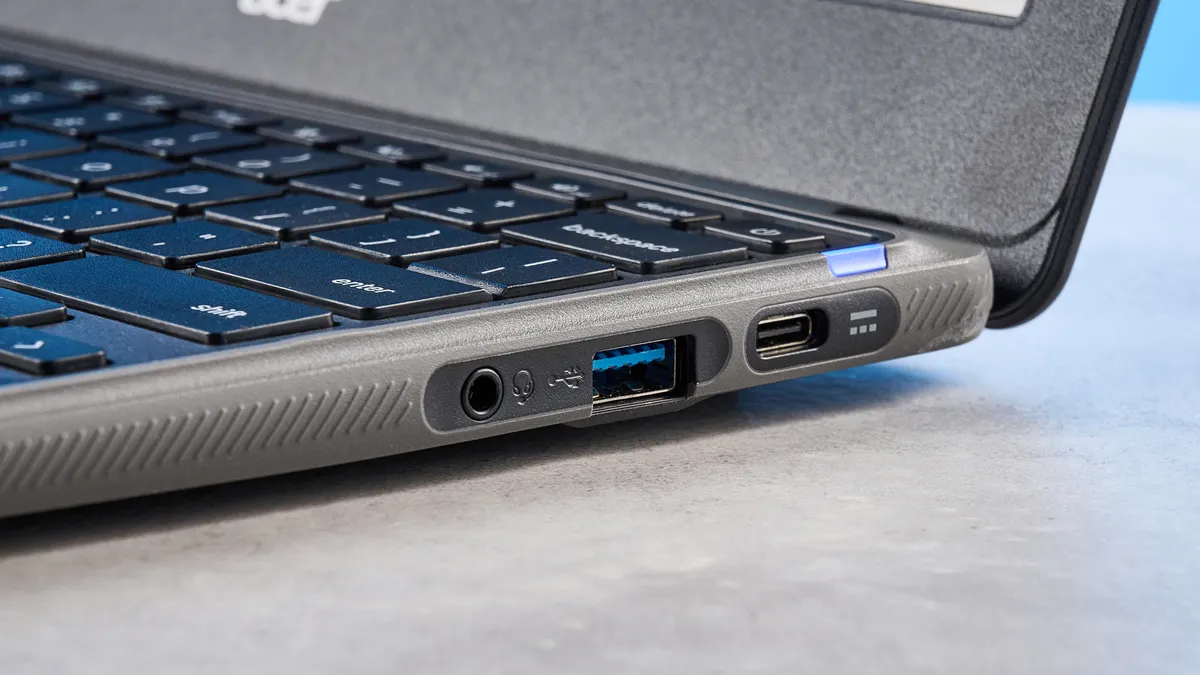
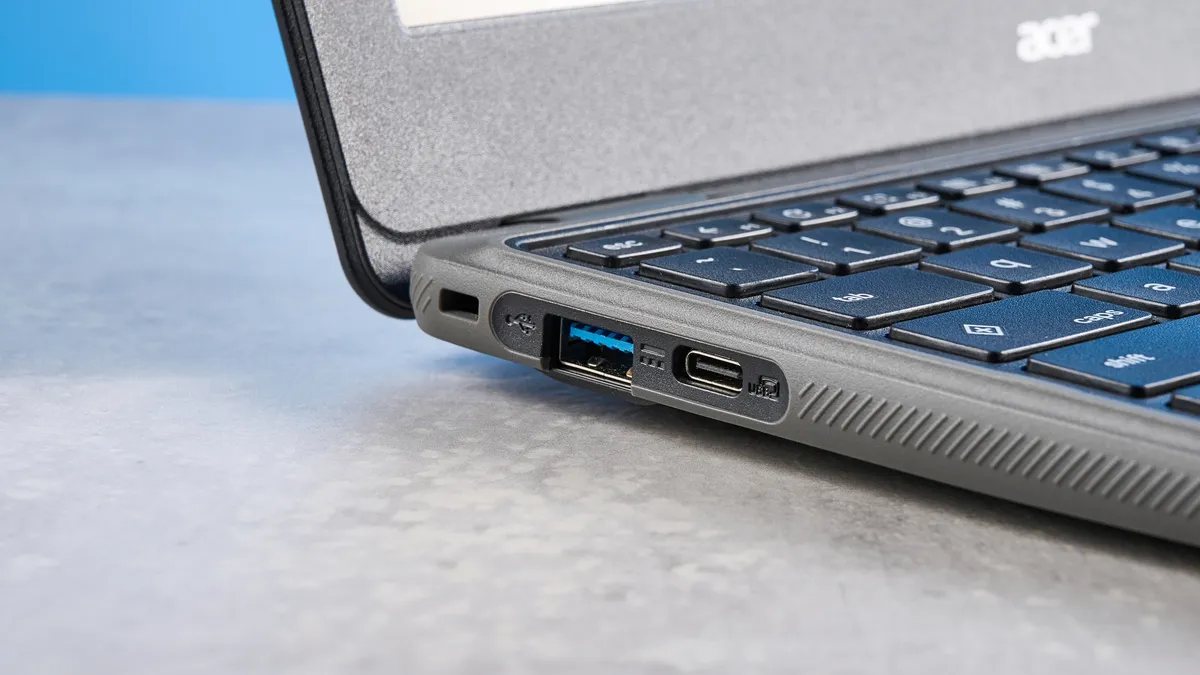
Ports-wise, the Chromebook 311 is stripped back, featuring two USB-A Gen 3.2 Type 1 as well as two USB-C ports (including one for charging). There’s also a 3.5mm headphones jack to plug in the best headphones for working from home or the office. Though not many, these ports should be plenty for students. Acer sells a 7-in-1 USB-C hub ($24) separately for those who want extra ports and an SD card reader.
Seamless Pixel integration
Similar to how Apple’s MacBooks offer seamless integration with iPhones and iPads, the Acer Chromebook 311 syncs perfectly with Google Pixel smartphones. I own a Google Pixel 10 Pro XL, and pairing my phone with the Chromebook 311 was a walk in the park. All I needed to do was sign in on the laptop with my Google account, and et voilà! I instantly had access to all my bookmarks, Google Chrome browsing history, passwords, and more.
In addition to that, I was able to receive notifications from my phone on the Chromebook 311, and even access recent photos and apps installed on my Pixel via Phone Hub. This made it easy to reply to WhatsApp messages directly from the laptop without picking up my phone or launching WhatsApp Web in a separate Chrome tab. Being able to access my recent photos was a boon too, as I take a lot of photos of products I’m reviewing, so being able to easily offload them without mailing them to myself saved me precious time.
Suited to light productivity
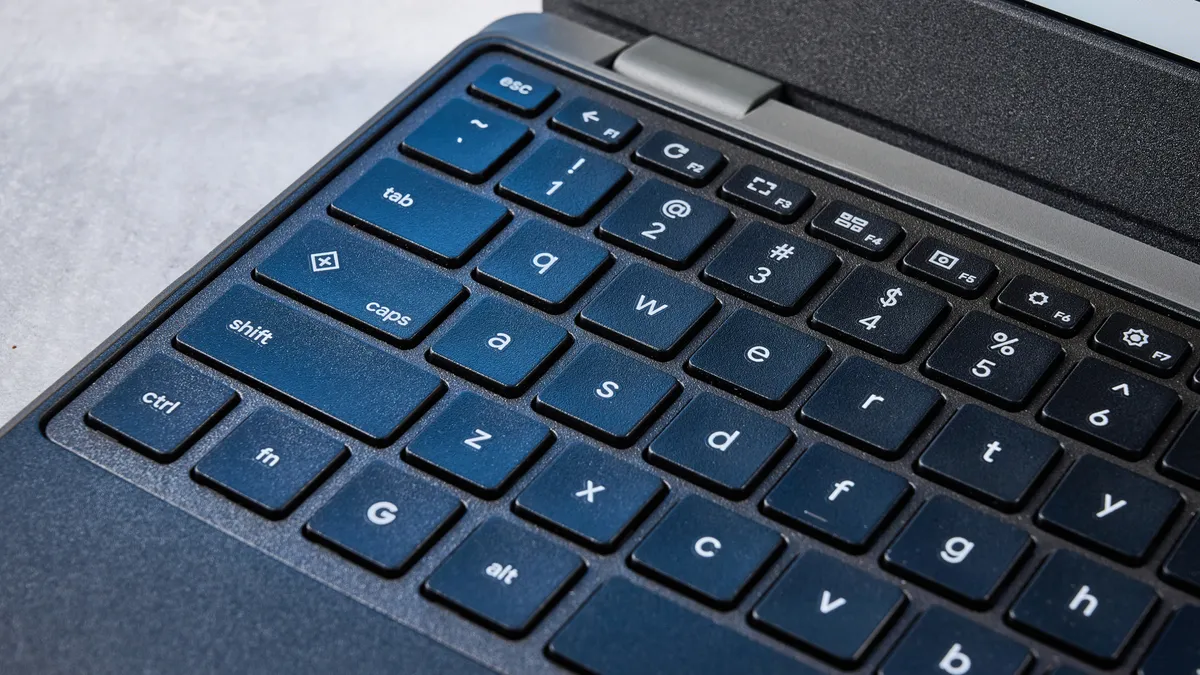
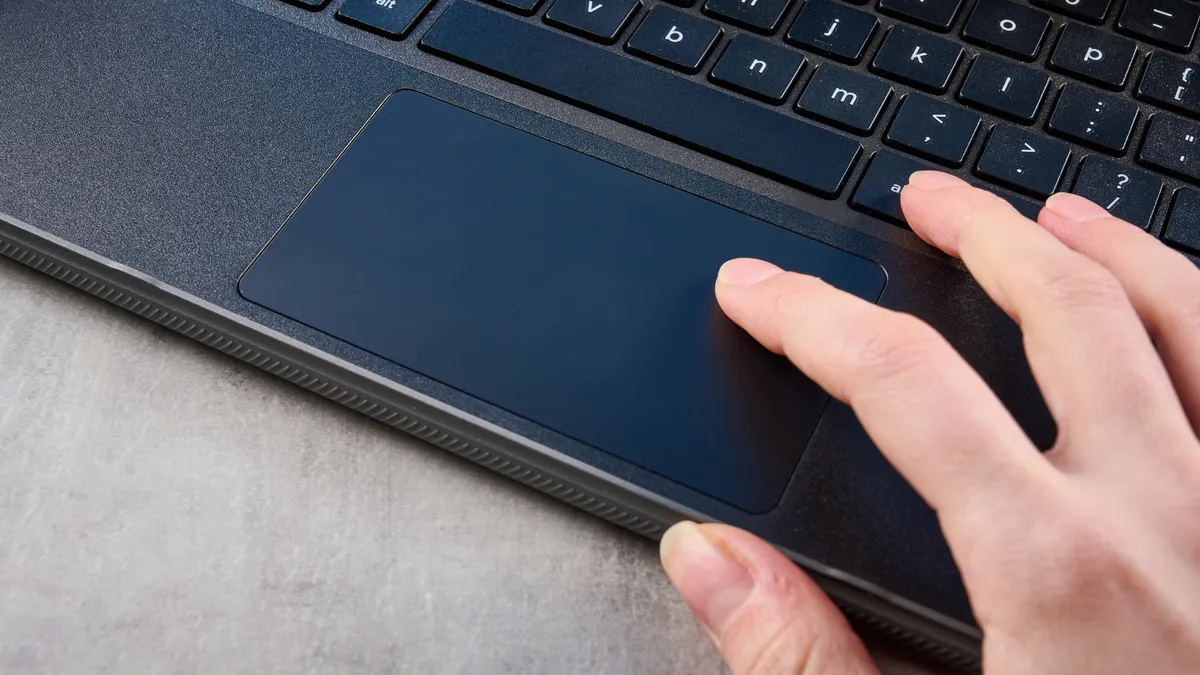
For casual typists and students, the Acer Chromebook 311 is a good laptop for light productivity, such as typing in Google Docs, making presentations, creating spreadsheets, and so on. To assist with that, the Chromebook 311 features a good, simple membrane keyboard. The keys’ short travel distance and soft bottoming out make typing feel effortless, and the keys are well-spaced out too, so you don’t accidentally hit unintended ones.
I took a typing test at 10fastfingers.com to see how the Chromebook 311’s keyboard fared, and I was able to achieve 87 words per minute with 91.09% accuracy. This is similar to how I type on my work-sanctioned MacBook Air M2, on which I have an average typing speed of 88WPM with 93.04% accuracy.
The Chromebook 311 also features a touchscreen integrated into its 11.6-inch (1366 x 768) display, so you can type on that too if you don’t fancy using the keyboard. I found the touchscreen responsive in my testing, and scrolling from the top to the bottom of a long spreadsheet was quick and easy. The screen doesn’t lag too much either, and I noticed some stuttering only after I had 30 tabs open in Chrome, including Google Docs, YouTube and other memory-eating websites.
Laptop |
Geekbench (single / multi-core) |
|---|---|
Acer Chromebook 311 |
1007 / 2168 |
Lenovo Chromebook Duet 3 |
N/A / 1732 |
MacBook Neo |
3535 / 8920 |
On Geekbench 6, which tests overall CPU performance, the Chromebook 311 pulled in a multi-core score of 2,168. While it’s low compared to many other laptops, this is a Chromebook running a MediaTek Kompanio 540 CPU, and not an Intel or AMD CPU. It upstages the Lenovo Chromebook Duet 3 ($359) which has a multi-core score of 1,732, but it’s outdone by the MacBook Neo ($599) and its A18 Pro chip pulling in an impressive 8,920 multi-core score.
Looooong battery life
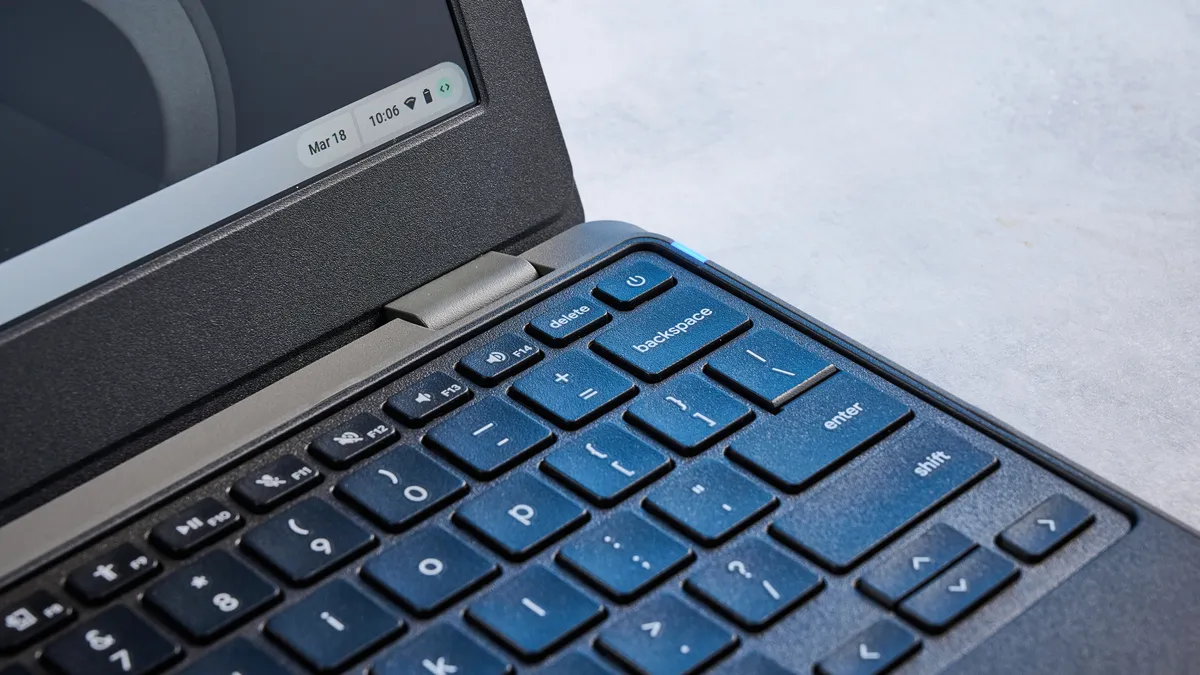
If you want a laptop that lasts a day’s worth of work, the Acer Chromebook 311 is a great choice. Acer promises 15 hours of battery life, thanks to the MediaTek Kompanio 540 CPU, and the fanless design means the laptop stays quiet when you need to focus on your studies or work. Fast charging is also supported too, with Acer claiming that it takes 30 minutes for the 45Wh battery to charge up to 50%, and an hour for 80%.
| Header Cell - Column 0 | Battery life (hours:mins) |
|---|---|
Acer Chromebook 311 |
13:05 |
MacBook Neo |
13:28 |
Lenovo Chromebook Duet 3 |
10:30 |
Acer Aspire Go 15 |
10:15 |
In my testing, it took the laptop just over an hour to go from zero to 100%, ascertaining Acer’s claims. I then conducted a battery test where I left the laptop playing an HD live video on YouTube until it ran out of charge, with the brightness calibrated to 150 nits. I timed it manually, and the laptop promptly died after 13 hours and five minutes, which is outstanding. As you can see from the table above, the Chromebook 311 upstages the Lenovo Chromebook Duet 3, and the Acer Aspire Go 15 ($299), and it comes close to the MacBook Neo.
Acer Chromebook 311 (C725) review: The downs
Unfortunately, the Acer Chromebook 311’s large bezels, poor color performance and small SSD massively let it down. Oh, and that eye-watering price tag!
Large bezels
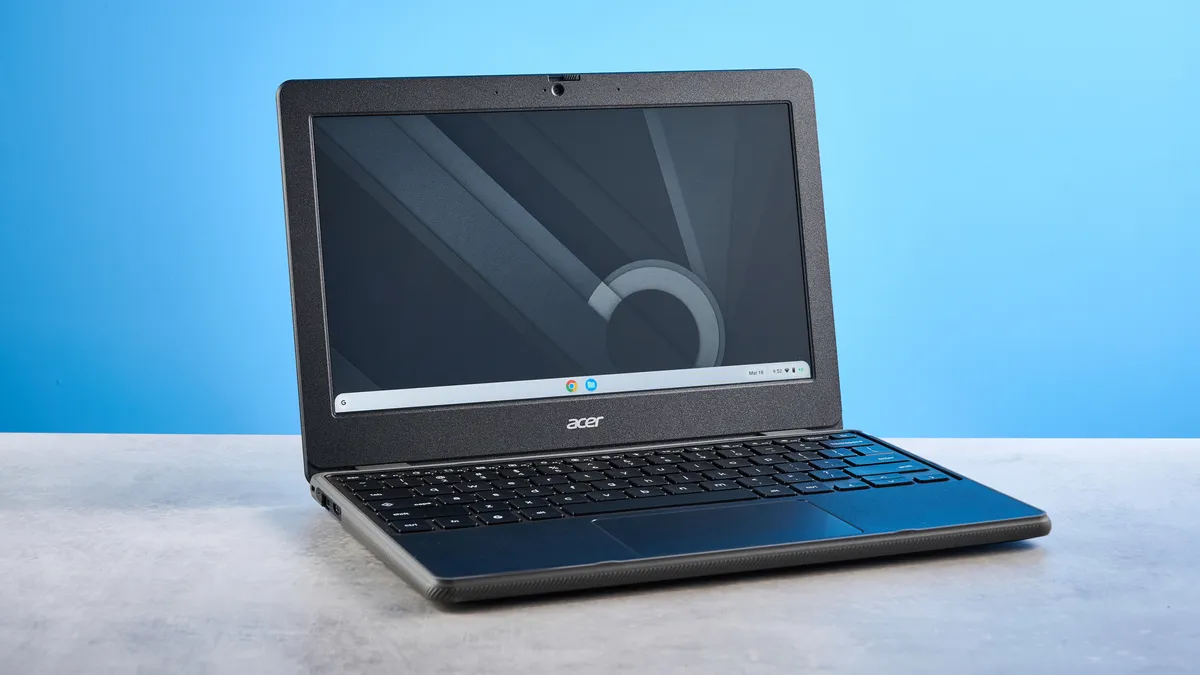
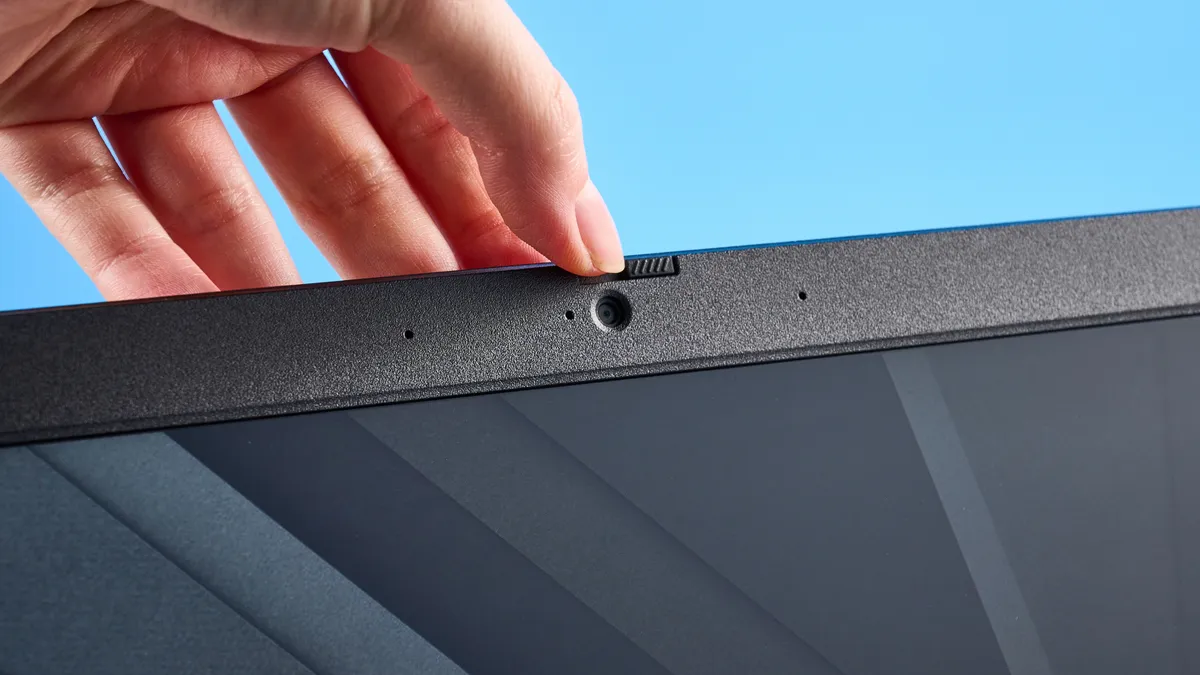
While the Acer Chromebook 311 is great to type on and is good enough for low-stakes productivity, its large bezels take away from the overall user experience. A laptop bezel is the frame surrounding the screen, and it serves as a protective border and adds to the laptop’s structural integrity, and provides housing for components like a webcam. I remember when laptops sporting massive bezels when they first became popular, but we’ve come a long way since then, and many modern laptops feature thin bezels.
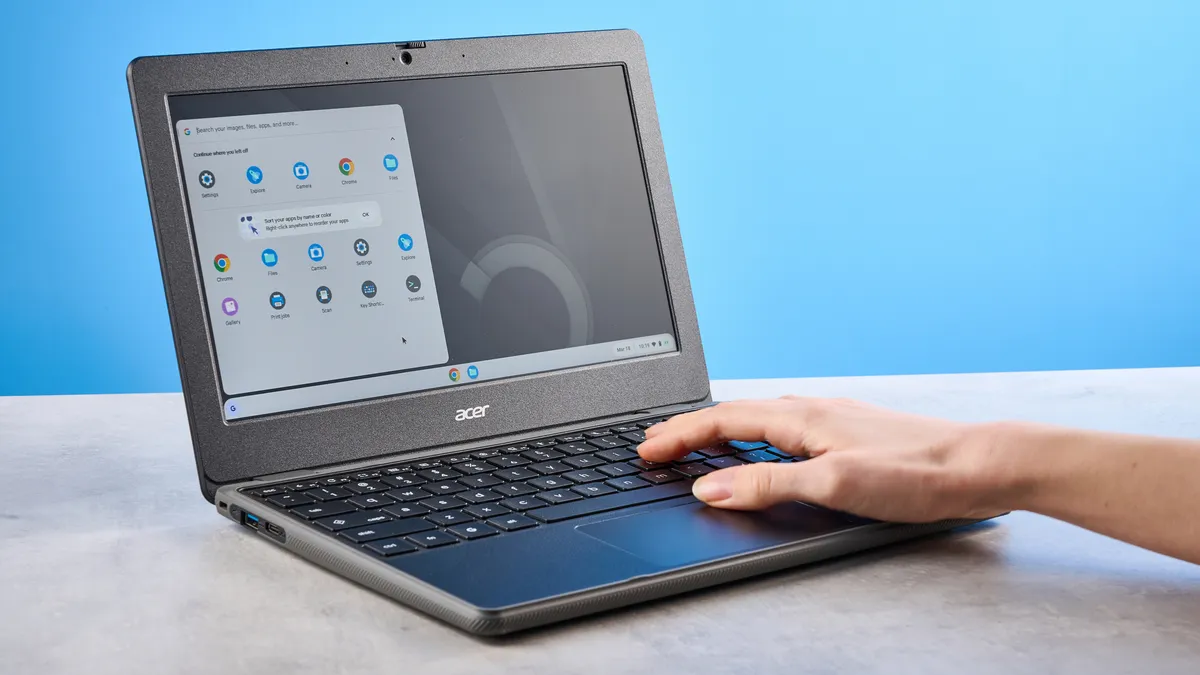
Not the Chromebook 311. The thick black bezels are too prominent for my liking, and make the laptop look clunky and cheap. The Chromebook 311’s 11.6-inch screen is already kinda small, and the large bezels do it no favors, making it appear even smaller than it is. Personally, I prefer the wafer-thin bezels found on the likes of the MacBook Air M5 ($1,099), but I also understand that the laptop I’m referring to is twice the Chromebook 311’s price. If you want thin bezels, I’d recommend the Lenovo Chromebook Duet 3 instead.
Poor color coverage and accuracy
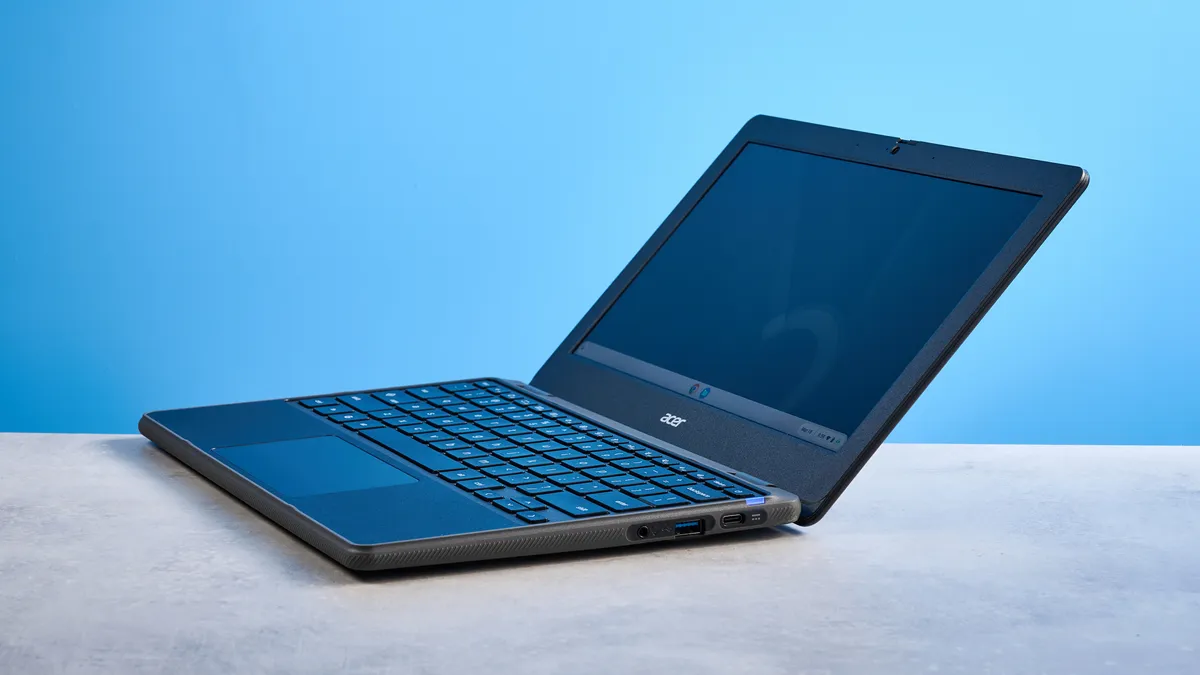
The Acer Chromebook 311 is designed for students or those who partake in low-stakes productivity, but I wouldn’t recommend it to anyone who edits photos or deals with other creative work. That’s because the Chromebook 311 struggles when it comes to color coverage as well as accuracy.
| Header Cell - Column 0 | Nits (brightness) |
sRGB |
DCI P3 |
Delta-E |
|---|---|---|---|---|
Acer Chromebook 311 |
225.8 |
59.7% |
55.3% |
7.2 |
Lenovo Chromebook Duet 3 |
434.4 |
108.4% |
76.8% |
N/A |
MacBook Neo |
480 |
110% |
78.6% |
0.22 |
My lab testing showed that the Chromebook 311 is not fit for any kind of work involving colors — or even watching movies and playing video games, really. Let’s talk about the brightness first. The Chromebook 311 achieved a peak brightness of 225.8 nits in my lab tests, which isn’t too bad, and in real-world use, I didn’t particularly struggle to see and read what was on the screen. But it’s worth noting that the Lenovo Chromebook Duet 3 and the MacBook Neo offer nearly double the brightness, alongside better color coverage and accuracy.
I then measured color coverage and accuracy. The Chromebook 311 covers only 59.7% of the sRGB color spectrum, and 55.3% of the wider DCI-P3 gamut. This means that colors appear washed out on the screen, and as the screen can’t produce deep, rich colors, the contrast between dark and light areas appears poor with blacks appearing more gray than black.
Delta-E, which determines color accuracy (the closer the score to zero, the better), measured at 7.2 is abysmal, for lack of a better word. This means that the human eye perceives vastly different colors than what was originally intended by, say, a videographer filming animals at sunrise. The World Wildlife YouTube video I always watch when testing laptops appeared washed out with poor colors, and it didn’t feel enjoyable.
Tiny storage
The last area the Acer Chromebook 311 let me down in is its internal storage. It packs a 128GB SSD which isn’t a lot in the grand scheme of things. Install a few heavy duty apps or games and that storage will fill up quicker than you can say “butterscotch.”
You can always buy one of the best external SSDs if you want extra storage, or opt for Google cloud storage, which you might already have if you own a Google Pixel smartphone.
Expensive for what’s on offer
Given the large bezels, poor color coverage, and small SSD, I find it hard to justify the Acer Chromebook 311’s steep price. It’s available for $514 at Amazon, which is quite a bit given the laptop’s shortcomings. If you’re willing to extend your budget that far, you should spend it on something actually worth the money.
If it’s a Chromebook you’re after, the Lenovo Chromebook Duet 3 ($359) is a great choice. Don’t mind a Windows laptop? Try the Acer Aspire Go 15. For Apple users, the MacBook Neo ($599) is the undisputed king of sub-$600 laptops. There’s no dearth of alternatives out there when it comes to the best laptops under $500, and Apple has made it very difficult for its other competitors to justify spending more on anything other than the MacBook Neo.
Acer Chromebook 311 (C725) review: Verdict
If you’re a student looking for a productivity-first laptop that lasts a day’s long worth of studying, then the Acer Chromebook 311 is a decent choice. It boasts more than 13 hours of battery life, and seamless Pixel integration for those already invested in Google’s ecosystem. The Chromebook 311 is fit for light productivity and web-surfing, and its keyboard feels lovely to type on too.
But this doesn’t mean the Chromebook 311 is perfect — far from it, actually. The laptop, unfortunately, sports large bezels which make the already small 11.6-inch screen look even smaller. Color coverage and accuracy are poor, making the Chromebook 311 unfit for photo and video editing. The small SSD leaves a lot to be desired, and the laptop is too expensive for what’s on offer.
In a crowded market where a giant like Apple has created a budget-friendly MacBook for students, why wouldn’t you just buy that? Or another Chromebook like the Lenovo Chromebook Duet 3? The Chromebook 311 faces a lot of fierce competition and, at the end of the day, struggles to come out on top.

