




I've tested just about every major AI chatbot over the last few years, and while most conversations around Gemini focus on how it compares to ChatGPT, there's no reason why you have to choose. One of the best ways to use AI assistants is to make the most of what each one can do. Unfortunately, there are so many features that users miss.
The truth is, there are many useful Gemini features hiding in plain sight. Some are built directly into Google's ecosystem and should be getting far more attention.
Here are the seven Gemini features I find myself coming back to again and again.
1. Deep Research can do hours of research in minutes
Whenever I talk about Deep Research with chatbots, I often hear, "I would have loved this in college." In other words, some users feel as though they have no use for it now. But Deep Research is arguably for so much more than studying. I use it all the time to gather sources before writing, learn a new topic quickly, compare products and prices.
Using Gemini in this way helps to create structured research reports that can save a significant amount of time compared to manually opening dozens of tabs and sifting through reports.
2. Gemini Live feels like having a 24/7 teammate

I've found that when I'm out for a run, sometimes I'll have an idea and want to spitball about it with someone. For me, that "someone" is often Gemini Live. As a voice AI, it responds like a human, can handle interruptions or thought pivots and can even "see" what you're seeing. I use it for talking through problems, brainstorming ideas, trouble shooting and planning projects.
What I like about Gemini Live is how the back-and-forth conversations feel so natural. Sometimes it's just easier to chat live rather than typing prompts.
3. Notebook-based projects help Gemini remember context
If you follow me, you already know I'm a huge NotebookLM fan and recently built a family "wiki" with it. But the notebook-based projects I'm talking about here are not related to NotebookLM. It can get confusing, which is why some people miss it.
But Gemini notebooks are available right in the chat and can be used to keep all of your Deep Research projects organized, help to compare notes and keep long-term projects seperate from others. Instead of constantly re-explaining a project, Gemini can work from a dedicated knowledge base, which is a huge time saver.
4. YouTube video analysis is surprisingly useful

Most people watch videos instead of studying them. And, for the most part, that's what I do, too. But occasionally, I want to find important timestamps and key takeaways if I don't have time to watch the full video. It's also useful if you want to compare expert opinions or reviews.
This is worth trying for so many reasons, but perhaps my favorite is that it can help you decide whether a 45-minute video is worth watching before committing.
5. Gems turn Gemini into a custom AI assistant
Everyone I know who has tried Gems always wonders why they didn't try them sooner. Similar to ChatGPT's custom GPTs, Gems are a feature that can help with writing assistance, idea generation, editing and research support.
What's great is that you can create specialized assistants that understand exactly how you like to work.
6. Gmail and Google Docs integration is a huge time saver
If you use Gmail or Google Docs, Gemini within either one is hard to avoid. I'll be honest, for a long time I did avoid it. I figured I didn't need it outside of the chatbot. But once I used it to clean up my inbox, format a Google Doc and find a photo I thought I had deleted, I quickly realized what I was missing.
If you use any aspect of Google Workspace, it's worth exploring Gemini for reviewing documents, pulling information from files, summarizing email threads or drafting responses. I've found that I respond more timely to emails thanks to Gmail's Gemini integration.
7. Scheduled actions are the closest thing to a personal assistant
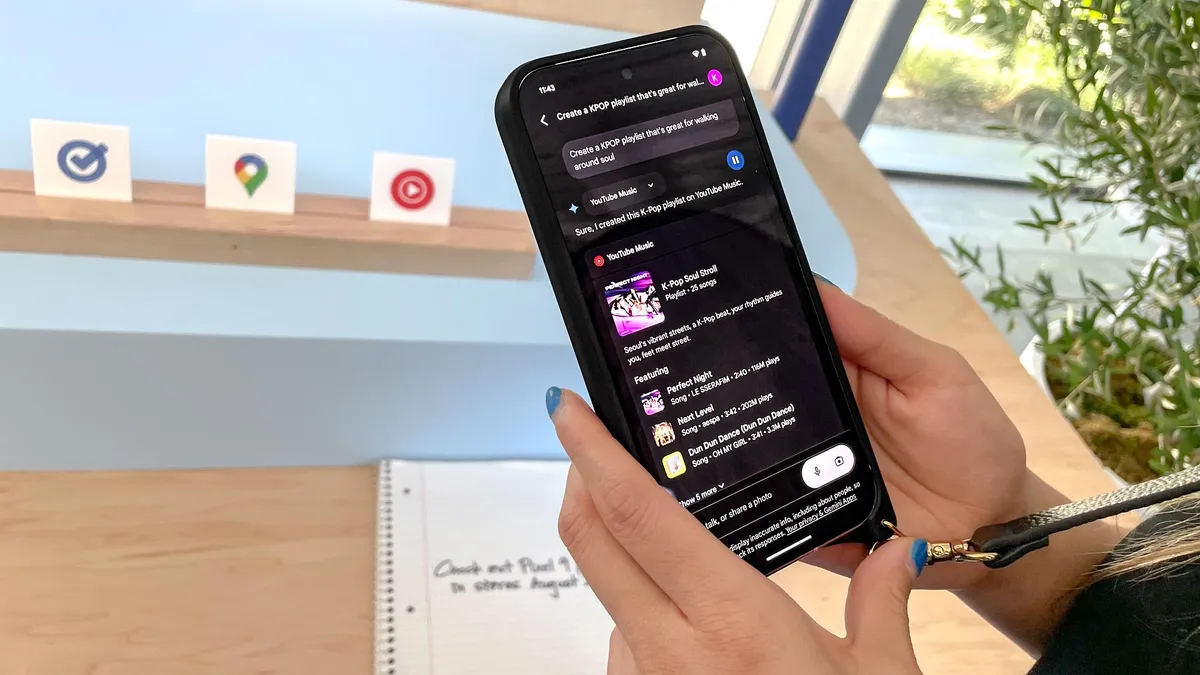
If you turn on Personal Intelligence you'll get even more Gemini integration because it pulls from everything you use in Google Workplace (with your permission, of course). If you're not into Personal Intelligence, like me, give Gemini Spark, a try. I've found the memory aspect to be useful, without it feeling overly intrusive. You can adjust the amount of AI involvement you want, which I realy like.
Bottom line
There seems to be a growing number of people who consider themselves team ChatGPT or team Gemini, but the real win is using them both. If you've been ignoring these features because you aren't ready to give up ChatGPT, yet, start with number six on this list. When you see how much time you'll save with Gemini in Google Workspace, you might want to try number 3 or 4 next.
There's no right or wrong way to integrate these use cases into your daily workflow, but since Google has packed Gemini with tools that extend beyond conversations, they are worth trying.
If you've only been using Gemini to ask questions, these seven features are a good place to start. Chances are you'll find at least one that changes how you use AI every day. Let me know in the comments your favorite uses for Gemini.

Follow Tom's Guide on Google News and add us as a preferred source to get our up-to-date news, analysis, and reviews in your feeds. Subscribe to Tom's Guide on YouTube and follow us on TikTok. Finally, you can visit our dedicated Tom's Guide Savings Squad hub for expert help on getting the best products for less.
More from Tom's Guide

