
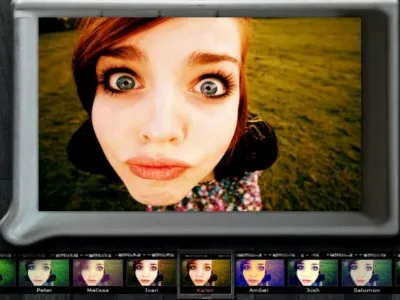
5 Free Online Photo Editing Tools
A surprising spectrum--from stupidly easy to Photoshop-savvy--of Web-based photo editing tools can be found for free. We checked out 5 of the most interesting options: FotoFlexer, Pixlr, Phixr, iPiccy and Lunapic
Here at Tom’s Guide our expert editors are committed to bringing you the best news, reviews and guides to help you stay informed and ahead of the curve!
You are now subscribed
Your newsletter sign-up was successful
Want to add more newsletters?
Daily (Mon-Sun)
Tom's Guide Daily
Sign up to get the latest updates on all of your favorite content! From cutting-edge tech news and the hottest streaming buzz to unbeatable deals on the best products and in-depth reviews, we’ve got you covered.
Weekly on Thursday
Tom's AI Guide
Be AI savvy with your weekly newsletter summing up all the biggest AI news you need to know. Plus, analysis from our AI editor and tips on how to use the latest AI tools!
Weekly on Friday
Tom's iGuide
Unlock the vast world of Apple news straight to your inbox. With coverage on everything from exciting product launches to essential software updates, this is your go-to source for the latest updates on all the best Apple content.
Weekly on Monday
Tom's Streaming Guide
Our weekly newsletter is expertly crafted to immerse you in the world of streaming. Stay updated on the latest releases and our top recommendations across your favorite streaming platforms.
Join the club
Get full access to premium articles, exclusive features and a growing list of member rewards.
No Desktop Installation Required
Social networking sites have turned many of us into chronic over-sharers. But even the most modest among us find ourselves obligated to post a photo or two to Facebook. And, naturally, we want to manipulate those photos a bit to make ourselves (and others) look, well, better. The good news is that we no longer have to hire studio professionals or Photoshop gurus to do this for us, nor do we have to install expensive software on our computers. We can use online photo editing tools. They’re free and there are plenty of them.
They offer all sorts of different features—but don’t bother comparing them with traditional desktop tools: they just don’t have the same features as the paid programs. Online photo editing is intended for people who want a quick and cheap way to make basic fixes, add cool effects and filters,and share photos almost instantly with their friends and family.
People will continue to use free photo editors as long as they are available. It’s a competitive market so the feature sets should become more interesting over the next few years. As the devices we put our pictures on change and morph into smarter solutions, these photo editors will want to keep up with the Joneses to survive a competitive world. For photo editing lovers, that spells even better pictures at the same price—free!
We looked at five of the most interesting online photo editing options for this article. Big players like Google, Yahoo!, and Adobe also offer free online photo editing options but we decided not to include them because they expect you to store your images with them as well.

Get instant access to breaking news, the hottest reviews, great deals and helpful tips.

Tom's Guide upgrades your life by helping you decide what products to buy, finding the best deals and showing you how to get the most out of them and solving problems as they arise. Tom's Guide is here to help you accomplish your goals, find great products without the hassle, get the best deals, discover things others don’t want you to know and save time when problems arise. Visit the About Tom's Guide page for more information and to find out how we test products.
-
Thanks for the list. Much appreciated.Reply
With the pending demise of Picnik I was wondering what I was going to do in those instance where I need something but have no access to my own laptop or desktop and only need something quick and easy to use.
Generally I use GIMP but naturally this is not 'online' :)
